

Acer Iconia Tab 7 A1-713 Review: Everyday Performance, Display and Everyday Use
The Acer Iconia Tab 7 A1-713 review for everyday use starts with a simple question: what could a small, low-cost tablet from 2014 still do well, and where did its limits show? This tablet arrived in a year when seven-inch slates were the practical choice for reading, video, browsing and light games at home. It was not built to lead any benchmark chart. It was built to be affordable, portable and easy to pick up for a short session on the sofa, in bed, in the kitchen or on a short trip. That modest aim shapes every part of this review, from the screen and the chip to the battery and the cameras.
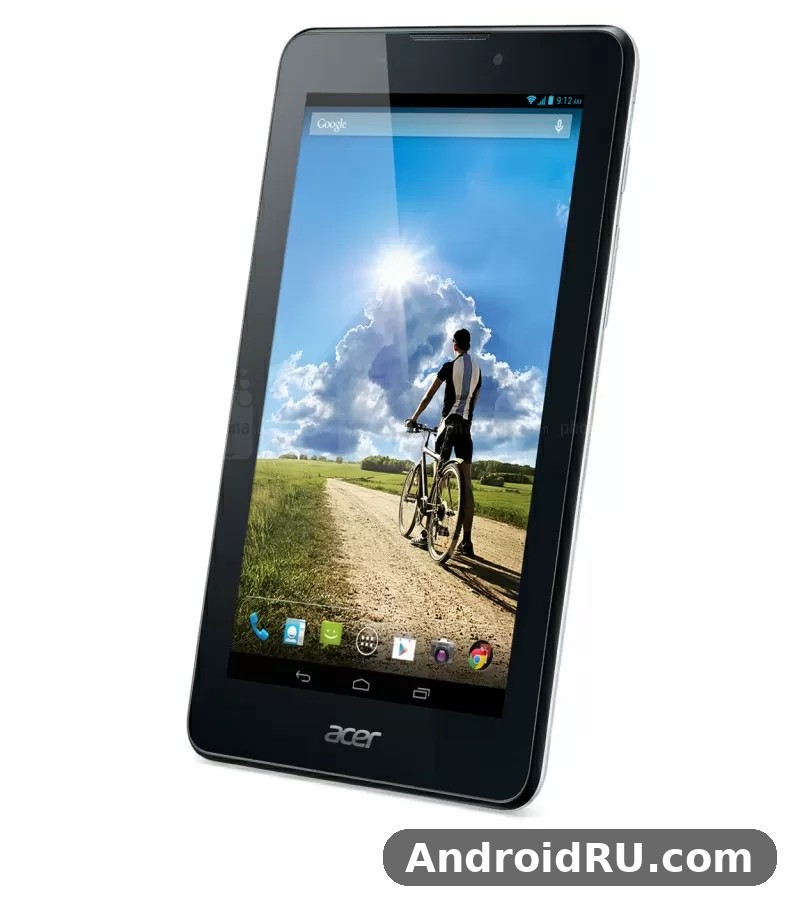
Readers who are looking at this model now are usually doing one of three things. Some are checking an old device found in a drawer. Some are comparing it with a close relative from the same Acer range. Some are curious about how a 2014 budget tablet felt to use when it was new. This article covers all three angles with the facts as they were at launch, and it keeps the focus on the A1-713 itself, not on the sharper HD version that shared a similar name. The Acer Iconia Tab 7 A1-713 specs are modest by later standards, yet the balance between size, price and simple daily tasks explains why this kind of tablet sold in large numbers.
A steady tablet for simple daily tasks, best judged on reading, video and browsing.
Everyday Performance in a 2014 Budget Tablet
Performance is the first test for any tablet that is meant to be used every day, and the Acer Iconia Tab 7 A1-713 performance for web browsing was the core of its appeal. Pages loaded at a pace that felt acceptable for the period, provided the user kept expectations in line with the hardware. A single browser tab, a news article, a recipe page or a short video page worked well. Switching between several heavy pages, or leaving many apps open in the background, made the tablet slow down in a way that was easy to notice. That behaviour was common for low-cost tablets of the time, and it is the main reason to judge this model as a focused device rather than a multitasking workhorse.
The Acer Iconia Tab 7 A1-713 MediaTek MT8382 quad core processor ran at 1.3 GHz, and that chip set the tone for the whole experience. It handled the Android interface, basic apps and media playback without drama when the workload stayed light. The Acer Iconia Tab 7 A1-713 chipset was a quad-core MediaTek part, and its job was to keep routine work smooth rather than to chase high frame rates. The Acer Iconia Tab 7 A1-713 release in May 2014 placed it in a crowded budget market, so its processor choice was a practical compromise: enough power for the tasks most buyers wanted, at a price that kept the tablet within reach.
Light games also fit the brief. Simple puzzle games, card games, casual racing titles and older arcade games ran in a playable way, while demanding 3D titles from the period exposed the limits of the graphics hardware and the small memory pool. The Acer Iconia Tab 7 A1-713 gaming performance for light games was therefore fair for its class, but it was never the reason to choose this tablet over a more powerful model. A buyer who wanted long gaming sessions would have been better served by a larger or more expensive device, while a buyer who wanted a short game between other tasks would have found it adequate.
How the quad-core chip handles daily tasks
Daily tasks on this tablet followed a clear pattern. Opening an email app, checking a weather forecast, reading a short article and watching a clip were all comfortable. The chip responded quickly to taps, scrolling was usable, and the interface stayed readable. Problems appeared when the user asked for too much at once: a video playing while a browser refreshed in the background, a large download running while a game loaded, or several social apps refreshing together. In those moments the tablet paused, redrew the screen, or took longer to return to the home screen. Keeping one main task in the foreground was the practical way to get the best from it.
That pattern also applied to video. The Acer Iconia Tab 7 A1-713 video playback on 7 inch screen was smooth for standard-definition clips and for many high-definition files that were encoded at modest bit rates. Local video files, streaming clips and short online videos all played without the stutter that would have ruined the experience. The screen size helped here: a seven-inch panel is large enough for a single viewer, yet small enough to hold for a full episode or a long clip without tiring the hands.
RAM, storage and microSD expansion
Memory was the tightest part of the package. The Acer Iconia Tab 7 A1-713 1GB RAM multitasking limits explained in plain terms are simple: one gigabyte was enough for one app at a time plus the system, but it left little room for a second demanding app. The Acer Iconia Tab 7 A1-713 RAM figure tells the same story in a single number. Apps closed in the background had to reload when reopened, and the browser sometimes refreshed a page after the user switched away and came back. Those habits are familiar to anyone who used a budget Android tablet in 2014, and they are worth remembering when judging the tablet today.
Storage was more flexible. The Acer Iconia Tab 7 A1-713 storage options 8GB and 16GB gave buyers a choice between a lower-cost version and a version with more room for apps and media. The Acer Iconia Tab 7 A1-713 storage on the 8GB model filled up quickly once a few apps, cached files and offline maps were added, while the 16GB model gave a little more breathing room. The Acer Iconia Tab 7 A1-713 microSD card expansion up to 32GB helped in both cases, because photos, music and video files could be moved to a card. The Acer Iconia Tab 7 A1-713 microSD slot was therefore an important part of the value: it let owners keep the internal memory for apps and use the card for media.
What 1 GB of RAM means in practice
In practice, 1 GB of RAM meant planning ahead. Closing apps that were no longer needed, keeping the number of home-screen widgets low, and avoiding live wallpapers all helped the tablet stay responsive. It also meant that software updates and larger apps needed more care, because the system had less spare memory to absorb a heavy update. For a reader, a video watcher or a casual browser, those habits were easy to adopt. For a user who wanted to jump between a browser, a messenger, a map and a game without reloading, the limit was a real drawback.
Storage options and microSD use
Storage use followed the same practical logic. A microSD card was best used for files that did not need to run as apps, such as films, music, ebooks and photos. App data stayed on the internal memory, so the card did not turn the 8GB model into a 40GB app machine. Owners who understood that split got good value from the expansion slot, while owners who expected the card to solve every storage problem were likely to be disappointed. The lesson still applies to old tablets in general: a card extends media space, it does not replace internal memory.
Display and Everyday Use
The screen is where most owners spent most of their time, so the Acer Iconia Tab 7 A1-713 display quality for reading books deserves close attention. The panel is a seven-inch LCD with a resolution of 1024 by 600 pixels, which gives text a soft edge when compared with later high-density screens, yet keeps books, articles and simple web pages readable at a normal holding distance. The Acer Iconia Tab 7 A1-713 7 inch 1024×600 display resolution is the key fact that separates this model from its HD sibling, and it is the fact that buyers should check first. The Acer Iconia Tab 7 A1-713 display was not meant to impress with sharpness; it was meant to give a comfortable, low-cost window onto text and video.
Colour and brightness were adequate for indoor use. The screen showed photos and video with natural, if muted, colours, and the brightness was enough for a living room, a bedroom or a shaded outdoor seat. Direct sunlight was a different matter, and the Acer Iconia Tab 7 A1-713 screen brightness outdoors in sunlight was limited, as it was on most budget tablets of the period. Reflections and washed-out colours made outdoor reading harder, so the tablet worked best indoors or under cover. That is a fair trade for a low-cost panel, and it matches the way most owners used a seven-inch tablet at home.
For readers who want a sharper panel from the same family, the Acer Iconia Tab 8 A1-840FHD Review and Full Specifications: Everything You Should Know shows how Acer raised the resolution and the screen size in a related model, while the Acer Iconia Tab 7 A1-713HD Hands-On Review and Complete Specs: Performance and Durability covers the HD version that is often confused with this tablet. The Acer Iconia Tab 7 A1-713 vs A1-713HD display difference explained in one line is resolution: the A1-713 uses 1024 by 600 pixels, while the A1-713HD uses 1280 by 800 pixels. The two tablets share a name and a size, but they do not share the same screen, so a buyer should not judge this model by the HD version, or the other way round.
Screen size, resolution and viewing angles
Seven inches is a useful size for a tablet that is meant to travel around the house. It fits in a jacket pocket, a small bag or a car door pocket, and it is large enough to show a full web page without constant zooming. The Acer Iconia Tab 7 A1-713 screen size suited that role, and the 1024 by 600 resolution kept the interface simple and the text large enough for comfortable reading. Viewing angles were acceptable for a single viewer looking straight at the panel, with colours shifting a little when the tablet was tilted. Sharing the screen with a second person was possible for a short clip, but the image lost some contrast at a wide angle.
Reading, video and browsing on a 7 inch screen
Reading was one of the strongest uses. The Acer Iconia Tab 7 A1-713 everyday use as a reading tablet worked well because the weight was low, the page fitted the hand, and the screen was bright enough indoors for long sessions. For Acer Iconia Tab 7 A1-713 reading sessions, the seven-inch size kept the text close and the device light, so a long chapter felt less tiring than it would on a larger slate. Ebooks, news apps and long articles all felt natural on the seven-inch panel, and the modest resolution mattered less for text than it did for fine photo detail. Video was the second strong use, with the same size advantage: a single viewer could watch a full clip without holding a heavy device. Browsing sat between the two, with pages that were easy to scroll and tap, even if small text needed an occasional zoom.
Design, Build and Portability
The Acer Iconia Tab 7 A1-713 design build quality and grip were shaped by its budget price and its plastic body. The tablet felt light and easy to hold in one hand, with a back that gave enough grip for a short reading session. It did not feel like a premium metal device, and it was not trying to be one. The Acer Iconia Tab 7 A1-713 weight and portability for travel were a genuine advantage: at around 298 grams, it was light enough to carry all day in a bag without adding noticeable bulk, and small enough to use on a train, in a waiting room or at a kitchen table.
Buttons and ports were placed for simple use. The power and volume controls sat within easy reach, the microSD slot and the charging port were straightforward, and the overall shape avoided sharp edges. The Acer Iconia Tab 7 A1-713 dimensions were compact for a seven-inch tablet, which helped it fit into the same bags and pockets that owners already used for books and small notebooks. A related Acer phone from the same period, covered in the Is the Acer Liquid Z200 Worth It? Review, Specs and Verdict, shows how Acer applied the same practical, low-cost thinking to a smaller device, with a similar focus on basic daily use rather than premium materials.
Light, compact and easy to carry, with a plastic body that suited its budget price.
Size, weight and grip
Holding the tablet for a long reading session was comfortable because the weight stayed low and the edges were rounded. Two-handed use for video was also easy, with the thumbs resting naturally on the bezel. The plastic back could show fingerprints and light marks over time, but it did not make the tablet slippery in normal use. A simple cover or sleeve was enough to protect it in a bag, and most owners treated it as a household device rather than a rugged outdoor tool. The Acer Iconia Tab 7 A1-713 accessories that made the most sense were therefore a basic case, a screen protector and a microSD card, rather than expensive add-ons.
Camera, Audio and Connectivity
The camera system was basic, and it is best judged as a convenience rather than a creative tool. The Acer Iconia Tab 7 A1-713 2MP rear camera photo quality was suited to quick snapshots, document photos and casual pictures in good light. Fine detail was limited, colours were plain, and low light produced soft, noisy images. The Acer Iconia Tab 7 A1-713 camera as a whole was not the reason to buy the tablet, and owners who wanted strong photos used a phone or a dedicated camera instead. The Acer Iconia Tab 7 A1-713 front camera for video calls used a 0.3 megapixel sensor, which was enough for a recognisable video call in good light, but not for sharp selfies or detailed video.
Audio was similarly practical. The Acer Iconia Tab 7 A1-713 speaker sound for video watching was clear enough for a single viewer in a quiet room, with dialogue that stayed understandable and music that sounded thin at higher volume. Headphones improved the experience a lot, and most owners used them for films, music and longer video sessions. The Acer Iconia Tab 7 A1-713 speakers were a single-speaker setup in effect, so stereo separation was limited and the sound lacked the depth of a larger tablet or a dedicated speaker.
Connectivity covered the basics for 2014. The Acer Iconia Tab 7 A1-713 WiFi and 3G connectivity options varied by market and by version, with Wi-Fi for home and office use and a 3G SIM slot with voice calling in some versions. The Acer Iconia Tab 7 A1-713 WiFi connection was the main link for most owners, while the Acer Iconia Tab 7 A1-713 3G option gave mobile data and calls where it was offered. Bluetooth and GPS were also part of the package in the versions that carried them, which made the tablet useful for navigation and for pairing with headphones or a small speaker. A close relative with a different balance of features is covered in the Acer Iconia One 7 B1-730: Is It the Right Phone for You? Review and Specs, which helps to show how Acer split Wi-Fi and 3G models across its seven-inch range.
Rear and front cameras
The rear camera recorded still photos and basic video, with a simple interface that kept the controls to a minimum. There was no flash, no advanced focus system and no high-resolution mode to rescue a poor shot, so good light and a steady hand mattered more than settings. The front camera served its purpose for video calls and for quick self-portraits, and its low resolution was a fair match for the video-call apps of the time. Owners who treated the cameras as a backup, rather than a main camera, were the ones who got the most from them.
Battery Life and Charging
The Acer Iconia Tab 7 A1-713 battery life in daily use was shaped by a 3400 mAh battery, a seven-inch screen and a modest processor. Light use, such as reading, browsing and short video clips with the brightness set to a middle level, could carry the tablet through several short sessions across a day. Heavier use, such as continuous video, gaming or long browsing with many tabs, drained the battery faster and made the limits of the small capacity clear. The Acer Iconia Tab 7 A1-713 battery was a non-removable lithium-ion unit, so owners could not swap in a spare, and charging was done through the standard port with the supplied charger.
The Acer Iconia Tab 7 A1-713 3400mAh battery charging time was not fast by later standards, and a full charge took a few hours from a low level. That pace was normal for budget tablets in 2014, when fast charging was rare in this price range. The practical habit was to charge overnight or during a long break, rather than expecting a quick top-up before leaving the house. The Acer Iconia Tab 7 A1-713 charger supplied with the tablet was the safest choice for daily charging, and using a low-quality replacement could slow charging further or cause the tablet to charge unevenly.
A day of light use
A day of light use might have looked like this: a short news check in the morning, a reading session at midday, a video clip in the afternoon, and a brief browse in the evening. With brightness kept moderate and background apps closed, that pattern was realistic for a tablet in good condition when it was new. Standby drain was also modest, so the tablet could sit unused for a day or two and still have charge left for a short session. Over years of use, any lithium-ion battery loses capacity, so an old example today will not match the battery life it had in 2014, and that ageing is worth checking before relying on it for a full day away from a charger.
Full Specifications
The Acer Iconia Tab 7 A1-713 full specifications table and details below bring the main facts together in one place. The Acer Iconia Tab 7 A1-713 price history and value today are also worth a short note: the tablet launched at a budget price in India at around Rs. 12,999 for the 16GB version with voice calling, and its value now is as a second-hand or collector device rather than as a new purchase. Prices varied by market, by version and by retailer, so the launch figure should be read as a guide to its budget position, not as a current price. The Acer Iconia Tab 7 A1-713 tablet in this table is the non-HD A1-713, with the 1024 by 600 screen, not the HD variant.
| Feature | Detail |
|---|---|
| Model | Acer Iconia Tab 7 A1-713 |
| Announced | 29 April 2014 |
| Released | May 2014 |
| Display | 7.0 inch LCD, 1024 x 600 pixels |
| Chipset | MediaTek MT8382, quad-core 1.3 GHz |
| RAM | 1 GB |
| Storage | 8 GB or 16 GB, microSD up to 32 GB |
| Operating system | Android 4.2.2 Jelly Bean, upgradable to 4.4.2 KitKat |
| Rear camera | 2 MP |
| Front camera | 0.3 MP |
| Battery | 3400 mAh, non-removable Li-Ion |
| Connectivity | Wi-Fi, Bluetooth, GPS, 3G with voice calling in some versions |
| Weight | About 298 g |
| Colours | Silver in the launch version for India |
The Acer Iconia Tab 7 A1-713 Android Jelly Bean update to KitKat was an important part of the software story. The tablet shipped with Android 4.2.2 Jelly Bean, and an update to Android 4.4.2 KitKat was offered later, which brought a smoother interface, better memory handling and a more modern look for the period. The Acer Iconia Tab 7 A1-713 update path stopped there, so later Android versions were not officially offered, and modern apps that need a recent Android version will not run on it. The Acer Iconia Tab 7 A1-713 Android version is therefore a hard limit today: it defines which apps can still be installed and which services will still work.
Pros and Cons
The Acer Iconia Tab 7 A1-713 pros and cons for budget buyers can be summed up in a short balance. The Acer Iconia Tab 7 A1-713 pros include portability, simple software and expandable storage, while the Acer Iconia Tab 7 A1-713 cons centre on memory, camera quality and the soft screen. The tablet gave good value for reading, video and browsing, with a portable size, a usable screen indoors, expandable storage and a simple Android experience. Its limits were memory, camera quality, screen sharpness and battery capacity, all of which were clear at launch and have become more obvious with time. The Acer Iconia Tab 7 A1-713 verdict depends on the use: as a simple reader and video tablet, it earned its place; as a multitasking or photography device, it did not.
Audio and durability also fit into that balance. A related Acer device from the same era is covered in the Acer Liquid E600 Review: Audio, Durability and Everyday Use, which shows how Acer handled sound and everyday wear in a different form factor, and it helps to place the tablet in the wider Acer range of 2014. The Acer Iconia Tab 7 A1-713 price at launch, its light weight and its simple software made it an easy first tablet for many households, and that role is still the fairest way to remember it.
What works well
- Portable seven-inch size and light weight for reading and travel.
- Simple Android interface that was easy to learn in 2014.
- MicroSD expansion up to 32 GB for books, music and video.
- Usable indoor screen for reading, browsing and video.
- 3G with voice calling in some versions, plus Wi-Fi and Bluetooth.
Where it falls short
- Only 1 GB of RAM, so multitasking reloads apps often.
- 1024 by 600 resolution, softer than the HD version.
- Basic 2 MP rear camera and 0.3 MP front camera.
- 3400 mAh battery that needs regular charging on heavy days.
- Android updates stopped at KitKat, so modern apps may not run.
Frequently Asked Questions
The Acer Iconia Tab 7 A1-713 frequently asked questions and answers below cover the points that buyers and owners ask about most often. They focus on the release date, the difference from the HD model, current usability, software support and practical use, and they keep the answers short so that the facts are easy to check.
When was the Acer Iconia Tab 7 A1-713 released?
The Acer Iconia Tab 7 A1-713 release date May 2014 details are clear: Acer announced the tablet on 29 April 2014, and it went on sale in May 2014. Some markets listed it later in the year, including an August 2014 launch in India, but the release itself was in May 2014. That date places it firmly in the 2014 budget tablet era, before later Android versions and before high-density screens became standard at this price.
Is the Acer Iconia Tab 7 A1-713 still usable in 2026?
The Acer Iconia Tab 7 A1-713 is it still usable in 2026 question has a limited answer: yes for very simple offline tasks, no as a main modern tablet. The Acer Iconia Tab 7 A1-713 for children and basic home use can still work as a reader for offline books, a player for local video and music, or a simple display for photos, provided the apps used are old versions that still run on Android 4.4. Modern browsers, banking apps, social apps and streaming services will usually need a newer Android version, so the tablet should not be relied on for secure or up-to-date online services.
Does the Acer Iconia Tab 7 A1-713 support a microSD card?
Yes, the tablet supports microSD cards up to 32 GB, which is useful for books, music, photos and video files. The card does not replace internal storage for apps, so owners should keep apps on the internal memory and use the card for media. A card that is formatted correctly and kept free of errors will work best, and removing the card while files are being written should be avoided.
What is the difference between the A1-713 and the A1-713HD?
The main difference is the screen resolution. The A1-713 uses a 7-inch screen at 1024 by 600 pixels, while the A1-713HD uses a 7-inch screen at 1280 by 800 pixels. The HD version also shipped with Android 4.4 KitKat in many listings, while the A1-713 shipped with Android 4.2.2 and was later updated to KitKat. The names are close, the size is the same, and the chip and memory are similar, so checking the resolution is the quickest way to tell the two apart.
Check the screen resolution first when comparing the A1-713 with the HD version.
The Acer Iconia Tab 7 A1-713 factory reset and software tips are worth a final note for owners of an old device. A factory reset can clear a cluttered system and return the tablet to its original software state, but it also erases apps, accounts and files, so a backup of photos and documents should be made first. After a reset, installing only a small number of light apps, keeping the brightness moderate and using a microSD card for media will give the best chance of a smooth experience. The Acer Iconia Tab 7 A1-713 review ends where it began: a small, low-cost tablet from 2014 that did simple daily tasks well, and that is still best understood on those terms.

