

Acer Iconia One 8 B1-820 Specifications, Review and Verdict: Is It Worth It?
Some tablets are remembered because they broke new ground. The Acer Iconia One 8 B1-820 is remembered for a different reason: it did the basics well at a price almost anyone could afford. Launched in the spring of 2015, this 8-inch tablet arrived when the budget tablet market was crowded with forgettable names, and Acer’s answer was a simple one — a bright IPS screen, an Intel processor instead of the usual low-end ARM chip, and a battery big enough to get through a day of reading and video. More than a decade later, it still shows up in second-hand listings and in drawers, which raises a fair question for anyone who finds one today: does this old tablet still have a job to do?
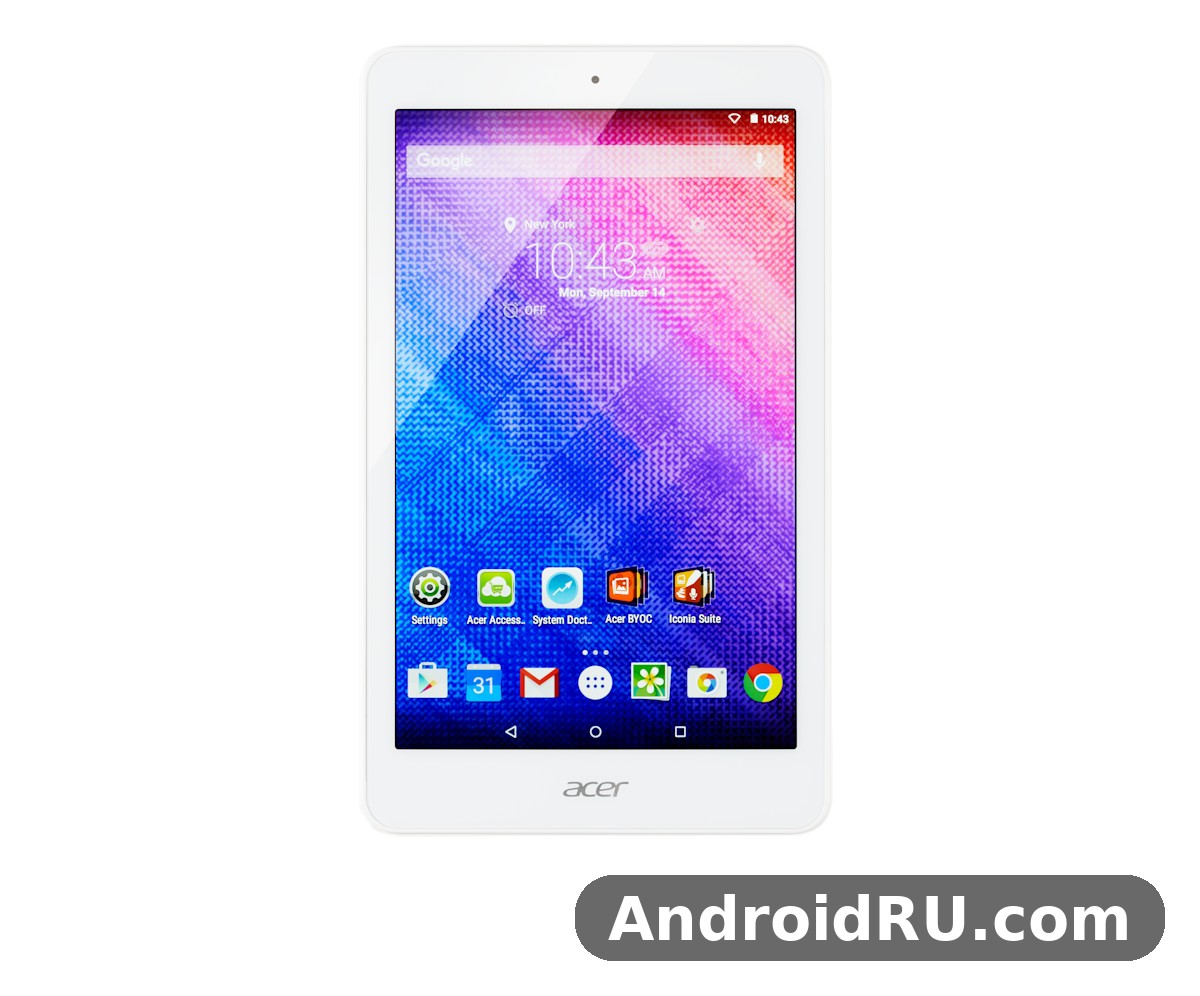
This review answers that question with the full picture. You will find the complete spec sheet, a section-by-section look at the screen, performance, battery and cameras, a head-to-head comparison with the Samsung Galaxy Tab A 8.0 from the same year, and an honest verdict on who should still buy one in 2026 — and who should walk away. Everything here is judged against what the tablet was built to be: a cheap, light, everyday tablet, not a flagship. The Acer Iconia One 8 B1-820 release date May 2015 puts it firmly in the Android 5.0 Lollipop era, so expect a device that feels its age in some places and still surprises in others.
A quick note on sources of confusion before we start. Spec sheets for this tablet disagree on a few numbers, and that is worth knowing upfront. Most listings, including the GSMArena-style spec sheet, give the battery as 4550 mAh, while some retailer listings quote 4420 mAh and a few quote 4600 mAh. The processor is listed as a quad-core 1.33 GHz Intel Atom Z3735G, with a burst speed of up to 1.83 GHz — both figures describe the same chip. The front camera is listed as 2 MP in most spec sheets, though a few regional listings call it VGA. Where numbers differ, this review gives the most widely listed figure and flags the disagreement, so you can check the exact variant in front of you.
Acer Iconia One 8 B1-820 Design and Build: Compact, Light and Made for One Hand
Pick up the Iconia One 8 B1-820 and the first thing you notice is how ordinary it feels — and in 2015, ordinary was the point. Acer built this tablet from matte plastic with a lightly textured back that resists fingerprints better than the glossy slabs some rivals shipped. It came in black and white, with the black version by far the most common in shops. There is no metal frame, no glass back, and nothing that pretends this is a premium device. What you get instead is a tablet that survives being tossed in a bag, handed to a child, or propped on a kitchen counter without demanding a case — though a case is still a good idea, as we will cover below.
The front is dominated by the 8-inch screen with bezels that look wide today but were normal for the time. The bezel gives your thumbs somewhere to rest, which matters more than it sounds on a tablet you hold for an hour of reading. The power button and volume rocker sit on the right edge, the microUSB port and 3.5 mm headphone jack are placed where they do not get in the way when the tablet lies flat, and the microSD slot hides under a small cover. Nothing about the layout is clever, and nothing about it is annoying either. For a budget tablet, that counts as a design win.
Acer Iconia One 8 B1-820 Weight and Dimensions for Travel
The Acer Iconia One 8 B1-820 weight is 355 grams, and the Acer Iconia One 8 B1-820 dimensions are 213.9 x 127.7 x 9.5 mm. Those numbers put it squarely in the comfortable middle of the 8-inch class of its day: lighter than most 10-inch tablets by a wide margin, and only a little heavier than the 7-inch tablets it replaced for many buyers. At 9.5 mm thick it is chunkier than a modern tablet, but the rounded edges make it feel thinner in the hand than the number suggests. It slips into a jacket pocket, a small bag, or the seat-back pocket of a plane without a fight, and that portability is still its strongest practical argument in 2026. If you want a tablet that travels without announcing itself, the B1-820 tablet form factor still works.
For comparison, the larger sibling in Acer’s own range, the Iconia Tab 10, is a different kind of device — bigger, heavier, and meant for the living room rather than the commute. If you are weighing the two sizes, the Acer Iconia Tab 10 A3-A30 Complete Specifications: Every Detail, From Everyday Performance to Design shows what the extra inches buy you, and what they cost in weight. For most people who bought the B1-820, though, the 8-inch size was the whole point: big enough to read comfortably, small enough to carry everywhere.
What Came in the Box and First Setup
An Acer Iconia One 8 B1-820 unboxing back in 2015 was a short affair. The box held the tablet, a USB cable, a wall charger, and a quick-start guide — no headphones, no case, no stylus. Acer kept the price down by skipping the extras, and most buyers were fine with that. The Acer Iconia One 8 B1-820 charger is a standard 5V USB charger, which means a modern phone charger with a microUSB cable will power it, though charging is slow by today’s standards and a full charge from empty takes several hours. Keep that in mind if you buy one used: budget for a cable, and check that the microUSB port is not loose, because a worn port is the most common hardware fault on surviving units.
First setup on Android 5.0 Lollipop is simple if you already have a Google account, though the setup screens will look dated next to a modern phone. The tablet asks for Wi-Fi, a Google account, and a few preference screens, and then it is ready. One honest warning: the initial setup can feel slow, because the tablet downloads account data and app updates in the background while you are still tapping through the wizard. Let it sit on Wi-Fi for half an hour after setup before judging how it performs. Acer Iconia One 8 B1-820 accessories were modest even when new — a basic folio case, a screen protector, and a microSD card were the sensible add-ons — and an Acer Iconia One 8 B1-820 case is still easy to find from third-party sellers, which is worth doing since replacement screens for a 2015 tablet are not always available.
Acer Iconia One 8 B1-820 Display Quality Review: 1280×800 IPS Screen
The screen is the part of this tablet Acer got most right. The Acer Iconia One 8 B1-820 display is an 8.0-inch IPS LCD with a resolution of 1280 x 800 pixels, which works out to about 189 pixels per inch in a 16:10 aspect ratio. On paper that is modest — a modern budget tablet will beat it — but in 2015 it was a genuine selling point at this price, and the IPS panel is what makes it hold up. Viewing angles are wide, so the picture does not wash out when the tablet is tilted on a stand or shared between two people, and colours stay consistent rather than shifting the way cheap TN panels did.
In daily use, the 1280 x 800 IPS display is sharp enough for reading, web pages, and video. Text is clean at normal reading sizes, and the 16:10 shape is a good compromise: taller than a 16:9 screen for reading, wide enough for video without huge black bars. Brightness is adequate indoors and in shade, though it struggles in direct sunlight, as most tablets of its generation did. There is no laminated display or anti-reflective coating, so reflections are visible under bright lights. The touch layer is a standard capacitive panel that supports multi-touch, and it responds reliably to taps and swipes, even if it lacks the instant feel of a modern 120 Hz screen.
For a closer look at how Acer handled screens and sound in its phones of the same period, the Acer Liquid M320 Review: Audio and Display Put to the Test is a useful companion read — the M320 was a different kind of device, but it shows the same practical approach Acer took to displays on a budget. On the B1-820 itself, the screen is the feature most likely to surprise you in a good way. It will not match a modern tablet, but it is far better than the dim, narrow-angle screens found on many no-name tablets sold at the same price in 2015.
Reading, Video and Outdoor Visibility
Reading is where this screen earns its keep. The 8-inch size hits a sweet spot for ebooks and articles: large enough that you are not constantly turning pages, small enough to hold in one hand on a train. The IPS panel keeps text legible at an angle, which matters when the tablet is propped on a table. Video is the other natural use. The 1280 x 800 resolution plays 720p video at native resolution, and streaming apps of the era ran well on it. In 2026, video playback depends on which app versions still support Android 5.0, which we cover in the apps section below, but the panel itself has no trouble with the job.
Outdoors, be realistic. The screen is readable in shade and on overcast days, but direct sunlight washes it out, and the glossy surface picks up reflections. Brightness at maximum helps, but it also drains the battery faster. For a tablet that mostly lives indoors — on a sofa, in a kitchen, or by a bed — this is a non-issue. For a tablet you plan to use on a sunny patio, it is a real limitation, and it is one of the clearest signs of the tablet’s age.
Acer Iconia One 8 B1-820 PDF Reader and Ebook Performance
Acer Iconia One 8 B1-820 PDF reader and ebook performance is one of the best reasons to keep this tablet around. The Acer Iconia One 8 B1-820 for reading and browsing still makes sense in 2026 because reading apps are light, they do not need a fast processor, and they do not need a new Android version to open a book. A full-page PDF renders cleanly at 1280 x 800, and the 8-inch screen shows a page of an ebook at a comfortable size without constant zooming. The Acer Iconia One 8 B1-820 screen holds text well at low brightness too, which helps for evening reading, and the tablet is light enough to hold for a long chapter without hand fatigue.
There are limits. Large, image-heavy PDFs take a moment to render, and flipping quickly through a 500-page document can stutter. Comic books and magazines with detailed images look acceptable rather than great. But for novels, articles, manuals, and study notes, this old tablet is still a capable reader, and that is a genuine use case rather than a consolation prize. If you buy one second-hand for this purpose, add a microSD card and load it with books — the internal storage is small, and a reader app with a big library will fill it fast.
Acer Iconia One 8 B1-820 Performance Test: Intel Atom Z3735G and 1 GB of RAM
The Acer Iconia One 8 B1-820 performance test story starts with an unusual choice for a budget tablet: an Intel chip instead of an ARM one. The Acer Iconia One 8 B1-820 chipset is the Intel Atom Z3735G, a quad-core Bay Trail processor running at 1.33 GHz with bursts up to 1.83 GHz, paired with Intel HD Graphics from the same Gen7 family. In 2015, that gave the tablet a small edge in raw single-thread speed over many cheap ARM rivals, and it handled web pages and video decoding with confidence. The chip was built on a 22 nm process, which was efficient for its day, and it rarely got hot enough to throttle during normal use.
The bottleneck was never the chip. It was the memory. Acer Iconia One 8 B1-820 RAM is 1 GB, and that single number shapes almost everything about how the tablet feels. One app at a time runs fine. A browser with a few heavy tabs, a music app in the background, and a messaging app on top will push it into reloads and stutters, because Android has to keep evicting apps from memory to make room. The practical rule is simple and has not changed since 2015: keep the number of open apps small, close what you are not using, and the tablet stops fighting you. Anyone judging this tablet should judge it by that rhythm, not by the standards of a modern device with four or eight times the memory.
Acer Iconia One 8 B1-820 storage is 16 GB on the base model, with a 32 GB version sold in some regions. Android 5.0 and the preinstalled apps take a share of that, so the usable space on a 16 GB unit is closer to 10 or 11 GB. That is tight once you add a few apps, some offline maps, and a photo or two. The saving grace is the dedicated microSD slot: Acer Iconia One 8 B1-820 microSD card support up to 128GB means you can keep films, music, photos, and documents on a card and reserve the internal storage for apps alone. Buy the 32 GB version if you can find one, and add a card either way.
Acer Iconia One 8 B1-820 Gaming Performance Test
The Acer Iconia One 8 B1-820 gaming performance test results are exactly what the spec sheet predicts. Casual games are the sweet spot: puzzle games, card games, simple platformers, and older 3D titles from the tablet’s own era run well. The Intel graphics handle 2D games without a hiccup, and light 3D games play at reduced settings. Demanding 3D games from 2015 already pushed this chip hard, and current heavy games are mostly out of reach — both because of performance and because many now need a newer Android version than this tablet can run.
That said, the tablet has one quiet advantage for games: the 8-inch screen and the 355-gram weight make it comfortable to hold for a long session, and the IPS panel keeps colours steady at an angle. If games matter to you, test the specific titles you want before buying a used unit, and keep expectations in line with the era. A tablet bought for a child to play simple games will do that job. A tablet bought as a portable gaming machine will disappoint.
Acer Iconia One 8 B1-820 Bluetooth Keyboard and Mouse Support
Acer Iconia One 8 B1-820 Bluetooth keyboard and mouse support is a small feature that makes the tablet more useful than it looks. The Acer Iconia One 8 B1-820 Bluetooth is version 4.0, and it pairs reliably with keyboards, mice, and speakers. A cheap Bluetooth keyboard turns this tablet into a passable writing machine for notes and emails, and a mouse helps a lot in the browser, where tapping small links on an 8-inch screen can be fiddly. There is no keyboard dock or official accessory, so any standard Bluetooth keyboard will do. Pairing is done in the usual place — Settings, then Bluetooth — and the connection holds well across a room. This is one of those details that matters more in 2026 than it did in 2015, because a keyboard and a reading app together are still a practical combination on old hardware.
Everyday Apps, Browsing and Multitasking
Acer Iconia One 8 B1-820 apps that still run well in 2026 are the light ones: ebook readers, note apps, offline media players, simple browsers, and older versions of video apps. The tablet runs Android 5.0 Lollipop, and many current apps need Android 6 or newer, so the Play Store on a fresh unit will refuse some installs outright. The workaround most owners use is to install the last compatible version of an app, or to use the browser version of a service instead of its app. Email, news, and reading work fine in a browser. Banking, messaging, and anything that needs current security should stay on a newer device.
The Acer Iconia One 8 B1-820 Android version update story is short, and it is the tablet’s biggest long-term limit. It shipped with Android 5.0 Lollipop — some early batches and regional variants shipped with Android 4.4 KitKat and were updated to Lollipop — and there was no later official update path for this model. The Acer Iconia One 8 B1-820 Android version therefore stays at 5.0, which means no split-screen multitasking, no granular app permissions, and no modern security patches. For most owners, the sensible path is to keep the tablet offline-first for media and reading, and to use a newer device for anything sensitive. If you are comfortable with community firmware, that is a rabbit hole for enthusiasts only, and it is not something a casual buyer should count on.
Browsing deserves a paragraph of its own, because it is where the tablet’s age shows most. Modern web pages loaded with scripts and ads ask more of the chip and the memory than 2015 pages did. A lightweight browser and an ad blocker, where you can install one, make a visible difference. Keep the tab count low — one or two tabs, not ten — and the experience stays pleasant. The Acer Iconia One 8 B1-820 for reading and browsing works best when you treat the browser as a reading tool rather than a desktop replacement, and the tablet rewards that approach with smooth scrolling and readable pages.
On the question of how this tablet handles daily tasks compared with other Acer tablets of the same generation, the Acer Liquid M330 Review: Usability in Everyday Use and the Full Specs is a useful parallel — the M330 was a phone, not a tablet, but its review focuses on the same kind of everyday usability that decides whether a budget Acer device is pleasant to live with. The B1-820’s verdict on that front is similar: simple tasks feel fine, heavy multitasking does not, and the device is at its best when you ask one thing of it at a time.
Acer Iconia One 8 B1-820 WiFi Connection Problems and Fixes
Acer Iconia One 8 B1-820 WiFi connection problems and fixes come up often in owner forums, and most of them have simple causes. The Acer Iconia One 8 B1-820 WiFi is 802.11 b/g/n on the 2.4 GHz band only — there is no 5 GHz support — so on a crowded network it shares airtime with every other 2.4 GHz device in the house. If the tablet drops Wi-Fi or crawls while your phone flies, the first step is to restart the router and the tablet, then forget the network in Settings and rejoin it. If the problem stays, try switching the router’s 2.4 GHz channel to 1, 6, or 11, which are the only channels that do not overlap, and move the tablet closer to the router to rule out a weak signal.
Two other fixes are worth knowing. First, a worn microUSB cable or a loose port can cause strange behaviour that looks like a Wi-Fi fault, because the tablet’s power management gets confused when charging is intermittent — test on battery alone before blaming the radio. Second, after a factory reset the tablet sometimes needs a few minutes on Wi-Fi to finish syncing before the connection settles. If none of that helps, the Wi-Fi antenna connection inside the tablet may have loosened with age, which is a repair-shop job. For a tablet that mostly streams video in one room, a stable 2.4 GHz connection is enough, and the lack of 5 GHz is a limitation to accept rather than a fault to chase.
Acer Iconia One 8 B1-820 Battery Life Test: 4550 mAh in Daily Use
The Acer Iconia One 8 B1-820 battery is a built-in Li-ion unit listed at 4550 mAh in most spec sheets, and the Acer Iconia One 8 B1-820 battery life test numbers from its era landed in the same area across the board: roughly six to eight hours of mixed use, depending on screen brightness, Wi-Fi activity, and what you were doing. Acer’s own figures for the retail variant quoted up to 8.5 hours of maximum battery life, which matches a day of light use — a film or two, plus some reading and browsing — on a single charge. Video playback was the most efficient use, because decoding is hardware-accelerated, while gaming and heavy browsing drained it faster.
That figure needs context. A 4550 mAh battery sounds large next to a phone, but it feeds an 8-inch screen, and screens are the biggest drain in any tablet. Think of it as a full day of light use, or a long evening of video, rather than a multi-day battery. Charge it overnight, use it through the day, and you will rarely run dry. Leave the brightness at maximum with Wi-Fi streaming all day, and you will reach for the charger by the afternoon. Keep brightness near half, turn Wi-Fi off when reading offline, and let the screen sleep quickly when you put the tablet down — those three habits add up to an extra hour or more.
Age changes the picture, and any honest review has to say so. A battery made in 2015 has lived through a decade of charge cycles, and a used unit will hold less than its original capacity. Before you buy, ask the seller how long it lasts on video, or better, play a film for half an hour and watch the percentage drop. A unit that loses a third of its charge in thirty minutes of video has a tired battery, and you should either negotiate the price down or walk away.
Charging, Battery Health and Replacement
Charging runs through a microUSB 2.0 port, with no fast charging. A full charge from empty takes several hours, so overnight charging is the routine that makes sense. If the tablet seems to charge slowly, try a different cable first: worn microUSB cables are the most common cause of slow charging, and an Acer Iconia One 8 B1-820 charging port not working fix often starts with exactly that — a new cable, and a gentle clean of the port with a wooden toothpick or a blast of air, never a metal pin. If the port itself is loose, the tablet needs a repair, and you should weigh the cost against the price of another used unit.
An Acer Iconia One 8 B1-820 battery replacement guide for old tablets usually starts with a warning, and this one is no different: the battery is sealed inside, so replacing it means opening the tablet, which is a repair-shop job for most owners. The back cover clips off with care and the right tools, but the battery is glued in place, and a slipped tool can crack the screen. Watch for three warnings that a battery needs attention. First, the percentage jumps suddenly, such as falling from 40 percent to 15 percent in minutes. Second, the tablet shuts off while the meter still shows charge. Third, the back feels swollen or the screen lifts at the edges — that last one means stop using it and take it to a repair shop, because a swollen battery is a safety issue, not a performance quirk. An Acer Iconia One 8 B1-820 teardown shows the battery, the main board, and the speaker laid out in a simple, repairable arrangement, but a teardown is for diagnosis, not a reason to open a working tablet.
Acer Iconia One 8 B1-820 Camera Quality Test: 5 MP Rear and 2 MP Front
Nobody bought this tablet for its cameras, and the Acer Iconia One 8 B1-820 camera quality test results are honest about that. The Acer Iconia One 8 B1-820 camera setup is a 5 MP rear camera and a 2 MP front camera, with 720p video recording. The rear camera has autofocus and takes usable snapshots in good daylight: a whiteboard, a document, a garden, a child’s drawing. Colours are acceptable, detail is modest, and low light is where it falls apart — photos get noisy and soft quickly, and there is no flash to help. The camera app is the stock Android 5.0 app, simple and slow to launch, and it does its job without any extras worth naming.
The front camera is for video calls and little else. In bright light it produces a recognisable image, and that is about the limit of the praise it earns. The Acer Iconia One 8 B1-820 camera is not a reason to buy this tablet, and it is not a reason to avoid it either — it is a camera that exists because a tablet in 2015 was expected to have one, and it covers the basics. If photography matters to you, your phone is better in every way. If you need a tablet that can scan a document or join a video call, this one will do it.
Photos and Video in Daylight
In daylight, the rear camera is at its best. Hold the tablet steady with both hands, tap to focus, and you get a photo that is fine for sharing in a message or keeping as a record. The 5 MP sensor captures enough detail for a screen, though cropping reveals the limits fast. Video records at 720p, which looks acceptable on the tablet’s own screen and dated on a modern TV. There is no stabilisation, so walk-and-record footage shakes, and the microphone picks up wind easily. For a quick clip of a school play or a video message, it works. For anything you plan to keep, use a phone.
One practical tip: the tablet’s camera benefits from the same rule as its screen — use it indoors with good light, or outdoors in shade, and avoid shooting into bright sun. The sensor has limited dynamic range, so a bright sky will blow out while the subject goes dark. Tap the brightest part of the scene to expose for it, and accept the trade-off. The Acer Iconia One 8 B1-820 speakers sit on the same side of the trade-off as the cameras: the built-in speaker is a single rear unit that is loud enough for a quiet room and thin at full volume, so headphones or a Bluetooth speaker are the better choice for films and calls.
Acer Iconia One 8 B1-820 Front Camera Video Call Quality
Acer Iconia One 8 B1-820 front camera video call quality is usable in a bright room and poor in a dim one. The 2 MP sensor produces a soft image, and the fixed focus means you need to sit at arm’s length for the sharpest result. On a video call, the other side will see you clearly enough to follow a conversation, and the microphone is adequate for a quiet room. The bigger limit is software: the video calling apps that still support Android 5.0 are old versions, and some services have dropped support entirely, so check that your calling app of choice still installs before you buy the tablet for this purpose. As a second-hand tablet for a grandparent who mainly wants to see family on a bigger screen than a phone, it can still work — provided the app side cooperates.
Full Specifications
This Acer Iconia One 8 B1-820 full specifications table collects the most widely listed figures for the model, with the disagreements flagged where they exist. The Acer Iconia One 8 B1-820 specs and features below describe the standard Wi-Fi-only version sold in most regions; some regional variants differ in storage size or in the Android version they shipped with, so check the exact unit in front of you against this table before you buy. The Acer Iconia One 8 B1-820 price in 2015 sat around the €130 mark at launch in Europe, which undercut most big-name 8-inch rivals by a wide margin.
Acer Iconia One 8 B1-820 Full Specifications Table
| Feature | Detail |
|---|---|
| Model | Acer Iconia One 8 B1-820 |
| Announced | April 2015 |
| Released | May 2015 |
| Launch price | About 130 EUR (roughly US$130) at launch in Europe; budget pricing, varying by region |
| Display | 8.0-inch IPS LCD, 1280 x 800 pixels, 189 ppi, 16:10, capacitive multi-touch |
| Chipset | Intel Atom Z3735G (Bay Trail), 22 nm |
| CPU | Quad-core 1.33 GHz, burst up to 1.83 GHz |
| GPU | Intel HD Graphics (Gen7) |
| RAM | 1 GB DDR3L |
| Storage | 16 GB or 32 GB (region-dependent), microSD slot up to 128 GB |
| Rear camera | 5 MP, autofocus, 720p video |
| Front camera | 2 MP (some regional listings say VGA), 720p video |
| Battery | Li-ion 4550 mAh, non-removable (some listings quote 4420 mAh; a few quote 4600 mAh) |
| Battery life | Up to about 8.5 hours per Acer’s figures; roughly 6-8 hours of mixed use |
| Operating system | Android 5.0 Lollipop (some early batches shipped with Android 4.4 KitKat) |
| Connectivity | Wi-Fi 802.11 b/g/n (2.4 GHz only), Bluetooth 4.0, microUSB 2.0, 3.5 mm headphone jack |
| Cellular | None — Wi-Fi-only tablet, no SIM slot |
| Positioning | Wi-Fi-based; no GPS listed for this model |
| Sensors | Accelerometer |
| Dimensions | 213.9 x 127.7 x 9.5 mm |
| Weight | 355 g |
| Colours | Black, White |
| Audio | Single rear speaker, 3.5 mm jack, Bluetooth audio |
Storage Versions and microSD Expansion
The storage question matters more than it looks, because it decides how long the tablet stays usable. The 16 GB model leaves roughly 10 to 11 GB free after Android and the preinstalled apps, which fills fast once you add a few apps and some photos. The 32 GB model ages far better, and it is worth seeking out if you plan to use the tablet daily. Whichever model you have, the microSD slot is the real answer: keep apps on internal storage and everything else — films, music, books, documents — on a card.
Acer Iconia One 8 B1-820 16GB vs 32GB Storage Version
The Acer Iconia One 8 B1-820 16GB vs 32GB storage version choice is simple in practice. If the price difference is small, take the 32 GB version — the extra room means fewer “storage full” warnings and fewer afternoons spent deleting apps. If only the 16 GB version is available, it is still usable, but only with a microSD card and a habit of keeping the app count low. The Acer Iconia One 8 B1-820 storage full how to free space problem has a straightforward fix on either version: move photos and videos to the microSD card, clear the cache of the browser and of video apps, uninstall apps you have not opened in a month, and check the Downloads folder for forgotten files. On Android 5.0, the Settings storage screen shows what is using the space, and that is the first place to look.
Acer Iconia One 8 B1-820 vs Samsung Galaxy Tab A 8.0: Comparison Table
The fairest rival for this tablet is the Samsung Galaxy Tab A 8.0 (SM-T350), launched in the same year at a higher price. The Acer Iconia One 8 B1-820 vs Samsung Galaxy Tab comparison below lines up the two tablets on the same criteria, so you can see where the extra money went — and where it did not.
| Feature | Acer Iconia One 8 B1-820 | Samsung Galaxy Tab A 8.0 (2015) |
|---|---|---|
| Display | 8.0-inch IPS LCD, 1280 x 800, 189 ppi | 8.0-inch TFT, 1024 x 768, 160 ppi |
| Chipset | Intel Atom Z3735G, quad-core 1.33 GHz | Qualcomm Snapdragon 410, quad-core 1.2 GHz |
| RAM | 1 GB | 1.5 GB |
| Storage | 16 or 32 GB, microSD up to 128 GB | 16 or 32 GB, microSD up to 128 GB |
| Rear camera | 5 MP, 720p video | 5 MP, 720p video |
| Front camera | 2 MP | 2 MP |
| Battery | 4550 mAh | 4200 mAh |
| Operating system | Android 5.0 Lollipop | Android 5.0 Lollipop |
| Connectivity | Wi-Fi b/g/n, Bluetooth 4.0, microUSB | Wi-Fi b/g/n, Bluetooth 4.1, microUSB |
| Weight | 355 g | 320 g |
| Launch price | About 130 EUR | About 230 EUR |
How the Two Tablets Compare on Paper
On paper, the Acer wins the screen and the battery: a sharper 1280 x 800 IPS panel against Samsung’s 1024 x 768 TFT, and a 4550 mAh battery against 4200 mAh. The Samsung wins the memory and the weight: 1.5 GB of RAM against 1 GB, and 320 grams against 355. The cameras are a tie, the software is a tie, and the price is not — the Samsung cost roughly a hundred euros more at launch. That is the whole comparison in one paragraph: Acer gave you the better screen for less money, Samsung gave you the smoother multitasking and the lighter body for more money.
In daily use, the screen difference is the one you notice first. Text is crisper on the Acer, and the IPS panel holds its colours at an angle where the Samsung’s TFT washes out. The RAM difference is the one you notice second: the Samsung keeps more apps alive when you switch between them, while the Acer reloads more often. For a reading and video tablet, the Acer’s trade is the better one. For a tablet you plan to juggle between a browser, email, and notes, the Samsung’s trade is better. Neither tablet is a good buy for heavy use in 2026, but as second-hand bargains they are both still usable for light duties, and the Acer is usually the cheaper of the two.
What Samsung Did Better, and What Acer Did Better
Samsung’s advantages were the ones that cost money: more RAM, a lighter body, a slimmer profile, and the Galaxy app ecosystem with its own store of apps and services. Samsung also updated its tablets for longer, which mattered more as the years went on. Acer’s advantages were the ones that show up on the screen and in the wallet: a sharper display, a bigger battery, and a launch price that undercut Samsung by a wide margin. Acer’s tablet was also the simpler device — fewer preinstalled apps, fewer duplicate services, and a cleaner version of Android 5.0.
The same logic applies inside Acer’s own range. The Iconia Tab A3-A20, a 10-inch sibling from the same era, traded portability for a bigger screen and a longer battery life, and its long-term ownership story is worth reading if you are choosing between Acer tablets rather than between brands: the Acer Iconia Tab A3-A20 Long-Term Review: Durability, Features and Full Specifications covers what survives years of daily use and what gives up first. And if connectivity and sound matter more to you than screen size, the Acer Iconia Tab A3-A20FHD Review: Connectivity and Audio Put to the Test looks at the same family from the angle of ports, Wi-Fi, and speakers. The B1-820 sits at the portable end of that family: the smallest screen, the lightest body, and the lowest price.
Acer Iconia One 8 B1-820 Pros and Cons: Who Should Buy It in 2026
Every tablet is a set of trade-offs, and this one is no exception. The Acer Iconia One 8 B1-820 pros and cons below are judged against its price and its age, not against a modern flagship. A budget tablet from 2015 earns praise for the things it still does well and honest criticism for the things time has taken away.
Pros
- Sharp 8-inch IPS display — the 1280 x 800 panel with wide viewing angles is still pleasant for reading and video, and it beat most rivals at the price in 2015.
- Light and portable — at 355 grams it is easy to hold for a long chapter and easy to carry in a small bag.
- Decent battery for its class — the 4550 mAh cell delivered roughly six to eight hours of mixed use when new, and a healthy used unit still manages a long evening of video.
- MicroSD expansion up to 128 GB — storage is cheap to add, which matters on a tablet with only 16 GB inside.
- Simple, clean Android 5.0 — few preinstalled extras, a familiar interface, and no heavy skin slowing it down.
- Very cheap second-hand — as an old budget tablet it costs little, so the risk of trying one is low.
Cons
- Only 1 GB of RAM — multitasking is limited, apps reload often, and heavy modern web pages strain it.
- Android 5.0 with no update path — many current apps will not install, and there are no modern security patches.
- Weak cameras — the 5 MP rear and 2 MP front cameras are usable for records and calls, and little else.
- Wi-Fi 2.4 GHz only — no 5 GHz support, so it shares the crowded band with every other device in the house.
- Slow charging over microUSB — a full charge takes several hours, and worn ports are a common fault on used units.
- Ageing batteries — a ten-year-old cell holds less than its original capacity, and replacement means opening the tablet.
- Screen repairs are hard to price — the Acer Iconia One 8 B1-820 screen replacement cost in 2026 is hard to pin down, because parts are scarce and repair shops quote by availability; a cracked screen can cost more than another used tablet, so check the glass carefully before you buy.
Who It Is For
As an Acer Iconia One 8 B1-820 for kids tablet in 2026, it works as a supervised media and reading device: load it with books and offline videos, keep it on Wi-Fi only, and hand it to a child who needs a bigger screen than a phone. The light weight and the tough plastic body suit small hands, and the low price means a drop is an annoyance rather than a disaster. As a reader for an adult, it works just as well — ebooks, PDFs, articles, and recipes are all light tasks that play to the tablet’s strengths. As a bedside video player, it works too, provided the apps you need still support Android 5.0.
It is not for everyone. If you need current apps, mobile banking, secure messaging, or heavy browsing, buy a newer tablet — even a cheap modern one will serve you better, because Android 5.0 Lollipop is the hard limit here, and no accessory fixes it. If you want a tablet for work, for school, or as your only device, this is the wrong choice. The Acer Iconia One 8 B1-820 review verdict is therefore a narrow one: it is a good second tablet for light, offline-first jobs, and a poor only tablet. The Acer Iconia One 8 B1-820 tablet still has a place, but it is a small place, and knowing that before you buy is what keeps the purchase a bargain instead of a regret.
Acer Iconia One 8 B1-820 FAQ: Questions Readers Still Ask
Is the Acer Iconia One 8 B1-820 worth buying in 2026?
Is Acer Iconia One 8 B1-820 worth buying in 2026? It depends entirely on the job. For reading, offline video, and a child’s supervised tablet, yes — if the price is low, the battery is healthy, and the screen is undamaged. For anything that needs current apps, security updates, or heavy multitasking, no — a modern budget tablet is the better spend. The Acer Iconia One 8 B1-820 second hand price in 2026 is typically very low, often the price of a paperback or two, so the financial risk is small; the real cost is your time if you buy a unit with a tired battery or a worn charging port. Check those two things before you pay, and you will know within five minutes whether the unit in front of you is worth it.
Can the Acer Iconia One 8 B1-820 run YouTube and modern apps?
Acer Iconia One 8 B1-820 YouTube playback on old Android is the make-or-break test for most buyers, and the answer is mixed. The YouTube app versions that support Android 5.0 are old, and some features may not work; the browser version of YouTube usually works better, though it is heavier on the processor. Other modern apps are a similar story: the ones that still support Android 5.0 generally run, the ones that need Android 6 or newer will not install at all. Before buying, make a short list of the three apps you care about most and check their minimum Android version — that list will tell you more than any review can.
Does the Acer Iconia One 8 B1-820 support a microSD card?
Yes. The tablet has a dedicated microSD slot with support for cards up to 128 GB, according to most listings. Use it for films, music, photos, and documents, and keep the internal storage for apps. On Android 5.0 you cannot move every app to the card, so the card is best treated as media storage rather than app storage. A 32 GB or 64 GB card is the sweet spot for a second-hand unit — large enough for a library of offline video, cheap enough that it costs less than the tablet.
How to reset Acer Iconia One 8 B1-820 to factory settings?
How to reset Acer Iconia One 8 B1-820 to factory settings is a two-path answer. If the tablet still boots normally, go to Settings, then Backup and reset, then Factory data reset, and confirm — this erases everything, so back up photos and documents first. If the tablet will not boot or you have forgotten the lock screen, power it off, then hold Volume Up and Power together until the recovery menu appears, use the volume keys to choose the wipe option, and confirm with the power button. A reset is the right move before selling a tablet, and it is also the simplest fix for a tablet that has become slow after years of app installs — just remember that it erases the lot, including the Google account, so have your account details ready for setup afterwards.
What Android version does the Acer Iconia One 8 B1-820 run?
The tablet runs Android 5.0 Lollipop. Some early batches and regional variants shipped with Android 4.4 KitKat and were updated to Lollipop, but 5.0 is the version you should expect, and there was no later official update. That single fact explains most of the tablet’s limits in 2026: app compatibility, security, and features all stop at Lollipop. If you need a newer Android version, this is not the tablet for you, and no setting or update will change that.
Verdict: Is the Acer Iconia One 8 B1-820 Worth It in 2026?
The Acer Iconia One 8 B1-820 2015 launch price of about 130 EUR bought a tablet that understood its job: a sharp screen, a light body, a battery that lasted the day, and a price that did not punish the buyer. A decade later, the screen and the weight still hold up, the battery depends on the individual unit, and the software is the wall you cannot climb. 1 GB of RAM and Android 5.0 are the two numbers that decide everything, and they decide it in the same direction: this tablet is for light, simple, offline-first jobs, and nothing heavier.
So, is it worth it? For a reader, a bedside video player, or a supervised tablet for a child, yes — at second-hand prices, with a healthy battery and an undamaged screen, it is a sensible buy. As an Acer tablet from 2015, it represents the best of what budget tablets of that year could do, and it does those things still. For anything else — work, school, banking, current apps, heavy browsing — spend the money on a newer tablet instead. Any Acer Iconia tablet from this era deserves the same honest test: does it do the one job you bought it for, and does it do it without fighting you? For reading and video, this one passes. That is a modest verdict, but it is an honest one, and for a tablet that cost so little, modest and honest is enough.
If you do buy one, here is the short checklist to run before you pay: check the screen for cracks and dead spots, play a video for half an hour and watch the battery percentage, wiggle the microUSB cable to test the port, confirm your three most important apps still install, and add a microSD card on the way home. Five minutes of checks, and you will know whether the tablet in your hands is a bargain or a project. For a device from 2015, that is the best any buyer can ask for.

