

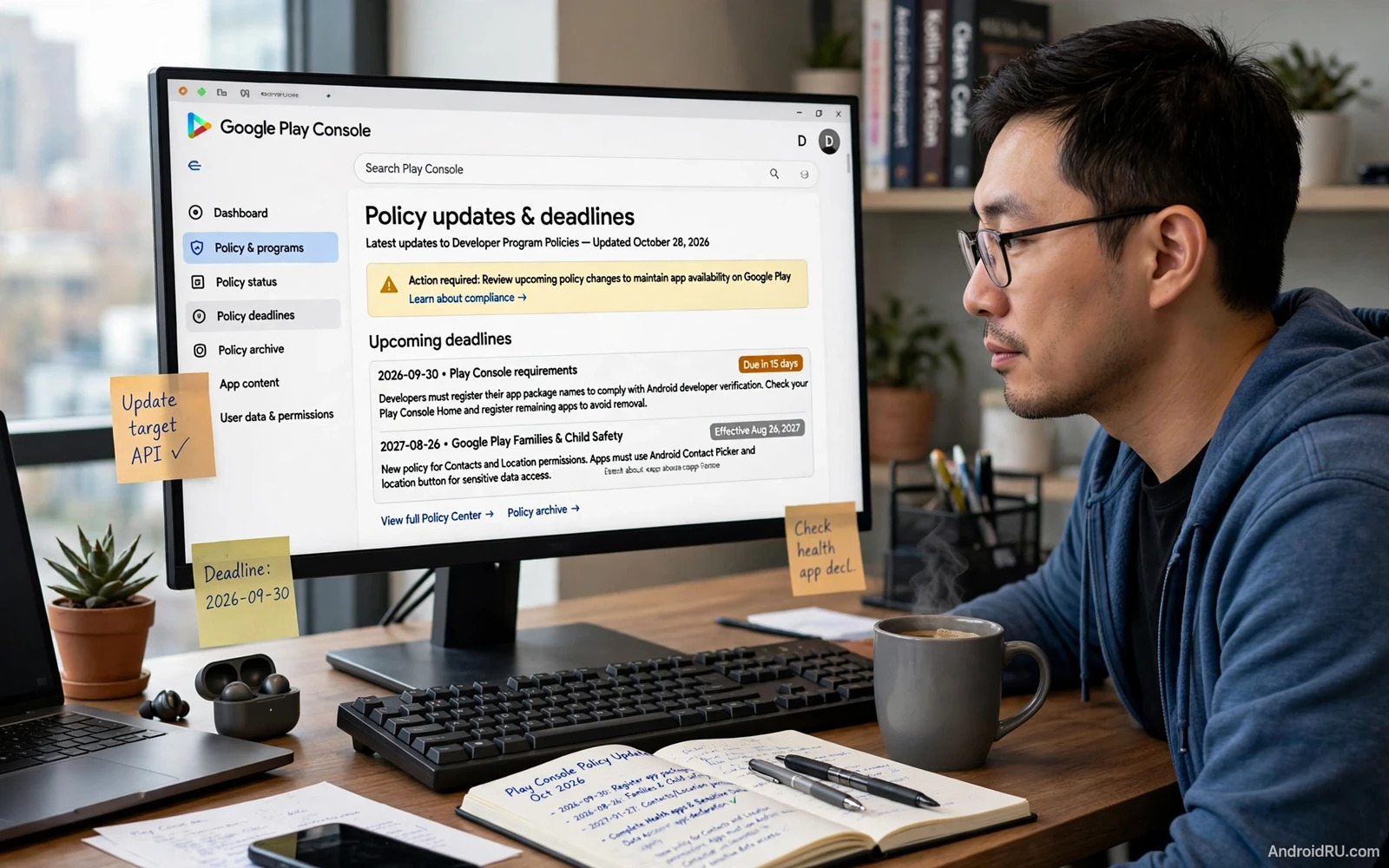
Understanding Google Play Console Policy Updates for Devs
A Play Console warning is easier to handle when it names a task you already understand. The difficult cases are the ones discovered at release time: an outdated billing dependency inside an SDK, a permission no longer justified by the app’s current feature, or a deadline someone recorded incorrectly.
This guide is current to November 5, 2026. It identifies concrete technical and policy changes, separates dates already passed from upcoming requirements, and turns them into a release workflow. I would start with the affected app’s own Console notice, then inspect the actual release artifact and user flow rather than treating a generic checklist as proof of compliance.
Google Play policy deadlines developers should review in November 2026
A policy announcement date is not always its enforcement date. Different requirements can also distinguish new submissions, updates, existing app availability, device types, and declared permissions. Record the scope alongside the date so the task remains understandable later.
| Requirement | Relevant date | Immediate developer action |
|---|---|---|
| Mobile new-app and update target API | August 31, 2026; listed extension ended November 1, 2026 | Check that an ordinary phone/tablet submission targets API 36 or higher |
| Play Billing Library 7 submission support | August 31, 2026; listed extension ended November 1, 2026 | Use a supported newer billing version for affected submissions |
| Play app registration requirement | September 30, 2026 | Check Console Home for any app registration still incomplete |
| Broad contacts access policy | January 27, 2027 | Assess whether a system picker can replace broad access |
| Location policy update | January 27, 2027 | Review minimum location scope and applicable declarations |
| 16KB page-size update compatibility | Current technical guidance names February 1, 2027 | Inspect native dependencies and test the release in a 16KB environment |
| Local network permission policy | August 25, 2027 | Plan the applicable API 37+ declaration and least-scope design |
| Manage contacts permission policy | August 25, 2027 | Assess core-function justification and system alternatives |
This is a selected planning table, not an exhaustive calendar for every app category. A listed extension should never be assumed to apply automatically. By this article’s date, the November 1 dates above are already in the past.
Older announcements can remain visible in search results after guidance changes. For a technical deadline such as 16KB compatibility, compare the current requirement with the notice attached to your app. Save the wording and date that govern your release instead of copying an old summary into the next year’s plan.
Target API 36 requirements: submissions versus existing availability
For ordinary mobile apps, new apps and updates must target Android 16, API level 36, from August 31, 2026. Existing-app availability has a separate API 35 threshold affecting discovery by new users on newer Android versions. Wear OS, TV, Automotive, and XR have distinct requirements.
Changing targetSdk is different from raising minSdk. The target selects applicable platform behavior; the minimum defines the oldest supported Android API. Do not remove older-device support merely because the submission target must increase.
Inspect the release variant rather than a sample configuration
Open the app module’s Gradle configuration and identify the settings used by the actual production flavor. A shared variable, convention plugin, or flavor override may determine the final value. Inspect the built artifact to confirm the effective target instead of relying on the first matching line in the repository.
Separate the build-tool change from behavior verification
A successful build shows that the project compiles; it does not show that permissions, background work, notifications, or edge-to-edge layouts behave correctly at the new target. Make a short list of affected user journeys and run them on relevant Android versions.
Keep an evidence record for the submitted artifact
Record package name, version code, release track, target API, build commit, and test result together. A passing test from a debug package does not automatically describe the AAB later uploaded to production.
For a target SDK migration plan, I would separate necessary compatibility fixes from unrelated feature work. That makes a rejected submission easier to diagnose and reduces the number of changes being investigated at once.
Play Billing Library deprecation and subscription behavior checks
Billing Library 7 reached its new-app and update deadline on August 31, 2026, with the listed extension ending November 1. The published timeline gives version 8 an August 31, 2027 deadline and version 9 an August 31, 2028 deadline. Use a currently supported version appropriate to your integration.
A billing library version check should include transitive dependencies and the release artifact. If a game engine or payment wrapper supplies the client, changing an unused direct dependency may not update what ships. Inspect the production variant dependency graph.
Test the purchase lifecycle after a dependency upgrade
Use supported test accounts and products to check purchase completion, canceled checkout, pending state where applicable, restoration, and entitlement refresh. Verify the server’s understanding of the transaction as well as the client screen.
For subscription entitlement testing, separate what the user sees from what the account actually receives. A success animation does not establish that a backend recorded the subscription correctly. Conversely, a slow network response should not cause repeated entitlement grants.
Subscription discount disclosures also need attention. The October 29 announcement includes eligibility-based discounts, with a January 27, 2027 deadline: users need clear criteria, verification information, and the pricing or benefit change after eligibility ends. Review the screen where the decision is made, not only a sentence buried in a policy document.
I would keep screenshots of the offer and a concise test record for the implemented behavior. They help the team explain what was shipped without reconstructing a billing flow during a review deadline.
16KB page-size support: native libraries and real device behavior
An app written mainly in Kotlin or Java can still contain native code through an SDK or engine. Inspect the packaged lib directories and shared libraries rather than deciding from the language used in your own source files.
For 16KB native library compatibility, both packaging and ELF alignment matter, and runtime code must avoid invalid fixed-page-size assumptions. NDK r28 and newer produce 16KB-aligned libraries by default, but that does not rebuild an old precompiled dependency supplied by another vendor.
Inspect and test the artifact that will reach users
In Android Studio, open Build > Analyze APK and inspect the native libraries and alignment information. Identify the SDK responsible for an incompatible library, then obtain a compatible version or rebuild it through the supported process.
Confirm a test device or emulator’s page size with adb shell getconf PAGE_SIZE; a 16KB environment reports 16384. Exercise the features that load native components. A successful launch does not prove that an image decoder, database engine, or media feature invoked later will work.
For a native SDK inventory, record each library’s provider and the version that supplied it. This turns a vague “16KB warning” into an actionable dependency task. Keep the affected feature in the regression plan so an SDK replacement does not quietly change behavior elsewhere.
A staged rollout is useful only after the submission is compliant and the relevant test paths pass. It limits exposure to unexpected regressions; it is not a substitute for resolving a known compatibility failure.
Contacts, location, and local network permissions after the latest updates
The direction of current permission changes is more specific access. A feature that needs one contact or one location result should not automatically inherit a design that reads the entire address book or maintains continuous tracking.
Contacts Picker versus broad contacts access
Map every contact-related action to the fields it needs. An invitation screen may need one selected address, while a genuinely contact-management application has a different scope. Keep a record of that distinction and evaluate the system picker for narrowly scoped selection.
For a READ_CONTACTS policy assessment, inspect the merged release manifest and the code or SDK that requests the permission. Removing a visible button is not enough when a library still collects data in the background. Test the feature with permission denied to confirm the fallback is usable.
Location scope and the Android location button
The updated location policy becomes mandatory January 27, 2027. For apps targeting API 37+, the clarified requirement includes the location button for one-time or infrequent requests. Use of ACCESS_FINE_LOCATION requires an applicable Console justification for why narrower options are insufficient.
For a location permission review, write down frequency, precision, and whether the feature runs in the background. Those are distinct dimensions. A nearby-store search and continuous route recording should not share a permission explanation simply because both use coordinates.
Local discovery needs its own justification
The announced local network policy restricts access to core functionality when a device picker is insufficient, with a declaration for relevant API 37+ apps. A printer, casting, or local-device workflow should be assessed against that scope rather than given a generic “connectivity” explanation.
For local network permission declarations, describe the concrete device action, the user trigger, and the behavior if access is denied. Avoid requesting broad discovery at first launch when a user has not yet tried the feature. A reviewer’s first session should make the purpose understandable.
Play Console declarations, app registration, and Data safety accuracy
Check Console Home for outstanding app registration tasks. The September 30, 2026 requirement is already past, and unregistered affected Play apps risk removal. Do not assume a package was registered merely because another app in the account was handled automatically.
The October 29 announcement also says trader-status declarations begin in November 2026. Follow the task and scope presented to your account rather than inventing a universal day within the month. Keep account verification work separate from fixing an application’s runtime permissions.
Data safety declarations and SDK behavior must agree. Maintain an inventory of data types, purposes, sharing, retention, and deletion paths for the release. Ask the owner of each analytics, advertising, crash-reporting, and account component what it actually does in the configuration you ship.
For privacy policy consistency, compare the user-facing disclosure, Console declaration, and runtime behavior together. A statement written for an old feature can remain misleading after the feature changes. Updating a document without changing collection does not resolve a behavior problem.
Review access is another practical failure point. Provide the supported reviewer access information for gated functionality and make sure a reviewer can reach the feature under assessment. Do not build behavior intended to deceive the review process or present a special harmless flow that differs from what users receive.
Keep data minimization tied to product design. If an unused SDK creates the need for a broad disclosure or permission, consider removing that dependency. A smaller data flow is easier to explain and maintain than an unnecessary one defended by longer prose.
How to respond to a Play Console policy warning or rejection
- Open the affected app’s Policy status and read the exact issue, deadline, version, and requested action.
- Record whether the notice concerns a new release, existing availability, app behavior, store content, or account information.
- Reproduce the cited user flow using the build under review and preserve relevant screenshots or logs privately.
- Identify the responsible component, including any third-party SDK, and make the smallest change that addresses the actual requirement.
- Test the corrected flow with permission denied, offline conditions where relevant, and a fresh account when the issue involves onboarding.
- Update matching declarations and disclosures so they describe the corrected behavior rather than the old design.
- Submit through the appropriate review path and keep the review outcome attached to the exact version code.
For a Google Play rejection appeal, explain the disputed fact or implemented correction clearly. Name the screen and the reproducible action, and provide only the evidence relevant to the cited issue. Repeating marketing language or sending an unchanged appeal without new information rarely clarifies anything.
Distinguish an appeal from a resubmission. If the app actually violated the requirement, a corrected build may be the relevant next action. If the issue is a misunderstanding, explain the existing behavior with concise evidence. Follow the notice’s available process rather than assuming the same route fits every enforcement action.
Signing is part of release identity, not a policy workaround. The guide to understanding Android app signing certificates helps explain why a corrected release must still preserve the appropriate update identity.
Keep release evidence small and useful: issue, affected version, change, test, submitted version, and result. That record is much easier to maintain than a folder of unexplained screenshots.
Alternative distribution and a manageable developer policy routine
Distributing elsewhere does not automatically remove platform compatibility, user-data responsibilities, or another store’s rules. The guide to publishing apps on alternative Android application stores is relevant when planning a separate channel, but the channel needs its own release and declaration checks.
For teams with a download website, indexing APKs for custom distribution websites connects catalog accuracy to the version record. Label an artifact honestly and keep its package, version code, signer information, and provenance aligned with the release being discussed.
A small team can maintain an effective Play policy review routine by assigning one owner to read notices and create scoped tasks. Review upcoming dates during release planning, with enough room for testing and another review cycle. Do not leave the only reminder inside an individual’s inbox.
For each affected requirement, keep four fields: the app feature, the required change, the responsible person, and the evidence that will show it works. That is more actionable than a broad task named “make app compliant.” It also makes a later handover possible without reconstructing the original conversation.
Google Play policy update questions and your next release action
Will missing a deadline always remove the entire app?
No. The effect depends on the requirement and enforcement action. It can involve blocked submissions, reduced availability, removal, or an account-specific consequence. Read the notice’s stated effect instead of treating every warning as identical.
Can I fix a target API warning by changing only the listing?
No. The target belongs to the application artifact. A store-description edit cannot change the manifest of an already built release. Inspect the production configuration, build again, and test the applicable behavior changes.
Does an approved extension apply to every app in my account?
Do not assume so. Extensions can have specific scope and conditions. Retain the approval and applicable app or requirement details, and plan around the actual expiration rather than a general calendar entry.
What should I do first today?
Open the most important live app’s Policy status and Console Home, then compare its next release with the target API and billing requirements already in force. Create one task for each unresolved issue and attach a concrete verification step.
Then inspect upcoming permission and native-compatibility work before the next deadline becomes urgent. My priority would be consistency between the artifact and its declarations: the code, the packaged dependencies, the user flow, and the Console answers should all describe the same application.

