

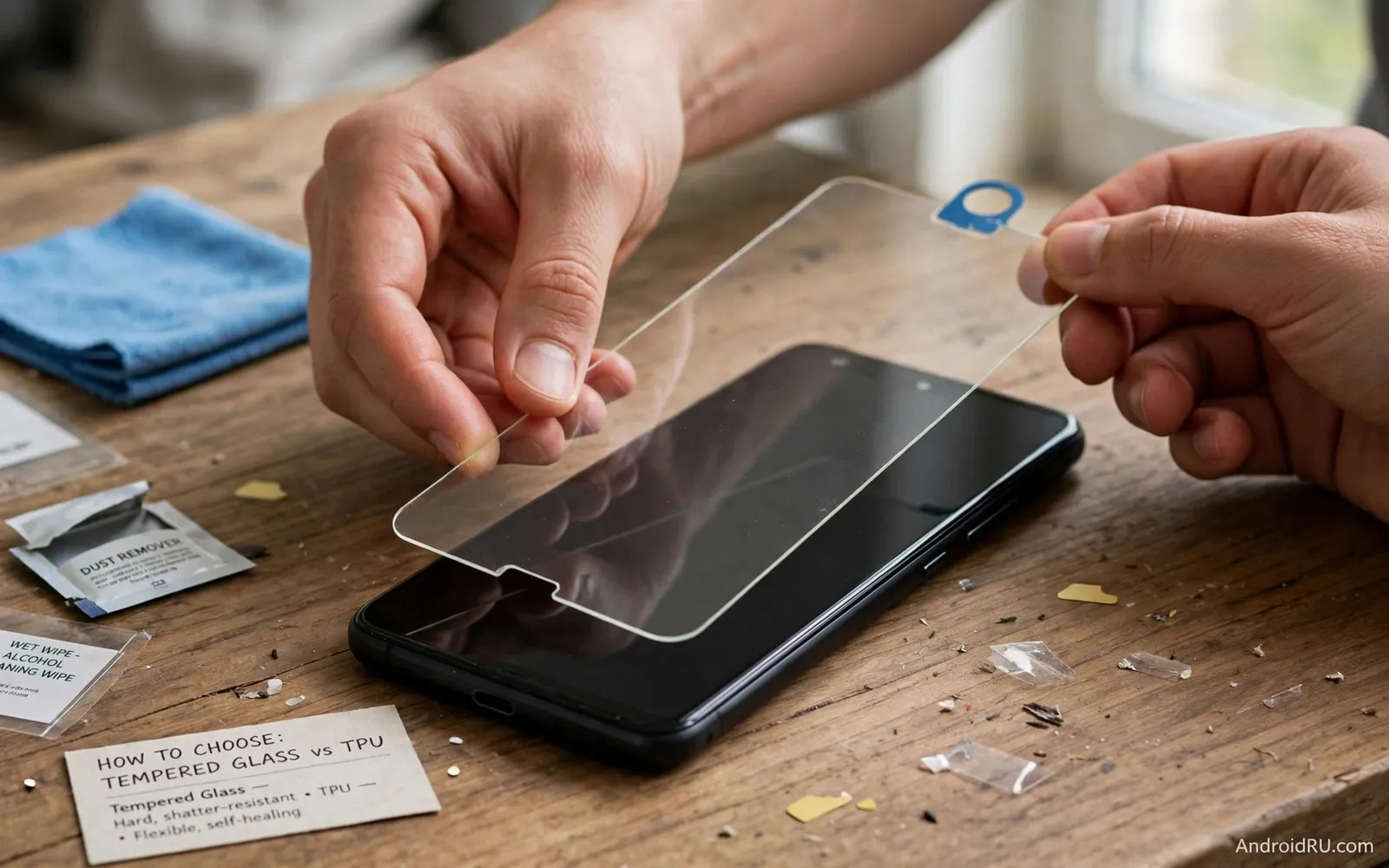
What A Screen Protector Actually Protects
A screen protector guards the display against scratches and small impacts. It does not make a phone unbreakable. It adds a sacrificial layer above the glass. That layer takes scratches first. It also spreads force from a small drop. The phone screen below stays safer in many common accidents. Keys in a pocket can scratch an unprotected screen. Sand in a pocket can scratch it too. A protector reduces that daily wear. It also keeps resale value higher. A clean screen looks better to a future buyer. A scratched screen lowers the appeal of a used phone. Choose a protector early in the life of the phone. A protector applied on day one prevents early damage. A protector applied after scratches cannot remove old damage. It can hide light scratches in some cases. It cannot repair a cracked display.
Two main materials dominate the market today. Tempered glass offers a hard and smooth surface. TPU offers a flexible plastic film. Each material suits different users. Each material has clear trade offs. This guide compares them on clarity and feel and protection. It also covers installation and long term care. It helps you match material to your phone and habits. A gamer needs a different feel than a construction worker. A careful office user needs a different level than a child. Read each section with your own routine in mind. Note which features matter most to you. Your priority list will point to the right material.
Tempered Glass Strengths And Limits
Tempered glass feels closest to a bare phone screen. The surface feels smooth under a finger. Swipes feel fast and natural. Taps feel firm and precise. The glass layer adds hardness against keys and coins. It resists scratches from daily pocket items well. It also handles small drops better than thin film. When it breaks it often cracks in a web pattern. That pattern absorbs energy from the impact. The phone screen below may survive that impact. Replace a cracked glass protector at once. A cracked protector can cut a finger. It can also trap dirt along the cracks. Most glass protectors measure around a fraction of a millimeter thick. Thicker glass adds protection but may affect case fit. Thinner glass feels more natural but offers less cushion. Check case compatibility before you buy a thick model.
Glass protectors can affect fingerprint readers on some phones. Ultrasonic readers sit under the display on many models. A thick glass layer can reduce reader accuracy. Some makers add a special adhesive area for the reader. Some makers certify their glass for ultrasonic readers. Check that detail for your exact phone model. Optical readers usually work well with glass. Test fingerprint registration after installation. Delete old fingerprints and register new ones. That step improves accuracy with a new layer. Also check edge coverage on curved screens. Flat glass may leave edges exposed on curved displays. Full cover glass uses black borders to hide edges. That design may reduce visible screen area slightly. Compare edge photos before you buy for a curved phone.
TPU Film Strengths And Limits
TPU film bends to fit curved screens well. It covers edge to edge on many curved models. It feels softer than glass under a finger. It adds almost no thickness to the phone. It works well with tight fitting cases. It also works well with ultrasonic fingerprint readers. The thin film interferes less with the reader signal. That advantage matters for phones with in display readers. TPU also resists shattering in a different way. It does not crack like glass. It may dent or scratch instead. Small scratches can heal on some self healing films. Heat from daily use helps that healing process. Deep scratches will still remain visible. TPU feels less premium than glass to many users. The surface can feel slightly rubbery. Swipes may feel slower than on glass. Gamers may notice that drag during fast play.
TPU offers less impact protection than tempered glass. A hard drop onto concrete can still crack the screen below. TPU mainly guards against scratches and light scuffs. It does not add a hard shield. Users with rough work environments may need glass instead. Users who value thinness may still prefer TPU. Consider a rugged case alongside TPU for drop safety. The case can handle impacts while film handles scratches. That combination works well for many people. TPU installation often uses a wet method. The wet method needs patience and drying time. Glass installation often uses a dry method. The dry method feels faster for beginners. Factor installation comfort into your choice.
Clarity Touch Feel And Daily Use
Clarity affects reading and photo viewing every day. Good glass offers high transparency with little color shift. Good film also offers clear viewing when new. Cheap film may add a hazy look over time. Cheap film may yellow after months of use. Check user feedback on yellowing for film models. Check user feedback on rainbow effects for glass models. A rainbow effect can appear under bright light. It comes from adhesive layers in some designs. A quality protector reduces that effect. Test clarity under sunlight after installation. Look at white backgrounds and photos. Look for dull spots or cloudy areas. A dull spot may signal a dust speck below. A cloudy area may signal poor adhesive contact. Replace a protector that harms viewing comfort.
Touch feel changes typing speed and game control. Glass gives a slick surface for fast swipes. Film gives a softer surface with more friction. Some film makers add a matte finish. Matte film reduces glare in bright light. Matte film also changes color vibrancy slightly. Gamers often prefer smooth glass for fast moves. Readers often prefer matte film for glare control. Think about your main screen activity. Test both materials if your budget allows. A low cost film trial can inform a later glass purchase. Keep the screen clean for best touch response. Oil and dirt build up on any protector. Wipe the surface with a soft cloth daily. Avoid harsh cleaners that damage coatings.
Installation Without Bubbles Or Dust
Clean the screen fully before you start installation. Wash your hands and dry them well. Work in a bathroom after a hot shower if possible. Steam reduces floating dust in the air. Turn off fans during installation. Fans blow dust onto the screen. Use the cleaning wipe from the kit first. Use the dust sticker to lift tiny specks second. Align the protector with speaker holes and edges third. Lower it slowly from one edge to the other. Push air outward with a card or finger. Small bubbles often disappear within a day. Large bubbles with dust inside will not disappear. Lift the edge gently and remove dust if needed. Do not reuse adhesive after many lifts. A fresh protector works better than a tired one.
Wet installation for film needs a different approach. Spray the solution as directed by the kit. Place the film while the surface stays damp. Slide it into alignment before it sets. Squeegee water outward slowly and evenly. Let the film dry fully before you use a case. Rushing this step can shift the film. It can also trap water under edges. Glass installation needs dry and steady hands. Use the alignment frame if the kit includes one. A frame reduces alignment errors greatly. It helps beginners get a straight result. Keep a spare protector for first time attempts. A spare removes pressure from the first try. Practice calm and slow movements. Speed causes dust and misalignment.
Case Compatibility And Edge Coverage
A protector must work with your case. A case with tight edges can lift a protector. A case with raised lips can protect the screen too. Check case friendly designs when you use a tight case. Case friendly protectors leave a small gap at edges. That gap prevents the case from pushing the film up. Full cover protectors reach closer to edges. They look cleaner but may conflict with some cases. Test case and protector together after installation. Press the case on and check all edges. Look for lifting at corners after a day. Look for dust entry at lifted edges. A lifted edge collects dirt quickly. It also weakens adhesion over time. Choose a matched pair from the same maker when possible. Matched pairs reduce compatibility surprises. A case built for extreme drops pairs naturally with a protector that guards the glass itself.
Model specific fit matters more than brand name alone. A protector made for a similar phone may not align well. Camera holes and speaker slots vary by model. Sensor areas vary by model too. Check the exact model name on the package. Check the exact model name in the product listing. Heavy use outdoors raises the stakes for both screen and body protection. The heavy duty protective cases for extreme drops show how case lips and corner padding work alongside a protector. Then match that model to the protector listing. Avoid universal protectors for daily use. Universal sizes often leave gaps or cover sensors. A precise fit protects better and looks better. It also keeps touch response even across the screen.
When To Replace And How To Remove Safely
Replace a protector when cracks reach the viewing area. Replace it when scratches affect reading. Replace it when edges lift and collect dirt. Replace it when touch response becomes uneven. A worn protector can hide screen damage below. Remove it and inspect the screen from time to time. Check for new scratches under a lifted edge. Check for moisture trapped under film. Early checks prevent larger problems later. Keep a spare protector at home for quick replacement. A phone without protection during a wait period risks damage. Order a replacement before the old one fails fully. That habit keeps your phone covered without gaps.
Removal needs care to avoid screen damage. Lift a corner with a fingernail or plastic card. Peel slowly at a low angle. Do not use metal tools on the screen. Metal can scratch the display glass. For glass protectors lift from a cracked corner with care. Wear eye protection if glass pieces feel loose. Dispose of broken glass safely in a sealed bag. For film protectors peel steadily without rushing. Clean adhesive residue with a soft cloth. Use a small amount of screen safe cleaner if needed. Avoid soaking the phone in liquid. Check touch and display after removal. Install the new protector only on a clean dry screen.
Final Choice By User Type
Choose tempered glass if you want a natural feel and strong scratch defense. Choose tempered glass if you drop your phone at times. Choose tempered glass if you value a premium smooth surface. Choose tempered glass if your fingerprint reader supports it well. Choose TPU if you own a curved screen phone. Choose TPU if you need thinness and case compatibility. Choose TPU if you want edge to edge coverage. Choose TPU if you want a lower cost trial option. Both materials beat no protection in daily use. Both materials need proper installation to work well. Both materials need replacement when worn. Your habits decide the winner more than specs alone. A careful user may enjoy either material for months. A rough user may need glass plus a rugged case. A gamer may prefer glass for speed. A reader may prefer matte film for glare.
Start with one quality protector for your exact model. Test it for two weeks in real use. Note clarity and touch and edge behavior. Note fingerprint accuracy after fresh registration. Then decide whether to stay or switch material. A simple test beats endless comparison reading. Outdoor photography adds another reason to keep glass clear and intact. The smartphone camera lens attachments for photography rely on a clean front surface for sharp results. Keep your phone clean and protected as a habit. That habit saves repair cost over the life of the device. A good protector is a small price for screen peace of mind.

