

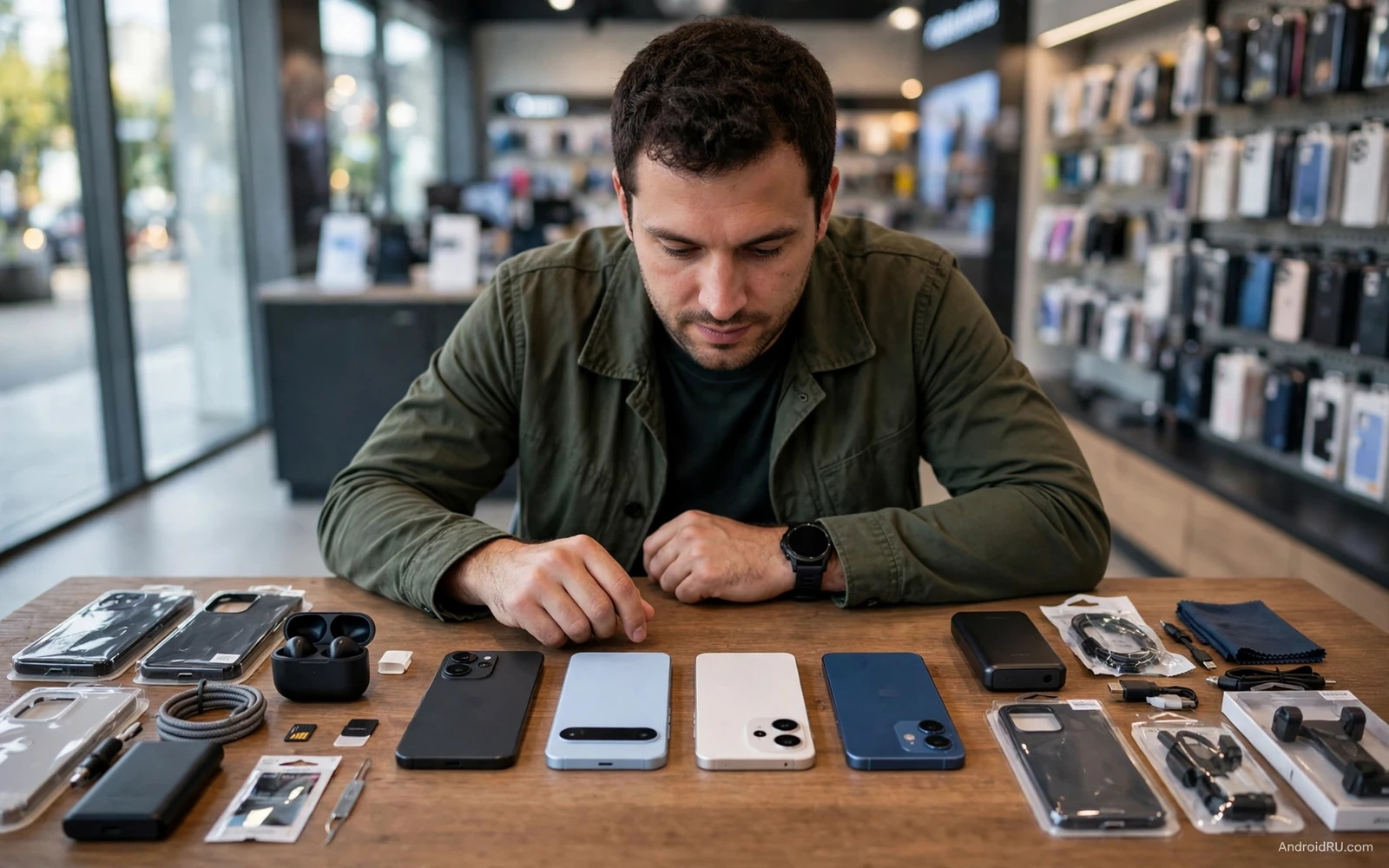
Ultimate Android Buying Guide: How to Pick Your Perfect Phone
The wrong phone can look excellent in a specification table. It may have a fast chip and a large camera number, yet feel awkward in your hand, miss a carrier feature, or cost too much to repair when the battery wears down.
I would choose an Android phone by eliminating those mismatches first. Set the budget, identify the tasks that matter, and test the shortlist against real daily use. This guide gives you a repeatable decision process, including store checks, support questions, and a final scorecard, without assuming that the most expensive model is the right answer.
Android phone budget planning: compare the full ownership cost
A realistic Android phone budget includes the handset, any needed charger, a suitable case, and costs you reasonably expect during ownership. If cloud storage or accidental-damage cover is part of your plan, include it explicitly rather than treating it as an invisible extra.
For a simple illustration, a $600 phone kept for four years costs $150 per year before accessories, service, financing, and repairs. A $400 phone kept for two years costs $200 per year on the same limited calculation. Those examples show why expected useful life matters; they do not establish that every expensive phone lasts longer.
| Buying question | Why it matters | What to record |
|---|---|---|
| Maximum purchase cost | Prevents a shortlist from drifting beyond your means | Handset plus required accessories |
| Expected ownership period | Changes the value of updates and battery service | A realistic number of years |
| Financing terms | Installments can hide the total or depend on credits | Total repayment and switching conditions |
| Repair access | A usable phone may need a battery or screen later | Local service options and quoted costs |
| Recurring services | Storage and protection can become a substantial expense | Only subscriptions you intend to keep |
| Resale assumptions | Future value is uncertain | A conservative estimate, not a guaranteed return |
For an affordable Android phone comparison, begin with the phones under 500 value comparison, then verify current local prices. A US price excluding tax is not directly comparable with an imported device’s delivered cost, warranty, and registration obligations in another country.
My budget rule is to keep a reserve for the essentials rather than spend the entire ceiling on the handset. A modestly cheaper model with enough storage and reliable local support can be a more comfortable purchase than a discounted flagship with an uncertain history.
Phone size, display, and one-handed comfort before specifications
How to choose Android phone size is a physical question. Screen diagonal alone does not tell you the width, weight, balance, or reach required for daily use. A tall narrow phone and a wider phone can have similar advertised diagonals while feeling quite different.
Use a realistic in-store grip test
Hold the phone as you normally would, preferably with a comparable case. Type a sentence, reach the back gesture, pull down notifications, and open the camera. If the upper corner requires an unstable stretch, consider whether two-handed use is acceptable to you.
Check pocket fit and the camera bump
With permission in the store, compare the device’s dimensions with your current phone or a size template. Notice whether the camera housing makes it rock on a desk. A case can change both grip and dimensions, so include it in the decision.
Check the screen at your normal reading size
Open Settings > Display and inspect available font or display-size controls. Read a paragraph at the size you would actually use. Large text can reveal cramped layouts that a promotional wallpaper conceals.
For a compact Android phone buying guide, the compact flagship comparison provides useful context, but check the current availability and support age of any model named. A compact design you like may be an older product with less remaining support.
Display refresh rate versus battery life is a trade-off to evaluate rather than a reason to select the largest number. Smooth scrolling can be pleasant; it does not guarantee every app or game runs at that rate. Also check outdoor readability and reflections in conditions resembling your normal use.
Android performance, RAM, and storage for your actual workload
For Android gaming phone performance, the relevant result is sustained play in your games. A brief benchmark cannot show how a device behaves after warming up, whether a title supports its chipset well, or whether your hands cover a speaker while playing.
For ordinary messaging, maps, banking, and browsing, a reliable midrange phone can be enough. More processing capability becomes useful for demanding games, prolonged video work, complex editing, or heavy multitasking. Buy for those tasks when you do them, rather than for the possibility that you might someday need every feature.
Separate physical RAM from virtual-memory marketing
Physical RAM and storage-backed memory extension are different resources. A label combining them does not mean the device contains that total amount of physical RAM. Check the specification breakdown and evaluate whether apps remain available when switching between the ones you use.
For Android RAM requirements for multitasking, there is no single number that guarantees a good experience across all manufacturers and workloads. Memory management, application behavior, and the operating system matter too. Avoid paying solely for a “RAM expansion” label whose practical effect you have not assessed.
Choose storage before an unexpandable purchase
Android phone storage for video can fill quickly if you record frequently or keep games and offline media. Open your current phone’s Settings > Storage, inspect what is actually used, and add reasonable room for future needs. A 128GB-to-256GB decision should follow that evidence rather than a universal recommendation.
Expandable storage support, when present, may help with some files but does not guarantee every application can move there. Cloud storage likewise requires connectivity and does not replace local room for recording a long video offline. Check what the exact model and software permit.
Android camera buying advice: moving subjects, video, and useful lenses
Megapixels alone are a poor guide to camera quality. A family photographer needs different strengths from someone who mostly records landscapes. Autofocus, motion handling, processing choices, and consistency between lenses can matter more than the headline resolution.
For an Android camera for children and pets, test a moving subject in normal indoor light when you can. With permission, take several ordinary shots and inspect whether faces remain sharp. A static display scene does not reveal the same problem.
For Android video stabilization, record a short walking clip and review it with sound. Look for unstable exposure, focus changes, handling noise, and whether the front camera meets your needs. Check the recording mode you will use, since some stabilization or lens options can depend on resolution and frame rate.
- Check the main camera first, because it will probably capture most of your photos.
- Evaluate an ultrawide lens with a scene you would actually photograph rather than treating its presence as sufficient.
- Check optical zoom needs against real distances so a decorative extra lens does not decide the purchase.
- Inspect low-light moving subjects separately from a long-exposure night scene, since those tasks reward different behavior.
- Review whether an editing feature needs an account, network connection, or later subscription before assigning it value.
I would rather have two cameras that reliably serve my habits than several sensors I rarely use. For a creator, microphone quality and recording reliability also belong in the camera decision. A phone that takes pleasing still images is not automatically the best video tool.
Battery endurance and charging standards for a full working day
Phone battery capacity versus real endurance is another place where specifications can mislead. Screen brightness, signal strength, modem behavior, application workload, and temperature all affect consumption. Compare tests using similar methods and prioritize the tasks you perform most.
Use the longest battery runtime comparison as a starting point for methodology. A result from continuous video playback does not tell you exactly how long the phone will last while navigating in weak cellular coverage.
Check charging speed with the equipment you will own
Fast charging compatibility depends on the phone, charger, cable, and supported protocol. A high wattage printed on a third-party adapter is not a promise that the handset will accept that rate. Confirm the required equipment and whether it is included in the price.
For USB-C charging on an Android phone, inspect supported standards and the manufacturer’s conditions. The connector shape alone does not identify charging speed or data transfer capability. Proprietary maximum speeds may require a particular charger or cable.
Wireless charging convenience can be valuable at a desk, but it also depends on alignment and the case. Decide whether you want it enough to pay for the compatible accessories. Charging while playing demanding games may add heat, so consider your actual charging routine rather than the fastest advertised laboratory result.
Battery replacement for long-term ownership deserves its own question before purchase. Ask an authorized service provider whether replacement is available for the model and what the current procedure costs. Avoid assuming that a sealed battery makes replacement impossible or that every inexpensive phone has inexpensive service.
Software updates, local repairs, and foldable ownership trade-offs
Android security update support should be checked for the exact model and its starting date. A long support promise generally begins from the device’s release or first availability, not from the day you buy an old stock unit.
For example, Pixel 8 and later phones have a seven-year update commitment measured from first US Google Store availability. Samsung’s Galaxy S25 series has a seven-generation OS and seven-year security commitment from global launch, while the announced Galaxy A56 policy is up to six generations and six years. These examples show why a brand-wide assumption is insufficient.
Check remaining support for a discounted older phone, along with the cadence and regional delivery conditions. Long support is useful, but it does not guarantee that every future feature reaches the device. Hardware-dependent capabilities can remain unavailable.
The guide to Android phone brands ranked by reliability and support can frame the service question. Still, verify local repair access, warranty coverage, and spare-part availability where you live. A global reputation cannot tell you how a specific local claim will be handled.
Slab phone strengths and limitations
Pros: a conventional slab offers a familiar shape; protective cases are often straightforward to find for popular models; and it avoids a folding mechanism. Cons: its screen cannot expand into a small tablet; and a larger display usually means a larger device to carry. It suits buyers who value predictable handling more than a transforming form.
Foldable phone strengths and limitations
Pros: a book-style design provides more reading space; supported layouts can improve multitasking; and a flip design can reduce its folded footprint. Cons: hinge and inner-screen repairs can be costly; and app layouts do not all adapt equally well. It suits buyers who will use the form factor enough to justify those trade-offs.
Before choosing, read the foldable phones flip versus fold comparison and handle both forms. Test the outer display, inner keyboard, and folded thickness. A demonstration of the hinge is not the same as trying the tasks you will perform every day.
Carrier compatibility, eSIM, and ecosystem checks before buying
An unlocked Android phone for travel still needs compatible bands and carrier support. “Unlocked” means freedom from a particular SIM lock; it does not make every regional variant identical. Confirm the exact model number with the carrier’s compatibility process.
For an imported Android phone, check local network use, warranty eligibility, supported payment features, and any applicable registration requirements before purchase. A low overseas price can lose its advantage after shipping, taxes, and limited service options.
Dual SIM and eSIM support can vary by region and configuration. Verify how many lines can be active together, whether the intended carrier supports activation, and how you would recover the line after losing the phone. A specification saying “eSIM” does not answer every operational question.
Also check your watch, car interface, hearing or audio accessories, and work requirements. Some ecosystem features depend on a particular brand or companion app. If a banking app, managed-work profile, or authentication method is essential, test or confirm support before the return window ends.
Water-resistance ratings have limits and can change with wear or repair. Read the model’s conditions and warranty exclusions rather than translating an IP rating into “safe for any water exposure.” The device, accessories, and charging port may all have different restrictions.
A step-by-step Android phone shortlist and purchase check
- Set a total purchase ceiling and expected ownership period, including necessary accessories.
- Name your three main tasks in order, such as indoor family photos, travel navigation, or one demanding game.
- Remove candidates that fail size, carrier, or essential-app requirements before comparing attractive extras.
- Check the exact model’s remaining update support and local repair options.
- Shortlist three phones and test reading, typing, camera use, and ordinary navigation in hand.
- Compare the final delivered price, storage configuration, financing conditions, and return policy.
- Buy the candidate whose important strengths match your tasks and whose limitations you can accept.
- During the return window, test calls, data, Wi-Fi, notifications, camera use, and charging under normal conditions.
Use a simple Android phone decision scorecard: assign your three priorities a weight that totals ten, then rate how well each candidate meets each priority. These are your personal weights, not scientific measurements. Add a separate pass-or-fail requirement for compatibility so a high camera score cannot hide a phone that will not work on your carrier.
The flagship versus mid range comparison helps put expensive extras in context. My verdict by use case is straightforward: midrange can be enough for routine tasks, while demanding gaming, specialist cameras, or a genuinely useful foldable layout can justify spending more.
Android phone buying questions that change the decision
Should I buy last year’s flagship instead of a new midrange phone?
Compare remaining support, battery condition, local warranty, and the exact camera or performance advantage you need. An older flagship may offer valuable hardware, but an aged battery or uncertain seller can remove the apparent bargain.
How can I assess a refurbished Android phone?
Ask about the seller’s battery standard, replaced parts, lock status, grading, warranty, and return procedure. Inspect the display, cameras, ports, and connectivity promptly. “Refurbished” alone does not define one universal repair or testing standard.
Is the largest battery always the best option?
No. Capacity is only one input. Consider comparable endurance evidence, weight, charging convenience, and whether replacement is practical during the ownership period you expect.
What is the one check I should never skip?
Confirm the exact model’s compatibility with your carrier and essential services. A specification advantage cannot compensate for unreliable access to the calls, accounts, or work tools you bought the phone to use.
Choose an Android phone with clear priorities and acceptable limits
Start today by checking your current storage use and writing down the three things your next phone must do better. Set a firm budget and eliminate models that fail basic compatibility or handling requirements.
Then choose for remaining software support, repair access, and daily usability alongside the camera and chip. A phone earns its price by fitting your life over time, with strengths you use and compromises you understand.

