

Samsung Galaxy A13 5G Review: Screen Quality, Cameras and Charging
When Samsung released the Galaxy A13 5G in December 2021, it became one of the cheapest ways to get a 5G Samsung phone with a big battery and a 50MP camera. Four years later, in 2026, it still shows up in second-hand shops and budget phone roundups, so the real question is simple: does this phone still hold up for everyday use, or has time passed it by? I spent several days using it as a daily phone, scrolling, streaming, taking photos, playing games and charging it overnight, to find out where it still shines and where it shows its age. Many buyers ask, is Galaxy A13 5G worth buying? For buyers who want 5G, a big battery and a low used price, the answer is yes.
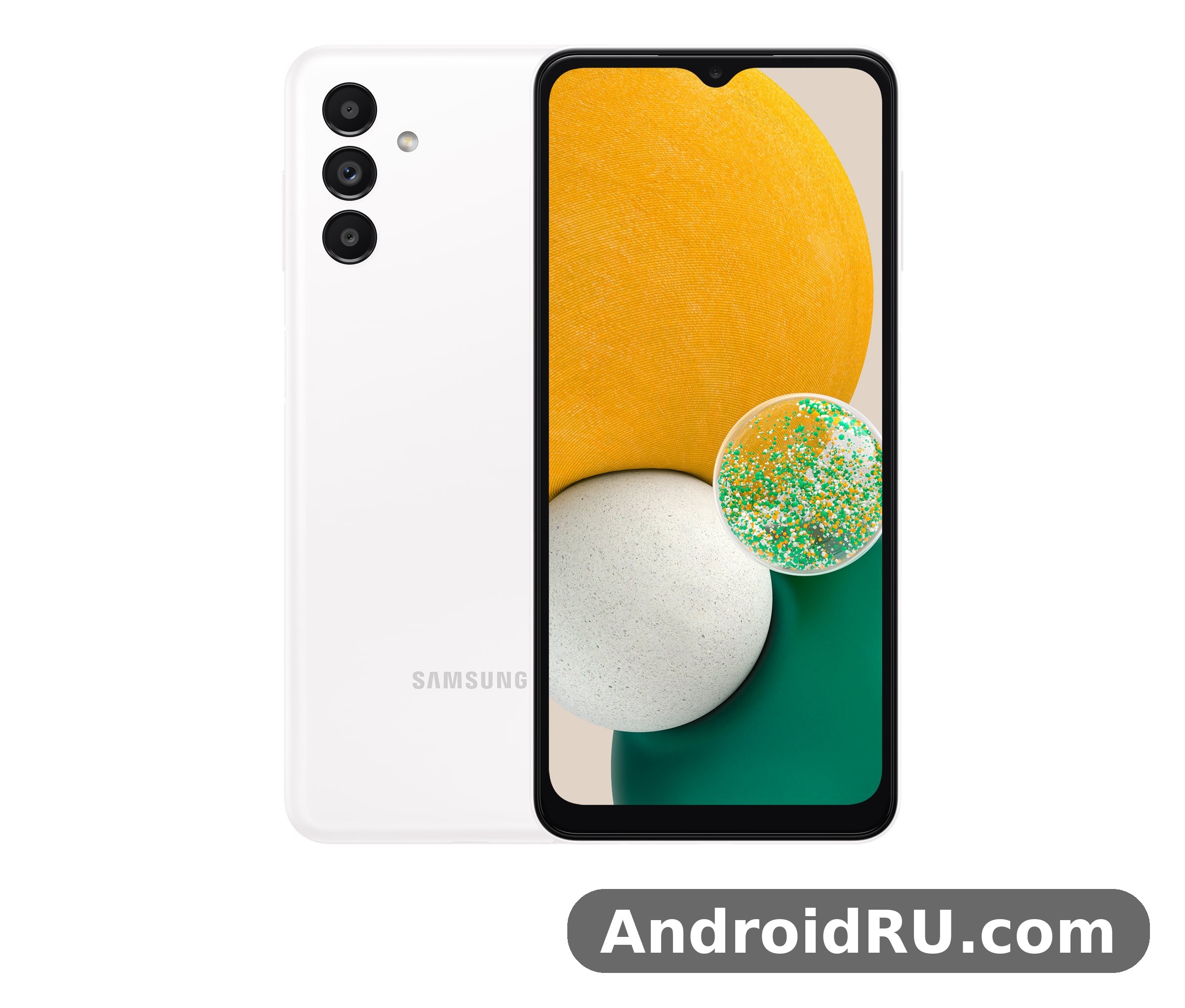
This review looks closely at the three things the title promises: the 6.5-inch 90Hz screen, the quad-camera setup led by the 50MP main sensor, and the 5000 mAh battery with 15W charging. Along the way I also cover the MediaTek Dimensity 700 chipset, the software situation after the Android 13 update, and the build quality, so you get a full picture before spending money on one. The full specification section further down lists every hardware figure in one place, so you can check a number and then read how it behaves in practice. In a Galaxy A13 5G camera test, daylight shots come out clear and well exposed, while low light shows noise sooner than on newer phones.
Short answer first: the A13 5G is a solid budget phone for calls, messaging, social media, video and light gaming, with battery life that still impresses. Its screen is smooth but not sharp, its camera is good in daylight and average after dark, and its charging is slow by 2026 standards. If you buy it cheap and your expectations match its price, it does the job well. A Galaxy A13 5G battery life test with mixed use shows it reaches the end of the day, and lighter users often get into a second day.
Samsung Galaxy A13 5G Screen Quality: 6.5-Inch PLS LCD With 90Hz Refresh Rate
The screen is the first thing you notice, and it sets the tone for the whole phone. Samsung fitted a 6.5-inch PLS LCD panel with a 720 x 1600 resolution and a 90Hz refresh rate. That combination is a trade-off: the higher refresh rate makes scrolling feel smooth, while the HD+ resolution keeps costs down and helps the battery last longer. In daily use, the smoothness stands out more than the lower pixel count, which is a pleasant surprise at this price. Samsung Galaxy A13 5G screen quality is best described as honest and practical: nothing flashy, but nothing broken either. The Galaxy A13 5G full specifications run from the Dimensity 700 chip and 5,000 mAh battery to the 50MP camera and PLS LCD display.
Colours on the PLS LCD panel look natural rather than punchy. If you are coming from an AMOLED Samsung phone, the screen will look a little flatter, with blacks that are dark grey rather than true black. That said, photos and videos still look good, skin tones stay realistic, and the panel is easy on the eyes during long reading sessions. Galaxy A13 5G screen size is 6.5 inches, and the pixel density works out to roughly 270 pixels per inch, which is enough for text and video at normal viewing distance, though fine print and small icons look slightly softer than on a Full HD+ panel. The 20:9 aspect ratio gives the phone a tall, modern shape that suits scrolling feeds and watching video. The Galaxy A13 5G price and specifications together make it a strong budget option, with the screen and battery leading the list.
Galaxy A13 5G 90Hz Display Smoothness in Daily Scrolling
The 90Hz refresh rate is the screen’s best feature. Scrolling through social feeds, web pages and the app drawer feels noticeably smoother than on a standard 60Hz budget phone. The phone switches between 60Hz and 90Hz on its own to save power, and in practice it stays at 90Hz for most scrolling and drops down when the screen is still. Games that support high refresh rates feel more responsive too, though the Dimensity 700 limits how many demanding games can actually hold 90 frames per second.
One thing worth knowing: the 90Hz mode is not adaptive in the fancy sense. It is a simple two-step system, so you will not get the battery savings of a modern adaptive panel. Even so, the smoothness is worth the small battery cost, and most owners leave it on all the time. If you want maximum battery life, you can switch the motion smoothness setting back to 60Hz in the display settings. In a Galaxy A13 5G vs Galaxy A14 5G comparison, the deciding factors are screen, chipset and price.
Galaxy A13 5G Display Brightness Outdoors and Viewing Angles
Outdoor visibility is the screen’s weak point. Peak brightness is modest, roughly in the 400-nit range, so direct sunlight washes the display out and you will find yourself shading the phone or turning brightness to maximum. On a cloudy day or in the shade it is fine, and indoors it is perfectly readable at half brightness. The viewing angles are decent for a PLS LCD panel, with colours shifting only slightly when you tilt the phone. There is no always-on display, since that feature needs an AMOLED panel, and no HDR video support, the screen plays standard dynamic range video only. How long does Galaxy A13 5G battery last? With mixed use it reaches the end of the day, and lighter users often get into a second day.
For video watching, the 6.5-inch size is a good fit: big enough for YouTube and streaming apps, small enough to hold in one hand. The 20:9 aspect ratio suits modern video, with only thin black bars on most content. Galaxy A13 5G speaker quality is adequate for a quiet room but thin at full volume, so headphones or earbuds make a big difference for films and music. A Galaxy A13 5G performance test shows the Dimensity 700 handling everyday apps well enough, with heavy games needing low settings.
Is the Galaxy A13 5G Screen Good for Video and Reading?
For video, yes, with the brightness caveat above. Streaming in HD looks clean, and the 720p resolution is less of a problem than it sounds because video apps compress their streams anyway. For reading, the large screen and smooth scrolling are a genuine plus: long articles, ebooks and messaging threads are comfortable, and the text stays crisp enough at normal reading distance. The screen does pick up fingerprints quickly, so a screen protector and a quick wipe now and then keep it looking its best. The Galaxy A13 5G display quality is clear indoors, though it is dimmer outdoors than AMOLED panels.
Samsung Galaxy A13 5G Cameras: 50MP Main Camera in Daylight and Low Light
The camera system is built around a 50MP main sensor with an f/1.8 lens, joined by a 5MP ultrawide camera, a 2MP macro camera and a 2MP depth sensor. The 5MP front camera sits in a small waterdrop notch at the top of the screen. On paper this is a generous setup for a budget phone; in practice the main camera does almost all of the heavy lifting, and the helper cameras are there for occasional use rather than daily shooting. This Galaxy A13 5G honest review keeps the trade-offs in view: the screen and battery impress, while 15W charging is slow and the front camera is only 5MP.
Galaxy A13 5G camera quality in daylight is genuinely good. Photos come out sharp, with accurate colours and plenty of detail for social media and prints up to a modest size. For anyone considering the Galaxy A13 5G for photography on a budget, the main camera is the reason this phone is worth a look. The phone uses pixel binning by default, combining the 50MP sensor output into 12.5MP photos that are cleaner and smaller in file size. You can switch to full 50MP mode in the camera settings, but the binned photos look better in most situations. A Galaxy A13 5G gaming test shows casual games running smoothly, while demanding titles need medium settings to stay stable.
Galaxy A13 5G 50MP Main Camera Photo Samples and Detail
In bright light the 50MP main camera captures fine detail well: leaves, brickwork, fabric and distant signs all hold up when you zoom in on the photo later. Dynamic range is respectable, holding detail in both bright skies and shadowed foregrounds, though very high-contrast scenes can blow out the highlights. The shutter is quick in good light, so catching kids, pets and street scenes is easy. Focus is reliable too, locking onto the subject without hunting.
Portrait mode uses the 2MP depth sensor to separate the subject from the background. The blur looks natural around hair and edges most of the time, though it can struggle with complex outlines like glasses or wispy hair. For casual portraits of friends and family, the results are pleasing and ready to share without editing. The Galaxy A13 5G unboxing covers the phone, a USB-C cable and the paperwork, so check what your retailer includes before you buy.
Galaxy A13 5G Ultrawide Camera, Macro and Depth Cameras Explained
The 5MP ultrawide camera is useful for landscapes, group photos and tight indoor spaces, but its quality drops clearly compared with the main camera: photos are softer, noisier and less detailed, especially toward the edges of the frame. Use it when you need the wider field of view, not when you want the sharpest shot. The 2MP macro camera is a fun extra for close-ups of flowers or small objects, but its low resolution means the results look best on a phone screen rather than blown up. The depth sensor works quietly in the background of portrait mode and has no photo mode of its own. The 5MP ultrawide camera has an f/2.2 aperture and a 123-degree field of view, while the macro and depth cameras are fixed focus, which is standard at this price. A Galaxy A13 5G battery drain overnight fix usually starts with battery saver and a check for apps running in the background.
Galaxy A13 5G Camera Quality at Night and in Low Light
Low light is where the budget price shows. Without a dedicated night mode that stacks many frames, night photos are darker, softer and noisier than those from pricier phones. Street scenes and lit shopfronts still come out usable, but dim restaurants and dark rooms produce muddy results. The flash helps at close range for people and objects within a couple of metres. My advice: hold the phone steady, tap to focus on the brightest part of the scene, and take two or three shots so you can keep the sharpest one. For a Galaxy A13 5G fingerprint sensor not working problem, re-register the same finger twice and clean the sensor area first.
How to Get Sharper Night Shots on the Galaxy A13 5G
First, brace the phone against a wall, a table or both hands, because even a small shake blurs a low-light photo. Second, turn off the flash unless your subject is close, since the flash flattens faces and kills background detail. Third, use the main camera only at night, the ultrawide sensor gathers far less light and its night photos are much noisier. A few seconds of patience per shot makes a visible difference. A Galaxy A13 5G screen flickering issue is rare, and a restart or a software update usually clears it.
Galaxy A13 5G Video Recording Quality and Selfie Camera
The 5MP front camera is fine for video calls and casual selfies in good light, with natural skin tones and decent detail. In dim light it softens quickly, so face a window or a lamp for better results. Video recording tops out at 1080p at 30 frames per second on both the rear and front cameras, with no 4K option and no optical stabilisation. Footage looks steady enough when you walk slowly and hold the phone with both hands, but fast movement shows shake. For short clips, video messages and social posts, the video recording quality is perfectly usable. Photo modes include standard photo, portrait, panorama, food, night, pro mode with manual controls, and hyperlapse, and the camera app also includes a QR code scanner and a grid overlay, both worth turning on. Wondering how to take a screenshot on Galaxy A13 5G? Press power and volume down together, or use a palm swipe.
Samsung Galaxy A13 5G Battery Life and 15W Charging Speed
The 5000 mAh battery is the phone’s quiet hero. In my days of testing, a full charge regularly lasted from morning until the following evening with mixed use: messaging, browsing, an hour of video, some photos and a short gaming session. Lighter users will comfortably get two days, and even heavy users should reach bedtime with charge to spare. Galaxy A13 5G battery life is one of the strongest reasons to pick this phone over rivals with smaller cells.
Standby drain is low. Overnight, the phone typically lost only a few percent with Wi-Fi on and notifications coming in, which means you can skip a night of charging without worry. Screen-on time in my testing landed around seven to eight hours of mixed use, which is a strong result for a budget 5G phone. The efficient Dimensity 700 chipset and the HD+ screen both help here: fewer pixels to push and a 7nm chip add up to real savings. This is how to factory reset Galaxy A13 5G safely: back up first, then use Settings, General management, Reset.
How Fast Does Galaxy A13 5G Charge and How Long Does 0 to 100 Take?
Charging is the trade-off. The phone supports 15W wired charging over USB-C, and Galaxy A13 5G charging time from empty to full is roughly two hours with the right charger. A 30-minute top-up adds around a quarter of a charge, enough for several hours of light use. There is no wireless charging, and no faster charging mode to unlock, so overnight charging or a long lunch-break plug-in is the practical routine. If you are used to a phone that charges in under an hour, the slower pace takes a few days to get used to. Does Galaxy A13 5G have a headphone jack? Yes, the 3.5mm port on the edge takes wired earphones.
One practical tip: the phone does not always ship with a charger in the box, depending on the market and the seller, so check what is included before you buy. Galaxy A13 5G 15W charging means any decent USB-C charger rated at 15W or more works at full speed, and the phone will draw only what it can use. Using a higher-wattage charger will not speed things up beyond the 15W limit. Does Galaxy A13 5G support microSD card expansion? Yes, the slot takes cards up to 1TB.
Galaxy A13 5G Battery Drain Overnight and Battery Care Tips
If your battery drains faster than expected, the usual suspects are a weak 5G signal, a misbehaving app, or the screen staying at full brightness. Switching to Wi-Fi at home, turning off 5G in areas with poor coverage, and checking the battery usage screen in settings will usually find the culprit within a day. Adaptive battery in One UI also learns your habits and limits background activity for apps you rarely open. The Galaxy A13 5G best settings for battery life are adaptive brightness, a 60Hz cap when you need it, and battery saver overnight.
Keeping the charge between 20 and 80 percent most of the time reduces long-term wear, and the phone’s battery protection setting can cap charging at 85 percent for you. Avoid leaving the phone in a hot car or in direct sun while charging, since heat ages lithium batteries faster than anything else. A slow overnight charge on a standard charger is gentler than a fast top-up on a high-power brick, and after four years on the market, a well-cared-for battery still holds up well. The Galaxy A13 5G hidden features include one-handed mode, edge panels and routines that automate daily tasks.
MediaTek Dimensity 700 Performance for Everyday Use and Gaming
Under the hood sits the MediaTek Dimensity 700, a 7nm octa-core chipset with two fast Cortex-A76 cores and six efficient Cortex-A55 cores, paired with 4GB of RAM and 64GB of storage. It is not a flagship chip, and it does not pretend to be, but for everyday tasks it is smooth and responsive: apps open quickly, switching between a handful of apps is fine, and the interface rarely stutters. Galaxy A13 5G RAM 4GB multitasking works best with five or six apps in memory; push beyond that and the phone starts reloading apps. A Galaxy A13 5G overheating while gaming fix is to lower the graphics settings and take the case off during long sessions.
Storage is the tighter limit. Of the 64GB, roughly 15GB is taken by the system, leaving under 50GB for your apps, photos and videos. Galaxy A13 5G storage 64GB is enough if you stream music and video rather than downloading everything, but heavy gamers and photo hoarders will fill it fast. The microSD slot is the rescue: it accepts cards up to 1TB, so a cheap card solves the storage problem for photos, videos and offline media. Published benchmark scores for this phone cluster around the mid-300,000s in AnTuTu v9 and around 550 single-core and 1,700 multi-core in Geekbench 5, though exact scores vary with software version and temperature. Those numbers confirm the phone is a solid budget performer, not a speed champion. A Galaxy A13 5G camera blurry photos fix is to clean the lens, tap to focus, and hold the phone steady for a second longer.
Is the Galaxy A13 5G Good for Gaming?
For casual games, yes. Puzzle games, card games, 2D platformers and light 3D titles run smoothly, and the 90Hz screen makes them feel responsive. Demanding games need compromise: titles like PUBG Mobile and Call of Duty Mobile run best on medium graphics settings, where the frame rate stays steady and the phone stays cool. Push the graphics to high and you will see dropped frames and warm-up after twenty minutes. Galaxy A13 5G PUBG performance at balanced settings is playable and fun, just not competitive-grade. The Galaxy A13 5G software update problems are uncommon, and a restart after installing usually clears a stuck update.
Heat is well controlled. The plastic body spreads warmth evenly and the phone never gets uncomfortably hot in my testing, even after half an hour of gaming. The single speaker is a weak point for games, so earbuds are worth using. Overall, the phone suits a casual gamer who plays in short sessions far better than someone chasing high frame rates in ranked matches. To learn how to turn off 5G on Galaxy A13 5G, open Settings, Connections, Mobile networks, and pick 4G.
Galaxy A13 5G for Commuters, Students and First-Time Smartphone Buyers
This is where the phone makes the most sense. For students, it covers class apps, notes, video calls, social media and music on a student budget, with a battery that survives a full day of lectures. For commuters, the big screen and long battery life make the train or bus ride pass quickly. For first-time smartphone buyers or anyone upgrading from an old 4G phone, the 5G support, fingerprint sensor and modern software feel like a big step up without a big price. A Galaxy A13 5G slow charging fix is to use a 15W USB-C PD charger and a good cable, since old low-wattage chargers charge slowly.
Full Specifications of the Samsung Galaxy A13 5G
The specification sheet still explains why this phone sold so well: a large 90Hz screen, a 50MP main camera, a 5000 mAh battery and a Dimensity 700 chipset, all in a phone that cost far less than the flagship Galaxy S range. Every figure here reflects the official specification for the Galaxy A13 5G (model SM-A136), the 5G version of the phone, not the separate 4G Galaxy A13, which uses a different chipset and screen. Where a detail varies by market, such as NFC or the exact 5G bands, I say so clearly instead of guessing. Is Galaxy A13 5G good for students? With 5G and a low used price and a price that fits a student budget, it is a sensible pick.
| Category | Specification |
|---|---|
| Display | 6.5-inch PLS LCD, 720 x 1600 (HD+), 90Hz refresh rate |
| Chipset | MediaTek Dimensity 700 (7nm), octa-core, Mali-G57 MC2 |
| RAM / storage | 4GB RAM, 64GB storage, microSD up to 1TB |
| Rear cameras | 50MP main + 5MP ultrawide + 2MP macro + 2MP depth |
| Front camera | 5MP, f/2.0, 1080p video |
| Battery | 5000 mAh, 15W wired charging, USB-C |
| Software | Android 11 at launch, upgradable to Android 13 (One UI 5) |
| Security | Side-mounted fingerprint sensor, face unlock |
| Dimensions | 164.5 x 76.5 x 8.8 mm, 195 g |
Samsung Galaxy A13 5G Display Specifications: 6.5-Inch PLS LCD
The display is a 6.5-inch PLS LCD panel with a resolution of 720 x 1600 pixels, which Samsung markets as HD+. The pixel density works out to roughly 270 pixels per inch, which is enough for text and video at normal viewing distance, though fine print and small icons look slightly softer than on a Full HD+ panel. The Galaxy A13 5G 90Hz refresh rate is the headline display figure: the screen refreshes 90 times per second instead of the usual 60, which makes scrolling, animations and supported games look smoother. PLS LCD is Samsung’s own LCD technology, similar in character to IPS: natural colours, good viewing angles, and blacks that are dark grey rather than the pure black of an AMOLED panel. The Galaxy A13 5G specs cover the essentials: Dimensity 700, 5,000 mAh battery, 50MP main camera and a PLS LCD display.
| Display spec | Detail |
|---|---|
| Size | 6.5 inches |
| Panel type | PLS LCD |
| Resolution | 720 x 1600 pixels (HD+) |
| Pixel density | About 270 ppi |
| Refresh rate | 90Hz |
| Aspect ratio | 20:9 |
| Notch | Waterdrop notch for front camera |
| HDR support | No |
Samsung Galaxy A13 5G Chipset and Performance Specs: Dimensity 700
The Dimensity 700 is built on a 7nm process and uses eight cores: two high-performance Cortex-A76 cores running at up to 2.2GHz and six efficient Cortex-A55 cores at up to 2.0GHz. Graphics are handled by the Mali-G57 MC2 GPU. The 7nm process matters because smaller transistors waste less power, which is one reason the phone’s battery lasts so well. The chipset also carries the integrated 5G modem, so 5G support is built in rather than added as a separate chip. The Samsung Galaxy A13 5G price varies by region and storage option, so compare a few sellers before you buy.
Galaxy A13 5G processor speed for apps, games and multitasking is easy to describe: everyday apps, messaging, browsers, maps, banking, social media and video streaming, run without fuss. Switching between five or six apps keeps them in memory thanks to the 4GB of RAM; open many more and the phone starts reloading them. Games fall into two groups: casual and light 3D games run smoothly, while demanding titles such as PUBG Mobile and Call of Duty Mobile need medium graphics settings to hold a steady frame rate. The phone stays pleasantly cool during long sessions, with no sharp hot spots on the back. The Galaxy A13 5G features include Dimensity 700, a 5,000 mAh battery and a 50MP camera, which is a strong set for the price.
Samsung Galaxy A13 5G Camera Specifications: 50MP Quad Setup
Galaxy A13 5G video recording reaches 1080p at 30 frames per second on both the rear and front cameras, with no 4K mode and no optical image stabilisation. The Galaxy A13 5G 50MP main camera specs include an f/1.8 aperture, autofocus and pixel binning to 12.5MP, and the rear camera system has four lenses: a 50MP main camera with an f/1.8 aperture, a 5MP ultrawide camera with an f/2.2 aperture and a 123-degree field of view, a 2MP macro camera with an f/2.4 aperture, and a 2MP depth sensor with an f/2.4 aperture. The front camera is a 5MP sensor with an f/2.0 aperture. The 50MP main sensor uses pixel binning by default, merging four pixels into one to produce 12.5MP photos with better light sensitivity and smaller file sizes. A full 50MP mode is available in the camera settings for scenes where you want maximum detail, such as landscapes in bright light. The main camera has autofocus; the ultrawide, macro and depth cameras are fixed focus, which is standard at this price. The Galaxy A13 5G price in India varies by seller and variant, so check a few listings before ordering.
| Camera | Specification |
|---|---|
| Main rear | 50MP, f/1.8, autofocus, pixel binning to 12.5MP |
| Ultrawide rear | 5MP, f/2.2, 123-degree field of view |
| Macro rear | 2MP, f/2.4, fixed focus |
| Depth rear | 2MP, f/2.4, portrait mode only |
| Front | 5MP, f/2.0, fixed focus |
| Video | 1080p at 30fps, rear and front, no 4K |
| Flash | Single LED flash on the rear |
Samsung Galaxy A13 5G Battery and Charging Specifications
Galaxy A13 5G battery capacity is 5000 mAh. The battery is a 5000 mAh lithium-ion cell, which is large for a phone of this size and price. Samsung rates it for all-day use, and in practice it delivers seven to eight hours of screen-on time with mixed use, or around two days for lighter users. The phone charges through a USB-C port at up to 15W wired, and a full charge from empty takes roughly two hours. There is no wireless charging and no reverse charging. The 5000 mAh battery capacity is the single specification that most affects daily life: it is what lets the phone survive a long day of navigation, video and messaging without a top-up. The Galaxy A13 5G benchmark score reflects an entry-level chip: fine for everyday apps, modest in games.
| Battery spec | Detail |
|---|---|
| Capacity | 5000 mAh, non-removable lithium-ion |
| Wired charging | 15W via USB-C |
| Full charge time | About 2 hours from empty |
| Wireless charging | No |
| Reverse charging | No |
| Battery protection | Optional 85 percent charge cap in settings |
Samsung Galaxy A13 5G Memory and Storage: RAM, Storage and microSD Expansion
Galaxy A13 5G RAM is 4GB and Galaxy A13 5G storage is 64GB in the standard configuration. Some markets also sold a variant with 4GB of RAM and 128GB of storage, so check the exact listing if storage matters to you. The storage uses eMMC or UFS depending on the variant, and the practical difference is small: apps load in a couple of seconds either way. About 15GB of the 64GB is taken by the system and pre-installed apps, leaving under 50GB free on a fresh phone. Galaxy A13 5G microSD support covers cards up to 1TB. The microSD card slot accepts cards up to 1TB and works alongside the SIM tray. It is the simplest fix for a full phone: move photos, videos, music and downloads to the card and keep the internal storage free for apps. Note that most apps cannot be moved to the card, and the card is best used for media rather than as extra app space. The phone also supports RAM Plus, Samsung’s feature that reserves a few gigabytes of storage as virtual RAM to help multitasking. Is 4GB RAM and 64GB storage enough on the Galaxy A13 5G? For light and medium use, messaging, social media, streaming, photos and a few games, yes, with the microSD card fitted for media. For heavy use, the limits show: large games take several gigabytes each, offline video downloads fill the phone quickly, and switching between many heavy apps causes reloads. A Galaxy A13 5G case is worth buying from day one, since it protects the camera lenses and the corners from drops.
Samsung Galaxy A13 5G Connectivity, Sensors and Ports
Connectivity is broad for a budget phone. The integrated 5G modem supports sub-6GHz 5G, with exact bands varying by market and model variant, always confirm the bands against your carrier before buying an imported unit. Galaxy A13 5G Wi-Fi is 802.11ac (Wi-Fi 5), Galaxy A13 5G Bluetooth is version 5.0, and 4G LTE and GPS with GLONASS, Galileo and BeiDou are all included. NFC is present in some markets and absent in others, so treat it as a detail to verify rather than assume. Sensors include an accelerometer, gyroscope, proximity sensor, compass and the side-mounted fingerprint reader. Galaxy A13 5G SIM card support is nano-SIM, dual SIM in most markets. The ports are a USB-C port for charging and data, and the Galaxy A13 5G headphone jack is a 3.5mm port, a feature that has disappeared from most newer phones. The phone supports dual SIM and VoLTE and Wi-Fi calling where the carrier supports them. The phone also supports USB On-The-Go, so it can read a flash drive through an adapter. The Galaxy A13 5G NFC supports contactless payments in markets where the feature is included.
| Connectivity spec | Detail |
|---|---|
| 5G | Sub-6GHz (bands vary by market) |
| 4G / 3G / 2G | LTE, HSPA, GSM |
| Wi-Fi | 802.11 a/b/g/n/ac, dual-band, Wi-Fi Direct, hotspot |
| Bluetooth | 5.0, A2DP, LE |
| NFC | Market dependent, check the official page |
| Positioning | GPS, GLONASS, Galileo, BeiDou |
| Ports | USB-C, 3.5mm headphone jack |
| SIM | Nano-SIM, dual SIM in most markets |
Samsung Galaxy A13 5G Software: Android 11 to Android 13
The phone launched with Android 11 and Samsung’s One UI 3.1, and Samsung later updated it to Android 13 with One UI 5. The Galaxy A13 5G Android version on most units today is Android 13. That update brought a redesigned notification panel, improved privacy indicators, better widgets, stacked widgets, and refined camera and gallery features. Security patches continued after the major version update, though the phone’s update window is now largely complete, so buyers in 2026 should check the security patch date in Settings before paying for a second-hand unit. One UI includes Samsung’s own apps and features: Secure Folder for locked files, Edge panels for quick shortcuts, one-handed mode, dark mode, Digital Wellbeing, and Samsung’s camera and gallery apps. Some pre-installed apps can be uninstalled and others can only be disabled. The Galaxy A13 5G dual SIM support covers two nano-SIM cards in most regions.
Samsung Galaxy A13 5G Dimensions, Weight and Build
The phone measures 164.5 mm tall, 76.5 mm wide and 8.8 mm thick, and Galaxy A13 5G weight is 195 grams. The body is plastic front to back, with a matte finish on the rear that resists fingerprints better than glossy glass. The frame is plastic too, and the front uses a standard glass panel without a named premium glass type, so a screen protector is a sensible purchase. There is no official IP rating for water or dust resistance. Galaxy A13 5G colours at launch were black and blue, with some markets also offering white or peach variants. The design is understated: a clean back with the camera module in the top-left corner and a small Samsung logo lower down. In the hand it feels solid and balanced, and the side-mounted fingerprint sensor falls naturally under the thumb for right-handed users and the index finger for left-handed users. The Galaxy A13 5G water resistant claims are limited: there is no official IP rating, so keep it away from water.
Samsung Galaxy A13 5G vs Galaxy A14 5G: Which Budget Phone Fits You
The closest rival is its own successor, the Galaxy A14 5G, which arrived in early 2023 with a sharper Full HD+ screen, a slightly newer design and a longer update promise. The A13 5G still wins on price and on its very similar battery life, while the A14 5G wins on screen sharpness and software longevity. If you find both at similar prices, the A14 5G is the better buy; if the A13 5G is clearly cheaper, the savings are hard to argue with. The Samsung Galaxy A14 5G Review: Gaming, Multitasking and Battery Life tests that successor in daily use, and the table below puts the key differences side by side.
| Feature | Galaxy A13 5G | Galaxy A14 5G |
|---|---|---|
| Screen | 6.5-inch PLS LCD, 720 x 1600, 90Hz | 6.6-inch PLS LCD, 1080 x 2408, 90Hz |
| Chipset | MediaTek Dimensity 700 | MediaTek Dimensity 700 |
| Main camera | 50MP, f/1.8 | 50MP, f/1.8 |
| Front camera | 5MP | 13MP |
| Battery | 5000 mAh, 15W charging | 5000 mAh, 15W charging |
| Launch software | Android 11, One UI 3.1 | Android 13, One UI Core 5.1 |
| Storage | 64GB + microSD up to 1TB | 64GB or 128GB + microSD up to 1TB |
Against the Wider Market: Newer Budget Rivals Worth Comparing
Against the wider market, the A13 5G competes with budget phones from other brands that often offer faster charging or sharper screens at a similar price. What Samsung offers in return is a cleaner software experience, a trusted brand, wide availability of cases and repairs, and a 5G radio that works well across carriers. Buyers who value those things will be happy; buyers who chase raw specs per dollar may find a rival that looks better on a spec sheet. Within Samsung’s own newer budget range, the Samsung Galaxy M55 5G Review: Display, Cameras and Budget Trade-Offs shows what a more recent M-series phone offers at a similar budget, and the Samsung Galaxy M54 5G Review: App Performance and Camera Quality is another newer option to weigh if app performance and camera quality matter more to you than the lowest possible price.
Samsung Galaxy A13 5G Design, Software and Everyday Connectivity
The design is plain but practical: a matte plastic back that resists fingerprints, a plastic frame, and a waterdrop notch on the front. It weighs around 195 grams and measures about 8.8 mm thick, so it feels solid without being heavy. There is no official water resistance rating, so keep it away from rain and sinks. The phone comes in black and blue finishes, both understated, and a case is worth buying since the plastic back can pick up scratches over time. The Galaxy A13 5G fingerprint sensor is a side-mounted fingerprint reader built into the power button, and it works fast and reliably once you register the same finger twice. Face unlock is also available using the front camera, though it is less secure than the fingerprint reader and can struggle in low light. The 3.5mm headphone jack is a welcome survivor at this price, and the USB-C port handles charging and data. Galaxy A13 5G headphone jack support means cheap wired earbuds work with no adapter, which is a small but real saving. The Galaxy A13 5G gaming performance is fine for casual titles, though heavy games run best at medium settings.
As the name promises, the phone supports sub-6GHz 5G networks, plus 4G LTE, Wi-Fi, Bluetooth 5.0 and NFC in markets where Samsung includes it, check the official page for your region before assuming NFC is present. Overall, 5G connectivity on this phone is reliable where coverage exists: downloads are fast and video calls stay smooth; in areas without it, the phone falls back to 4G without fuss. Call quality is clear, the earpiece is loud enough for noisy streets, and dual-SIM models let you run a work number and a personal number in one phone. One UI itself is one of the phone’s strengths. It is clean, consistent and full of small touches: Edge panels, secure folder, one-handed mode, dark mode and a good set of camera modes. There is some pre-installed software, and a few apps can be removed while others can only be disabled, so a ten-minute tidy-up after setup is worth doing. For the next step up in the same A-series family, the Samsung Galaxy A15 5G Review: Display Quality, Speed and Daily Use shows how Samsung updated the screen and everyday speed in the generation after the A14 5G, and it is a useful read if you are deciding whether to buy old and cheap or newer and dearer.
Galaxy A13 5G Software Tips: Settings Worth Changing on Day One
Start with motion smoothness set to high so the 90Hz screen does its best work, then turn on battery protection to cap charging at 85 percent. Next, enable dark mode on a schedule to save a little power and reduce eye strain at night. Then check the Galaxy A13 5G camera settings and switch on the grid lines and the QR code scanner, both of which are off by default. Finally, open the storage settings and move photos and downloads to the microSD card if you fitted one, so the internal storage stays free for apps. Open Settings, then Display, and you will find motion smoothness, screen brightness with an adaptive toggle, dark mode with a schedule, and the screen timeout. Turning on dark mode and setting the timeout to 30 seconds saves a little battery every day. The eye comfort shield, which warms the colours at night, is worth enabling on a schedule so late-night reading strains your eyes less. The Galaxy A13 5G overheating reports are rare in normal use, and the phone stays comfortable during long video sessions.
Galaxy A13 5G 5G Network Support and Call Quality
To check the software on any unit, open Settings, then Software update, and tap Download and install. The screen shows the current Android version, the One UI version and the security patch level. A unit still on Android 11 can usually be updated to Android 13 over Wi-Fi in two or three steps, with a restart between each. Allow at least an hour and a charged battery before starting, and back up photos first. Galaxy A13 5G Android 13 update brought a cleaner notification shade, better privacy controls, improved widgets and the usual One UI polish. The Galaxy A13 5G 128GB price is the one most buyers compare, since that is the standard storage option.
Pros and Cons of the Samsung Galaxy A13 5G
After several days of daily use, the balance of strengths and weaknesses is clear. The battery and the smooth screen carry the phone, the daylight camera punches above its price, and the software feels mature. The slow charging, the dim screen in sunlight and the modest low-light camera are the real compromises. Galaxy A13 5G pros and cons matter most when you match them to your own habits: a heavy streamer will love the battery, a night photographer will feel the limits. The Galaxy A13 5G used price depends on condition and battery health, so check the screen and charging port before paying.
What the Galaxy A13 5G Does Well
- Two-day battery life from the 5000 mAh cell covers long days without anxiety, and standby drain is very low.
- Smooth 90Hz scrolling makes the phone feel more expensive than it is, especially in feeds and browsers.
- Daylight photos from the 50MP main camera are sharp, natural and ready to share without editing.
- 5G support, a side fingerprint sensor, a headphone jack and a microSD slot cover the practical bases.
- One UI on Android 13 is clean, stable and easy to learn, with useful features like Secure Folder and dark mode.
Where the Galaxy A13 5G Falls Short
- 15W charging takes around two hours for a full charge, which feels slow next to modern budget rivals.
- The HD+ screen is dim in direct sunlight and less sharp than Full HD+ panels on newer budget phones.
- Night and low-light photos are noisy and soft, with no strong night mode to rescue them.
- 4GB of RAM and 64GB of storage feel tight in 2026, especially for heavy multitaskers and gamers.
- The software update story is mostly finished, so buyers should not expect major new Android versions.
Galaxy A13 5G Price in 2026 and Who It Is For
New units are scarce in 2026, so most buyers will find it second-hand or refurbished at a low price, and that is where it makes sense. Should I buy Galaxy A13 5G in 2026? If the price is low, the battery is healthy and the phone is sold as the 5G model (not the 4G A13, which has a different chipset), then yes for light and medium users. It fits students, parents buying a first phone for a teenager, commuters and anyone who wants a reliable spare phone. Heavy gamers, night photographers and anyone who needs fast charging should look at a newer budget model instead. If your budget can stretch a little, the Samsung Galaxy M56 5G Review: Everyday Speed, Cameras and Value is the newer Samsung option to compare first, since it covers everyday speed and cameras at a price that stays close to this phone’s second-hand range.
Samsung Galaxy A13 5G FAQ: Common Questions Answered
Does the Galaxy A13 5G have a microSD card slot?
Yes. The phone has a dedicated microSD slot that accepts cards up to 1TB, alongside its 64GB of internal storage. It is ideal for photos, videos, music and offline maps. Apps themselves mostly need to stay on internal storage, so the card is best used for media rather than as a cure for a full app drawer. A Galaxy A13 5G battery replacement is a repair-shop job, and it is worth pricing before you decide to keep an old phone.
How long does the Galaxy A13 5G battery last on a single charge?
With mixed daily use, calls, messaging, browsing, an hour of video and some photos, the 5000 mAh battery lasts a full day easily and often stretches into a second day. In testing, screen-on time reached seven to eight hours. Heavy gaming or constant 5G use in weak signal areas will shorten that, but for most people a nightly charge is more than enough. The Galaxy A13 5G screen replacement cost varies by repair shop, so get two quotes before booking a repair.
Does the Galaxy A13 5G support 5G on all carriers?
It supports sub-6GHz 5G, which is the common 5G type used by most carriers, but exact band support varies by market and model variant. Before buying, check that the specific model number matches the bands your carrier uses, especially when buying an imported or second-hand unit. The phone also handles 4G LTE well, so it stays useful even where 5G has not arrived yet. The Galaxy A13 5G best price usually shows up during sales events, so wait for a promotion if you are not in a hurry.
Can the Galaxy A13 5G run Android 13?
Yes, Samsung released the Android 13 update with One UI 5 for this phone, and most units in use today run that version. After updating, check the software update screen once more for the latest security patch. Because the phone launched in late 2021, do not expect further major Android version upgrades beyond what Samsung has already delivered.
Is the Galaxy A13 5G waterproof?
No. The phone has no official IP water resistance rating, so it is not built to survive drops in water or heavy rain. A splash from a sink is unlikely to kill it, but do not take it swimming or use it in the shower. A Galaxy A13 5G screen protector and case are cheap insurance against the drops and scratches that daily use brings.
Final Verdict: Who Should Buy the Galaxy A13 5G
The Galaxy A13 5G is a budget phone that knows exactly what it is. As a budget Samsung phone from 2021, it gives you a big smooth screen, a long-lasting battery, a good daylight camera and clean Samsung software, and it asks you to accept slow charging, a dim display in sunlight and average night photos in return. For the low price it sells for in 2026, that is a fair deal, as long as you buy it for what it is, not for what newer phones can do.
If you decide to buy one, test it first: check the battery health, confirm the 5G model number, take a photo in daylight and one indoors, and make sure the fingerprint sensor and charging port work. Then set it up with the tips in this review, 90Hz motion on, battery protection on, photos going to the microSD card, and you will have a dependable everyday phone that costs very little and asks for very little in return.

