

Acer Iconia Tab A3-A20FHD Review: Connectivity and Audio Put to the Test
Acer had a clear job in mind when it built this tablet: put a sharp Full HD screen, honest stereo sound and dependable wireless into a 10-inch slab that ordinary buyers could afford. The Acer Iconia Tab A3-A20FHD review story starts in October 2014, when the tablet was announced and released at a price of about 230 EUR. That launch window matters, because every strength and every limit in this Acer Iconia Tab A3-A20FHD tablet comes from the same place: it is a 2014 device, built to 2014 expectations, and it should be judged against those expectations rather than against tablets that arrived a decade later.
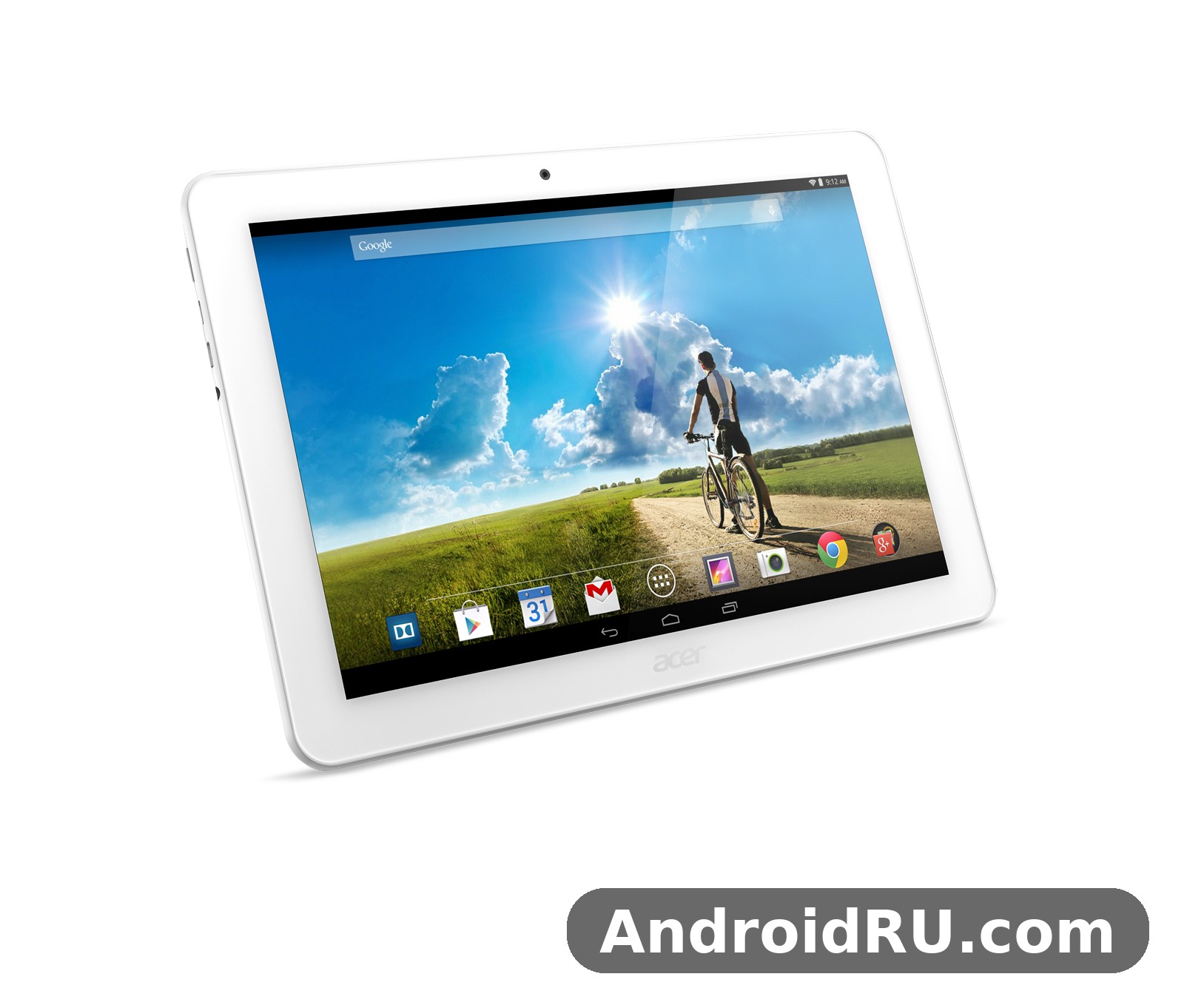
This is a review of two things the title promises, connectivity and audio, set inside a complete look at the tablet around them. The Acer Iconia Tab A3-A20FHD WiFi connection, its Bluetooth audio, its wired headphone output and its micro HDMI port all get a careful examination here, alongside the screen, the processor, the battery and the cameras. The Acer Iconia Tab A3-A20FHD full specifications and review below also settle a common confusion: this FHD model is not the same tablet as the standard A3-A20, and mixing the two up leads to wrong claims about RAM, screen resolution and battery life.
Readers searching for the Acer Iconia Tab A3-A20FHD release date October 2014 price usually land on the same answer: announced and released in October 2014 at about 230 EUR, and now long discontinued. If you are considering a second-hand unit, or you still own one and want to know what it can still do, this article gives you the full picture: what works well, what feels dated, what to check before you spend money, and who this old Acer tablet still suits in 2026.
What the Acer Iconia Tab A3-A20FHD Is: A 2014 Full HD Tablet in Context
The Acer Iconia Tab A3-A20FHD is a 10.1-inch Android tablet from the Iconia Tab 10 family, a line Acer aimed at buyers who wanted a big screen for films, reading and browsing without paying flagship money. It runs Android 4.4 KitKat on a MediaTek MT8127 quad-core chip, pairs that chip with 2 GB of RAM, and carries a 1920 x 1200 IPS display that was genuinely good for its price class in 2014. There is no cellular radio and no SIM slot, so every connection it makes goes through Wi-Fi, Bluetooth or a cable. That single design choice shapes the whole connectivity story in this review.
Acer launched a wide range of mobile devices in 2014, and this tablet sat beside phones such as the Liquid Jade Z, a compact handset from the same era. Readers who want the phone side of that story can read the Acer Liquid Jade Z Review: The Good, the Bad and the Performance for a sense of what Acer hardware felt like in that period. The tablet itself, though, was built for the living room and the kitchen table rather than the pocket: a media screen first, a work helper second, and a camera a distant third.
How the FHD Variant Differs From the Standard A3-A20
The Acer Iconia Tab A3-A20FHD vs Acer Iconia Tab A3-A20 comparison is the first thing to get right, because the two tablets share a name, a shape and a chipset family but differ where it counts. The FHD model has a 1920 x 1200 screen, 2 GB of RAM, a 1.5 GHz quad-core Cortex-A7 processor and a 5910 mAh battery rated for up to 8 hours of multimedia use. The standard A3-A20 has a 1280 x 800 screen, 1 GB of RAM, a 1.3 GHz version of the same MediaTek MT8127 chip and a 5700 mAh battery rated for up to 9 hours. The FHD screen is sharper, the extra gigabyte of memory helps with multitasking, and the faster clock speed helps the interface feel less sluggish, but the brighter, denser panel draws more power, so the quoted battery life is slightly shorter.
The Acer Iconia Tab A3-A20FHD storage space 16GB vs 32GB version question has a similar answer: Acer sold this tablet with 16 GB or 32 GB of internal storage depending on the region and the retailer, always with a dedicated microSDXC card slot for expansion. If you are buying second-hand, check the storage figure in the settings menu rather than trusting the box, because both versions circulated and the 16 GB version fills up fast once apps and cached video are counted. The long-term picture for the cheaper sibling is covered in the Acer Iconia Tab A3-A20 Long-Term Review: Durability, Features and Full Specifications, which is worth reading side by side with this review before you choose between the two variants.
Who This Tablet Was Built For
Acer aimed this tablet at households rather than professionals. It was a shared screen for the sofa: films in the evening, news and recipes in the kitchen, cartoons for children, and video calls with relatives. The 10 inch tablet format fits that role well, because the screen is large enough for two people to watch together and light enough, at 508 grams, to carry from room to room. The Acer Iconia Tab A3-A20FHD weight 508 grams portability for travel is modest by modern standards, yet for a 10.1-inch tablet from 2014 it was a reasonable balance between a solid feel and one-handed carrying over short distances.
That household role also explains the Acer Iconia Tab A3-A20FHD kids tablet use parental controls setup question that parents still ask. Android 4.4 KitKat supports restricted profiles on tablets, which let a parent limit which apps a child can open, and the large screen suits drawing and learning apps. The catch is that KitKat is old, so modern parental-control apps and current versions of popular children’s apps may no longer install or run. Treat the tablet as a supervised media screen with a small set of apps that you have checked yourself, not as a locked-down device for an unsupervised child.
Acer Iconia Tab A3-A20FHD Display and Design: The 10.1-Inch Full HD Screen
The screen is the headline feature of this tablet, and the Acer Iconia Tab A3-A20FHD 10.1 inch Full HD display review verdict is simple: for its price in 2014, it was very good. The panel is a 10.1-inch LED-backlit IPS LCD with a resolution of 1920 x 1200 pixels, a 16:10 aspect ratio and a density of about 224 pixels per inch. Text stays crisp at small sizes, video looks clean, and the screen-to-body ratio of about 67.8 percent leaves a sensible bezel for holding the tablet without covering the picture. Corning Gorilla Glass 4 with an oleophobic coating covers the front, which helps against scratches and makes fingerprints easier to wipe away.
The Acer Iconia Tab A3-A20FHD display is an IPS panel, and that choice matters more than the resolution figure alone. IPS keeps colours steady and readable when you tilt the tablet or share it with someone sitting beside you, which is exactly how a household tablet gets used. Colours are natural rather than oversaturated, and the picture holds up well indoors. In direct sunlight the screen struggles, as most tablets of its generation did, but for the living room, the bedroom and the kitchen it remains pleasant. The Acer Iconia Tab A3-A20FHD screen is protected well for its class, though no glass is unbreakable, and a drop onto a hard floor can still crack it.
Screen Quality in Daily Use
Watch a film on this tablet and the combination of resolution and panel type earns its keep. The Acer Iconia Tab A3-A20FHD video playback 1080p Full HD test, in practical terms, means that a 1080p film plays at its native detail with room to spare on the 1920 x 1200 panel, and the 16:10 ratio leaves only thin bars on most widescreen video. Streaming apps of the era ran well on this hardware, and locally held video files play smoothly through the stock player and common third-party players that still support Android 4.4. The limit is not the screen but the software: current streaming apps may no longer support KitKat, so check compatibility before you buy a used unit for video.
Reading is the second job this screen does well. The Acer Iconia Tab A3-A20FHD ebook reading experience on IPS display is comfortable because the high resolution keeps small text sharp, the IPS viewing angles let you hold the tablet at a relaxed tilt, and the 10.1-inch size shows a full page of a book or a PDF at a readable size. Brightness is adequate indoors, and a setting around half brightness suits most rooms. There is no adaptive brightness sensor listed in the specification sheet, so you adjust brightness by hand, a small detail that reminds you this tablet comes from 2014.
Reading, Video and the 16:10 Ratio
The 16:10 ratio is a quiet strength of the design. Films fill more of the screen than they would on a squarer tablet, web pages still show a useful amount of text in landscape, and portrait mode turns the tablet into a large e-reader. The Acer Iconia Tab A3-A20FHD video experience benefits twice: once from the resolution and once from the shape. Black bars are thinner, subtitles stay readable, and two viewers can sit at a slight angle without the picture washing out. That is the kind of everyday detail that matters more than a benchmark number.
Build, Weight and Ports
The body measures 256.5 x 170.2 x 10.2 mm and weighs 508 grams, which puts it in the middle of its class for 2014: heavier than an 8-inch tablet, lighter than many metal-bodied 10-inch rivals. The Acer Iconia Tab A3-A20FHD dimensions make it roughly the size of a small magazine, so it fits in most laptop bags and large handbags, but it is not a one-handed device for long stretches. Hold it with two hands for video, prop it on a stand for reading, and the weight stops mattering. The Acer Iconia Tab A3-A20FHD weight of 508 grams is easy to manage on a table or a lap, and the 10.2 mm profile feels solid rather than chunky.
The tablet comes in black and white, with a plain plastic body that puts its budget into the display and the battery instead of into luxury materials. Around the edges you find the practical parts: a microUSB 2.0 port, a micro HDMI port, a 3.5 mm headphone jack, a microSDXC card slot and a volume key. The Acer Iconia Tab A3-A20FHD HDMI port deserves attention because it is genuinely useful: a micro HDMI cable carries the picture to a television, turning the tablet into a media source for a larger screen. The Acer Iconia Tab A3-A20FHD micro HDMI port connect to TV use case works with a standard micro HDMI to HDMI cable and the tablet’s own display settings, and it is one of the features that separates this tablet from cheaper slates that had no video output at all.
Micro HDMI and microSD Expansion
Two expansion features define the practical side of this tablet. First, the Acer Iconia Tab A3-A20FHD microSD card expansion up to 32GB lets you add a dedicated microSDXC card for films, music, photos and documents, which matters because the internal storage is only 16 GB or 32 GB and the operating system and apps take a share of that. The Acer Iconia Tab A3-A20FHD storage is therefore best thought of as a starting point, not a limit, as long as you keep a card in the slot. Second, the micro HDMI port gives the tablet a second life as a living-room player. Between the two, the tablet stays useful for media long after its app catalogue has aged.
Connectivity Put to the Test: Wi-Fi, Bluetooth and the Missing Cellular Option
Connectivity is the first half of this review’s promise, and it is where the tablet shows both its careful design and its era. The Acer Iconia Tab A3-A20FHD WiFi radio is 802.11 b/g/n on the 2.4 GHz band, with hotspot support, and it is the tablet’s only route to the internet, because there is no cellular radio, no SIM slot and no mobile data. That means the Wi-Fi connection is not one feature among many; it is the feature the whole tablet depends on. In a home with a decent router, the tablet browses, streams and syncs without drama. In a weak-signal corner of a house, or on a crowded public network, the single-band radio shows its limits sooner than a modern dual-band tablet would.
The Acer Iconia Tab A3-A20FHD WiFi connectivity problems and fixes topic comes up often with older tablets, so it is worth separating real faults from normal behaviour. A tablet that joins the network slowly, drops the connection when the screen sleeps, or refuses an older router’s settings usually needs basic checks first: restart the router, forget the network and rejoin it, check that the router is not locked to a channel or security mode the tablet dislikes, and keep the tablet’s software free of clutter. The Acer Iconia Tab A3-A20FHD WiFi not connecting to router fix that works most often is the simple one, which is to forget the saved network, restart both the tablet and the router, and re-enter the password carefully. If the tablet still refuses a network that other devices join easily, the fault may sit with the router’s settings rather than with the tablet, and trying a second network helps narrow it down.
Wi-Fi 802.11 b/g/n Performance and Hotspot Use
For the jobs this tablet was built for, the Wi-Fi radio is adequate. A 1080p video stream needs only a few megabits per second of steady throughput, and 802.11n on a clean 2.4 GHz channel delivers far more than that in the same room as the router. Web pages load promptly, email syncs in the background, and app updates complete at a reasonable pace. The weakness appears at distance and through thick walls, where the 2.4 GHz band picks up interference from neighbours, microwaves and other devices. Moving closer to the router, or switching the router to a less crowded channel, usually restores a smooth stream. The tablet can also share its connection as a hotspot, which is handy for a second device, though the hotspot drains the battery faster and depends entirely on the same Wi-Fi link.
One honest limit deserves a plain statement: there is no 5 GHz band here. Modern routers often steer devices to 5 GHz for speed, and this tablet simply cannot follow, so it stays on the busier 2.4 GHz band. That is a fair trade for a 2014 mid-range tablet, and it is rarely a problem for video and reading. It becomes a problem only in dense flats where dozens of 2.4 GHz networks compete. If your home network is crowded, a wired alternative does not exist on this tablet, so router placement and channel choice are the practical answers.
Bluetooth 4.0 Pairing and A2DP Audio Streaming
Bluetooth is the second wireless leg of this tablet, and it handles the jobs it was designed for. The Acer Iconia Tab A3-A20FHD Bluetooth radio is version 4.0 with A2DP, which covers wireless headphones, portable speakers and car audio. Pairing follows the standard Android 4.4 flow: open the Bluetooth settings, make the accessory discoverable, tap its name, and confirm the pairing. Once paired, the tablet remembers the device and reconnects when it is in range. The Acer Iconia Tab A3-A20FHD Bluetooth 4.0 audio streaming quality is good for music and films of its era, with a stable link across a room and clear stereo sound through A2DP. It does not support the newer high-bitrate codecs that arrived later, so audiophiles should expect standard Bluetooth sound rather than anything exotic, and that is exactly what the specification sheet promises.
Bluetooth also covers keyboards and mice, which turns the tablet into a light typing machine for email and notes. A compact Bluetooth keyboard pairs without fuss, and the large screen makes typing comfortable. That combination suits the tablet’s role as a household helper: a keyboard on the kitchen table, the tablet propped on a stand, and a recipe or a shopping list on screen. Range is typical for Bluetooth 4.0, roughly a room or two through light walls, and the connection drops off at the far end of a large house, as expected.
What You Cannot Do: No SIM, No NFC, No Radio
The missing pieces matter as much as the present ones. There is no SIM slot and no cellular connectivity, so the tablet never goes online away from Wi-Fi. There is no NFC, no infrared port and no FM radio. Positioning is A-GPS only, which means the tablet can find its location with help from the network, but it has no standalone GPS receiver listed in the specification sheet. The Acer Iconia Tab A3-A20FHD A-GPS navigation accuracy without cellular data is therefore limited: with Wi-Fi available it can place you on a map well enough for casual use, but without a network connection it cannot navigate reliably, and it was never designed as a car sat-nav. Treat it as a home tablet that knows roughly where it is, not as a travel navigator.
The Acer Iconia Tab A3-A20FHD USB OTG support and file transfer question is another one to answer honestly. The specification sheet lists a microUSB 2.0 port and does not list USB OTG, so do not count on plugging in a flash drive or a peripheral through an adapter. File transfer works through the microUSB cable to a computer, through Wi-Fi, or through the microSD card, and those three routes cover the realistic needs of this tablet. If a seller claims full OTG support, ask for a demonstration with your own drive before you pay, because the official sheet does not promise it.
Audio Put to the Test: Stereo Speakers and the Headphone Jack
Audio is the second half of this review’s promise, and it is where the tablet earns more praise than its price suggests. The Acer Iconia Tab A3-A20FHD audio setup pairs stereo loudspeakers with a standard 3.5 mm headphone jack, and both matter for a media tablet. A single small speaker can ruin a film; two speakers, placed apart, give dialogue a sense of space and keep music from sounding thin. Acer fitted stereo speakers here, and that choice shows the tablet was meant to be watched and listened to without accessories. The Acer Iconia Tab A3-A20FHD stereo speakers sound quality test, judged fairly against other 2014 tablets at the same price, comes out well: clear dialogue, usable volume for a quiet room, and music that sounds full enough for casual listening.
That said, expectations need a frame. These are small tablet speakers, not a sound system. They play cleanly at moderate volume, they distort when pushed to the maximum, and they produce very little bass, which is normal for a slab 10.2 mm thick. The sound suits a bedroom, a kitchen or a quiet living room. It does not suit a noisy gathering or an outdoor setting. The Acer Iconia Tab A3-A20FHD speakers are a genuine strength within their class, and a genuine limit outside it, and both halves of that sentence belong in an honest review.
Stereo Speaker Sound for Films and Music
For films, the speakers do their best work with dialogue. Voices stay intelligible at normal listening levels, and the stereo separation helps you follow a scene without straining. Music is pleasant for background listening: acoustic tracks, pop and spoken-word content all come through cleanly, while bass-heavy tracks lose their low end, as they do on almost every tablet of this size. The speakers face the user when the tablet is held in landscape, which is the natural position for video, so the sound reaches your ears directly instead of bouncing off a table. Propping the tablet on a stand, or leaning it against a cushion, keeps that direct path open and makes a real difference to clarity.
Volume is enough for one or two viewers in a quiet room, and the volume key on the edge makes quick adjustments easy. At full volume the sound gets louder without becoming harsh, though the bass thins out further and the highest notes can sound sharp. The practical advice is simple: keep the volume a notch or two below maximum for the cleanest sound, and reach for headphones or a Bluetooth speaker when the room gets noisy or when you want music with real weight.
Headphone Listening and Bluetooth Audio
The wired route is the stronger one for sound quality. The Acer Iconia Tab A3-A20FHD headphone jack audio output quality is clean and free of obvious hiss with ordinary earphones, and the 3.5 mm jack accepts any standard headphones without an adapter. Plug in a decent pair of earphones and the tablet turns into a capable music player and a private cinema: dialogue sharpens, bass returns, and late-night viewing stops disturbing the house. The headphone output is one of the least dated parts of this tablet, because a wired jack does not depend on software support or on a codec that has moved on.
Bluetooth audio is the convenient alternative, and it works well within its limits. The Acer Iconia Tab A3-A20FHD Bluetooth 4.0 audio streaming quality through A2DP is stable across a room, with no obvious dropouts when the speaker stays in range, and it suits wireless headphones and portable speakers for everyday listening. The sound is standard Bluetooth quality for 2014, which is to say clear and pleasant, but not the equal of a wired connection for critical listening. Choose wired for the best sound, Bluetooth for the freedom to move around, and the stereo speakers for sharing with someone beside you.
Audio Limits to Expect From a 2014 Tablet
Three limits are worth naming so nobody is surprised. First, there is no dedicated audio chip or tuning brand on the specification sheet, so the sound is honest but unenhanced. Second, the speakers produce little bass, so films lose some impact in action scenes. Third, the tablet records video at 720p with basic audio, so its own recordings sound thin compared with the playback quality. None of these limits is a fault; each is a normal trade for the price. The fair test is whether the tablet sounds good for its intended jobs, and for films, music and calls in a quiet room, it does.
Performance, Battery Life and Cameras of the Acer Iconia Tab A3-A20FHD
Performance is where a 2014 tablet shows its age most clearly, and the Acer Iconia Tab A3-A20FHD performance story is honest rather than flattering. The MediaTek MT8127 is a quad-core Cortex-A7 chip running at 1.5 GHz, built on a 28 nm process, with a Mali-450 MP4 graphics unit. The Acer Iconia Tab A3-A20FHD MediaTek MT8127 processor performance test, in real-world terms, means the interface moves smoothly for one app at a time, web pages scroll acceptably, and video plays without stutter. It also means heavy multitasking, large web pages with many elements, and demanding games will slow the tablet down. The Acer Iconia Tab A3-A20FHD processor is a budget chip from its year, and it behaves like one.
The Acer Iconia Tab A3-A20FHD RAM figure is 2 GB, which was a sensible amount in 2014 and is the minimum that keeps Android 4.4 usable. Two gigabytes lets the tablet hold a browser with a few tabs, a video app and a reader in memory without constant reloading, though switching between many heavy apps will force reloads. The Acer Iconia Tab A3-A20FHD memory is DDR3L, and the internal storage is eMMC, which is slower than the storage in modern tablets, so installing apps and opening large files takes a little patience. Keep the home screen tidy, avoid running many apps at once, and the tablet stays pleasant for its intended jobs.
MediaTek MT8127 and Everyday Apps
For reading, browsing, email, video and light games, the chip is enough. The Acer Iconia Tab A3-A20FHD Android experience on KitKat is the stock-style Android of its era, with the familiar app drawer, widgets and notification shade, and the apps that still support Android 4.4 generally run as their developers intended. The Acer Iconia Tab A3-A20FHD Android 4.4 KitKat software experience is the tablet’s biggest long-term limit, because many current apps now require a newer Android version and will not install. Before buying a used unit, list the apps you actually need and check each one for KitKat support, because that check decides whether the tablet is useful or ornamental.
The Acer Iconia Tab A3-A20FHD games question follows the same logic. Casual games, puzzles, card games and older 3D titles from the KitKat era run well on the Mali-450 MP4 graphics. Modern demanding games mostly will not install, and the ones that do will run poorly. That is not a surprise for a tablet of this age, and it is not a reason to dismiss the tablet for its real jobs. It is a reason to buy it for reading and video rather than for gaming.
Battery Life and Charging
The battery is a 5910 mAh battery in a non-removable Li-Po pack, and Acer rated it for up to 8 hours of multimedia use. The Acer Iconia Tab A3-A20FHD battery life test, as a practical expectation rather than a laboratory claim, means a full charge covers an evening of films, or a day of mixed reading and browsing with breaks, but not a full day of continuous video at high brightness. Brightness is the biggest lever: a dimmer screen stretches the battery noticeably, while full brightness and loud speakers shorten it. The Acer Iconia Tab A3-A20FHD battery is now more than a decade old on any surviving unit, so a second-hand tablet may hold less charge than the original rating, and that is the first thing to test before you pay.
The Acer Iconia Tab A3-A20FHD charger type and charging time follow the standard of the era: charging goes through the microUSB port with a standard charger, and a full charge from empty takes a few hours rather than minutes, because there is no fast-charging feature on the specification sheet. The Acer Iconia Tab A3-A20FHD charger is a plain microUSB charger, so replacements are cheap and easy to find, but keep the cable in good condition, because a loose cable is the most common cause of slow or interrupted charging on older tablets.
5 MP Rear and 2 MP Front Cameras
The cameras are the weakest part of this tablet, and the review should say so plainly. The Acer Iconia Tab A3-A20FHD 5MP rear camera photo quality is usable in bright daylight for quick snapshots of documents, whiteboards and scenes, with autofocus helping to keep the subject sharp. Indoors or in low light, photos turn noisy and soft, and there is no flash to help. Video records at 720p, which is acceptable for a casual clip but far from modern standards. The Acer Iconia Tab A3-A20FHD camera is a convenience, not a reason to buy the tablet, and a phone from the same era usually takes better photos.
The front camera is a 2 MP unit, and the Acer Iconia Tab A3-A20FHD front camera video call quality test, in practical terms, means video calls work well enough in a bright room: the other person can see you clearly, though the image is soft and the framing is wide. The Acer Iconia Tab A3-A20FHD video calling suits family chats and remote check-ins, which were the realistic use cases in 2014. It does not suit professional video meetings, and the old software may not support current video-calling apps, so check compatibility before relying on it.
Full Specifications
The Acer Iconia Tab A3-A20FHD specs are listed here in full, drawn from the specification sheet and the public specification listings for this model. The 1920 x 1200 IPS display, the 2 GB of RAM and the 5910 mAh battery are the three figures that define the tablet, and the table below puts them beside every other detail, from the dimensions to the sensors. Read the table with the variant warning in mind: figures marked for the FHD model differ from the standard A3-A20, and regional versions varied between 16 GB and 32 GB of storage.
| Feature | Acer Iconia Tab A3-A20FHD |
|---|---|
| Announced / Released | October 2014 / October 2014 |
| Status | Discontinued |
| Price at launch | About 230 EUR |
| Display | 10.1-inch LED-backlit IPS LCD, 1920 x 1200 pixels, 16:10, about 224 ppi |
| Display protection | Corning Gorilla Glass 4, oleophobic coating |
| Dimensions | 256.5 x 170.2 x 10.2 mm |
| Weight | 508 g |
| Colours | Black, White |
| Operating system | Android 4.4 KitKat |
| Chipset | MediaTek MT8127, 28 nm |
| CPU | Quad-core 1.5 GHz Cortex-A7 |
| GPU | Mali-450 MP4 |
| RAM | 2 GB DDR3L |
| Internal storage | 16 GB or 32 GB eMMC, depending on region |
| Card slot | microSDXC, dedicated slot, up to 32 GB |
| Rear camera | 5 MP, autofocus, 720p video |
| Front camera | 2 MP |
| Sound | Stereo loudspeakers, 3.5 mm headphone jack |
| Wi-Fi | Wi-Fi 802.11 b/g/n, hotspot |
| Bluetooth | 4.0, A2DP |
| Positioning | A-GPS only |
| NFC / Radio / Infrared | No / No / No |
| USB | microUSB 2.0 |
| Video output | Micro HDMI port |
| Sensors | Accelerometer |
| Cellular / SIM | No cellular connectivity, no SIM slot |
| Battery | Li-Po 5910 mAh, non-removable, up to 8 hours multimedia |
Head-to-Head Comparison With Tablets From the Same Era
A specification table means more beside its rivals, so the comparison below sets the FHD tablet against its own cheaper sibling and against a later mid-range tablet from Samsung. The Acer Iconia Tab A3-A20FHD specs hold up well on screen resolution and price, while the Samsung rival shows what two more years of progress bought: a newer Android version, a faster chip and a larger battery. Readers weighing a smaller Acer tablet from the same period can also read the Acer Iconia One 8 B1-820 Specifications, Review and Verdict: Is It Worth It? for a compact alternative with an 8-inch screen.
| Feature | Acer Iconia Tab A3-A20FHD (2014) | Acer Iconia Tab A3-A20 (2014) | Samsung Galaxy Tab A 10.1 2016 Wi-Fi |
|---|---|---|---|
| Display | 10.1-inch, 1920 x 1200 IPS | 10.1-inch, 1280 x 800 IPS | 10.1-inch, 1920 x 1200 |
| Processor | MediaTek MT8127, quad-core 1.5 GHz | MediaTek MT8127, quad-core 1.3 GHz | Exynos 7870, octa-core 1.6 GHz |
| RAM | 2 GB | 1 GB | 2 GB |
| Storage | 16 GB / 32 GB, microSDXC | 16 GB, microSD up to 32 GB | 16 GB, microSD |
| Operating system | Android 4.4 KitKat | Android 4.4 KitKat | Android 6.0 Marshmallow |
| Rear camera | 5 MP, 720p video | 5 MP | 8 MP |
| Battery | 5910 mAh, up to 8 hours | 5700 mAh, up to 9 hours | 7300 mAh |
| Price at launch | About 230 EUR | Lower than the FHD model | Higher than the Acer models |
The comparison makes the buying logic clear. Against its own sibling, the FHD model is the better tablet: sharper screen, double the RAM and a faster chip for a modest price gap. Against the later Samsung tablet, the Acer shows its age in software and battery size, though it still matches the screen resolution. The later Acer tablet in the same line, the Iconia Tab 10 A3-A30, moved to an Intel Atom chip and Android 5.0 Lollipop, and its full detail is covered in the Acer Iconia Tab 10 A3-A30 Complete Specifications: Every Detail, From Everyday Performance to Design, which is the natural next read if you want to see how Acer’s 10-inch line developed after this model.
How to Read the Specification Table
Three rows deserve a second look. First, the Acer Iconia Tab A3-A20FHD release figure is October 2014 for both announcement and market release, which means the tablet went on sale almost as soon as it was announced. Second, the Acer Iconia Tab A3-A20FHD price of about 230 EUR was the launch price in Europe, and regional prices varied. Third, the storage row lists two capacities because Acer sold both 16 GB and 32 GB versions, so always verify the storage on the actual unit. The Acer Iconia Tab A3-A20FHD specs for the battery also carry a model note on some listings, which reads 5910 mAh for the A3-A20FHD-K8KX variant, while other regional variants quote slightly different capacities, so treat the 5910 mAh figure as the headline number and check the label on the unit you buy.
Pros and Cons: Who Should Still Use This Tablet
Every tablet is a set of trade-offs, and this one is no exception. The Acer Iconia Tab A3-A20FHD price in Europe at launch of about 230 EUR bought a sharp screen, honest sound and solid build quality, and those strengths have aged better than the software. The weaknesses sit in the processor, the Android version and the cameras, and they decide whether the tablet still earns a place in your home. The lists below weigh both sides without hiding either.
Pros
- Stereo speakers and a 3.5 mm headphone jack give the tablet good sound for films and music, with a wired option that still sounds clean today.
- The 1920 x 1200 IPS display is sharp, with wide viewing angles that suit shared viewing on the sofa.
- A dedicated microSDXC card slot expands storage up to 32 GB, which keeps the tablet useful for films and books even on the 16 GB version.
- The micro HDMI port connects the tablet to a television, giving it a second role as a living-room media player.
- Corning Gorilla Glass 4 protects the screen, and the 508-gram body feels solid without being heavy for a 10-inch tablet.
- Wi-Fi and Bluetooth 4.0 cover the realistic wireless needs of a home tablet, including wireless headphones and keyboards.
Cons
- Android 4.4 KitKat is old, and many current apps will not install or run, which limits the tablet more than any hardware figure does.
- There is no cellular connectivity and no SIM slot, so the tablet only works online within Wi-Fi range.
- The MediaTek MT8127 chip and 2 GB of RAM struggle with heavy multitasking, large web pages and demanding games.
- The 5 MP rear camera and 2 MP front camera are weak, with noisy indoor photos and 720p video at best.
- The battery is non-removable and, on any surviving unit, more than a decade old, so real battery life may fall short of the original 8-hour rating.
- There is no 5 GHz Wi-Fi, no NFC and no fingerprint sensor, all of which later tablets added as standard.
Who It Is For, and Who Should Skip It
This tablet still suits a reader, a film watcher, or a household that wants a spare screen for the kitchen or the bedroom. It suits a parent who wants a supervised media tablet for a child, with a small set of checked apps and a sturdy case. It suits anyone who owns one already and wants to keep using it for video, e-books and browsing, because those jobs still work. The Acer Iconia Tab A3-A20FHD second hand price in 2026 should be low, and the honest advice is to pay only a small amount for a used unit, after testing the screen, the battery, the Wi-Fi and the speakers yourself. Prices for used electronics vary widely by condition and seller, so compare a few listings and walk away from any unit with a swollen battery, a cracked screen or a faulty charging port.
Skip this tablet if you need current apps, mobile data, a good camera, or a device for work and study. A newer budget tablet will serve those jobs better for little extra money, and the software gap is the deciding factor. The Acer Iconia Tab A3-A20FHD accessories that still make sense are practical ones: a folio case, a screen protector, a microSD card and a Bluetooth keyboard. The Acer Iconia Tab A3-A20FHD keyboard case accessories for 10 inch tablet use turn the tablet into a light typing machine, and the Acer Iconia Tab A3-A20FHD case market still lists simple folio covers that fit the 256.5 x 170.2 mm body. An Acer Iconia Tab A3-A20FHD case is a wise buy for any used unit, because the screen is the most expensive part to replace and the tablet is already old.
Buyers weighing other Acer devices from the same era should also look at the company’s phones, which shared the same design language and the same KitKat software. The Acer Liquid Z520 Specs and Review: A Detailed Look at Value for Money covers a budget phone from the same period, and it shows how Acer balanced price and features across its whole 2014 range, not just in tablets.
Frequently Asked Questions About the Acer Iconia Tab A3-A20FHD
Is there an Acer Iconia Tab A3-A20FHD factory reset without losing data?
No. A factory reset wipes the tablet’s internal storage, including apps, accounts and personal files, and there is no reset option that preserves data on the device itself. The safe way to handle an Acer Iconia Tab A3-A20FHD factory reset without losing data is to copy your files first: move photos, documents and videos to the microSD card or to a computer through the microUSB cable, check that the copies open correctly, and only then run the reset from the settings menu. If the tablet will not start normally, recovery mode still offers a reset, but anything that was not copied beforehand will be lost, so regular backups matter more on an old tablet than on a new one.
Can the Acer Iconia Tab A3-A20FHD be updated past Android 4.4 KitKat?
Questions about Acer Iconia Tab A3-A20FHD software update to Android 5.0 availability have a short answer: no official update path to a newer Android version is documented for this model, and the tablet remains on Android 4.4 KitKat. That means newer apps that require a later Android version will not install, and security updates stopped long ago. If you keep using the tablet, avoid signing into sensitive accounts on it, keep it on a trusted home network, and use it mainly for offline reading and video. Community firmware exists for some old tablets in general, but installing it is an advanced job with a real risk of bricking the device, and it is not something to attempt on a tablet you depend on.
What should I do if the screen cracks, and what does a repair cost?
For Acer Iconia Tab A3-A20FHD screen replacement cost and repair guide topics, the honest answer is that parts are scarce and prices vary widely. The screen is a 10.1-inch 1920 x 1200 IPS panel with Gorilla Glass 4, and a replacement part plus labour can cost more than a used tablet of the same model, which is why many owners choose to replace the tablet instead of repairing it. If the crack is small and the touch still works, a screen protector and a folio case can keep the tablet usable. If the touch fails or the display shows lines, ask a repair shop for a quote before committing, and compare that quote with the price of a working second-hand unit.
Why will the tablet not connect to my Wi-Fi network?
Start with the simple checks: confirm the password, restart the router and the tablet, and move closer to the router. The Acer Iconia Tab A3-A20FHD WiFi not connecting to router fix that solves most cases is to forget the saved network in the Wi-Fi settings, restart both devices, and rejoin the network from scratch. Also check that the router’s 2.4 GHz band is enabled, because this tablet cannot use 5 GHz, and that the router is not using a security mode or channel the tablet rejects. If the tablet joins other networks but not yours, the router settings are the likely cause. If it joins no network at all, the Wi-Fi radio itself may have failed, and the tablet is then useful only for offline content from the microSD card.
Final Verdict: A Good 2014 Media Tablet With Honest Limits
The Acer Iconia Tab A3-A20FHD Review: Connectivity and Audio Put to the Test comes down to a simple judgement: this was a good tablet for its price in 2014, and it remains a usable media screen today for the narrow jobs it was built for. The Full HD IPS display still looks good, the stereo speakers and headphone jack still sound good, the microSD slot and micro HDMI port still add real value, and the battery still covers an evening of films when it is healthy. The price of those strengths is an old Android version, a modest processor, weak cameras and no mobile data, and none of those limits can be fixed with a setting.
If you already own one, the next step is practical: charge it fully and time how long it lasts on video, test the Wi-Fi on your home network, try a pair of headphones in the 3.5 mm jack, and check which of your apps still install on Android 4.4. If it passes those four checks, keep it as a reading and video tablet and enjoy the screen it was built around. If you are buying one second-hand, run the same four checks before you pay, and pay only a small price that reflects its age. Judged that way, as a 2014 media tablet rather than as a modern all-rounder, it earns its place.

