

Acer Iconia One 7 B1-730: Is It the Right Phone for You? Review and Specs
Let us clear up the first question right away. Despite the word phone in the title, the Acer Iconia One 7 B1-730 is not a phone at all. It is a Wi-Fi-only tablet with no SIM slot and no cellular connection, so it cannot make calls or send text messages on a mobile network. What it is, though, is a neat little 7-inch slate from the summer of 2014, and this Acer Iconia One 7 B1-730 review and specs guide looks at it exactly as it was: a cheap, cheerful, pocket-friendly tablet for reading, video and light everyday use. If you are weighing up a second-hand unit in 2026, or you simply want the full story on a classic Acer slate, the Acer Iconia One 7 B1-730 full specifications and the honest verdict below will help you decide. Is the Acer Iconia One 7 B1-730 worth buying today? Only for the right person and the right price, and this guide explains who that person is.
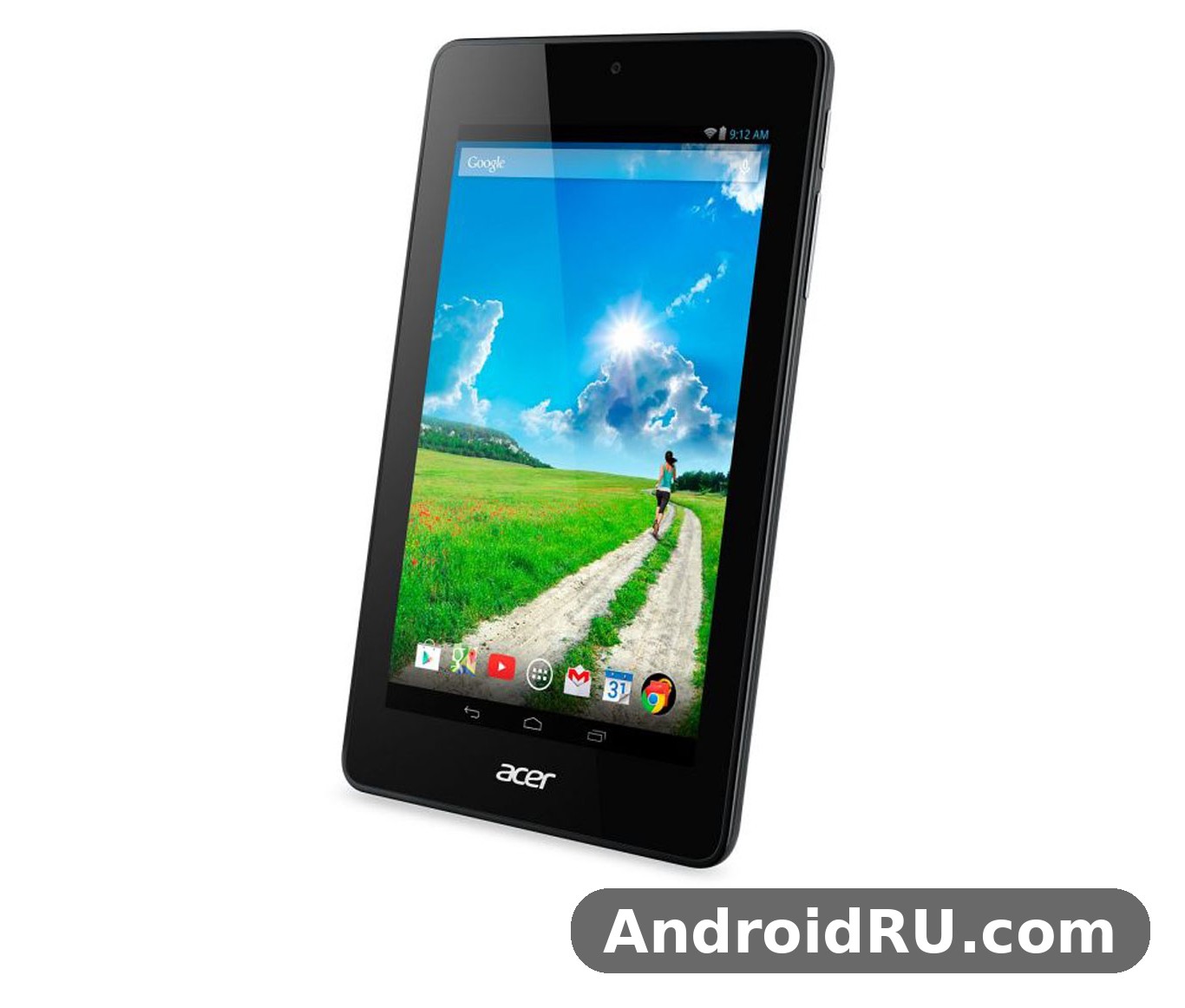
The short answer starts with the Acer Iconia One 7 B1-730 price and value for money. When it went on sale in June 2014, after being announced in April 2014, it cost about 90 EUR, which put it among the cheapest 7-inch tablets from a big-name brand. For that money buyers got a sharp 1280 x 800 IPS screen, a dual-core Intel Atom chip, stereo speakers and a microSD slot. The trade-offs were plain too: just 1 GB of RAM, only 8 GB of built-in storage and an Android version that stopped at KitKat. An Acer Iconia One 7 B1-730 review has to judge it on those 2014 terms, not against the tablets of today, and on those terms it was a likeable bargain. This Iconia One 7 review covers the design, the screen, the speed, the cameras, the battery and the things that tend to go wrong with old tablets, so you can buy with your eyes open.
At a Glance: What This 2014 Tablet Was Built For
Acer built the B1-730 tablet for people who wanted a simple screen for the sofa, the kitchen and the train, without paying for features they would never use. There is no mobile data, no GPS and no fingerprint reader, because this Acer tablet 7 inch model was made to live on home Wi-Fi. The Acer Iconia One line was Acer’s budget family, and this model sat at the friendly end of it: a colourful plastic body, a bright screen and just enough speed for books, video, web pages and casual games. The Acer Iconia One 7 specs below tell the same story in numbers, and the Iconia One 7 price at launch tells you who it was for: first-time tablet buyers, families and anyone who wanted a second screen for the house.
Before we go further, here is the shape of the whole device in one paragraph. The Acer Iconia One 7 B1-730 shipped with Android 4.2.2 Jelly Bean and could be updated to Android 4.4.2 KitKat, which was the last official step on its software road. Its Intel Atom Z2560 chip runs two cores at 1.6 GHz with Hyper-Threading, helped by a PowerVR SGX544MP2 graphics unit. Memory is 1 GB of RAM with 8 GB of internal storage, plus a dedicated microSDHC slot for cards. The 7-inch IPS LCD panel shows 800 x 1280 pixels at around 216 pixels per inch, the rear camera is 5 megapixels, the front camera is a basic VGA unit, and the sealed battery holds 3,700 mAh. The whole slate is 8.9 mm thick and came in red, white, black, blue and pink. Those B1-730 specs look modest now, yet every one of them made sense at the price in 2014.
Design and Build: A Colourful 7-Inch Slate
The first thing you notice about this Acer Iconia tablet is the colour. Most budget tablets of 2014 came only in black or white, but Acer sold this one in red, white, black, blue and pink, which gave it a friendlier feel and made it easy to tell apart from every other black rectangle on the shelf. The body is plastic with a smooth, slightly grippy back, and at 8.9 mm thick it slips into a jacket pocket or a small bag without a fuss. It is a one-hand device for reading, though two hands feel better for typing, and the weight is light enough to hold through a chapter of a book or a full episode of a show.
Colours and Feel in the Hand
Picking a colour was part of the fun with this model, and it still matters when you shop second-hand, because the coloured backs show scuffs differently from the black one. A bright red or blue back hides small marks well, while the white version shows dirt sooner and the black version shows fingerprints. If you plan to carry it around, an Acer Iconia One 7 case is a sensible buy, and a simple Acer Iconia One 7 cover with a folding stand turns it into a small video screen on a table. A B1-730 tablet case also protects the corners, which is where old plastic tablets usually pick up their first chips. The power and volume keys sit on the edge where your fingers expect them, and the whole design is plain, solid and honest about what it is.
Buttons, Ports and the microSD Slot
Around the edges you will find everything a 2014 tablet needed and nothing it did not. There is a microUSB 2.0 port for charging and for linking to a computer, a 3.5 mm headphone jack, a dedicated microSDHC slot and the usual power and volume buttons. The microSD slot matters more than it looks, because with only 8 GB inside, a card is the simplest way to carry books, music and video. The Acer Iconia One 7 storage problem is really a card problem with an easy fix, and a 32 GB card costs very little now. There is no SIM tray anywhere on the body, which is the clearest proof that this is a Wi-Fi tablet and not a phone, and there is no HDMI port, so video stays on the built-in screen.
Display: A Sharp IPS Panel for Its Price
The screen is the best reason to remember this tablet fondly. The Acer Iconia One 7 B1-730 display quality and screen size hit a sweet spot for 2014: a 7.0-inch IPS LCD panel with 800 x 1280 pixels, a 16:10 shape and about 216 pixels per inch. That is noticeably sharper than the 1024 x 600 panels on many rival budget tablets of the same year, and text looks clean instead of fuzzy. The Iconia One 7 display also uses IPS technology, so colours stay true when you tilt the screen and share it with the person next to you, which is handy when two people watch a clip together. The B1-730 display is not a bright outdoor screen by modern standards, and it will wash out a little in strong sunlight, but indoors it is bright, even and pleasant to look at for hours.
Reading, Video and Outdoor Visibility
For reading, the 16:10 shape is a good fit: a page of a book fills the screen nicely, and the sharpness keeps small print readable without constant zooming. The Acer Iconia One 7 B1-730 for reading and watching videos is therefore a fair description of its best use, and the stereo speakers help here too, giving video a wider sound than the single rear speaker on many cheap slates. The Iconia One 7 screen handles video at 720p well, and the 7-inch size is large enough for films on a train yet small enough to hold in one hand. Outdoors, you will want shade and full brightness, and a matte screen guard can cut reflections a little, though it will also soften the image slightly.
What to Do If the Screen Cracks
Old tablets do get dropped, so it helps to know the Acer Iconia One 7 B1-730 screen replacement cost and guide basics before you buy a damaged unit. A replacement panel for a 2014 budget tablet is usually cheap as a part, but the labour at a repair shop can cost more than the tablet itself is worth, so a cracked screen often means the tablet is only good for parts. If you are handy, a guide for this model walks through removing the back, unplugging the display cable and fitting the new panel, yet the clips and cables are delicate after a decade. For most buyers the smarter move is to pick a clean-screen unit and fit a guard on day one.
Performance and Everyday Use
Speed is where an honest Iconia One 7 review has to be careful. This tablet was never fast, even in 2014, and a decade later it is slow by any modern measure. That does not make it useless, but it does set the limits of what you should expect. The Acer Iconia One 7 B1-730 battery life and performance both belong in the same conversation, because a tablet that sips power gently can still be pleasant for light jobs, even when it cannot keep up with heavy ones. Used for one thing at a time, with patience, it still works; asked to juggle many apps at once, it will stutter and make you wait.
Intel Atom Z2560 in Daily Tasks
The Acer Iconia One 7 B1-730 Intel Atom processor performance comes from the Intel Atom Z2560, a dual-core chip running at 1.6 GHz with Hyper-Threading, paired with PowerVR SGX544MP2 graphics. In plain terms, it was a capable budget chip in 2014: web pages loaded at a fair pace, e-books opened instantly, video played smoothly and light games ran well. The weak link is the memory around it. With 1 GB of RAM, the tablet can hold only one or two apps in memory, so switching between a browser, a reader and a video app means apps reload instead of resuming. The B1-730 Android software is also old, so many current apps simply refuse to install, and the ones that do install may run old versions with old features.
Apps That Still Run Well
The Acer Iconia One 7 B1-730 games that still run smoothly are the simple ones: puzzle games, card games, 2D platform games and older casual titles that were built for hardware like this. A basic e-book reader, a simple music player, an offline video player and a light web browser also run well, as long as you keep the number of open tabs small. These are the jobs the tablet was built for, and they are still the jobs it does best. Keep expectations modest, close apps you are not using, and the tablet feels calm rather than slow.
Tasks That Feel Slow Now
Heavy web pages full of adverts and scripts will make the tablet pause, video calls will strain the old chip and the VGA front camera, and modern social apps will either refuse to install or crawl. Photo editing, large documents and anything that needs a current version of a popular app are best left to a newer device. This is not a fault in the tablet; it is simply what ten years of software progress does to 1 GB of RAM and an Android version that ended at KitKat.
Storage, RAM and Multitasking
The Acer Iconia One 7 B1-730 storage space and microSD card story is simple: 8 GB inside, of which the system takes a chunk, leaving only a few gigabytes free for the owner. The Iconia One 7 RAM limit of 1 GB means multitasking is light by design, so the tablet suits people who do one thing at a time. A microSD card fixes the storage side at once, and moving books, photos, music and video to the card keeps the internal memory free for apps. The Acer B1-730 is at its best when it is treated as a single-purpose screen: a reader today, a video player tomorrow, a recipe screen at the weekend.
Making 8 GB Go Further
Start by moving every photo, book and video file to the microSD card, then clear the cache of the browser and any app you no longer use. Uninstall the apps you do not need, because each one takes space and may run in the background. If an app offers an offline mode, use it, and keep only the books and videos you are actually reading or watching. A little housekeeping like this keeps the tablet usable instead of full, and it costs nothing but a few minutes.
Software: Android 4.2.2 Jelly Bean and the KitKat Update
The Acer Iconia One 7 B1-730 Android version and software update path is short: it launched on Android 4.2.2 Jelly Bean and could be updated to Android 4.4.2 KitKat, and that was the end of official support. There are no security patches, no new features and no official route to a newer Android version, so this tablet should never be used for banking, shopping or anything that needs private logins. That sounds harsh, but it is the honest rule for any tablet this old. How to use Acer Iconia One 7 B1-730 in 2026, then? Use it offline or on a trusted home network, for books, video files, music and games that need no account, and it remains a pleasant little screen. The Acer Iconia One line was never about the latest software; it was about a fair screen at a fair price, and that is still true.
Full Specifications
The Acer Iconia One 7 B1-730 full specifications are listed below, checked against the GSMArena listing for this exact model. Note the two dates: announced in April 2014 and released in June 2014, which is why some shops list April and others list June. The Acer Iconia One 7 specs in this table are the ones that matter when you compare it with other tablets of its era.
| Feature | Specification |
|---|---|
| Model | Acer Iconia One 7 B1-730 (also known as B1-730HD) |
| Announced | April 2014 |
| Released | June 2014 |
| Status | Discontinued |
| Display | 7.0-inch IPS LCD, 16:10 |
| Resolution | 800 x 1280 pixels, about 216 ppi |
| Operating system | Android 4.2.2 Jelly Bean, upgradable to 4.4.2 KitKat |
| Chipset | Intel Atom Z2560 |
| CPU | Dual-core 1.6 GHz with Hyper-Threading |
| GPU | PowerVR SGX544MP2 |
| RAM | 1 GB |
| Internal storage | 8 GB |
| Card slot | microSDHC, dedicated slot |
| Rear camera | 5 MP |
| Front camera | VGA |
| Loudspeaker | Yes, with stereo speakers |
| 3.5 mm jack | Yes |
| Wi-Fi | Wi-Fi 802.11 b/g/n |
| Bluetooth | 4.0, A2DP |
| GPS | No |
| NFC | No |
| USB | microUSB 2.0 |
| Sensors | Accelerometer |
| Battery | Li-Ion 3,700 mAh, non-removable |
| Multimedia use | Up to 7 hours |
| Cellular | No cellular connectivity, no SIM |
| Thickness | 8.9 mm |
| Colours | Red, white, black, blue, pink |
| Launch price | About 90 EUR |
Two rows in that table deserve a second look. The Iconia One 7 battery is sealed inside, so a tired battery means a repair job rather than a quick swap, and the lack of GPS means maps can only guess your position from Wi-Fi, which is fine at home and useless on the road. Everything else is standard budget fare for 2014, done competently.
Camera, Sound and Battery Life
The camera, the speakers and the battery are the three features that decide whether an old tablet is still fun to use, and this one scores one clear win, one fair result and one honest limit. The speakers are the win, the battery is fair, and the cameras are the limit. Taken together they suit a tablet that is mostly used indoors, on Wi-Fi, for media and reading, rather than as a camera or a travel companion.
Rear and Front Cameras
The Acer Iconia One 7 B1-730 camera quality for photos and video is basic, even by 2014 budget standards. The rear camera is 5 megapixels with no flash, so daylight photos are usable for notes, documents and casual snaps, while indoor shots turn soft and noisy quickly. The Iconia One 7 camera on the front is a VGA unit, good enough for a video call in bright light and little else. Neither camera should be a reason to buy this tablet, and if photos matter to you, your phone will do a far better job. The cameras are there for the odd snap and the odd call, and they do that job without fuss.
Stereo Speakers and the Headphone Jack
Sound is a genuine bright spot. The stereo speakers give films and music a wider, fuller sound than the single speaker on most cheap tablets of the time, and they are loud enough for a small room. The 3.5 mm jack is there for private listening, and Bluetooth 4.0 covers wireless headphones too. The Acer Iconia One 7 B1-730 Bluetooth headphones pairing guide is short: switch the headphones to pairing mode, open Settings, open Bluetooth, turn it on, wait for the headphones to appear in the list, tap the name and wait for the connection message. If pairing fails, turn Bluetooth off and on again, forget the device and try once more, and check that the headphones are not still linked to another device nearby.
Battery Life and Charging
The 3,700 mAh battery is sealed inside the tablet and was rated for up to 7 hours of multimedia use when new, which meant a full evening of video or a long day of light reading. A decade later, any surviving battery will hold less charge, so expect shorter life and plan for the charger to stay nearby. The Iconia One 7 battery ages like any lithium battery: it fades a little each year, and heavy use while charging makes it fade faster. The Acer B1-730 battery can be replaced by a repair shop, and the Acer Iconia One 7 B1-730 replacement battery and charging port service is worth asking about if the tablet no longer holds a charge or only charges at certain angles. A B1-730 charger is a standard microUSB charger, and any good-quality 5V charger with a sound cable will do; avoid worn cables, which cause slow charging and loose connections. The Acer Iconia One 7 B1-730 charging time and battery drain fix checklist is simple: use a good cable, charge with the screen off, close heavy apps, lower the brightness and switch off Wi-Fi when you are reading offline. If the tablet drains fast even then, the battery itself is likely tired.
Acer Iconia One 7 B1-730 vs Similar Acer Tablets
The Acer Iconia One 7 B1-730 vs Acer Iconia Tab 7 comparison is the one most buyers asked about in 2014, because the two tablets sat at almost the same price. The Tab 7 had a lower-resolution screen but more internal storage, while the One 7 had the sharper display and stereo speakers. The table below puts the One 7 next to three of its closest rivals from the same era, using the headline specs for each.
| Feature | Iconia One 7 B1-730 | Iconia Tab 7 A1-713 | Iconia Tab 8 A1-840FHD | Lenovo Tab 2 A7-30 |
|---|---|---|---|---|
| Display | 7.0-inch IPS, 800 x 1280 | 7.0-inch, 1024 x 600 | 8.0-inch IPS, 1920 x 1200 | 7.0-inch IPS, 1024 x 600 |
| Chipset | Intel Atom Z2560, dual-core 1.6 GHz | Quad-core 1.3 GHz | Intel Atom Z3745, quad-core | MediaTek MT8382M, quad-core 1.3 GHz |
| RAM | 1 GB | 1 GB | 2 GB | 1 GB |
| Storage | 8 GB + microSD | 16 GB + microSD | 16 GB + microSD | 16 GB + microSD |
| Rear camera | 5 MP | 2 MP | 5 MP | 2 MP |
| Operating system | Android 4.2.2, up to 4.4.2 | Android 4.4.2 KitKat | Android 4.4.2 KitKat | Android 4.4.2 KitKat |
Read the table as a guide to priorities rather than a league table. If screen sharpness and sound matter most, the One 7 wins its price group. If storage and a newer Android version out of the box matter more, the Tab 7 has the edge. The Tab 8 is the step up, with a larger Full HD screen and 2 GB of RAM, while the Lenovo is the closest like-for-like rival. An Acer Iconia review of any of these tablets reaches the same conclusion: they were all built to a price, and the right one is the one whose strengths match your daily use.
Pros and Cons
Every tablet is a set of trade-offs, and the Acer Iconia One 7 B1-730 problems and common issues are easier to live with once you can see them next to the strengths. Here is the honest balance, gathered from the specs and from what owners of old budget tablets usually report.
Pros:
- Sharp 7-inch IPS display with 800 x 1280 pixels, better than most rivals at the price
- Stereo speakers that make video and music sound fuller than a single speaker
- Light, colourful 8.9 mm body that is easy to hold and carry
- Dedicated microSD slot, so storage can grow cheaply beyond 8 GB
- Very low second-hand price now, which suits a spare or kids tablet
Cons:
- Only 1 GB of RAM, so multitasking is limited and apps reload often
- Only 8 GB of internal storage, with the system taking part of it
- Android stopped at 4.4.2 KitKat, with no security patches and many apps refusing to install
- No GPS, no cellular connection and no SIM slot, so it is Wi-Fi only
- Basic cameras, with a 5 MP rear camera and a VGA front camera
- Sealed battery that will be tired after a decade of use
Frequently Asked Questions
These are the questions people ask most often about this tablet, answered plainly and with the verified facts first.
When was the Acer Iconia One 7 B1-730 released?
It was announced in April 2014 and released in June 2014, at a launch price of about 90 EUR. The Acer B1-730 price at launch was about 90 EUR, and second-hand prices now are far lower. It is now discontinued, so any unit you find today is second-hand or old shop stock. Where to buy Acer Iconia One 7 B1-730 second hand is usually a local classifieds site, a second-hand shop or an online marketplace, and you should test the screen, the touch, the Wi-Fi and the charging port before you pay.
Can the Acer Iconia One 7 B1-730 make phone calls?
No. It has no cellular connection, no SIM slot and no phone dialler, so it cannot make calls or send mobile text messages. It can make voice and video calls over Wi-Fi through apps that support it, but the VGA front camera and the old software make that a poor experience. Think of it as a small media and reading screen, not as a phone, and the title question answers itself: it is the right device only if you do not need a phone at all.
Does the Acer Iconia One 7 B1-730 have GPS?
No, it has no GPS receiver. The Acer Iconia One 7 B1-730 offline maps and navigation without GPS question therefore has a limited answer: you can view maps you have saved for offline use over Wi-Fi, but the tablet cannot track your position on the road, so it cannot guide you turn by turn. For travel, use your phone for navigation and keep this tablet for books, films and music on the journey. The Acer Iconia One 7 B1-730 lightweight travel tablet for holidays role still works well, as long as navigation is not part of the job.
How do I reset the Acer Iconia One 7 B1-730 to factory settings?
The Acer Iconia One 7 B1-730 reset to factory settings step by step path is: back up anything you want to keep, open Settings, go to Backup and reset, tap Factory data reset, read the warning, then tap Reset tablet and confirm. The tablet will erase its data and restart as new. The Acer Iconia One 7 B1-730 factory reset without password route, for a tablet with a forgotten lock, is different: switch the tablet off, hold Volume Up and Power together until the menu appears, use the volume keys to pick the wipe or factory reset option, confirm with the power key, then reboot. This erases everything, so only use it on a tablet you own.
What should I do if the Acer Iconia One 7 B1-730 is stuck on the logo?
The Acer Iconia One 7 B1-730 stuck on logo fix starts with the simple steps: hold the power key for about ten seconds to force it off, charge it for at least thirty minutes with a good cable, then try to switch it on again. If it still sticks, boot into the recovery menu with Volume Up and Power and try wiping the cache, then a factory reset if needed. If the logo loop survives a reset, the internal storage or the system may be damaged, and a repair shop is the next step. The Acer Iconia One 7 B1-730 WiFi not working solution follows a similar pattern: forget the network and join it again, restart the router and the tablet, check that the tablet is close to the router, and if Wi-Fi still fails after a factory reset, the wireless hardware may have failed.
Can I still use the Acer Iconia One 7 B1-730 in 2026?
Yes, for light offline jobs. The Acer Iconia One 7 B1-730 for kids as a first tablet is one of its best second lives: load it with books, puzzles and offline videos, keep it off accounts that matter, and it is a sturdy starter screen. The Acer Iconia One 7 B1-730 eBook reader and PDF reading experience is good too, thanks to the sharp screen and the light body. The Acer Iconia One 7 B1-730 as a kitchen recipe tablet works well on a stand, showing recipes while you cook, and the Acer Iconia One 7 B1-730 spare parts and accessories in 2026 are still easy to find, from cases and screen guards to chargers and replacement batteries. Keep it away from banking and private accounts, and it earns its place as a spare screen.
So, is it the right device for you? If you want a cheap, light, sharp-screened tablet for reading, video and simple games, and you accept the old software, the small memory and the Wi-Fi-only limit, then a clean second-hand unit at a low price is a fair buy, and its June 2014 release makes it a genuine piece of budget tablet history. If you need current apps, mobile data, GPS or a good camera, spend a little more on something newer. The B1-730 review verdict is therefore a careful yes: a likeable classic for light use, and a poor choice as anyone’s only device in 2026. The Acer tablet specs in this guide give you the facts; the rest is about how you plan to use it.
Keep Exploring Acer: Related Reviews and Guides
If this guide helped you, the wider Acer family is worth a look before you decide. The closest sibling is covered in Acer Iconia Tab 7 A1-713 Review: Everyday Performance, Display and Everyday Use, while the sharper HD version of that tablet gets its own guide in Acer Iconia Tab 7 A1-713HD Hands-On Review and Complete Specs: Performance and Durability. For the larger screen in the same family, see Acer Iconia Tab 8 A1-840FHD Review and Full Specifications: Everything You Should Know. If you are curious about Acer’s phones from the same era rather than its tablets, Acer Liquid E3: Review, Full Specs and an Honest Verdict covers the standard model, and Buying the Acer Liquid E3 Duo Plus? Read This Review and Specs Guide First covers the dual-SIM version. Each of these Acer 7 inch tablet and phone guides follows the same honest approach: verified specs, real limits and a clear verdict. An Iconia tablet 7 inch guide like this one is a good starting point before you compare the larger 8-inch model.

