

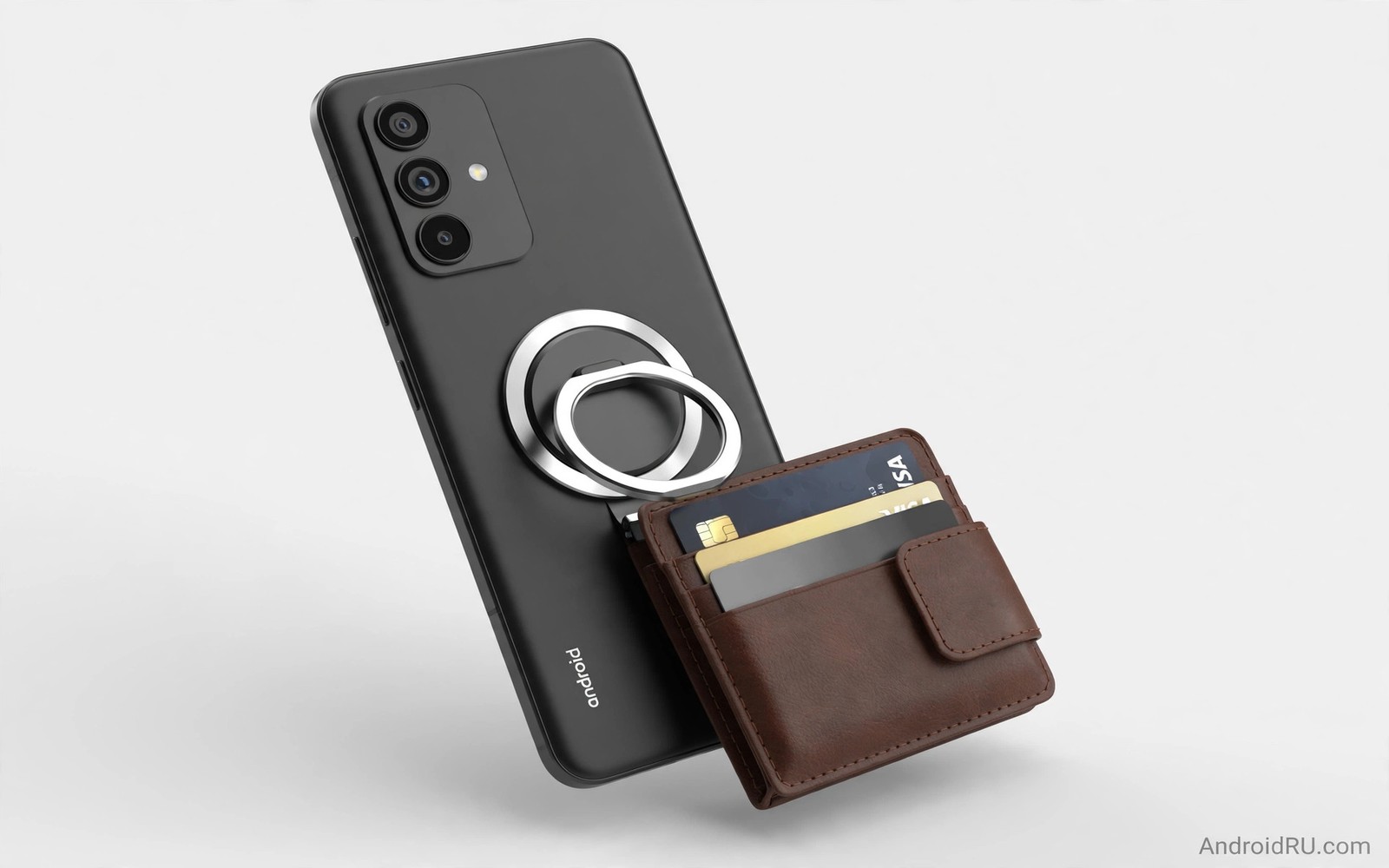
MagSafe accessories were designed for a magnetic ring inside certain phones. Android phones do not have that same built in ring in most cases. An adapter adds a magnetic ring to the back of an Android phone or its case. That ring lets magnetic wallets and chargers and car mounts attach with a satisfying snap. Understanding how the adapter works helps you avoid weak magnets and poor charging alignment.
The adapter is usually a thin metal ring with adhesive that sticks to a case or to the phone back. Some cases include the ring already moulded into the back. The ring must align with the wireless charging coil inside the phone for charging accessories to work well. A ring placed off centre can block charging or cause slow charging. Placement is therefore the most important step in the whole setup and it deserves care.
Magnetic strength also matters because a weak ring will drop a wallet or a mount on a bumpy road. A strong ring holds accessories firmly but can add bulk to a pocket. The best setup balances hold strength with daily comfort. Test the hold before you rely on it in a car or on a bike. A dropped phone costs far more than a better ring. For magnetic mount lessons from the car world see best magnetic car mounts tested for hold strength ideas.
Choose the right adapter type
An adhesive ring is the cheapest and most flexible adapter option. It sticks to most smooth cases and can be removed with heat and patience. A case with a built in ring is cleaner and more durable for daily use. A built in ring also spreads force across the case and reduces peel risk. Choose a built in case if you plan to use magnetic accessories every day. Choose an adhesive ring if you want to test the idea before buying a new case.
Ring material affects hold and wireless charging in different ways. A steel ring gives a strong magnetic hold but can interfere with charging if it sits over the coil. A well designed ring leaves the coil area clear or uses a shape that allows charging through it. Check the product design and reviews for charging performance before you buy. A ring that blocks charging defeats the purpose of a magnetic charger. Prioritise charging compatibility over raw magnetic strength for charger use.
Thickness matters for pocket comfort and for case fit. A thick ring can prevent a phone from lying flat on a table. It can also interfere with some car mounts that expect a slim back. A thin ring feels better in a pocket but may hold less weight. Test the phone in your pocket and on your usual mounts after fitting a ring. Comfort and fit are daily factors that a spec sheet cannot capture.
Align the ring for reliable wireless charging
Find the wireless charging coil position for your phone model before you stick anything. The coil usually sits near the centre of the back but the exact spot varies by model. Place the ring so its centre matches the coil centre. Use a template if the adapter includes one because a template removes guesswork. Press the ring firmly for the recommended time and let the adhesive cure before heavy use. Rushing this step causes a ring that shifts under load.
Test wireless charging after fitting the ring and before adding a wallet or a mount. Place the phone on a wireless charger and check the charging speed and heat. A well aligned ring should charge at a normal rate without excess heat. If charging is slow or intermittent then adjust the ring position if possible or try a different case. Do not force a charger to work through a badly placed ring because heat can damage the battery over time.
Magnetic chargers need precise alignment to reach their rated speed. A small offset can drop a fast charger to a slow trickle. That drop is often blamed on the charger when the ring is the cause. Check alignment with a simple charge test at a fixed time. Record the battery gain over thirty minutes and compare it with the gain without the ring. That test gives a clear answer about alignment and it is easy to repeat. For wireless heat issues that affect charging see wireless charging pads heat and prevention for cooling tips.
Use wallets mounts and chargers safely
A magnetic wallet is convenient for cards and cash but it adds weight to the back of the phone. That weight tests the ring hold every time you lift the phone. Carry only essential cards in a magnetic wallet and avoid overstuffing it. A light wallet stays attached on a walk and in a car. A heavy wallet may detach when you pull the phone from a pocket. Keep the wallet light and check the hold regularly.
A magnetic car mount must hold the phone through bumps and turns. Test the mount on a quiet road before a long trip. A mount that holds on a smooth road may fail on a rough road. Use a mount with a strong magnet and a stable base for car use. Avoid mounts that rely on a weak adhesive pad on a hot dashboard. Heat weakens adhesive and a falling phone in a car is a safety risk.
Magnetic chargers should be used with a cable and adapter that match the charger rating. A weak wall adapter limits charging speed no matter how good the magnet is. Check the charger output and the phone charging indicator after connection. A stable connection without wobble gives the best charging result. Remove the wallet before wireless charging if the wallet blocks the coil or adds heat. Small habits like this protect the battery and the accessories.
magsafe_android_check.txt
Ring centre matches coil centre
Wireless charge test passed
Wallet hold test passed
Car mount hold test passed
Heat check after 30 minutes normal
The checklist above is an original example written for this guide. It gives you a short safety and performance check after fitting any magnetic adapter. Complete each line before you rely on the setup in a car or on a trip. A passed checklist means the adapter is ready for daily use.
Store spare rings in a dry place and keep the adhesive side protected until use. A dusty adhesive surface bonds poorly and a ring may peel early. Clean the case back with a dry cloth before fitting a new ring. That preparation improves bond strength and extends the life of the adapter. Good preparation is the difference between a ring that lasts months and a ring that lasts days.
Common mistakes
The most common mistake is sticking a ring without checking coil alignment. That mistake causes slow charging and excess heat. Another mistake is using a metal ring that covers the coil with a thick plate. That design can block wireless charging entirely. A third mistake is overloading a magnetic wallet with cards and coins. Weight is the enemy of magnetic hold and a light wallet is safer.
People also forget that magnets can affect some cards with magnetic stripes. Keep stripe cards away from strong magnets when possible. Use a shielded wallet pocket for sensitive cards if you carry them daily. A small precaution protects card data and avoids a failed payment at a shop. Check your cards after a week of magnetic wallet use and move any affected card to a separate wallet.
A final mistake is assuming every magnetic accessory fits every Android phone. Case thickness and camera bump shape affect hold and alignment. A ring that works on a slim case may fail on a thick rugged case. Test accessories with your exact case and phone combination. A test with your real setup beats a generic compatibility claim and for charging station ideas see best 3-in-1 wireless charging stations for a tidy desk alternative.
FAQ
Will a MagSafe ring damage my Android phone?
A magnetic ring does not damage a modern phone when placed correctly. Phones use solid state storage and magnetic fields from accessories are weak. The main risk is heat from poor charging alignment and not magnetism itself. Align the ring with the coil and check heat during charging. A well aligned ring is safe for daily use and it does not affect phone performance.
Remove the ring carefully with heat if you need to change cases. Pulling a ring off cold can damage a case coating. Use a hair dryer on low heat and peel slowly. That gentle removal protects the case and the phone finish. A careful removal also lets you reuse a case for other accessories.
Can I use MagSafe chargers at full speed on Android?
Full speed depends on the charger standard and the phone charging protocol. Some magnetic chargers use a standard that Android phones support at a lower speed. Others may charge at a normal wireless rate but not at a proprietary fast rate. Check the phone wireless charging rating and the charger output. Expect normal wireless charging rather than a proprietary fast rate on most Android phones.
Alignment and a quality wall adapter matter more than the magnet brand. A well aligned charger with a strong adapter gives the best real speed. Test the gain over thirty minutes to see the real rate. That test tells you more than a marketing speed claim. Use the result to decide whether the magnetic charger is worth daily use.
Should I buy a magnetic case or an adhesive ring?
A magnetic case is better for daily magnetic use because the ring is built in and durable. An adhesive ring is better for testing the idea on your current case. If you use magnetic accessories every day then invest in a good magnetic case. If you only want to try a wallet for a week then start with an adhesive ring. Your usage pattern should decide the purchase.
Consider case protection as well because a magnetic case must still protect the phone from drops. A slim magnetic case may offer less drop protection than a rugged case. Balance magnetic function with drop protection for your lifestyle. A case that fails at protection is a poor choice even if the magnet is strong.
Conclusion
MagSafe accessories can work well on Android when the adapter is chosen and aligned with care. A built in case ring gives the cleanest daily experience. An adhesive ring gives a flexible low cost trial. Alignment with the charging coil decides charging speed and heat. Light wallets and strong mounts complete a setup that is both convenient and safe.
Your concrete next step is to find your phone coil position and test a magnetic ring alignment this week. Charge for thirty minutes with the ring fitted and record the battery gain. If the gain matches normal wireless charging then keep the setup. If charging is slow or hot then adjust the ring position or choose a magnetic case designed for your phone model.

