

A bad car mount fails at the worst moment on a bumpy road. The phone slides down the windscreen or the mount arm droops until the screen faces the floor. A driver then grabs the phone to fix it and that grab creates a real safety risk. A good magnetic mount holds the phone steady through turns and potholes and it lets the driver glance at navigation without touching the device. This guide tests the traits that separate a solid mount from a frustrating one. You will learn how magnet strength and mount position and surface grip decide the result long before you buy.
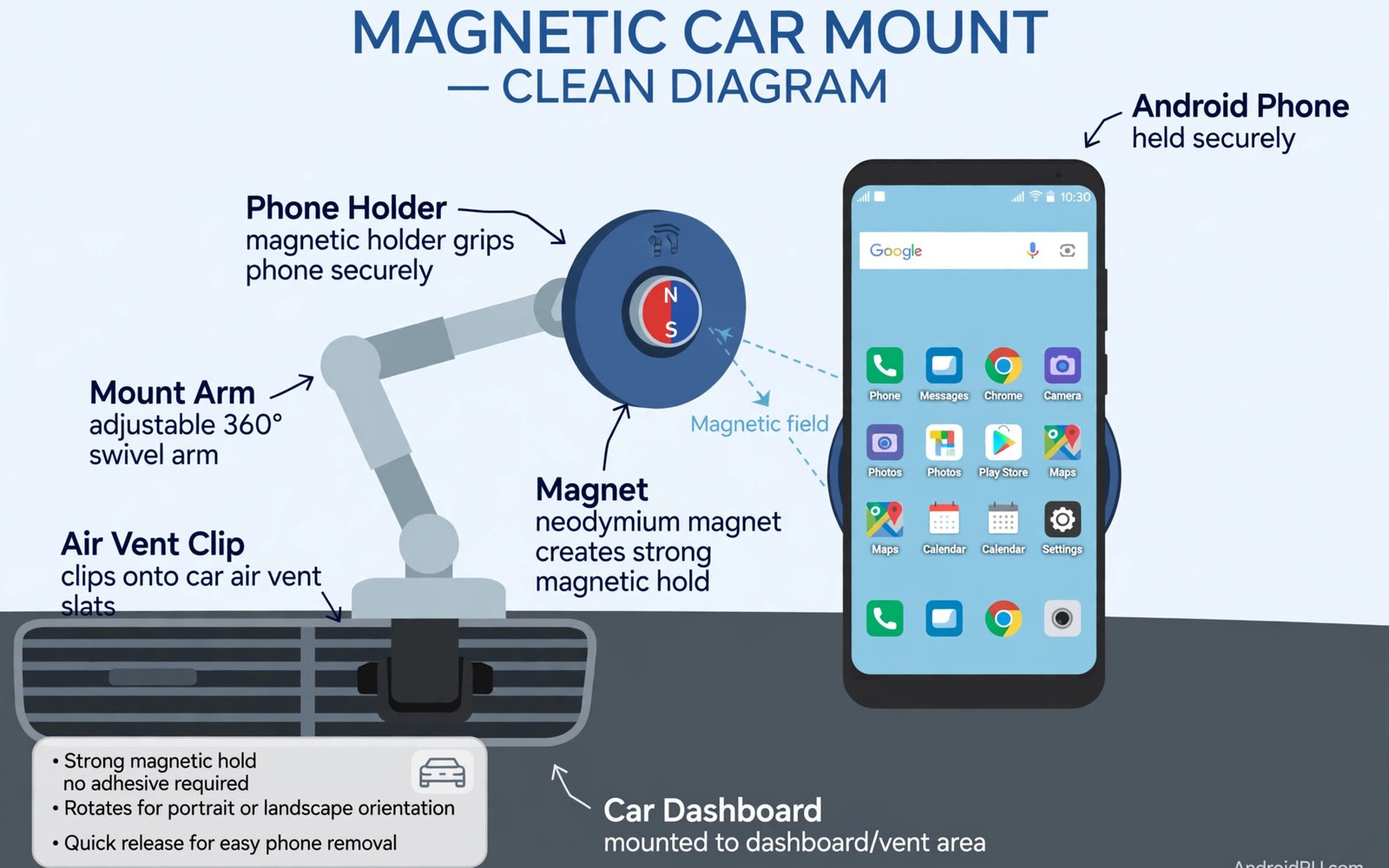
Magnetic mounts work by pairing a magnet in the mount with a metal plate on the phone or the case. The plate can sit inside a case or stick to the phone back. A strong magnet holds the phone through vibration while a weak magnet lets the phone wobble on rough roads. Magnet placement matters because a plate over a wireless charging coil can block charging. A plate placed low on the case often keeps charging working while still holding firm. Test the hold by shaking the mount gently before you drive. If the phone shifts at a light shake then it will shift far more on a real road.
Mount position changes safety and visibility in a big way. A windscreen mount can sit at eye level but it can block a slice of the road view if placed too high. A dashboard mount sits lower and it keeps the windscreen clear. A vent mount is easy to install but it can block airflow and it can stress a thin vent blade. A cup holder mount sits low and it may force the driver to look down too far. Choose a position that keeps navigation in a quick glance zone without covering mirrors or road signs. That glance zone matters more than a mount that looks neat in a product photo.
Test Magnet Strength Before You Trust A Mount
Magnet strength is not just a number on the box because case thickness changes the real hold. A thick case increases the gap between magnet and plate and that gap weakens the pull sharply. Test the mount with the exact case you use daily. Attach the phone and tilt the mount to a steep angle to see if the phone creeps down. Drive over a speed bump at low speed in a safe place and check the phone position after the bump. A mount that passes a gentle tilt test may still fail on a rough road if the arm joint is loose. Tighten every joint before the test so the test measures magnet hold rather than arm sag.
Plate size also affects hold and heat. A small plate concentrates the pull on one spot and it can let the phone rotate during turns. A larger plate spreads the pull and it resists rotation better. A metal plate can also trap heat if it sits over the phone back during charging. Feel the phone back after a long drive with charging on. If one spot feels much hotter than the rest then move the plate lower or choose a mount that does not block the charging area. Heat plus vibration is a hard combination for any mount and it will expose a weak design quickly.
Choose Dashboard Vent Or Windscreen Mounting
Dashboard mounts use adhesive or a suction cup on a flat surface. Adhesive mounts hold well on a clean flat dashboard but they can leave residue and they can fail in extreme heat. Suction mounts work well on smooth glass and on some smooth dashboards. A suction cup on a textured dashboard will lose grip over time as air leaks under the edge. Clean the surface with a dry cloth before fitting and press the cup firmly for a full minute. Let adhesive mounts cure for several hours before hanging a heavy phone on them. That cure time is boring but it decides whether the mount stays up in summer heat.
Vent mounts clip onto a vent blade and they install in seconds without adhesive. Their weakness is vent strength and airflow blockage. A heavy phone can bend a thin vent blade over weeks and the mount may start to droop. A vent mount with a hook that grips two blades spreads the load better than a single blade clip. Avoid vent mounts in winter if you need full heat flow to the windscreen. A blocked vent can fog the glass and that fog creates a safety problem far worse than a drooping phone. For daily navigation a dashboard mount often wins for stability while a vent mount wins for quick rental car use.
Keep Charging And Navigation Steady On The Road
A mount that blocks charging will leave a phone dead on a long trip. Magnetic mounts without charging force you to plug a cable each time you dock the phone. That cable can tug the phone off a weak magnet when it snags. A mount with built in wireless charging solves the cable tug but it must align with the phone coil. Test wireless charging in the mount before a long trip and watch for charging stops on bumps. If charging stops often then the coil alignment is poor or the case is too thick. A wired magnetic setup can help here because magnetic cable protection for charging ports reduces wear from daily plugging in the car. For heat during wireless charging then preventing wireless charging heat explains cooling and alignment checks. If a cable keeps falling out on bumps then fixing loose charging cables covers cleaning and fit checks.
Navigation apps need a stable GPS signal and a clear view of the road ahead. A mount low on the dashboard can still get a good signal in most cars. A mount deep inside a metal dashboard cavity may weaken the signal. Test navigation on a familiar route before a new trip and note any signal drops. Keep the phone screen brightness high enough to read in sunlight but not so high that it heats the phone. A phone that overheats may dim the screen on its own and navigation becomes hard to read. Park in shade when possible and remove the phone from a hot windscreen mount when you stop.
Log Mount Stability With A Simple Script
A short log helps you compare mounts over a week of driving. Note the road type and any phone shift after each trip. This short script saves mount notes into a plain text file for later review. It does not measure vibration directly but it gives a clear record of which mount held firm on rough roads and which mount needed adjustment. Use the log to decide whether a mount needs a new plate or a different position rather than guessing after one bad trip.
notes = []
notes.append('dashboard mount rough road no shift')
with open('mount_notes.txt', 'w') as f:
    for n in notes:
        f.write(n + chr(10))
Attribution: This code sample is an original example written for this article. It shows a simple way to store mount stability notes in a text file. It does not come from any outside guide and it does not change phone settings.
Review the log after a week and look for patterns linked to heat or road type. A mount that fails only on hot days may have an adhesive problem. A mount that fails only on rough roads may have a magnet or joint problem. That pattern points to the right fix. Replace a failing adhesive pad rather than pressing the same pad harder each day. A fresh pad costs little and it restores the original hold far better than repeated pressing.
Phone size changes which mount arm works best on a given dashboard. A large phone on a short arm may sit too close to the windscreen and reflect glare at night. A small phone on a long arm may wobble more because the arm acts as a lever. Choose an arm length that places the phone near the dashboard surface without touching it. Test the phone in portrait and landscape if you use both views for navigation. A mount that holds well in portrait may rotate in landscape when the centre of gravity shifts.
Clean the suction cup and the mounting surface once a month to keep the seal strong. Dust under a suction cup creates tiny air channels that weaken the hold over days. Rinse a silicone suction cup with water and let it dry fully before refitting. Avoid oil based cleaners on the cup because oil can make the surface slippery. A clean cup on a clean dashboard holds far longer than a dusty cup pressed harder each morning.
Common Mistakes
One common mistake is placing a mount where it blocks the driver view of the road or a mirror. A mount at eye level feels convenient but a blocked mirror creates a blind spot. Another mistake is using a metal plate that blocks wireless charging and then blaming the charger. Move the plate and test again before buying a new charger. A third mistake is ignoring vent strength. A heavy phone on a thin vent blade will droop over time and the driver will keep adjusting it while driving.
Some drivers also leave a suction mount on a hot windscreen for weeks without checking the seal. Heat weakens suction and the mount can fall without warning. Check the seal weekly in summer and reapply the cup on a clean surface. Another error is running a long cable across the steering area. A loose cable can snag on a hand during a turn. Route the cable along the dashboard edge and keep slack away from controls.
Frequently Asked Questions
Will a magnetic mount damage my phone?
A magnetic mount does not damage a modern phone when the plate is placed correctly. The magnet can interfere with a magnetic stripe card stored next to the phone. Keep bank cards away from the mount plate. If wireless charging stops then move the plate lower and test again before assuming a phone fault.
Are vent mounts safe for my car vents?
Vent mounts are safe for strong vents when the phone is light and the clip grips two blades. A heavy phone can bend a thin blade over time. Check the vent after a week of use for droop or cracks. If the vent bends then switch to a dashboard mount for that car.
Why does my mount fall off in summer heat?
Heat softens adhesive and it weakens suction cups on glass. A mount that holds in winter may fail on a hot dashboard. Clean the surface and let adhesive cure in shade when possible. A dashboard mount with a strong suction base often holds better in heat than a cheap adhesive pad.
Conclusion
The best magnetic mount holds firm with your exact case and it sits where navigation stays in a quick glance. Test magnet hold on a rough road and test charging before a long trip. Avoid mounts that block mirrors and avoid cables that cross the steering area. Check suction and adhesive in summer heat. Your concrete next step is simple. Tonight fit the mount in your chosen position and drive a short familiar route while you note any phone shift or charging drop.

