

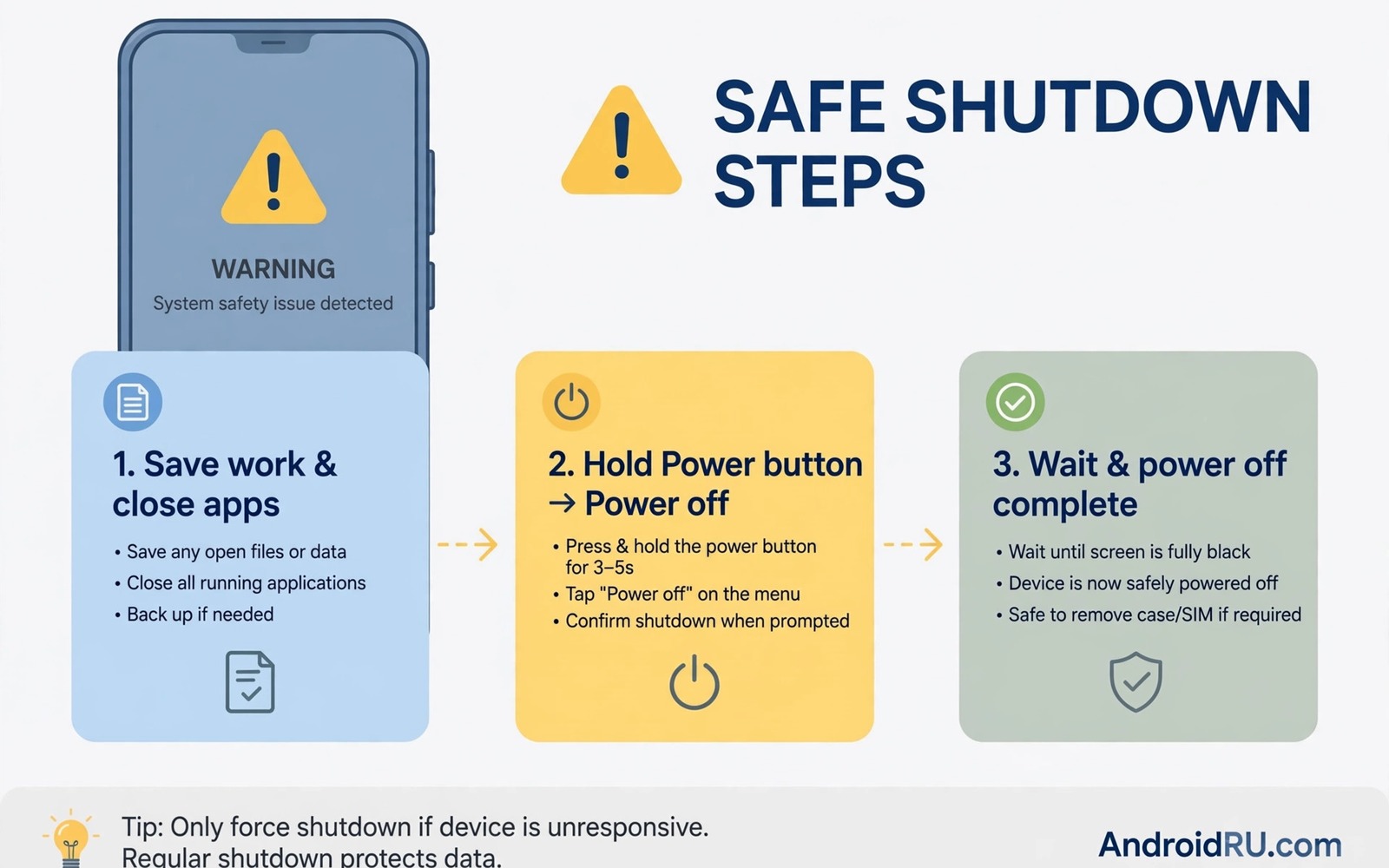
A sudden warning on your screen can freeze anyone. The message may claim a virus or a battery fire or a security breach. It may demand a call or a payment at once. Some warnings are real system alerts that need fast action. Others are scams designed to create panic. Knowing the difference in seconds protects money and data and hardware. This guide separates urgent shutdown cases from scam popups. It also gives safe steps for after you power off.
Real urgent warnings share clear traits. They come from the system rather than a browser page. They use plain language and specific instructions. They do not demand payment or a phone call to a strange number. They often relate to heat or battery swelling or water exposure. Scam warnings share opposite traits. They use countdown timers and flashing colours. They claim your phone will be destroyed in minutes. They push you to call a number or install an app at once. Panic is the tool of the scam.
Read this guide before you face a warning. A calm plan beats panic every time. You will learn which signs mean shutdown now. You will learn how to spot browser scams. You will learn what to check after restart. Keep the steps in mind for family members as well. A warning that scares a parent or child needs a calm helper nearby.
Shutdown at once for heat swelling and smoke signs
Turn off the phone at once if it feels extremely hot and will not cool. Heat plus swelling is a battery danger sign. A swollen battery can push the screen outward or separate the back cover. Do not charge a swollen phone. Do not press the swollen area. Power off using the power button if it responds. Move the phone to a non flammable surface away from bedding and paper. Seek professional help rather than opening the phone yourself.
Smoke or a chemical smell means shutdown and distance. Do not try to save files in that moment. Do not put the phone in water. Water can worsen battery reactions. Place the phone outdoors on concrete if it is safe to move it. Call local emergency help if smoke continues or fire starts. Safety of people matters more than any device. A phone can be replaced. A person cannot.
Water exposure with strange behaviour also calls for shutdown. A phone that restarts repeatedly after water exposure may short circuit internally. Power it off and do not charge it. Dry the exterior gently and let it dry for at least a day in airflow. Do not use heat to force drying. Professional inspection is safer than repeated power attempts. Each power attempt risks further short circuit damage.
Recognise browser scam warnings fast
Browser warnings that claim virus infection are almost always scams. A web page cannot scan your phone deeply from the browser alone. It shows a fake scan animation to create fear. The page may play alarm sounds and block the back button. Do not call the number on the page. Do not install the app it recommends. Do not enter payment details. Those actions give scammers access or money.
Close the browser tab or force stop the browser app. On Android open recent apps and swipe the browser away. If the page blocks closing then force stop the browser in settings. Clear browser data only if the popup returns repeatedly. Clearing data removes saved logins in that browser so use it carefully. After closing check installed apps for anything unfamiliar. Remove apps installed around the time of the popup.
Real security alerts from your phone maker look different. They appear in system settings or a trusted security app. They do not use countdown timers. They do not ask for gift cards or wire transfers. They guide you to settings rather than a phone call. If unsure then search the exact message wording on another device. Scam messages appear in scam reports quickly. Real system messages appear in official support pages.
Handle security breach warnings with care
A warning that an account was accessed from a new device needs calm verification. Do not tap links inside the warning message itself. Open the account app directly or type the official site address yourself. Check recent activity inside the account. Change the password from a trusted device if activity looks wrong. Turn on two factor authentication if it is not already on. That sequence protects the account without trusting a possibly fake alert.
A warning about a compromised password deserves a password change. Use a password manager to create a unique replacement. Change the password for the affected service first. Then change it for any other service that shared the same password. That second step matters because credential reuse spreads breaches. Check email for legitimate breach notices from the service itself. Those notices come from known sender addresses and official domains.
Do not pay anyone who claims to unlock your phone remotely. Legitimate support never demands payment through gift cards. Legitimate support never asks for full remote control without verification. If a caller claims your phone is infected then hang up and call official support yourself. Use the number from the manufacturer site or the box. That callback habit defeats most impersonation scams.
What to do after a safe shutdown
After a heat or swelling shutdown let the phone cool fully before inspection. Check for screen separation and back cover gaps. Smell the phone from a distance for chemical odour. If any sign persists then do not power it on again. Take it to a qualified repair shop and describe the event clearly. Mention heat and swelling and any smell. That information helps technicians handle the battery safely.
After a scam popup restart the phone normally and run a trusted security scan. Check battery usage for unfamiliar apps. Check data usage for apps that should be idle. Remove unfamiliar apps and revoke their permissions. Change passwords only if you entered data into the scam page. If you paid the scammer then contact your bank at once. Fast bank action can sometimes stop a transfer.
After a security warning change passwords on a clean device. Avoid changing passwords on the same phone until you confirm it is clean. A compromised phone could capture new passwords. Use a computer or a family member phone for the first change. Then clean the affected phone fully before you use it for sensitive accounts again. That order protects new credentials.
adb shell dumpsys battery
adb shell pm list packages -f
echo "After restart: check battery state and unknown packages"
The snippet above is an original example written for this guide. It shows diagnostic checks after a warning event on a connected device. It does not fix hardware or remove malware by itself. Use it to gather facts for a repair shop or support team. Share only package names that look unfamiliar.
Teach family members the shutdown rule
Children and older relatives may panic at a warning screen. They may tap the popup or call the number shown. Teach them a simple rule before an incident happens. Heat and swelling mean power off and tell an adult. Browser virus claims mean close the browser and tell an adult. No warning ever requires a gift card payment. Repeat that rule in a calm conversation. A practised rule beats a panicked reaction.
Write the rule on a card near the charging station. Include the official support number for the phone brand. Include a trusted family contact for help. A card removes the need to remember details under stress. Review the card together once a year. Phones change and scam tactics change. A yearly review keeps the rule current for everyone in the household.
Common mistakes
The most dangerous mistake is ignoring a swollen battery warning. Users keep charging a swollen phone hoping it will settle. Swelling does not reverse with charging. It worsens and increases fire risk. Power off and seek help at the first clear swelling sign. Early action is safer and cheaper than late action.
Another mistake is calling the number on a scam popup. That call connects to the scammer. The scammer may request remote access or payment. Once access is granted removal becomes harder. Never call numbers from popups. Always find official support numbers independently. That habit alone blocks most tech support scams.
People also restart and forget the event. A heat event may repeat under the same charger or app. Note what happened before the warning. Note the charger and app and temperature. That record helps repair teams find the cause. For daily habits that prevent warnings then stopping ten harmful phone habits immediately gives a prevention list. For battery specific signs then replacing a battery before it swells explains early signs. For app risks then stopping risky app installs immediately covers dangerous sources.
Frequently asked questions
Can a website really detect a virus on my phone?
No. A website cannot run a deep system scan from a browser page alone. It can show a fake animation that looks like a scan. Real scans run inside a trusted security app with system permissions. Treat any browser virus claim as a scam until proven otherwise. Close the page and check with a trusted app.
Should I ever pay to remove a phone virus?
No through a popup or a cold caller. Legitimate security apps may charge for premium features through official stores. A popup demanding immediate payment is a scam pattern. Close it and use official channels. If you already paid then contact your bank and report the fraud.
When is it safe to power on after overheating?
Power on only after the phone cools fully to room temperature. Check for swelling and smell and screen separation first. If any sign remains then keep it off and seek repair. If it cooled normally and looks normal then power on and monitor temperature. Stop use at once if heat returns quickly.
Keep a written emergency plan for phone warnings. Write down steps for heat and swelling and scam popups. Store the plan with other household emergency notes. A written plan helps during panic when memory fails. Review it with family once a year. Update support numbers when you change phone brands. A plan on paper works even when the phone itself is off.
Conclusion
Warnings demand judgement not panic. Heat and swelling and smoke mean shutdown now and professional help. Browser virus claims mean close the page and do not call or pay. Security alerts mean verify through official channels and change passwords safely. A calm plan protects hardware and money and data.
Your concrete next step is to share this shutdown rule with family today. Agree that heat and swelling mean power off at once. Agree that browser virus popups mean close and never call. Write the official support number for your phone brand on paper for quick reference.

