

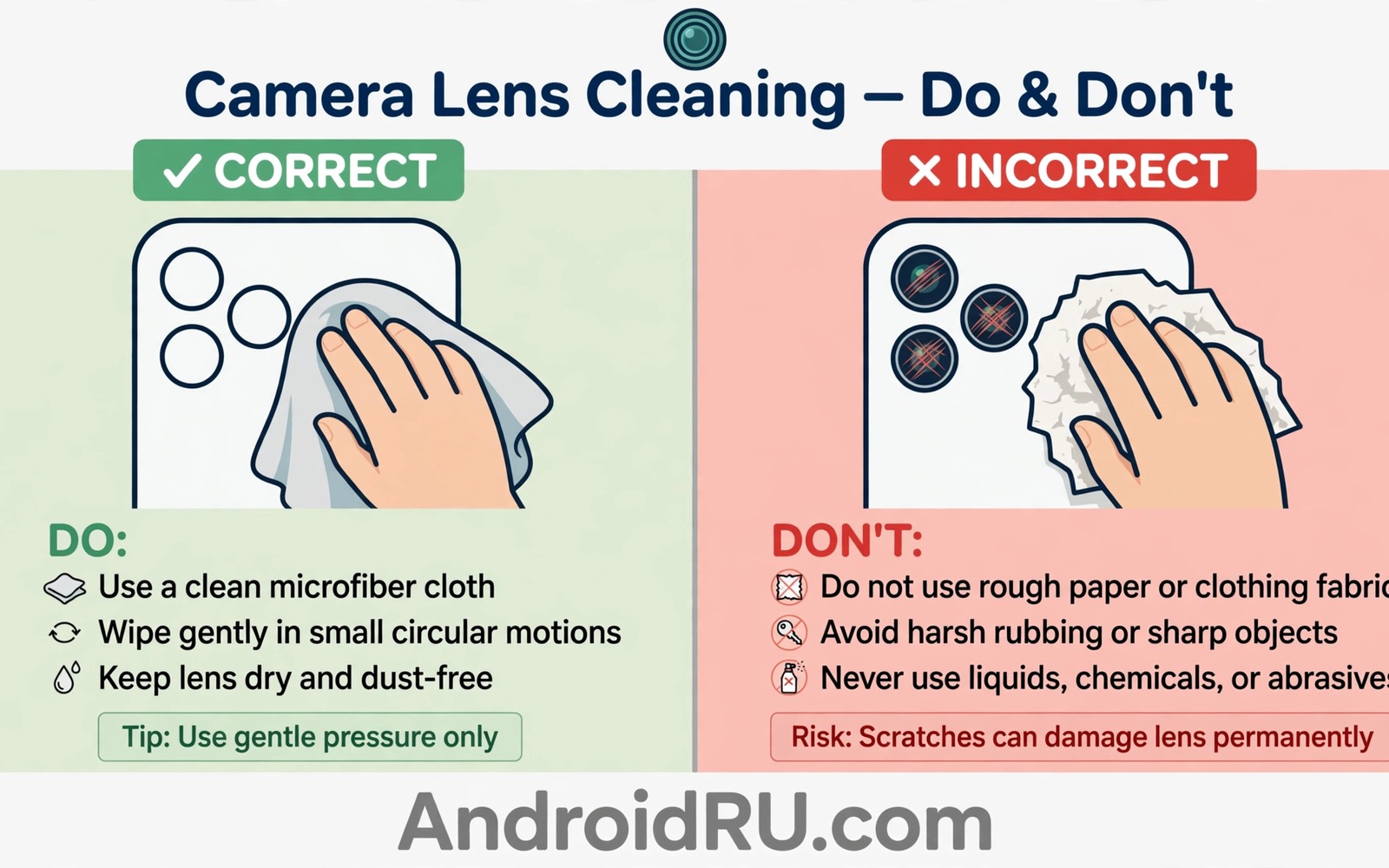
A phone camera lens looks tough because it sits under glass. The coating on that glass is far more delicate than the glass itself. One wipe with a rough cloth can leave fine scratches in the coating. Those scratches scatter light and soften photos forever. No software update can repair a damaged coating.
Bad cloths cause damage in two ways. Rough fibres drag across the surface like fine sandpaper. Trapped grit in a dirty cloth cuts deeper lines with each pass. A shirt sleeve and a paper towel and a reused glasses cloth all carry that risk. The wipe feels harmless because the damage appears gradually in photos.
Safe cleaning is simple once you know the materials and the order. You remove loose dust first without touching the lens. You then wipe gently with a clean microfibre cloth made for optics. You never press hard and you never use household chemicals. This guide shows each step.
Why lens coatings scratch so easily
Modern phone lenses use thin coatings that cut reflections and repel water and oil. Those coatings improve contrast and reduce flare in bright scenes. They also sit on the outer surface where every wipe touches them. A coating can be only a few microns thick which leaves little room for abrasion.
Scratches matter more on a phone lens than on a large camera lens. The phone lens is small so a scratch covers a larger share of the light path. Flare and haze appear first in backlit photos and in night shots with bright points of light. Users often blame software when the true cause is a worn coating.
Once the coating is scratched the only full repair is a lens module replacement. Cleaning cannot fill a scratch and polishing can strip more coating away. Prevention is therefore far cheaper than any repair. A proper cloth costs little and it protects a camera worth far more.
Cloths you must stop using at once
Paper towels and tissues top the danger list. Their fibres feel soft on skin yet they are abrasive on coatings. Dry paper drags dust across the surface and creates micro scratches with each stroke. Wet paper is worse because it sheds fibres that trap grit against the lens.
Shirt sleeves and jeans and towels belong in the same banned group. Fabric that has collected pocket dust and sand carries sharp particles. A quick sleeve wipe after a beach visit is a classic way to ruin a lens. The cloth may look clean while hiding grit in its weave.
Old microfibre cloths that were washed with fabric softener also cause trouble. Softener coats the fibres and leaves a film on the lens. A cloth stored loose in a pocket collects dust between uses. Replace a cloth that feels stiff or smells of detergent and keep the good cloth in a sealed pouch.
Choose a safe cloth and keep it clean
Choose a fresh microfibre cloth made for camera lenses or eyeglasses. Look for a tight weave and a soft edge without a stitched border that can drag. A small cloth kept in a pouch stays cleaner than a large cloth left on a desk. Buy several so a dirty cloth never forces a risky wipe.
Wash microfibre cloths alone in warm water with a small amount of plain detergent. Skip fabric softener and skip dryer sheets entirely. Air dry the cloth or tumble dry on low heat without additives. A clean cloth feels soft and leaves no lint on a dark screen test.
Inspect the cloth before each use by holding it to light. Shake it gently and look for trapped sand or hard bits in the weave. Discard any cloth that feels gritty after washing. A fresh cloth is cheaper than a lens repair by a wide margin.
Clean the lens in the right order
Start by blowing loose dust off the lens with a manual air blower. A blower removes particles without contact and it prevents the main cause of scratches. Never use canned compressed air at close range because the force and the cold spray can harm seals. A soft squeeze blower is the safe tool.
Fold the clean microfibre cloth into a small pad and wipe in a gentle circular motion. Use light pressure and let the cloth do the work. Work from the centre outward so lifted dust moves away from the lens centre. Stop when the lens looks clear in reflected light and do not chase a perfect shine with extra force.
For oily smudges breathe lightly on the lens or use one drop of lens cleaning fluid made for coated optics. Apply the fluid to the cloth and never directly onto the lens. Wipe once with the damp area and then buff with a dry area of the same cloth. Excess fluid can seep into edges so less is always better.
Protect the lens between cleans
A case with a raised edge around the camera module prevents many scratches. The raised edge keeps the lens off tables and out of pocket contact with keys. Choose a case where the camera bump sits below the case rim. That small lip is cheap insurance for daily use.
Keep the phone in a pocket without keys or coins when possible. A separate pocket for the phone removes the most common scratch source. If you carry a bag then use a small pouch for the phone. A pouch also keeps dust away from the lens between shots.
Check the lens before important photos rather than after them. A quick glance in good light reveals smudges that ruin a group shot. A ten second clean before a trip beats discovering haze in photos you cannot retake. Make the check part of your camera routine.
A safe cleaning kit checklist
A tiny kit in a pouch covers every cleaning need without risky substitutes. The kit fits in a jacket pocket and it lasts for years with basic care. Keep the kit together so a bad cloth never becomes the convenient choice.
Kit: manual air blower
Kit: clean microfibre cloth in sealed pouch
Kit: lens fluid made for coated optics only
The kit sample above was written for this guide and it follows standard camera lens care practice. Each line names one safe tool and the pouch note keeps the cloth clean between uses. Replace the cloth when it feels gritty and never add household glass cleaner to the kit.
Label the pouch for camera use only so it never becomes a general cleaning rag. A dedicated pouch prevents cross use with screens and tables. That separation keeps grit from other surfaces away from the lens.
Handle sand and grit after outdoor use
Beach and trail use leaves fine grit that threatens lenses more than indoor dust. Sand grains are hard and sharp and they cling to cloth and cases. A lens wiped after a beach visit without blowing first suffers the worst damage. Outdoor cleaning must start with air and never with a cloth.
Shake the phone gently with the lens facing down before any cleaning. That motion drops loose grains away from the surface. Follow with a hand blower from the side at a safe distance. Only after blowing should a clean cloth touch the lens at all.
Store the cleaning cloth in a sealed pouch during outdoor trips. A cloth left in a beach bag collects sand between uses. A sealed pouch keeps the cloth clean until the moment you need it. Replace a cloth that touched sand even once during a trip.
Inspect the camera module edges after outdoor use for trapped grit. Grit near the module can migrate onto the lens during the next wipe. Brush the edges gently with a dry soft brush before cleaning the lens itself. Edge cleaning protects the lens from its own surroundings.
Clean camera lenses on tablets and laptops too
Tablet and laptop cameras use the same delicate coatings as phone lenses. A rough cloth harms them in the same way. Keep a dedicated microfibre cloth for each device camera. Clean them with the same blow first and wipe gently routine. Coating care applies to every camera you own.
Replace cleaning cloths on a schedule
A microfibre cloth wears out gradually and its cleaning power fades with it. Fibres flatten and the weave traps less dust after many washes. Replace the lens cloth every few months with regular use. A fresh cloth costs little and it protects a lens worth far more. Mark the replacement date on the pouch so the schedule stays visible. Scheduled replacement beats waiting until a cloth feels rough.
Common mistakes
The worst mistake is wiping a dusty lens dry without blowing dust off first. Dry dust is the abrasive that does the damage. A blower step takes seconds and it removes the main risk. Never skip it after outdoor use or beach use or dusty travel.
Another mistake is using screen cleaner or window cleaner on the lens. Those products can strip coatings and damage seals around the module. Use only fluid made for coated optics and use it sparingly. When in doubt clean with a dry cloth alone.
People also press harder when a smudge resists a gentle wipe. Pressure does not remove a stubborn smudge faster. It grinds trapped particles into the coating instead. Switch to a damp cloth area and a fresh fold rather than adding force.
Finally do not clean the lens with the same cloth used for the phone screen all day. Screen cloths collect skin oil and pocket dust that transfer to the lens. Keep a separate cloth for the lens and store it apart from general cloths.
Frequently asked questions
Can a scratched coating be polished away
No. Polishing removes coating rather than restoring it. A light scratch may matter little in daylight yet it will flare at night. Replacement of the lens module is the reliable fix for deep coating damage.
Is a lens protector film a good idea
A quality protector can shield the lens yet a cheap film can add flare and haze. Choose a protector made for your exact model and test night photos after fitting it. Remove the film when photos show new flare that was absent before.
How often should I clean the lens
Clean when you see smudges or before important shoots. Daily cleaning with a dirty cloth harms more than it helps. A clean cloth and a gentle wipe on demand beats a fixed schedule with a worn cloth.
Conclusion
Camera coatings are thin and scratches are permanent. Rough cloths and dry dust cause most of the damage in seconds. A blower and a clean microfibre cloth and light pressure prevent that damage for years. The habit costs little and it protects every photo you take.
Your concrete next step is to throw away the risky cloth you use now and place a fresh microfibre cloth in a sealed pouch today. Blow dust off before every wipe from now on. Readers who want related care guides can explore a guide to chemical liquids never to use on screens and a guide to why compressed air harms small ports plus a guide to habits that damage a phone over time for safer daily care.

