

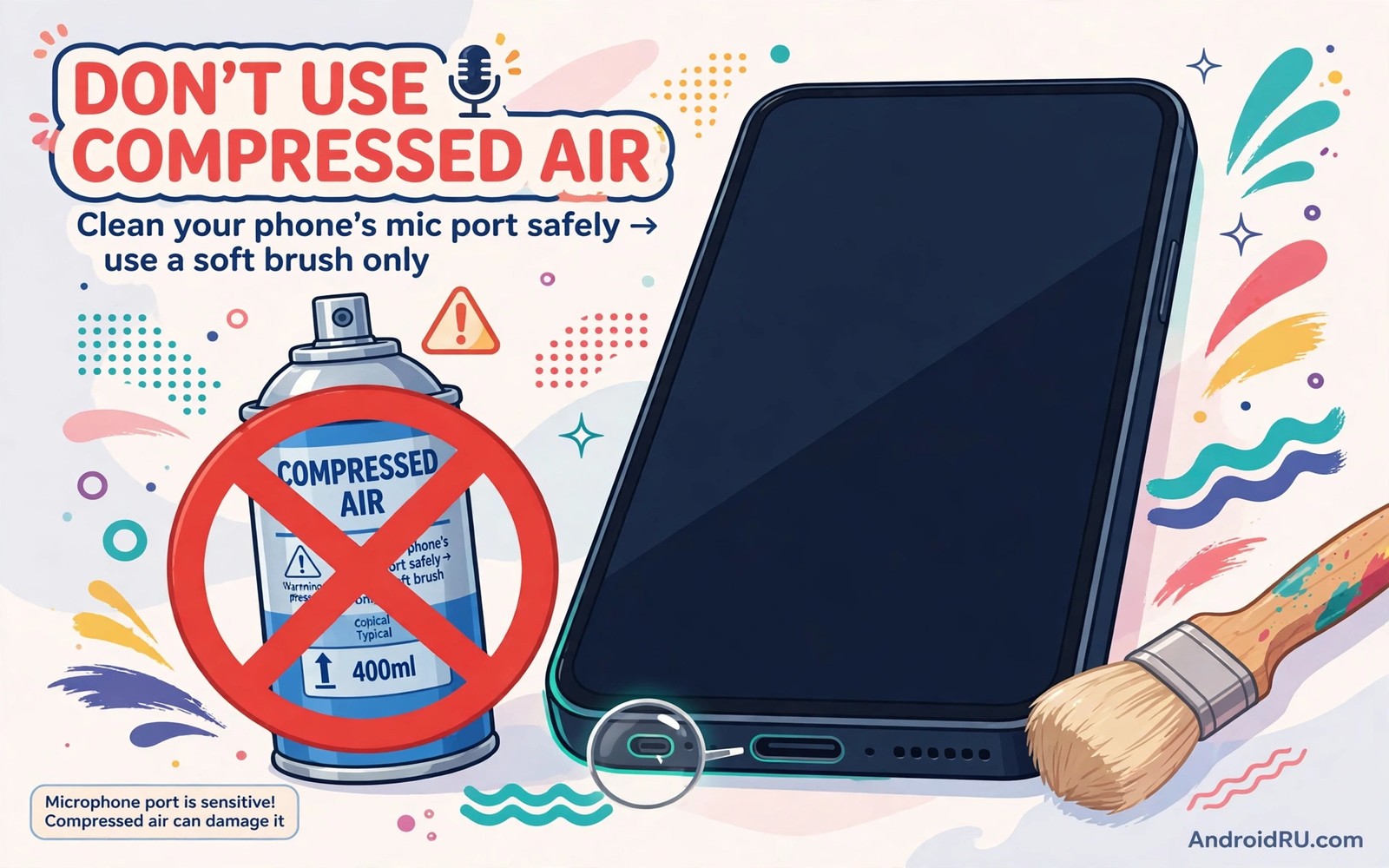
Compressed air feels like the obvious fix for a muffled microphone. A quick blast should clear dust from a tiny hole. That logic fails because phone microphone ports are not open tubes. They lead to a delicate membrane and a mesh and a narrow channel designed for sound rather than pressure. A blast strong enough to move dust is strong enough to damage that membrane.
Microphone membranes are thin films that vibrate with sound waves. They are built for tiny air movements measured in whispers. Compressed air delivers a jet far stronger than any voice. That jet can stretch or tear the membrane or push it out of position. A torn membrane hears nothing clearly again. No software update restores a physically damaged microphone.
The blast also pushes dirt deeper rather than out. Dust sitting at the port mouth gets driven into the channel where it compacts against the mesh. That compaction muffles sound worse than the original surface dust did. The owner then blasts again harder which deepens the damage. That cycle explains why speaker problems after poking the mesh often follow a well-meaning cleaning attempt.
How pressure damages a microphone membrane
Sound reaches a microphone as gentle pressure waves. The membrane flexes slightly and converts that motion into signal. Compressed air hits the membrane as a single violent wave. The film can flex beyond its design limit in an instant. Stretching changes its tension and therefore its sound. Tearing ends its function entirely.
Canned air adds a second hazard. Tilting a can releases liquid propellant instead of gas. That liquid hits the membrane cold and wet and it can leave residue as it evaporates. A microphone soaked in propellant may sound muffled for days or permanently. Holding the can upright reduces but does not remove the pressure risk. The safe distance for canned air is simply not using it on ports at all.
Workshop compressors are worse than cans. They deliver higher pressure and often carry oil mist and moisture from the tank. Oil on a microphone mesh attracts dust and blocks sound persistently. Moisture inside the channel can corrode contacts over time. A tool built for cleaning machinery has no place near a phone port.
Why dirt gets worse after a blast
Microphone ports use a fine mesh to block dust and water. Surface dust on that mesh can be brushed away gently from outside. A blast drives particles through the mesh gaps and into the channel behind it. Once inside the channel dust is unreachable without disassembly. The phone then sounds muffled during calls even though the port looks clean from outside.
Repeated blasts compact that trapped dust into a plug. Each blast adds force to the same trapped material. The plug grows denser and sound grows fainter. Owners often interpret the worsening sound as proof that more cleaning is needed. The correct interpretation is that the cleaning method itself caused the decline.
Speaker ports share this risk which is why cleaning a screen with the wrong liquid matters alongside microphone care. A blast that damages one tiny port can damage another. Treat every small acoustic port on the phone as a delicate instrument rather than a dusty vent.
Safe ways to clean a microphone port
Start with a soft dry brush such as a clean soft toothbrush. Brush lightly across the port from outside without pressing bristles inside. That motion lifts surface dust without forcing it deeper. Follow with a gentle wipe using a dry microfibre cloth around the port area. Most muffled microphones improve after that simple exterior cleaning.
For stubborn surface dust use a small piece of soft adhesive tape pressed lightly over the port and lifted away. The tape picks up loose particles from the mesh surface. Press gently and lift straight off. Do not push tape into the hole or use strong tape that leaves residue. One or two light lifts are enough for surface dust.
Test the microphone after each gentle step with a voice recording. Record a short sentence and play it back. Improvement after brushing means surface dust was the cause. No improvement after gentle steps means the blockage may be internal or the membrane may already be damaged. At that point a repairer with proper tools is the right next step.
What to do if you already used compressed air
Stop blasting at once and test the microphone with a recording and a test call. Note whether sound is faint or distorted or absent. Faint sound may improve as trapped moisture evaporates over a day in open air. Distorted or absent sound after a day points to membrane damage that needs professional diagnosis.
Do not try to repair the membrane with pins or needles or wires. Poking tools tear meshes and puncture membranes. They turn a possibly recoverable muffling into certain damage. Leave the port alone after a blast except for gentle exterior brushing. Further force only extends the original mistake.
Back up the phone and note when the blast happened and what product was used. A repairer can use that history to judge whether cleaning or part replacement is needed. Honest history also prevents wasted time on software fixes for a hardware injury.
A safe cleaning routine for all ports
Clean ports monthly with exterior methods only. Brush softly and wipe with microfibre and test with a recording. Keep phones out of dusty pockets by using a case that covers ports loosely. Avoid placing the phone port-down on sandy or dusty surfaces. Prevention beats any cleaning method because it keeps dust out of the channel entirely. The same gentle approach applies to bad camera cleaning cloths because rough cloths scratch coatings just as force damages membranes.
Tool 1 > Soft dry brush light strokes
Tool 2 > Dry microfibre cloth wipe
Tool 3 > Soft tape light lift only
Never > Compressed air or pins or needles
The routine above was written for this article to replace a risky shortcut with gentle exterior cleaning. It lists only tools that cannot drive dust deeper or tear a membrane. Follow it monthly and test the microphone after each step. Stop as soon as sound returns to normal rather than cleaning further out of habit.
Protect the other ports on your phone
The charging port deserves the same gentle treatment as the microphone. Lint compacts inside charging ports from pocket carry and it blocks full cable insertion. Remove lint with a soft wooden or plastic pick used gently at the port edges. Never use metal tools inside a charging port because they can short contacts and damage pins.
Speaker ports collect dust in the same way as microphone ports. Brush them softly from outside and wipe the surrounding area with microfibre. A muffled speaker often improves after gentle exterior cleaning. If it does not improve then the cause may be internal damage or a failing driver rather than surface dust.
SIM trays and buttons need little attention beyond keeping them dry and free of grit. Wipe the phone exterior regularly and keep it out of sand and dust where possible. A case with port covers reduces debris entry without blocking sound noticeably. Prevention across all ports keeps every acoustic and charging path working longer.
Teach everyone who handles the phone that small ports are delicate. Children and helpers with good intentions often reach for canned air or pins. A short explanation today prevents a damaged microphone tomorrow. Gentle tools and exterior cleaning are the whole method and they are easy to remember.
Common mistakes
The biggest mistake is treating a phone port like a keyboard vent. Keyboards tolerate blasts because their parts are large and robust. Phone acoustic ports are miniature instruments with thin membranes. Scale changes everything about safe cleaning. What works on a desk fails on a phone.
Another mistake is blasting harder when the first blast fails. Harder blasts drive dust deeper and stress the membrane further. Failure after a gentle exterior clean is information that the problem lies deeper. It is not an invitation to escalate force.
People also clean ports with sharp objects to dig out visible dirt. Pins scratch meshes and puncture membranes and push debris inward. A visible speck at the port mouth is surface dust. Brush it away from outside rather than digging it out from inside.
Finally avoid wet cleaning inside ports with liquids or sprays. Liquid carries dust deeper and it can short nearby circuits. Exterior wiping with a barely damp cloth is the wettest a port should ever get. Keep liquids out of the hole itself entirely.
Frequently asked questions
Can a vacuum cleaner clean a microphone port?
Gentle suction from a distance is less risky than a blast but it can still stress a membrane if held close. Keep any vacuum at least a few centimetres away and use low power. Soft brushing remains the safest first choice. Never seal a vacuum nozzle over the port.
Why does my microphone sound muffled after cleaning?
Muffling after a blast usually means dust was driven deeper or the membrane was stressed. Let the phone rest in open air for a day and test again. If muffling persists then seek professional cleaning or part replacement. Do not blast again to fix blast damage.
Should I cover microphone ports with tape permanently?
No. Permanent tape blocks sound and traps moisture against the mesh. Covers designed for ports still reduce sound quality. Leave ports open and clean them gently from outside. A case with a loose port cover is a better compromise than tape.
Conclusion
Compressed air near microphone ports risks torn membranes and compacted dust that muffle sound permanently. Gentle exterior cleaning with a soft brush and a dry cloth clears surface dust without those risks. Stop blasting and test after each gentle step.
Your concrete next step is to retire the canned air for phone ports today and clean the microphone with a soft dry brush instead. Record a test sentence before and after to hear the difference safe cleaning makes. Repeat the gentle routine monthly so dust never builds into a muffling plug again. Keep the soft brush beside your charging cable so the safe tool is always the handy one. A handy safe tool beats a distant risky shortcut every time.

