

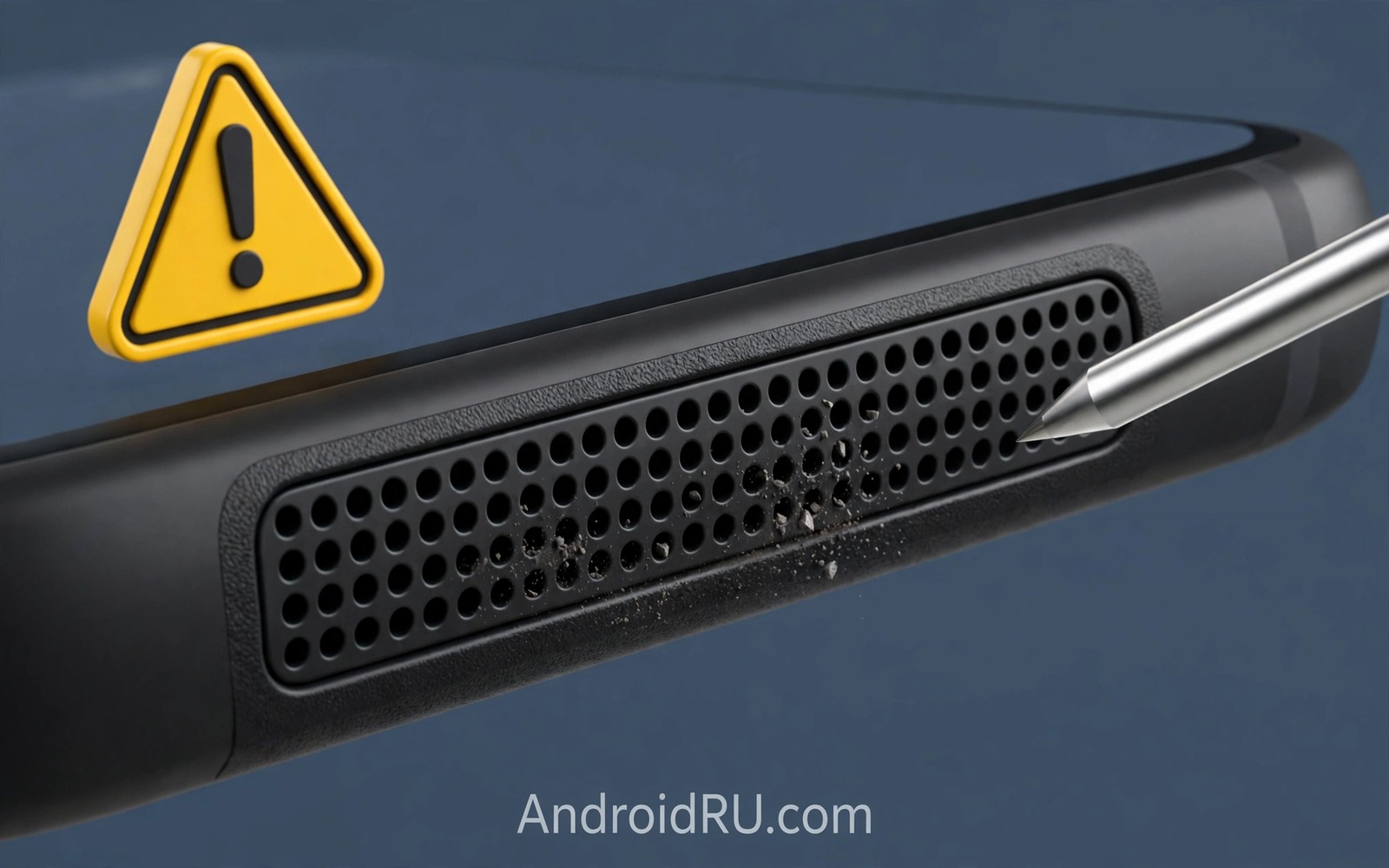
If Your Speaker Sound Gets Muffled, Do NOT Poke Pins in Mesh!
Muffled sound creeps up slowly. Calls lose their crisp edge, music loses its treble, and notification tones sound like they are coming from the next room. My first instinct, years ago, was the same as yours probably is right now: grab a pin and poke the little holes in the speaker mesh to clear them. I am glad I stopped before I did it, because that pin would have gone straight through the mesh and into the speaker driver behind it.
Here is the truth that saves speakers: most muffling is surface blockage, not a broken part. Dust, pocket lint, and skin oils form a thin mat over the tiny holes in the mesh, and that mat absorbs high frequencies first. That is why sound turns dull before it turns quiet. Remove the mat gently, from the outside, and the sound comes back. Push a pin through it, and you can dent or tear the driver in one careless move.
This guide shows how to confirm the fault is really the speaker, how to clean the mesh with soft tools only, how to use sound itself to shake dust loose, and how to tell a blocked mesh from a dying driver. It also covers water, cases, and a monthly routine that keeps the problem from coming back. No pins, no needles, no SIM ejector tools near the mesh, ever.
Why Does a Phone Speaker Sound Muffled in the First Place
A phone speaker is a small driver behind a fine metal or plastic mesh. The mesh keeps dust out, but its holes are tiny, and every trip in a pocket pushes a little lint against them. Over weeks, that lint packs into a mat. High frequencies are the first to go because short sound waves are blocked most easily by a thin layer, which is why voices sound woolly and cymbals vanish while bass still thumps along.
Other causes exist, and you should rule them out before you clean anything. A software update can change the equaliser, a case can cover the grille, a screen protector can overlap the earpiece, and water can sit inside the mesh after rain. Each of those looks like muffling, but each needs a different fix. Cleaning a mesh will not fix a case that covers it, and drying a phone will not fix a balance slider stuck to one side.
Age matters too. A speaker that has played at full volume for years can wear out, and its membrane can loosen. That kind of muffling comes with distortion, especially on bass notes, and it does not improve with cleaning. Learning the difference between blockage and wear is the skill this guide builds, step by step.
How to test whether the fault is the speaker or the settings
Play a familiar track at full volume in a quiet room, then test the bottom speaker and the earpiece separately with a call. If one speaker sounds dull and the other sounds clear, the dull one is blocked or damaged. If both sound dull, check settings first: reset the equaliser to flat, centre the balance slider, and turn off any sound enhancement that cuts treble. Then test again with the same track before you touch the mesh.
Headphones are the fastest way to separate app faults from speaker faults
Plug in headphones or connect earbuds and play the same track. Clear sound through headphones means the file and the app are fine, and the phone speaker path is the suspect. Dull sound through headphones too means the problem is the file, the app, or a system setting, and no amount of mesh cleaning will help. That two-minute comparison saves a lot of pointless scrubbing.
What Sits Behind the Speaker Mesh and Why Pins Reach It So Fast
Behind the mesh, millimetres away, sits the driver membrane: a thin, delicate surface that moves to make sound. There is almost no gap. A pin that passes through a mesh hole meets that membrane at once, and even light pressure can dent it. A dented membrane distorts sound at every volume. A torn membrane rattles and buzzes, and it cannot heal itself.
Pins cause a second problem that people miss: they push debris deeper instead of removing it. A dust mat shoved inward clogs the inner side of the mesh, where a brush cannot reach it. The outside can look clean while the sound gets worse, because the blockage has simply moved to a place you cannot clean. Pushing is the opposite of cleaning for a mesh.
Metal tools also scratch the mesh coating and widen holes unevenly. Widened holes let in more dust and moisture later, so a speaker poked once becomes easier to block again. The cycle ends only with a speaker replacement, which costs far more than a soft brush. The SIM ejector tool deserves a special warning here: it is sharp, rigid, sized to enter mesh holes, and always nearby. Keep it away from speakers entirely. Its only safe home is the SIM tray.
The membrane is thinner than you think
Phone speaker membranes are built to move fast and light, which means they are thin by design. They handle sound pressure well, because that pressure spreads evenly across the whole surface. They do not handle a point load well, because a pin concentrates all its force on one tiny spot. That is the physics behind the warning: even a gentle poke is a point load on a surface that was never built to take one.
What a dented driver sounds like
A dented driver usually buzzes on bass notes, crackles at low volume, and sounds harsh on voices. If your speaker sounded fine, you poked it, and now it buzzes, the poke is the likely cause. Cleaning will not fix a dent. That speaker needs a repair shop, not a brush.
Safe Ways to Clean a Muffled Phone Speaker Without Touching the Driver
Safe cleaning uses soft tools, light pressure, and gravity. Hold the phone with the speaker facing down, so loosened dust falls out instead of inward. Work in short passes, test the sound between passes, and stop as soon as the treble returns. The goal is a clean surface, not a polished one, and patience beats force every time.
Start with a soft dry brush across the mesh
Use a soft brush made for electronics, or a clean soft toothbrush with nothing on it. Brush lightly across the mesh in one direction, not in circles, and let the debris fall away from the phone. Keep the speaker facing down while you work. Gentle strokes beat scrubbing, and five light passes beat one hard one. Test a familiar track after each set of passes so you can hear the improvement as it happens.
How to hold the phone while you brush the mesh
Hold the phone in one hand with the speaker edge pointing down and slightly away from you. Brush with the other hand in short strokes away from the body of the phone. That angle lets dust drop clear instead of sliding across the screen or back into the holes. Wipe the brush itself on a cloth between passes so you are not pushing the same dust back in.
Use a hand blower, not canned air, to lift what the brush leaves
A manual rubber air blower, the kind photographers use for lenses, gives short puffs from the side that lift dust off the surface. Keep it at a safe distance and use brief puffs, never a long blast. Canned air is a different story: the jet is strong enough to drive dust deeper, and the cold gas can chill the driver. If you want the full warning on pressurised air near small openings, read why compressed air harms small ports before you reach for any can near your phone.
A slightly damp cloth for sticky grime on the surface
For oily or sticky grime, press a slightly damp microfibre cloth lightly over the mesh once, then let it dry fully before you test the sound. Do not drip water into the holes and do not soak the cloth. A damp surface wipe removes oils that dry brushing leaves behind. Never use household cleaners or solvents on the mesh: the wrong liquid can dissolve coatings and damage the driver. The same rule applies to the screen, and you can check chemical liquids never to use on screens to see which common liquids cause the most damage.
How Sound Tones Shake Dust Out of a Speaker Mesh
Sound itself is a cleaning tool. A low-frequency tone vibrates the driver, and that vibration can shake a dust mat loose without anything touching the mesh. Some phones include a water-ejection tone in settings or in a cleaning app, and several free apps play a similar tone. Hold the speaker facing down during the tone so the loosened dust falls out instead of settling back in.
Use short bursts at moderate volume, with rest periods between them, and test normal audio after each burst. Do not run ejection tones at maximum volume for long stretches: excess vibration can stress a driver that is already weak. Short bursts with rests work better than one long blast, and the test between bursts tells you whether to continue or stop.
When no built-in tone exists, play a bass-heavy track at moderate volume for a minute. The same vibration principle applies at a gentler level. Combine the tone with soft brushing for stubborn mats: tone first to loosen, brush second to clear, tone again to check. Sound plus brushing clears more than either method alone, and neither method touches the driver.
How long should a speaker cleaning tone run
Keep each burst to 20 or 30 seconds at moderate volume, then rest and test. Three short bursts are usually enough to judge whether the method helps. If the sound is clearly improving, continue with another round. If nothing changes after three rounds, the blockage is probably sticky grime or the fault is not blockage at all, and more vibration will not fix it.
Muffled Speaker After Water: What to Do and What to Avoid
Muffling after a splash, rain, or a drop in the sink usually means water is sitting in or behind the mesh. Let the phone dry in open air with the speaker facing down, and give it hours, not minutes. Do not charge the phone while the speaker area or the charging port is wet. Heat is not your friend here either: a hair dryer can damage seals and push moisture deeper, so skip it.
Do not soak the phone in water to wash a dirty speaker, and do not put it in rice. Rice dust can enter the mesh and add a new blockage, and soaking risks internal damage far beyond the speaker. A damp cloth on the surface is the wettest safe method. Air drying in open air works better than any folk remedy, and it avoids new debris.
Run a sound tone only after the phone has had time to dry on the outside. The vibration can help eject remaining droplets from the mesh, but it is a finishing step, not a substitute for drying time. If the sound stays muffled a full day after drying, or if the phone was submerged rather than splashed, a repair shop should check it: water inside the body can corrode parts that no cleaning routine can reach.
How long to let a wet speaker dry before you test it
For a light splash, wait at least a few hours in open air with the speaker down. For a full submersion, wait a full day, keep the phone powered off while it dries, and do not charge it until you are sure the port is dry. Patience here protects the whole phone, not just the speaker.
Signs that water reached past the mesh
Watch for a speaker that crackles after drying, a charging port that reports moisture, or a screen with fog under the glass. Any of those means water went deeper than the mesh, and the phone should be checked by a professional before normal use.
How to Tell a Blocked Mesh From a Damaged Speaker Driver
Cleaning fixes blockage. It does not fix a damaged driver, and knowing which one you have saves weeks of pointless scrubbing. The test is simple: clean the mesh properly with a brush, a blower, and a tone. If the treble returns, it was blockage. If the sound stays dull or distorted after a thorough clean, the driver is the suspect.
Distortion is the clearest driver symptom. Crackling at low volume, rattling on bass notes, and a harsh edge on voices all point to the membrane, not the mesh. A blocked mesh makes sound dull and quiet; a damaged driver makes sound wrong. That distinction matters, because the fixes are different: one needs a brush, the other needs a replacement part.
Test across content types before you decide. A speaker can sound clear for calls yet muffled for music, because calls use a narrow frequency range that hides treble loss. Music reveals the full range and exposes a blocked mesh faster. Test with speech, music, and a notification tone, at low volume and at high volume separately. Low-volume crackle suggests membrane trouble, while high-volume distortion can mean overload or a loose part.
Compare with a known good phone playing the same track
Play the same track on your phone and on a known good phone, side by side. A track that sounds dull everywhere is a bad file. A track that sounds dull only on your phone is a speaker fault. Record the test with another phone when you visit a repair shop, so the technician hears the fault instead of taking your word for it.
Check warranty and repair cost before opening the phone
Speaker modules are small, yet replacement needs careful disassembly, and a home repair can damage water resistance. A professional repair preserves the seals better in most cases. Check the warranty first: a driver fault on a phone still under warranty may be covered, while damage from poking usually is not. Pay for skill when the driver itself has failed, and keep the brush for the jobs it can actually do.
A Monthly Speaker Care Routine That Keeps Sound Clear
A monthly soft brush keeps the mesh clear without any risky tool, and it takes less than two minutes. Add the check to your monthly phone care routine, alongside a storage tidy-up and a battery health glance. Prevention keeps sound clear, and it removes the temptation to poke during a crisis, because a crisis never arrives when the mesh is already clean.
Store the soft brush with your cleaning kit so it is ready when sound dulls. A ready tool beats an improvised pin every time, because convenience decides which tool you reach for in the moment. If the brush lives in a drawer two rooms away and a pin lives in your pocket, the pin wins. Make the safe tool the easy tool.
Daily habits matter as much as the monthly routine. Pocket lint is the main daily enemy of phone speakers, and a clean pocket or a phone pouch reduces it sharply. Shake the phone gently with the speaker down each evening to drop loose lint before it mats. Work environments add dust that pockets alone cannot explain, so a sealed case with speaker covers helps in dusty jobs, as long as you rinse the covers regularly so they do not become a new blockage source.
Many small habits that damage a phone share one root cause: reaching for the nearest sharp or harsh tool instead of the right one. If you want a broader check of the habits that quietly wear a phone down, read habits that damage a phone over time and fix the ones you recognise in yourself. A soft brush and hand blower routine for the speaker fits neatly into that wider care habit.
What a good speaker case should and should not do
Some cases include fine mesh covers over the speaker holes that block lint while passing sound. A good cover reduces cleaning frequency without muffling audio. Test sound quality after fitting such a case with a familiar track, and remove the case when sound dulls sharply, because a blocked cover is worse than no cover. Choose covers designed for your exact model for the best fit, and clean the cover itself weekly.
A quick monthly checklist for clear speaker sound
Brush the mesh lightly with the speaker facing down, puff the hand blower from the side, play a familiar track at normal volume, and compare both speakers. Four steps, two minutes, once a month. If any step sounds wrong, repeat the cleaning once, then stop and diagnose instead of scrubbing harder.
Common Mistakes That Make a Muffled Speaker Worse
The worst mistake is poking with a SIM ejector tool, because it is always nearby and it fits the holes. The second mistake is blowing hard with your mouth into the mesh: moist breath adds humidity to dust and forms a paste that hardens later. A dry blower moves dust without moisture. Mouth blowing feels helpful, yet it creates a worse blockage than the one you started with.
A third mistake is soaking the phone in water to wash a dirty speaker. Soaking risks internal damage far beyond the speaker, and it is never worth it for a surface problem. A fourth mistake is ignoring muffling in only one stereo speaker for months. A blocked speaker forces the other speaker to work harder and skews the media balance, so clean both speakers together during routine care. Balanced speakers last longer as a pair.
A muffled speaker after water exposure needs drying time, not more tools, and a speaker mesh cleaning routine built on soft tools never needs a pin at any stage. If a method involves force, moisture from your mouth, or a sharp object, it is not cleaning. It is damage with good intentions.
Frequently Asked Questions About Muffled Phone Speakers
Will a vacuum cleaner damage a phone speaker?
A strong vacuum can pull the driver membrane outward and should be avoided. A gentle brush and a hand blower are safer, because they move dust off the surface instead of pulling on the membrane. Vacuum attachments concentrate suction in a way that risks the membrane, so keep them away from the mesh entirely.
Can rice help a wet speaker?
No. Rice dust can enter the mesh and add blockage, and rice does not dry a phone faster than open air. Air drying with the speaker facing down works better and avoids new debris. Keep the phone powered off while it dries after a soak, and do not charge it until the port is dry.
How long does a cleaned speaker stay clear?
A cleaned speaker stays clear for weeks in a clean pocket and for days in dusty work. Monthly brushing matches most use patterns, while dusty jobs need a weekly brush instead. If the sound dulls again within days of cleaning, check your case and your pocket, because something is feeding lint into the mesh faster than normal.
Can I use a toothpick instead of a pin to clean the mesh?
No. A toothpick is blunt compared with a pin, but it still pushes debris deeper and can snap off inside a hole. It also applies the same point pressure to the membrane if it slips through. Soft tools only: a brush, a blower, and sound. Anything rigid enough to enter a mesh hole is rigid enough to hurt the driver behind it.
Why does only one stereo speaker sound muffled?
One speaker usually sits closer to pocket lint or to the hand that holds the phone, so it blocks first. Clean both speakers together, test them separately with the same track, and check the balance slider in settings before you assume a hardware fault. If cleaning fixes one side and the other stays dull, that side may have a driver fault rather than blockage.
Your Next Step: Clean the Mesh Gently Today and Put the Pin Away
Muffled speakers usually need gentle surface cleaning, not force. Pins puncture mesh, dent drivers, and push dust deeper. Soft brushes, blowers, and sound tones restore clarity safely, and knowing the difference saves a speaker replacement. Your concrete next step is simple: brush the speaker mesh gently today with a soft brush, hold the phone speaker-down, and test a familiar track.
Then put the pin habit away for good. Keep the brush where you can reach it, add the two-minute check to your monthly routine, and listen for the treble coming back. Clear sound is a small daily pleasure, and it is worth two minutes of gentle care a month.

