

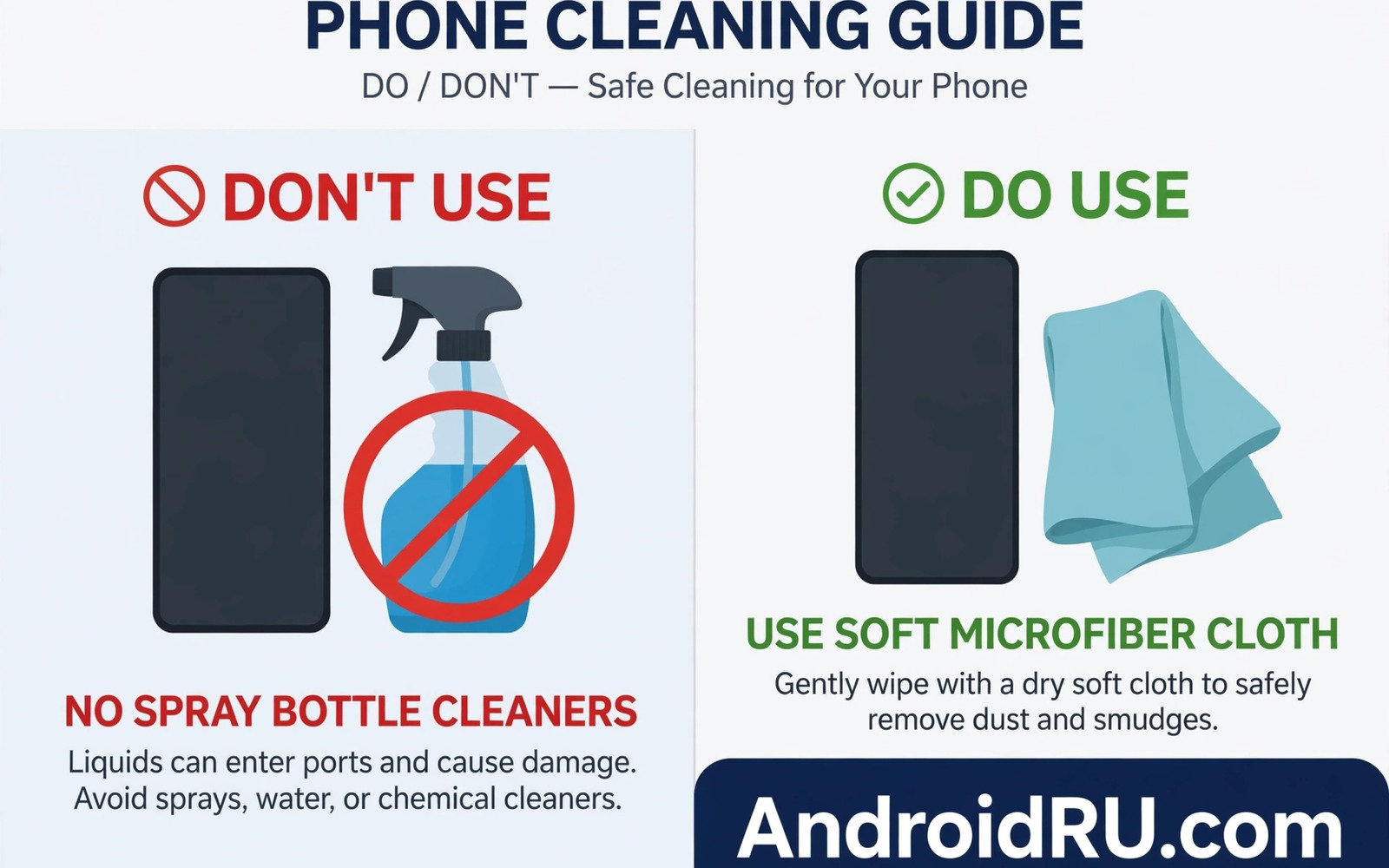
A dirty phone screen invites a quick wipe with whatever cleaner is nearby. Window spray and hand sanitiser and kitchen cleaners all seem convenient. Those liquids can damage a phone screen permanently. Modern screens carry a thin oleophobic coating. That coating repels oil and fingerprints. Harsh chemicals strip it away. Once stripped the screen smudges faster and feels rougher. Damage from one harsh wipe may be invisible at first. Repeated wipes make it obvious.
The chemical liquid to avoid most is any cleaner with strong solvents or ammonia or bleach. Window cleaners often contain ammonia. Kitchen degreasers contain strong solvents. Bleach cleaners attack coatings and seals. Alcohol in high concentration can also degrade coatings over time. Hand sanitiser contains alcohol plus gels that leave residue. That residue can enter speakers and ports. A cleaner that works on glass windows is not safe for coated phone glass.
This guide names liquids to avoid and safe alternatives. It explains how coatings work in plain terms. It gives a cleaning routine that protects screen and ports. It also covers what to do after accidental chemical exposure. Clean screens matter for visibility and hygiene. Safe cleaning protects both without trading one for the other.
Understand the coating that chemicals destroy
Oleophobic coating is a microscopically thin layer on screen glass. It repels oil from fingers. That repulsion keeps fingerprints light and easy to wipe. It also makes the screen feel smooth when swiping. The coating wears naturally over months of use. Harsh chemicals accelerate that wear dramatically. A single strong solvent wipe can remove patches of coating. Patches create uneven smudging that no cloth can fix.
Coating loss does not crack the glass. It changes surface behaviour. Fingerprints stick harder. Swipes feel draggy. Cleaning requires more pressure. More pressure risks scratches from dust trapped in cloths. That chain turns a chemical mistake into ongoing annoyance. Manufacturers do not offer coating restoration as a simple service. A screen protector can restore smoothness. It cannot restore the original coating.
Seals around the screen also suffer from harsh liquids. Liquid can seep into edges and weaken adhesives. Weakened seals let dust and moisture enter later. That secondary damage affects speakers and cameras. A cleaner sprayed directly onto the phone increases seepage risk. Spraying onto a cloth first reduces liquid volume near edges. That small habit protects seals as well as coating.
Liquids you must never use on a phone screen
Never use window cleaner with ammonia on a phone. Ammonia strips oleophobic coating quickly. It can also damage anti reflective layers on some screens. The blue spray that cleans windows well is a screen enemy. Keep it far from phones. If a window cleaner bottle sits near a phone then move it. Accidental grabs cause most chemical damage.
Never use bleach or chlorine cleaners on a phone. Bleach attacks coatings and plastics. It can discolour frames and buttons. Bleach fumes also irritate lungs in enclosed spaces. No hygiene benefit justifies bleach on a personal phone. Safe alternatives clean effectively without bleach. Bleach belongs in bathrooms not on electronics.
Never use acetone or nail polish remover on a phone. Acetone dissolves many plastics and coatings. It can cloud screen glass and melt frame parts. A small acetone spill can cause visible damage in seconds. Keep acetone away from phone cleaning supplies entirely. Store phone cloths separately from cosmetic removers. That separation prevents a costly mix up.
Never use undiluted vinegar or strong kitchen degreasers either. Vinegar is acidic and can attack coatings with repeated use. Degreasers contain solvents designed for grease on metal. Those solvents are too strong for coated glass. A diluted gentle soap solution is far safer. Kitchen strength does not equal phone safety. Electronics need gentler chemistry than countertops.
Clean safely with a cloth and gentle method
Power off the phone before cleaning. A dark screen reveals smudges better. It also prevents accidental touches during wiping. Remove the case to clean edges separately. Inspect the screen for sand or grit first. Grit trapped in a cloth scratches glass during wiping. Blow loose dust away gently before cloth contact. That inspection prevents most cleaning scratches.
Use a clean microfibre cloth slightly dampened with water. Wring the cloth until almost dry. Wipe the screen in straight lines with light pressure. Avoid circular scrubbing that spreads grit. Dry the screen with a second dry microfibre cloth. That two cloth method leaves a streak free finish. Replace cloths when they become dirty or rough. A dirty cloth can scratch as badly as a harsh liquid.
For disinfection use only methods approved by your phone maker. Many makers now allow gentle wipes with low concentration alcohol in specific cases. Check your maker guidance before using any disinfectant wipe. If guidance allows it then use a soft wipe and avoid ports and openings. Do not soak the phone. Do not use disinfectant daily unless guidance allows it. Water and microfibre suffice for daily cleaning in most cases.
What to do after accidental chemical exposure
Act quickly if a harsh liquid contacts the screen. Power off the phone at once. Wipe excess liquid with a dry microfibre cloth. Do not rub hard. Gentle blotting removes liquid without spreading it. Dampen a clean cloth with plain water and wipe lightly. That rinse dilutes residual chemical. Dry the phone fully with a second cloth. Inspect edges for liquid entry.
Do not charge the phone until it is fully dry. Liquid near ports plus power risks short circuits. Let the phone dry in airflow for several hours. Do not use heat to force drying. Heat can damage seals further. After drying test touch response and speaker sound. Muffled speakers may indicate liquid entry. Seek professional inspection if sound or touch behaves abnormally.
Accept coating loss gracefully if it occurred. A quality screen protector restores smooth swiping. It also protects the glass from further wear. Choose a protector with its own oleophobic surface. Apply it in a dust free area for best results. A protector cannot undo chemical damage but it improves daily use greatly. Replace protectors when they wear out.
echo "Safe clean: power off, microfibre, water only"
echo "Avoid: ammonia, bleach, acetone, strong solvents"
echo "Dry fully before charging"
The snippet above is an original example written for this guide. It shows a safe cleaning checklist in plain text form. It does not clean the phone by itself. Use it as a reminder beside cleaning supplies. The real protection comes from cloth choice and liquid avoidance.
Clean cases and protectors separately
Cases collect dirt that transfers back to screens. A dirty case edge can scratch a screen during fitting. Remove the case weekly and wash it according to its material. Plastic cases tolerate gentle soap and water. Leather cases need a damp cloth only. Dry cases fully before refitting. A clean case protects better and looks better. That routine also reveals case cracks early.
Screen protectors need gentle cleaning too. A protector with a damaged coating smudges constantly. Users often blame the phone screen for protector wear. Inspect the protector under bright light. Replace it when smudging persists after cleaning. A new protector costs little and restores smooth touch. Keep the original screen safe under a fresh protector at all times.
Common mistakes
A common mistake is spraying cleaner directly onto the phone. Direct spray drives liquid into speakers and ports. It also pools near screen edges. Always apply liquid to a cloth first. Use minimal liquid. That habit alone prevents many liquid damage cases. A damp cloth cleans well without flooding the device.
Another mistake is using paper towels or rough cloths. Paper towels feel soft but their fibres can scratch coatings. Rough towels trap grit and drag it across glass. Use clean microfibre cloths only. Wash microfibre cloths without fabric softener. Softener coats fibres and reduces cleaning power. Dedicated phone cloths stay cleaner than general rags.
People also clean phones while charging. Liquid plus power is a dangerous combination. Power off and unplug before cleaning. That rule protects both user and device. For hardware damage prevention then avoiding fatal mistakes that ruin smartphone hardware covers liquid risks. For daily habits then stopping ten harmful phone habits immediately includes cleaning care. For warning signs then turning off your phone when you see a warning explains urgent shutdowns.
Frequently asked questions
Can I use hand sanitiser on my phone screen?
Avoid hand sanitiser for routine cleaning. It contains alcohol and gels that leave residue. Residue can enter ports and speakers. It can also degrade coatings with repeated use. Use water and microfibre for daily cleaning. Follow maker guidance only for occasional disinfection.
Will a screen protector protect against chemicals?
A protector shields the original coating from direct contact. Chemicals can still damage the protector surface. Replace a protector after chemical exposure. The original screen stays safer under a protector. That protection is one more reason to use a quality protector.
How often should I clean my phone screen?
Daily light wiping with a dry microfibre cloth suffices for most users. Damp cleaning weekly removes stubborn smudges. Disinfection frequency depends on environment and maker guidance. Overcleaning with liquids wears coatings faster. Gentle frequent dry wiping beats harsh infrequent scrubbing.
Conclusion
Chemical cleaners designed for windows and kitchens do not belong on phone screens. Ammonia and bleach and acetone and strong solvents strip coatings and damage seals. Water and microfibre cloths clean safely for daily use. Gentle method matters as much as gentle liquid. Power off and unplug before cleaning.
Your concrete next step is to move harsh cleaners away from your phone charging area today. Place a clean microfibre cloth beside the charger. Clean the screen tonight with a slightly damp cloth and dry it fully. Add a screen protector if the coating already feels rough.

