

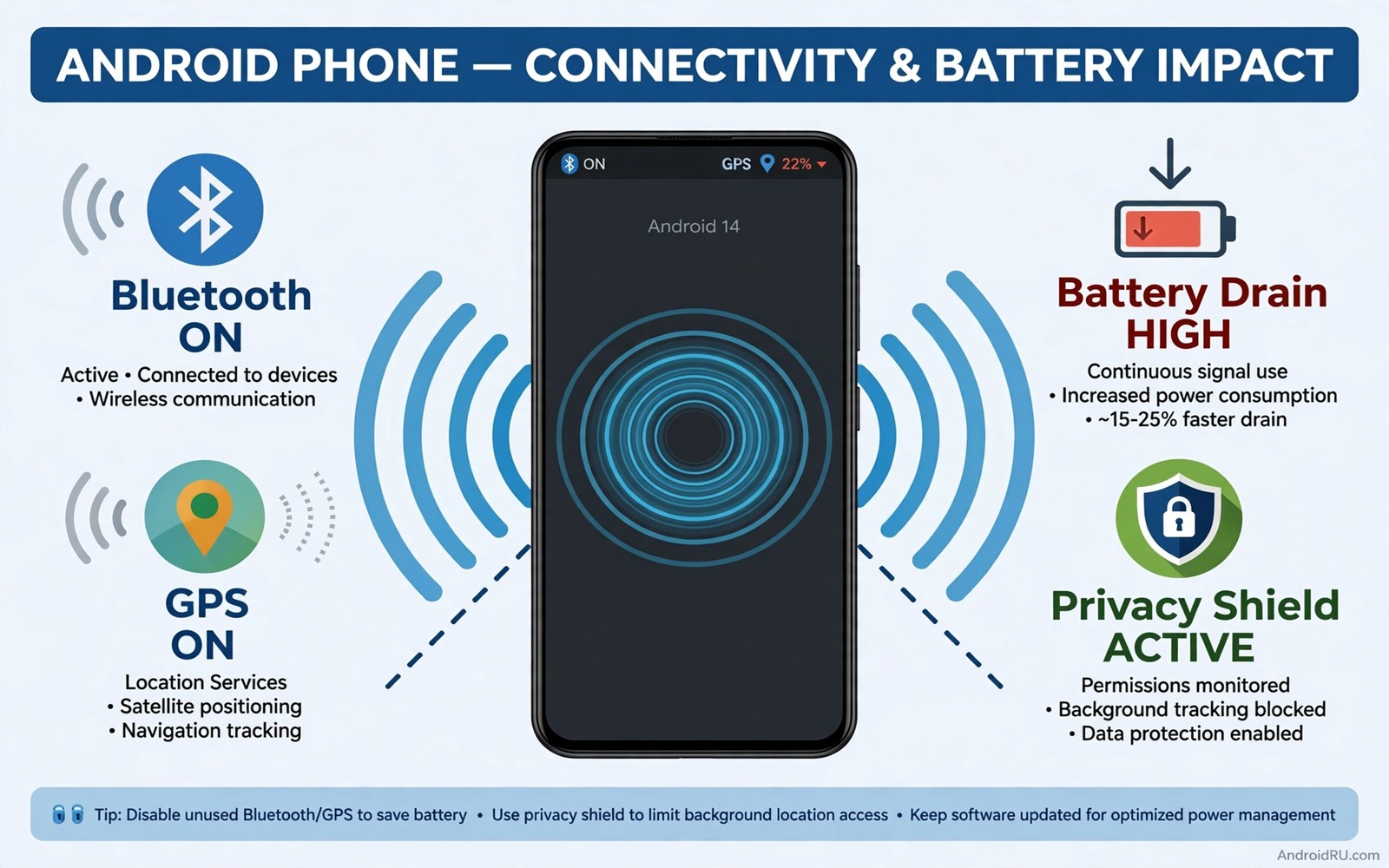
Bluetooth and GPS feel like background utilities that should simply stay on. The phone pairs with earbuds instantly and maps open without delay. That convenience hides two costs that accumulate every hour. Radios that stay active scan and broadcast and drain power even when you use nothing connected to them. They also advertise your presence to nearby devices and apps in ways you never see.
Battery cost is the smaller problem but it is the easiest to measure. A radio scanning for devices burns power in small bursts all day. Location services add processor work on top of radio work. Together they can cost a noticeable slice of daily battery on phones that already struggle to reach bedtime. Owners who complain about standby drain often leave both radios on out of habit rather than need.
Privacy cost is larger and harder to notice. Bluetooth broadcasts identifiers that nearby scanners can log. Location history built from always-on GPS reveals routines that no single app should hold. Reducing both radios to when-you-need-them shrinks that exposure without losing any feature you actually use. The same thinking applies to unsecured public Wi-Fi habits because an open radio is an open door even when no attack is visible.
What Bluetooth broadcasts while you ignore it
A phone with Bluetooth on and discoverable can be seen by nearby devices. Modern phones limit discoverability but they still broadcast for paired accessories and for services such as audio handoff. Shops and trackers can log those broadcasts to infer visits and dwell time. You never see that logging happen. It happens silently in the background of a shopping trip.
Old Bluetooth flaws add a security angle as well. Pairing attacks target phones with Bluetooth left on in crowded places. A phone that is not discoverable and has no pending pairing is a harder target. Turning Bluetooth off in crowds removes the attack surface entirely. That simple habit beats any after-the-fact cleanup.
Audio accessories make the habit easy to keep. Turn Bluetooth on when you pick up earbuds and off when you put them down. Most earbuds reconnect in seconds when Bluetooth returns. The few seconds of waiting buy hours of saved battery and a smaller broadcast footprint across the day.
What always-on GPS reveals about you
GPS alone does not broadcast your location to strangers. Apps with location permission do that job. Always-on GPS simply makes precise location instantly available to every app holding that permission. An app that checks location in the background can log your movements without any visible activity. You may never open that app on a given day while it still records where you went.
Location history accumulates into patterns that reveal home and work and school and medical visits. A single day of points is mildly sensitive. Months of points form a biography. Limiting GPS availability and limiting which apps hold location permission work together. Either control alone leaves a gap that the other must close.
Use location modes wisely. Device-only location avoids network assistance but still feeds apps. Battery saving mode uses networks rather than satellites and it is less precise. The strongest control is the toggle itself. Turn GPS off when navigation ends and turn it back on for the next trip. Navigation apps will prompt you when they need it.
Battery impact you can measure yourself
Test the impact over two days rather than trusting claims. Leave both radios on for one normal day and note battery at bedtime. Turn both off when unused on the next similar day and note battery again. Most owners see a small but real gain on the second day. The gain grows on phones with many paired devices or many location-hungry apps.
Check battery usage to see which apps use location most. An app with high background location use deserves restriction regardless of radio habits. Restrict that app and keep the radios off when idle. Combined controls beat either control alone because they attack both the radio cost and the app cost. The same discipline helps with settings you should never turn on because risky toggles waste power and safety together.
Do not expect miracles from radio habits alone. Screen time and poor signal usually dominate battery drain. Radio discipline is one healthy habit among several. It earns its place because it costs almost nothing and it also improves privacy at the same time.
Automate the on-off habit so you forget it
Routines remove the willpower problem. Set a routine that turns Bluetooth off at bedtime and on again in the morning if you use earbuds daily. Set a routine that turns location off when you arrive home and on when you leave. Most phones include routines or modes for exactly this purpose. A five-minute setup replaces dozens of manual toggles.
Use quick settings tiles for both radios and place them where your thumb reaches easily. A toggle that takes two swipes gets used. A toggle buried in Settings gets ignored. Arrange the tiles once and the habit becomes frictionless. Pair the habit with a weekly permission review so new apps do not quietly gain location access. Pair that setup with settings to verify on a new phone so a fresh phone starts with safe radio defaults.
For driving use a car routine that enables Bluetooth when connected to car power or when the car stereo pairs. That automation keeps hands-free calling working without leaving Bluetooth on all day. When the car turns off the routine can switch Bluetooth off again. Smart automation gives you convenience without constant exposure.
A simple daily radio routine
Morning: turn on Bluetooth only if earbuds or car use is planned. Keep GPS off until navigation starts. Evening: turn off both radios when you settle at home. Night: confirm both are off before sleep so standby drain stays low. That routine takes seconds and it becomes automatic within a week.
Quick settings > Bluetooth > Off when idle
Quick settings > Location > Off when idle
Settings > Location > App permissions
Settings > Connected devices > Paired list
The checklist above was written for this article to make radio discipline a visible daily habit. It lists only the screens where radios and their permissions live. Run through it once while setting up routines and then rely on quick tiles for daily use. Review the paired device list monthly and forget devices you no longer own.
Travel days need a different radio plan
Travel changes the radio equation because you rely on maps and translation and boarding passes. Turn GPS on for navigation legs and off again at the hotel. Turn Bluetooth on for the flight entertainment or the rental car and off again at dinner. Task-based toggling still works on travel days. It simply follows a busier schedule.
Airports and stations are crowded radio environments where pairing attacks are more likely. Avoid pairing new accessories in a crowded terminal. Pair headphones at home before departure so the airport needs no discovery at all. A pre-paired device connects silently without advertising for a new partner.
Roaming adds another reason for discipline. Location-hungry apps running abroad can burn roaming data while updating in the background. Restrict background data for social apps during travel and rely on Wi-Fi at the hotel for heavy updates. Radios off when idle save both battery and roaming cost on the same trip.
Common mistakes
The biggest mistake is leaving Bluetooth discoverable after pairing a device. Pairing needs discoverability for a minute. Daily use does not. Check that your phone is not openly discoverable after setup. A phone that stays discoverable invites scans from every nearby device.
Another mistake is granting location to every app that asks during setup. Setup prompts arrive in a rush and owners tap allow to proceed. Slow down at location prompts and choose only while in use or deny. Revisit grants later when the rush has passed and the real need is clear.
People also forget old paired devices. A sold headset or a rental car stereo may remain paired and trusted. Remove pairings for devices you no longer own. A forgotten pairing is a trusted path into your phone that serves no current purpose.
Finally avoid replacing radio discipline with a booster app that promises to manage radios for you. Such apps often need broad permissions themselves and they add background work. Built-in routines and quick tiles already manage radios without extra access. Keep the solution inside the system.
Frequently asked questions
Will turning off Bluetooth break my smartwatch?
Yes while Bluetooth is off the watch cannot sync. Turn Bluetooth on when you want watch sync and off when you do not need it. Many watches queue health data and sync it later. That delay is usually harmless and it buys battery life on both devices.
Does GPS off stop emergency location?
No. Emergency services can still receive location through network and system channels during an emergency call on most phones. Turning off user GPS does not disable emergency location features. Keep emergency features enabled in Settings regardless of your daily GPS habit.
Is Wi-Fi scanning just as risky as GPS?
Wi-Fi scanning can also reveal location through nearby networks. Disable Wi-Fi scanning for location when you do not need it. That setting lives in location services on most phones. Combine it with GPS discipline for a fuller privacy habit.
Conclusion
Bluetooth and GPS left on around the clock cost battery and broadcast presence and feed location-hungry apps. Neither radio needs to run when you are not using it. Toggle them on for a task and off when the task ends. Automate the pattern with routines and quick tiles so the habit survives busy days.
Your concrete next step is to turn off both radios right now and add their tiles to quick settings. Use them only for the next task that truly needs them. That single change starts the habit tonight. Check the battery again after a week of radio discipline to see the gain for yourself. Review the paired device list at the same time and forget every device you no longer own or use. That tidy list also stops old accessories reconnecting without your knowledge.

