

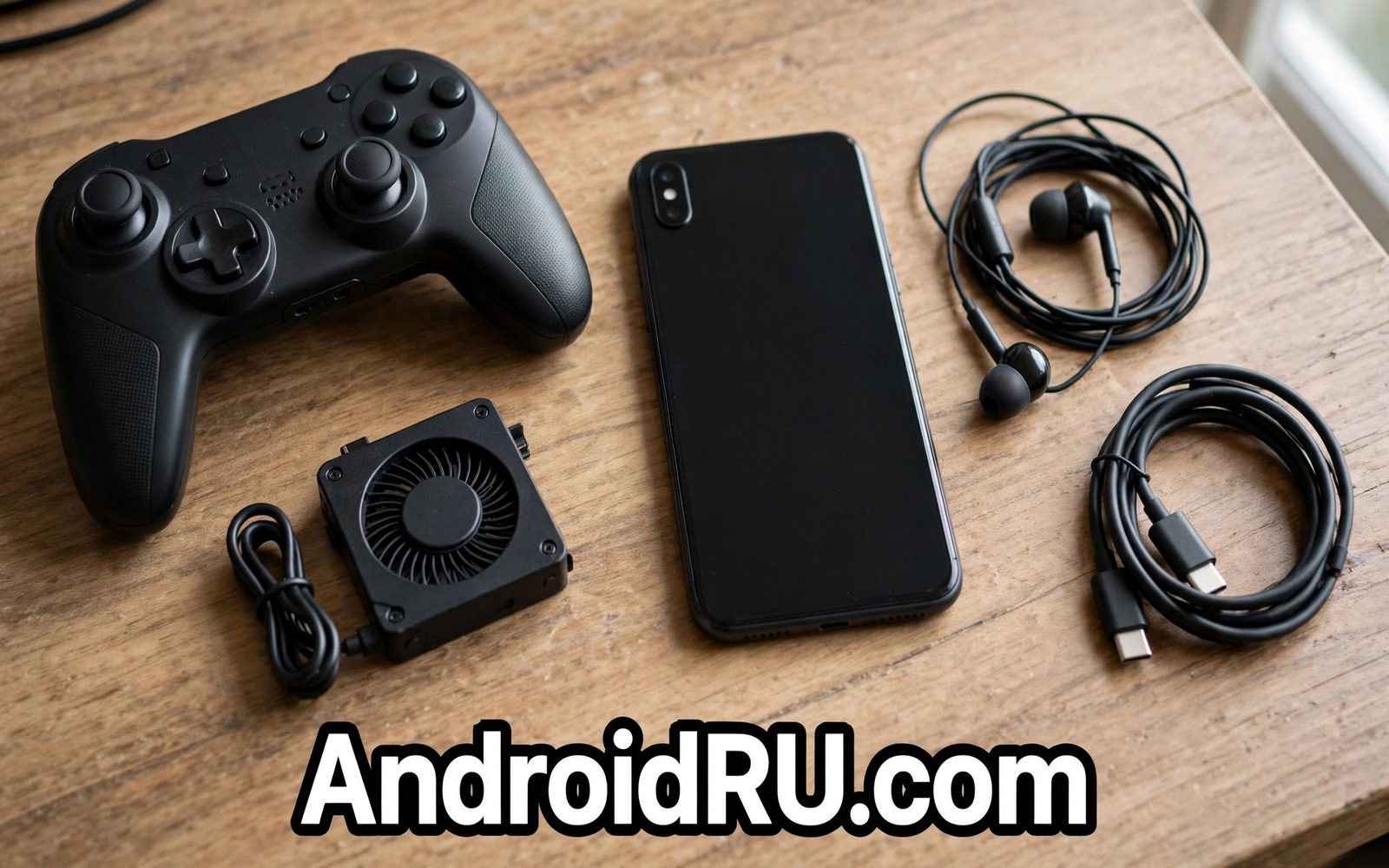
Frame rate drops often come from heat and input lag and not from game skill. A phone that heats up throttles its processor and drops frames. A touch screen with no grip can miss inputs at key moments. A weak network link can add lag that looks like low frame rate. The right accessories fix the physical limits that settings alone cannot fix.
This guide picks five accessories that help frame rates in real games. Each accessory targets a different limit. Cooling targets heat throttling. A controller targets input precision. Triggers target touch speed. A good cable targets stable charging during play. A power bank targets long sessions without a wall socket. Together they keep a phone fast for longer.
Buy accessories in order of your biggest limit. A player with a hot phone should start with cooling. A player with missed shots should start with input gear. A player with short sessions should start with power. One well chosen accessory beats five random gaming gadgets.
Accessory One: A Cooler That Stops Throttling
A clip on phone cooler uses a fan or a cooling plate to draw heat from the phone. Lower temperature lets the processor hold high speed for longer. That hold shows as steadier frame rates in long matches. Attach the cooler before a match and not after the phone already throttles. Early cooling prevents the throttle instead of chasing it.
Choose a cooler that fits your phone size and case. A cooler that blocks the charging port will annoy you during long play. Test the cooler in a casual match first. Note frame smoothness and phone temperature after twenty minutes. A cooler that keeps the phone merely warm is doing its job. A cooler that adds bulk without cooling is not worth the weight.
Accessory Two: A Controller For Precise Input
A mobile controller gives physical sticks and buttons for games that support them. Physical input reduces missed touches during fast fights. It also frees the screen from finger cover during aiming. A controller with low latency keeps input delay low. Test latency in a practice match before a ranked match.
Check game support before you buy a controller. Some games support controllers fully and some support them only in menus. A controller that works in menus but not in matches will disappoint you. Keep touch as a backup for games with poor controller support. A good controller should feel comfortable for a full hour of play.
Accessory Three: Triggers For Faster Touch
Clip on triggers add physical buttons over touch zones on the screen. Triggers help shooting games where aim and fire need separate fingers. A trigger press is faster and more consistent than a screen tap in the same spot. Triggers also reduce finger fatigue during long sessions. Choose triggers that clip firmly without scratching the screen edge.
Map triggers to fire and aim in the game settings. Test the mapping in practice mode first. Adjust trigger position until both triggers feel natural. A trigger that slips during play will hurt more than help. Remove triggers for non shooting games where they add bulk without benefit. The cooling benefit for long sessions pairs well with accessories that improve thermal cooling for mobile gamers when you play for hours.
Accessory Four And Five: Cable And Power For Long Play
A right angle charging cable lets you play in landscape mode while charging. A straight cable sticks out and strains the port during play. A braided right angle cable resists bends at the plug. Use a cable rated for your charger power. A weak cable will charge slowly during a demanding game.
A power bank with fast output keeps a long session alive away from a wall socket. Choose a bank with output power that matches your phone fast charging. Place the bank beside you and not on the phone. A bank on the phone adds heat and weight during play. A separate bank with a right angle cable gives power without heat on the phone.
Network And Comfort Gear That Protect Frame Rates
A stable network link protects frame rates from lag spikes. Play near a router or use a wired adapter where the game allows it. A phone stand for table play reduces hand fatigue during long sessions. Comfort matters because tired hands make mistakes that look like frame drops. A comfortable setup keeps focus on the game.
Use a light case during gaming if your case traps heat. A thick case can insulate the phone and trigger throttling sooner. Test the same match with and without the case. If frame rates improve without the case then use a thin gaming case. Small thermal choices add up over a long match.
cooler = attach_before_match
controller = test_latency_first
triggers = map_in_practice
cable = right_angle_braided
power = fast_bank_beside_phone
The snippet above is an original example written for this guide. It shows generic settings that you can adapt to your own device. It does not copy code from any outside source.
Use the example above as a gaming kit checklist. It is not code to install. Tick one line at a time as you test each accessory in a real match. Keep only the accessories that improve your own play.
Train Aim And Movement With Accessories
Accessories help most when they support training rather than replacing it. Use a controller in practice mode to learn new button layouts. Practice mode removes match pressure while you adapt. A new layout feels awkward for the first few sessions. Patience during adaptation pays off in ranked play.
Use triggers to practise separate aim and fire fingers. A dedicated fire finger frees the aim finger for tracking. That separation improves accuracy in fast fights. Practise the separation in bot matches first. Bot matches let you focus on finger work without enemy pressure.
Record your gameplay after adding an accessory. A recording reveals whether the accessory truly helps. A recording can show missed inputs that you did not notice live. Review one recording per week for honest feedback. Honest review beats feeling based accessory choices.
Remove an accessory that does not improve your recording results. An accessory that feels cool but hurts results is a distraction. Competitive play rewards results over gadget appeal. A lean kit with proven items beats a large kit with unproven items. Training discipline makes accessories work.
Protect Hands And Eyes During Long Sessions
Long gaming sessions strain hands and eyes. A comfortable grip reduces hand fatigue. A controller grip spreads pressure across the hand better than a flat phone edge. A grip that fits your hand size matters more than a fancy grip. Comfort sustains performance over hours.
Take a short break every hour during long play. A break rests eyes and hands and resets focus. A five minute break can restore reaction speed noticeably. A break also lets the phone cool slightly. Cooling during a break helps frame stability in the next session. Breaks are a performance tool and not wasted time.
Adjust screen brightness to room light for eye comfort. A very bright screen in a dark room strains eyes fast. A dim screen in a bright room forces squinting. Match brightness to the room for steady comfort. Eye comfort supports longer focused play. Thermal gear also supports long play and accessories that improve thermal cooling for mobile gamers covers cooling choices.
Stretch fingers and wrists between matches. Simple stretches prevent stiffness during tournaments. Stiff fingers miss inputs that fresh fingers hit easily. A stretch routine takes two minutes and it protects long term hand health. Health habits support gaming longevity.
Set Up A Mobile Gaming Corner
A gaming corner gives a phone a stable place for long sessions. A small desk with a stand holds the phone at a comfortable angle. A comfortable angle reduces neck strain during long matches. A stand also frees hands for a controller. A corner setup beats lap gaming for comfort.
Add good lighting to the gaming corner. Room lighting should avoid glare on the phone screen. Glare forces brightness increases that heat the phone. A glare free corner keeps brightness moderate. Moderate brightness helps battery and heat during play.
Keep charging gear in the gaming corner permanently. A right angle cable and a power bank in the corner remove setup time. Permanent gear means every session starts fast. Fast starts encourage short practice sessions. Practice frequency improves skill more than long rare sessions.
Keep the gaming corner cool with airflow. A fan or an open window helps phone cooling. Airflow complements a clip on cooler. A cool corner sustains frame rates longer. Environment design is a gaming accessory in itself. Comfort gear for long sessions also helps and accessories that make long gaming sessions extra comfortable covers comfort picks.
Clean the gaming corner weekly. Dust on a stand or cooler can reduce cooling efficiency. A clean corner performs better and feels better. Weekly cleaning takes minutes. A clean corner supports a clean gaming habit.
If long sessions also hurt comfort then accessories that make long gaming sessions extra comfortable covers comfort gear for extended play.
If a desk setup also matters for gaming then desktop stand mounts to upgrade a smartphone desk workstation compares stands for a gaming corner.
Common Mistakes
The first mistake is buying a controller for a game that lacks controller support. Check support before you pay. The second mistake is adding a cooler after throttling starts. Early cooling prevents throttling better than late cooling. The third mistake is using a thick heat trapping case during ranked play. A thin case can improve frame stability.
Another mistake is buying triggers that slip during play. A slipping trigger hurts aim. A further mistake is charging with a weak cable during a game. A weak cable cannot keep up with gaming power use.
Frequently Asked Questions
Do accessories really raise frame rates?
Accessories do not raise the maximum frame rate that a phone can render. They help the phone hold its frame rate by reducing heat and input lag. A cooler phone throttles less. A precise input feels faster even at the same frame rate.
Which accessory helps most for long matches?
Cooling helps most for long matches because heat throttling grows over time. A cooler keeps the processor fast in the second half of a session. Power gear helps second because a low battery can also limit performance.
Are triggers allowed in competitive games?
Triggers are allowed in most games because they only press touch zones. Check the rules of your specific game and tournament. Some competitive events ban external input aids. Follow event rules for ranked tournaments.
Conclusion
Test your hottest game today and note when frame rates drop. If drops start after twenty minutes then buy a clip on cooler first. If missed inputs cause losses then test a controller or triggers in practice mode. Add a right angle cable and a fast power bank for long sessions. That first accessory test is your concrete next step toward steadier peak frame rates.

