

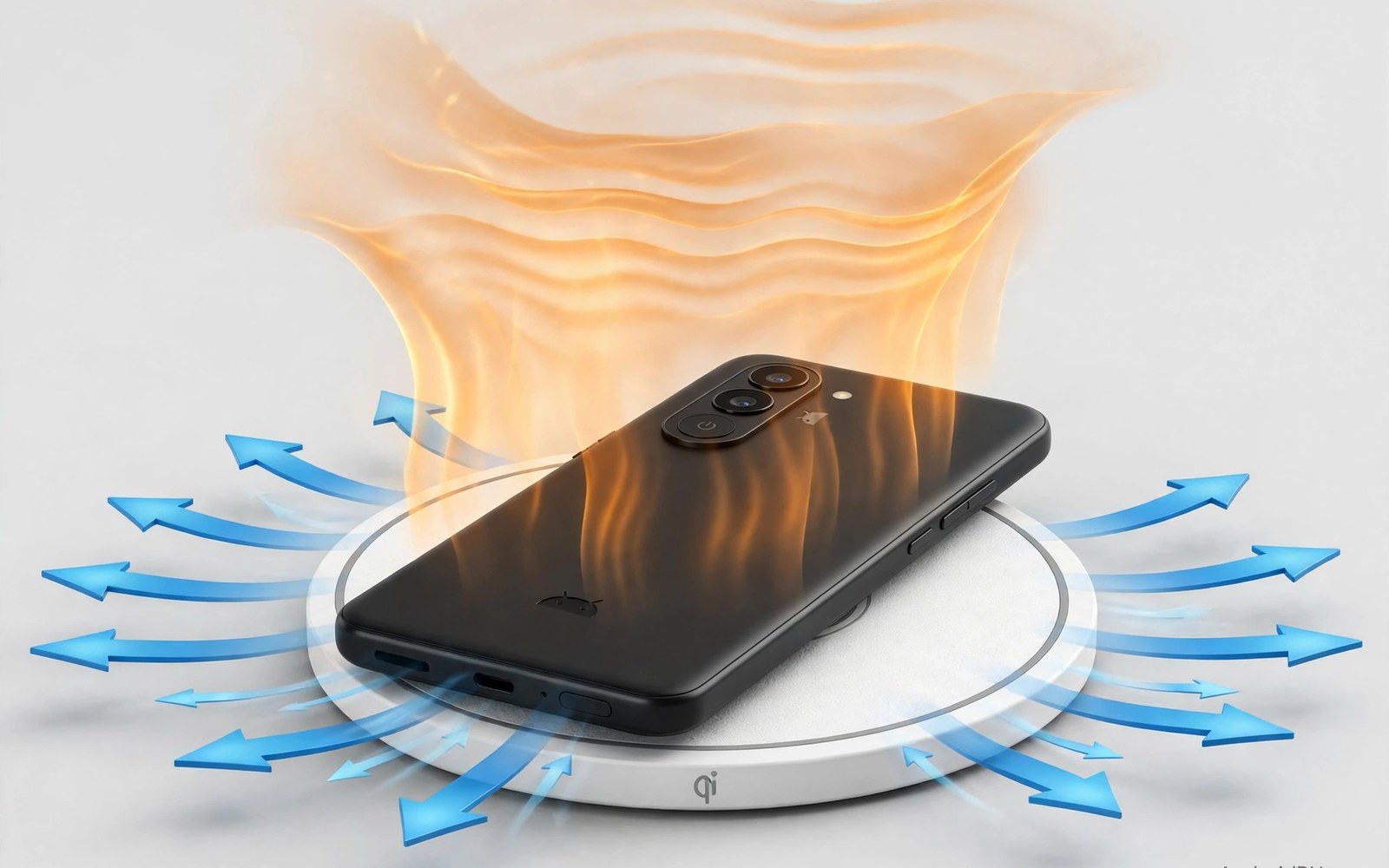
A wireless charging pad feels convenient until the phone comes off the pad warm to the touch. That warmth is not always a fault but it can signal wasted energy and slow charging. Wireless charging moves power through a magnetic field between two coils. Some energy turns into heat when the coils are misaligned or when the phone case is too thick. A phone that heats up may slow its own charging to protect the battery. The result is a phone that stays on the pad longer yet gains charge slowly. This guide explains why pads heat phones and how to keep charging cool and steady.
Coil alignment is the biggest factor in heat during wireless charging. The coil in the pad and the coil in the phone must sit close and centred for efficient transfer. A phone placed off centre forces the pad to work harder and more energy becomes heat. A case with a thick back or a metal ring can increase the gap and worsen the loss. Some pads include guides or magnets that pull the phone into the right spot. Those guides help a lot at night when you place the phone without looking. A pad without alignment help needs more care each time you set the phone down.
Charging speed also adds heat because faster wireless charging pushes more power through the coils. A pad rated for high wattage can heat a phone more than a slower pad in a warm room. The phone may accept high power for a short burst and then reduce power as temperature rises. That cycle can make a fast pad feel slower than a steady slower pad over a full charge. Room temperature matters too because a pad in direct sun or near a heater starts warmer. A cool room and a ventilated pad give the phone a better chance to stay within a safe range.
Why Coil Alignment Creates Heat
Wireless power transfer relies on a changing magnetic field that induces current in the phone coil. When coils align well most of the field links the phone coil and little energy is wasted. When coils sit off centre part of the field misses the phone coil and that missing energy becomes heat in the pad and the phone. The phone may also request more power to make up for the loss. That request raises current and heat further in a loop. Centring the phone breaks that loop and lets charging run at a steady rate with less waste.
Metal objects between the coils make the problem worse. A metal plate for a car mount or a thick metal card holder can absorb the magnetic field and heat up quickly. Some pads detect a foreign metal object and stop charging for safety. Others may keep trying and the metal object can become hot enough to damage a case. Remove metal plates before wireless charging and keep coins away from the pad surface. A case with a small metal ring for a magnetic mount should be tested carefully. If the pad stops often then that case is not a good match for wireless charging.
Choose A Pad And Case That Stay Cool
A pad with a fan or with ventilation slots can move heat away from the phone back. A fan adds a little noise but it can keep temperatures lower during fast charging. A solid pad with no airflow traps heat under the phone and the phone may throttle sooner. A pad with a raised design or with a textured surface can improve airflow under the phone. Look for a pad that states support for your phone charging standard rather than a generic high wattage claim. A pad that matches the phone standard will negotiate power correctly and it will not push power the phone cannot use well.
Case thickness should stay modest for wireless charging. A case thicker than a few millimetres can reduce efficiency sharply. A case with a soft back may also trap heat against the phone. Test charging with the case on and off to compare temperature and speed. If the phone charges much cooler without the case then the case is part of the problem. A thinner case or a case designed for wireless charging will help. For a magnetic setup that avoids the pad then magnetic cable charging protection offers a wired alternative that keeps the port safe. For cable problems on the road then fixing loose charging cables helps you keep a wired backup ready. For a tidy desk setup then rated 3 in 1 wireless charging stations show how one station can serve several devices.
Practical Steps To Prevent Overheating
Place the phone in the centre of the pad and check that the charging light or icon appears right away. Wait a minute and feel the phone back for unusual warmth. A mildly warm back is normal during fast charging. A back that feels hot to hold signals a problem with alignment or case or room temperature. Move the phone a little to improve alignment and watch whether charging stays steady. Remove the case for one test charge to isolate the cause. If the phone stays cool without the case then change the case before blaming the pad.
Avoid charging on a bed or a sofa where the pad sinks into soft fabric. Soft fabric blocks airflow under the pad and it traps heat around the phone. Use a hard flat surface such as a desk or a nightstand. Keep the pad away from direct sun and away from a heater vent. Do not stack a second device on top of the charging phone because that stack blocks heat escape. If you charge overnight then a slower pad may be kinder to the battery than a fast pad in a warm bedroom. A slow overnight charge finishes by morning without pushing temperature high for hours.
Monitor Temperature With Simple Commands
A computer check can show battery temperature while the phone sits on a pad. Try these battery temperature checks on a trusted computer. They report battery state without changing any setting. Compare temperature after ten minutes on the pad with the case on and off. That comparison gives a clear number rather than a guess based on touch alone.
adb shell dumpsys battery
adb shell cat /sys/class/power_supply/battery/temp
Attribution: This code sample is an original example written for this article. It shows standard battery diagnostic commands that help a reader monitor charging temperature. It does not modify the device and it does not come from any outside guide.
Temperature readings vary by phone model and by unit. Use the same phone and the same pad for both tests so the comparison stays fair. If temperature climbs fast with a particular case then that case should not stay on during wireless charging. If temperature climbs fast on every pad then test a slower charger to see if the phone runs cooler. A cooler charge may take longer but it can protect long term battery health. Keep a note of the pad and case pair that gave the coolest steady charge.
A charging pad in a bedroom should also stay away from blankets that can slide over it during the night. A blanket over a charging phone traps heat and it can hide a charging warning. Keep the pad on a clear nightstand and keep the phone face up so heat can escape from the back. If you use a phone alarm in the morning then place the pad where you can see the screen without moving the phone. That visibility helps you notice a charging stop before you leave the house.
Check pad firmware or pad instructions if the maker offers an update through an app. Some pads improve foreign object detection through an update. An update will not fix a thick case or a misaligned coil. It can improve safety detection for metal objects. Read the update notes before installing and test charging again after the update. A pad that behaves worse after an update should be reset to its default settings and tested with a thin case.
A pad that works well in winter may behave differently in a hot summer room. Heat from the room adds to heat from charging and the phone may throttle sooner in summer. Move the pad to a cooler spot in summer and use a slower charging setting if your phone offers one. A small fan near the desk can also help airflow around the pad. Those simple changes keep summer charging as steady as winter charging.
A wireless pad used in a car needs a mount that keeps the phone centred on bumps. A car pad that lets the phone slide will lose alignment and heat up during a drive. A pad with a grip surface or a small lip helps hold the phone in place. Test the car pad on a short drive before a long trip and check charging after each bump. A stable car pad keeps navigation running without a hot phone.
Common Mistakes
One common mistake is placing the phone off centre and leaving it for hours. An off centre phone may charge slowly and heat up without the user noticing. Another mistake is using a thick case with a metal plate and blaming the pad for slow charging. Remove the plate and test again before buying a new pad. A third mistake is charging on soft bedding that blocks airflow. A hard surface costs nothing and it improves cooling a lot.
Some users also charge in direct sun on a car dashboard pad. Sun plus wireless heat can push a phone into thermal protection quickly. Move the pad to shade and let the phone cool before charging again. Another error is covering the phone with a cloth while it charges. A cloth traps heat and it hides a warning about temperature. Keep the charging area clear and check the phone back during the first few charges with a new pad.
Frequently Asked Questions
Is it normal for a phone to feel warm on a wireless pad?
A mildly warm phone back is normal during wireless charging especially at higher speeds. A back that feels hot to hold is not normal and it signals alignment or case or heat problems. Move the phone to the centre and remove a thick case for a test. If heat stays high then try a slower pad in a cooler room.
Does wireless charging damage the battery faster?
Wireless charging can add heat and heat can age a battery faster over time. A cool and well aligned wireless charge ages a battery far less than a hot and misaligned charge. Use a slower pad overnight and keep the phone cool to reduce that effect. A wired charge in a cool room is also a good option for long term health.
Why does my pad stop charging after a few minutes?
A pad may stop when it detects a metal object or when temperature rises too high. Check for a metal plate in the case and check alignment on the pad. Move the phone to the centre and remove any metal object between the coils. If the pad still stops then test another pad to isolate a faulty pad from a phone problem.
Conclusion
Wireless charging heat comes mainly from poor alignment and thick cases and warm rooms. Centre the phone and use a case that suits wireless charging and place the pad on a hard cool surface. Test temperature with a case on and off and choose the pair that stays coolest. Avoid metal plates between coils and avoid charging in direct sun. Your concrete next step is simple. Tonight centre your phone on the pad and feel the back after ten minutes and switch to a thinner case if the phone runs hot.

