

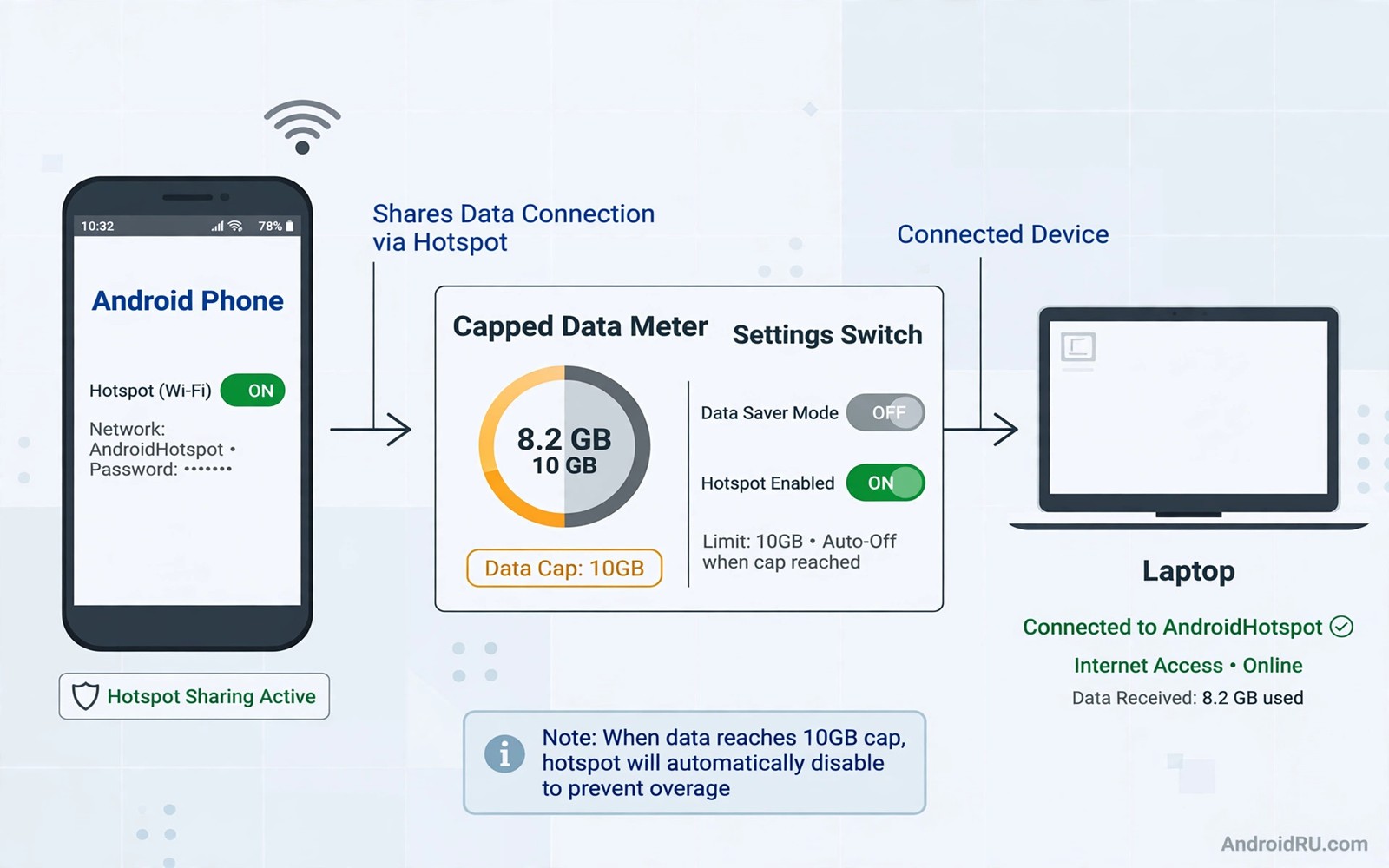
A hotspot cap can stop work in the middle of a task. Your phone may still have mobile data left while the hotspot stops sharing it. That split feels unfair because the data comes from the same plan. Carriers often count hotspot data separately from phone data. Understanding that split is the first step to a legal workaround.
This guide does not teach you to break carrier rules or to hide traffic in a deceptive way. It shows legal paths that many users miss. Those paths include a better plan and USB tethering and data saving settings. They also include using Wi-Fi where it exists and moving heavy tasks to off peak times. A legal path keeps your account safe and your connection stable.
Start by reading your plan terms in plain language. Find the hotspot allowance and the speed after the cap. Find whether USB tethering counts differently from Wi-Fi hotspot. Find whether a plan upgrade costs less than the time you lose to a cap. Facts from your own plan beat rumours from forums.
Check Your Plan And Hotspot Allowance First
Open your carrier app and look for hotspot or tethering data use. Note the total allowance and the amount used this month. Note the speed limit that applies after the cap. Some plans slow hotspot speed instead of stopping it. A slow hotspot may still carry email and messages even if video fails.
Call carrier support if the app numbers look unclear. Ask three direct questions about hotspot allowance and USB tethering and plan upgrades. Write down the answers and the name of the support agent. A written record helps if a later bill differs from the promise. Do not accept a vague answer about unlimited data when hotspot has a separate cap.
Use USB Tethering When It Counts Differently
USB tethering shares the phone connection through a cable instead of Wi-Fi. Some plans treat USB tethering as phone data rather than hotspot data. Check your plan terms before you rely on that difference. Connect the phone to a laptop with a USB cable. Open Hotspot settings and turn on USB tethering.
Test USB tethering with a small task first. Send an email and load a web page. Check the carrier app after the test to see which bucket the data used. If USB data counts as phone data on your plan then it is a useful legal option. If it counts as hotspot data then it will not help your cap. Never assume the counting rule without a test. The hotspot stability tips in turning Android into a powerful dual band hotspot also help when you use USB tethering for long sessions.
Cut Data Use So The Cap Lasts Longer
Lower video quality on the laptop when you use a hotspot. A video at standard quality uses far less data than a video at high quality. Turn off cloud photo sync and large app updates during hotspot use. Pause automatic backups until you reach Wi-Fi. Those pauses can save hundreds of megabytes in a day.
Use a browser data saver or a lite mode for heavy pages. Block auto play video on news sites during hotspot work. Download large files on Wi-Fi before travel when you can. A little planning stretches a hotspot cap more than any trick. Keep a data budget for the day and check it at lunch.
Use Wi-Fi And A Second Connection Wisely
Use trusted Wi-Fi for large downloads and video calls when it is available. Save hotspot data for email and messages and small tasks. A cafe Wi-Fi session for a large update can save a full day of hotspot allowance. Use a VPN only on trusted public Wi-Fi and follow the network rules there.
Consider a second data option for heavy travel days. A local prepaid SIM or a portable Wi-Fi device can carry the heavy tasks. A work Wi-Fi network can carry office tasks under office rules. Split tasks by network instead of forcing every task through one capped hotspot. That split is legal and it is practical.
Upgrade Or Change Plan When The Cap No Longer Fits
Add up the cost of lost work time caused by the cap. Compare that cost with the price of a larger hotspot plan. A small upgrade can cost less than a single missed deadline. Ask the carrier about a hotspot add on for one month. A temporary add on suits a travel month better than a permanent upgrade.
Compare plans from other carriers in your area before you switch. Check hotspot allowance and coverage and speed after the cap. A cheaper plan with a tiny hotspot cap may cost more in lost work. Choose the plan that matches your real hotspot use. Keep the old plan active until the new plan works well for a full week.
hotspot_bucket = check_carrier_app
usb_tethering = test_counting_first
video_quality_on_hotspot = standard
large_downloads = wifi_only
The snippet above is an original example written for this guide. It shows generic settings that you can adapt to your own device. It does not copy code from any outside source.
Use the example above as a legal checklist for hotspot use. It is not code to install or a trick to hide traffic. Follow each line in order and record the result of the USB test. That record keeps your method honest and repeatable.
Plan Data Use For A Travel Month
A travel month needs a data plan before departure. Estimate daily hotspot need from past travel days. Add a margin for maps and messages and unexpected work. Compare that estimate with your hotspot allowance. A plan based on estimates beats a surprise cap in a foreign city.
Download maps and large files before travel while on Wi-Fi. Offline maps save huge data during a trip. Offline documents save data during flights and rural travel. A prepared traveller uses hotspot only for live tasks. Preparation is the cheapest data saving tool available.
Set a daily data check during travel. Check the carrier app each evening and compare use with the daily budget. A daily check catches overuse early when a fix is still possible. A weekly check catches overuse only after the cap hits. Daily discipline is a travel habit worth building.
Keep a backup connectivity option for critical travel days. A local SIM or a cafe Wi-Fi session can carry a critical task if hotspot caps out. A backup option removes panic from a cap event. Panic leads to expensive roaming choices. A calm backup plan keeps travel work steady.
Negotiate A Better Hotspot Deal
Carriers often have hotspot add ons that the app does not advertise clearly. Ask support directly about hotspot add ons for your plan. Ask about temporary add ons for a travel month. Ask about family plan hotspot sharing if you share a plan. Direct questions reveal options that a generic plan page hides.
Compare the add on price with the cost of a separate portable Wi-Fi device. A portable device may suit a heavy travel month better. A portable device also separates work data from phone data cleanly. A separate device adds a second battery to manage. Weigh convenience against cost for your travel pattern.
Document any promise that support makes about hotspot counting. Note the date and the agent name and the exact wording. A documented promise helps if billing differs later. A verbal promise without notes is hard to prove. Documentation is a boring habit that saves real money. Dual band hotspot setup also matters and turning Android into a powerful dual band hotspot covers band choice for shared work.
Review your hotspot deal every six months. Plans change and better deals appear quietly. A six month review keeps your plan matched to your use. A plan that suited last year may waste money this year. Regular review is a financial habit as much as a technical one.
Use Hotspot Data For Work Tasks Only
Work tasks deserve hotspot priority over entertainment tasks. A work laptop on hotspot should not stream video for fun. Fun streaming burns the work data budget fast. Separate work and entertainment networks when possible. A work hotspot budget lasts longer with discipline.
Set browser rules for hotspot work sessions. Block auto play video on news sites during hotspot work. Pause social feeds that refresh video automatically. Those background videos consume data silently. Silent consumption is the most common hotspot budget killer.
Use lightweight versions of work tools on hotspot. A lightweight email client uses less data than a heavy web app. A lightweight document editor syncs smaller changes. Tool choice affects data use as much as task choice. Lightweight tools stretch a hotspot budget noticeably.
Track hotspot use per task for one week. Note which tasks used the most data. A task log reveals surprising data hogs. A video meeting may use far more than email. A large file sync may use more than a whole day of email. Task awareness guides future hotspot planning. Bandwidth control also helps and stopping unwanted devices stealing hotspot bandwidth covers device control.
Share the task log with a team if you share a hotspot plan. A shared log sets fair expectations for data use. Fair expectations prevent one user from burning a shared budget. Shared discipline protects shared work. A team data budget needs team awareness.
If tethering itself feels restricted on your plan then speeding up cellular tethering data restrictions explains the tethering limits to check.
Common Mistakes
The first mistake is assuming that unlimited phone data means unlimited hotspot data. Carriers often split those buckets. The second mistake is using a deceptive tool to hide hotspot traffic. That path can break carrier terms and risk account action. The third mistake is streaming high quality video on a capped hotspot and then blaming the cap. Lower quality first and save the cap for work.
Another mistake is ignoring the carrier app until the cap hits. Check the bucket early in the month. A further mistake is switching plans without checking coverage. A large cap on a weak network helps no one.
Frequently Asked Questions
Is USB tethering always counted differently from Wi-Fi hotspot?
No counting rules differ by carrier and by plan. Some plans count both the same way. Test with a small task and check the carrier app. Never rely on a forum claim about your own plan.
Can I legally increase my hotspot allowance?
Yes you can buy a larger plan or a hotspot add on from your carrier. You can also use Wi-Fi for heavy tasks. Those paths are legal and safe for your account. Avoid tools that hide traffic type from the carrier.
Why does hotspot stop while phone data still works?
The carrier counts hotspot data in a separate bucket on many plans. Phone apps use the phone bucket. A laptop through hotspot uses the hotspot bucket. When the hotspot bucket empties the hotspot stops even if phone data remains.
Conclusion
Check your carrier app today and note your hotspot allowance and used amount. Test USB tethering with a small task and record which bucket it used. Lower video quality on hotspot and move large downloads to Wi-Fi. If the cap still blocks your work then price a hotspot add on for next month. That plan check is your concrete next step toward legal hotspot freedom.

