

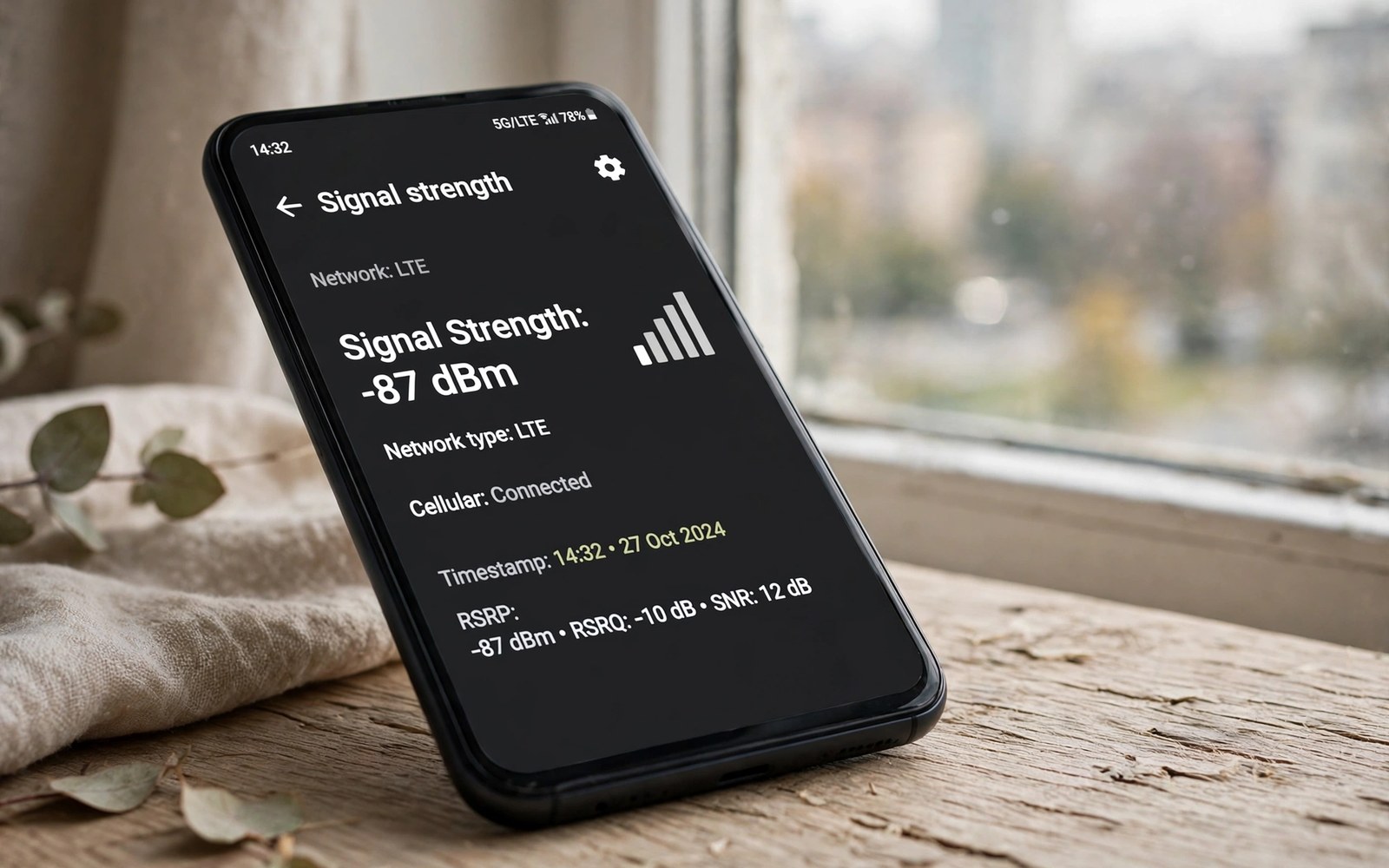
Signal bars hide the truth about mobile reception. A phone with three bars on one brand can show two bars on another brand for the same signal. A dBm value gives an exact measurement that bars cannot. Learning to read dBm helps you compare rooms and carriers fairly. It also helps you prove a weak spot to support staff.
dBm stands for decibels relative to one milliwatt. Mobile signal values are negative. A value closer to zero means a stronger signal. A value near minus fifty is excellent. A reading close to minus one hundred and twenty counts as very weak. Most daily use sits between those extremes.
Find dBm on your Android phone
Open Settings and tap About Phone. Tap SIM status or Status information depending on brand. Look for signal strength in dBm. Some phones show dBm for each SIM separately. Note the value for the SIM you use for data.
Use a field test menu on some phones for more detail. Dialer codes for field test vary by brand and carrier. A field test screen can show serving cell and neighbour cells. Do not change field test settings unless you understand them. Reading values is safe but changing them can break service.
Install a signal app only from a trusted source if settings do not show dBm. A signal app can display dBm and cell details in one screen. Check app permissions before installing. A signal app needs location permission to show cell details. Remove the app after testing if you do not need it daily.
Interpret dBm values correctly
A value from minus fifty to minus eighty is strong. Calls and data should work smoothly in that range. A value from minus eighty to minus one hundred is fair. Data may work but video can buffer at the lower end. A value below minus one hundred is weak. Calls may drop and data may stall in that range.
Compare dBm in the same place over time rather than across brands. Different phones have different antennas and scales. A fair comparison uses the same phone in different places. A same phone comparison reveals the best room or spot reliably. A cross phone comparison needs caution.
Note the network type alongside dBm. A strong LTE dBm and a weak 5G dBm are not directly comparable for speed. A stable LTE link can beat a weak 5G link for calls. Judge a link by dBm and stability together. A stable value matters as much as a strong value.
Measure dBm like a professional
Stand still for thirty seconds before reading dBm. Signal values fluctuate as the phone searches. A still reading after thirty seconds is more stable. Take three readings and note the middle value. A middle value avoids a single spike or dip.
Test each room in your home with the same method. Note the room and the dBm and the network type. A home map of dBm values reveals the best call spot. Share that map with family members who use the same carrier. A shared map saves everyone from dead corners.
Test outdoors as a baseline for each home test. An outdoor reading shows the best signal available nearby. An indoor reading far below outdoor shows building loss. A large indoor loss points to walls or a metal roof. A small indoor loss points to a distant tower.
Weak signal fixes start with measurement. The guide to fixing weak 5G signal uses dBm to choose fixes. A measured weak spot deserves a placement or mode fix. An unmeasured complaint gives no direction for a fix.
Use dBm to diagnose drops and stalls
Record dBm during a dropped call if you can. A drop at a very weak dBm points to coverage. A drop at a strong dBm points to a tower or account issue. A drop pattern with dBm values helps support staff. A vague drop report without dBm is harder to diagnose.
Record dBm during a data stall too. A stall at weak dBm suggests signal loss. A stall at strong dBm suggests congestion or an app issue. Check other apps during a stall to separate app faults from signal faults. A stall in every app points to the link.
Track dBm over a week for a recurring problem. A week log reveals time patterns. Evening weak values may reflect load rather than signal. Morning strong values may reflect a quiet tower. A time pattern guides the right fix.
adb shell dumpsys telephony.registry | grep -i -m 5 "mSignalStrength"
adb shell dumpsys telephony.registry | grep -i -m 3 "level"
The lines above are drawn from standard Android telephony diagnostics and are provided as a learning example for dBm checks. Strength output is the source of the numbers used in this guide. Level hints vary by device and should be read alongside dBm.
Compare carriers with dBm fairly
Test each carrier SIM in the same phone and same spot when possible. A same phone test removes antenna differences. Test at the same time of day for fairness. Tower load changes by time and can skew a comparison. A fair test needs same phone and same spot and similar time.
Test several spots for each carrier. A carrier that wins at home may lose at work. A carrier map across your daily route matters more than a single spot win. Choose a carrier that performs well across your routine. A single spot test can mislead a carrier choice.
Note both signal and speed for each carrier. A strong dBm with slow speed can reflect congestion. A weaker dBm with fast speed can reflect a less loaded tower. Speed and signal together give a fuller picture. Judge a carrier by both measures.
Rural comparisons need dBm even more. The guide to improving reception in deep rural areas uses dBm to find the best spot. A rural dBm log across a property can reveal a usable call location. A log beats guessing in a large rural area.
Use dBm for a home coverage map
A home coverage map turns dBm readings into a practical guide. Draw a simple floor plan on paper. Write the dBm value in each room. Mark the best room for calls with a star. A paper map helps family members find a good spot fast. A map also helps you decide where to place a booster if needed.
Update the map after a furniture move or a router change. A moved bookshelf can change indoor signal slightly. A new metal appliance can change it more. A map update after a major change keeps the guide accurate. An accurate map remains useful for years.
Share the map with visitors who need a call. A visitor can go straight to the best room. A shared map saves a visitor from wandering through dead spots. A simple map is a kind gesture for guests in a weak signal home.
Record dBm for a carrier complaint
A carrier complaint with dBm data carries more weight than a bars complaint. Include dates and times and locations in the complaint. Include the phone model and network type as well. A complete complaint helps engineers reproduce the issue. An incomplete complaint may get a generic reply.
Attach screenshots of dBm readings when the carrier portal allows it. A screenshot proves the reading and the time. A screenshot also shows the network type alongside dBm. A visual record supports a written complaint well. Keep copies of everything you submit.
Use dBm to choose a work from home spot
A work from home spot needs a strong and stable mobile link as a backup. Measure dBm at each desk option in your home. Choose the desk with the strongest stable dBm for important calls. A desk with a weak backup link can fail during a Wi-Fi outage. A strong backup desk keeps work moving when Wi-Fi drops.
Test dBm at the work desk at different times of day. A desk that is strong in the morning may weaken in the evening. A desk that stays strong all day is the best work spot. A time tested desk gives reliable backup for video meetings. A reliable backup desk is worth a small furniture move.
Measure dBm at a work desk with the door open and closed. A closed door can change indoor signal slightly. A door test reveals whether a closed door matters for calls. A desk that works with the door closed is best for private meetings.
Measure dBm with a headset connected as well. A headset should not change dBm but it can change call quality perception. A headset test separates signal quality from audio quality. A clear separation helps you choose the right fix for a poor call.
Test dBm at the work desk with different phone cases as well. A metal case can weaken signal noticeably. A plastic case usually has little effect. A case test helps you choose a case that suits a weak signal desk.
Test dBm with the phone charging and not charging. A charging phone should show similar dBm. A large difference may point to a faulty charger causing interference. A charger test is a quick diagnostic step.
A charger that changes dBm sharply deserves replacement with a certified charger.
Common mistakes
One mistake is comparing bars across different phone brands. Bars use different scales per brand. Another mistake is reading dBm once while moving. A moving reading fluctuates and misleads.
Another mistake is ignoring network type alongside dBm. A strong LTE value and a weak 5G value serve different purposes. People also forget to test outdoors as a baseline. An outdoor baseline separates building loss from tower distance.
Frequently asked questions
What dBm is good for a video call?
A value above minus ninety usually supports a smooth video call. A value near minus one hundred may still work but can buffer. A value below minus one hundred and ten often drops video. Use Wi-Fi for video in a weak dBm area when possible.
Can I improve dBm with an app?
No app can create signal where none exists. An app can only display dBm more clearly. Placement and network mode and external antennas can improve dBm. An app that claims to boost signal alone should be treated with suspicion.
Why does dBm change without moving?
Tower load and neighbour interference change over time. Weather and passing vehicles can also shift signal slightly. A small change without moving is normal. A large swing without moving may indicate a tower issue.
Conclusion
Find dBm in SIM status and interpret it with the ranges in this guide. Measure still for thirty seconds and take three readings per spot. Build a home dBm map and use it to pick call spots and carriers. Your concrete next step is to check your current dBm now and record it for your main room today. For band stability read locking a stable network band next.

