

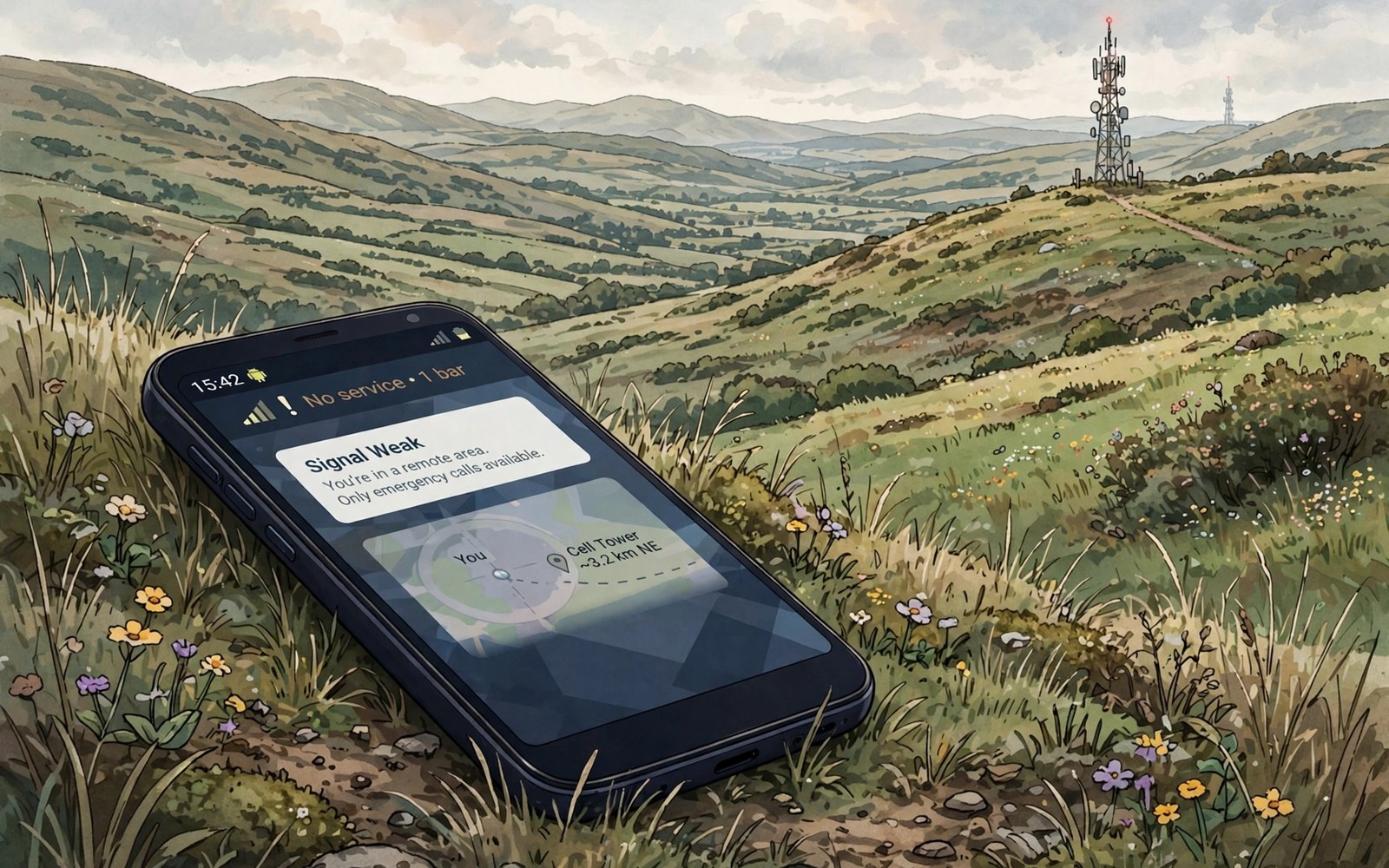
Rural signal feels different from city signal. A tower may sit many kilometres away. Hills and trees can block the path. A phone that works fine in town can struggle on a farm road. Small placement and settings changes can still lift reception in deep rural areas.
Distance is the main rural challenge. A signal weakens as it travels. Terrain can block a direct path to the tower. A phone indoors loses more signal through walls and roofs. A combination of distance and building loss can push a usable outdoor signal below the indoor threshold. Outdoor tests often reveal a signal that indoor tests hide.
Find the strongest signal spot
Walk outside and check signal strength in dBm in several spots. A spot near a window facing the tower often wins. A higher spot such as an upstairs room can also win. Note the best spot for calls. Use that spot for important calls rather than fighting a dead corner.
Test each side of a building. A wall facing the tower blocks less signal than a wall facing away. A metal roof can block signal strongly. A window on the tower side can act as a signal window. Place a phone near that window for a test call. A simple move can turn a failed call into a clear one.
Remove a thick metal case for a test. A metal case can weaken an already weak signal. Test with the case off in the best spot. If signal improves sharply then use a non metal case in rural areas. A case change is a cheap fix for a weak link.
Use network mode and tower resets wisely
Choose a stable network mode for rural use. A phone that hunts for 5G in a rural area may flap between networks. LTE often offers a more stable rural link. Set preferred network type to LTE preferred for a day and compare call quality. Keep the mode that holds calls best. Return to 5G when you travel to a town with strong coverage.
Toggle airplane mode once after arriving in a rural area. A fresh tower search can find a closer tower that the phone missed. Wait for full registration before testing a call. Do not toggle repeatedly because each search takes time and battery. One clean reset per arrival is enough.
Check for a carrier update after a long rural stay. Carrier settings can improve tower selection for a region. Install updates on Wi-Fi before a rural trip when possible. A carrier update can change which bands the phone prefers. Test signal after the update in the same spot for a fair comparison.
Exact signal measurement helps rural planning. The guide to measuring signal strength in dBm shows how to read dBm values correctly. A dBm log across spots reveals the best call location fast. Use that log to pick a home base for calls and data.
Consider external help for a weak home signal
An external antenna or a signal booster can help a rural home when outdoor signal is usable. A booster needs an outdoor antenna placed where signal is strongest. It repeats that signal indoors. Check local rules for booster use before buying. A booster cannot create signal where no outdoor signal exists.
Wi-Fi calling can rescue indoor calls when mobile signal is weak indoors. A home broadband link can carry voice over Wi-Fi. Enable Wi-Fi calling in phone settings when your carrier supports it. Test a Wi-Fi call from the weakest indoor room. A stable broadband link makes Wi-Fi calling reliable.
Satellite messaging on newer phones can help in true dead zones for emergency texts. Check whether your phone supports satellite messaging and how to trigger it. Satellite features vary by phone and region. Treat satellite as an emergency tool and not a daily data replacement. A satellite message can still reach help when no tower is available.
adb shell dumpsys telephony.registry | grep -i -m 5 "mSignalStrength"
adb shell settings get global preferred_network_mode
These lines come from standard Android telephony diagnostics and are provided as a learning example for rural signal checks. Strength output gives you a number to compare across spots on your property. A network mode read may differ by carrier build.
Plan data use in weak areas
Weak signal slows data and drains battery faster. Download maps and media before a rural trip. Offline maps work without a live link. Downloaded video avoids buffering on a weak link. A prepared phone feels fast even where signal is thin.
Pause cloud backups in weak areas. A backup upload can hog a weak link for hours. It can also drain battery while the radio retries. Pause backups until you reach Wi-Fi or a stronger area. Resume backups overnight when the link is stable.
Use messaging apps that handle weak links gracefully. A text message needs far less signal than a video call. Send a text first when a call keeps dropping. A text can queue and deliver when signal returns briefly. Voice messages can also work better than live calls in weak spots.
Band stability matters in rural areas too. The guide to locking a stable network band explains band behaviour in detail. A stable band can hold a weak link better than a fast band that flaps. Use band knowledge to pick a mode that favours stability over peak speed.
Use offline tools to survive dead zones
Offline tools turn a dead zone from a crisis into an inconvenience. Download offline maps for the whole rural route before departure. Offline maps include roads and key points without a live link. A downloaded map can guide you through a valley with no signal. Update offline maps on Wi-Fi before each rural trip.
Offline translation and notes also help in dead zones. A downloaded language pack works without a tower. A notes app with local storage keeps information available offline. Prepare any document you may need before leaving town. A prepared phone reduces the need for a live link.
Emergency information deserves offline preparation too. Save emergency numbers and key contacts in the phone contacts. A saved contact works even when data is absent. Note the nearest town with coverage on your route. A known coverage point gives you a plan if an emergency arises.
Work with your carrier on rural coverage
Carrier coverage improves when users report dead zones with data. Report a dead zone with location and dBm readings. A report with numbers helps engineers check tower logs. A vague report rarely leads to action. A detailed report can join other reports from the same area.
Ask about rural roaming partners when your carrier has gaps. A partner network may cover a valley that your carrier misses. Roaming settings can allow a partner link automatically. Check roaming charges before enabling partner roaming abroad. Domestic roaming rules differ from international roaming rules.
Community solutions can help a whole village. A shared booster or a community Wi-Fi point can cover a hall or school. Talk to neighbours about a shared solution for a common dead zone. A shared cost makes a booster affordable for a small community. A community point also gives visitors a reliable link.
Prepare a rural trip checklist
A checklist prevents forgotten preparation before a rural trip. Download maps and media and key documents on Wi-Fi. Charge the phone and a power bank fully. Note the best signal spots at your destination if you know them. A checklist takes five minutes and it saves hours of frustration.
Share your route and expected return time with someone in town. A shared plan helps if you enter a dead zone. A contact who knows your route can raise help if you do not return. A simple message before departure is a safety habit for rural travel.
Carry a paper note with key addresses and phone numbers for rural travel. A paper note works when a phone battery dies or signal vanishes. A digital note alone can fail at the worst moment. A paper backup is a low tech safety net for remote areas.
Check weather before a rural trip as well. Heavy rain and storms can weaken signal and make roads unsafe. A weather check helps you choose a safer travel time. It also helps you pack a charger and a rain cover for the phone.
Note the best signal spot at your rural home so visitors and family can find it without a long search. A short signal note saves time on every future visit to a weak area.
Save the best signal spot as a contact note on your phone for future rural visits. A saved spot note helps you find a clear call location fast.
Common mistakes
One mistake is staying indoors and blaming the carrier. An outdoor test often shows a usable signal that walls block. Another mistake is forcing 5G in a rural area with no 5G tower. A forced mode can leave you with no service at all.
Another mistake is buying a booster without testing outdoor signal first. A booster needs a usable outdoor signal to repeat. Test outdoor dBm in several spots before buying. A booster placed with a poor outdoor antenna will disappoint.
People also ignore Wi-Fi calling in rural homes with broadband. Wi-Fi calling can solve indoor voice problems at once. Enable it before you buy hardware. A free setting often beats an expensive device.
Frequently asked questions
Will a new phone fix rural signal?
A new phone may support more bands and better antennas. It cannot create a tower where none exists. Test outdoor signal with your current phone first. A new phone helps most when your current phone lacks a key rural band.
Does holding the phone differently help?
Yes slightly. A hand over the antenna area can weaken signal. Hold the phone by the edges during a weak signal call. Place the phone on a table near a window for the best test. A small change in grip can shift dBm by a few points.
Is a booster legal everywhere?
Rules vary by country and carrier. Some regions require carrier approval for boosters. Check local rules before you install one. An unapproved booster can interfere with other users on the same tower.
Conclusion
Find the strongest outdoor spot and test dBm there. Choose a stable LTE mode for rural use and enable Wi-Fi calling indoors. Download maps and media before a trip into a weak area. Your concrete next step is to walk outside today and record dBm on each side of your building. For weak signal fixes in towns read fixing weak 5G signal and for exact measurement use measuring signal strength in dBm.

