

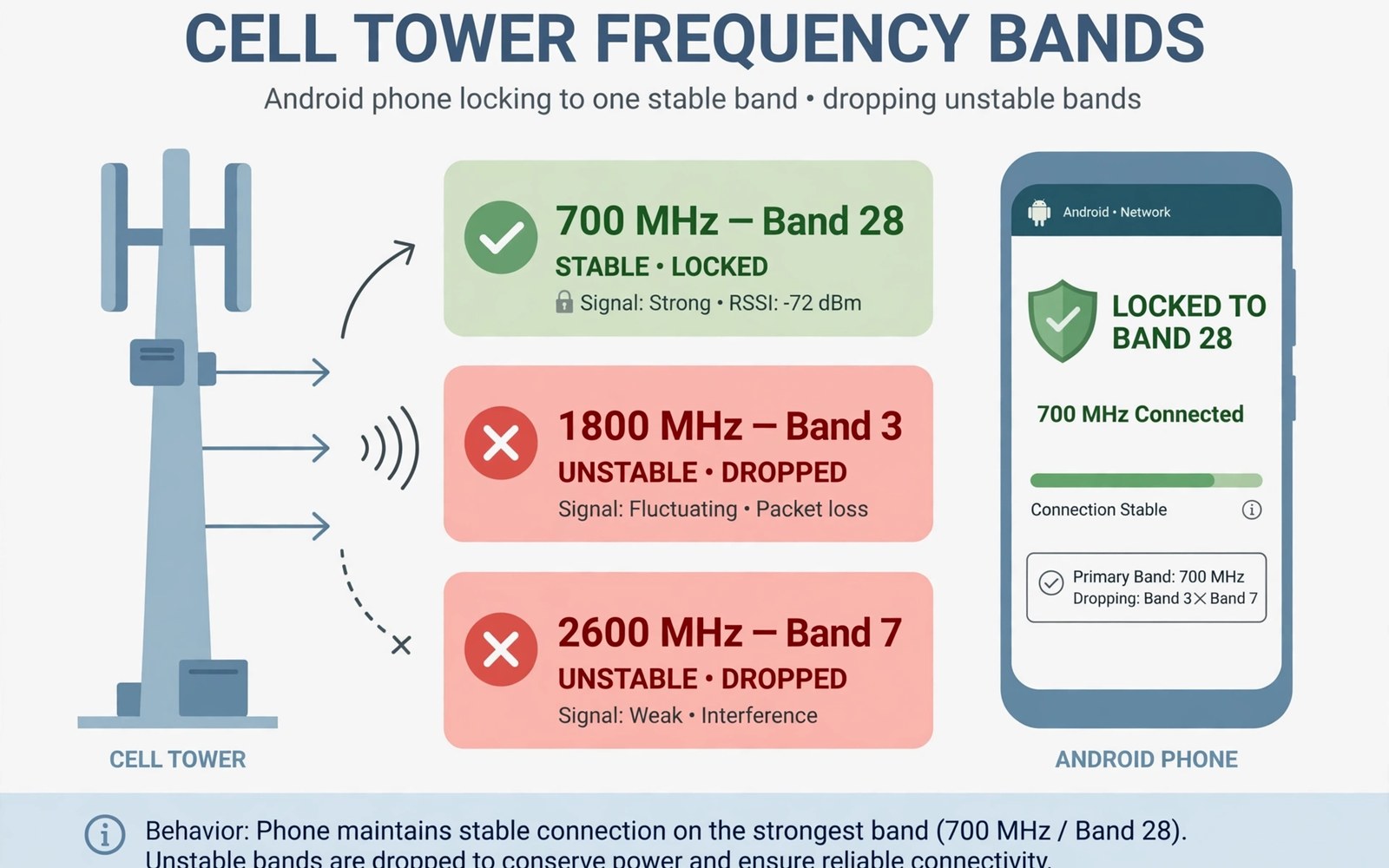
Mobile data can drop when a phone jumps between cell towers and frequency bands. A phone may cling to a fast band that fades at the edge of coverage. It may then switch bands repeatedly and stall data during each switch. A band lock can stop that flapping by holding one stable band. This technique needs care because a wrong lock can leave you with no service.
Bands differ in range and speed. Low bands travel far and pass through walls better. Mid bands balance range and speed. High bands offer high speed at short range. A phone on a high band near a tower edge will flap as signal fades. A lock to a lower band can restore stability at the cost of peak speed.
Understand band flapping before you lock
Check dBm signal strength in several places before you consider a lock. A stable dBm reading suggests a band problem rather than a coverage problem. A wildly changing dBm reading suggests movement or a weak area. A lock helps a stable weak band more than a wildly changing signal. Record dBm for a day in your main locations.
Watch whether data stalls during band switches. A stall that lasts a few seconds during a switch points to flapping. A stall that lasts minutes points to a tower or account issue. Note the time and place of each stall. A pattern of stalls at one location supports a band lock test.
Try a simple network mode change before a band lock. Switch from 5G preferred to LTE preferred for a day. A stable LTE link may solve flapping without a band lock. A band lock is a deeper step for cases where a mode change fails. Use the simpler fix first.
Use a band lock safely
Band lock methods vary by phone brand and carrier. Some phones offer a service menu through a dialer code. Some phones offer band selection in a hidden network menu. Carrier locked phones may block band selection entirely. Research the exact method for your model before you try it. A wrong menu change can affect calling as well as data.
Lock to one band only for a test period. Choose the band that showed the most stable dBm in your tests. Test calls and data for a full day on the locked band. Keep the lock only if data stalls stop and calls stay clear. Remove the lock if speed drops sharply or calls fail.
Remove the lock before travel. A locked band that works at home may have no coverage in another town. A phone locked to a home band can show no service abroad. Unlock before a trip and retest at the destination. A travel unlock prevents a no service surprise.
Weak signal diagnosis pairs with band work. The guide to fixing weak 5G signal covers placement and mode steps that should come first. A band lock should follow those steps and not replace them. Use both guides to separate a flapping fault from a coverage fault.
Fix a lock that causes no service
Unlock the band at once if the phone shows no service. Return to automatic band selection in the same menu you used to lock. Restart the phone after unlocking. A restart clears a stale band registration. Test a call after restart to confirm service returns.
Reset network settings if you cannot find the unlock menu. A network reset clears band choices on many phones. Note that a reset also clears saved Wi-Fi networks. Write down important Wi-Fi passwords before a reset. Test service right after the reset.
Contact carrier support if service stays absent after unlocking and restart. A prolonged no service state may need a network reprovision. Mention the band lock test and the unlock steps you took. Honest details help support diagnose faster. Do not hide a band change from support.
adb shell dumpsys telephony.registry | grep -i -m 5 "mSignalStrength"
adb shell settings get global preferred_network_mode
These lines draw on standard Android telephony diagnostics and are provided as a learning example for band checks. Strength output helps you judge stability before any lock. A network mode read may be missing on some carrier builds.
Balance speed and stability after a lock
A locked low band gives stability but lower peak speed. Judge the trade off by daily use rather than a speed test alone. Smooth video and steady messaging matter more than a peak number. A locked band that streams smoothly wins over a flapping fast band. Keep the lock only if daily use improves.
Test speed at different times on the locked band. Evening congestion can slow even a stable band. A locked band that passes an evening test is reliable. A locked band that fails only in the evening points to tower load. Tower load needs a different solution from band locking.
Revisit the lock after a carrier upgrade in your area. A new tower or a new band can change the best choice. Unlock and test automatic selection after an upgrade. A lock that helped last year may hurt after a network change. Periodic retesting keeps the best band choice current.
Use band knowledge for rural and indoor areas
Rural areas often rely on low bands for coverage. A phone that prefers a mid band in a rural area may flap at the edge. A lock to a low band can hold a rural link better. Test a low band lock for a day in a rural home. A stable low band link can support calls and messaging reliably.
Indoor areas with thick walls also favour low bands. A high band that works outdoors may fade indoors. A lock to a low band can rescue indoor data. Pair a low band lock with Wi-Fi for large downloads indoors. A combined approach covers both voice and data needs.
Exact measurement helps band decisions. Exact measurement guidance for reading signal strength in dBm explains the values you need for a band choice. A dBm log per band reveals the most stable choice. Use that log to pick a lock band with evidence rather than guesswork.
Test a band lock with calls and messaging
Data speed alone does not prove a band lock works. Test voice calls on the locked band for a full day. A band that gives fast data but drops calls is a poor choice. Test messaging delivery times as well. A stable band should deliver messages promptly. A locked band that delays messages deserves removal.
Test video calls separately from voice calls. Video needs more bandwidth and a more stable link. A video call that freezes on a locked band points to a capacity problem. A voice call that stays clear on the same band points to a video capacity limit. Choose a band that supports your heaviest daily use.
Note battery behaviour on the locked band for a day. A locked band with a weak signal can drain battery faster. A locked band with a stable signal can save battery by stopping searches. A battery note helps you judge the lock fairly. A lock that saves data but drains battery may not suit travel.
Share band findings with support
Carrier support can use band findings to check tower configuration. Share the locked band and the dBm values you recorded. A support ticket with band data gets a more specific answer. A vague complaint about drops gives support little to check. Specific band data speeds up investigation.
Ask support whether a band is scheduled for an upgrade or shutdown. A band near shutdown is a poor lock choice. A band scheduled for an upgrade may improve soon. Support information can change your lock decision. A lock based on current data plus future plans is stronger.
Document a band lock test for future reference
A written band lock test record helps future troubleshooting. Note the locked band and the test dates and the results. Note the dBm values before and after the lock. A record lets you restore a good lock after a reset. It also lets you compare a new test with an old one.
Share the record with anyone else who uses the same phone model in the same area. A shared record can help a neighbour with the same flapping fault. A shared record also builds a local picture of band performance. A local picture can guide a community decision about a booster.
Review the record every six months. A six month review catches a band change that you missed. A review also reminds you to remove a lock that is no longer needed. A stale lock is a hidden risk for travel.
Keep the band lock record in a notes app that syncs across devices. A synced record survives a phone reset. A synced record also lets you check the lock details from a second device. A record that survives a reset is useful when a reset clears the lock itself.
Note the exact menu path you used for the lock in the record. A menu path saves time when you need to unlock fast. A fast unlock matters when travel starts unexpectedly. A clear path note turns a stressful unlock into a routine step.
A band lock record kept with dBm readings makes the next test faster and more reliable.
Common mistakes
One mistake is locking a band permanently and forgetting it. A forgotten lock can cause no service after travel. Another mistake is locking a fast band at the edge of coverage. A fast band lock at the edge worsens flapping.
Another mistake is using a band lock to fix a tower outage. A lock cannot fix an outage. People also skip the simpler network mode test before locking. A mode change often solves flapping with less risk.
Frequently asked questions
Is band locking safe for my phone?
It is safe when done carefully and reversed when it fails. A lock is a setting change and not a hardware change. Unlock at once if service disappears. Research your model method before you try it.
Will a band lock void my warranty?
A standard settings menu change should not void warranty. A root method or a modified firmware method can affect warranty. Use only standard menus when possible. Avoid root methods for band locking unless you accept the risk.
Does band locking increase battery use?
It can reduce battery use when it stops flapping. A stable link needs fewer searches than a flapping link. A locked weak band can increase power if the radio works hard to hold it. Test battery for a day on the locked band.
Conclusion
Measure dBm and try a stable network mode before any band lock. Lock one band for a test day only if flapping persists. Remove the lock before travel and after carrier upgrades. Your concrete next step is to record dBm in your main locations today and test LTE preferred for one day. For rural reception help read improving reception in deep rural areas next.

