

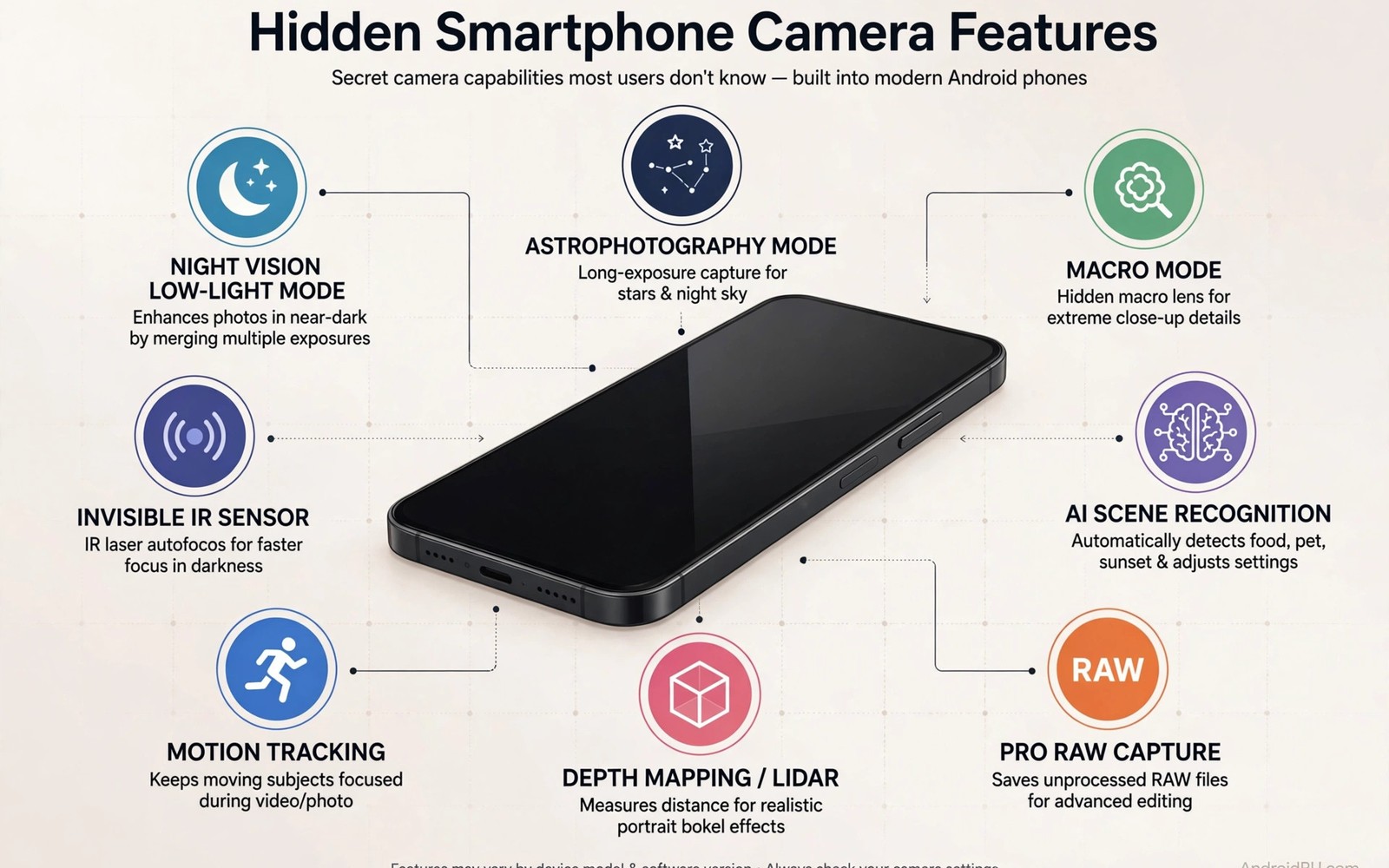
Pixel phones earn their camera reputation partly through software features that Google reserves for its own devices. Those features include advanced night processing and motion modes and clever portrait tools. GCam ports bring many of those features to other Android phones with varying success. Understanding which features transfer well helps you choose a port wisely.
Exclusivity often comes from hardware tuning rather than a simple software lock. A feature tuned for Pixel sensors may behave differently on other sensors even when the port enables it. That is why some Pixel features shine on ported phones while others disappoint. Readers new to ports should first read installing a GCam port step by step before chasing exclusive features.
Start by listing which Pixel features matter most to your photography before you install anything. Night and portrait features help most photographers daily while specialised motion modes suit niche shooting. Prioritise the features you will actually use rather than collecting every exclusive toggle. That focus prevents disappointment when a rarely used feature fails on your model.
Astrophotography and Night Sight depth
Astrophotography mode stacks long exposures to reveal stars invisible to normal night mode. Ports bring this feature to many non Pixel phones with adequate Camera2 support. Dark skies and a tripod remain essential because software cannot replace stillness and darkness. Test astro mode at home in a dark garden before travelling to a remote location.
Night Sight itself uses machine learning to brighten dark scenes while controlling noise. Ported Night Sight often performs close to Pixel results on similar sensors. It struggles on phones with weak low light sensors because the hardware captures less signal to process. A good port narrows that gap but it cannot fully close a large hardware difference.
Long exposure motion modes extend Night Sight ideas to moving water and light trails. Those modes capture a burst and blend it into a smooth long exposure effect. They work best on a tripod or a stable rest because movement breaks the blend. Try motion modes on waterfalls and traffic trails for creative results that standard night mode cannot produce.
Portrait and face enhancement tools
Pixel portrait mode uses depth data and machine learning to cut out subjects cleanly. Ports replicate much of that quality on phones with good depth information. Hair edges remain the hardest test because fine strands confuse depth estimation. A distant simple background helps ported portrait mode succeed where busy backgrounds fail.
Face retouching on Pixel phones stays subtle and natural compared with heavy beauty filters elsewhere. Ports carry that restrained retouching approach to other phones. Turn retouching to its lowest useful level for adult portraits to preserve skin texture. Natural skin beats plastic smoothness in every serious portrait.
Top Shot captures frames before and after the shutter press and suggests the best frame automatically. Ports sometimes include Top Shot or a similar motion photo feature. That feature rescues blinked eyes and missed smiles by offering nearby frames. Enable motion photos for family events where expressions change quickly.
Super Res Zoom and HDR Plus
Super Res Zoom combines multiple frames to improve digital zoom detail beyond a single crop. Ports bring this technique to phones without optical telephoto lenses. It works best in good light with a still subject because frame alignment needs stability. Expect a clear improvement over standard digital zoom but not a miracle equal to optical zoom.
HDR Plus captures a burst of underexposed frames and merges them for wide dynamic range. That approach preserves highlights while lifting shadows with low noise. Ported HDR Plus often outperforms stock camera HDR on the same phone. Test HDR Plus on high contrast scenes such as bright sky over dark ground to see the difference.
Frequent faces and smart storage features help organise photos on Pixel phones but ports rarely replicate those fully. Those features depend on on device learning and account integration that ports cannot copy easily. Do not choose a port based on organisation features because they transfer poorly. Choose based on image quality features that ports actually deliver.
Motion photos and cinematic tools
Cinematic Pan creates smooth panning video by stabilising and slowing a deliberate pan. Ports sometimes include this mode for phones with strong stabilisation hardware. Practice slow pans because the mode rewards deliberate movement and punishes jerky motion. A tripod or a rest improves cinematic pan results dramatically.
Slow motion and timelapse modes on Pixel phones benefit from tuned processing that ports partially replicate. Frame rates and resolution limits vary by port and by phone hardware. Test each mode with a short clip before using it for an important event. A mode that works in a test may still overheat during a long recording.
adb shell dumpsys media.camera | grep -i pixel
adb shell settings put system camera_super_res_zoom 1
adb shell ls /sdcard/DCIM/Camera/ | head -20
The commands above follow the standard Android developer workflow for checking camera features from a computer. Credit for this method belongs to the wider Android developer community that highlights these tools for everyday Pixel feature checks.
Test exclusive features fairly
Test each exclusive feature in the conditions it was designed for rather than in random scenes. Astro mode needs dark skies and portrait mode needs good light and simple backgrounds. Testing a feature outside its intended conditions produces unfair disappointment. Fair tests reveal which features truly help your photography.
Compare ported features with your stock camera on the same scene for honest judgement. A ported feature that barely beats stock may not justify the port complexity for daily use. A ported feature that clearly wins on night or portrait work earns its place. That comparison keeps your camera setup focused on real gains.
Update ports regularly because developers improve exclusive feature support over time. A feature that failed last year may work well in a current build. Check release notes for your model before each update and test key features after updating. Regular testing keeps your setup current without blind faith in old results.
Explore Pixel video features on ports
Pixel video features include stabilisation modes that use gyroscope data for remarkably smooth footage. Ports bring some of that stabilisation to other phones with compatible sensors. Test video stabilisation on a walking clip before trusting it for an event. Stabilisation quality varies more than photo quality between port builds.
Audio zoom on Pixel phones focuses microphone direction as you zoom visually into a subject. Ports rarely replicate audio zoom fully because it needs specific microphone arrays. Do not expect audio zoom on a ported phone with a single microphone. Use an external microphone for important video audio instead of relying on ported audio features.
Slow motion video on Pixel phones uses high frame rate capture with tuned processing. Ports offer slow motion at varying frame rates depending on hardware support. Test slow motion resolution and frame rate on your phone before a sports event. A slow motion mode that drops resolution sharply may disappoint for detailed action.
Timelapse modes on Pixel phones compress long periods into short engaging clips automatically. Ports sometimes include timelapse with manual interval controls. Use timelapse for clouds and traffic and construction where slow change becomes visible. A tripod is essential for timelapse because any movement ruins the sequence.
Pixel features evolve with each phone generation so a feature exclusive last year may become standard this year. Follow port developer notes to learn which new Pixel features arrive in ports. That awareness helps you decide when a port update is worth installing. New features sometimes need new hardware support that older phones cannot provide.
Common mistakes
The biggest mistake is expecting every Pixel feature to work perfectly on any phone. Hardware differences limit some features no matter how good the port is. Judge ports by the features that matter to you rather than by a complete feature checklist.
Another mistake is enabling every exclusive feature at once and then blaming the port for slow performance. Heavy features demand processing power and battery. Enable features selectively for the scenes where they help most.
People also forget to test features before important events because they assume a port update kept everything working. Test night and portrait modes the day before a trip or celebration. That test prevents a failed feature from ruining an unrepeatable moment.
Frequently asked questions
Are Pixel features legal on other phones through ports?
GCam ports are community modifications that Google does not officially support on non Pixel phones. They generally work as apps but they receive no official support or warranty from Google.
Which Pixel feature transfers best to other phones?
Night Sight and HDR Plus usually transfer best because they rely on processing that many sensors support. Astro mode also transfers well when the phone supports long exposures and stillness detection.
Do I need root for Pixel features on a port?
No. Most ported features work without root on phones with adequate Camera2 support. Root can unlock additional features on some models but it is not required for the main features here.
Conclusion
Hidden GCam features exclusive to Pixel phones include astro photography and advanced night processing and portrait tools and Super Res Zoom. Ports bring many of them to other Android phones with results that vary by hardware. Test features fairly and prioritise the ones that improve your daily photography.
Your concrete next step is to test Night Sight and portrait mode on your port tonight against your stock camera. Keep the port only if those features clearly win on your scenes. Readers who want deeper port control will enjoy GCam XML configs that unlock finer detail and Pixel astrophotography mode on unsupported phones as natural follow-ups.

