

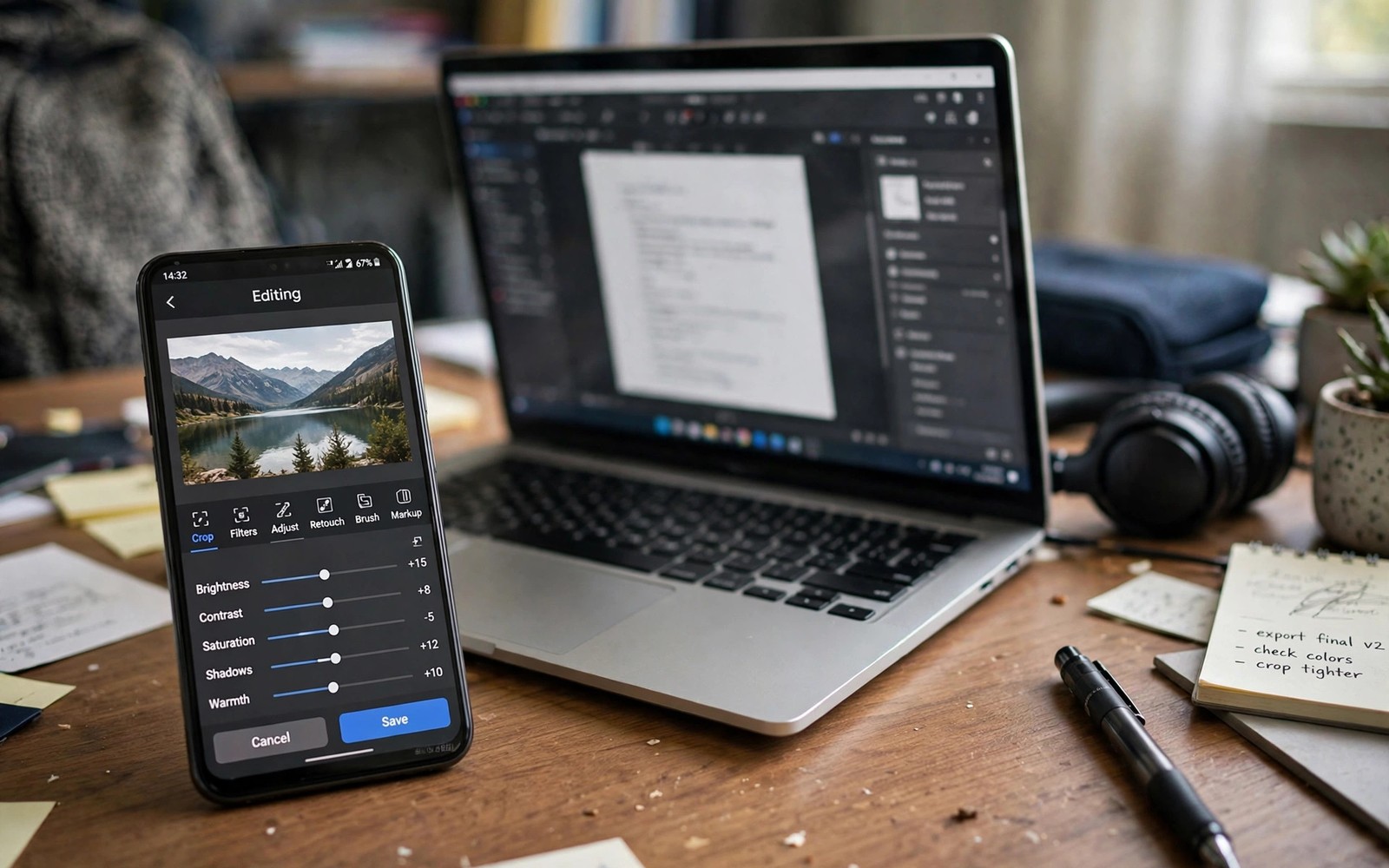
Lightroom Mobile sets a high bar for photo editing but its best features sit behind a subscription that many photographers do not need. Free editors have grown powerful enough to handle RAW files and layers and selective edits without monthly fees. The right free app depends on your editing style rather than on a single ranking. This guide compares five strong free options by what they actually do best.
Outperform does not mean every free app beats Lightroom at everything. It means each app below wins in a specific area such as local editing or layer control or speed. Choose the app that matches your biggest need and keep a second app for specialised tasks. Readers learning RAW editing should also read editing RAW photos like a professional photographer because RAW support separates serious editors from simple filter apps.
Test free apps with the same photo before you settle because interface comfort matters as much as feature lists. An app with every tool feels useless when its sliders hide in confusing menus. Spend twenty minutes editing one landscape and one portrait in each candidate. The app that feels fastest in that test usually becomes your daily editor.
What makes a free editor truly capable
RAW support is the first test because JPEG only editors cannot recover highlight and shadow detail properly. A capable free editor opens DNG files and offers white balance and tone controls that work on raw data. Check whether the app exports at full resolution without watermarks because a free app that limits exports is not truly free for serious work. Local editing is the second test because selective adjustments separate professional results from global filter looks.
Non destructive editing matters because it lets you revisit and change edits without harming the original file. Apps that save edit steps separately protect your photos from accidental overwrites. Layer support matters for compositing and text and advanced masking work. Speed matters too because a slow editor discourages the daily practice that improves skill.
Privacy deserves attention because some free apps upload photos to servers for processing or advertising. Prefer apps that edit locally on your device when you work with personal photos. Read permissions before install and deny cloud backup when you do not need it. Local editing also works offline which helps during travel without reliable internet.
Five free editors and their strengths
The first type of free editor excels at precise RAW and tone control with a clean slider interface. It suits photographers who learned on desktop editors and want similar controls on a phone. Its histogram and tone curves help with careful exposure work. It may lack fancy filters but its core editing quality rivals paid apps.
The second type focuses on layers and masking for creative compositing work. It lets you stack images and blend them and paint masks with your finger. That layer power suits product photos and artistic edits that single layer editors cannot attempt. Learning layers takes longer but the creative ceiling rises dramatically once you understand masks.
The third type wins on speed and simplicity for daily social sharing. It opens fast and offers strong one tap enhancements and a clear crop tool. Busy photographers who edit dozens of photos daily will appreciate that speed. Simplicity does not mean weak results when the underlying tone engine handles exposure well.
The fourth type specialises in selective local edits with brush and gradient tools. It lets you brighten a face without touching the background or darken a sky without affecting the ground. That selective power fixes uneven light that global sliders cannot solve. Portrait and landscape photographers both benefit from local control.
The fifth type offers a huge filter and preset library with gentle controls for quick stylised looks. It suits creators who want a consistent feed style without manual grading. Use presets as a starting point and adjust strength so the look stays believable. A preset at full strength often looks dated while the same preset at half strength looks intentional.
Compare apps on the same photo
Choose a challenging photo with bright sky and dark foreground for a fair comparison test. Edit it in each app with the same goals of balanced exposure and natural colour. Note which app recovers sky detail cleanly and which app introduces banding or noise. That single test reveals engine quality better than any feature list.
Test portrait editing separately because skin handling differs greatly between apps. An app that excels at landscapes may oversmooth skin or shift skin colour. Edit a portrait in each candidate and check skin texture at full zoom. Keep the app that preserves pores and natural tone while cleaning temporary blemishes.
Test export quality by sharing the same edit at full resolution from each app. Compare file sizes and detail on a larger screen because some apps compress aggressively even at high quality settings. A free app that secretly downsizes exports wastes your editing effort. Full resolution export without watermark is a requirement for a daily editor.
Build a two app workflow
Most photographers benefit from two free apps rather than searching for one perfect app. Use a RAW capable editor for tone and colour work first. Move to a layer or selective editor only when the photo needs compositing or local fixes. That division keeps daily edits fast while preserving advanced power for special photos.
Keep original files safe in a separate folder and export edited copies with clear names. That organisation prevents overwriting originals during app experiments. Back up originals to external storage periodically because phone loss destroys both originals and edits. A simple folder habit protects years of photography.
adb shell pm list packages | grep -i photo
adb shell dumpsys package com.example.editor | grep -i version
adb shell ls /sdcard/Pictures/Edited/
The commands above follow the standard Android developer workflow for listing photo apps and checking edited output from a computer. Credit for this method belongs to the wider Android developer community that covers these tools for everyday photo app and output checks.
Avoid subscription traps in free apps
Free apps often hide key features behind trials that convert to paid plans silently. Check subscription settings after install and cancel any trial you do not want. Read the free tier description carefully before relying on an app for a project. An app that locks RAW export behind pay is not a free RAW editor in practice.
Advertisements in free apps can interrupt editing and some ads mimic buttons dangerously. Prefer apps with modest ads or a one time purchase to remove them. Never tap an ad that promises to speed up your phone or clean storage because those ads often install junk. A calm editing environment matters for creative focus.
Cloud features in free apps may upload your photos without clear consent in the fine print. Disable automatic cloud sync for personal albums and use local folders instead. That caution protects privacy and it also prevents unexpected data charges during travel. Local editing remains the safest default for personal photography.
Organise edited photos for future use
Organisation matters because edited photos lose value when you cannot find them later. Create folders by year and event rather than dumping every edit into one camera folder. Name edited files with the event and a short description so search works. That structure saves hours when you need an old photo for printing or sharing.
Back up edited photos separately from originals because an edited master represents hours of work. Copy edited masters to external storage or a second device regularly. A phone loss should never destroy both originals and finished edits together. Redundant backups are cheap insurance for irreplaceable memories.
Version control helps when you revisit an edit months later with new taste. Save a new version rather than overwriting the previous edit. That habit lets you compare old and new interpretations side by side. Growth in taste becomes visible when versions sit together in one folder.
Print your best edited photos occasionally because prints reveal flaws that screens hide. A printed photo shows colour and sharpness honestly at a fixed size. Choose a few favourites each year for printing and study them in hand. Print feedback improves editing judgement more than endless screen scrolling.
Common mistakes
The biggest mistake is installing ten editing apps and learning none of them deeply. Two well learned apps beat ten superficially tried apps because skill grows with familiarity. Commit to one primary editor for a month before judging it fairly.
Another mistake is judging an editor by its filter library rather than its tone engine. Filters fade in fashion while exposure and colour control stay valuable forever. Learn tone first and treat filters as a finishing touch rather than a foundation.
People also edit only on a phone screen at full brightness outdoors and then wonder why exports look dark indoors. Edit in moderate indoor light and check the histogram for exposure truth. Screen brightness misleads more editors than any missing feature.
Frequently asked questions
Can free apps really replace Lightroom?
Yes for most mobile photographers because free apps now handle RAW and local edits well. Lightroom still wins for cloud sync and desktop integration but many users do not need those features.
Do free editors add watermarks?
Some free editors add watermarks on export while others do not. Check export settings before committing to an app for client or print work.
Should I pay for one app instead?
Pay only when a specific paid feature solves a real problem in your workflow. Free apps cover most needs and paying for unused features wastes money.
Conclusion
Five free photo editing apps can outperform Lightroom Mobile in specific areas such as RAW control and layers and speed and local edits. Test them on the same photo and build a two app workflow that matches your style. Avoid subscription traps and edit locally for privacy and speed.
Your concrete next step is to pick one free RAW capable editor today and edit the same landscape in it tonight. Compare the result with your current editor tomorrow and keep the winner for a month. Readers who want deeper colour control will enjoy colour grading mobile footage with custom LUTs and editing RAW photos like a professional as natural follow-ups. As a related next step, explore 5 photo editing tricks that will make your Instagram feed viral to extend what you set up here.

