

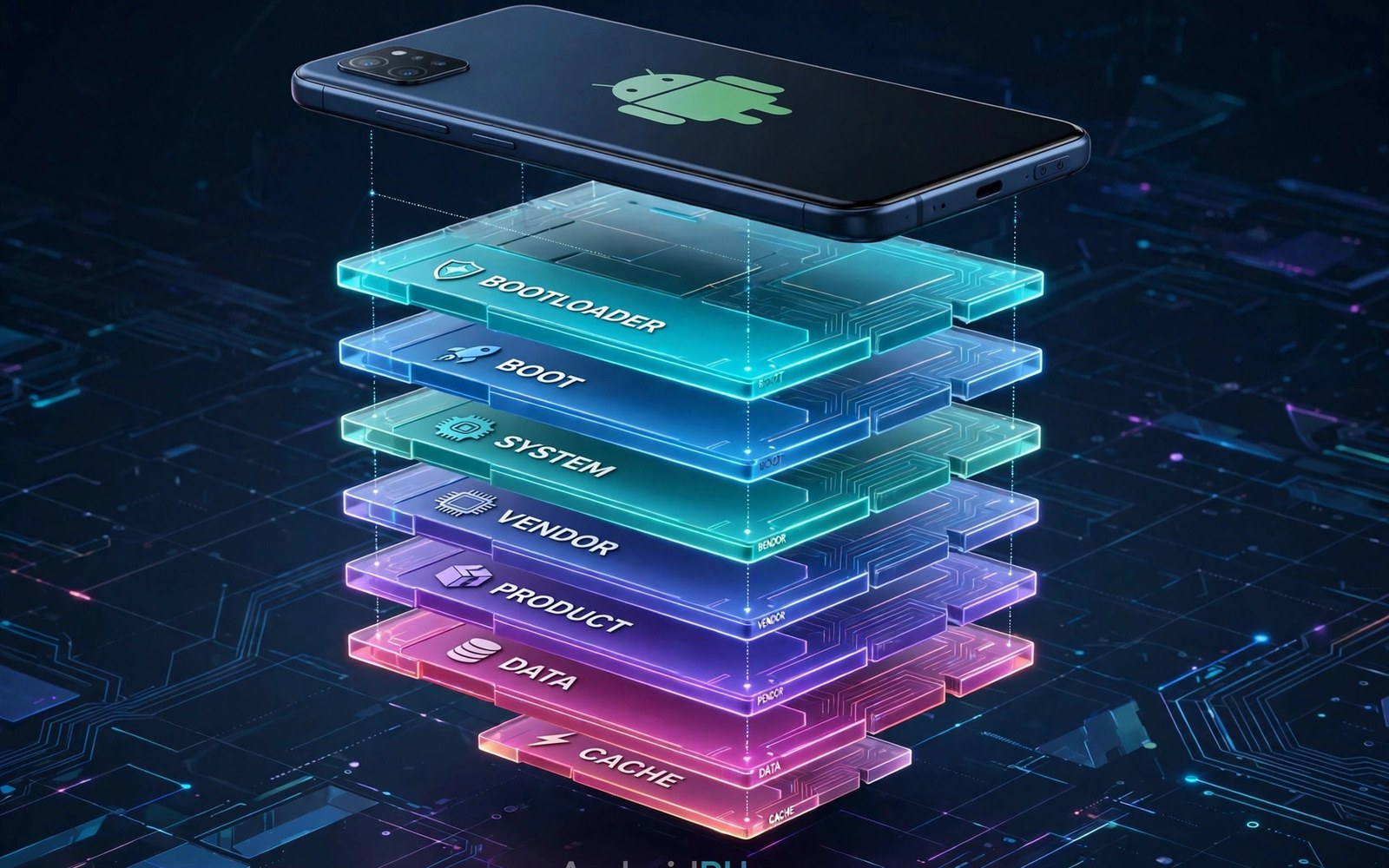
Full read and write access to system partitions gives root its deepest power. It lets users change files that stock Android keeps locked. It enables custom fonts and sounds and framework tweaks. It also enables damage that simple app changes cannot cause. Partition power deserves respect and backups.
System partitions hold the core operating system files. Vendor partitions hold maker specific drivers and apps. Product partitions hold additional maker customisations. Each partition serves a distinct role in boot and daily use. Changing the wrong partition breaks features tied to that partition.
Modern Android mounts many partitions as read only by default. That mount choice protects core files from casual change. Root can remount those partitions as writable when needed. Remounting should be temporary and targeted to a specific task. Leaving partitions writable permanently increases risk needlessly.
Partition control is the deepest form of root power. It builds on what Android rooting means and its core risks and benefits as the foundation. It also relates to how root access bypasses default Android OS restrictions for the permission side. Together they explain why partition edits need care.
Partition Layout On Modern Phones
System partition holds framework and core apps for Android. It includes libraries that many apps depend on daily. A broken library in system can crash many apps at once. System edits therefore carry wide blast radius. Test system edits carefully across many apps after each change.
Vendor partition holds drivers for camera and modem and sensors. Those drivers are specific to the phone hardware. A wrong vendor edit can break a single hardware feature silently. Camera failure after a vendor edit is a common symptom. Keep vendor backups before any vendor change.
Product and system extended partitions hold maker apps and features. They add brand specific tools on top of core Android. Edits there usually affect only maker features. That narrower impact makes product edits safer than system edits. Safer still means backed up and tested rather than casual.
Remounting Partitions Safely
Remounting uses a root shell command to change mount flags. The command targets one partition at a time explicitly. Remount only the partition that the task truly needs. Avoid remounting every partition writable at once. Targeted remounts limit damage from a mistaken command.
After editing remount the partition back to read only promptly. A read only mount prevents later accidental changes. It also prevents background apps from exploiting writable state. Make remount back part of every edit routine. A forgotten writable mount is a lingering risk.
Some modern phones use overlay filesystems for system changes. Overlays redirect writes without changing the underlying partition. That design protects the real partition while allowing edits. Overlay tools suit most tweaks better than direct remounts. Prefer overlays when a tool offers that choice.
Useful Partition Tweaks
Font replacement is a popular partition level tweak. System fonts live in system partition folders. Replacing a font file changes text across the whole system. A bad font file can cause display faults in many apps. Test font changes with a backup font ready to restore.
System sound replacement follows a similar pattern. Notification and ringtone files live in system media folders. Replacing them changes sounds device wide. Keep original sound files backed up before replacement. Originals enable instant restore when a replacement sounds wrong.
Framework tweaks can add features that apps alone cannot provide. They may change animation behaviour or status bar layout. Framework edits carry the highest risk among common tweaks. A framework error can prevent boot entirely. Framework tweaks belong only on backed up test setups initially.
Dangerous Partition Edits To Avoid
Deleting system apps without understanding dependencies causes faults. Some system apps provide services that other apps use silently. Deleting such an app breaks those dependent apps mysteriously. Freeze an app first to test dependency safely. Delete only after a freeze test proves safety over days.
Editing build properties carelessly can break app compatibility. Build properties identify device model and features to apps. A wrong property can make apps think the phone is another model. That confusion breaks updates and feature checks. Change build properties only with a clear reason and backup.
Changing permission files in system can lock out legitimate apps. Permission files define which apps may use hardware features. A wrong permission edit can block camera or location globally. Restore original permission files at once when faults appear. Permission edits need exact file knowledge.
Backups For Partition Work
Back up each partition before editing it for the first time. A partition backup enables full restore when an edit fails. Store backups on external storage with clear labels. Label each backup with partition name and build and date. Clear labels prevent restoring the wrong partition later.
Test backup restore on a spare setup when possible. A backup that cannot restore is only a false comfort. Verify backup file size and integrity after creation. A corrupt backup discovered during a crisis helps nobody. Verification belongs in the backup routine itself.
Keep stock firmware as the ultimate partition backup. Stock firmware contains clean copies of all partitions. A full firmware flash restores every partition at once. That ultimate backup takes more time but never depends on a single file. Stock firmware is the safety net for partition work.
Recovery When Partition Edits Fail
A failed system edit may still boot with app crashes. Remove the edited file through recovery file tools. Restore the original file from backup promptly. Reboot and test the previously crashing apps. Targeted restore fixes most single file faults quickly.
A failed framework edit may cause a bootloop instead. Restore stock boot and system through fastboot tools. That restore overwrites faulty framework files cleanly. Data may survive a boot and system only restore. Check data after restore before reapplying any tweak.
Hosts modules offer a safer alternative for some system level goals. Review how systemless hosts modules block ads at system level for overlay based blocking. Overlays achieve many goals without direct partition writes. Prefer overlays whenever they can serve the same purpose safely.
Overlay Systems Versus Direct Edits
Overlay systems redirect file access without changing real files. A module overlay shows a modified file to apps. The real system file stays untouched underneath. Disabling the overlay restores the original instantly. That reversibility makes overlays safer than direct edits.
Direct edits change real partition files permanently until restored. A direct edit needs a backup for reversal. A forgotten backup makes reversal difficult or impossible. Direct edits suit only changes that overlays cannot achieve. Prefer overlays for every tweak they can handle.
Overlay performance impact is minimal for most tweaks. The system resolves overlay paths at file access time. That resolution adds negligible overhead for normal use. Heavy overlay use across many files can add slight overhead. Keep overlay count reasonable for best performance.
Overlay compatibility varies by root method and Android version. Some methods offer stronger overlay support than others. Check overlay support before choosing a root method for tweaks. A method with weak overlays forces more direct edits. Method choice shapes tweak safety greatly.
Partition Work On A And B Devices
A and B devices duplicate boot and system partitions across slots. Editing one slot does not affect the other slot. An update may boot the unedited slot unexpectedly. That behaviour can make a tweak appear to vanish. Slot awareness prevents confusion during partition work.
Flashing partition images needs correct slot targeting always. Fastboot slot commands select the target slot explicitly. Confirm the active slot before every flash. Flashing the inactive slot wastes time and confuses testing. Slot notes belong in every partition work log.
Backup both slots when a tweak affects boot behaviour. A backup of only one slot may miss the active slot later. Slot switching during updates changes which backup matters. Two slot backups cover both possibilities. Complete slot backups suit A and B devices best.
Test partition tweaks across a slot switch when possible. Update the phone and check whether the tweak survives. Survival across updates signals a robust tweak method. Loss across updates signals a slot dependent tweak. Robust methods suit long term use better.
Ethics And Safety Of Partition Edits
Partition edits should respect app and maker licences. Modifying system files to bypass licences raises legal issues. Users should avoid edits that enable piracy or fraud. Ethical partition use focuses on control and customisation. Control does not require licence bypass.
Partition edits on shared or work phones need extra care. A shared phone owner may not consent to system changes. A work phone policy may forbid partition edits entirely. Respect ownership and policy before editing any shared device. Personal devices offer the right scope for partition experiments.
Share partition tweak guides with warnings included. A guide without warnings can mislead beginners badly. State risks and backup needs at the start of the guide. Honest guides build a safer root community. Warning omission harms beginners most.
Test partition guides on a spare device before publishing them. Spare testing catches model specific faults early. Publishing untested guides risks other users phones. Responsible sharing requires testing discipline. Community trust depends on tested guidance.
adb shell su -c 'mount -o remount,rw /system'
# Edit only the needed file
adb shell su -c 'mount -o remount,ro /system'
The steps above follow the approach described in the official developer documentation and reflect common practice for this topic. They explain partition layout and safe editing habits. Readers should back up every partition before editing it. When an edit fails it is safer to restore stock than to improvise further.

