

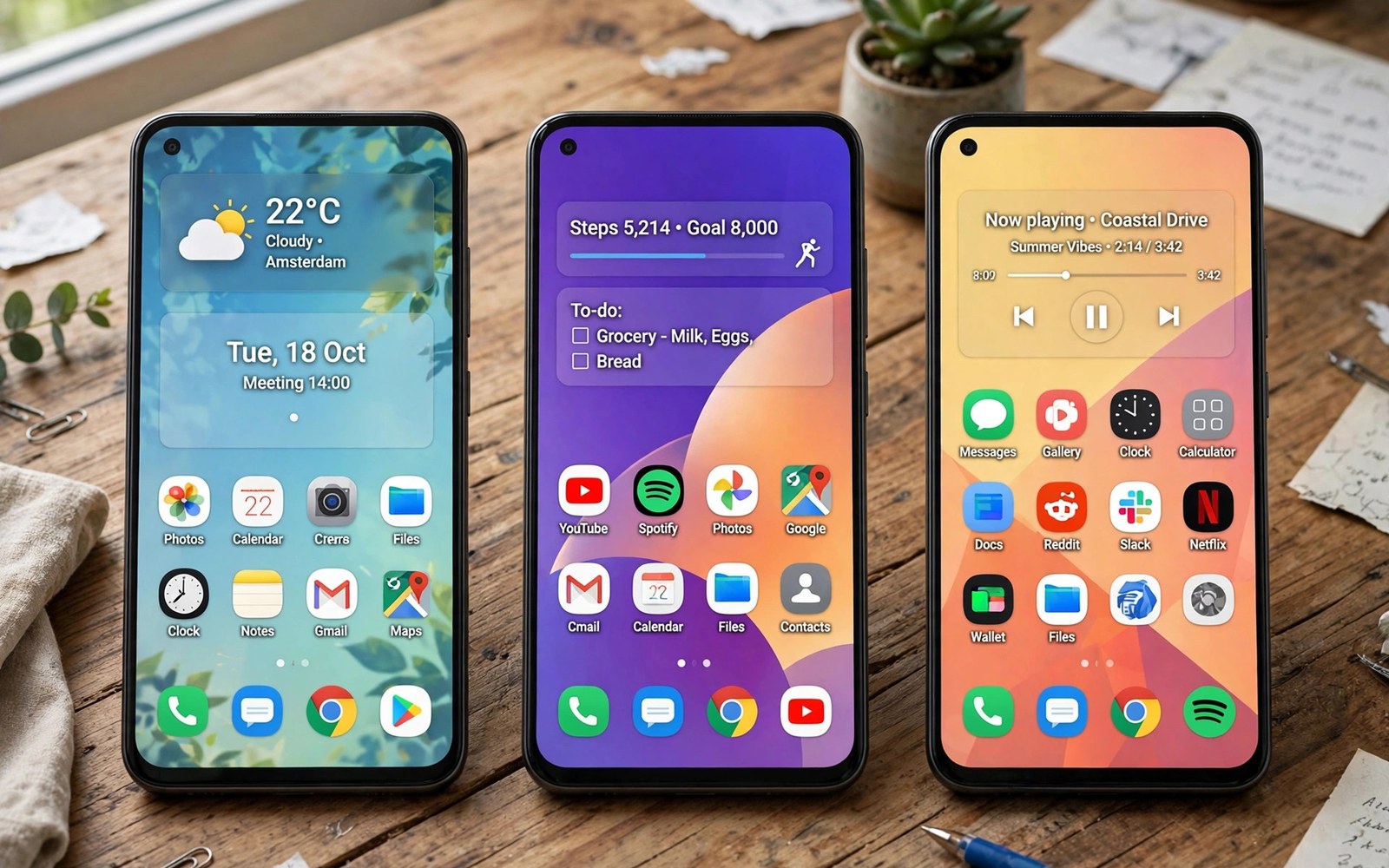
Android software shapes daily phone life more than specs. Stock Android offers clean simplicity. Custom interfaces add features and flair. One UI and MIUI and OxygenOS each tune Android differently. The best interface depends on taste and habits.
This comparison covers design and features and updates and privacy. It helps buyers choose software they will enjoy for years. Readers who care about update speed can also read software update speeds for brand rankings. Software feel matters every time you unlock the phone.
Design And Visual Feel
Stock Android looks clean with simple icons and menus. It favors white space and clear typography. One UI uses large headers and one hand friendly layouts. It suits big screens with reachable controls. MIUI favors colorful icons and bold themes.
OxygenOS sits close to stock with subtle refinements. It adds useful tweaks without visual clutter. Theme stores on custom skins offer endless looks. Stock fans can still theme with launchers and icon packs. Visual taste should guide this choice strongly.
Features And Customization
Custom interfaces pack more built in features. One UI offers deep multitasking and edge panels and modes. MIUI offers floating windows and second space and rich themes. OxygenOS offers shelf tools and gaming modes and quick gestures. Stock Android offers fewer extras but stays coherent.
Feature count can overwhelm new users. Stock simplicity helps users who want a phone that just works. Power users enjoy custom depth and control. Duplicate apps on custom skins annoy some buyers. Most duplicate apps can be disabled or hidden.
| Aspect | First Option | Second Option |
|---|---|---|
| Design | Clean minimal look | Colorful feature rich look |
| Features | Fewer coherent extras | Many built in tools |
| Performance | Light on modest chips | Smooth on flagships |
| Updates | Fastest on Pixel phones | Varies by brand and region |
| Privacy | Clear permission controls | Extra guards and lockers |
Performance And Smoothness
Heavy skins can slow older or weaker hardware. Modern flagships handle any skin smoothly. Mid-range phones show skin weight more clearly. Stock Android feels light on modest chips. One UI and MIUI have slimmed down in recent years.
Animations and transitions shape perceived speed. Smooth animations make phones feel fast even at equal specs. Janky animations frustrate users daily. All four interfaces now run smoothly on flagship hardware. Buyers on budget phones should favor lighter software.
Updates And Long Term Support
Update speed varies by brand and model. Stock Pixel phones receive updates first. One UI flagships follow with strong long promises. MIUI updates arrive steadily but timing varies by region. OxygenOS updates have improved after brand changes.
Security patches matter as much as version upgrades. Monthly patches protect banking and personal data. Long promises now reach many years on flagships. Readers can compare long-term reliability for durability over years. Support length should weigh heavily for long owners.
- List features you use daily before choosing a skin.
- Test one hand reach on large screens.
- Check update promise for your exact model.
- Review preinstalled apps in store demos.
- Try the default launcher for a full week.
Privacy And Data Controls
Privacy controls differ across interfaces. Stock Android offers clear permission dashboards. One UI adds secure folder and permission history tools. MIUI adds app behavior records and privacy guards. OxygenOS offers app locker and hidden space features.
Preinstalled apps raise privacy questions on some skins. Users should review permissions for every preinstalled app. Disabling unused apps reduces data exposure. All interfaces now offer granular permission controls. Careful setup beats brand promises for privacy.
adb shell cmd package list packages | grep -i -E 'gallery|browser'
adb shell dumpsys package com.example.launcher | grep -i version
# List duplicate apps and launcher version
adb shell settings get secure default_launcher
The commands above come from standard Android developer tooling for package inspection. They only read app data and they change no setting on the phone.
Bloat And App Duplicates
Bloat means extra apps users never asked for. Custom skins historically shipped more bloat than stock. Recent versions have trimmed obvious bloat. Still duplicate galleries and browsers and stores appear on custom phones. Stock phones ship the leanest app sets.
Most bloat can be disabled without root access. Uninstall options vary by app and brand. Carrier models add extra bloat beyond brand skins. Unlocked models usually ship cleaner software. Buyers should check reviews for bloat on exact models.
Gesture Navigation Differences
Gesture navigation feels different across interfaces. Stock Android gestures stay simple and predictable. One UI adds one hand gesture options for large screens. MIUI offers extensive gesture customization for power users. OxygenOS keeps gestures close to stock with minor tweaks. Muscle memory from one interface transfers imperfectly to others.
Back gesture sensitivity causes accidental triggers on curved screens. Brands tune edge sensitivity differently. Users can adjust sensitivity in settings on most skins. New users adapt to gestures within days typically. Long term users notice small gesture differences daily. Interface choice should include gesture feel testing in store.
AI Features Across Skins
AI features now differentiate interfaces strongly. Stock Android integrates assistant features deeply. One UI adds AI photo editing and translation tools. MIUI adds AI galleries and voice features. OxygenOS adds AI performance and battery tools. Feature availability varies by model and region frustratingly.
On device AI processing protects privacy better than cloud processing. Flagship chips enable more on device features. Mid-range phones receive fewer AI features regardless of skin. Buyers should verify AI features for exact models. Marketing lists often describe flagship features only. Real device demos reveal true AI availability best.
Lock Screen And Always On Displays
Lock screens shape first impressions every unlock. Stock lock screens stay minimal and fast. One UI lock screens offer rich widgets and customization. MIUI lock screens support dynamic wallpapers and themes. OxygenOS lock screens balance simplicity with useful widgets. Always on displays show time and notifications without waking phones.
Always on display power use stays modest on OLED screens. Customization options range from clocks to images. Privacy controls hide notification content on lock screens. Face unlock speed varies by interface tuning. Users who check phones constantly notice lock screen differences most. Lock screen taste is deeply personal and hard to rank objectively.
Multitasking Tools Compared
Multitasking tools help power users work faster. One UI offers the richest split screen and pop up tools. MIUI floating windows suit quick multitasking well. OxygenOS offers simple split controls with smooth animations. Stock Android multitasking stays basic but reliable. Tablet style multitasking remains limited on all phone interfaces.
App pairs save favorite split combinations for quick launch. One UI app pairs lead this feature category. Other skins offer similar tools with less polish. Small screens limit multitasking usefulness regardless of tools. Foldable users gain most from rich multitasking features. Slab users benefit modestly from split screen tools.
Accessibility Across Interfaces
Accessibility features matter for users with diverse needs. Stock Android offers strong screen reader and magnification tools. One UI adds visibility and hearing enhancements extensively. MIUI accessibility tools cover similar needs with different layouts. OxygenOS accessibility stays close to stock standards. All interfaces support large text and high contrast modes.
Motor accessibility options include switch access and voice control. Hearing accessibility includes live captions and amplification. Brands update accessibility tools at different paces. Users with specific needs should test interfaces hands on. Store demos with accessibility settings enabled reveal true usability. Accessibility quality should outweigh visual flair for affected users.
Keyboard And Input Methods
Keyboard options vary across Android interfaces. Stock keyboards offer clean prediction and voice typing. One UI keyboards add clipboard and translation tools. MIUI keyboards offer themes and customization. Third party keyboards work on all interfaces equally.
Voice typing accuracy depends on microphones plus software. Assistant integration differs by interface brand. Clipboard history helps power users copy efficiently. Keyboard size adjustments help one hand typing. Input method choice personalizes any interface effectively.
Home Screen Organization
Home screen organization reflects interface philosophies. Stock Android favors app drawers and simple grids. One UI offers folders and edge panels extensively. MIUI offers app vaults and widgets richly. OxygenOS keeps home screens minimal and fast.
Widget quality varies across interfaces noticeably. Weather and calendar widgets differ in design. Smart stacks suggest widgets contextually on some skins. Users can install third party launchers universally. Launcher choice often matters more than default interface.
Gaming Modes By Interface
Gaming modes differ across interfaces usefully. One UI game launcher organizes titles and tools. MIUI game turbo boosts performance and blocks alerts. OxygenOS gaming mode offers similar focused tools. Stock Android lacks dedicated gaming dashboards largely.
Performance tuning in game modes varies subtly. Some modes prioritize frame rates aggressively. Others balance performance with battery life. Notification blocking helps competitive focus. Game modes rarely transform casual gaming experiences. Serious gamers benefit modestly from dedicated modes.
Interface Longevity And Updates
Interface longevity depends on brand update commitments. Stock interfaces receive longest support generally. One UI support now rivals stock closely. MIUI support improves but varies regionally. OxygenOS support stabilizes after brand transitions.
Interface redesigns can disrupt long term users. Major redesigns change familiar layouts suddenly. Users adapt within weeks typically. Backup settings ease transitions between versions. Long term interface familiarity aids productivity. Stability matters more than novelty for most users.
Final Verdict
Stock Android suits users who value clean speed and fast updates. One UI suits big screen power users who love features. MIUI suits theme lovers and deep customizers. OxygenOS suits users who want near stock polish with smart extras.
No interface wins for everyone. Readers weighing hardware value can also see value flagships for brand hardware picks. Try each interface in hand before you buy. Daily software feel decides long term happiness.

