

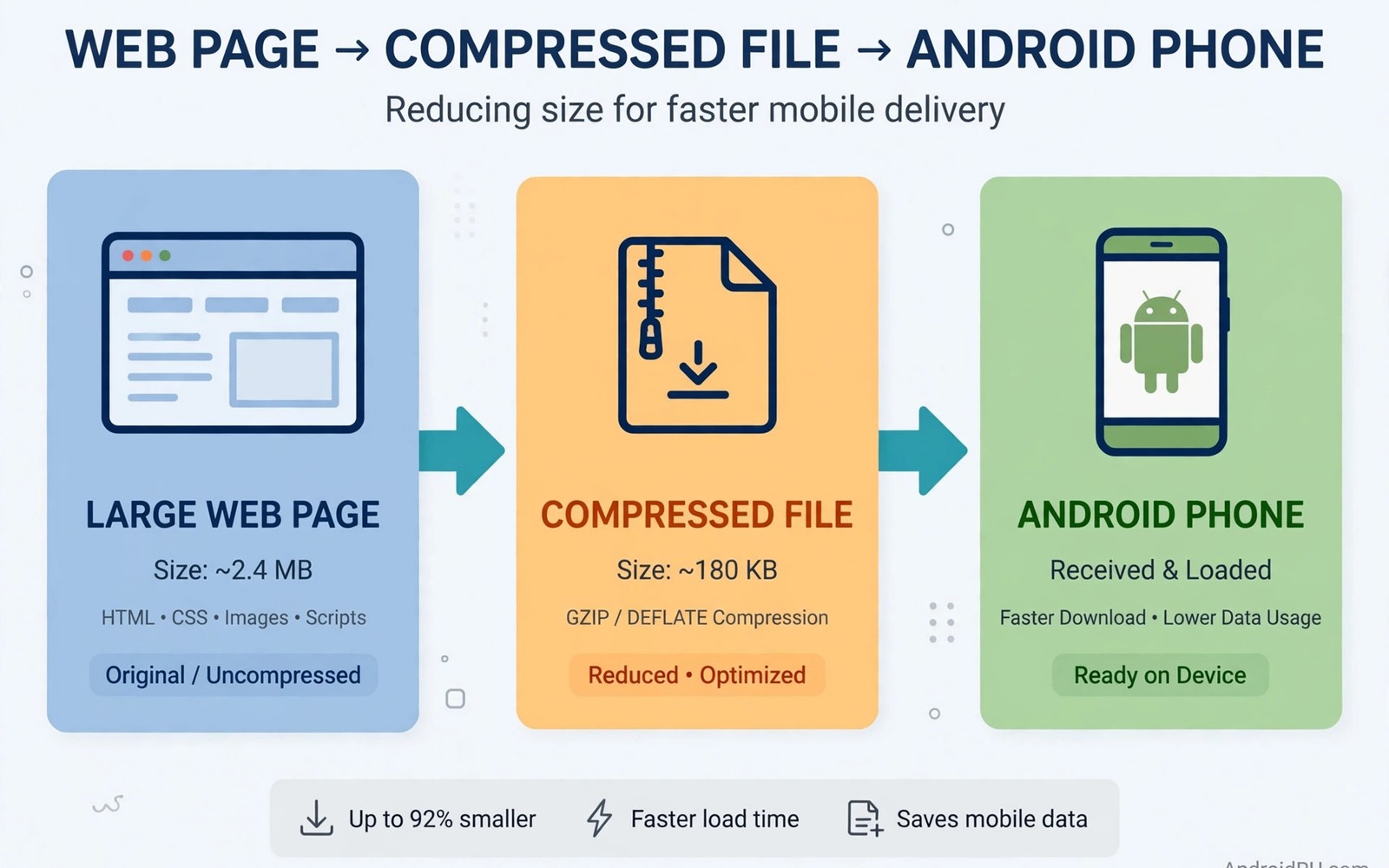
Data compression features in encrypted browsers shrink web pages before they reach your Android phone. A compression proxy or on-device engine removes redundant data from text and images. Smaller pages load faster on slow networks and consume less mobile data overall. That saving matters most for users on limited data plans or weak coverage.
Compression works best on text heavy pages where repeated words and code compress efficiently. Images already use compressed formats so further savings are smaller for photo heavy pages. Video streams usually pass through untouched because recompressing video would hurt quality badly. Learning encrypted web browsers focused on privacy helps place compression inside the wider privacy browser feature set.
Privacy trade-offs appear when compression routes traffic through a proxy server run by the browser vendor. That proxy sees page requests and may cache content to serve it faster later. Encrypted pages limit what a proxy can compress because contents stay hidden from intermediaries. Understanding that limit prevents disappointment when HTTPS pages show little saving.
How Browser Compression Works
On-device compression uses algorithms inside the browser to shrink data after download but before display. That approach needs no proxy and keeps traffic patterns closer to normal browsing. Savings come mainly from text and code files that compress well with standard methods. Image recompression on device can also reduce size at some quality cost.
Proxy compression routes requests through a vendor server that fetches and shrinks pages first. The proxy can recompress images and strip unnecessary code before sending a smaller version onward. Proxy savings are larger on slow networks because the vendor server has fast internet access. The proxy also becomes a new party that observes browsing requests.
Text and Image Compression Differences
HTML and style sheets and scripts compress dramatically because they contain repeated patterns. A page with large scripts can shrink to a fraction of its original size after compression. That saving improves load time most on text heavy news and documentation pages. Users on slow connections notice the difference immediately on such pages.
JPEG and modern image formats already discard redundant visual data during encoding. Recompressing them further saves little and can visibly degrade photo quality. Some browsers offer a quality slider that trades image sharpness for data savings. Lowering image quality on a small phone screen may be acceptable for data saving users.
HTTPS Limits on Compression
HTTPS encryption prevents proxy servers from reading page contents to compress them. A proxy can still compress at the transport level without seeing contents in some designs. Savings on HTTPS pages are therefore smaller than savings on older HTTP pages. Most modern websites use HTTPS so real world compression gains are modest today.
Browsers can still compress HTTPS content on device after decryption inside the browser. That on-device step preserves end-to-end encryption while shrinking cached data. It does not reduce network transfer because data already arrived before compression. Network savings require compression before transfer which HTTPS intermediaries cannot perform fully.
- Enable compression mainly on limited data plans
- Expect large savings on text pages not video
- Prefer on-device compression for privacy
- Check proxy logging policy before enabling proxy mode
- Compare savings with Android system data totals
- Bypass compression for banking and sensitive sites
Measuring Real Data Savings
Android data usage settings show per-app mobile data consumption over a billing period. Compare browser data use with compression on against a similar period with it off. Keep browsing habits similar or the comparison will reflect behaviour change rather than compression. Note that video habits dominate totals and can swamp compression savings entirely.
Browser internal data saver statistics may report larger savings than Android system totals show. Internal figures often count uncompressed size estimates rather than measured network bytes. System totals give a more honest picture of actual mobile data billed by the carrier. Trust system measurement when the two sources disagree.
Privacy and Security Trade-Offs
Proxy compression requires trusting the proxy operator with request metadata and possibly page contents. A vendor proxy that logs requests creates a browsing record similar to a DNS or VPN provider. Review the browser privacy policy for proxy logging and retention details before enabling it. Users who prioritise privacy over data savings should prefer on-device methods only.
Compression can also interact badly with security features that check page integrity. Stripping code or altering images may break signed content or verification checks on some sites. A browser should bypass compression for banking and sensitive sites automatically. Manual exceptions for sensitive sites add safety when automatic bypass is unclear.
You can also explore open-source VPN apps for Android devices and how ad-blocking VPNs intercept tracking queries for more context on neighbouring topics in this series.
Putting Data Compression Into Practice
Enable data compression in your browser settings and use it for one week on a limited data plan. Track mobile data use in Android settings at the start and end of the test week. Compare the result against a previous week with similar browsing habits for fairness. Note which sites load faster and which images look noticeably worse after compression. A week of measured use reveals whether compression helps your specific browsing pattern.
Adjust image quality settings in the browser when photo quality matters more than data savings. Higher image quality reduces savings but preserves detail on photo heavy pages you value. Lower image quality saves more data on pages where images are decorative rather than essential. Per-site exceptions can preserve quality for photography sites while compressing news pages aggressively. Tailored settings beat a single global choice for mixed browsing habits.
Troubleshooting Compression Problems
Broken page layouts often come from stripped scripts that the page needs for interactive features. Disable compression for that specific site rather than turning it off globally. Reload the page after adding the exception to confirm that layout returns to normal. If layout remains broken then clear the browser cache for that site and test again. Cached compressed resources can persist after settings change and confuse troubleshooting.
Banking pages should bypass compression automatically in well designed browsers for security reasons. Check that sensitive sites load without compression indicators in the browser interface. Manually except banking and payment sites when automatic bypass behaviour is unclear. Manual exceptions add safety for sites where integrity matters more than data savings. Security exceptions deserve priority over small data gains on sensitive pages.
Building a Habit That Lasts
Review data savings monthly in Android system totals rather than browser internal estimates. System totals reflect actual billed data while internal estimates can exaggerate savings. Monthly reviews show whether compression still helps as more sites adopt HTTPS encryption. HTTPS growth reduces proxy compression gains over time for many users. Honest measurement prevents clinging to a feature that no longer delivers value.
Re-evaluate compression settings after major browser updates because defaults can change quietly. Updates may enable proxy compression that was previously off or change image quality defaults. A quick settings check after updates keeps your configuration aligned with your intentions. Document your preferred settings so restoration after a reinstall takes seconds rather than research.
Share compression advice with friends on limited data plans who struggle with monthly caps. Explain that text pages benefit most while video streaming benefits least from compression. Realistic advice helps friends focus on video habits for large savings instead. Compression is a useful tool but not a substitute for managing video data use directly.
Advanced Tips and Next Steps
Use browser data saver statistics only as a rough guide rather than a precise measurement. Internal statistics estimate uncompressed sizes using assumptions that may not match real traffic. System data totals from Android settings give a more honest picture of billed mobile data. Comparing both sources reveals how much internal estimates exaggerate savings in practice. Honest measurement prevents disappointment when carrier bills do not match browser claims.
Consider a text-only reading mode for news articles when data savings matter more than images. Reading modes strip images and scripts entirely which saves far more data than compression alone. Text modes also improve readability on small screens by removing distracting page elements. Many privacy browsers offer reading modes built in without additional extensions. Reading mode is an underused data saving tool for text heavy browsing habits.
Test compression impact on battery life because proxy compression can reduce radio time noticeably. Smaller downloads mean shorter radio active periods for each page load on mobile networks. Battery savings from compression are modest but real for users on slow networks. Users on fast Wi-Fi will notice little battery difference from compression alone. Network speed determines whether compression helps battery in any meaningful way.
Review compression provider privacy policies separately from browser privacy policies when using proxy mode. Proxy operators may log requests under terms that differ from browser terms. Separate policies create confusion about which promises apply to proxy traffic specifically. Reading both policies takes time but clarifies trust for proxy compression users. Clarity matters most when proxy traffic includes sensitive browsing topics.
Share data saving tips with friends on prepaid mobile plans who face hard monthly caps. Prepaid users feel data costs immediately unlike contract users with generous allowances. Compression and reading modes help prepaid users stretch limited data across a full month. Practical tips delivered with empathy help friends more than technical lectures about protocols. Data saving advice should respect the financial reality of prepaid plan constraints.
compression:
  mode: proxy
  images: recompressed
  text: gzip
  video: passthrough
  https: limited
The guidance above follows the approach described in the official developer documentation for Android networking and privacy controls. The advice reflects standard compression behaviour and privacy practice for browsers on Android devices.

