

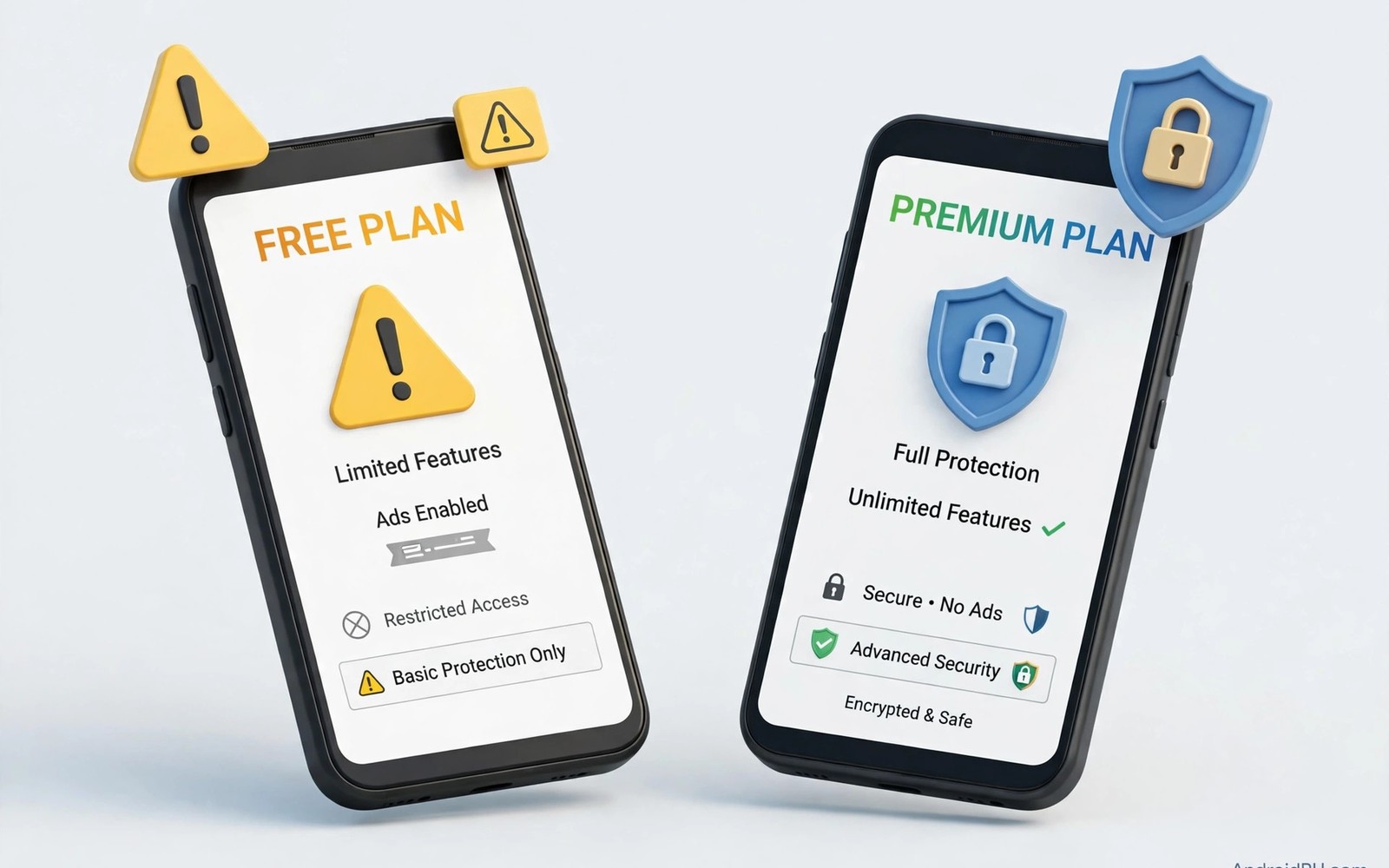
Free VPN apps look attractive because they promise privacy protection without a monthly bill. Many people install one before a trip or before joining a public hotspot for the first time. The app connects and shows a shield icon and everything appears to work normally. The real question is how the provider pays for servers and bandwidth and staff when users pay nothing.
Running a VPN service costs real money every month for servers and network capacity and support. A provider must recover that cost somewhere even when the app itself is free to download. Some free services sell advertising space inside the app or limit speed and data to push users toward a paid plan. Others collect usage data and sell insights built from that data to third parties. Understanding what a mobile VPN is and why you need one helps you see why the provider business model matters so much.
Paid services are not perfect either and a price tag alone does not guarantee honest behaviour. A paid provider can still log activity or suffer a breach or oversell its network capacity. The difference is that a paid service has a direct revenue path that does not depend on monetising your data. That structure makes honest privacy practices easier to sustain over time.
How Free VPN Services Make Money
Advertising is the most visible way free VPN apps earn revenue from users who never pay. The app shows banner ads or video ads and the provider earns money from each impression. Some free apps inject their own ads into browsing sessions which slows pages and creates new privacy risks. Heavy advertising often signals that user attention is the product being sold.
Data monetisation is harder to see and more serious than advertising alone in many free services. A provider could record connection times and bandwidth totals and sell aggregated reports to analytics firms. Some providers have been caught sharing far more detail than their privacy policy suggested. A free app that asks for broad permissions deserves extra scrutiny before you trust it with all traffic.
Limits Built Into Free Plans
Free plans commonly cap monthly data at a level that covers light browsing but not video streaming. Speed limits are common too and they appear during busy hours when many free users share few servers. Server choice shrinks to a handful of locations which removes the flexibility paid users enjoy. These limits are not always dishonest because they genuinely push heavy users toward paid tiers.
Free apps may also block features that protect you when a connection drops or changes networks. A missing kill switch means your real IP address can leak during a brief tunnel failure. Split tunneling and multi-device support often sit behind the paywall as well. Checking how a kill switch protects your IP address shows why a kill switch belongs on any shortlist of required features.
Privacy Risks to Watch For
Logging policy is the single most important document to read before installing any free VPN on Android. Vague language about improving service quality can hide broad data collection practices. A provider based in a jurisdiction with weak privacy protection may face legal pressure to share records. Independent audits help but few free services pay for them because audits cost money.
Ownership transparency is another warning sign when a free VPN hides who runs it. Some free apps belong to large networks of similar apps that share infrastructure and data practices. A sudden ownership change can alter privacy practices without changing the app icon on your phone. Reviewing the provider website and company details takes minutes and can reveal red flags early.
- Read the logging policy before installing any free VPN app
- Check who owns the provider and where the company is based
- Confirm the kill switch is included in the free tier
- Watch for intrusive ads injected into browsing sessions
- Compare data caps and speed limits against your daily use
- Prefer free tiers funded by paid users over ad funded apps
When a Free VPN Might Be Acceptable
A free VPN can suit a short task such as checking email once on a hotel network during a brief trip. The risk stays limited when the session is short and the data involved is not sensitive. A reputable provider with a free tier funded by paid users offers a safer version of this choice. That model keeps incentives aligned because paying customers fund the whole network.
Free VPN use becomes risky when it becomes your daily always-on protection for banking and work and messaging. Heavy daily use gives the provider a detailed picture of your habits over months and years. A paid plan or a well reviewed free tier from a trusted provider reduces that exposure. Treat free VPNs as a temporary bridge rather than a permanent privacy strategy.
Choosing Between Free and Paid
Compare total cost rather than monthly price alone when you evaluate paid VPN options on Android. A yearly plan often costs less per month than a coffee and covers several devices at once. Shared family plans can lower the cost further when several people need protection. The price of a data breach or identity theft dwarfs a modest subscription in most cases.
Test any service with a trial or money back period before committing to a long plan. Measure speed on your own phone and check that the kill switch works during network switches. Read recent independent reviews rather than app store ratings alone because ratings can be manipulated. A careful trial protects you from paying for a service that fails in daily use.
You can also explore WireGuard versus OpenVPN performance on mobile for more context on neighbouring topics in this series.
Putting Free Versus Paid Into Practice
Start your comparison by listing what you actually need from a VPN on your Android phone each day. Write down whether you stream video or work remotely or only browse news on public networks. Match those needs against the data cap and speed limit of each free plan you consider. A free plan that covers your real use may be acceptable for a short period without paying. A free plan that fails your main use case will frustrate you into disabling protection entirely.
Test a free tier for one week on your normal routine before judging it from a single afternoon. Track whether pages load slowly during evening hours when many free users share few servers. Note whether the app shows intrusive ads that interrupt browsing or drain battery noticeably. A week of honest notes gives a clearer verdict than marketing pages or store ratings alone. Keep those notes when you later compare a paid plan trial against the same routine.
Troubleshooting Free Plan Problems
Free plans often fail with vague errors when the monthly data cap runs out mid-session. Check the data usage screen inside the free app before assuming the network itself is broken. Switching servers may restore speed temporarily when one free server becomes crowded. Clearing the app cache can fix login loops that appear after a free tier update. If the app demands payment for a basic security feature then treat that demand as useful information about priorities.
Intrusive ads inside a free VPN app can slow the phone and create new privacy risks of their own. Disable ad personalisation in Android settings to reduce the data advertisers collect from the app. Consider whether the ad burden outweighs the benefit of free protection for your daily use. A cheap paid plan may cost less in time and frustration than a heavily advertised free app. Time spent closing ads every session adds up across a full year of use.
Building a Habit That Lasts
Set a calendar reminder to review your VPN choice every six months rather than drifting indefinitely. Free tiers change their limits and policies without notifying users in a prominent way. A six month review catches cap reductions and new logging clauses before they matter much. Compare the current free offer against a paid trial during the same review week for fairness.
Keep a short record of why you chose your current plan so future you understands the trade. Note the data cap and the server count and the kill switch availability at decision time. That record prevents marketing from rewriting your memory of what the plan actually offered. Honest records make the next upgrade decision faster and less emotional.
Share the comparison logic with friends who ask for a free VPN recommendation without oversimplifying it. Explain that free protection suits brief low sensitivity use better than daily banking and work. Recommend a paid trial for anyone who relies on VPN protection every single day. Clear advice protects friends from trusting a free app with data that deserves stronger protection.
Advanced Tips and Next Steps
Compare free tiers from the same provider across different regions because limits can vary by signup location. Some providers offer larger free data caps in regions where they seek new users aggressively. Regional differences reveal marketing strategy more than technical capacity in most cases. A larger cap in another region does not change the underlying privacy policy for that provider. Policy remains the deciding factor even when regional caps look generous at first glance.
Watch for free VPN apps that request permission to draw over other apps or access usage statistics unnecessarily. Overlay permission can enable intrusive ads that appear over other apps on the phone. Usage access can reveal which apps you open and for how long each day. Neither permission is necessary for a basic VPN tunnel to function correctly on Android. Rejecting unnecessary permissions is a simple test of whether a free app respects user boundaries.
Test free VPN speed during peak evening hours rather than during quiet morning periods alone. Peak tests reveal the true shared capacity available to free users when demand is highest. Morning tests flatter free services because few users compete for the same servers then. Evening results predict whether video streaming will work when you actually want to watch. Honest peak testing prevents disappointment after committing to a free plan for daily use.
Consider a short paid trial as a benchmark even when you intend to stay on a free plan long term. A paid trial shows what full speed and full server choice feel like on your own phone. That benchmark helps you judge whether free limitations are tolerable or genuinely harmful to use. Without a benchmark you may accept poor performance as normal VPN behaviour incorrectly. Knowledge of the paid experience improves free plan decisions even when you never pay.
Keep a backup free option installed but disabled for emergencies when your primary VPN fails unexpectedly. A backup option provides protection during a primary outage without forcing a hasty new installation. Disable the backup app when not in use so it cannot collect data in the background. An inactive backup app poses far less risk than an active app you forgot about entirely. Emergency readiness should not become permanent surveillance by a second provider.
plan:
  type: free
  data_limit: 500MB
  servers: 3
  logging: unknown
  ads: enabled
The comparison above follows the approach described in the official developer documentation for Android networking and privacy controls. The guidance reflects standard advice for evaluating network services and app permissions on Android devices.

