

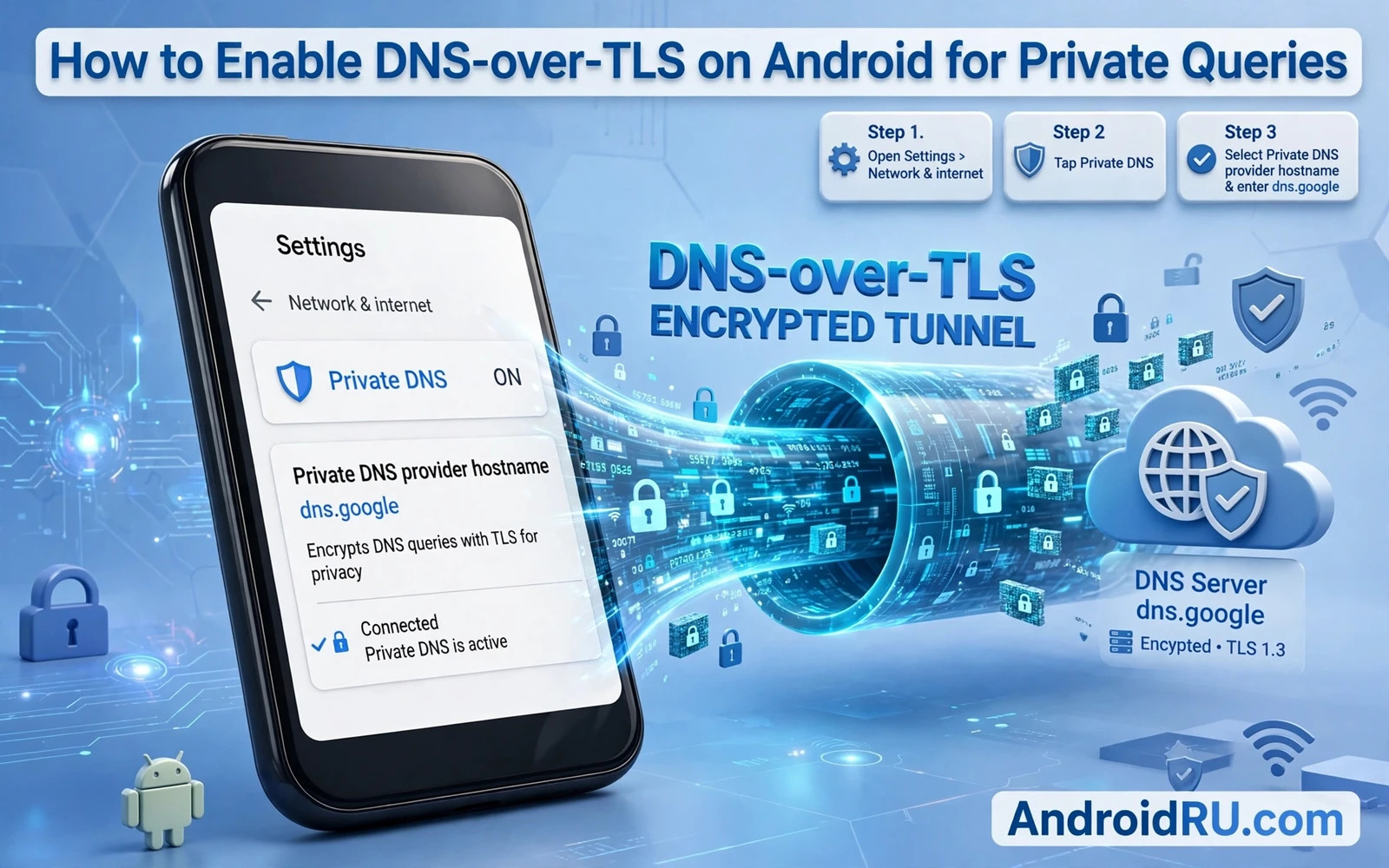
Ordinary DNS queries travel across the network in plain text. Anyone who controls the local network or who sits between your phone and the resolver can read every domain that you look up and can alter answers to redirect you to fake sites. DNS-over-TLS wraps those queries in an encrypted TLS session between your phone and the resolver. That encryption hides query contents from network observers and it authenticates the resolver so that tampered answers become far harder to inject. Private DNS on Android is the built in switch that enables DNS-over-TLS without extra apps.
DNS-over-TLS differs from a VPN in scope and in purpose. A VPN encrypts all of your network traffic and hides your network address from sites. DNS-over-TLS encrypts only DNS lookups and it does not hide your network address from the resolver or from sites that you visit. That narrower scope is still valuable because DNS queries reveal browsing intent even when website traffic itself is encrypted. A network observer who cannot read DNS queries learns far less about which services you use. Combine DNS-over-TLS with a VPN when you want both protections.
This guide walks through enabling private DNS on Android and choosing a trustworthy resolver hostname and verifying that encryption is actually active and fixing the networks where private DNS fails. The setup takes minutes but verification matters because a setting that looks switched on while the phone silently uses an unencrypted resolver protects nothing.
Open Private DNS Settings On Your Phone
Open Settings and then open Network and internet and then open Private DNS. Android offers three modes in most versions. Off disables encrypted DNS entirely. Automatic lets Android use encrypted DNS when the network resolver advertises support for it. Private DNS provider hostname lets you specify a resolver that you trust and forces encrypted DNS to that resolver. Choose the provider hostname mode for predictable protection because automatic mode depends on a network resolver that may not support encryption or may not deserve your trust.
Enter the hostname exactly as your chosen provider documents it. The hostname is a domain name such as a provider specific address and not a numeric IP address. A single typing error will break DNS resolution entirely or will send queries to the wrong resolver. Copy the hostname from the provider official documentation rather than from a random forum post. Save the setting and wait a few seconds for Android to establish the encrypted session before testing.
Choose A Resolver Worth Trusting With Queries
A DNS-over-TLS resolver sees every domain that you look up so provider trust matters as much as encryption strength. Choose a provider with a clear privacy policy that states how long query logs are kept and whether queries are anonymised or aggregated. Prefer providers with independent audits or with nonprofit governance or with a long public track record. Avoid resolvers that promise free encrypted DNS while monetising query data through advertising profiles. Encryption without a trustworthy resolver merely moves surveillance from the network to the resolver.
Filtering resolvers add ad and malware blocking on top of encryption and they suit many users. Non filtering resolvers suit users who want pure privacy without content decisions by the resolver. Decide which model fits your household before setup because switching later requires retesting every app. A filtering resolver that breaks a work app may push you to disable private DNS entirely which loses encryption as well as filtering. A well chosen resolver stays switched on because it rarely breaks anything.
Verify That Encryption Is Actually Active
Verification separates a working setup from a hopeful setting. Visit a DNS test page that reports your resolver and your encryption status. The page should show your chosen provider as the resolver. Test on Wi-Fi and on mobile data separately because private DNS behaviour can differ between networks. Test after a phone restart as well because some settings fail to apply cleanly until restart. A setup that passes all three tests is genuinely protecting your queries.
Watch for fallback behaviour that silently disables encryption. Some networks block the TLS port used by DNS-over-TLS and Android may fall back to plain DNS on those networks depending on version and settings. If a test page shows an unencrypted resolver on a particular network then treat that network as unprotected for DNS privacy. Use a VPN on that network or avoid sensitive browsing until you leave it. Do not assume that a single successful test proves protection on every network that you will ever join.
Fix Networks Where Private DNS Fails
Captive portal networks cause the most common private DNS failure because the portal login page itself needs plain DNS before you authenticate. Connect to the portal and complete login and then retest private DNS. Many portals work normally after login once the network stops intercepting DNS. Corporate and school networks may block encrypted DNS deliberately to enforce their own filtering. On a managed network follow the network policy rather than fighting it with workarounds because bypass attempts can violate acceptable use rules.
If private DNS fails on your home network check your router settings for DNS interception or parental filtering that forces a specific resolver. Some routers redirect all DNS traffic to themselves regardless of phone settings. Disable router DNS redirection for your phone or set the router itself to use an encrypted resolver if it supports that feature. Home network fixes benefit every device on the network rather than only the phone that you configured.
DNS-over-TLS Limits And Companion Protections
DNS-over-TLS hides query contents from network observers but it does not hide the network addresses that your phone connects to after resolution. An observer can still infer visited services from connection addresses and traffic patterns. It also does not hide your queries from the resolver itself which is why resolver trust matters. It does not block trackers that share domains with essential content and it does not encrypt website traffic beyond what HTTPS already provides. Treat DNS-over-TLS as one layer in a privacy stack rather than as a complete invisibility tool.
Companion protections complete the stack. HTTPS encrypts website traffic itself. A VPN hides network addresses from local observers and adds a second encrypted tunnel. Browser tracking protection blocks fingerprint scripts and third party cookies. App permission review stops apps from leaking location and contacts through their own channels. DNS-over-TLS protects the lookup step and those companions protect the steps before and after lookup. Together they leave far less observable metadata for any single observer.
Encrypted DNS pairs naturally with filtering so compare resolvers in securing your Android phone on public Wi-Fi networks and add a tunnel with best mobile VPN services for Android security and speed while stopping pop-up ads and trackers on Android browsers handles tracking that encrypted DNS alone cannot block.
- Use private DNS provider hostname mode rather than automatic mode for predictable protection
- Copy the resolver hostname from official provider documentation without typing errors
- Verify encryption on Wi-Fi and on mobile data and after a restart
- Treat networks that block encrypted DNS as unprotected for query privacy
- Choose a resolver with a clear logging policy and an audit or nonprofit track record
Choosing Between DNS-over-TLS And A VPN
DNS-over-TLS and a VPN solve different problems and many users benefit from both layers together. DNS-over-TLS encrypts domain lookups and authenticates the resolver while leaving other traffic to its own encryption. A VPN encrypts all traffic and hides network addresses from local observers while routing everything through a provider that must itself be trusted. A user on a trusted home network may need only DNS-over-TLS for query privacy. A user on public Wi-Fi may want a VPN as well for full traffic protection.
Performance differences between the two layers are usually small but they deserve measurement on your own phone. DNS-over-TLS adds a small handshake cost when the encrypted session starts and then adds negligible overhead for later queries. A VPN adds encryption overhead for every packet and may reduce speed on a slow connection. Test browsing speed with each layer switched on separately and then together. Choose the combination that protects your threat model without making everyday browsing frustrating enough to tempt you to disable protection entirely.
Trust considerations should drive provider choice for both layers. A DNS resolver sees your domain queries and a VPN provider sees your traffic destinations. Using the same provider for both layers concentrates trust in one company. Using different providers for DNS and VPN spreads trust but complicates support when something breaks. There is no universally correct answer. Pick providers with clear logging policies and independent audits and a track record that you can verify rather than providers that compete only on price or speed claims.
DNS-over-TLS On Home Routers And Shared Networks
Home routers can extend DNS-over-TLS protection to every device on the network including televisions and smart speakers that lack their own private DNS setting. Check whether your router supports encrypted DNS forwarding and configure it with a trustworthy resolver when it does. A router level setup protects guests and family devices automatically without configuring each device separately. It also protects devices that cannot run private DNS themselves because the router handles encryption on their behalf.
Router level encryption does not replace phone level private DNS because a phone leaves the home network regularly and joins other networks where the router cannot help. Keep private DNS switched on for the phone itself so that protection travels with you. Think of router encryption as home base protection and phone encryption as travel protection. Both layers together ensure that domain queries stay encrypted at home and away. Test both layers separately with resolver test pages on home Wi-Fi and on mobile data.
Enabling DNS-over-TLS on Android is a small setting with a large privacy return. Private DNS encrypts your domain lookups and authenticates your resolver and removes a rich source of browsing metadata from network observers. Choose a trustworthy resolver and verify encryption on every network that you use and keep the setting switched on as a permanent default. Your queries will then stay private by design rather than by hope.

