

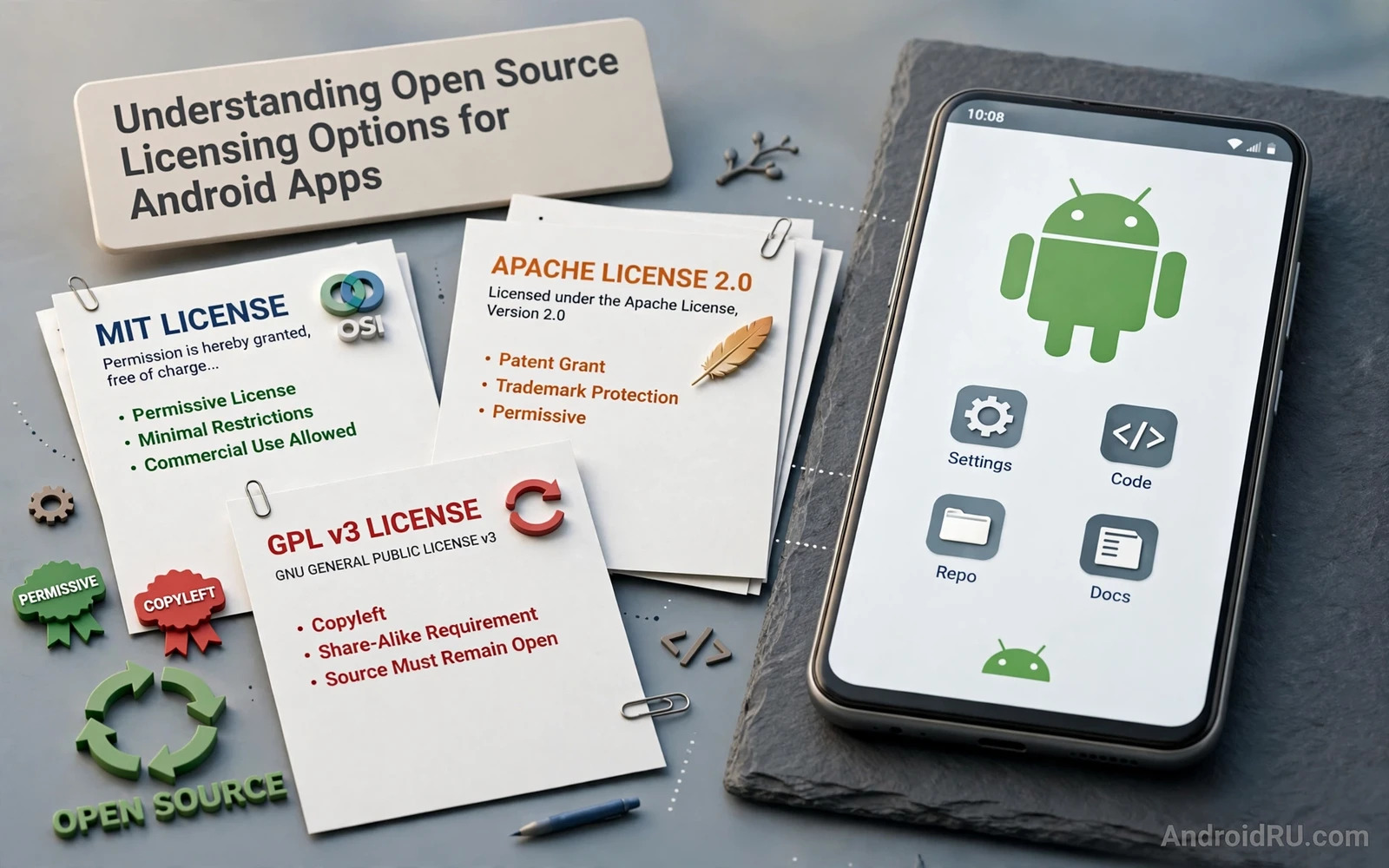
Understanding Open Source Licensing Options for Android Apps
Every Android app you ship stands on code written by other people. The networking library, the image loader, the JSON parser, the crash reporter, the dependency injection framework: most of them arrived under an open source licence, and each licence carries its own rules about what you may do with that code. I learned this the uncomfortable way, during a release review for a client app, when a routine audit flagged a single library whose licence clashed with the way we distributed the app. Nothing had gone wrong in the code itself. The problem lived entirely in a text file nobody had read.
That experience is common. Developers pick libraries for speed, stability, and documentation, and the licence is treated as an afterthought, a file to scroll past on the way to the README. The trouble starts later, at the exact moment it is hardest to fix: just before a release, during a company acquisition, or when a user asks for the source code your licence obliges you to provide. This guide walks through the licence families that matter most for Android work, in plain language, with the practical checks you can run before any of those moments arrive.
One warning up front: this article is general information, not legal advice. Licence questions turn on specific facts, and the same licence can bite differently depending on how you ship your app. If a licence choice affects revenue, an acquisition, or a dispute, talk to a qualified lawyer. What follows will help you understand the landscape, ask sharper questions, and catch the common mistakes early.
What an Open Source Licence Actually Grants Android Developers
A licence is a permission slip with conditions attached. Copyright law gives the author of a piece of code the exclusive right to copy, modify, and distribute it. Without a licence, you have no clear right to use someone else’s code at all, even if the repository is public and the code is sitting in front of you. Public visibility is not permission. The licence file is what turns “I can see it” into “I may use it, under these terms.”
For Android developers this matters twice over. First, your app consumes libraries: every dependency in your Gradle file brings a licence with it, and those licences travel with your app into the hands of users. Second, your app may itself be open source, in which case the licence you choose decides what the whole world may do with your work, including whether a company can take it, close it, and sell it.
Most licences answer the same five questions, and reading any licence gets easier once you know to look for them. May you use the code commercially? May you modify it? May you distribute it? Must you share your own changes? And what must you include when you distribute it, such as a copyright notice or a copy of the licence text? Different licences answer those questions in very different ways, and the differences are the whole subject of this guide.
Copyright, permission, and why no licence means no permission
When a developer publishes code on a public host with no licence file at all, the default legal position in most jurisdictions is that all rights remain reserved. You may read it and learn from it, but copying it into your app is a copyright risk. I have seen teams assume that a missing licence means “free for any use,” and that assumption is exactly backwards. If you find a useful snippet or library with no licence, contact the author and ask them to add one before you depend on it. A one-line reply from the author can save a rewrite later.
The five questions every Android licence answers
Keep this short checklist beside you when you read a new licence. Commercial use: may the code be used in a paid app? Modification: may you change it? Distribution: may you ship it to users? Copyleft: must your changes, or your whole app, be shared under the same terms? And attribution: what notices must travel with the code? If you can answer those five for every dependency in your app, you have done most of the compliance work already.
Permissive Licences: MIT, Apache 2.0 and BSD for Android Projects
Permissive licences are the default choice of the Android ecosystem, and for good reason. They grant broad rights with light conditions, and they fit neatly into commercial apps. The three names you will meet most often are MIT, Apache 2.0, and the BSD family, and they cover a huge share of the libraries Android developers rely on every day. When you browse a list of top open source libraries for Android developers, you will find that most entries on it sit under one of these three licences, which is one reason those libraries spread so fast.
The MIT licence is the shortest of the three, and its brevity is part of its appeal. It lets you use, copy, modify, merge, publish, distribute, sublicense, and sell the code, with a single condition: the copyright notice and the licence text must be included in all copies or substantial portions of the software. That is the whole deal. There is no requirement to share your changes, and no requirement to open your own app. The trade-off is that MIT offers no explicit patent grant, which matters more for some companies than for others.
Apache 2.0 is the licence behind much of the Android platform itself, including large parts of the Android Open Source Project, and it is the licence I reach for first when I publish a library. It grants the same broad rights as MIT, and it adds two things that matter in practice. First, an express patent licence from each contributor, which protects users against a contributor later claiming patent infringement over their own contribution. Second, a clear rule about the NOTICE file: if the original work ships one, you must include its attribution notices when you distribute your app. Apache 2.0 also requires you to state the changes you made to files you modified, a small habit that pays off during audits.
MIT licence terms in plain language
MIT says, in effect: do what you like, keep this notice attached. That simplicity makes it easy to comply with and easy to explain to a non-technical manager. The risk is narrow but real: because MIT has no patent clause, a company that is sensitive to patent exposure sometimes prefers Apache 2.0 instead. For a small app or a personal project, MIT is a fine choice, and its popularity means most developers already know how to comply with it.
Apache 2.0 and the patent grant Android teams rely on
The patent grant is the reason large companies often standardise on Apache 2.0. Each contributor grants users a licence to any patents that their contribution necessarily infringes, and that grant ends only if you sue someone over patent infringement related to the work. That termination clause is a defensive shield, not a trap, and it is one of the most copied ideas in modern licensing. If your library might attract corporate users, Apache 2.0 removes a whole category of objections before they are raised.
What the Apache 2.0 NOTICE file must contain
If a library ships a NOTICE file, read it. It usually holds attribution lines such as “Copyright 2024 Example Corp” and short acknowledgements the authors want preserved. Your job is to carry those lines into your own app, typically in an open source notices screen or a bundled NOTICES file. Dropping the NOTICE file is the single most common Apache 2.0 compliance failure I see in Android apps, and it is also the easiest to fix: collect the notices during your build and ship them with the app.
BSD licences and the advertising clause that faded away
The BSD family comes in two- and three-clause versions. The two-clause BSD is close to MIT in spirit: keep the copyright notice, keep the disclaimer, do what you like. The three-clause version adds a ban on using the names of the authors or contributors to endorse a product built from the code without permission. The old four-clause BSD, with its advertising requirement, has mostly faded from use, and you should be glad of that: its rule that every advertisement mention the original authors was a bookkeeping headache. If you meet a BSD licence today, it is almost always the two- or three-clause form, and both are friendly to commercial Android apps.
Copyleft Licences: GPL, LGPL and AGPL in Android Apps
Copyleft licences work from the opposite instinct. Where a permissive licence says “do what you like, keep the notice,” a copyleft licence says “you may build on this, but your work must carry the same freedoms forward.” The best-known family is the GNU General Public Licence, and its rules have real consequences for Android apps, because the way an app is packaged can decide whether the copyleft obligation reaches your own code. This is the area where developers get into the most trouble, usually by accident.
The GPL in its strong form is a poor fit for most closed-source commercial apps. If your app links a GPL library in the ordinary way, and you distribute the resulting app, the GPL expects the whole combined work to be licensed under the GPL, with source code available to recipients. That is not a minor paperwork condition; it can mean publishing your own source code. Some teams decide that is acceptable, and they ship genuinely open apps. Many more teams discover the obligation only after the library is woven through their codebase, and unwinding it is painful.
That said, the GPL is not a monster to fear, it is a licence to respect and to use deliberately. It powers an enormous share of the tools developers rely on, from build tooling to Linux itself, and choosing it for your own project is a legitimate way to guarantee that improvements stay open. The mistake is not using GPL code; the mistake is using it without noticing.
GPLv3 versus GPLv2 for Android code
GPLv2 dates from 1991 and GPLv3 from 2007, and the newer version closes gaps the older one left open. GPLv3 adds an explicit patent grant, addresses anti-circumvention rules, and tackles the “tivoisation” problem, where hardware runs GPL code but blocks modified versions. For Android, GPLv3 also clarifies how the licence treats the combination of code with system libraries. The two versions are not automatically compatible: code under “GPLv2 only” cannot be combined freely with “GPLv3 only” code, so check the version line, not just the family name, before you merge two GPL projects.
LGPL and the line between library and app
The Lesser General Public Licence was written for libraries, and it draws a line that matters a lot on Android. If you use an LGPL library in the normal way, through its public interface, without modifying the library itself, your app can usually stay under its own licence, provided users can replace the library with a modified version. On a desktop that is straightforward; on Android, where libraries are compiled into the app package, the “replace the library” condition takes more thought. The practical answer for most teams is to keep LGPL libraries unmodified, link them in the standard way, ship the LGPL text and the library source offer, and let users rebuild. If you modify the LGPL library itself, those modifications must be shared under the LGPL.
When a GPL library forces your whole app open
The trigger is distribution of a combined work. If your app statically links a GPL library and you ship the result to users, the GPL treats the app and the library as one work, and the whole work must be GPL licensed. Shipping the app only inside your own company does not trigger the duty, because the GPL obligation follows distribution, not internal use. That distinction is why many teams can use GPL tools internally without worry, while the same code in a published app would be a problem.
AGPL and the network use trap
The Affero GPL closes a gap in the ordinary GPL that matters for server-side code: under the GPL, running a program on a server for others to use over a network does not count as distribution, so no source duty arises. The AGPL adds a clause that offering the program over a network does count, and users of that network service must be offered the source. For a pure Android client app this rarely bites directly, but it matters the moment your app talks to your own backend. If your backend uses AGPL code, the AGPL can oblige you to offer its source to your app users, so check your server dependencies with the same care you give the client.
Open Source Licence Comparison for Android Developers
Reading licence names in a list is one thing; seeing them side by side is what makes a decision stick. The table below compares the licences Android teams meet most often on the questions that actually decide a choice: commercial use, sharing your changes, patent protection, and what you must ship with your app. Use it as a starting point for discussion, then read the full licence text of the finalists before you commit.
| Licence | Commercial use | Must share your changes | Patent grant | What you must include |
|---|---|---|---|---|
| MIT | Yes | No | Not explicit | Copyright notice and licence text |
| Apache 2.0 | Yes | No | Yes, express | Copyright notice, licence text, NOTICE contents, change notes |
| BSD 2-clause | Yes | No | Not explicit | Copyright notice and disclaimer |
| BSD 3-clause | Yes | No | Not explicit | Copyright notice, disclaimer, no endorsement use |
| LGPLv3 | Yes | Only changes to the library | Yes, express | Licence text, library source offer, replacement possibility |
| GPLv3 | Yes | Yes, for the whole combined work | Yes, express | Licence text and complete corresponding source |
| AGPLv3 | Yes | Yes, including network use | Yes, express | Licence text, source offer to network users |
| MPL 2.0 | Yes | Only changes to covered files | Yes, express | Licence text, source of modified files |
Two rows deserve a second look. The Mozilla Public Licence 2.0 sits between permissive and strong copyleft: it obliges you to share changes to the licensed files themselves, but your wider app can stay under its own licence, which makes it a popular middle ground for libraries. And the Apache 2.0 row shows why it is the pragmatic favourite for Android: broad rights, a real patent grant, and conditions that a build script can satisfy automatically.
Notice what the table does not say. No licence here forbids commercial use outright, which surprises developers who assume open source means non-commercial. The differences live in the sharing column and the patent column, and those are the columns to argue about in your team. A licence decision is a trade between freedom for your users and freedom for your business, and the table makes that trade visible.
How to Audit Licences in Gradle Dependencies Before Release
An audit sounds like legal drudgery, and it can be, but the mechanical part is easy to automate, and automation is what makes it stick. The goal is a complete inventory: every dependency your app ships, its version, and its licence, reviewed before each release. I run this check the same way I run tests, as part of the build, not as a favour to do when someone remembers.
Start by listing your direct dependencies from your Gradle files, then expand to transitive ones, because the libraries you never chose directly are the ones that surprise you. A dependency can pull in three more libraries, and each of those carries its own licence. Gradle can print the full tree, and several plugins can attach licence information to each entry. The output is your inventory, and it should be saved with each release so you can answer the question “what did we ship in version 2.4” months later.
Once you have the inventory, sort it into three buckets. Green: permissive licences you have already approved, such as MIT, Apache 2.0, and BSD. Amber: licences that need a human look, such as LGPL, MPL, or any licence with an unusual custom text. Red: licences that clash with your distribution model, such as strong copyleft in a closed app, or any dependency with no licence at all. Red items block the release until someone resolves them, either by replacing the library, by opening the relevant code, or by getting a commercial licence from the author.
Building a software bill of materials for your app
A software bill of materials, often shortened to SBOM, is simply a formal version of that inventory: a machine-readable list of every component in your app, with versions and licences. It is becoming a standard request from enterprise customers and from app reviewers, and generating one from your Gradle build is far easier than assembling it by hand after the fact. Keep the SBOM with each release build, next to your mapping files and your test reports, so the evidence is there when anyone asks.
The strongest habit here is to generate the SBOM in continuous integration, on every release branch, and to fail the build when a new dependency appears with an unknown licence. That turns licensing from a periodic panic into a quiet check that runs while you work. The first time it catches a GPL library that a teammate added casually, it will have paid for the setup effort many times over.
Using a Gradle licence report plugin in practice
Several Gradle plugins scan your dependency tree and produce a licence report, usually as HTML or JSON, listing each library with the licence declared in its metadata. The practical value is not the pretty report; it is the diff between releases. When the report changes, something entered or left your app, and you can review exactly what changed. I check that diff in the same review where I check code changes, because a new dependency is a code change with legal weight.
How the Gradle licence plugin reports each dependency
A typical report maps each module, such as a networking or image loading library, to the licence text found in its published metadata, and flags entries where the metadata is missing or ambiguous. Treat flagged entries as work, not noise: a missing licence in metadata does not mean the library is unlicensed, it means you must check the repository yourself and record what you find. Keep a small file in your repository, such as a NOTICES or THIRD_PARTY file, where those manual findings live, so the next audit starts from answers instead of questions.
What to do when a dependency has no clear licence
First, check the repository for a licence file under a different name, such as COPYING or LICENSE.md, and check the source headers, which sometimes carry the licence when the repository root does not. Second, look at the published package metadata, which sometimes declares a licence the repository forgot to display. Third, contact the maintainer and ask them to add a licence. If none of that resolves it, treat the dependency as unusable and find an alternative. Shipping code with no licence is a risk that grows with your app, and it is a risk you chose, not one you inherited.
Common Licence Mistakes Android Teams Make
Most licence trouble in Android teams comes from a short list of repeated mistakes, and every one of them is preventable. The first is copying code from a forum answer or a tutorial without checking its licence. A ten-line snippet from a blog post is usually fine under fair use or under the site’s own terms, but a whole file copied from a GPL project is not a snippet, it is a GPL file in your app, and it carries its licence with it. If you copy more than a few lines, check the source licence first.
The second mistake is forgetting that your distribution format changes what you ship. The way you package and sign your app decides which files reach users and which notices travel with them, and a format change can quietly drop the notices you used to include. This is one reason to understand app bundles versus traditional APK files before you switch formats: the bundle changes how your app is assembled for each device, so verify that your licence notices and your NOTICE file still reach the final installed app after the switch, rather than assuming they do.
The third mistake is treating your own code as if it had no licence at all. If you publish your app’s source on a public host with no licence file, other developers cannot safely use it, and companies will avoid it. If you want people to use your code, say so in a licence. If you want to keep it closed, do not publish the source. Silence helps nobody.
Copying code without checking its licence
Code copied from an answer site, a gist, or a tutorial inherits the licence of its source, and the source is not always what you think. Some tutorial code is MIT licensed, some is GPL licensed because it was taken from a GPL project, and some has no licence at all. The fix is a team habit: any copied file longer than a screen gets its origin and licence noted in a comment at the top, and the note is checked during review. That habit costs seconds and prevents rewrites.
Forgetting attribution notices in the shipped app
Attribution is the cheapest condition in open source, and the most often skipped. A licences screen in your app settings, or a NOTICES file bundled with the app, satisfies most attribution duties, and libraries exist that generate that screen from your dependency list automatically. The screen costs you one menu entry and saves you from the awkward conversation where a library author discovers their work in your app with no credit at all.
Assuming closed source means licence-free
Closing your own source does not free you from the licences of the code inside your app. Your app can be closed while its libraries remain open, and their conditions still apply to you. The reverse is also true: opening your source does not magically satisfy the licences of your dependencies, each one still needs its own compliance. Keep the two ideas separate, and check each side on its own terms.
Confusing code protection with licence compliance
Some teams reach for obfuscation when they should reach for a licence review, as if hiding the code makes the licence question disappear. It does not. Obfuscation changes what a reader can see, not what you are obliged to do, and the licence duties still apply to the code inside the package. If you want to understand the technical side of protecting your own code, read about securing source code against decompilers, but treat that as a separate job from licensing: one guards your code against copying, the other states the terms under which copying is allowed.
Choosing the Right Licence for Your Own Android App
Choosing a licence for code you wrote is a decision about what kind of project you want to run. Start with the goal, not the licence name. Do you want maximum adoption, including by companies that will never open their own code? A permissive licence such as MIT or Apache 2.0 is the natural fit. Do you want to guarantee that every improvement stays open? A copyleft licence such as GPLv3 does that by design. Do you want something in between, where changes to your files stay open but the wider app can stay closed? MPL 2.0 is built for exactly that middle ground.
Consider your contributors as well as your users. A permissive licence is the easiest to contribute to, because contributors know their work may end up anywhere, and they accept that. A copyleft licence asks contributors to accept that their work will stay open, which suits communities built around that shared value. If you expect corporate contributions, ask what their legal teams will accept: many companies have a short approved list, and Apache 2.0 is on almost all of them, which is a practical reason it dominates Android libraries.
Dual licensing is an option worth knowing about. Some projects offer the same code under two licences, typically GPL for open use and a paid commercial licence for companies that want to ship it closed. That model funds development, and it works when one owner holds the copyright to the whole codebase, usually through a contributor agreement. It is a business model as much as a licence choice, so weigh it with the same care you would give any pricing decision.
Questions to ask before you pick a licence
Ask who you want to be able to use your code, and who you want to keep out. Ask whether you need patent protection from contributors. Ask whether you are comfortable with a company selling your code without sharing improvements. Ask whether your employer owns the copyright, because if it does, the choice may not be yours to make alone. Honest answers to those four questions narrow the field to one or two licences almost every time.
Dual licensing and contributor agreements
If you accept contributions from others, remember that each contributor keeps copyright over their own contribution unless they assign it or license it to the project under a contributor agreement. Without that agreement, relicensing the project later can require tracking down every contributor and asking permission, which is how projects get stuck on an old licence for years. Decide early, write it down, and use a standard contributor licence agreement rather than inventing your own.
A practical checklist before you publish
Before your next release, run this short pass. List every dependency and its licence. Confirm no red-bucket licence is present. Check that NOTICE files and attribution screens are included in the shipped app. Confirm your own licence file exists at the repository root and matches what your README claims. And save the inventory with the release. That pass takes an hour the first time and minutes afterwards, and it is the difference between a team that hopes it complies and a team that knows it does.
Frequently Asked Questions About Open Source Licensing for Android
Can I use a GPL library in a closed-source Android app?
Not in the ordinary way, no. If your app links a GPL library and you distribute the combined app, the GPL expects the whole work to be available under the GPL, with source code. You can avoid that result by replacing the library with a permissively licensed alternative, by keeping the GPL code in a separate program that your app talks to rather than links, or by obtaining a commercial licence from the copyright holder. Internal use without distribution does not trigger the duty, so a GPL tool used only inside your company is a different case from a GPL library shipped in your app.
Do I need to show licence notices inside my app?
For MIT, BSD, and Apache 2.0 code, yes, in the sense that the copyright notice and licence text must travel with the software, and the usual Android answer is a licences screen in settings or a bundled NOTICES file. Many apps generate that screen automatically from their dependency list, which keeps it accurate as dependencies change. Skipping it is the most common small failure in Android licensing, and it is also the easiest to fix, so there is little excuse for leaving it out.
What happens if I ship an app with no licence file of my own?
If your own code has no licence, others have no clear right to use, copy, or modify it, even if they can see it in a public repository. That uncertainty drives away exactly the users and contributors you probably want, because companies and careful developers will not build on code they cannot legally use. Add a licence file at the repository root before you promote the project, and make sure your README states which licence applies, so nobody has to guess.
Is the Apache 2.0 licence safe for commercial Android apps?
Yes, it is one of the safest choices for commercial use. Apache 2.0 expressly allows commercial use, modification, and distribution, and it adds a patent grant from contributors. Your duties are to include the licence and copyright notices, to preserve NOTICE file contents, and to note the changes you made to files you modified. Thousands of commercial Android apps ship Apache 2.0 libraries under exactly those terms, including libraries that are part of the Android platform itself.
How often should our team audit dependency licences?
Audit on every release, and continuously in your build pipeline if you can. A release audit catches the dependency someone added last month, and a pipeline check catches it the day it is added, which is better. At minimum, review the licence inventory whenever a new dependency is proposed in code review, and save the inventory with each release build. A licence problem found in review costs minutes; the same problem found by a customer or an acquirer costs far more.
Licensing is not the exciting part of Android development, and it never will be. But it is the part that decides whether the app you built can be sold, acquired, or even distributed without a surprise. Pick licences deliberately, audit what you ship, keep your notices in the app, and revisit the choice whenever your business model changes. Do that, and the licence file becomes what it should be: a quiet piece of paperwork that never interrupts your work, because you handled it before it could.

