

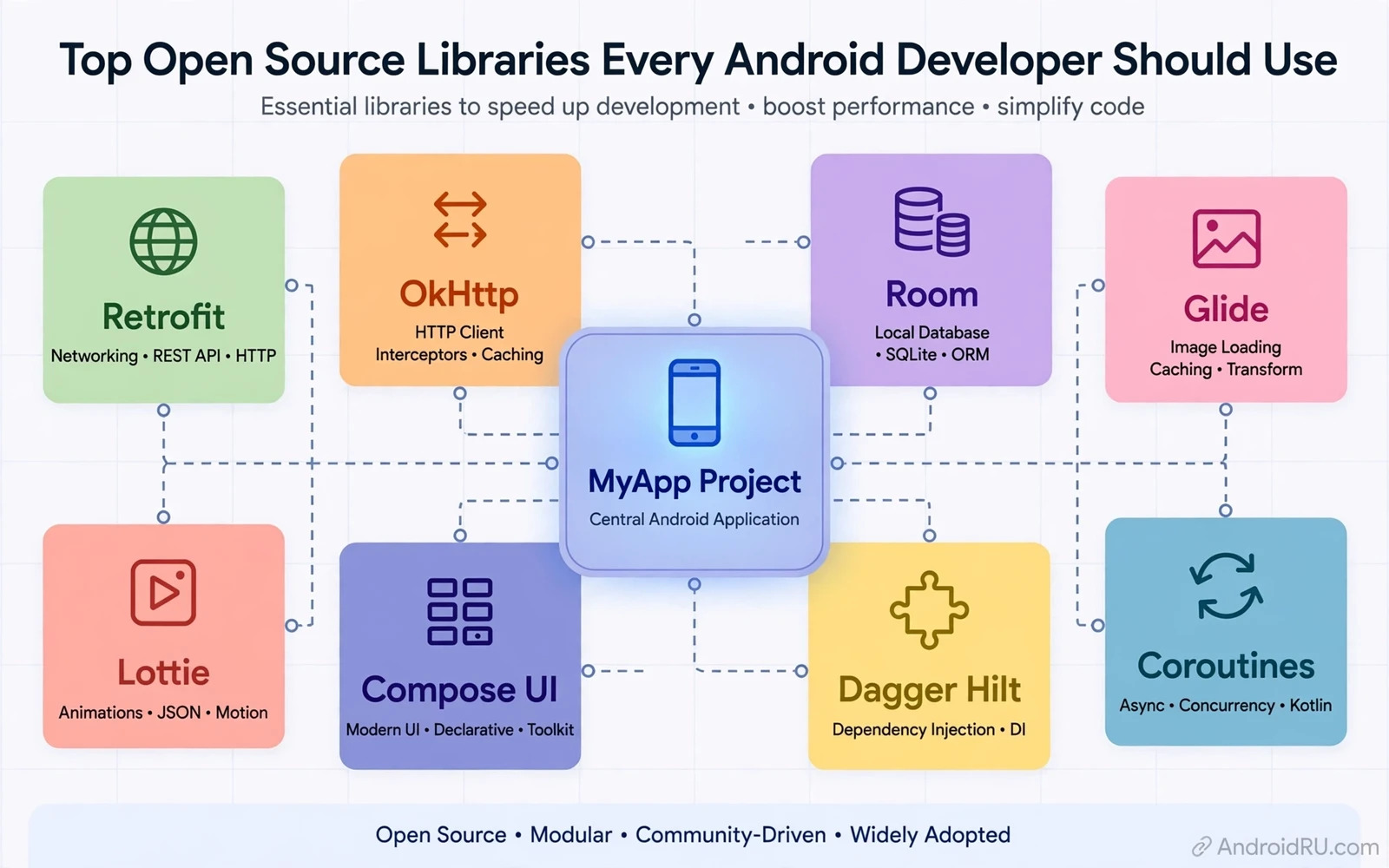
Why Open Source Libraries Matter
Open source libraries let a developer reuse tested code instead of rebuilding common features from scratch. Networking and image loading and database access and navigation all have mature libraries that have been used by many apps. Reuse shortens development time and it reduces the chance of a basic bug in a feature that is not the core value of the app. The time saved can then go into the features that make the app distinct and useful.
Reuse also brings a duty to choose well. A library adds code and permissions and maintenance burden to a project. A library that is abandoned can become a security risk and a migration burden later. A library that is too large for a small need can bloat an app and slow its startup. The best library is therefore not always the most popular one and it is the one that fits the project size and team skill and update policy.
Licence checking is part of selection and it should happen before a library enters production code. Permissive licences and copyleft licences impose different duties on distribution and on modification. A team that ignores licence terms can face legal trouble and forced code changes late in a project. A short licence note in the project docs for each major library prevents that surprise and it helps reviewers to approve new dependencies quickly.
Networking and Data Libraries
Networking libraries handle requests and retries and parsing and caching in a consistent way. A good networking library separates request building from response handling so tests can mock responses without a live server. It should support modern transport security and clear timeouts and cancellation. An app that handles network failure gracefully feels reliable even when the connection is weak or unstable.
Local data libraries handle storage and queries and migrations with less boilerplate than raw database code. A clear data layer makes it easier to change storage details without rewriting app screens. Migration support matters because users keep old app data across updates. A library that forces data loss on upgrade will damage trust quickly. Testing migrations with real old data is a habit that pays off in every release.
Image loading libraries handle fetching and decoding and caching and memory management for images. Images are a common cause of memory pressure and slow scrolling when they are handled by hand. A mature image library downsamples images to the display size and it reuses memory wisely. That behaviour improves scrolling smoothness and it reduces crashes on low memory devices. Image handling is a good example of a problem that looks simple and rewards a tested library.
Interface and Navigation Libraries
Interface libraries provide components and patterns that match platform guidelines. Consistent components help users to learn an app faster because buttons and lists and dialogs behave as expected. A library that follows platform motion and accessibility patterns also helps users who rely on screen readers or large text. Interface consistency is not only a visual choice and it is a usability choice that affects many users.
Navigation libraries manage screens and back behaviour and deep links in one place. A central navigation graph makes the flow of an app visible and testable. It also prevents the common bug where the back button returns to a wrong screen after a deep link. Navigation that is easy to reason about is easier to extend when new features arrive. That clarity becomes more valuable as the app grows beyond a few screens.
Beginners who are still setting up their tools can build a solid base by reading setting up Android Studio for beginners before they add their first libraries. A clean project setup makes dependency management simpler and it makes build errors easier to understand. Library choice should come after the project builds cleanly and runs on a real device. That order prevents a beginner from blaming a library for a setup problem.
Camera and Media Libraries
Camera and media work benefits greatly from libraries that wrap complex platform APIs. CameraX simplifies lifecycle handling and use cases for preview and capture and analysis. Media libraries handle playback and buffering and format differences across devices. These areas involve hardware differences and timing issues that are hard to get right by hand. A library that is maintained against many devices saves a team from device specific bugs.
Audio libraries deserve the same care as camera libraries because audio paths differ across devices and Android versions. A library that handles focus and routing and format fallback will behave better in calls and playback and recording. Developers should test audio libraries with headsets and speakers and Bluetooth devices rather than only with the phone speaker. Real device testing reveals routing problems that emulator testing often hides.
Native code work often sits beside library work and readers can explore understanding the Android NDK and C plus plus to see when native code is the right tool and when a library is enough. Many performance problems are solved by a good library without native code. Native code should be reserved for cases where measurement shows a real bottleneck that a library cannot fix.
Testing and Quality Libraries
Testing libraries make unit tests and interface tests shorter and clearer. A test that is easy to read is a test that will be maintained when code changes. Mocking libraries let tests isolate one component without a live network or database. Interface test libraries let a team check user flows automatically before each release. Automated tests catch regressions that manual testing often misses under deadline pressure.
Quality libraries for linting and formatting keep a codebase consistent across many contributors. Consistent formatting reduces review noise and it lets reviewers focus on logic rather than style. Static checks can catch common mistakes such as leaked resources or unsafe threading patterns. These tools do not replace review but they raise the floor for every change that enters the project.
A first real app is a good place to practise library selection and newcomers can follow building a first Android app with Kotlin to see how a small project grows from setup to a working screen. Starting small teaches which libraries are truly needed and which libraries only add weight. That lesson is best learned on a small project rather than on a large project under deadline pressure.
Evaluating a Library Before Adoption
Evaluation should look at maintenance activity and issue handling and release cadence and documentation quality. A library with recent releases and answered issues is more likely to survive the next platform update. Documentation with working examples matters more than a long feature list because examples show how the library behaves in real code. A quick prototype in a throwaway branch reveals integration friction before the library enters the main project.
Size and dependency weight should be measured rather than guessed. A build report shows how much a library adds to the app and which transitive dependencies it pulls in. A library that pulls in a large dependency tree can cause version conflicts with other libraries. Resolving those conflicts early is cheaper than resolving them after several libraries have been adopted. A dependency report should be part of the adoption decision for every major library.
Security review should check for known issues and for excessive permissions and for network behaviour. A library that requests broad permissions for a narrow feature deserves scrutiny. A library that sends data to a remote server needs a clear reason and a privacy note. Teams should record the result of this review so a future audit can see why a library was trusted. Trust in a dependency should be earned and documented rather than assumed.
Keeping Libraries Healthy Over Time
Libraries need regular updates but updates should not be blind. Each update should be tested with the app test suite and with manual checks on key screens. A changelog review helps the team to spot breaking changes before they reach users. Pinning versions in a lockfile makes builds reproducible while still allowing planned updates. Random updates without testing create a churn that hides real regressions.
Removing a library is also a healthy habit when its value fades. A feature that is now built into the platform may make an old library unnecessary. Removing dead dependencies shrinks the app and reduces maintenance and security surface. Removal should be done in a separate change with tests so a rollback is simple when a hidden use of the library appears. A lean dependency list is a sign of a mature project rather than a sign of missing features.
A strong library strategy is simple in principle and disciplined in practice. Choose few libraries and choose them for fit and maintenance and licence and size. Prototype before adoption and document the reason for each choice. Update on a schedule and remove what is no longer needed. When those habits hold the app stays fast and stable and the team stays free to focus on features that users actually value.
Documentation and Community Signals
Documentation quality is a strong signal for library health because it shows how maintainers think about new users. A library with a clear quick start and working examples and migration notes is easier to adopt and easier to keep updated. A library with only a terse readme may still be good but it will cost more time in trial and error. Documentation should be weighted alongside code quality in every adoption decision.
Community behaviour also matters because a library with respectful issue handling and clear contribution rules tends to survive maintainer changes. A library that depends on one person without any co maintainers carries a bus factor risk that can become a crisis. A team should note that risk before adoption and it should plan an exit path when the risk is high. An exit plan does not mean distrust and it means readiness for change.
Sample apps that use a library in a realistic way are worth more than a feature list for evaluation. A sample app shows threading and lifecycle and error handling in context rather than in isolation. Running a sample app on a real device reveals integration friction quickly. A library without a runnable sample deserves extra prototype time before it enters a production project.
library adoption checklist
check licence and maintenance and docs
prototype in a throwaway branch
measure size and transitive dependencies
review permissions and network behaviour
record decision and schedule updates

