

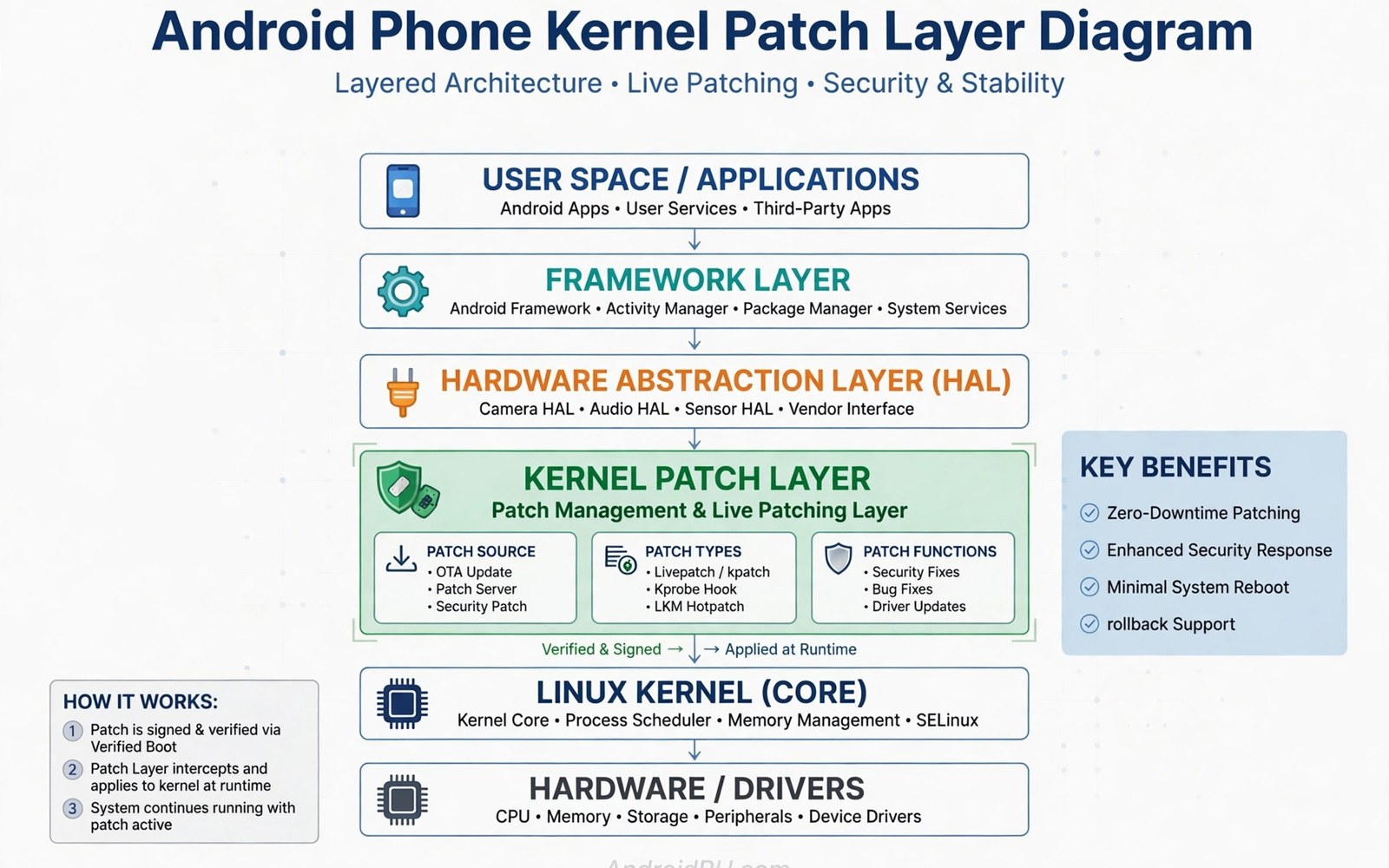
APatch offers another kernel based path to root access on Android. It patches the kernel to add superuser control at a low level. It differs from Magisk by focusing on kernel patching rather than boot ramdisk overlays. It also differs from KernelSU in its patch method and tooling. Understanding APatch helps users compare kernel root options fairly.
APatch started as an alternative for users who wanted kernel level root with module support. It uses a kernel patch tool to modify a stock based kernel. The patched kernel then provides root access through its own manager. Modules can run through an overlay system similar to other methods. That combination appeals to advanced users who prefer kernel control.
APatch availability depends heavily on kernel support for each phone. Not every kernel can accept the APatch patch cleanly. Some kernels need additional patches before APatch works. Users should check device specific reports before choosing APatch. A method without device support is not a practical option.
APatch sits alongside other root methods in the same family. Compare it with how Magisk achieves systemless root without system edits for the user space contrast. Also compare it with KernelSU kernel-based rooting interface for another kernel path. The comparison clarifies trade offs clearly.
What Kernel Patching Means
Kernel patching modifies kernel code to add a new capability. APatch applies a patch that adds root handling to the kernel. The patch changes how the kernel responds to privilege requests. Approved apps can then gain root through that kernel path. The kernel enforces the grant rather than a user space daemon alone.
Patching a kernel requires a kernel image that matches the device. The patch tool must understand the kernel version and layout. A mismatch can cause boot failure or unstable behaviour. Users must use kernels tested with APatch for their model. Generic kernel files are not safe substitutes.
Kernel patching differs from flashing a custom kernel entirely. APatch modifies the existing kernel rather than replacing it fully. That approach preserves maker drivers and features more often. It still changes kernel behaviour in fundamental ways. Users should treat patched kernels with the same caution as custom kernels.
Installation Overview
Installation starts with an unlocked bootloader in most cases. The user prepares a kernel image suitable for patching. The APatch tool applies its patch to that kernel image. The patched kernel is then flashed to the device. The manager app is installed after boot to control grants.
Some devices use a patch flow through a dedicated app interface. The app guides kernel selection and patching steps. Users should still verify kernel and build compatibility manually. An app guide does not replace model specific research. Verify every file before flashing regardless of tool polish.
Backup the stock kernel before flashing any patched kernel. A stock backup enables quick recovery when patching fails. Store the backup on a computer with clear labels. Note the kernel version and build for the backup file. Clear labels prevent restoring the wrong kernel later.
Superuser Control In APatch
The APatch manager shows apps that request root access. Users can allow or deny each request individually. The manager also supports profiles for finer control. Profiles can limit what a granted app may do. That granularity helps reduce risk from powerful apps.
Grant logs help users audit root use over time. Review logs after installing a new root app. Look for unexpected requests or odd timing patterns. Revoke access for apps that behave suspiciously. Regular audits turn root into a managed tool rather than a blind risk.
APatch superuser handling runs through kernel enforcement. That enforcement resists tampering from user space apps. An app cannot grant itself root by editing a file. The kernel path adds strength compared with daemon only designs. Strength still depends on careful user grants in practice.
Modules And Compatibility
APatch supports modules through an overlay mechanism. Modules replace files at boot without editing system partitions. That design mirrors the systemless idea from other methods. Module format details differ from Magisk modules in some cases. Users should check module compatibility before installing Magisk modules on APatch.
Some modules rely on Magisk specific features that APatch lacks. Others rely on injection methods that differ across tools. A module that works on one method may fail on another. Test modules one at a time on APatch setups. Keep a module disable method ready before testing new modules.
App compatibility varies by root method as well. Some root apps expect Magisk paths or services. Those apps may need updates to work on APatch. Check app notes for APatch support before switching methods. Switching methods for one app may break another app that worked before.
Strengths And Limits
Kernel level enforcement is the main strength of APatch. It places root decisions where user space apps cannot easily bypass them. It also preserves many maker kernel features through patching. That balance suits users who want kernel control without a full custom kernel. It is a thoughtful middle path for supported devices.
Device support is the main limit of APatch today. Many phones lack tested APatch kernels or patch support. Building support needs kernel source and testing skill. Users without support must choose another method for now. Ecosystem growth may expand support over time for popular models.
Detection limits apply to APatch just as to other methods. Hardware attestation can still flag a patched kernel. Banking and payment apps may still block APatch devices. Users should test sensitive apps after installing APatch. No kernel method promises invisibility against strong attestation.
Choosing Between Kernel Methods
Compare APatch and KernelSU on device support first. The method with tested support for your model wins practically. Feature differences matter less than a stable supported install. A stable method you can maintain beats a novel method you cannot. Support should decide the choice in most cases.
Compare module needs next when both methods support your phone. List modules you truly need for daily use. Check which method runs those modules reliably. A favourite module may tip the choice toward one method. Test the full module set before committing to a switch.
Permission habits matter on every kernel method equally. Study managing superuser permissions and granting elevation safely before granting broad access on APatch. A strong kernel design cannot fix careless grants. Pair APatch with discipline and monthly audits for safe use.
Kernel Patch Safety Checks
Verify the patch tool version before applying any kernel patch. New tool versions fix format bugs and add device support. Old tool versions may mishandle new kernel layouts silently. A stale tool can produce a patched kernel that boots badly. Update the tool from a trusted source before patching.
Check patch logs for warnings about unsupported kernel features. Logs may state that a driver or config differs from expected. Ignored warnings often become boot faults after flashing. Read the full log even when the tool reports success. Log reading is a core patch safety habit.
Compare patched kernel size with stock kernel size as a sanity check. A patched kernel usually grows modestly from added code. A much smaller patched file signals a failed patch clearly. Do not flash a patched file that looks obviously wrong. Rebuild the patch with correct inputs instead.
Test a patched kernel on a spare device when possible. Spare testing removes risk from a daily phone entirely. When no spare exists keep stock kernel restore ready. A ready restore makes daily phone testing less stressful. Never test a patched kernel without a restore path.
APatch And System Updates
System updates bring new kernels that need fresh APatch patches. An old patched kernel rarely matches a new system build. Patch the new kernel after each update arrives. Keep old patched kernels labelled for diagnosis purposes. Old kernels help identify whether a new patch caused a fault.
Update timing matters for APatch users as with other methods. Tool support may lag behind major Android releases. Waiting for tool support avoids a rootless gap after updating. Early updates can leave APatch users without root for weeks. Patience after major releases pays off consistently.
Module compatibility after updates needs checking on APatch too. Modules may target old system layouts that updates change. Disable modules before updating and re-enable slowly after. Slow re-enabling identifies incompatible modules quickly. That discipline prevents post update boot faults.
Document each APatch update with kernel and tool versions. Note the patch outcome and any fault observed. That record speeds up future updates greatly. It also helps community helpers diagnose APatch faults. Good records turn a fragile process into a routine.
Community Support For APatch
APatch community support varies by model and region greatly. Popular models attract more testers and guides. Less popular models may have only a few reports. Check recent reports before choosing APatch for a rare model. Recent success matters more than old enthusiasm.
Share your APatch results honestly with the community. Report the model and kernel and tool version used. Report both success and failure with equal clarity. Honest reports help others avoid unsupported setups. Community knowledge grows through shared results.
Ask for help with exact details when APatch fails. State kernel version and patch tool version and error output. State the last successful step before failure. Clear details lead to precise advice from helpers. Vague requests lead to risky guesswork.
Avoid unofficial APatch builds from unknown sources. Unofficial builds may contain hidden code or broken patches. Use builds from the official project channel when available. Verify build hashes when the project provides them. Source trust matters deeply for kernel level tools.
adb reboot bootloader
fastboot flash boot apatch_boot.img
fastboot reboot
# Install APatch manager after boot
The steps above follow the approach described in the official developer documentation and reflect common practice for this topic. They explain APatch kernel patching in general terms. Readers should use kernels tested for their exact phone model. When support is unclear it is safer to choose a better supported method.

