

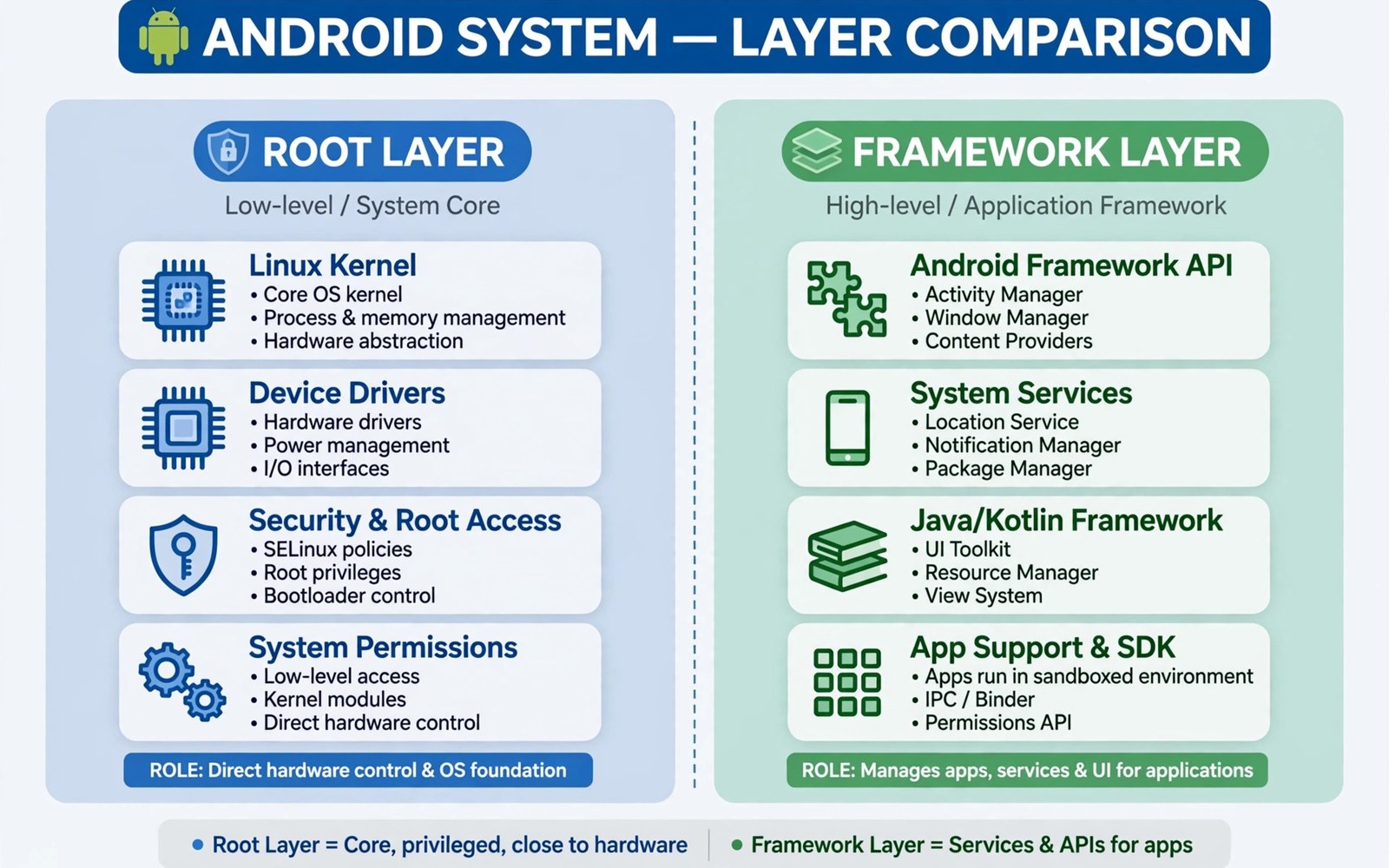
Beginners often ask whether LSPosed and Magisk are rivals. They are not rivals at all. They work at different layers of an Android device. Magisk provides root access and systemless modification. LSPosed provides method hooking inside app processes. Most LSPosed setups need Magisk or a similar root layer beneath them. Magisk on its own does not provide app method hooks. LSPosed on its own cannot grant root access. Understanding this split clears up most confusion. It also helps users diagnose problems at the correct layer.
Think of the device as a stack of layers. Hardware sits at the bottom. The kernel sits above hardware. Android system services sit above the kernel. Apps sit at the top and talk to services below them. Magisk operates near the bottom of that stack. It patches the boot image and manages root privileges. It can also overlay files without changing the system partition. LSPosed operates near the top of the stack. It injects code into app processes and hooks methods there. A problem at the bottom layer affects everything above it. A problem at the top layer affects only scoped apps. That asymmetry guides troubleshooting every time.
Magisk began as a systemless root solution. Systemless means the system partition stays untouched on disk. Changes live in an overlay that the boot process applies. This design helps with updates and with integrity checks. It also lets users disable all modifications quickly. Magisk modules extend the systemless idea to files and services. A module can replace a system file in the overlay. It can add a binary or change a configuration. The device still boots from an untouched system partition underneath. Removing the overlay restores the stock file set. That reversibility is a major reason for Magisk popularity.
What Magisk Handles On Its Own
Magisk handles root privilege management for apps that request it. A root manager prompt appears when an app asks for elevated access. The user grants or denies that request per app. Magisk also handles hiding root from apps that refuse to run on rooted devices. Its deny list and related features serve that purpose. These features operate at process and mount levels. They change what an app can observe about the environment. They do not change the internal logic of the app itself. That distinction matters for the comparison with LSPosed. Magisk changes the environment around an app. LSPosed changes behavior inside the app process.
Magisk modules cover a different set of use cases from LSPosed modules. A Magisk module might change system fonts or audio configuration. It might add a system binary or patch a service file. It might adjust thermal behavior through configuration files. These changes apply at boot through the overlay. They do not need per app scope in the LSPosed sense. They affect the system as a whole or a service as a whole. That breadth is both a strength and a risk. A bad Magisk module can affect boot itself. A bad LSPosed module usually affects only its scoped apps. Boot level risk demands extra caution with Magisk modules.
Users who want the LSPosed side of the story should read what LSPosed framework is alongside this comparison. That overview explains scope and module loading clearly. It pairs well with the layer view presented here. Together they show why both tools appear in most advanced setups. Neither tool replaces the other in a serious setup. Each covers a layer that the other cannot reach.
What LSPosed Handles On Its Own
LSPosed handles method level behavior inside chosen app processes. It cannot grant root access to an app. It cannot patch the boot image. It cannot overlay system files at boot. It assumes a root layer already injected its runtime into app processes. On modern setups that injection comes through Zygisk. Zygisk itself is a Magisk feature in most installs. That dependency explains why the two tools appear together so often. LSPosed is the guest and Magisk provides the doorway. The guest cannot enter without the doorway. The doorway alone does not change app logic.
LSPosed modules differ from Magisk modules in their unit of change. A Magisk module changes files or services. An LSPosed module changes method calls inside a process. The LSPosed change vanishes when the process ends without the module. The Magisk change persists across processes until the module is disabled. This difference affects testing style. LSPosed changes can be tested by restarting one app. Magisk changes often need a reboot to take full effect. Testers should respect that rhythm for each layer. Rebooting for an LSPosed scope change is still wise but often an app restart suffices.
- Magisk manages root access and systemless file overlays at boot level.
- Magisk modules change system files and services for the whole device.
- LSPosed manages method hooks inside selected app processes only.
- LSPosed modules change app behavior without altering files on disk.
- Zygisk bridges the layers by injecting LSPosed code at process start.
- Scope limits LSPosed effects while Magisk effects often apply system wide.
- Boot problems usually point to the Magisk layer rather than LSPosed.
- Single app crashes usually point to an LSPosed module scope problem.
How The Two Layers Work Together
A typical setup stacks the layers in a clear order. The boot image carries the Magisk patch. Magisk grants root and enables Zygisk during boot. Zygisk injects LSPosed runtime code into new app processes. LSPosed loads scoped modules into each process that needs them. The user manages Magisk modules in the Magisk manager. The user manages LSPosed modules in the LSPosed manager. Two managers may feel redundant at first. Each manager controls its own layer and its own module set. Keeping them separate prevents confusion about which layer owns a change.
Updates need care because the layers interact. A Magisk update can change Zygisk behavior. A Zygisk change can affect LSPosed loading. An LSPosed update can change scope handling. Update one layer at a time and test between updates. Do not update Magisk and LSPosed and the system on the same day. Spread the changes across several days when the phone is a daily driver. Note each version before and after the update. Those notes let you roll back to a known good combination. Rollback skill matters more than update speed for a stable setup.
Installation order also matters for new users. Install and stabilize Magisk first. Confirm root works and the phone behaves normally for a day. Then follow the path for installing LSPosed through Zygisk to add the upper layer. This order isolates problems cleanly. A boot issue after the first stage points to Magisk. An app issue after the second stage points to LSPosed. Reversing the order blurs that boundary. Beginners who reverse it often chase the wrong layer for hours.
Diagnosing Problems By Layer
Layer thinking turns troubleshooting into a short decision tree. Ask first whether the phone boots normally. If it does not boot then suspect the Magisk layer or a Magisk module. Disable Magisk modules from recovery if needed. Ask next whether the system interface crashes repeatedly. That symptom can come from either layer. An LSPosed module scoped to the system interface is a prime suspect. A Magisk module that changes interface files is another. Disable LSPosed modules first because that test is quicker. If the interface stabilizes then the fault sits in LSPosed scope. If it does not then test Magisk modules next.
Single app crashes point strongly to LSPosed. Check the scope for that app first. Disable modules scoped to that app one at a time. Restart the app after each change. A crash that follows one module is easy to confirm. System wide slowness is harder to attribute. It can come from many Magisk modules or many LSPosed hooks. Reduce both sets to a minimum and re-add slowly. Performance returns gradually as the culprit stays out. This slow rebuild feels tedious but it produces a certain answer. Guessing produces only a temporary fix.
Layer diagnosis quick guide
Phone will not boot: check Magisk modules first
System interface loops: check LSPosed system scope first
One app crashes: check LSPosed scope for that app
All apps slow: reduce both module sets and rebuild
Root prompt missing: check Magisk manager state
Framework inactive: check Zygisk and LSPosed module state
Choosing The Right Tool For A Goal
Choose Magisk when the goal needs root access or system file changes. Choose LSPosed when the goal needs per app behavior changes. A font change belongs to Magisk. A status bar tweak belongs to LSPosed. An audio driver change belongs to Magisk. An audio routing tweak for one app belongs to LSPosed. Some goals need both layers working together. A virtual camera setup may need a Magisk component and an LSPosed module. The split still helps because each part has a clear job. Assign each part to its layer and test each part alone.
Some users ask whether LSPosed can replace Magisk entirely. It cannot because it needs an injection path into processes. Some users ask whether Magisk can replace LSPosed entirely. It cannot because file overlays do not hook methods inside apps. The tools complement each other by design. Treating them as competitors leads to wrong choices. Treating them as partners leads to clean setups. The community uses both together for exactly that reason. Each tool stays focused on its layer and does that job well.
The steps above follow the approach described in the official developer documentation for the framework and its module system. That material explains the runtime loading model in general terms. It also describes how scope limits module effects per app. Readers who want deeper detail can consult the same documentation directly. The comparison here adds a layer mental model on top of that material. It does not replace module specific instructions from each author. Always read those instructions before changing either layer.
Common Misconceptions To Avoid
One misconception claims that disabling LSPosed removes root access. It does not. Root access lives in the Magisk layer and stays active. Another misconception claims that uninstalling Magisk keeps LSPosed working. It does not because the injection path disappears. A third misconception claims that a Magisk module and an LSPosed module with the same name are the same thing. They are not. They may share a goal but they use different mechanisms. Check which manager lists a module before diagnosing it. The manager name tells you the layer at once.
Another misconception treats Zygisk as a third rival tool. Zygisk is a Magisk feature that enables injection. It is not a standalone framework for users to manage separately. Users enable it inside the Magisk manager. LSPosed then uses it as a loading path. Keeping that fact clear prevents a lot of confusion. It also explains why LSPosed install guides start with Magisk settings. The base layer must offer the doorway before the upper layer can enter. No doorway means no LSPosed at all.
For deeper study explore system hooking inside LSPosed and top LSPosed modules for advanced users. Those topics show the upper layer in action. They also show how module choice interacts with scope. A clear layer model plus good scope habits produces a setup that lasts. That combination is the real lesson of this comparison. Tools matter but understanding the layers matters more.

