

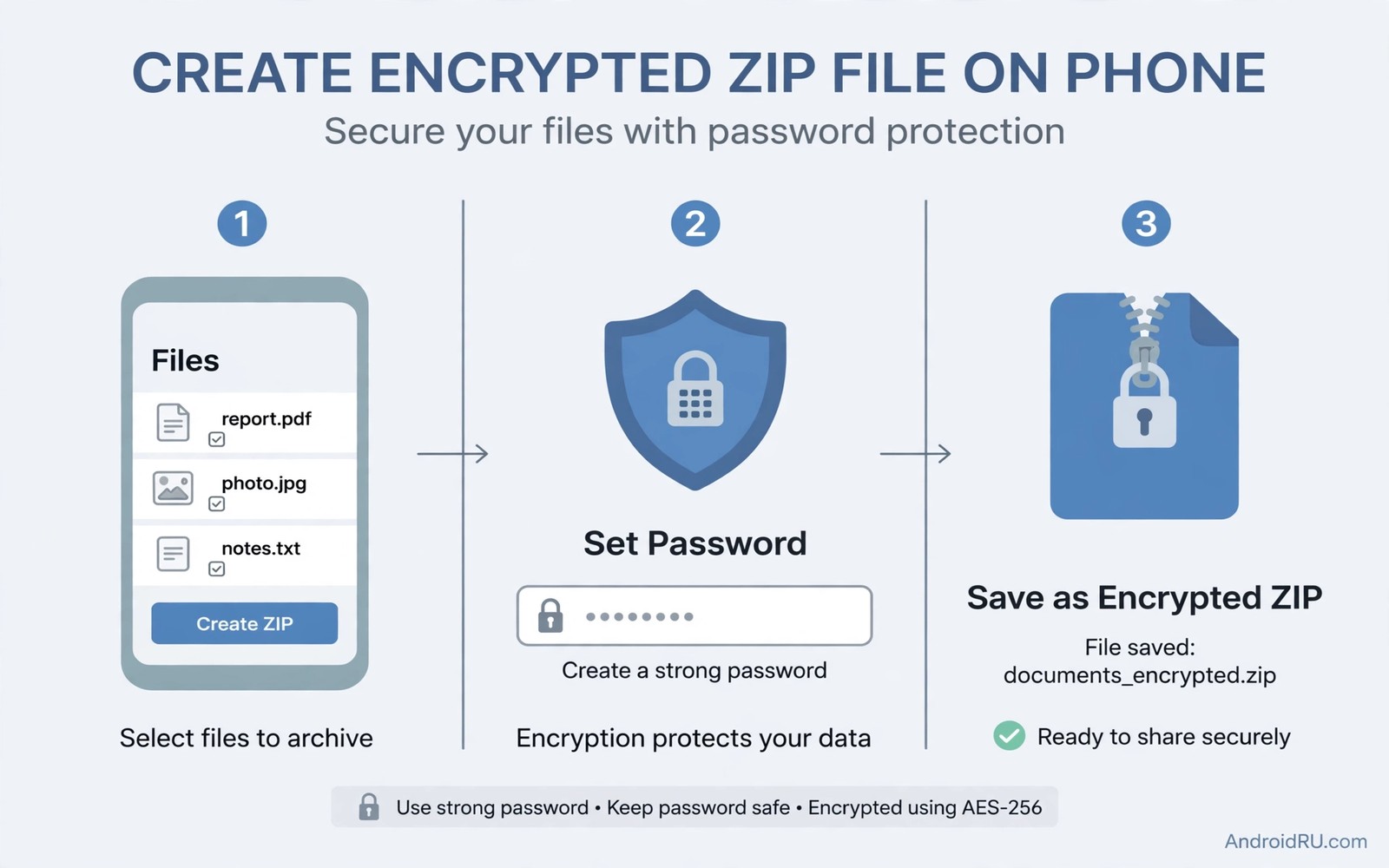
Sensitive files need protection before they travel. A document sent through email or chat can pass through many servers. An unprotected archive gives anyone along the path full access. An encrypted ZIP file locks the contents with a password that only the intended recipient knows. Creating that lock directly on a phone saves a computer step and keeps the workflow mobile.
Encryption strength depends on the method and on the password. Modern ZIP encryption uses strong algorithms that resist casual cracking. Older ZIP encryption uses weak methods that fail quickly against modern tools. Choosing a modern method and a strong password matters more than choosing a fancy app. This guide focuses on those two choices.
Choose a trusted archive app
Pick an archive app that clearly states its encryption method in its settings or help pages. Look for AES 256 as the encryption option. Avoid apps that offer only traditional ZIP encryption without naming the method. A clear method statement signals a serious tool rather than a marketing feature.
Test the app with a small file before trusting it with sensitive documents. Create an encrypted archive and try to open it with the password. Try a wrong password and confirm that access fails. A successful test proves the lock works before real files depend on it.
Create the archive step by step
Open the archive app and select the files that belong together. Group related documents into one archive rather than encrypting each file separately. A single archive needs one password and one transfer. Separate archives need separate passwords and invite confusion.
Choose ZIP as the format and enable encryption and select AES 256 where offered. Enter a strong password with length and variety. Confirm the password carefully because a typo locks you out as firmly as it locks out an attacker. Create the archive and check its size against the original files.
Share the password separately
Send the archive through one channel and the password through a different channel. Email can carry the archive while a messaging app carries the password. That separation means a single compromised channel reveals only half of the secret. Never send archive and password in the same message.
Use a password that the recipient can remember for a single transfer yet cannot guess from public information. A phrase with unrelated words works well for a one-time archive. Change the password for each new archive rather than reusing one password for years. Readers who hide files can explore hiding personal files without changing file extensions in this same wave for a companion privacy method.
Store the original files safely
Decide whether to keep original files after archiving. Keeping originals on the phone defeats the purpose of encryption for shared files. Deleting originals without a backup risks permanent loss if the password fails. Keep a backup copy in a secure location until the recipient confirms successful opening.
Delete the archive from shared folders after the recipient confirms receipt. A shared folder that keeps old archives becomes a target over time. A clean shared folder holds only current transfers. That habit limits exposure without extra effort.
A small check for archive contents
List archive contents without extracting them to confirm that the right files entered the archive. A listing shows file names and sizes without revealing content. Check that no extra file slipped into the selection. A careful listing prevents sending the wrong document in an encrypted package.
zip -e -P "StrongPassphrase2026" secure_docs.zip report.pdf notes.txt
unzip -l secure_docs.zip
The snippet above was written for this article to show one safe way to create and list an encrypted archive. It uses a placeholder password that you must replace with your own strong password. It does not send anything and it changes only the archive file that it creates.
Verify archive integrity after creation
Archive integrity verification confirms that encryption did not corrupt the files inside. Open the archive with the password and preview each file without extracting the whole set. A preview that renders correctly proves that the file survived archiving. A preview that fails signals a problem with the original file rather than with encryption. Verification takes a minute and it prevents sending a damaged archive to a recipient who cannot open it.
Compare the archive size with the combined size of the original files to spot obvious errors. An encrypted archive usually measures slightly larger than the originals because encryption adds a small overhead. An archive that measures far smaller than expected may have missed a file. An archive that measures far larger may have included an unintended folder. Size comparison offers a quick sanity check before sharing.
Manage passwords for multiple archives
Multiple archives need a password system that avoids reuse while remaining manageable. A password manager can generate and store a unique password for each archive. Store the archive password in the manager under a clear label with the archive name and date. A manager-based system prevents reuse and it prevents forgotten passwords. Avoid storing archive passwords in the same folder as the archives themselves.
Share the password through a channel that the recipient already uses securely. A messaging app with end-to-end encryption suits password delivery better than plain email. Tell the recipient which channel carries the password and which channel carries the archive. Clear communication prevents the recipient from searching the wrong place and it prevents accidental password exposure.
Choose archive format for recipient compatibility
ZIP format offers the widest compatibility across phones and computers because nearly every device includes a ZIP tool. Other formats may offer stronger features yet they risk compatibility problems for the recipient. Choose ZIP for general sharing and reserve specialised formats for recipients who explicitly support them. Compatibility matters more than minor feature gains when the recipient needs the file urgently.
Test the archive on a different device before sending it to a new recipient. A test on a computer and a test on a phone together prove broad compatibility. A test that passes on both devices gives confidence for the real transfer. A test that fails on one device signals a format choice that needs adjustment before sending.
Delete temporary files after archiving
Archiving can leave temporary copies in app caches and in download folders. Check those locations after creating a sensitive archive and delete any temporary copy that remains. A temporary copy defeats encryption when it sits unprotected in a cache folder. A clean-up pass after archiving closes that gap and it keeps the phone tidy.
Empty trash after deleting temporary copies because trash retains files until emptied. A temporary file in trash remains accessible to anyone who opens trash. Emptying trash completes the secure workflow. That final step turns a good encryption habit into a complete privacy routine.
Archive encrypted files for long-term storage
Encrypted archives for long-term storage need a password preservation plan because a password forgotten years later renders the archive useless. Store archive passwords in a password manager with a backup that survives device changes. A password manager with cloud sync preserves passwords across phones and computers. A paper backup in a safe place provides a second preservation layer for critical archives. Long-term archives deserve long-term password planning.
Test long-term archives annually by opening a sample file with the stored password. An annual test catches password problems while a backup still exists. A test that fails annually allows time to locate the password or to re-encrypt from originals. A test that fails after a decade offers no recovery path. Annual verification keeps long-term archives trustworthy.
Share encrypted archives with non-technical recipients
Sharing encrypted archives with non-technical recipients requires clear instructions that avoid jargon and confusion. Tell the recipient exactly which app to use for opening the archive and exactly where to enter the password. Provide the password through a separate channel with a simple explanation of why separation matters. Offer to test the archive together on a video call when the recipient struggles. A patient explanation prevents a recipient from giving up and requesting an unprotected copy instead. Security habits only work when recipients can follow them easily. Clear guidance turns encryption from a barrier into a routine that even non-technical users can complete confidently.
Common mistakes
One common mistake is using a short or obvious password. A short password falls quickly to guessing tools. Use a long phrase with varied characters. Another mistake is sending archive and password together. That practice defeats the whole purpose of encryption.
People also trust traditional ZIP encryption without checking the method. Traditional encryption fails against modern attacks. Always confirm AES 256 before sharing sensitive files. Readers who organise archives can explore open source file managers that handle zip rar and tar files for tool choices.
Frequently asked questions
Can the recipient open an encrypted ZIP without the app I used?
Yes when the archive uses a standard format and method. Most archive apps open AES encrypted ZIP files. Test with the recipient app before sending critical files.
What happens if I forget the archive password?
The files become effectively inaccessible without a backup. Keep a backup until the recipient confirms opening. No safe recovery exists for a strong password that is truly lost.
Does encryption hide file names too?
Standard ZIP encryption hides file contents but not file names in many tools. Some tools offer filename encryption as an extra option. Enable that option when file names themselves reveal sensitive information.
Conclusion
Encrypted ZIP files give mobile users a practical way to protect documents in transit. A trusted app and AES 256 encryption and a strong password and separate password delivery together form a solid routine. Test the lock with a small file before real documents depend on it.
Your concrete next step is to create a test encrypted archive today with a strong passphrase. Send it to yourself through one channel and the password through another. Readers who want broader privacy can next explore keeping files organised with the scoped storage framework and the secret folder that can take up gigabytes of space as follow-ups.

