

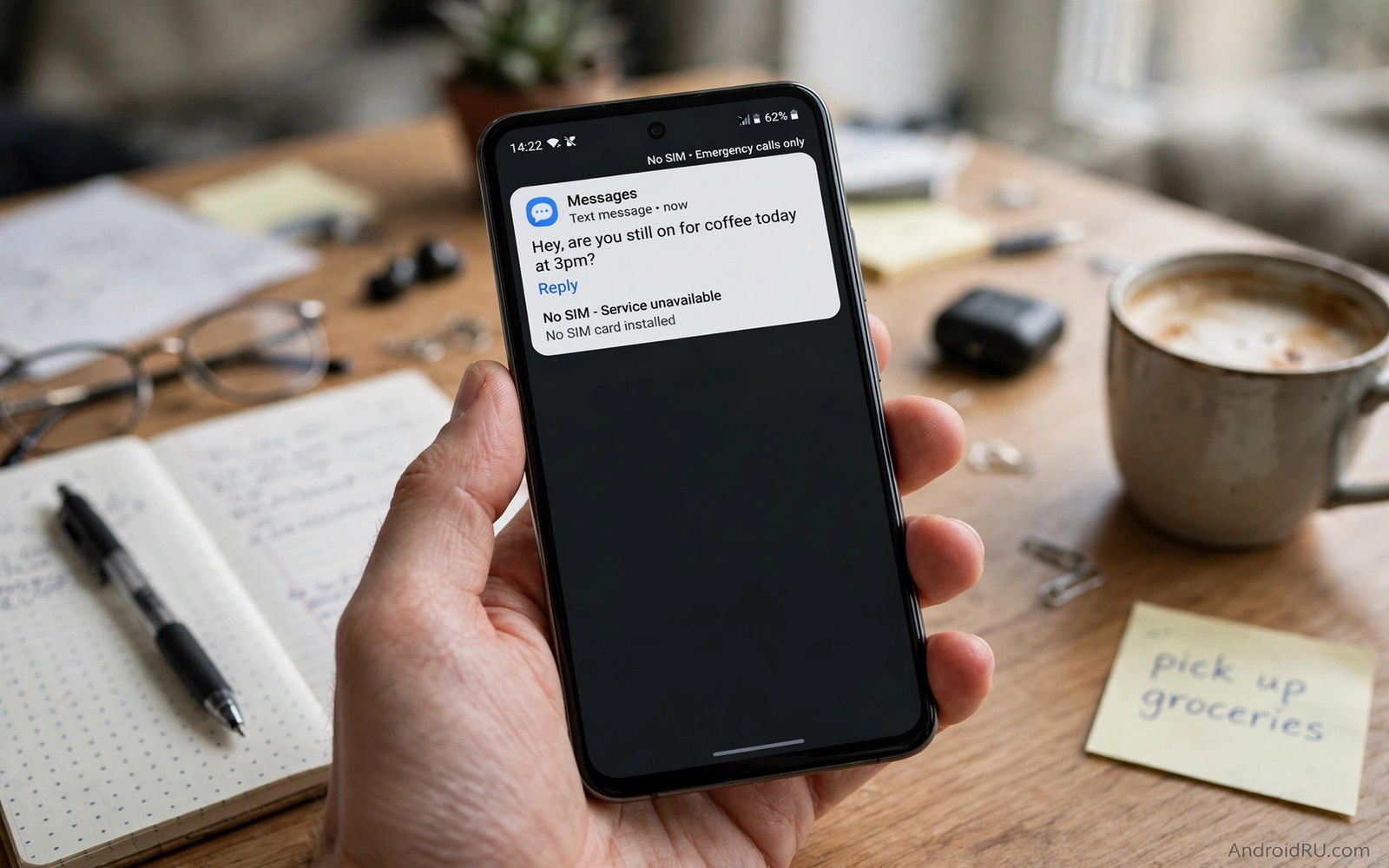
A phone without a physical SIM can still receive text messages. The trick is not magic and it is not a hidden button. It uses a digital number or an eSIM profile that lives in software instead of a plastic card. Your phone then gets messages through the mobile network or through an online inbox. The right method depends on what you need the number for and how long you need it.
Many people need this for a second number for work or travel. Others use a tablet or a spare phone that has no SIM slot in use. Some users keep a primary number private and use a second number for signups. Each case needs a different level of trust. A number for a one time code is not the same as a number for a bank account.
This guide separates safe options from risky shortcuts. A trusted eSIM from a carrier is the safest path for daily use. A reputable online number service can work for low risk signups. A free public inbox should never receive codes for money or identity. Read the privacy section before you paste any code into a service you do not know.
Use An eSIM For A Real Mobile Number
An eSIM is a digital SIM profile that your phone downloads and stores. Open Settings and tap Connections and then SIM manager on a supported phone. Tap Add eSIM and scan the QR code from your carrier. The phone will download the profile and ask you to name it. Turn on the new eSIM for mobile data or calls as needed.
An eSIM number works like a normal number for calls and texts. It receives SMS through the carrier network. It does not need a plastic card or a SIM tray change. You can keep your physical SIM for your main number and use the eSIM for a second number. Check that your phone supports dual SIM with eSIM before you buy a plan. A phone that lacks eSIM support cannot use this method at all.
Use A Trusted Online Number Service With Care
Some services sell a private virtual number that forwards SMS to an app or a web inbox. Choose a service with clear pricing and clear privacy terms. Check whether the number is private to you or shared with other users. A shared number can receive messages meant for strangers and it can fail for verification codes. A private number costs more but it is far safer for repeat use.
Test the service with a low risk signup first. Send a test message to the number from another phone. Confirm that the message arrives fast and that the inbox shows the full text. Check whether the number stays active after a month of quiet use. A number that expires fast can lock you out of an account later. Keep a backup contact method on every account that uses a virtual number. The setup for a second line also benefits from managing eSIM profiles on Android so you can move or pause profiles without losing access.
Avoid Free Public SMS Inboxes For Important Accounts
Free public inboxes publish every message for anyone to read. Anyone who knows the number can see your code. That risk makes public inboxes unsafe for email and banking and social accounts. A code shown in public can let a stranger take over an account in minutes. Never use a public inbox for a password reset or a payment account.
Public inboxes also fail often for verification. Many large services block known public numbers. You may wait for a code that never arrives. You may also find that a previous user already used the number for the same service. That history can block your signup or merge your account with a stranger. Use public inboxes only for a throwaway test with no personal data.
Set Up Message Forwarding And Backup Access
If your service offers forwarding then send SMS to an email inbox that you control. That backup helps when the app fails or the phone is lost. Turn on two step verification with an authenticator app where the service allows it. An authenticator code does not depend on SMS alone. Keep recovery codes in a safe offline place.
Label the virtual number clearly in your contacts and notes. Write down which accounts use that number. Write down the renewal date and the service login. That record saves you when a number expires or a service changes its rules. Review the list every few months and remove accounts from numbers you no longer control.
Fix Missing SMS On A Virtual Number
Check first whether the sender blocked virtual numbers. Some services reject them by design and no setting will fix that. Try a different verification method from the same service such as an authenticator app or a call. If SMS is the only method then use a carrier eSIM number instead of a virtual number. Carrier numbers pass more checks because they look like normal mobile numbers.
Check the service app for blocked messages or spam filters. A code can sit in a filtered folder while the inbox looks empty. Check the number status and the plan balance. An expired plan stops messages without a clear warning. Contact support with the exact time of the missing message so support can trace it fast.
sim_type = esim_or_private_virtual
public_inbox = never_for_banking
backup_method = authenticator_app
renewal_reminder = monthly
The snippet above is an original example written for this guide. It shows generic settings that you can adapt to your own device. It does not copy code from any outside source.
Use the example above as a safety checklist before you choose a number. It is not code to install on your phone. Match each line to a decision you make in the service or in Settings. Keep the checklist with your account notes.
Keep A Second Number Organised
A second number creates a second set of accounts and messages. Without organisation that set becomes a mess within weeks. Create a simple list of every service that uses the second number. Note the service name and the signup date and the backup method. That list is the difference between a useful second number and a lost account.
Review the list when you change phones or services. Move the number or the eSIM profile before you wipe an old phone. A wiped phone can lose a virtual number app and its login. Keep the service login in a password manager with a recovery method. A lost login can be worse than a lost number because support may need both to help you.
Separate work and personal messages with clear labels if your app allows it. Labels stop a work code from hiding among personal messages. Archive old codes after you use them so the inbox stays readable. A readable inbox helps you find a fresh code fast. Organisation is a safety feature for any second number.
Set a calendar reminder for every renewal date tied to the number. A reminder a week before renewal gives time to fix payment problems. A reminder on the renewal day catches a failed payment before the number lapses. Renewal discipline protects accounts far better than any single app feature.
Travel With A Virtual Number Safely
Travel adds roaming and time zone problems to any second number. A carrier eSIM for travel usually works more reliably than a virtual number abroad. Check roaming rules for the eSIM before departure. Note whether SMS delivery works while roaming in your destination. A test message before travel can reveal a roaming block early.
Keep a primary contact method that does not depend on the travel number. An email inbox and an authenticator app give backup access if SMS fails abroad. Download offline recovery codes before you fly. Offline codes work without any network at all. That preparation turns a travel SMS failure into a minor annoyance.
Be careful with public Wi-Fi when you check a virtual number inbox abroad. Use a trusted network or mobile data for account codes. Avoid entering codes on a shared computer in a hotel lobby. A shared computer can log keystrokes and steal a session. Your own phone on mobile data is a safer place for codes. The eSIM management steps in managing eSIM profiles on Android help you pause or move a profile during travel.
When you return home review which travel accounts still use the travel number. Move important accounts back to a long term number if the travel number will lapse. A travel number that lapses can be reassigned to a stranger. Moving accounts home closes that risk before it starts.
Separate Voice Calls From SMS Numbers
A virtual number for SMS may not handle voice calls well. Some virtual numbers accept SMS only and reject voice calls. Check voice support before you give the number to contacts who may call. A number that cannot receive calls can miss important voice verification. Voice verification failures look like SMS failures at first.
Keep a voice capable number for accounts that may call you. A carrier number usually handles voice and SMS together. A virtual SMS only number suits text codes better. Matching number type to account need prevents verification surprises. A mismatch wastes time during signup.
Test voice calling on a new number with a trusted contact. Ask the contact to call the number and note whether it rings. Note whether voicemail works if the call goes unanswered. Voicemail behaviour matters for missed verification calls. A tested number is a trusted number.
Update contacts when you change a second number. Old contacts who call an expired number will reach a stranger. A contact update message prevents that privacy risk. Send the update only to people who truly need the second number. Privacy improves when fewer people hold a number. Voice quality on a second line also depends on call settings and enabling the hidden VoLTE toggle can improve call clarity.
Review number types yearly as services change their rules. A service that accepted SMS only numbers last year may require voice capable numbers now. A yearly review catches rule changes before they lock you out. Rule changes are a quiet risk for virtual numbers.
If a second number also needs voice calling over Wi-Fi then enabling Wi-Fi calling on unsupported carriers explains that setup for unsupported networks.
Common Mistakes
The first mistake is using a public inbox for a bank or email account. That choice exposes codes to strangers. The second mistake is buying the cheapest shared number for a long term account. A shared number can disappear or get reused by another person. The third mistake is keeping no backup method on the account. A lost number then means a lost account.
Another mistake is assuming that every Android phone supports eSIM. Many budget phones do not support it at all. Check support before you pay for a plan. A further mistake is forgetting renewal dates. A number that lapses can be sold to a new user and your codes will go to that stranger.
Frequently Asked Questions
Can I receive SMS on a Wi-Fi only tablet?
Yes if you use a virtual number service with a web inbox or an app. The tablet needs internet access to fetch messages. A carrier eSIM will not work on a tablet that lacks mobile hardware. Check the tablet specs before you buy any plan.
Is a virtual number safe for social media signup?
A private virtual number is safer than a public inbox for social signup. It still carries a risk if the service blocks virtual numbers later. Keep an email backup on the account. Use a carrier number for accounts that matter most to you.
Why did my verification code never arrive?
The service may block virtual numbers or the number may be shared. The plan may also be expired or the message may be filtered. Try an authenticator method if the service offers one. Try a carrier eSIM number as a stronger second test.
Conclusion
Choose a carrier eSIM today if you need a daily second number. Choose a private virtual number only for low risk signups with a backup method in place. Never use a public inbox for money or identity accounts. Write down which accounts use the number and set a renewal reminder now. That record is your concrete next step toward safe SMS without a physical SIM.

