

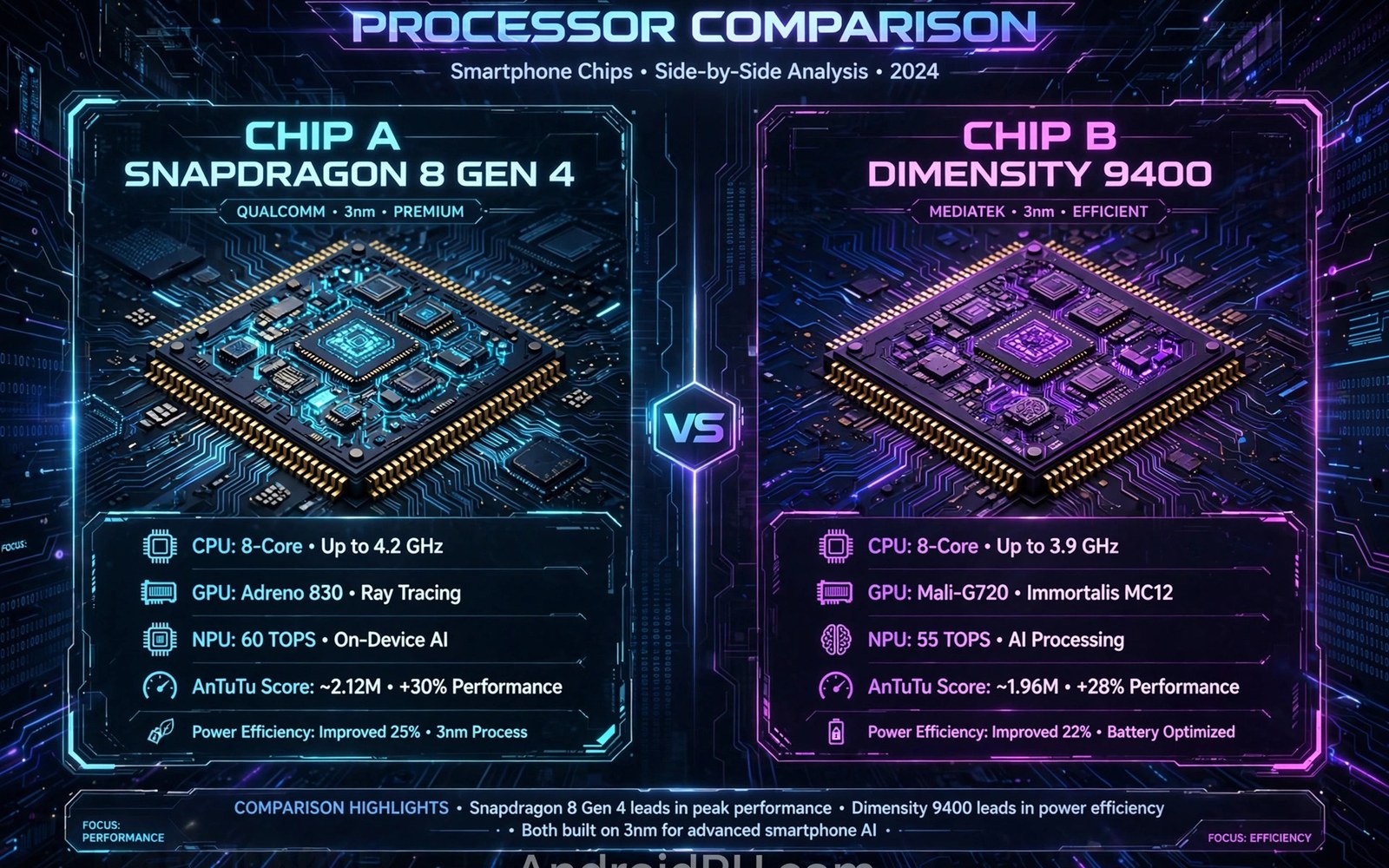
MediaTek and Snapdragon chips power most Android phones today. They differ in design and in maker support for unlocking. Those differences shape rooting difficulty for each phone. A method that works easily on one chip may struggle on the other. Chip knowledge helps users set realistic expectations before buying or rooting.
Snapdragon phones often enjoy broader developer community support. Many popular models use Snapdragon chips with public documentation. Custom kernels and recoveries appear faster for those models. That support makes rooting smoother in practice. It does not guarantee success for every Snapdragon model however.
MediaTek phones have grown far more capable in recent years. Their performance now rivals Snapdragon in many price ranges. Developer support historically lagged behind Snapdragon support. That gap is closing for popular MediaTek models. Less popular MediaTek models still face thinner support today.
Chip differences affect the whole root journey. Start with how to check whether your bootloader can be unlocked safely for your exact model. Also review how boot image patching installs root access since chip layout affects images. Together they frame chip specific challenges clearly.
Chip Architecture Basics
Both chip families combine processor cores and graphics and modem parts. They integrate those parts into a single system on a chip. That integration affects power use and heat and performance. It also affects which drivers a kernel must include. Kernel support must match the exact chip variant rather than the family name.
Snapdragon chips use Kryo processor cores based on ARM designs. MediaTek chips use Dimensity or Helio cores also based on ARM designs. Core counts and speeds vary widely within each family. A flagship chip differs greatly from a budget chip in the same family. Family name alone tells little about rooting ease.
Modem integration differs by chip and by region variant. Some chips integrate the modem fully on die. Others pair with a separate modem component. Modem differences affect firmware files needed for flashing. Wrong modem firmware can break calls or data after a flash. Match firmware to chip and region carefully.
Bootloader Unlock Differences
Snapdragon makers often provide clearer unlock paths for popular models. Some brands publish unlock tools for Snapdragon variants specifically. Carrier Snapdragon variants may still carry extra locks. Unlocked Snapdragon models generally offer the smoothest root path. That smoothness reflects community size as much as chip design.
MediaTek unlock paths vary more by maker than by chip itself. Some makers lock MediaTek bootloaders more strictly. Others offer unlock tools that work across chip families equally. The maker policy often matters more than the chip name. Check maker policy for your exact model before assuming a chip rule.
Unlock waiting periods and account links apply across both families. Those rules come from makers rather than chip designers. A Snapdragon phone from a strict maker may wait longer than a MediaTek phone from an open maker. Model research beats chip stereotypes for unlock planning.
Flashing Tools And Protocols
Snapdragon phones commonly use fastboot for flashing boot images. Fastboot is a standard protocol familiar to many users. That familiarity makes Snapdragon flashing guides easier to follow. Tools and drivers for fastboot are widely available. Standard tooling is a real practical advantage.
MediaTek phones often use a download mode protocol for flashing. That protocol needs maker specific tools in many cases. Those tools may require Windows and specific drivers. Some tools need authentication that limits public use. Tool complexity makes MediaTek flashing harder for beginners in practice.
Scatter files describe MediaTek partition layouts for flashing tools. A wrong scatter file can misplace partition data dangerously. Users must use scatter files made for their exact model. Snapdragon fastboot avoids scatter complexity through standard partitions. That difference alone explains much of the perceived difficulty gap.
Kernel And Recovery Support
Custom kernel availability favours Snapdragon models in most communities. More developers own Snapdragon phones and build for them. Kernel source release timing also affects support speed. A maker that releases source promptly enables faster kernel work. Delayed source release slows kernel support regardless of chip family.
Custom recovery availability follows a similar pattern. Popular Snapdragon models gain recovery support quickly. Popular MediaTek models also gain support but often later. Unpopular models in either family may never gain recovery. Popularity drives support more than chip architecture alone.
Treble and generic system images help both families somewhat. Generic images run across chips with a common vendor base. They still need device specific vendor support for camera and sensors. Generic images do not replace full model support. They offer a useful fallback when full support lags.
Performance And Stability After Root
Root tuning interacts with chip thermal behaviour differently. Snapdragon chips often have well documented thermal controls. MediaTek thermal controls may be less documented publicly. Tuning without documentation risks heat or throttling faults. Conservative tuning suits less documented chips better.
Battery behaviour after root also varies by chip power design. Some chips idle efficiently with aggressive background control. Others need maker power management to idle well. Disabling maker power tools can hurt battery on some chips. Test battery impact over several days after any tuning change.
Camera and sensor drivers depend on vendor code for both families. Root changes rarely affect camera drivers directly. Module changes to vendor files can break camera features however. Keep vendor partitions untouched unless a guide explains the change. Vendor stability matters for daily phone use.
Choosing A Phone For Rooting
Choose based on model community strength rather than chip brand alone. A popular model with active forums beats a rare model with a favoured chip. Check for unlock support and recovery and kernel threads. Active threads signal a healthy root ecosystem for that model. Ecosystem strength predicts root success better than specs.
Check maker update policy alongside chip choice. A phone with prompt updates and unlock support suits root users best. A phone with slow updates may leave root methods outdated. Update speed affects security as much as root convenience. Balance both factors when buying for root use.
Hardware myths can distort chip choices badly. Read top misconceptions about rooting smartphone hardware clarified before deciding based on chip stories. Facts about your exact model matter more than family reputation. A careful model check beats a chip stereotype every time.
Buying Advice By Use Case
Gamers should prioritise sustained performance and cooling design. Chip peak scores matter less than thermal stability over time. A chip that throttles quickly loses its peak advantage. Check sustained performance tests rather than peak benchmarks. Sustained tests predict gaming experience far better.
Photographers should prioritise camera processing and maker support. Chip image processing affects photo quality greatly. Maker camera software matters as much as chip hardware. Check camera samples from the exact model before buying. Samples beat chip specs for photo decisions.
Battery focused users should prioritise efficiency and battery size together. A efficient chip with a small battery may still drain quickly. A larger battery with a wasteful chip may also disappoint. Balance chip efficiency with battery capacity and charging speed. Real world battery tests help more than spec sheets.
Root focused users should prioritise community support above specs. A popular model with unlock support beats a faster rare model. Check unlock threads and recovery threads before buying. Community strength decides root success more than chip speed. Buy the ecosystem as much as the phone.
Long Term Support Differences
Update support length varies by maker more than by chip. Some makers promise several years of updates for flagships. Others drop budget models after a short period. Long support keeps root methods relevant longer. It also keeps security patches flowing for rooted users.
Kernel source release speed affects long term root support. Prompt source release enables custom kernels quickly. Delayed source release stalls kernel development for months. Check maker source history before buying for root. History predicts future source behaviour fairly well.
Parts and repair support also matter for long term use. A phone with available parts lasts longer after damage. Chip family rarely decides parts availability alone. Maker repair policy and market popularity decide parts access. Long term ownership needs repair thinking too.
Resale value differs by brand and model popularity. Popular models retain value better after years of use. Root history may affect resale for some buyers. Honest root disclosure protects resale trust. Value planning belongs in a buying decision.
Testing A New Phone Before Rooting
Use a new phone on stock software for a few weeks first. Learn its battery and camera and performance behaviour. Note any faults that exist before rooting. Pre root notes prevent blaming root for stock faults. A stock baseline makes root testing fair.
Test essential apps on stock software before rooting. Note which apps work well and which already struggle. That baseline helps judge root impact later. An app that struggled on stock may not be a root fault. Baselines prevent false root blame.
Back up the new phone fully before any unlock step. A new phone backup is quick since data volume is low. Early backup habits carry into long term root use. Start root life with a complete backup routine. Early discipline prevents later data loss.
Research unlock and root threads for the exact new model. Look for recent success reports from owners. Look for known faults and workarounds shared there. Recent threads predict your experience better than old guides. Research before unlocking saves time and risk.
adb shell getprop ro.hardware
fastboot getvar product
# Confirm chip and model before flashing
The steps above follow the approach described in the official developer documentation and reflect common practice for this topic. They compare MediaTek and Snapdragon rooting differences fairly. Readers should research their exact model rather than relying on chip stereotypes. When support is thin it is safer to choose a better supported model.

