

Acer Iconia B1-721 Specifications, Review and Verdict: Is It Worth It?
The Iconia B1-721 arrived in January 2014 as Acer’s affordable 3G tablet for families, students and first-time tablet buyers. It was a simple machine for a simple job: reading, light browsing, video playback and casual games on a 7 inch tablet that could fit in a jacket pocket or a small bag. This Iconia B1-721 full specifications and review looks at the hardware as it was sold, explains what still works in 2026, and gives a straight answer to the question every second-hand buyer asks: is the Iconia B1-721 still worth buying in 2026? The short answer is that it can still serve as a basic reader and media screen at home, but it is no longer a good choice as a main device for modern apps.
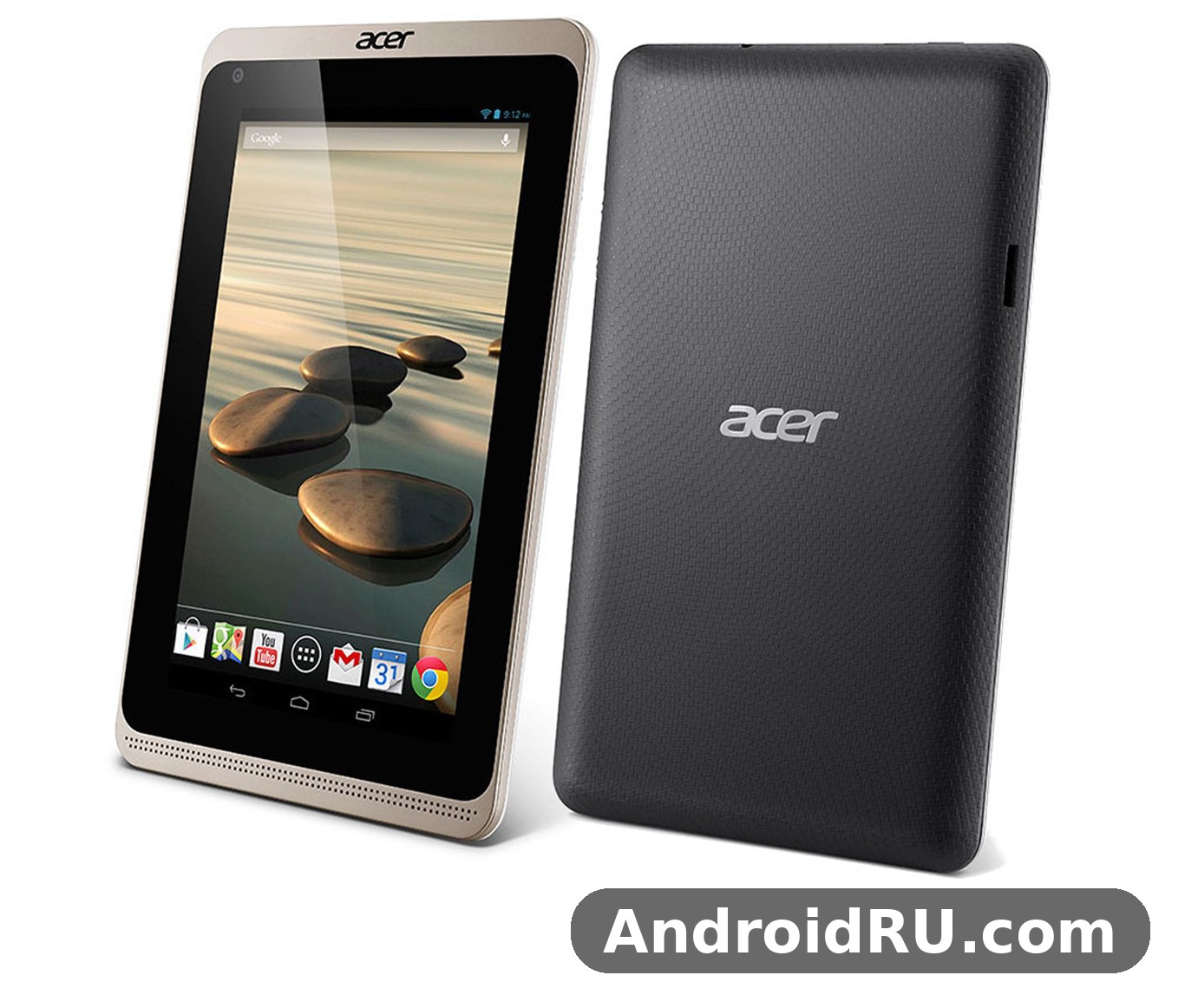
Keep expectations grounded in its era. This is a classic tablet from the Jelly Bean years, with 1 GB of RAM, a modest dual-core chip and a low-resolution screen. It was never a flagship, and time has not made it one. What it offers now is low cost, a compact size and a set of basic jobs it can still do well, as long as you accept its limits.
As an Acer tablet from the Iconia tablet line, this Android tablet is best judged by what a careful B1-721 review of the tablet specs reveals: modest hardware, honest pricing and a narrow set of jobs it still does well.
Acer Iconia B1-721 at a Glance
The Acer Iconia B1-721 release date January 2014 puts it in the third generation of Acer’s budget B1 line. The Acer Iconia B1-721 was the 3G version of the pair, while its sibling, the B1-720, was Wi-Fi only. That single difference shaped who each model suited: the B1-721 could get online away from home through a mobile data connection, while the B1-720 needed a wireless network. The Iconia B1-721 price in 2014 and value for money today tell two different stories. At launch it sold for about 179 euros, which was fair money for a 3G tablet with a 7-inch screen. Now it only makes sense at second-hand prices, where a few tens of euros or dollars buy a working reader and video screen.
At its heart is the MediaTek MT8312, a dual-core 1.3 GHz Cortex-A7 chip with Mali-400 graphics, paired with 1 GB of RAM and 16 GB of internal storage. The screen is a 7.0-inch TFT panel at 1024 x 600 pixels. The battery is a sealed 2955 mAh unit, and the tablet runs Android 4.2 Jelly Bean. There is a VGA front camera and no rear camera at all, which says a lot about who Acer had in mind: this was a tablet for consuming content, not for photography.
Readers comparing other Acer models from the same era may find these guides useful: Is the Acer Liquid Z4 Worth It? Review, Specs and Verdict, Acer Iconia B1-720 Review: Connectivity, Software and Usability, Acer Liquid E3: Review, Full Specs and an Honest Verdict, What the Acer Iconia A1-830 Gets Right: Review and Detailed Specifications and Buying the Acer Liquid E3 Duo Plus? Read This Review and Specs Guide First.
Design and Build Quality
The Iconia B1-721 build quality plastic body design and grip follow the budget playbook of 2014: a plain plastic shell, rounded edges and a textured back that resists fingerprints better than glossy plastic. It was sold in Smoky Gray and Vermilion Red, and the red version in particular looked friendlier and less corporate than most tablets of its time. Smoky Gray and Vermilion Red were the two launch colours, and both hid scuffs reasonably well.
The Iconia B1-721 weight 323 grams dimensions and portability are genuine strengths. At 199 x 122.3 x 11.4 mm and 323 grams, it is light enough to hold in one hand for a chapter or two, and small enough to slip into a bag beside a book. The 11.4 mm thickness looks chunky beside a modern slate, but the curved back makes it comfortable to hold, and the weight is well balanced rather than top-heavy.
What the Plastic Body Feels Like in Daily Use
In the hand, the tablet feels solid rather than premium. There is no flex in the back panel under normal pressure, the buttons have a clear click, and the micro USB port sits in a sensible spot for charging while watching video. The bezels are wide by modern standards, which actually helps here: your thumbs have somewhere to rest without touching the screen. An Iconia B1-721 user manual PDF setup guide for beginners is worth reading before first use on a second-hand unit, since it explains the button layout, the card slot and the first-time setup screens of Android 4.2.
Display and Everyday Viewing
The Iconia B1-721 seven inch display resolution 1024 by 600 pixels is the weakest part of the package on paper, and it shows. Text is readable but not crisp, and fine print in books and web pages looks soft at normal reading distance. The pixel density of about 170 pixels per inch was normal for a cheap 7-inch tablet in 2014, and it is the first thing you notice if you are used to a modern phone screen.
Even so, the screen does its main jobs acceptably. The Iconia B1-721 for reading ebooks and watching videos at home works because the 16:9 panel suits video, the size suits holding in bed or on a sofa, and the brightness is enough for indoor use. Colours are a little washed out and the TFT panel loses contrast when viewed from a sharp angle, so it is best viewed fairly straight on. The B1-721 display supports 10-point multi-touch, which keeps pinch-to-zoom and simple games responsive.
Screen Brightness, Viewing Angles and Outdoor Use
The Iconia B1-721 screen brightness viewing angles and outdoor use are limited by the glossy TFT panel. Indoors it is fine at medium brightness, but sunlight washes the image out badly, and the glossy surface picks up reflections from windows and lamps. This is an indoor tablet first and foremost. If you plan to read outside, shade and maximum brightness help, but the panel will never match a modern IPS screen in direct sun.
Performance and Software
The Iconia B1-721 MediaTek MT8312 dual core processor performance is modest by any measure. Two Cortex-A7 cores at 1.3 GHz and 1 GB of RAM can handle one task at a time: a book reader, a video player, a simple web page or a light game. Ask it to juggle several apps and it slows down, reloads pages and pauses while switching. The B1-721 performance is honest budget performance from 2014, not broken hardware, and judging it against a 2026 phone misses the point of what it was built for.
The Iconia B1-721 1GB RAM 16GB internal storage microSD expansion combination defines its practical limits. With 1GB RAM, heavy web pages and newer apps struggle, and with 16GB storage on board, the system and a handful of apps leave limited room for media. A microSD card helps with books, music and video files, but apps of this era often could not move fully to the card, so the internal storage still fills up. The Iconia B1-721 storage full warning and microSD card solution is simple in practice: keep only the apps you use, move media to the card, and clear cached data regularly.
Everyday Apps and Multitasking
For single-purpose use the tablet is still usable. A reader app, a music player or an offline video player runs without drama. Web browsing is the weak spot: modern pages are heavy, and the old browser and old Android WebView struggle with them. The Iconia B1-721 Android 4.2 Jelly Bean software limitations today are the real ceiling. Android 4.2 is far out of support, many current apps need a newer Android version, and security updates ended years ago. The Iconia B1-721 supported apps and browser compatibility in 2026 are therefore narrow: older app versions, lightweight readers, offline media and basic tools work, while banking apps, newer social apps and recent games generally do not. As a Jelly Bean tablet it belongs on a home network with care, not as a device for sensitive accounts.
Reading and Video Playback
Reading and video playback are where this old tablet earns its keep. An ebook reader with a warm, calm screen setting is easy on the eyes, pages turn without lag, and local video files up to 720p play smoothly. The 7-inch size is large enough for comfortable reading and small enough to hold for a long session.
Light Web Browsing
Light web browsing works best on simple, text-heavy pages. Keep one tab open at a time, avoid pages packed with video adverts, and expect some sites to load slowly or render oddly. A lightweight browser built for old Android versions will give a better result than the stock browser on most pages.
Gaming on the Mali-400 Graphics
The Iconia B1-721 gaming performance casual games Mali 400 graphics story is short: simple puzzle games, card games, board games and older 2D titles run well, while 3D games of any ambition stutter or refuse to install. The Mali-400 GPU was already an older design in 2014, and 1 GB of RAM leaves little headroom. The Iconia B1-721 tablet for kids basic learning apps and games is a fair use case, though: alphabet apps, drawing apps, simple puzzles and storybook apps are exactly the kind of light software this hardware handles happily, and the 7-inch size suits small hands.
The Iconia B1-721 common problems and how to fix slow performance usually come down to the same few causes: too many apps running, a full internal storage, or a browser with too many tabs. Clearing cached data, removing apps you do not use, restarting the tablet once a week and keeping animations simple will keep it at its best. Guides on how to reset Iconia B1-721 to factory settings step by step usually start in Settings, under Backup and reset, and a reset is worth doing on any second-hand unit before you set it up as your own.
Battery Life and Charging
The Iconia B1-721 battery life 2955 mAh non removable battery gives about five hours of mixed use in the hands of reviewers of the time, which matches a day of light reading and video with breaks. Reading an ebook with modest brightness stretches it further, while video playback and 3G data use drain it faster. The B1-721 battery cannot be removed by the user, so a tired battery on a second-hand unit is a real concern: after more than a decade, some units hold far less charge than they did when new.
The Iconia B1-721 charging time and battery replacement options explained in plain terms: charging from empty over micro USB takes a few hours, and there is no fast charging. If a unit barely holds a charge, replacement means opening the tablet and fitting a compatible cell, which is a repair-shop job rather than a home job for most people. Check battery health before paying for a used unit by playing a video for half an hour and watching how far the percentage falls. A sealed 2955 mAh cell was normal for this price in 2014, and it is the part most likely to have aged badly.
Connectivity, Camera and Sound
The Iconia B1-721 3G HSPA mobile data connectivity and WiFi give it more freedom than its Wi-Fi-only sibling. With a SIM card it can browse, check mail and stream audio away from home on HSPA networks, while Wi-Fi 802.11 b/g/n covers use at home. The Iconia B1-721 Bluetooth 4.0 GPS and micro USB connectivity features round out the package: Bluetooth 4.0 pairs with headphones and speakers, GPS works for basic maps and location, and micro USB handles charging and file transfer. There is no NFC, no 4G and no dual-band Wi-Fi, which is exactly what a 2014 budget tablet offered.
The Iconia B1-721 front camera VGA video calls quality is basic in every sense. The VGA camera, at 0.3 megapixels, produces soft, grainy images that are only good enough for a video call in bright light. There is no rear camera, so this tablet cannot take photos of anything except your own face. The B1-721 camera is a reminder of the price: Acer spent the budget on the screen, the 3G radio and the battery, and the camera was an afterthought for occasional calls.
The Front Camera for Video Calls
For a quick video call with family, the front camera does the job if the room is well lit. Expect washed-out colours and visible noise, and do not expect it to handle backlight from a window. It is a functional camera for calls, not a camera for memories, and buyers who need photos should look elsewhere. The B1-721 Android software includes the stock camera app, which keeps things simple: point, tap and accept what you get.
The Iconia B1-721 speaker sound quality for music and movies is thin but usable. A single small speaker on the back gives clear speech for videos and audiobooks, while music sounds flat and lacks bass. Headphones or a small Bluetooth speaker transform it, and for bedtime listening or a kitchen video, the built-in speaker is enough. The 3G model in the pair is the one to pick if you want mobile data, since the Wi-Fi model cannot add it later.
Full Specifications
The B1-721 specs below are the launch specifications for the 3G model. Figures come from the launch data for this tablet, and small regional differences in storage and bundled accessories existed between markets.
| Feature | Specification |
|---|---|
| Brand | Acer |
| Model | B1-721 |
| Announced | January 2014 |
| Released | January 2014 |
| Status | Discontinued |
| Display | 7.0-inch TFT, 1024 x 600 pixels, about 170 ppi, 10-point multi-touch |
| Operating system | Android 4.2 Jelly Bean |
| Chipset | MediaTek MT8312 |
| CPU | Dual-core 1.3 GHz Cortex-A7 |
| GPU | Mali-400 |
| RAM | 1 GB |
| Internal storage | 16 GB, with an 8 GB version in some markets |
| Card slot | microSD card slot for expansion |
| Front camera | VGA, 0.3 MP, video calls only |
| Rear camera | None |
| Battery | Non-removable Li-Po 2955 mAh |
| Mobile network | GSM / HSPA 3G |
| Wi-Fi | 802.11 b/g/n |
| Bluetooth | 4.0 |
| GPS | Yes |
| USB | micro USB 2.0 |
| Dimensions | 199 x 122.3 x 11.4 mm |
| Weight | 323 g |
| Colours | Smoky Gray, Vermilion Red |
| Launch price | About 179 EUR |
Pros, Cons and Comparison
Every tablet review comes down to a balance, and this budget tablet has a clear one. Its strengths are its size, its 3G freedom and its low price on the second-hand market. Its weaknesses are its age, its small memory and its old software. A fair tablet review of a 2014 device has to judge it as a secondary screen, not as a rival to a modern tablet.
Pros:
- Compact 7-inch size and light 323 g body that is easy to hold for long reading sessions
- 3G HSPA connectivity for online use away from Wi-Fi
- microSD expansion for books, music and video files
- Simple, friendly design with a grippy plastic back
- Very low second-hand price for a working media screen
Cons:
- Android 4.2 Jelly Bean is out of support and runs few modern apps
- Only 1 GB of RAM, so multitasking and heavy web pages struggle
- Low-resolution 1024 x 600 display with weak viewing angles
- VGA front camera only and no rear camera
- Sealed 2955 mAh battery that may be tired after more than a decade
How the B1-721 Compares With the B1-720
The Iconia B1-721 versus Iconia B1-720 WiFi only model differences are small on paper and large in daily use. The two tablets share the same screen, battery, RAM and storage, but the B1-721 adds a 3G radio and uses the MediaTek MT8312 chip, while the B1-720 is Wi-Fi only and uses the MediaTek MT8111. The B1-721 is slightly thicker and heavier at 11.4 mm and 323 g, against 10.2 mm and 315 g for the B1-720. A modest 7-inch slate from 2014, either model suits the same quiet jobs at home, but only the B1-721 can get online on the move without another device sharing its connection.
| Feature | B1-721 | B1-720 |
|---|---|---|
| Chipset | MediaTek MT8312 | MediaTek MT8111 |
| Connectivity | 3G HSPA plus Wi-Fi | Wi-Fi only |
| Display | 7.0-inch, 1024 x 600 | 7.0-inch, 1024 x 600 |
| RAM | 1 GB | 1 GB |
| Storage | 16 GB, microSD slot | 8 or 16 GB, microSD slot |
| Battery | 2955 mAh, sealed | 2955 mAh, sealed |
| Camera | VGA front only | VGA front only |
| Dimensions | 199 x 122.3 x 11.4 mm | 198.1 x 121.9 x 10.2 mm |
| Weight | 323 g | 315 g |
| Launch price | About 179 EUR | About 129 EUR |
Where the 3G Model Wins
The 3G model wins for anyone who reads or listens on the move. A SIM card means maps, mail and audio without hunting for a wireless network, and that freedom was the whole reason to pay the extra 50 euros at launch. For a car passenger, a commuter or a holiday reader, the B1-721 is the more useful of the two.
Where the Wi-Fi Model Wins
The Wi-Fi model wins on price, weight and thickness. If the tablet will live at home beside a wireless network, the 3G radio adds nothing, and the B1-720 is lighter in the hand and cheaper to buy second-hand. For a bedside reader or a kitchen video screen, it is the better value of the pair.
Verdict and Frequently Asked Questions
The Iconia B1-721 honest verdict for budget tablet buyers in 2026 is a careful yes, but only for the right buyer and the right price. If you want a cheap second screen for reading ebooks, playing local video and running light learning apps, and you can find a working unit with a healthy battery for very little money, it still does those jobs. If you want a main tablet for modern apps, video calls, banking or heavy browsing, it will frustrate you within days. What can you still do with Iconia B1-721 in 2026? Read, listen, watch saved video, play simple games and use it as a kitchen timer, recipe screen or bedside clock. That is a useful second life for a classic tablet, as long as you pay a classic price for it.
An Iconia B1-721 tablet second hand buying guide and checklist is short but worth following: test the battery with half an hour of video, check the screen for dead pixels and touch dead spots, confirm the microSD slot and micro USB port work, check that Wi-Fi and 3G connect, and factory reset the unit before you sign in to anything. The Iconia B1-721 discontinued tablet alternatives with modern Android support are worth a look if the price creeps up: a newer budget tablet with a supported Android version, more RAM and a sharper screen will serve as a main device, while the B1-721 stays a charming spare. As an old tablet it deserves honest framing: a piece of 2014 history that still reads and plays, not a device to build a modern digital life around.
Is the Iconia B1-721 still worth buying in 2026?
It is worth buying only as a cheap secondary device for reading, offline video and light apps, and only if the battery still holds a charge. As a main tablet it is not worth buying, because Android 4.2 limits the apps you can run and the services you can use safely.
When was the Iconia B1-721 released?
The Iconia B1-721 was announced and released in January 2014. It arrived alongside the Wi-Fi-only B1-720 and the larger Iconia A1-830, as part of Acer’s early 2014 tablet refresh ahead of the CES show in Las Vegas.
Does the Iconia B1-721 have a rear camera?
No, it has no rear camera. The only camera is a VGA front camera for video calls, so this tablet cannot take photos or record video of the world around you.
Can the Iconia B1-721 run modern apps?
Only a few. Most modern apps need a newer Android version than 4.2, so you are limited to older app versions, lightweight readers, offline media players and basic tools. Check each app you need before buying, and avoid using the tablet for sensitive accounts.
How much storage does the Iconia B1-721 have, and can it be expanded?
It has 16GB storage in the standard version, with an 8 GB version sold in some markets, and a microSD card slot for extra space for books, music and video. Internal storage for apps stays limited, so keep the app list short.

