

Acer Iconia Tab A1-810 Specifications, Review and Verdict: Is It Worth It?
The Acer Iconia Tab A1-810 arrived at a time when small, affordable tablets were finding their place in many homes, and it aimed squarely at readers, students and families who wanted a capable screen without paying for a flagship. Announced in April 2013 and released the following month, it offered a 7.9 inch display, a quad-core processor and a price that undercut many rivals. This Acer Iconia Tab A1-810 review of 7.9 inch display quality, everyday speed and real limits looks at the tablet as a product of its era, using the verified Acer Iconia Tab A1-810 specifications and full hardware details rather than guesswork. The Acer Iconia Tab A1-810 price at launch in Europe was around 120 euros, which placed it firmly in budget territory, and that price shaped every decision Acer made about its screen, memory and cameras. Anyone checking Acer Iconia Tab A1-810 specs today should read it as a classic 2013 device: honest, practical and limited by the standards of its day.
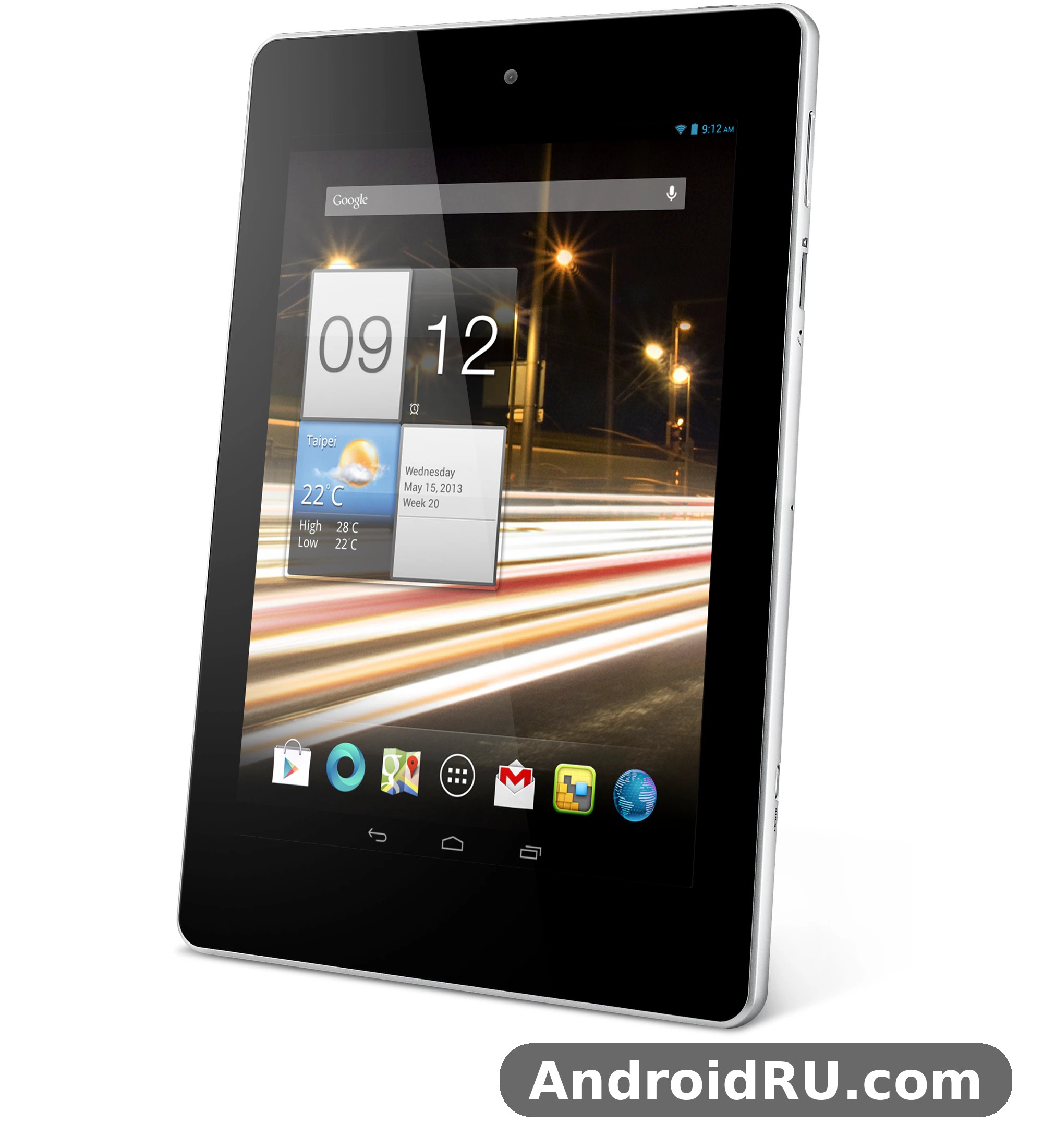
Acer Iconia Tab A1-810 Overview
At its core, the Acer Iconia Tab A1-810 tablet was built for media, reading and light work. Its 7.9 inch screen sits between a phone and a full-size tablet, large enough for a magazine page or a video, yet small enough to hold in one hand on a train. With an Acer Iconia Tab A1-810 release date in May 2013, it entered a market where the 7.9 inch form factor was becoming popular for readers and casual users. The tablet ran Android 4.2.2 Jelly Bean at launch, with an upgrade path to Android 4.4.2 KitKat, and it relied on Wi-Fi for all of its online activity, since it had no mobile data radio at all. That single fact defines much of the Acer Iconia Tab A1-810 comparison with Acer Iconia Tab A1-811, its close sibling, which added 3G and a different chipset while keeping the same screen size and resolution. For buyers who lived within reach of Wi-Fi at home, school or work, the A1-810 was the cheaper and simpler of the two.
Readers who want to place this model in its family context can also read Breaking Down the Acer Iconia Tab A1-811: Review, Build Quality and Full Specs, which covers the 3G sibling in detail and makes the differences between the two tablets easy to see. The A1-810 itself remains a useful study in budget design: where Acer spent money, where it saved money, and how the result felt in daily use.
Design and Build
The Acer Iconia Tab A1-810 design and build quality in 2013 reflected its price. The body used a plastic shell with a textured rear panel that gave fingers something to grip, and the front was dominated by the 7.9 inch screen with a fairly wide bezel by modern standards. It looked plain rather than premium, but it felt solid enough for a bag, a bookshelf or a child’s hands, and the rounded edges made it comfortable to hold for a long reading session. The Acer Iconia Tab A1-810 design was never about luxury materials; it was about a practical shape that worked, and in that sense it succeeded. This was a compact and light for its time device that traded metal and glass for affordability and durability.
Dimensions, Weight and In-Hand Feel
The Acer Iconia Tab A1-810 weight and dimensions for portable use were 410 grams and 208.7 x 145.7 x 11.1 mm. At 410 grams it was light enough to hold with one hand for a while, though the 11.1 mm thickness was chunky compared with slimmer tablets that followed. The Acer Iconia Tab A1-810 dimensions made it easy to slip into a small bag or a jacket pocket, and the Acer Iconia Tab A1-810 weight helped during reading, since the tablet did not tire the wrist quickly. Acer Iconia Tab A1-810 portability was a genuine selling point for commuters and students, who could carry it alongside a notebook without noticing much extra bulk. The balance was even, the bezel gave thumbs a place to rest without touching the screen, and the rear texture stopped the tablet from sliding on a smooth table.
Materials and Ports
Around the edges, the tablet kept things simple: a power button, volume controls, a micro USB port, a micro HDMI port and a microSD card slot, plus a 3.5 mm headphone jack. The plastic construction picked up fingerprints on the glossy front but stayed presentable on the back, and the buttons had a firm, clear click. A white finish was the most common look, giving the tablet a friendly, approachable character that suited its family audience. The Acer Iconia Tab A1-810 features included a micro HDMI output that many budget tablets skipped, which was a thoughtful touch for a device aimed at video watching.
Port Layout
The ports were grouped sensibly, with micro USB for charging and data, micro HDMI for connecting to a television or monitor, and the microSD slot for adding storage. Nothing about the layout felt crowded, and the headphone jack sat where a cable would not get in the way during reading. For a tablet of this price, the port selection was generous and practical.
Display
The screen is the heart of any tablet, and the A1-810 gave buyers a 7.9 inch IPS LCD panel with a resolution of 1024 by 768 pixels, which works out at about 162 pixels per inch. The Acer Iconia Tab A1-810 screen resolution 1024 by 768 pixels sounds modest today, and it is, but the 4:3 shape suited books, magazines, web pages and photos, all of which benefit from a taller, squarer view. Text looked clear enough for comfortable reading, photos looked natural, and video filled the screen with black bars at the top and bottom, as expected from a 4:3 panel. The Acer Iconia Tab A1-810 display was bright enough for indoor use, and its colours stayed true at an angle, which mattered when two people shared the screen.
The Acer Iconia Tab A1-810 tablet for reading books and magazines was a natural fit, because the 7.9 inch size is close to a paperback page and the IPS panel kept text legible from a relaxed viewing angle. The Acer Iconia Tab A1-810 IPS LCD display viewing angles and colours were among its stronger points: tilt the tablet left or right and the image held up, with only a mild wash at extreme angles. Owners who compared it with cheaper TN panels of the same period would have noticed the difference at once, especially when sharing a video with someone sitting beside them.
IPS LCD Panel and Viewing Angles
In daily use, the panel handled e-books, news apps, photo albums and casual video well. Contrast was decent for an LCD of its class, blacks were more grey than deep, and the touch layer responded reliably to taps and swipes. The 1024 by 768 resolution meant small text in a desktop-style web page could look soft, and fine detail in photos was limited, but for the reading and video tasks the tablet was built for, the screen did its job without fuss.
Colour and Brightness in Daily Use
Brightness was adequate indoors and in shade, though direct sunlight made the glossy screen hard to read, as with most tablets of the period. Colours leaned natural rather than vivid, which suited reading and photo viewing, and the screen coating resisted smudges reasonably well for a budget device. There was no laminated display or anti-reflective treatment, so reflections were part of the experience, but the panel itself was even and free of obvious bright spots.
Performance and Software
Under the screen, the tablet used the MediaTek MT8125 chipset, a quad-core 1.2 GHz Cortex-A7 processor paired with 1 GB of RAM. The Acer Iconia Tab A1-810 MediaTek MT8125 quad core performance was adequate for the apps of 2013: web browsing, e-books, video playback, email and light games ran smoothly, while heavy multitasking and demanding 3D games exposed the limits of the hardware. The Acer Iconia Tab A1-810 chipset was chosen for efficiency and cost rather than raw speed, and that choice showed in the way the tablet stayed cool and sipped power during light use. The Acer Iconia Tab A1-810 performance in everyday tasks felt calm and steady, as long as owners kept their expectations in line with the price.
The Acer Iconia Tab A1-810 RAM was the clearest bottleneck, since 1 GB left little room for many apps running at once, and switching between a browser with several tabs and a game could force apps to reload. Even so, Acer Iconia Tab A1-810 browsing felt responsive for single-task use, and the Acer Iconia Tab A1-810 gaming performance on quad core processor hardware handled casual titles, puzzles and older 3D games at modest settings. The Acer Iconia Tab A1-810 web browsing and video playback experience was the tablet’s comfort zone: pages loaded at a reasonable pace over Wi-Fi, and video up to 720p played smoothly. Readers who want a sense of how Acer tuned its other devices of the period can look at Acer Liquid E2 in Depth: Review, Build Quality and Full Specifications, which shows the same practical, budget-first thinking in a phone form factor.
MediaTek MT8125 in Daily Use
The quad-core Cortex-A7 design spread light work across four cores, which helped the interface stay fluid during scrolling and app launches. Storage speed and RAM, rather than the processor itself, were usually what slowed the tablet down, and keeping the app count modest made a visible difference. For a single user doing one thing at a time, reading, watching or browsing, the hardware was well matched to the screen and the battery.
Multitasking with 1 GB of RAM
The Acer Iconia Tab A1-810 1GB RAM and multitasking performance rewarded simple habits: close apps that were no longer needed, keep browser tabs to a handful, and avoid running a large game behind a video app. With that discipline, the tablet stayed usable; without it, reloads and pauses crept in. This was normal for budget tablets of 2013, and owners who understood the limit rarely found it frustrating.
Android 4.2 Jelly Bean and the KitKat Upgrade
The Acer Iconia Tab A1-810 Android 4.2 Jelly Bean software experience was the standard Android tablet interface of its day, with widgets, a notification shade, Google apps and access to the app catalogue over Wi-Fi. The Acer Iconia Tab A1-810 software felt straightforward and familiar, with Acer adding only light touches rather than a heavy skin, which kept the interface close to stock Android. The Acer Iconia Tab A1-810 upgrade to Android 4.4 KitKat brought the tablet to version 4.4.2, with the small performance and interface refinements that KitKat offered, including better memory handling that suited a 1 GB device. That upgrade extended the useful life of the tablet and showed that Acer supported the model beyond its launch software.
Camera
The camera system was basic, even by 2013 budget standards, and buyers should judge it on that basis. The rear camera used a 5 MP sensor without a flash, while the front camera was a VGA 0.3 MP unit meant for video calls. The Acer Iconia Tab A1-810 camera quality with 5MP rear camera output was acceptable in bright daylight, where photos showed reasonable colour and enough detail for a quick snapshot or a document scan, but indoor and low-light shots turned noisy and soft. The Acer Iconia Tab A1-810 camera was never the reason to buy this tablet; it was a convenience feature for the occasional photo when no phone was at hand.
Rear Camera and Front Camera
The rear camera focused slowly and offered few controls, so steady hands and good light mattered more than settings. The Acer Iconia Tab A1-810 front camera VGA video call quality was modest, with a soft image that was fine for a short call over Wi-Fi but not for anything that needed detail. Video recording from the rear camera covered everyday clips at a basic level, and the tablet’s screen made framing easy, but the results were best kept to casual sharing rather than anything ambitious. Anyone comparing Acer products of the same era may also find Our Acer Iconia Tab A3 Review: Usability, Storage and Detailed Specs useful, since it shows how Acer balanced cameras, screen size and price across its tablet range.
Battery, Storage and Connectivity
Battery life was one of the A1-810’s more reassuring qualities. The Acer Iconia Tab A1-810 battery life with 4960mAh battery capacity gave the tablet enough stamina for a day of mixed reading, browsing and video, and the efficient quad-core chip helped it last through lighter use spread across a couple of days. The Acer Iconia Tab A1-810 battery was a 4960 mAh lithium-polymer unit, sealed inside the body, and it matched the low-power screen and processor well. The Acer Iconia Tab A1-810 battery charging time and daily usage pattern suited overnight charging: plug the tablet in at night over micro USB, and it was ready for a full day of reading and video the next morning.
Battery Life in Practice
In practice, video playback over Wi-Fi consumed the battery fastest, while e-book reading with the brightness turned down stretched it furthest. Standby drain was low, so the tablet could sit unused for days and still have charge left, which suited occasional users. There was no fast charging, so a full charge took several hours, and that slow pace was normal for a micro USB tablet of this period. The battery was not removable, so long-term health depended on sensible charging habits, but for its first years the tablet delivered the all-day use its buyers expected.
Storage Options and Connectivity
The tablet came in two storage versions, and the Acer Iconia Tab A1-810 8GB storage with microSD card expansion was the entry model, while the Acer Iconia Tab A1-810 16GB storage model versus 8GB model choice gave buyers a simple way to pay a little more for breathing room. The Acer Iconia Tab A1-810 storage in both versions could be expanded with a microSD card, which mattered because the system and preinstalled apps took a share of the internal space, leaving less than the headline figure for the owner. A card slot made the 8 GB model practical for readers and video watchers who kept their files on removable media. The Acer Iconia Tab A1-810 connectivity covered Wi-Fi 802.11 b/g/n, Bluetooth 4.0, GPS and micro USB, plus the micro HDMI port already mentioned. The Acer Iconia Tab A1-810 Bluetooth 4.0 and GPS connectivity features allowed wireless headphones and speakers, file sharing with nearby devices, and location-based apps when outdoors, while the Acer Iconia Tab A1-810 micro HDMI port for external display output let owners show photos and video on a television. The Acer Iconia Tab A1-810 micro USB port and charging connection handled both charging and data transfer with a standard cable.
One limit deserves emphasis: the Acer Iconia Tab A1-810 WiFi only tablet without 3G connectivity could not make phone calls or send text messages, and it had no mobile data at all. That was a deliberate trade for the lower price, and it is the main reason to choose the A1-811 instead if mobile data matters. The Acer Iconia Tab A1-810 speakers were modest single-unit output, adequate for a quiet room and for video at arm’s length, though headphones or an external speaker gave a fuller sound. The Acer Iconia Tab A1-810 speaker quality and audio output performance was typical of budget tablets: clear in the mid-range, thin at the extremes, and loud enough for personal use but not for filling a room. For a broader view of how Acer handled small devices in this period, Acer Liquid Z2 Review and Specifications: Form Factor, Storage and the Verdict offers a useful contrast in a much smaller form factor.
Full Specifications
The table below gathers the Acer Iconia Tab A1-810 specifications and full hardware details in one place, so the key figures are easy to check at a glance. Every figure here reflects the verified hardware of the Wi-Fi model, including the points that separate it from the 3G sibling.
| Feature | Detail |
|---|---|
| Model | Acer Iconia Tab A1-810 |
| Announced | April 2013 |
| Released | May 2013 |
| Display | 7.9 inch IPS LCD, 1024 x 768 pixels, about 162 ppi, 4:3 aspect ratio |
| Chipset | MediaTek MT8125 |
| Processor | Quad-core 1.2 GHz Cortex-A7 |
| RAM | 1 GB |
| Internal storage | 8 GB or 16 GB, expandable with microSD |
| Rear camera | 5 MP, no flash |
| Front camera | VGA, 0.3 MP |
| Battery | 4960 mAh, non-removable lithium-polymer |
| Operating system | Android 4.2.2 Jelly Bean, upgradeable to Android 4.4.2 KitKat |
| Connectivity | Wi-Fi 802.11 b/g/n, Bluetooth 4.0, GPS, micro USB, micro HDMI, 3.5 mm headphone jack |
| Mobile data | None, Wi-Fi only, no phone calls or text messages |
| Dimensions | 208.7 x 145.7 x 11.1 mm |
| Weight | 410 g |
| Launch price | About 120 euros in Europe |
Pros and Cons
The Acer Iconia Tab A1-810 pros and cons for everyday tablet use come down to a familiar budget balance: a good screen and a fair price on one side, and modest memory and cameras on the other. The list below keeps that balance plain, so readers can weigh what mattered most in 2013 and what still matters when looking at the tablet as a classic device today.
Pros
- Affordable launch price of about 120 euros for a 7.9 inch tablet.
- IPS LCD display with good viewing angles and natural colours.
- Compact 7.9 inch size and 410 gram weight, easy to carry and hold.
- 4960 mAh battery that lasted through a day of reading and video.
- MicroSD expansion, micro HDMI output, Bluetooth 4.0 and GPS included.
- Upgrade path from Android 4.2.2 Jelly Bean to Android 4.4.2 KitKat.
Cons
- Only 1 GB of RAM, which limited multitasking and heavy apps.
- Wi-Fi only, with no 3G, no phone calls and no text messages.
- Low 1024 by 768 resolution and a basic 5 MP rear camera.
- VGA front camera with soft video call quality.
- Thick 11.1 mm plastic body and no fast charging.
- Only 8 GB of internal storage on the entry model before expansion.
The Acer Iconia Tab A1-810 pros were strongest for readers and video watchers, while the Acer Iconia Tab A1-810 cons weighed most on buyers who needed mobile data, strong cameras or heavy multitasking. That split is worth keeping in mind, because it explains why some owners loved the tablet and others outgrew it quickly. A look at Acer Liquid S1 Review and Specifications: Value for Money, Everyday Performance and the Verdict shows the same kind of trade-off in another Acer device of the period, where value and everyday performance mattered more than headline features.
Frequently Asked Questions
Does the Acer Iconia Tab A1-810 support 3G or phone calls?
No. The A1-810 is a Wi-Fi only tablet with no GSM or 3G radio, so it cannot make phone calls, send text messages or use mobile data. All internet access runs over Wi-Fi, Bluetooth or a wired connection. Buyers who need mobile data should look at the A1-811, which adds 3G and uses the MediaTek MT8389W chipset, while keeping the same 7.9 inch 1024 by 768 screen.
Can the Acer Iconia Tab A1-810 be upgraded to Android 4.4 KitKat?
Yes. The tablet launched with Android 4.2.2 Jelly Bean and could be upgraded to Android 4.4.2 KitKat. The upgrade brought the refinements of KitKat, including improved memory handling that helped a device with 1 GB of RAM, and it kept the tablet current for longer than its launch software alone would have allowed.
How good is the Acer Iconia Tab A1-810 battery life?
The 4960 mAh battery delivered a full day of mixed use, covering reading, web browsing over Wi-Fi and video playback, with lighter use stretching further. Video consumed power fastest, while reading with lower brightness lasted longest, and standby drain was low enough that the tablet held charge well between uses. Charging was over micro USB and took several hours, so overnight charging was the practical routine.
Acer Iconia Tab A1-810 is it worth buying in 2026?
As a daily tablet in 2026, no, because its 1 GB of RAM, old Android version and low-resolution screen cannot run modern apps and services well, and its Wi-Fi only design limits it further. As a classic 2013 device for a collection, for offline reading of files already on the tablet, or for simple video playback, it can still serve a narrow purpose, provided the buyer understands those limits and pays a collector price rather than a modern tablet price.
Verdict
The Acer Iconia Tab A1-810 verdict for budget tablet buyers in 2013 was positive with clear limits: it gave buyers a readable IPS screen, a light body, a day-long battery and a fair price, and it asked them to accept 1 GB of RAM, basic cameras and Wi-Fi only connectivity in return. The Acer Iconia Tab A1-810 value lay in that honest trade, because nothing about the tablet pretended to be more than it was. It was a simple everyday tablet for reading, video and browsing at home, and within that role it did its job well. This was a clear and practical choice for families, students and first-time tablet buyers in 2013, especially those who already had Wi-Fi at home and did not need mobile data. Today it stands as a neat example of early budget tablet design, worth remembering for its balance of price and practicality rather than for any single headline feature.

