

Acer Iconia Tab 10 A3-A30 Complete Specifications: Every Detail, From Everyday Performance to Design
Some tablets arrive with a loud launch and fade fast. Others settle quietly into a role and stay useful for years. The Acer Iconia Tab 10 A3-A30 belongs to the second group. Announced in April 2015 and released in June 2015, this 10.1-inch Android tablet was built for the living room couch, the kitchen counter, and the school bag, not for the spec-sheet race. It paired a sharp 1920 x 1200 IPS display with an Intel Atom processor, 2 GB of RAM, and a 5910 mAh battery, then sold for about 250 EUR. That combination made it one of the more sensible mid-range tablets of its year.
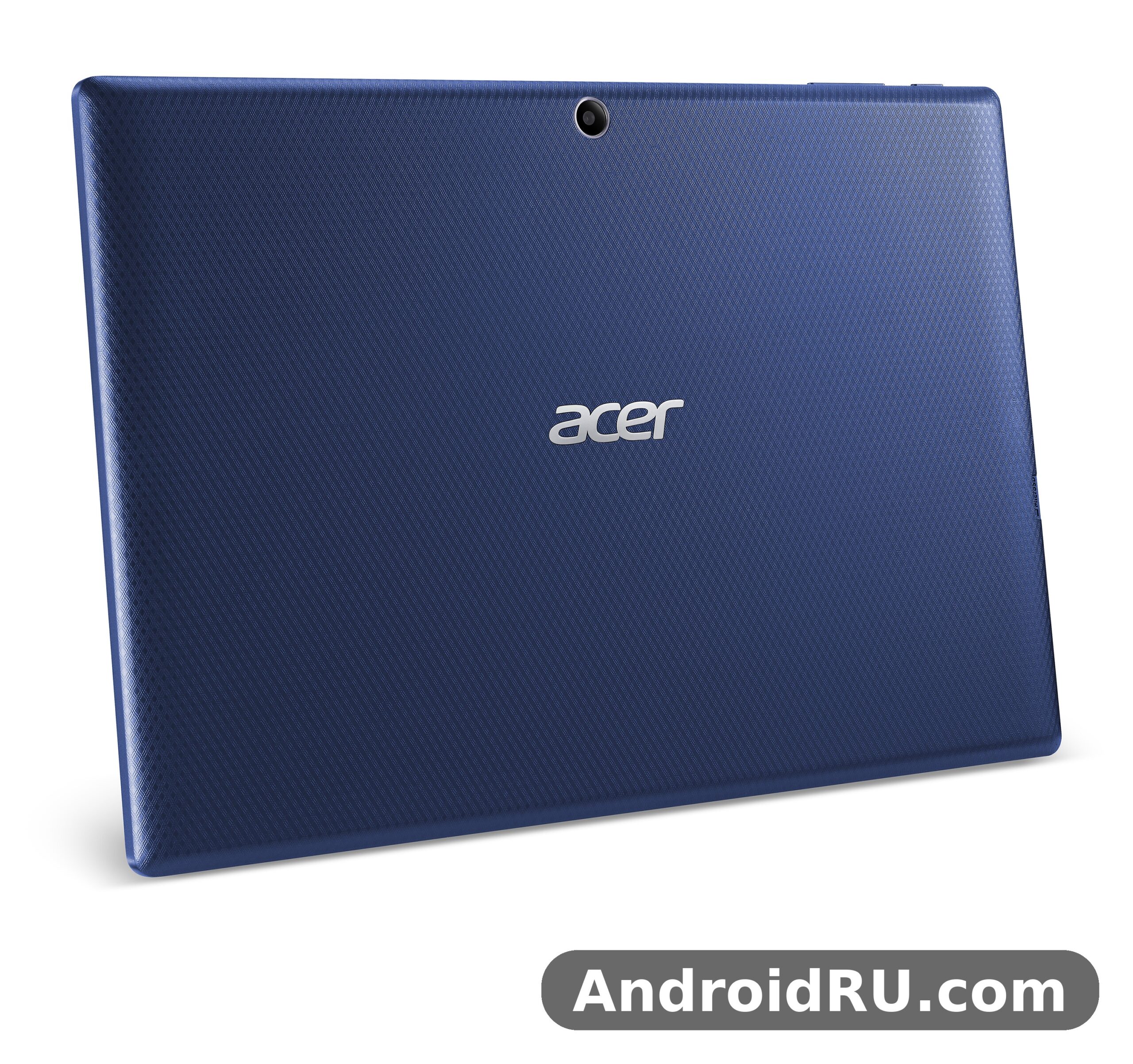
This article walks through the whole tablet in plain terms: the screen, the chip, the battery, the cameras, the sound, the storage, and the day-to-day trade-offs of owning one now. You will find the full spec table, a head-to-head comparison with its rivals from the same era, honest pros and cons, and answers to the questions people still ask about this model. If you are looking at a used unit, thinking about handing one to a child, or trying to squeeze more life out of a tablet you already own, this guide gives you what you need to decide.
A quick note on how to read this piece: the Acer Iconia Tab 10 A3-A30 review 2015 coverage treated it as a budget-friendly media tablet, and that is still the fairest way to judge it. It was never meant to replace a laptop or to run the heaviest games of its day. Judged as a video, reading, and browsing tablet, it held up well. Judged against a modern tablet, it shows its age in clear, specific ways, and this article names each one.
Acer Iconia Tab 10 A3-A30 at a Glance: What This 2015 Tablet Was Built For
The Acer Iconia Tab 10 A3-A30 tablet is a Wi-Fi only device with a 10.1-inch screen, an Intel Atom Z3735F quad-core chip, 2 GB of RAM, and storage options of 16, 32, or 64 GB. It runs Android 5.0 Lollipop, has a 5 MP rear camera and a 2 MP front camera, and carries a 5910 mAh battery that Acer rated for up to seven and a half hours of multimedia use. It weighs 540 grams, measures 260 x 176 x 9.7 mm, and comes in black. There is no cellular connectivity and no SIM slot, so it lives on Wi-Fi and on whatever you load onto it.
That list tells you the target buyer right away. Acer aimed this tablet at households that wanted a big screen for films, YouTube, e-books, and light web browsing without paying flagship money. The Acer Iconia Tab 10 A3-A30 price in 2015 sat around 250 EUR at launch, which put it in the middle of the tablet market: more expensive than the cheapest no-name slates, and far cheaper than the big-name flagships. For that money you got a screen with a much higher resolution than most rivals at the price, plus stereo speakers and a microSDXC slot for expansion.
The design follows the same practical logic. The body is a plain black slab with a 9.7 mm profile, slim enough to hold with one hand for a while, thick enough to feel solid. The front is mostly screen, with a screen-to-body ratio of about 64.6 percent, which was ordinary for 2015. Corning Gorilla Glass 4 covers the display, with an oleophobic coating that helps fingerprints wipe off more easily. It is not a premium metal unibody, and it never pretended to be one. It is a plastic-bodied tablet that puts its budget into the display and the battery instead of into luxury materials.
Who the Tablet Was Made For
The natural buyer was a family. One tablet on the coffee table could serve as a video player for the kids, a recipe reader in the kitchen, and a catch-up TV screen in bed. The 10.1-inch size is large enough for two people to watch together, and the wide 16:10 aspect ratio suits video far better than the squarer screens some rivals used. If you mostly watch, read, and browse, the size is the point.
Students and casual users were the second audience. A tablet like this handled lecture notes, PDF textbooks, email, and web research without complaint, as long as you kept your expectations in line with 2 GB of RAM. It was never a heavy multitasking machine, but for one app at a time, with a browser tab or two open, it did the job. The microSDXC card slot mattered here too, because a student could carry a library of documents and films without paying for the larger storage model.
What It Is Not
Honesty matters here. This tablet is not a gaming machine, not a productivity workstation, and not a camera replacement. The Intel Atom chip handles casual games and older 3D titles, but demanding games from its own era already pushed it hard, and modern games are mostly out of reach. The 5 MP rear camera takes usable snapshots in good light and little else. And Android 5.0 Lollipop, without a later official update path, means many current apps will not install or will run old versions. Those limits shape every recommendation in this article.
Acer Iconia Tab 10 A3-A30 Display: A 10.1-Inch 1920×1200 IPS Screen
The display is the best reason this tablet existed, and it is still the first thing you notice when you switch one on. The Acer Iconia Tab 10 A3-A30 screen resolution 1920×1200 spread across a 10.1-inch panel gives a pixel density of about 224 pixels per inch. Text looks crisp, video looks clean, and the 16:10 ratio leaves only thin black bars on most widescreen films. For a mid-range tablet in 2015, that resolution was a genuine selling point, because many rivals at the same price were still shipping 1280 x 800 panels.
The panel itself is a LED-backlit IPS LCD, which means wide viewing angles and steady colours when you tilt the tablet or share the screen with someone sitting beside you. IPS was the right choice for a shared household tablet. Colours are natural rather than punchy, and the screen stays readable indoors at moderate brightness. Outdoors in direct sunlight it struggles, as most tablets of its generation did, but for indoor use it holds up well. The Acer Iconia Tab 10 A3-A30 10.1 inch display remains pleasant for reading long articles and e-books, with text that stays sharp at small sizes.
Protection is better than the price suggests. Corning Gorilla Glass 4 covers the front, which helps against scratches from keys and coins in a bag, and the oleophobic coating resists fingerprints better than bare glass. The Acer Iconia Tab 10 A3-A30 Gorilla Glass 4 protection does not make the screen unbreakable, and a drop onto a hard floor can still crack it, but for everyday knocks it adds real peace of mind. A cheap case is still a wise buy for a used unit, and the Acer Iconia Tab 10 A3-A30 case market still lists simple folio covers that fit this model.
Viewing Angles and Colour in Daily Use
Watch a film with the tablet propped on a stand and the IPS panel earns its keep. Colours barely shift when you move your head, and two viewers at an angle both get a usable picture. That sounds minor until you compare it with a cheap TN panel, where the image washes out the moment you tilt the screen. For a family tablet that gets passed around, viewing angles are a daily quality-of-life feature, not a spec-sheet decoration.
Brightness is adequate rather than outstanding. Indoors, a setting around half brightness suits most rooms. At full brightness the screen is comfortable in a bright kitchen, though direct sun still overpowers it. There is no adaptive brightness sensor listed in the spec sheet, so you set brightness by hand. That is a small thing, but it is the kind of detail that reminds you this tablet comes from 2015.
Reading, Video, and the 16:10 Shape
The 16:10 ratio is a quiet strength. Films fill more of the screen than they would on a 4:3 tablet, and web pages still show a useful amount of text in landscape. In portrait, the tablet works as a large e-reader, with a full page of a book or a PDF visible at a readable size. The Acer Iconia Tab 10 A3-A30 display suits both jobs because the resolution is high enough that text never looks fuzzy, even when you hold the tablet close.
Screen Size in Real Terms
At 260 mm wide and 176 mm tall, the tablet is roughly the size of a small magazine. It fits in most laptop bags and large handbags, but it is not a one-handed device for long stretches. The Acer Iconia Tab 10 A3-A30 weight 540 grams dimensions put it in the middle of its class: heavier than an 8-inch tablet, lighter than many 10-inch rivals with metal bodies. Hold it with two hands for video, prop it on a stand for reading, and the weight stops mattering.
Touch Response and the Oleophobic Coating
The capacitive touchscreen responds well to taps and swipes, with no obvious dead zones. The oleophobic coating keeps the glass feeling smooth under a finger, and smudges wipe away with a soft cloth instead of smearing. After years of use, that coating wears thin on any tablet, so a second-hand unit may feel a little grippier than a new one did. A screen protector brings back the glide if it bothers you.
Acer Iconia Tab 10 A3-A30 Performance: Intel Atom Z3735F and 2 GB of RAM
Under the screen sits an Intel Atom Z3735F, a quad-core chip from Intel’s Bay Trail family. GSMArena lists the CPU at 1.33 GHz, while other listings describe the same chip running up to 1.83 GHz in burst mode, which is how Intel rated this part: a modest base clock with short bursts for demanding moments. The Acer Iconia Tab 10 A3-A30 Intel Atom performance story is therefore a story of bursts and limits. Light tasks feel smooth, sustained heavy work does not, and the chip leans on its burst speed for app launches and page loads.
The Acer Iconia Tab 10 A3-A30 2GB RAM performance picture is just as important as the chip. Two gigabytes was a respectable amount in 2015, and it is the single number that most shapes how this tablet feels today. One app at a time runs fine. A browser with several heavy tabs, a music app in the background, and a messaging app on top will push it into reloads and stutters. The tablet does not have the memory headroom that modern multitasking expects, so the practical rule is simple: keep the number of open apps small, and close what you are not using.
The Acer Iconia Tab 10 A3-A30 storage comes in three sizes, 16, 32, or 64 GB, all paired with the same 2 GB of RAM. The Acer Iconia Tab 10 A3-A30 16GB storage enough today question comes up often, and the honest answer is that 16 GB is tight now. Android 5.0 and the preinstalled apps take a share of it, and a handful of large apps or offline videos can fill the rest. The 32 GB and 64 GB models age far better. Whichever model you have, the microSDXC dedicated slot is your friend: the Acer Iconia Tab 10 A3-A30 microSD card slot takes a card for films, music, photos, and documents, so you can keep the internal storage for apps alone.
For everyday use in its own era, the tablet handled its brief well. Web browsing, email, social apps, video playback, e-books, and casual games all ran at a usable pace. The chip decodes 1080p video without breaking a sweat, which matters more than benchmark numbers for a media tablet. Where it showed its limits was in heavy 3D games, large spreadsheets, and rapid switching between demanding apps. Those are laptop jobs, and this tablet was never priced as a laptop replacement.
Everyday Speed: Browsing, Video, and Reading
Open a browser, load a news site, scroll through an article, and the tablet feels fine. Pages render at a normal pace, scrolling stays smooth on most sites, and video starts quickly. The weak point is modern web pages loaded with scripts and ads, which ask more of the chip and the memory than 2015 pages did. A lightweight browser and an ad blocker, where you can install one, make a visible difference. Keep the tab count low and the experience stays pleasant.
Video is the tablet’s home turf. Local 1080p files play smoothly, streaming apps from its era run well, and the big screen makes the experience. The Acer Iconia Tab 10 A3-A30 video playback stays smooth because decoding is hardware-accelerated, so the chip is not doing the heavy lifting in software. If you plan to use a second-hand unit mainly as a video player, this is the use case where it still earns its keep.
Gaming on the Iconia Tab 10 A3-A30
Casual games are the sweet spot: puzzle games, card games, simple platformers, and older 3D titles run well. The Acer Iconia Tab 10 A3-A30 games library that suits it best is the one from its own era, plus light modern titles that do not demand much graphics power. Demanding 3D games from 2015 already ran at reduced settings, and current heavy games are mostly beyond it, both for performance and because many now need a newer Android version. If games matter to you, test the specific titles you want before buying a used unit.
Multitasking Limits With 2 GB of RAM
Two gigabytes of RAM sets a clear ceiling. Switching between two apps works, but the tablet may reload the app you left when memory runs short. Split-screen multitasking is not part of Android 5.0, so you use one app at a time. That sounds limiting, and it is, but it also matches how most people actually use a media tablet: one video, one book, one web page at a time. Accept that rhythm and the tablet stops fighting you.
Android 5.0 Lollipop: What It Means Today
The Acer Iconia Tab 10 A3-A30 Android 5.0 Lollipop software is the tablet’s biggest long-term limit. Lollipop brought the Material Design look, better notifications, and the ART runtime, and it felt modern in 2015. Today, many apps need Android 6 or newer, and some services have dropped support for old versions entirely. The Acer Iconia Tab 10 A3-A30 how to update Android version question has no good official answer: there was no later official update path for this model, so you use the apps that still support Lollipop, or you look at community options only if you know exactly what you are doing and accept the risks. For most owners, the sensible path is to keep the tablet offline-first for media and reading, and to use a newer device for banking, messaging, and anything that needs current security.
Acer Iconia Tab 10 A3-A30 Battery Life Test: What 5910 mAh Really Means
The battery is a Li-Ion unit rated at 5910 mAh, or 22 Wh, and it is not removable. Acer rated it for up to seven and a half hours of multimedia use, which in practice meant a long film or two, plus some browsing, on a single charge. Any Acer Iconia Tab 10 A3-A30 battery life test from its era landed in the same area: roughly six to eight hours of mixed use, depending on screen brightness, Wi-Fi activity, and what you were doing. Video playback was the most efficient use, while gaming and heavy browsing drained it faster.
That figure needs context. A 5910 mAh battery sounds large next to a phone, but it feeds a 10.1-inch screen, and screens are the biggest drain in any tablet. The Acer Iconia Tab 10 A3-A30 battery is best understood as a full day of light use, or a long evening of video, rather than a multi-day battery. Charge it overnight, use it through the day, and you will rarely run dry. Leave the brightness at maximum with Wi-Fi streaming all day, and you will reach for the charger by the afternoon.
Age changes the picture. A battery made in 2015 has lived through a decade of charge cycles, and a used unit will hold less than its original capacity. The Acer Iconia Tab 10 A3-A30 battery replacement guide question comes up for that reason: the battery is sealed inside, so replacing it means opening the tablet, which is a repair-shop job, not a casual do-it-yourself task for most owners. If you buy used, check the battery first. Ask the seller how long it lasts on video, or better, play a film for half an hour and watch the percentage drop. A unit that loses a third of its charge in thirty minutes of video has a tired battery.
Charging and the microUSB Port
Charging runs through a microUSB 2.0 port, with a standard charger from the box. There is no fast charging here, so a full charge takes a few hours from empty. The Acer Iconia Tab 10 A3-A30 charger is a plain microUSB charger, which is handy because the cables are cheap and common, but it also means you should not expect the quick top-ups that modern USB-C tablets offer. If the tablet seems to charge slowly, try a different cable first: worn microUSB cables are a common cause of slow charging, and the Acer Iconia Tab 10 A3-A30 charging port not working complaint is often a worn cable or a dusty port rather than a dead battery. Clean the port gently with a wooden toothpick or a blast of air, never with a metal pin.
For daily habits, the best routine is simple. Charge to full overnight, keep brightness near half, turn Wi-Fi off when you are reading offline, and let the screen sleep quickly when you put the tablet down. Those four habits add up to an extra hour or more of use, and they cost nothing.
Getting the Most From an Old Battery
Old batteries like steady routines. Avoid leaving the tablet in a hot car or on a sunny windowsill, because heat ages lithium batteries faster than anything else. Avoid running it to zero every day. If you plan to put the tablet away for months, leave it about half charged rather than full or empty. The Acer Iconia Tab 10 A3-A30 battery life test numbers from 2015 will not return on a ten-year-old cell, but careful habits keep a healthy used battery useful for films, books, and browsing.
Signs the Battery Needs Attention
Watch for three warnings. First, the percentage jumps suddenly, such as falling from 40 percent to 15 percent in minutes. Second, the tablet shuts off while the meter still shows charge. Third, the back of the tablet feels swollen or the screen lifts at the edges. The first two mean a worn battery; the third means stop using it and take it to a repair shop, because a swollen battery is a safety issue, not a performance quirk.
Acer Iconia Tab 10 A3-A30 Camera and Sound: 5 MP Rear, 2 MP Front, Stereo Speakers
Tablet cameras are rarely the reason anyone buys a tablet, and this one is no exception. The rear camera is a single 5 MP unit that records 1080p video at 30 frames per second. The front camera is a single 2 MP unit for video calls and selfies. Neither will impress anyone who owns a modern phone, and neither was meant to. They exist for the occasional snapshot, for scanning a document, and for video calls, and within those jobs they are adequate.
An Acer Iconia Tab 10 A3-A30 camera quality test in good daylight gives usable photos: decent detail in the centre of the frame, natural colours, and enough sharpness for sharing online or keeping as a memory. Indoors or in low light, noise creeps in quickly, details soften, and the lack of a flash shows. The Acer Iconia Tab 10 A3-A30 1080p video recording test tells the same story: steady footage in bright light, softer and noisier footage once the light drops. Hold the tablet with both hands, brace your elbows, and your video will look far better than a one-handed attempt.
The front camera is the more useful of the two for most owners. Two megapixels is enough for a video call, where the other person sees a small window of your face, and it works for a quick selfie. It struggles in dim rooms, so sit facing a window or a lamp when you call. Nobody buys a 10-inch tablet for its selfie camera, but as a video-call screen the large display is a real advantage: you see the other person at a comfortable size, and they see you clearly enough.
Stereo Speakers and the 3.5 mm Jack
Sound is a stronger point than the cameras. The Acer Iconia Tab 10 A3-A30 speakers are a stereo pair, which makes a clear difference for films and music: dialogue stays intelligible, and the sound has a sense of space that a single mono speaker cannot match. The Acer Iconia Tab 10 A3-A30 stereo speakers sound is not loud enough to fill a large room, and bass is thin, as it is on nearly every tablet, but for watching in bed or at a desk the speakers are genuinely pleasant. Acer’s 2015 line-up put real effort into sound and screens, and the Acer Liquid M320 Review: Audio and Display Put to the Test shows the same priorities on the phone side of the family: audio and display were the features Acer wanted people to notice.
For private listening there is a standard 3.5 mm headphone jack, which is a feature worth naming in an era when many new tablets have dropped it. Any wired headphones or earbuds work, with no adapter and no charging worry. Bluetooth 4.0 with A2DP covers wireless headphones and speakers, and the Acer Iconia Tab 10 A3-A30 Bluetooth 4.0 A2DP pairing process is the usual one: turn on Bluetooth, put the accessory in pairing mode, and tap its name when it appears. If a device refuses to pair, forget it in the Bluetooth settings and try again, and check that the accessory is not still connected to another device.
Everyday Media: Films, Music, and Reading Aloud
Put the screen, the speakers, and the battery together and you get the tablet’s real job: a media machine. Films look good and sound good, music plays cleanly through headphones or a Bluetooth speaker, and audiobooks and podcasts work well with the screen off. The Acer Iconia Tab 10 A3-A30 use as second screen idea also comes up often: with third-party apps you can use an old tablet as an extra display for a computer, though the experience depends on the app and on Wi-Fi speed, and it will never be as smooth as a real monitor. As a cheap second screen for notes or chat, it can work; as a main monitor, it cannot.
For families, the tablet also works as a shared media device for children. The Acer Iconia Tab 10 A3-A30 kids tablet parental controls story is a practical one: Android 5.0 supports restricted profiles and third-party parental control apps, so you can limit what a child can open, set time limits, and keep the tablet to a small set of approved apps. Load it with offline videos and books, turn on the controls, and it becomes a safe, cheap tablet for a child, with a screen large enough for learning apps and a battery that lasts a long car journey.
Full Specifications
The table below gathers every key figure for the Acer Iconia Tab 10 A3-A30 full specifications in one place. Figures follow the official spec sheet and the widely listed specification data for this model: announced April 2015, released June 2015, and now discontinued. Where two sources describe the same chip speed differently, the table gives the base clock and notes the burst speed in the text above.
| Feature | Acer Iconia Tab 10 A3-A30 |
|---|---|
| Announced | April 2015 |
| Released | June 2015 |
| Status | Discontinued |
| Dimensions | 260 x 176 x 9.7 mm (10.24 x 6.93 x 0.38 in) |
| Weight | 540 g (1.19 lb) |
| SIM | No, Wi-Fi only, no cellular connectivity |
| Display type | LED-backlit IPS LCD |
| Display size | 10.1 inches, 295.8 cm2, about 64.6% screen-to-body ratio |
| Display resolution | 1920 x 1200 pixels, 16:10 ratio, about 224 ppi |
| Display protection | Corning Gorilla Glass 4, oleophobic coating |
| Operating system | Android 5.0 (Lollipop) |
| Chipset | Intel Atom Z3735F |
| CPU | Quad-core 1.33 GHz, up to 1.83 GHz in burst mode |
| RAM | 2 GB |
| Internal storage | 16 GB, 32 GB, or 64 GB |
| Card slot | microSDXC, dedicated slot |
| Rear camera | 5 MP, single camera |
| Rear video | 1080p at 30 fps |
| Front camera | 2 MP, single camera |
| Loudspeaker | Yes, with stereo speakers |
| 3.5 mm jack | Yes |
| Wi-Fi | Wi-Fi 802.11 a/b/g/n/ac, dual-band, hotspot |
| Bluetooth | 4.0, A2DP |
| Positioning | A-GPS only |
| NFC | Yes |
| Radio | No |
| USB | microUSB 2.0 |
| Sensors | Accelerometer |
| Battery | Li-Ion 5910 mAh, non-removable, 22 Wh |
| Multimedia use | Up to 7 hours 30 minutes |
| Colours | Black |
| Launch price | About 250 EUR |
A few rows deserve a second look. The Acer Iconia Tab 10 A3-A30 WiFi only tablet design means there is no mobile data, no calls, and no SIM tray to worry about, which keeps the running costs at zero beyond your home internet. NFC is present, which was unusual for a budget tablet in 2015, though its practical uses were limited even then. The single sensor is an accelerometer, so there is no gyroscope, compass, or light sensor: screen rotation works, but games that need tilt in more than one direction and apps that need a compass will disappoint. The Acer Iconia Tab 10 A3-A30 specs list is honest about what it is, and the honest reading is a focused media tablet, not an all-rounder.
Connectivity is otherwise solid for the year. Dual-band Wi-Fi with 802.11ac support means the tablet can use a 5 GHz network, which helps in crowded homes where the 2.4 GHz band is busy. Bluetooth 4.0 covers headphones, speakers, and keyboards. The microUSB 2.0 port handles charging and file transfers, and with the right adapter it can work with USB accessories, though the Acer Iconia Tab 10 A3-A30 microUSB OTG support depends on the accessory and the app, so test before you rely on it. A-GPS is listed, which is mostly a curiosity on a Wi-Fi tablet, since navigation apps can still work offline with downloaded maps.
Acer Iconia Tab 10 A3-A30 vs Samsung Galaxy Tab: How It Compared in 2015
The fairest way to judge this tablet is against what else you could buy in 2015 for similar money. The Acer Iconia Tab 10 A3-A30 vs Samsung Galaxy Tab comparison is the one most buyers actually made, because Samsung’s Galaxy Tab A 9.7 was the obvious rival at a similar price. The table below lines the A3-A30 up against the Galaxy Tab A 9.7 and two of its own Acer siblings, so you can see where the money went.
| Feature | Acer Iconia Tab 10 A3-A30 | Samsung Galaxy Tab A 9.7 (2015) | Acer Iconia Tab A3-A20 | Acer Iconia One 8 B1-820 |
|---|---|---|---|---|
| Display | 10.1 in, 1920 x 1200 IPS | 9.7 in, 1024 x 768 TFT | 10.1 in, 1280 x 800 IPS | 8.0 in, 1280 x 800 IPS |
| Chipset | Intel Atom Z3735F quad-core | Qualcomm Snapdragon 410 quad-core | MediaTek MT8127 quad-core | Intel Atom Z3735G quad-core |
| RAM | 2 GB | 1.5 GB | 1 GB | 1 GB |
| Storage | 16, 32, or 64 GB, microSDXC | 16 GB, microSD | 16 GB, microSD | 16 or 32 GB, microSD |
| Rear camera | 5 MP, 1080p video | 5 MP, 720p video | 5 MP | 5 MP |
| Battery | 5910 mAh | 6000 mAh | About 5910 mAh | 4600 mAh |
| Operating system | Android 5.0 Lollipop | Android 5.0 Lollipop | Android 4.4 KitKat | Android 4.4 KitKat, up to 5.0 |
| Weight | 540 g | About 450 g | About 540 g | About 340 g |
| Launch price | About 250 EUR | About 230 EUR | About 200 EUR or less | About 150 EUR |
Read the table from left to right and the A3-A30’s advantage is obvious: the sharpest screen and the most RAM in the group. The Galaxy Tab A 9.7 had a larger brand name, a lighter body, and a slightly bigger battery, but its 1024 x 768 display was a clear step down for video and reading. The A3-A20 was the cheaper sibling with the same size and shape but a lower-resolution screen, half the RAM, and an older Android version. The Iconia One 8 was the small, cheap, portable option, with a weaker battery and less memory. If you wanted the best screen for the money in 2015, the A3-A30 was the pick of this group, and the Acer Iconia One 8 B1-820 Specifications, Review and Verdict: Is It Worth It? makes the same point from the other side: the 8-inch model traded screen and battery for size and price.
The comparison with its own sibling is worth a closer look. The Acer Iconia Tab A3-A20 Long-Term Review: Durability, Features and Full Specifications covers a tablet that looks nearly identical from the outside, yet the A3-A30’s screen and memory make it the better long-term buy. If you are choosing between used units today, the A3-A30 is worth a small premium over the A3-A20 for the 1920 x 1200 display alone, because the screen is the part you look at every minute you use the tablet. The two models share the same 10.1-inch body, so cases and accessories often fit both, but check the model number before ordering.
Where Samsung Won and Where Acer Won
Samsung won on brand trust, on the lighter body, and on software support: the Galaxy Tab A line received more attention from Samsung over time, and its app ecosystem felt more polished. Acer won on the display, on RAM, and on price per pixel. For a buyer who cared most about watching films and reading, Acer’s win mattered more. For a buyer who wanted the safest, most familiar choice, Samsung’s win mattered more. Neither side was wrong; they were different answers to the same question.
Acer’s own phone line from the same year shows the same design thinking. The Acer Liquid M330 Review: Usability in Everyday Use and the Full Specs describes a budget phone that put its effort into everyday usability rather than headline features, and the A3-A30 follows the same playbook at tablet size. Acer in 2015 was building practical devices for real budgets, and this tablet is one of the clearest examples of that approach.
The 2015 Market in One Paragraph
Tablets in 2015 were splitting into two camps: cheap slates with poor screens, and expensive flagships with great ones. The A3-A30 sat in the gap between them, offering a flagship-grade screen resolution at a mid-range price. That gap is why the tablet still gets searched for today. It was one of the few affordable tablets of its year where the display did not feel like a compromise, and that single strength carried the whole product.
Pros and Cons: Who Should Still Use the Acer Iconia Tab 10 A3-A30 in 2026
Time has been fair to this tablet in some ways and harsh in others. The screen still looks good, the speakers still sound good, and the battery still does its job if the cell is healthy. The software, the cameras, and the performance ceiling have aged less gracefully. Here is the honest balance.
Pros
- 1920 x 1200 IPS display with wide viewing angles and sharp text, still pleasant for video and reading today.
- 5910 mAh battery that delivered up to seven and a half hours of multimedia use when new, enough for long films and trips.
- Stereo speakers and a 3.5 mm headphone jack, a combination that many newer tablets have dropped.
- microSDXC card slot for cheap storage expansion, plus storage options up to 64 GB.
- Corning Gorilla Glass 4 with an oleophobic coating, solid build, and a sensible 540-gram weight for a 10-inch tablet.
- Dual-band Wi-Fi with 802.11ac, Bluetooth 4.0, and NFC, a generous connectivity list for a 2015 mid-range tablet.
Cons
- Android 5.0 Lollipop with no official update path, so many current apps will not install or run.
- Only 2 GB of RAM, which limits multitasking and makes modern web pages feel heavy.
- Weak cameras: a 5 MP rear camera and a 2 MP front camera that struggle in low light.
- No cellular connectivity, no SIM slot, and only an accelerometer among the sensors, so no compass or gyroscope.
- microUSB 2.0 charging with no fast charging, and a sealed battery that needs a repair shop to replace.
- Discontinued since 2015, so spare parts, accessories, and official support are hard to find.
Who It Is For Today
The tablet still suits a few clear roles. It works as a dedicated video and reading tablet, loaded with offline films and books. It works as a child’s tablet with parental controls and a small set of approved apps. It works as a kitchen or bedside screen for recipes, music, and podcasts. It works as a cheap second screen or a digital photo frame. In each of those roles, the old software matters little, because the job does not need current apps.
It does not suit anyone who needs current apps, mobile banking, secure messaging, or heavy multitasking. For those jobs, even a cheap modern tablet is a better buy. The Acer Iconia Tab 10 A3-A30 worth buying in 2026 question therefore has a conditional answer: yes, for a narrow, offline-first media job at a very low used price, and no, as a main daily tablet. Check the used price against a new budget tablet before you decide, because the gap is often smaller than you expect.
Keeping an Old Tablet Useful
The Acer Iconia Tab 10 A3-A30 best apps for old tablet question has a practical answer: favour light, offline-first apps. A lightweight browser, an offline video player, an e-book reader, a podcast app with downloads, and a simple notes app will all run happily. Remove apps you do not use, clear cached data now and then, and keep the home screen simple. The tablet rewards a small, focused set of apps far more than a crowded one.
Two fixes cover most problems owners report. The Acer Iconia Tab 10 A3-A30 stuck on Acer logo fix usually starts with a forced restart: hold the power button for ten to fifteen seconds until the tablet turns off, then power it on again. If it still sticks, charge it fully first, because a nearly flat battery can cause strange boot behaviour. The Acer Iconia Tab 10 A3-A30 factory reset without password route is a last resort: power the tablet off, then hold the volume-up and power buttons together to reach the recovery menu, and use the volume keys to choose the reset option. A reset erases everything on the tablet, so back up photos and files first if you can still reach them, and remember that a reset does not upgrade Android or add app support. An Acer Iconia Tab 10 A3-A30 reset from the Settings menu does the same job when the tablet still boots normally.
Frequently Asked Questions About the Acer Iconia Tab 10 A3-A30
When was the Acer Iconia Tab 10 A3-A30 released?
The Acer Iconia Tab 10 A3-A30 release date June 2015 is the date it reached shops, after being announced in April 2015. Gadgets360 and GSMArena both list April 2015 as the launch, with June 2015 as the release, and the tablet is now discontinued. If you see a listing that claims a different year, treat it with suspicion: this is a 2015 tablet, and any claim of a later release date confuses it with a newer Iconia model. The Acer Iconia Tab 10 A3-A30 release history is simple, and the June 2015 date is the one to remember.
Can the Acer Iconia Tab 10 A3-A30 still run modern apps?
Only some of them. The tablet runs Android 5.0 Lollipop, and many current apps need Android 6 or newer, so they will not install from the app catalogue at all. Light, offline-first apps often still work, and older versions of popular apps may install if you already own them, but banking apps, current messaging apps, and anything that needs modern security should not be trusted on this tablet. The Acer Iconia Tab 10 A3-A30 problems owners report most often trace back to this one limit: the hardware still works, but the software world has moved on. Use it for media and reading, and keep sensitive tasks on a newer device.
How long does the battery last on a used Acer Iconia Tab 10 A3-A30?
When new, the 5910 mAh battery delivered up to seven and a half hours of multimedia use, and most owners saw six to eight hours of mixed use. On a used unit, expect less, because a battery from 2015 has aged. Test before you buy: play a video for thirty minutes and watch how far the percentage falls. If it drops by more than about a tenth, the battery is tired. The Acer Iconia Tab 10 A3-A30 manual and the original box both describe the same charging routine, a standard microUSB charger and a few hours for a full charge, and that has not changed. There is no fast charging, so plan charges overnight.
Is 16 GB of storage enough, and can I expand it?
The 16 GB model is tight today, because the system and preinstalled apps take a share of it before you install anything. The 32 GB and 64 GB models are far more comfortable. All three take a microSDXC card in a dedicated slot, so you can move films, music, photos, and documents to the card and keep the internal storage for apps. The Acer Iconia Tab 10 A3-A30 accessories worth buying are simple: a folio case, a screen protector, and a good microSD card. Those three items cost little and cover the tablet’s main weaknesses: a bare screen, a bare body, and limited storage on the base model.
The Bottom Line: A Good Screen That Still Earns Its Place
Look back at what this tablet promised in 2015 and the verdict is clear. It promised a sharp 10.1-inch screen, honest battery life, stereo sound, and a fair price, and it delivered all four. It never promised flagship speed, great cameras, or long software support, and it did not deliver those. Judged on its own terms, the Acer Iconia Tab 10 A3-A30 was a good mid-range tablet, and the screen alone made it one of the better value choices of its year.
Today the tablet is a specialist, not a generalist. As a video player, an e-reader, a child’s tablet, or a kitchen screen, it still works, and a used unit at a low price can be a smart buy for one of those jobs. As a main tablet for current apps, it is past its time, and the money is better spent on a modern budget tablet. That is the honest split, and it is the same split you should apply to any tablet from 2015. The Acer tablet line has always been about practical value, and the question to ask before buying is the same one Acer’s own budget phones raised: does this device do the specific job you need, at the price you are paying? The Should You Buy the Acer Liquid Z530? Review and Full Specs asks that question for a phone from the same era, and it is the right question here too.
If you already own one, the next step is simple. Charge it fully, load it with the films and books you actually watch and read, remove the apps you never open, and give it one job it does well. A 10 inch tablet with a 1920 x 1200 screen, a 5910 mAh battery, and stereo speakers is still a pleasant thing to watch a film on, and a budget tablet from 2015 that still does its best job well deserves that second life. Unlike an Acer Iconia Tab 10 A3-A30 unboxing from 2015, a used purchase comes with no fresh box or warranty, so check the screen for cracks, test the battery on video for half an hour, confirm the microSD slot works, and pay no more than a used media tablet is worth. Do those four checks, and this old Iconia Tab 10 can still earn its place on your shelf.

