

Acer Iconia A16 at a Glance: Review and Detailed Specifications
Most tablets try to be everything at once: a phone replacement, a laptop stand-in, a sketchbook, a game console. The Acer Iconia A16 does not pretend to be all of those things. It is a big, straightforward Android tablet built around one clear idea — a huge 16-inch screen, a built-in kickstand, and enough battery to get through a long day of video, reading, and light work. If you have ever watched a film on a 10-inch tablet and wished the picture were simply bigger, this is the tablet Acer made for you.
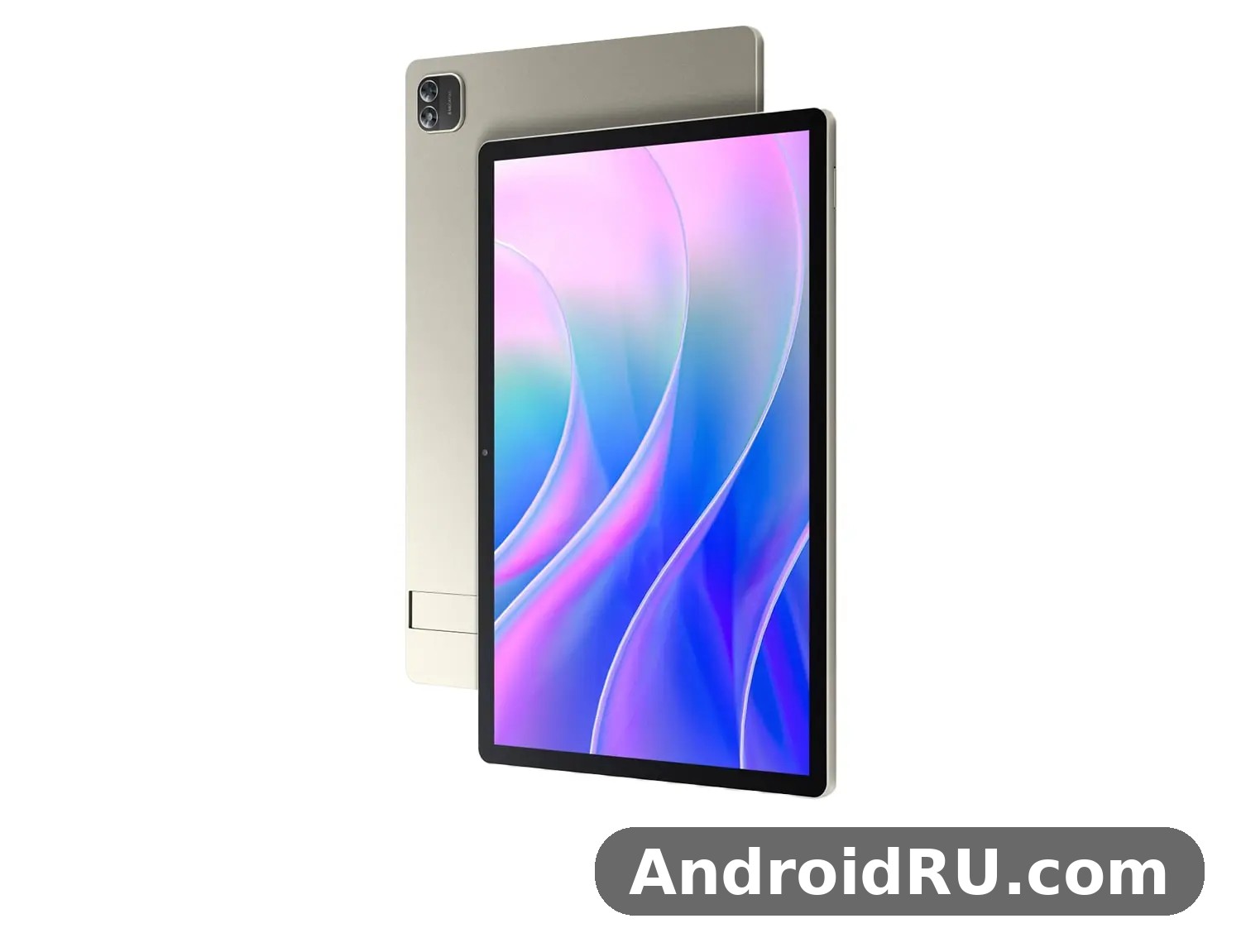
Announced on 3 September 2025 and released in January 2026, the Iconia A16 arrived alongside three siblings in Acer’s refreshed Iconia range. The family also includes the smaller Iconia A14, plus the higher-end Iconia X12 and X14. The A16 is the largest and most living-room-friendly of the four. It runs Android 15, it is powered by the Allwinner A733 chipset, and it pairs 8 GB of RAM with 256 GB of internal storage in its headline configuration. The price is about 300 EUR, which puts it in the affordable big-screen bracket rather than the premium flagship bracket. That positioning matters, because almost everything about this tablet makes sense once you judge it as a large, affordable media tablet instead of a laptop replacement.
This review looks at the tablet the way a buyer would actually use it. We cover the screen, the chip, the battery, the cameras, the speakers, the kickstand, and the day-to-day trade-offs, then lay out the full specifications in a table so you can check any single detail in seconds. Along the way we answer the questions people ask most often about this tablet, including whether the Acer Iconia A16 battery life test results match the 8,000 mAh figure, whether the Acer Iconia A16 gaming performance is good enough for casual play, and whether the tablet is worth buying in 2026.
What the Acer Iconia A16 Is and Who It Is For
The Iconia A16 is a Wi-Fi-only tablet with no cellular connectivity and no SIM slot. That is the first thing to understand about it, because it shapes where the tablet works best: at home, at school, in the office, or anywhere with Wi-Fi. It is not a device you buy to take calls or to use mobile data on a train without a hotspot. It is a device you buy to watch, read, study, browse, and video-call from a desk, a sofa, or a kitchen counter.
At 369.5 x 240.2 x 8.9 mm and 980 grams, it is a large tablet by any measure. It is roughly the size of a small laptop screen, and it weighs about as much as a thin ultrabook. That size is the point. A 16-inch display turns a tablet into a portable television, a shared family screen, and a comfortable reading surface for textbooks, comics, sheet music, and documents. The Acer Iconia A16 screen size 16 inch figure is the headline number, and it changes the feel of everything you do on the device. Two people can watch a show together without crowding. A recipe stays readable from across the kitchen. A video call fills the frame in a way a phone never can.
The built-in kickstand is the second defining feature. Instead of buying a separate case or propping the tablet against a pile of books, you flip out the stand and the tablet holds itself upright on a desk or table. That sounds like a small detail until you use it every day. It is the difference between a tablet that lives flat in a drawer and a tablet that lives upright on a desk, ready to play a video or show a document. The Acer Iconia A16 kickstand review angle is simple: it works, it is sturdy enough for daily use, and it removes the need for an extra accessory on day one.
Who is this tablet for? The short answer is anyone who wants a big screen without paying a big price. The Acer Iconia A16 for students is a natural fit, because a 16-inch screen makes lecture slides, PDFs, and split-screen note-taking far more comfortable than a 10-inch display. The Acer Iconia A16 for watching movies is an equally natural fit, because the screen, the four speakers, and the kickstand combine into a small home cinema you can carry from room to room. Families will like it as a shared screen for the living room. Older users who find phone screens too small will like the large text and large touch targets. What it is not for is equally clear: it is not a professional drawing tablet, it is not a gaming flagship, and it is not a laptop replacement for heavy work.
A big-screen tablet at an affordable price
The price of about 300 EUR is central to the appeal. A 16-inch tablet from a premium brand can cost twice as much or more, and it usually does so by adding a faster chip, a brighter OLED panel, and a stylus. Acer made the opposite trade: keep the screen big, keep the battery big, keep the price low, and accept a mid-range chip and an LCD panel. For buyers who care most about screen size, that trade is easy to accept. The Acer Iconia A16 price in Europe sits in a bracket where the competition is mostly 10-inch and 11-inch tablets, so the A16 wins on sheer size before any other comparison begins.
That said, price is only part of the value question. A cheap tablet that is slow, dim, or dead by lunchtime is no bargain at any price. The rest of this review tests the A16 against that standard: is it fast enough, bright enough, and long-lasting enough to earn its place on a desk? The short version is yes, with limits. The chip handles everyday apps well, the screen is clear and comfortable indoors, and the battery lasts through long video sessions. The limits show up when you push it hard — heavy games, dozens of open apps, or bright sunlight — and we cover each of those honestly below.
How the A16 fits into the 2025 Iconia range
Acer announced the A16 together with the A14, X12, and X14 at IFA in September 2025. The four tablets share a design language and a focus on media, but they split into two pairs. The A14 and A16 are the affordable IPS LCD pair, with built-in kickstands and 8,000 mAh batteries. The X12 and X14 are the step-up pair, with AMOLED and OLED displays, quad speakers, and a higher price. If you want the biggest screen for the least money, the A16 is the pick. If you want the richest colours, the X12 or X14 is the pick. For the smaller-screen comparison, our companion piece Acer Iconia A14 Review: The Good, the Bad and the Battery Life covers the 14-inch sibling in detail, including where its battery life and screen differ from the A16.
Acer Iconia A16 Display: A 16-Inch IPS Screen Built for Video
The display is the reason this tablet exists, so it deserves the closest look. The panel is a 16.0-inch IPS LCD with a resolution of 1200 x 1920 pixels and a 16:10 aspect ratio, giving about 142 pixels per inch. That is not a high pixel density by phone standards, but on a tablet viewed at arm’s length it looks clean and sharp for video, web pages, and documents. Text is easy to read, and the 16:10 shape is a good compromise: taller than a 16:9 television screen, so web pages and documents fit better, and wider than a 4:3 tablet screen, so films lose less of the frame to black bars.
The Acer Iconia A16 display quality review in one sentence is this: bright and clear indoors, comfortable for long sessions, and honest about its limits outdoors. IPS LCD technology gives wide viewing angles, so the picture stays consistent when two people watch from different sides of a sofa. Colours are natural rather than oversaturated, which suits long films and reading better than a punchy, high-contrast panel that tires the eyes. The quoted brightness is around 400 nits, which is fine in a living room, a classroom, or an office, but direct sunlight will wash the screen out. If you plan to use the tablet mostly outdoors, that is worth knowing before you buy.
For video, the size does more than the resolution. A 16-inch screen at 1920 x 1200 shows a film at a scale that feels closer to a small television than to a tablet. Subtitles are large and easy to follow. Faces are large enough to read expressions. The Acer Iconia A16 for watching movies case is strong precisely because the screen is big enough that you stop noticing the tablet and start noticing the film. Add the kickstand and the four speakers, and you have a setup that works on a kitchen counter, a bedside table, or a desk without any extra gear.
Screen size, resolution, and the 16:10 aspect ratio
The Acer Iconia A16 16 10 aspect ratio is worth a closer look, because it affects everything from films to documents. A 16:10 screen is slightly taller than the 16:9 shape used by most televisions. That extra height means more of a web page or a document is visible without scrolling, and a video call shows more of the other person’s surroundings. Films shot in very wide ratios will still show black bars at the top and bottom, but they are modest, and the picture area that remains is still far larger than on any 10-inch or 11-inch tablet.
The screen covers about 83.6 percent of the front of the tablet, which means the bezels are slim enough to look modern without becoming so thin that your thumbs constantly touch the display. The glass front sits in an aluminium frame, which gives the tablet a solid, premium feel in the hand despite the affordable price. The Iconia A16 screen is a touch panel, and touch response is smooth for scrolling, tapping, and pinch-to-zoom. There is no mention of a high refresh rate in the official specifications, so buyers should expect a standard 60 Hz panel: smooth for everyday use, but not the extra-buttery motion of a 90 Hz or 120 Hz gaming display.
Reading, studying, and split-screen work
A large screen changes reading in a way that a specification sheet cannot capture. A textbook page, a comic page, or a sheet of music fits on the Iconia A16 screen at close to full size, so you read without constant zooming and panning. The Acer Iconia A16 for students angle is strongest here: lecture slides stay legible, a PDF and a notes app can sit side by side, and a long article reads more like a magazine page than a phone screen. The Acer Iconia A16 split screen multitasking experience benefits directly from the width — two apps side by side each get a usable amount of space, where on a smaller tablet each half feels cramped.
The 142 ppi density is a fair trade for the price. Small text in a dense document is still readable, though it will not look as razor-sharp as a high-density flagship panel. For most buyers, the size more than compensates. If your main use is reading fine print for hours, a smaller tablet with a denser screen might suit you better. If your main use is video, documents, and shared viewing, the A16’s size is the better choice.
Brightness and viewing angles in daily use
Indoors, the screen is comfortable at moderate brightness, and the wide IPS viewing angles mean the picture holds up when the tablet is propped on its kickstand and viewed from a chair to the side. That matters for a tablet that is often watched by more than one person. Outdoors, the 400-nit brightness is the limiting factor. In shade it is usable; in direct sun it struggles. This is normal for an affordable LCD tablet, and it is the main reason the A16 is best thought of as an indoor and shaded-outdoor device rather than a beach tablet.
The kickstand and hands-free viewing
The kickstand deserves its own note because it is part of the display experience. A tablet this large is awkward to hold for a full film, so hands-free viewing is not a luxury, it is the normal way to use it. The built-in stand flips out from the back, holds the tablet at a comfortable viewing angle, and folds flat when you want to carry the tablet or lay it down. It also makes video calls easier: prop the tablet up, sit back, and talk without holding 980 grams in the air. The Acer Iconia A16 for video calls case is helped further by the 5 MP front camera, which we cover in the camera section below.
Acer Iconia A16 Performance: Allwinner A733, RAM and Storage
The Acer Iconia A16 chipset is the Allwinner A733, built on a 12 nm process. The CPU is an octa-core design with two 2.0 GHz Cortex-A76 performance cores and six 1.8 GHz Cortex-A55 efficiency cores, and the graphics are handled by an IMG BXM-4-64 MC01 GPU. That combination is a mid-range setup: fast enough for the things most tablet buyers actually do, and honest about the things it is not built for. It is important not to confuse this chip with the MediaTek Helio G99 used in the Iconia X12, which is a different tablet with a different chip. The A16, the A14, and the X14 all use the Allwinner A733, while the X12 uses the Helio G99.
In everyday use, the A733 feels capable. Apps open promptly, web pages load without long waits, and switching between a browser, a video app, and a notes app is smooth. The Acer Iconia A16 RAM and storage headline configuration is 8 GB of RAM and 256 GB of internal storage, which is generous for a tablet at this price. Eight gigabytes of memory keeps several apps in memory at once, so returning to a video or a document does not force a reload. The 256 GB of storage holds a large library of films, books, and apps without the constant need to delete things. A microSDXC card slot is also included, with a dedicated slot, so storage can be expanded for media without giving up anything else.
Some retail listings show a 6 GB RAM and 128 GB storage version of the A16 in certain markets, with the same chip and screen. Buyers should check the exact configuration on the listing before ordering, because the memory and storage figure affects how many apps and files the tablet holds comfortably. The main specification sheet lists 8 GB and 256 GB, and that is the configuration this review uses as its reference. Either way, the chip is the same, so the everyday speed is similar; the difference is headroom for multitasking and space for files.
Allwinner A733 benchmark expectations and real-world speed
The Acer Iconia A16 Allwinner A733 benchmark picture is one of solid mid-range performance rather than flagship speed. Synthetic benchmark scores for this chip sit well below the fastest tablet chips, and that gap shows up in heavy tasks such as complex 3D games at high settings, long video exports, or editing large files. For the tasks the A16 is designed for — streaming, browsing, reading, video calls, and light productivity — the chip is fast enough that most users will not notice it. The tablet does not feel slow in normal use, and that is the test that matters most.
Heat is well controlled in a tablet of this size, because the large body gives the chip room to breathe. Long video sessions do not make the back uncomfortably hot, and the tablet does not throttle noticeably during a film or a video call. That is one quiet advantage of a big tablet: the same chip that might run warm in a small phone body stays cool in a 16-inch frame. The Acer A16 processor is a practical choice for a media tablet, and Acer’s decision to spend the budget on the screen and the battery rather than on a flagship chip is consistent with the tablet’s purpose.
Multitasking, split screen, and everyday apps
Android 15 brings the multitasking tools that make a large screen useful. Split screen lets two apps share the display, picture-in-picture keeps a video floating while you read, and the recent-apps view makes switching fast. The Acer Iconia A16 split screen multitasking experience is one of the best reasons to choose a 16-inch tablet over a 10-inch one: a browser and a notes app, or a video and a chat app, each get enough room to be genuinely usable. With 8 GB of RAM, both apps stay alive in memory while you switch between them.
The Iconia A16 Android experience is close to stock Android 15, with Acer’s own touches kept light. That means a familiar app drawer, Google apps, and the Play Store for downloads. Android 15 also brings the current privacy controls, notification handling, and accessibility features, including large-text options that suit the big screen well. The Acer Iconia A16 Android 15 features that matter most in daily use are the ones you barely notice: better permission controls, smoother animations, and a multitasking system that works well on a large display.
What the A733 handles well, and where it slows down
Streaming video, web browsing, email, social apps, e-books, and video calls all run well. Casual games run well too, which we cover in the next section. The slowdowns appear with demanding 3D games at high graphics settings, with very large spreadsheets or documents, and with heavy photo or video editing. If your work is mostly those demanding tasks, a tablet with a flagship chip is a better fit. If your work is mostly media, reading, and light productivity, the A733 is enough, and the money saved buys a much larger screen.
Acer Iconia A16 gaming performance for casual players
The Acer Iconia A16 gaming performance story is a pleasant surprise for casual players and a reality check for serious gamers. Puzzle games, card games, 2D platformers, and popular casual titles run smoothly, and the huge screen makes them more enjoyable than on a phone. Touch controls have room to breathe, and the kickstand lets you play hands-free on a desk. The Acer Iconia A16 gaming performance for demanding 3D titles is a different story: you will need to lower the graphics settings to keep frame rates smooth, and the most demanding games will not match the experience of a flagship gaming tablet.
For families, the gaming angle is simple: this tablet is good for the games children and casual players actually play, and the large screen makes shared play easier. For competitive players who need the highest frame rates and the lowest latency, a smaller tablet with a faster chip and a high-refresh display is the better tool. The A16 is a media tablet that plays games, not a gaming tablet that happens to play media.
Full Specifications
The table below lists the full specifications of the Acer Iconia A16, based on the published specification sheet for the A16-M1N model. Where retail listings differ — most commonly the 6 GB and 128 GB memory option in some markets — the headline 8 GB and 256 GB configuration is shown, and the difference is noted in the text above. If a detail matters for your purchase, check the exact listing for your market before ordering.
| Category | Acer Iconia A16 specification |
|---|---|
| Model | Acer Iconia A16, A16-M1N |
| Announced | 3 September 2025 |
| Released | January 2026, available |
| Display type | IPS LCD, 16.0 inches |
| Display resolution | 1200 x 1920 pixels, 16:10 ratio, about 142 ppi |
| Screen-to-body ratio | About 83.6 percent |
| Operating system | Android 15 |
| Chipset | Allwinner A733, 12 nm |
| CPU | Octa-core, 2x 2.0 GHz Cortex-A76 and 6x 1.8 GHz Cortex-A55 |
| GPU | IMG BXM-4-64 MC01 |
| RAM | 8 GB (6 GB in some retail versions) |
| Internal storage | 256 GB (128 GB in some retail versions) |
| Card slot | microSDXC, dedicated slot |
| Main camera | 8 MP, autofocus, LED flash, 1080p video at 30 fps |
| Front camera | 5 MP, video supported |
| Battery | 8,000 mAh |
| Speakers | Stereo speakers, 4 speakers |
| Headphone jack | Yes, 3.5 mm |
| Wi-Fi | Wi-Fi 802.11 a/b/g/n/ac/6, dual-band |
| Bluetooth | Bluetooth 5.4, A2DP, LE |
| USB | USB Type-C 2.0 |
| Cellular | No cellular connectivity, no SIM |
| Positioning, NFC, radio | No GPS positioning, no NFC, no radio |
| Sensors | Accelerometer |
| Dimensions | 369.5 x 240.2 x 8.9 mm |
| Weight | 980 g |
| Build | Glass front, aluminium frame, built-in kickstand |
| Colour | Vapor Silver |
| Price | About 300 EUR |
The Acer Iconia A16 full specifications list above shows a tablet with a clear set of priorities. The screen is large, the battery is large, the storage is generous, and the connectivity is modern where it matters — Wi-Fi 6 and Bluetooth 5.4 — while cellular, GPS, and NFC are absent. Those absences are not oversights; they are the trade-offs that keep the price at about 300 EUR. A buyer who needs mobile data or satellite navigation should look at a different tablet. A buyer who uses Wi-Fi at home, at school, or at work will not miss them.
Dimensions, weight, and build quality
The Acer Iconia A16 weight 980 grams figure deserves a moment of thought. At nearly a kilogram, this is not a tablet you hold in one hand for an hour. It is a tablet you prop up, lay on a desk, or hold with two hands for a short while. The 8.9 mm thickness is slim for a tablet of this size, and the aluminium frame gives it a rigid, solid feel. The glass front is smooth and pleasant to touch, and the Vapor Silver colour gives it a clean, understated look that suits a home or an office.
The Acer A16 dimensions of 369.5 x 240.2 mm mean the tablet is about the size of a sheet of A3 paper, so a bag or sleeve made for a small laptop is a better fit than a sleeve made for a 10-inch tablet. That is worth checking before you buy a case. The Acer Iconia A16 accessories and keyboard case market is still growing, so buyers should check that any case or keyboard they order is made for the 16-inch A16 rather than for a smaller Iconia model. A case for the A14 will not fit, and a keyboard made for a 10-inch tablet will look lost on a 16-inch screen.
Cameras: 8 MP rear and 5 MP front
The cameras are practical rather than impressive, which is normal for a tablet at this price. The rear camera is a single 8 MP unit with autofocus and an LED flash, recording 1080p video at 30 frames per second. It is good enough for scanning a document, photographing a whiteboard, or taking a quick snapshot in good light. It is not a replacement for a phone camera, and in low light it will show noise and soft detail. The Acer Iconia A16 camera quality is best judged against other tablets, not against phones: by tablet standards, an 8 MP rear camera with autofocus and a flash is a fair, usable setup.
The front camera is a single 5 MP unit, and it is the camera most buyers will use most often, because video calls are the main camera job on a large tablet. On a 16-inch screen, the other person sees you large and clear, and you see them large and clear. The Acer Iconia A16 for video calls experience is helped by the kickstand, which holds the tablet steady at eye level, and by the large screen, which makes a group call easy to follow. The 5 MP resolution is enough for a clear video call in good light, though it will not flatter you in a dim room.
Connectivity: Wi-Fi 6, Bluetooth 5.4, and USB Type-C
Connectivity is modern where it counts. Wi-Fi 6 with dual-band support gives fast, stable wireless speeds on a modern home network, and the Acer Iconia A16 WiFi 6 performance is good enough for streaming high-definition video while other devices share the same network. Bluetooth 5.4 connects headphones, speakers, keyboards, and mice with low power use, and the Acer Iconia A16 Bluetooth 5.4 connectivity supports the current generation of wireless accessories. The Acer Iconia A16 USB Type C port is a USB Type-C 2.0 connection, used for charging and for wired data. It is not the fastest USB standard, so large file transfers over a cable will take longer than on a tablet with a faster port, but charging and everyday use are unaffected.
The 3.5 mm headphone jack is a welcome inclusion that many modern tablets have dropped. It lets you plug in wired headphones or earphones without an adapter, which is useful for late-night viewing and for school or office use where wireless headphones may not be allowed or charged. The four stereo speakers are covered in the sound section below. What is missing is cellular data, GPS positioning, NFC, and FM radio. For a Wi-Fi tablet used at home, those absences are easy to accept. For a traveller who needs maps and mobile data away from Wi-Fi, they are a real limitation, and a tablet with cellular support would be the better choice.
Acer Iconia A16 vs Acer Iconia A14 and the Rest of the Iconia Range
A comparison is the fastest way to decide which Iconia tablet fits you, because the four models announced together share a family look but differ in the details that matter. The table below compares the A16 with its closest sibling, the A14, and with the step-up X12 and X14, using the published specifications for each model. The Acer Iconia A16 vs Acer Iconia A14 question is the most common one, because the two tablets are the affordable pair in the range and they share the same chip, the same battery size, and the same kickstand idea.
| Feature | Acer Iconia A16 | Acer Iconia A14 | Acer Iconia X14 | Acer Iconia X12 |
|---|---|---|---|---|
| Screen size | 16.0-inch IPS LCD | 14-inch IPS LCD | 14-inch OLED | 12.6-inch AMOLED |
| Resolution | 1200 x 1920 | 1200 x 1920 class | 1920 x 1200 | 2560 x 1600 |
| Chipset | Allwinner A733 | Allwinner A733 | Allwinner A733 | MediaTek Helio G99 |
| RAM and storage | 8 GB, 256 GB | 8 GB class, 256 GB class | 8 GB class, 256 GB class | 8 GB class, 256 GB class |
| Battery | 8,000 mAh | 8,000 mAh | 8,000 mAh | 8,000 mAh |
| Rear camera | 8 MP | 8 MP | 8 MP | 13 MP |
| Front camera | 5 MP | 5 MP | 5 MP | 5 MP class |
| Kickstand | Built in | Built in | Built in | Built in |
| Starting price | About 300 EUR | About 260 EUR | About 260 EUR | About 280 EUR |
The A16 and A14 are twins in everything except size. Same chip, same battery, same cameras, same kickstand, same Android 15. The choice between them is a choice of screen size and price: the A16 gives you two extra inches of display for about 40 EUR more, and it weighs more and takes up more space. If the tablet will live on a desk and serve as a shared screen, the A16 is the better buy. If you carry the tablet around the house or to class every day, the A14 is lighter and easier to handle. The Acer Iconia A14 Review: The Good, the Bad and the Battery Life goes deeper into the smaller tablet, and it is the best next read if you are torn between the two sizes. Note that the A14 review link appears in the family section above as well, because the two tablets are so closely related that a buyer should read both before deciding.
The X14 is the interesting alternative. It has the same 14-inch size class as the A14 and the same Allwinner A733 chip, but it upgrades the screen to OLED and the wireless to Wi-Fi 6 with Bluetooth 5.4. If colour quality matters more to you than screen size, the X14 is worth a look, and the Acer Iconia X14 Review and Full Specifications: Everything You Should Know covers it in full. The X12 goes further still, with a 12.6-inch AMOLED display, a 13 MP rear camera, and the MediaTek Helio G99 chip, at a starting price of about 280 EUR. Our guide Acer Iconia X12: Full Review and Specifications explains where that smaller, sharper screen and different chip make a real difference, and where the A16’s sheer size still wins.
Buyers coming from the phone side of Acer’s range may also want context on how Acer balances price and features elsewhere. The Everything About the Acer Acerone Liquid S262F5: Review, Design and Full Specifications shows the same value-first thinking applied to a phone, while the Acer Iconia V11: Design, Key Features and Full Specifications in Detail covers a smaller Iconia tablet for buyers who want something more portable than the A16. The Iconia A16 tablet sits at the large end of that family: the biggest screen, the same affordable approach, and the clearest focus on shared viewing.
Acer Iconia A16 vs Samsung Galaxy Tab A9 Plus
The Acer Iconia A16 vs Samsung Galaxy Tab A9 Plus comparison is the one most buyers will make outside the Acer family, because the Galaxy Tab A9 Plus is the best-known affordable large tablet from a rival brand. The Samsung tablet has an 11-inch screen, which is far smaller than the A16’s 16-inch panel, but it brings a more polished software experience, longer update support, and the Samsung ecosystem. The A16 wins on screen size and price per inch by a wide margin. The Samsung wins on portability, software polish, and brand support. If your priority is the biggest screen for watching films at home, the A16 is the better choice. If your priority is a tablet you carry everywhere and keep for many years with regular updates, the Samsung deserves serious thought. There is no single winner here; the right choice depends on whether size or portability matters more to you.
Which Iconia size is right for you
Choose the A16 if the tablet will mostly stay in one or two rooms, if you watch films and shows often, if you share the screen with family, or if you read large documents and textbooks. Choose the A14 if you carry the tablet daily and want the same experience in a lighter body. Choose the X14 if you want richer OLED colours and can live with a 14-inch screen. Choose the X12 if you want the sharpest screen and the best rear camera in the range and you do not mind a smaller display. The A16 is the simplest choice in the range, and for many buyers that simplicity is part of its appeal.
Acer Iconia A16 Battery Life, Sound and Everyday Use
The battery is an 8,000 mAh unit, which is large in absolute terms and generous for a tablet at this price. The Acer Iconia A16 battery life test picture depends heavily on what you do with the tablet. Video playback at moderate brightness is the kindest use, and the A16 will play films for many hours before needing a charge. Web browsing and reading use less power still. Gaming and bright-screen outdoor use drain the battery fastest. In practice, most owners will charge the tablet every one or two days with normal home use, and a full day of heavy video use is realistic. The Acer A16 battery is one of the tablet’s genuine strengths, and it pairs well with the large screen: a big screen is only useful if the battery lasts long enough to enjoy it.
The Acer Iconia A16 8000 mAh battery charging time is not published as a single official figure, and it depends on the charger used. Buyers should expect a full charge to take a few hours with a standard charger, because an 8,000 mAh battery is a large one to fill. The practical habit is to charge overnight or during a long break, so the tablet is full when you need it. There is no claim of very fast charging in the specifications, so do not buy this tablet expecting a ten-minute top-up to last the evening. Plan charging the way you would for a large tablet: plug it in when you are done for the day, and it will be ready the next morning.
Sound is handled by four stereo speakers, which is a strong setup for a tablet at this price. The Iconia A16 speakers produce clear dialogue and a decent sense of space for films and shows, and the volume goes loud enough for a small room without distorting badly. Bass is limited, as it is on almost every tablet, so music lovers will still prefer headphones or an external speaker for serious listening. The Acer Iconia A16 stereo speakers sound test verdict is positive for its intended use: films, shows, video calls, and casual music sound good, and the four-speaker layout fills a room better than the two-speaker setup found on many cheaper tablets. Add the 3.5 mm headphone jack, and you have flexible audio for every situation.
Drawing, note-taking, and creative use
The Acer Iconia A16 for drawing and note taking question comes up often, because a 16-inch screen looks like a natural drawing surface. The honest answer is that the A16 is good for note-taking and sketching with a basic capacitive stylus, and good for viewing and marking up documents, but it is not a professional drawing tablet. There is no mention of an active stylus with pressure levels in the official specifications, and no palm-rejection drawing layer of the kind found on tablets built for artists. A student who writes notes with a simple stylus or a finger will find the large screen comfortable. An illustrator who needs pressure sensitivity and a precise pen should look at a tablet designed for that work.
For note-taking, the large screen is a real help. A notes app and a textbook can sit side by side, and handwriting has room to be legible. The Acer Iconia A16 microSD card support also helps creative users, because photos, scans, and documents can be kept on a card without filling the internal storage. The microSDXC dedicated slot means the card does not share space with a SIM tray, so expanding storage is simple and does not force a compromise.
Software updates and long-term ownership
The Acer Iconia A16 software update policy is a question buyers should ask before committing, because a tablet kept for years needs security and system updates. Acer ships the A16 with Android 15, which is current for its release window, but Acer has not published a long, detailed update promise for this model in the same way some rival brands have. Buyers should check the current support page for the A16-M1N model before buying, and should expect the usual pattern for an affordable tablet: security updates for a period after release, with major Android version upgrades less certain than on a flagship. That uncertainty is part of the price trade-off, and it is worth weighing against the screen size advantage. If long update support is your top priority, a tablet with a published multi-year update promise may suit you better.
Setting the tablet up for the first day
Setup is straightforward. Charge the tablet, connect to Wi-Fi, sign in with a Google account, and let the Play Store update the preinstalled apps. Then set the screen brightness to a comfortable level, turn on the large-text option if you want it, and try the kickstand on a desk with a video. That first video is the moment the tablet makes its case: a 16-inch picture, four speakers, and no need to hold the device. If you buy a case, check that it is made for the A16 specifically, because the size is unusual and a case for a smaller tablet will not fit.
Everyday reliability and what to watch for
In daily use, the A16 is a reliable, uncomplicated tablet. The things to watch for are the ones this review has already named: the weight, the outdoor brightness, the lack of cellular data, and the mid-range chip. None of them is a hidden flaw; all of them are visible in the specification sheet. A buyer who reads the sheet, understands the trade-offs, and still wants the biggest screen for the money will be happy with the tablet. A buyer who needs a light, outdoor, cellular, gaming-first device will not be, and that buyer should choose differently.
Pros and Cons of the Acer Iconia A16
Every tablet is a set of trade-offs, and the A16 is no exception. The list below is the honest balance after weighing the screen, the chip, the battery, and the price together. The Acer Iconia A16 review picture is positive overall, but it is positive for a specific kind of buyer, and the cons matter if you are not that buyer.
Big 16-inch screen, long battery life, and a built-in kickstand at an affordable price — those three strengths together are the reason to buy this tablet, and they are hard to find combined at about 300 EUR.
- Large 16-inch IPS display — films, documents, and shared viewing all benefit from the size, and the 16:10 ratio suits both video and reading.
Pros:
- Huge 16-inch screen that turns the tablet into a portable television and a comfortable reading surface.
- Built-in kickstand for hands-free viewing, video calls, and desk use without buying an extra accessory.
- 8,000 mAh battery that lasts through long video sessions and a full day of normal home use.
- 8 GB of RAM and 256 GB of storage in the headline configuration, with a dedicated microSDXC slot for more.
- Four stereo speakers and a 3.5 mm headphone jack for flexible audio.
- Wi-Fi 6 and Bluetooth 5.4 for fast wireless and modern accessories.
- Android 15 with a clean, familiar experience and good multitasking on the large screen.
- Affordable price of about 300 EUR for a 16-inch tablet.
Cons:
- No cellular connectivity, no SIM slot, no GPS, and no NFC, so it is a Wi-Fi-only tablet.
- Mid-range Allwinner A733 chip that needs lower settings for demanding 3D games and heavy editing.
- Heavy at 980 grams and large to carry, so it is best used propped up rather than held for long periods.
- IPS LCD brightness of around 400 nits struggles in direct sunlight.
- No active stylus with pressure levels in the official specifications, so it is not a professional drawing tablet.
- Update support beyond Android 15 is not published as a long promise, so buyers should check the current support page.
The balance is clear. If you want a big screen, a long battery, and a low price, the pros outweigh the cons by a wide margin. If you want a light, cellular, outdoor, gaming-first tablet, the cons point you elsewhere. That is a fair trade, and it is the trade Acer designed the tablet around.
Who Should Buy the Acer Iconia A16
The question is Acer Iconia A16 worth buying in 2026, and the answer depends on who is asking. For a home viewer who wants a large screen for films and shows, the answer is yes: the screen, the speakers, the kickstand, and the battery add up to a genuinely enjoyable media tablet at a fair price. For a student who reads PDFs, watches lectures, and takes notes, the answer is also yes, because the 16-inch screen makes study material far more comfortable than a small tablet. For a family that wants a shared screen for the living room or the kitchen, the answer is yes again, because two people can watch together without crowding.
For a traveller who needs mobile data and maps away from Wi-Fi, the answer is no: buy a tablet with cellular support and GPS. For a competitive gamer who needs high frame rates, the answer is no: buy a tablet with a faster chip and a high-refresh display. For a professional artist who needs a pressure-sensitive stylus, the answer is no: buy a tablet built for drawing. For everyone else who wants a big, affordable Android tablet for the home, the A16 is easy to recommend. This Iconia A16 review finds a tablet that knows what it is and does it well, without pretending to be something it is not. The Acer tablet 2026 range has faster and sharper options, but none of them gives you a 16-inch screen for this price, and that is the A16’s lasting advantage.
A final note on versions: check the exact RAM and storage on the listing you buy, because some markets sell a 6 GB and 128 GB version alongside the 8 GB and 256 GB headline model. Both use the same chip and screen, so the experience is similar, but the headroom for apps and files differs. The Acer A16 specs on the listing are the ones that matter for your purchase, so confirm them before you order, and confirm the price and the return policy at the same time.
Frequently Asked Questions About the Acer Iconia A16
When was the Acer Iconia A16 released?
The tablet was announced on 3 September 2025 and released in January 2026, when it became available in its launch markets. That makes it a current-generation tablet running Android 15, and it arrived alongside the Iconia A14, X12, and X14. The Acer tablet review cycle for this range began at IFA 2025, and the A16 reached shops in early 2026 at a price of about 300 EUR.
Is the Acer Iconia A16 good for watching movies and streaming?
Yes, and this is its strongest use. The 16-inch IPS screen, the four stereo speakers, the kickstand, and the 8,000 mAh battery combine into a small home cinema that works on a desk, a kitchen counter, or a bedside table. The 1920 x 1200 resolution is clear at normal viewing distance, and Wi-Fi 6 keeps streaming smooth on a modern home network.
Does the Acer Iconia A16 have a SIM card slot or mobile data?
No. The tablet has no cellular connectivity and no SIM slot, so it works over Wi-Fi only. It also has no GPS positioning and no NFC. If you need mobile data away from Wi-Fi, you can share a connection from a phone hotspot, or you should choose a tablet with built-in cellular support.
How much RAM and storage does the Acer Iconia A16 have?
The headline configuration has 8 GB of RAM and 256 GB of internal storage, with a dedicated microSDXC card slot for expansion. Some retail listings in certain markets show a 6 GB RAM and 128 GB storage version with the same chip and screen. The Iconia A16 storage on either version can be expanded with a card, so media libraries do not need to live on the internal memory alone.
Can the Acer Iconia A16 run games well?
Casual games run well, and the large screen makes them more enjoyable than on a phone. Demanding 3D games need lower graphics settings to stay smooth, because the Allwinner A733 is a mid-range chip. The Acer A16 performance is best for everyday apps, streaming, and casual play rather than for competitive gaming at the highest settings.
Is the Acer Iconia A16 good for students?
Yes, for study use. Lecture slides, PDFs, textbooks, and split-screen note-taking all benefit from the 16-inch display, and the battery lasts through a day of classes and study. The kickstand helps on a desk, and the 5 MP front camera handles video calls and online classes. Students who need a light tablet to carry all day may prefer the smaller A14, but students who study mostly at a desk will like the A16 more.
The Iconia A16 16 inch screen, the long battery, and the low price make this tablet an easy choice for the right buyer. If you want the biggest screen Acer sells at this price, with a kickstand included and a battery that lasts, the A16 delivers exactly that. Check the listing for your market, confirm the RAM and storage version, and enjoy the big screen.
For buyers comparing notes, the Acer A16 RAM and storage combination, the Acer A16 kickstand, the Acer A16 USB C charging port, and the Iconia A16 colours on offer are all worth confirming on the listing, because the headline model in Vapor Silver is the one most shops carry first. The Acer A733 chip inside the tablet, the Acer A16 weight of 980 grams, and the Acer A16 WiFi support for Wi-Fi 6 are the details that decide whether this Acer Iconia tablet fits your desk, and the Acer Iconia A16 Vapor Silver colour is the finish most listings show.

