

Acer Iconia Duo S12 Review: Connectivity Tested and the Complete Specs
Acer came back to Android tablets in a serious way at Computex 2026, and the middle child of the new Iconia Duo family might be the most interesting of the three. This Acer Iconia Duo S12 review 2026 looks at a 12.2-inch OLED tablet with a 120Hz screen, a MediaTek Dimensity 7400 chip, Android 16 and a claimed 10 hours of battery life, all wrapped in a slim aluminium body that weighs about 580 grams. It is not the biggest tablet Acer announced, and it is not the cheapest either. It sits in a deliberate middle spot: a smaller, lighter, more portable version of the flagship S14, with the same OLED panel technology and the same 3:2 aspect ratio, but a smaller battery, one USB-C port instead of two, and a less powerful chip.
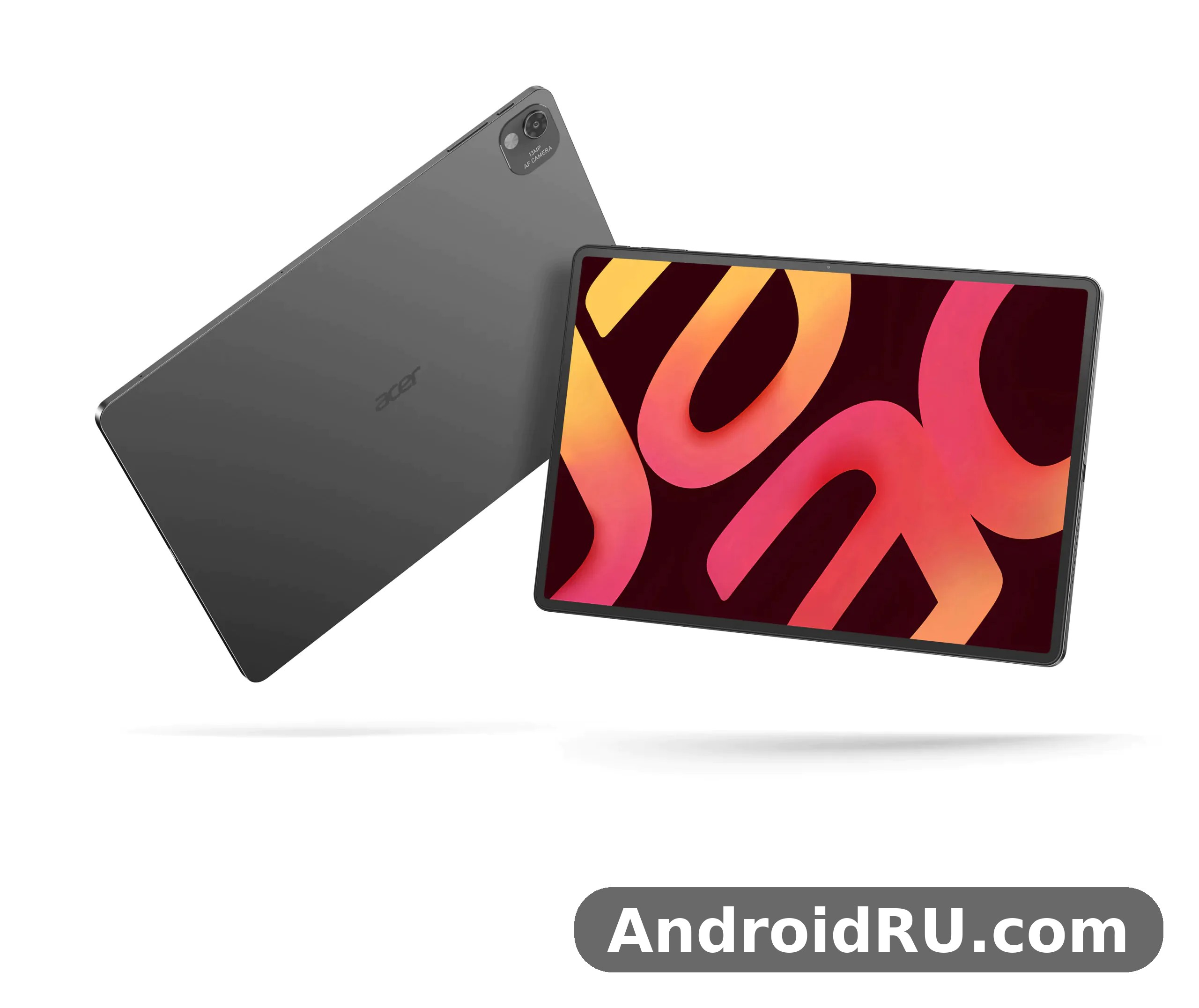
That positioning is exactly why the connectivity story matters so much here. This Acer S12 tablet has no mobile data at all. There is no SIM slot and no cellular radio, so every bit of online life runs through Wi-Fi, Bluetooth and a single USB-C port. If you work from coffee shops, lecture halls, trains or client offices, the wireless stack is not a footnote. It is the whole connection to the outside world. So this review puts the wireless side first, tests what the published specifications actually promise, and then walks through the screen, the performance, the cameras, the battery and the complete specification sheet, so you can decide whether this tablet fits the way you work.
One honest note before the detail starts. This is an Iconia Duo S12 review built from Acer’s own published specifications, the GSMArena specification listing and the launch coverage from June 2026, not from a hands-on unit kept for a week. Where a number comes from Acer, this review says so. Where two listings disagree, for example on the front camera or the exact weight, this review says that too, and tells you to check the retail listing for your region before you pay. What follows is a full assessment of the tablet on the strength of its documented hardware, with clear limits stated wherever the paperwork runs out.
Acer Iconia Duo S12 Release Date and Price: What You Get for the Money
The Acer Iconia Duo S12 release date story is short and clear. Acer announced the Iconia Duo range on 29 May 2026 ahead of Computex, GSMArena lists the announcement as 3 June 2026, and the tablet went on sale in North America in August 2026, with EMEA availability following in the third quarter of 2026. That makes the S12 a genuinely current Acer tablet 2026 release, shipping with Android 16 from the start rather than launching on an older version and waiting for an update. The model number to look for is S12-11M, and the tablet comes in a single grey finish.
The Acer Iconia Duo S12 price picture is less tidy, because Acer did not publish one global price at launch. Prices vary by region and by configuration, and Acer itself says exact specifications, prices and availability vary by market. The clearest public figure comes from Acer’s own United States shop, which lists a 128GB configuration, part number NT.LL5AA.001, at $549.99, bundled with an active stylus, a magnetic kickstand and a portfolio keyboard. The Duo S12 price for the 256GB configuration is higher and differs by region, so check the current listing in your own country rather than trusting a single converted figure. Around sales events it is also worth watching for Acer S12 deals, since Acer tablets in this class often see meaningful discounts within a few months of launch.
What you get for that money is a premium-feeling package. The 12.2-inch OLED screen is the headline, the aluminium alloy chassis feels a class above the plastic bodies still common at this price, and the bundle in some regions includes the stylus and keyboard that turn the tablet into a small creative studio. The trade-off is that this is a Wi-Fi-only tablet with a mid-range chip rather than a flagship one, and the storage tops out at 256GB on board, with a microSD card slot to expand it. For a reader weighing the S12 against its bigger sibling, the Acer Iconia Duo S14 Review and Specifications: Storage, Design and the Verdict is the natural next read: the S14 adds a 14.2-inch OLED panel, a faster Dimensity 8300 chip, a second USB-C port and Wi-Fi 6E, but it is larger, heavier and more expensive, and it arrived a month later, in September 2026. The Acer Iconia Duo D12 Review and Full Specifications: Everything You Should Know covers the other direction: the D12 shares the 12.2-inch size but swaps the OLED panel for a 2400 x 1600 LCD, which makes it the more affordable member of the trio for buyers who do not need OLED colour and contrast.
The short version of the Acer Iconia Duo S12 vs S14 question is that the S12 is the portable pick and the S14 is the desk pick. If the tablet will live in a bag, travel on trains and planes, and spend its life being carried one-handed between meetings, the S12’s smaller footprint and lighter body matter every single day. If the tablet will mostly sit on a desk or a kitchen table, plugged into a monitor or used as a second screen, the S14’s larger panel and extra port are worth the size penalty. The S12 vs S14 choice is really a choice about where the tablet will spend its time, not about which one is simply better.
| Model | Display | Chipset | USB-C ports | Wireless | Release |
|---|---|---|---|---|---|
| Acer Iconia Duo S12 | 12.2-inch OLED, 2800 x 1840, 120Hz | Dimensity 7400 | One | Wi-Fi 6, Bluetooth 5.3, GPS | August 2026 |
| Acer Iconia Duo S14 | 14.2-inch OLED, 2880 x 1840, 120Hz | Dimensity 8300 | Two | Wi-Fi 6E, Bluetooth 5.2, GPS | September 2026 |
| Acer Iconia Duo D12 | 12.2-inch LCD, 2400 x 1600 | Not published in the same detail | One | Wi-Fi 6, Bluetooth 5.2 | August 2026 |
The table above is a summary of the published launch specifications, and it already tells the story of the range. Acer gave the S12 the same OLED technology as the flagship, kept the wireless stack modern, and saved money and size by trimming the battery, the chip and the second port. Nothing in the launch material suggests the S12 is a cut-down afterthought. It reads like a deliberate product: the same screen philosophy, in a body that fits in more bags.
Acer Iconia Duo S12 Connectivity Test: Wi-Fi 6, Bluetooth 5.3 and the Single USB-C Port
The Acer Iconia Duo S12 connectivity test starts with a fact that shapes everything else in this section: this tablet has no cellular connectivity. GSMArena lists the network technology as no cellular connectivity, with no 2G, 3G or 4G bands, no SIM and no GPRS or EDGE. That is not a flaw in itself, but it is a decision you have to make with your eyes open. If you need mobile data away from Wi-Fi, you will be tethering to a phone, carrying a mobile hotspot, or choosing a different tablet altogether. Inside the Iconia family, the 5G option is a different model, and the Our Acer Iconia iM11-22M5G Review: Audio, Key Features and Detailed Specs is worth a look if built-in mobile data is a must-have rather than a nice-to-have. For everyone else, the question is how good the wireless the S12 does have actually is.
The short answer is that the wireless stack is modern and well chosen for a Wi-Fi-only tablet. The S12 ships with Wi-Fi 6, Bluetooth 5.3 and GPS, plus a single USB Type-C 2.0 port and a dedicated microSD card slot. There is no NFC and no FM radio, which matches most Android tablets in this class. The rest of this section takes each connection in turn, looks at what the specification promises in real use, and calls out the one genuine limitation: that single USB-C port.
Acer Iconia Duo S12 Wi-Fi 6 in Daily Use
The Acer Iconia Duo S12 Wi-Fi 6 radio is the tablet’s main connection to the internet, and Wi-Fi 6 is a solid choice for it. Compared with the older Wi-Fi 5 radios still found in budget tablets, Wi-Fi 6 handles crowded networks better, with features designed for flats, offices and lecture halls where dozens of devices share one access point. That matters for a tablet that will spend its life on shared networks. Video calls, cloud document editing and 4K streaming all depend less on raw headline speed than on a stable connection when the network is busy, and that is exactly where Wi-Fi 6 earns its keep.
Put the Duo S12 Wi-Fi radio in a home setting and it should handle everything a 12.2-inch tablet is asked to do: high-bitrate video, large app downloads, cloud photo libraries and video calls with the screen shared. In an office or campus setting the benefit is steadier performance when many people are online at once. One thing worth saying plainly is that Wi-Fi 6 is not Wi-Fi 6E, which the bigger S14 gets. The practical difference is that the S12 cannot use the 6 GHz band, so in a very congested 5 GHz environment it has one fewer escape route. In most homes and offices that will never be noticeable. If your workplace runs a congested Wi-Fi network and you plan to push large files over it every day, it is worth knowing the difference exists, but for most buyers it is not a reason to spend more on the S14.
Acer Iconia Duo S12 Bluetooth 5.3 Range and Accessories
The Acer Iconia Duo S12 Bluetooth 5.3 range and pairing behaviour follow from the Bluetooth version itself. Bluetooth 5.3 brings lower power use, more stable connections and better handling of multiple paired devices than the Bluetooth 5.0 and 5.1 radios in older tablets, and it pairs naturally with the accessories Acer sells for this tablet: the active stylus, wireless keyboards and Bluetooth headphones. In a normal room, expect a reliable connection across the room and into the next one, with the usual caveats that thick walls, metal furniture and interference from other wireless gear shorten real-world range on every device, not just this one.
For the Duo S12 Bluetooth connection the most common partners are headphones, a keyboard and a mouse, and all three are everyday pairings here. The tablet’s stereo speakers are fine for a quick video, but for music, films or long calls most people will reach for Bluetooth headphones, and Bluetooth 5.3 keeps that link steady with less battery drain than older versions. The detachable keyboard connects physically rather than over Bluetooth, but a Bluetooth mouse or a second keyboard for a desk setup will pair without fuss. If you plan to use the tablet as a small laptop replacement, test your own headphones and mouse with it in the first week, because Bluetooth audio delay varies by headphone model and matters a lot for video editing and gaming.
The Single USB-C Port and Its Limits
The Acer Iconia Duo S12 USB-C port limitations are the one connectivity compromise that deserves real attention. The S12 has exactly one USB Type-C 2.0 port, and that port has to do everything wired: charging, data transfer, external storage, USB-C audio and any wired accessory. The bigger S14 gets two USB-C ports, one of which supports DisplayPort, so it can charge and drive an external display at the same time. The S12 cannot do that trick. There is also no 3.5mm headphone jack listed in Acer’s specifications, so wired headphones need a USB-C adapter or a Bluetooth connection.
The S12 USB-C port itself is a USB 2.0 implementation, which means data transfer speeds are modest by modern standards. Moving a large video file off the tablet over a cable will be slower than on a tablet with a USB 3 port, though for most people the microSD card slot and Wi-Fi transfers will matter more than cable speed. The practical fix for the single-port limit is a small USB-C hub, and that is where buyers should spend a little thought rather than money. A hub with pass-through charging lets you charge and use a USB accessory at the same time, which restores most of what the second port would have given you, for the price of one small accessory in the bag.
What to Check Before You Buy a Hub
Before buying a hub, check three things: that it supports pass-through charging at a wattage the tablet accepts, that its USB-A ports match the accessories you actually own, and that it is small enough to live in the same sleeve as the tablet. A hub with an HDMI output will not magically give the S12 the S14’s DisplayPort monitor mode, because that depends on the tablet’s port hardware, not the hub. Buy the hub for charging plus accessories, not for a second screen, and you will not be disappointed.
Two more connectivity notes complete the picture. The Duo S12 GPS receiver is listed in Acer’s specifications, so maps and location-based apps work without a phone nearby, though Acer publishes no figure for the Acer Iconia Duo S12 GPS accuracy, and real-world accuracy will depend on sky visibility just as it does on any phone or tablet. And the dedicated microSD card slot means the single USB-C port never has to double as your storage expansion: the Acer Iconia Duo S12 microSD card slot takes a microSDXC card, so photos, offline video and large documents can live on a card while the internal storage stays free for apps. The S12 microSD slot is a small detail that quietly fixes one of the biggest annoyances of a single-port tablet.
Acer Iconia Duo S12 Display Quality: 120Hz OLED, 600 Nits and Anti-Glare Glass
The Acer Iconia Duo S12 display quality is the reason most people will buy this tablet, and it is also the part Acer clearly spent the most money on. The panel is a 12.2-inch OLED display with a resolution of 2800 x 1840, a 120Hz refresh rate, 600 nits of brightness, a 3:2 aspect ratio and 100% DCI-P3 colour coverage, finished with anti-glare nano-texture glass. Some listings write the resolution as 2880 x 1840, but Acer’s own specification sheet says 2800 x 1840, and that is the figure this review uses. At around 280 pixels per inch, text looks sharp at normal reading distance, and the 3:2 shape gives more vertical room for documents, web pages and comics than the 16:10 screens common on media tablets.
The S12 OLED display earns its place in a tablet aimed at illustrators, executives and engineers, which is exactly how Acer describes the audience. OLED means each pixel makes its own light, so blacks are genuinely black and contrast is far beyond what an LCD panel can do. That shows up in films, in photos and in any app with a dark theme. The 100% DCI-P3 coverage means colours match the wider gamut used by modern photo and video work, so an image edited on this tablet will look much closer to the same image on a good monitor or phone. The 120Hz refresh rate keeps scrolling, handwriting and stylus strokes looking smooth, and it makes the whole interface feel faster even when the chip underneath is doing nothing special.
The Acer Iconia Duo S12 anti-glare screen deserves its own paragraph, because it changes how the tablet behaves in bright rooms. Acer fits nano-texture glass that cuts reflections, and combined with 600 nits of brightness the screen stays readable in offices with overhead lighting and near windows. It will not beat direct sunlight the way a 1,000-nit flagship phone screen might, but for a tablet this size the combination is a sensible one. If you read outdoors a lot, the anti-glare finish matters more than another 100 nits on a specification sheet, because reflections are what usually make a tablet unreadable outside, not a lack of brightness.
Colour, Brightness and Reading Comfort
For reading, the 3:2 ratio is the quiet advantage. A document page, a PDF or a textbook fills more of the screen than it does on a wider 16:10 panel, so there is less scrolling and less zooming. Comics and magazines benefit the same way. The 600-nit brightness is enough for a bright office, and the OLED panel’s perfect blacks make night reading with a dark theme genuinely comfortable, since the black parts of the screen emit almost no light. Long reading sessions also benefit from the 120Hz refresh rate in a subtle way: page turns and scrolling look calmer, with less judder than a 60Hz panel.
Drawing and Note Taking on the OLED Panel
The Acer Iconia Duo S12 stylus support turns the screen from a viewing surface into a working surface. Acer offers an active stylus for the Iconia Duo range, and some retail bundles include it in the box along with the magnetic kickstand and the portfolio keyboard. The Duo S12 stylus works with the 120Hz panel to keep ink close to the pen tip with little visible lag, which is what makes handwriting feel natural rather than floaty. That combination is why the Acer Iconia Duo S12 for digital artists is a real use case rather than marketing language: illustrators get an OLED canvas with wide colour, a pen, and a kickstand that holds the tablet at a drawing angle.
The Acer Iconia Duo S12 for note taking is the other side of the same coin. Students and meeting-goers can write directly on lecture slides and PDFs, sketch a quick diagram, or annotate a document with the pen and then search or share the note. The Duo S12 stylus also suits markup work: circling a detail in a photo, signing a form, or sketching a layout for a client. One honest limit is that the stylus is an optional accessory in many regions rather than a guaranteed in-box item, so check the bundle before you buy. If the pen matters to you, buy the bundle that includes it, or budget for it separately, rather than assuming it is in the box.
How the Screen Fits Different Kinds of Work
A single screen cannot be perfect for everything, and the S12’s panel shows that trade-off clearly. The 3:2 shape is generous for documents and drawing, but films shot in a wide aspect ratio will show black bars top and bottom, because the screen is taller relative to its width than a cinema frame. That is a fair exchange for a tablet pitched at productivity and creativity first, and film watching second. If films are the main job, a 16:10 media tablet will fill the screen better. If documents, drawing and the web are the main job, the S12’s shape is the better tool.
Acer Iconia Duo S12 Dimensity 7400 Performance, RAM and Storage
The Acer Iconia Duo S12 Dimensity 7400 performance story is one of a modern mid-range chip doing a mid-range job well. The MediaTek Dimensity 7400 is built on a 4nm process and pairs four Cortex-A78 performance cores running at up to 2.6 GHz with four Cortex-A55 efficiency cores at up to 2.0 GHz, with Mali-G615 MC2 graphics. That is the same class of silicon found in upper mid-range phones, and it is a good match for a tablet that will run office apps, a browser full of tabs, streaming video, note-taking and drawing apps, and casual games. It is not a flagship gaming chip, and it does not pretend to be one.
The MediaTek Dimensity 7400 handles the everyday load without drama. App launches are quick, switching between a document, a browser and a video call feels smooth, and the 120Hz screen stays smooth in the interface because the chip is not struggling with basic work. The 4nm build helps efficiency too, which is part of why Acer can claim up to 10 hours from the 8,000 mAh battery. The chip’s limits show up only when you push it: heavy 3D games at high settings, long 4K video exports, or very large photo edits will take longer than on the Dimensity 8300 in the S14, and the tablet may warm up under a sustained load. For the audience Acer names, illustrators, executives and engineers, the chip is well judged: fast where it counts, efficient everywhere else.
As a Dimensity 7400 tablet, the S12 also benefits from a mature platform. Android 16 runs on top of it, and the Acer Iconia Duo S12 Android 16 software is the current version at launch, which means the tablet gets the latest Android tablet features, including improved multitasking, better stylus and keyboard support, and the current privacy controls. Android 16 tablet buyers should still ask about Acer’s update policy for this model before buying, since Acer has not made the long-term update promise as prominent as some phone makers do. The launch version is current; the question worth asking is how many years of version updates and security patches the tablet will receive.
Acer Iconia Duo S12 Gaming Performance
The Acer Iconia Duo S12 gaming performance is best described as strong for casual and mid-weight games, and acceptable rather than leading for the heaviest titles. Popular games that most people actually play, from puzzle and strategy games to mainstream online titles at balanced settings, should run smoothly on the Mali-G615 graphics, and the big OLED screen with its deep blacks makes games look better than the frame-rate number alone suggests. The most demanding 3D games will run, but expect to lower the graphics settings to keep the frame rate steady, and expect the tablet to get warm during a long session. The stereo speakers and the large screen make the S12 a pleasant casual gaming device, and the 120Hz panel helps fast games feel responsive. Serious competitive mobile gamers who want the highest settings and the highest frame rates should look at a flagship gaming tablet instead, and treat the S12 as a device that games well rather than a device built for gaming.
Acer Iconia Duo S12 Multitasking Split Screen
The Acer Iconia Duo S12 multitasking split screen experience is where the 3:2 display and Android 16 come together. Two apps side by side on a 3:2 screen each get a usable, roughly document-shaped window, which is much more practical than two thin strips on a wide screen. A document on one side and a browser or a notes app on the other is a natural setup, and the 8GB of LPDDR5 memory keeps both apps alive when you switch between them. Android 16’s windowing and taskbar behaviour make this smoother than on older Android tablets, and the detachable keyboard turns split-screen work into something close to a small laptop. The practical limit is the 8GB of RAM: two or three heavy apps at once are fine, but a dozen Chrome tabs plus a video call plus a large document will eventually force the system to reload something. For normal work the multitasking is comfortable, and the screen shape is the real advantage.
The Acer Iconia Duo S12 storage options are straightforward. Acer lists up to 256GB of UFS storage, and the United States shop configuration ships with 128GB, so buyers should check which capacity their region sells. The Duo S12 storage is fixed at purchase, because the 8GB of memory is on-board and the internal storage is not user-upgradeable, so the capacity you choose is the capacity you keep. That makes the dedicated microSDXC slot important: the S12 microSD slot lets you add a card for photos, offline video, music and documents, which frees the internal storage for apps and games. If you keep a large offline media library or a big photo collection, buy the larger internal capacity and add a card as well. If your work lives in the cloud, the 128GB configuration with a card for media is the sensible cheaper pick.
Design, Cameras and Speakers: Everyday Life with the Duo S12
The Acer Iconia Duo S12 weight and thickness figures tell you this tablet was designed to be carried. Acer lists the body at 271.65 x 183.13 x 6.5 mm and 0.58 kg, while GSMArena lists 560 g and the same 6.5 mm thickness, so the real weight sits around 560 to 580 grams depending on the listing and the configuration. Either way, this is a light tablet for its screen size, and the Duo S12 dimensions fit easily in a bag made for a 13-inch laptop, with room to spare. The build is glass on the front with an aluminium frame and an aluminium back, which gives the tablet a solid, cool-to-the-touch feel that plastic tablets cannot match, and the grey finish keeps fingerprints less visible than a black gloss body would.
The Iconia S12 weight matters most on the days you carry it all day. At under 600 grams it is comfortable to hold one-handed for reading, easy to prop on a train table, and light enough that adding the keyboard and stylus in a bag still leaves a package lighter than most laptops. The 6.5 mm thickness keeps it slim, though a case is still wise: aluminium dents and scratches more easily than plastic, and a tablet this thin deserves a sleeve at minimum. The magnetic kickstand, sold as an accessory or included in some bundles, props the tablet up at a comfortable angle for typing, watching video or drawing, and it is one of the accessories that changes how the tablet gets used day to day.
The Iconia Duo accessories as a group are the key to the S12’s second act. Acer offers an active stylus, a magnetic kickstand and a detachable keyboard across the Iconia Duo range, and the Acer Iconia Duo S12 keyboard turns the tablet into a compact laptop for writing, email and spreadsheets. The Duo S12 keyboard in the United States bundle is a portfolio keyboard that also protects the screen, and it connects physically rather than over Bluetooth, so there is no pairing step and no separate battery to charge. The Duo S12 stylus, meanwhile, is the tool that makes the OLED screen a drawing surface. Buyers should treat the accessories as part of the purchase decision: a tablet plus keyboard plus stylus is a different product from the tablet alone, and the bundle price is the price that matters.
The Duo S12 colours choice is simple, because there is only one: grey. That is a small thing, but it is worth stating plainly for buyers who like a choice of finishes. Grey suits the professional audience Acer is aiming at, hides wear well, and matches the keyboard and kickstand in the bundle. If you want a colourful tablet, this is not it, and a case is the only way to add colour.
Acer Iconia Duo S12 Camera Quality
The Acer Iconia Duo S12 camera quality question has a short answer: the cameras are good enough for what a tablet camera is actually used for, and nothing more. The rear camera is a 13MP unit with autofocus and an LED flash, recording video at 1080p and 30 frames per second. It will scan documents, capture a whiteboard, photograph a product or a room, and record a quick video clip without embarrassment. It will not replace a phone camera, and nobody should buy this tablet for photography. The Duo S12 camera on the front is where the listings disagree: Acer’s specification sheet lists an 8MP front camera, while the GSMArena listing shows a 5MP selfie camera. This review follows Acer’s own sheet and calls it 8MP, but buyers should check the retail specification for their region, because the front camera figure varies between sources.
What matters more than the megapixel count is what the front camera is for, and here the answer is video calls. The front camera sits on the long edge of the tablet when it is held in landscape, which is the right place for a call with the keyboard attached, and the 8MP sensor is plenty for a video meeting. The rear 13MP camera with its flash is the more useful of the two for work: scanning a document in a dim office, photographing a label or a serial number, or capturing a whiteboard after a meeting. The Acer Iconia Duo S12 camera quality is, in short, a work tool rather than a creative tool, and judged that way it is fine.
How the Duo S12 Speakers Sound
The question of how the Acer Iconia Duo S12 speakers sound has a practical answer: the stereo speakers are good for a tablet of this size, and limited in the way all tablet speakers are limited. Acer lists stereo loudspeakers, and two speakers on a 12.2-inch body give a wider soundstage than the single speaker in a small tablet, with clear dialogue for video calls and films. The Duo S12 speakers handle voices, podcasts and video sound well, and they are loud enough for a quiet room or a small meeting. They will not produce deep bass, and music at high volume will sound thin compared with even a modest Bluetooth speaker. For films, pair the tablet with headphones or a speaker when you want the sound to match the OLED picture. For calls and casual viewing, the built-in speakers are all most people will need.
Acer Iconia Duo S12 Battery Life and Charging: 8,000 mAh in Practice
The Acer Iconia Duo S12 battery life claim from Acer is up to 10 hours, from a 30.4 Wh, 8,000 mAh, 3.8V two-cell lithium-ion battery. That is a fair-sized cell for a 12.2-inch tablet, though it is smaller than the battery in the larger S14, and it is the main reason the S12 is lighter than its big sibling. The Duo S12 battery will comfortably cover a working day of mixed use: documents, browsing, email, some video and a few calls. Heavy use changes the picture, as it does on every tablet. A day of bright-screen video streaming, gaming or video calls will drain the cell faster than a day of reading and note-taking, and the 120Hz refresh rate, while smooth, uses more power than a 60Hz panel would.
The 8,000 mAh battery is best understood as a full-day battery for normal work, not a two-day battery. If your day is meetings, notes and documents, expect to end the day with charge to spare. If your day is back-to-back video calls on a bright screen, carry the charger. The 4nm Dimensity 7400 helps here, since an efficient chip wastes less of the battery as heat, and the OLED panel helps too, because dark content on an OLED screen uses less power than the same content on an LCD. The honest limit is that Acer’s 10-hour figure is a manufacturer claim measured in Acer’s own test conditions, and real battery life will vary with brightness, apps and network conditions, so treat 10 hours as a ceiling rather than a promise.
On charging, the picture is thinner, and this review says so rather than inventing a number. Acer has not published a charging wattage for the S12 in the launch material, and no Acer Iconia Duo S12 charging time figure is given in the specification sheet, so this review does not quote one. The tablet charges through its single USB-C port, and buyers should use the adapter supplied in the box or a good-quality USB-C charger, and check the official Acer page for the current charging guidance for their region. The single-port design means the tablet cannot charge and use a wired USB accessory at the same time without a hub, which is one more reason the pass-through hub mentioned earlier is a sensible accessory.
Acer Iconia Duo S12 Full Specifications
The Duo S12 specs in full are set out in the table below, drawn from Acer’s official specification sheet and the GSMArena listing, with the two disagreements flagged rather than hidden. Where the two sources differ, the Acer figure is used and the other figure is noted, so you can see exactly where the paperwork is less certain. The Acer Iconia Duo S12 full specifications cover every section a buyer should check before paying: launch, body, screen, platform, memory, cameras, sound, connectivity, sensors and battery.
| Category | Acer Iconia Duo S12 specification |
|---|---|
| Model | S12-11M |
| Announced | 3 June 2026 (announced at Computex 2026) |
| Release status | Available. Released August 2026 in North America; EMEA Q3 2026 |
| Operating system | Android 16 |
| Display | 12.2-inch OLED, 2800 x 1840, 120Hz, 600 nits, 3:2, DCI-P3 100%, anti-glare nano-texture glass, multi-touch |
| Chipset | MediaTek Dimensity 7400 (4 nm) |
| CPU | Octa-core: 4 x 2.6 GHz Cortex-A78 and 4 x 2.0 GHz Cortex-A55 |
| GPU | Mali-G615 MC2 |
| RAM | 8 GB LPDDR5 on-board |
| Storage | Up to 256 GB UFS; 128 GB configuration sold in the United States at $549.99 |
| Card slot | microSDXC, dedicated slot |
| Rear camera | 13 MP, autofocus, LED flash, 1080p video at 30fps |
| Front camera | 8 MP per Acer; some listings show 5 MP, check the retail listing for your region |
| Sound | Stereo loudspeakers; no 3.5mm jack listed |
| Connectivity | Wi-Fi 6, Bluetooth 5.3, GPS, one USB Type-C 2.0 port; no cellular, no SIM, no NFC, no FM radio |
| Sensors | Accelerometer, proximity (accessories only) |
| Battery | 8,000 mAh, 30.4 Wh, 3.8V, 2-cell Li-ion; up to 10 hours claimed |
| Dimensions | 271.65 x 183.13 x 6.5 mm |
| Weight | 0.58 kg per Acer; 560 g per GSMArena |
| Build | Glass front, aluminium frame, aluminium back; stylus support |
| Colours | Grey |
| Accessories | Active stylus, magnetic kickstand and detachable keyboard (optional or bundled by region) |
Two notes on the table are worth repeating, because they are the places where a careless review would state a false certainty. The screen resolution is written as 2800 x 1840 by Acer and as 2880 x 1840 by GSMArena, and this review follows Acer. The front camera is 8MP by Acer and 5MP by GSMArena, and this review follows Acer while flagging the difference. Everything else in the table is consistent across the sources checked. If you are comparing this tablet with another model, the numbers that matter most are the screen, the chip, the 8GB of RAM, the Wi-Fi 6 and Bluetooth 5.3 pairing, and the 8,000 mAh battery, because those five decide how the tablet feels every day.
Pros and Cons: Is the Acer Iconia Duo S12 Worth Buying?
The question is Acer Iconia Duo S12 worth buying, and the honest answer is that it depends on what you need a tablet to do. For a reader who wants a light, portable tablet with a genuinely good OLED screen, a modern chip, current Android and a pen and keyboard option, the S12 is an easy recommendation. For a reader who needs mobile data, a second USB-C port, or the fastest chip Acer sells, the S12 will frustrate, and the right move is to look at a different model. The Acer Iconia Duo S12 problems and drawbacks are not hidden, and this section puts them next to the strengths so the trade-off is clear.
| Pros | Cons |
|---|---|
| 12.2-inch 120Hz OLED display with 600 nits, 100% DCI-P3 and anti-glare glass | No cellular connectivity, no SIM slot and no mobile data option |
| Light and slim at about 580 grams and 6.5 mm, with an aluminium body | Only one USB-C port, and it is USB 2.0 speed |
| Modern wireless with Wi-Fi 6 and Bluetooth 5.3 plus GPS | No 3.5mm headphone jack listed in the specifications |
| Dimensity 7400 chip and 8GB of RAM handle everyday work and casual games well | Dimensity 7400 is a step below the Dimensity 8300 in the S14 for heavy work |
| Active stylus, magnetic kickstand and detachable keyboard options | Stylus and keyboard are optional or bundle-dependent in many regions |
| Android 16 at launch, with a microSD card slot for expansion | 8,000 mAh battery is smaller than the S14 battery, and no charging wattage is published |
The 12.2-inch 120Hz OLED display is the strongest single reason to choose this tablet, and it is the feature you will notice every time you open the cover. The wireless stack is the second reason: Wi-Fi 6 and Bluetooth 5.3 are current, stable and well matched to a Wi-Fi-only device. The third reason is the size. A tablet that weighs under 600 grams and slips into a small bag gets used more often than a heavier one that stays at home, and the S12’s portability is a feature, not a footnote.
Who the Duo S12 Is For
The Acer Iconia Duo S12 for students is a natural fit: a light tablet for lecture notes with the stylus, reading with the 3:2 screen, and writing essays with the detachable keyboard, with a battery that covers a day of classes. The Acer Iconia Duo S12 for digital artists is the other clear audience, with the OLED colour, the pen and the kickstand forming a portable drawing setup. Executives and engineers get a presentable device for meetings, markup and travel, and anyone who reads a lot will appreciate the anti-glare screen and the document-friendly shape. The tablet is a weaker fit for buyers who need mobile data on the move, who edit long 4K video, who play the heaviest games at maximum settings, or who need to charge and use wired accessories at the same time without a hub. For those buyers, a different tablet, or the S14 with its second port and faster chip, is the better spend.
Acer Iconia Duo S12 FAQ
Does the Acer Iconia Duo S12 have cellular connectivity or a SIM slot?
No. The Acer Iconia Duo S12 has no cellular connectivity, no SIM slot and no mobile data bands of any kind. It connects through Wi-Fi 6, Bluetooth 5.3 and its USB-C port, and it has GPS for location. If you need internet away from Wi-Fi, you will need to tether to a phone or use a mobile hotspot, or choose a tablet with built-in mobile data instead.
When was the Acer Iconia Duo S12 released?
The tablet was announced at Computex 2026, listed as 3 June 2026, and released in August 2026 in North America, with EMEA availability in the third quarter of 2026. It launched with Android 16, which makes it a current-generation tablet rather than a device waiting for an update to catch up.
Does the Acer Iconia Duo S12 come with a stylus and keyboard?
It depends on the region and the bundle. Acer offers an active stylus, a magnetic kickstand and a detachable keyboard for the Iconia Duo range, and the United States shop configuration at $549.99 includes the stylus, the kickstand and a portfolio keyboard in the box. In other regions the same accessories may be sold separately, so check the bundle contents on the listing you are buying from before you pay.
How long does the Acer Iconia Duo S12 battery last?
Acer claims up to 10 hours from the 8,000 mAh battery, measured in Acer’s own test conditions. In practice, expect a full working day of mixed use, with heavier days of bright-screen video calls or gaming draining the battery faster. Acer has not published a charging wattage or a charging time for this model, so treat the 10-hour figure as a ceiling and carry the charger on long days.
Is the Acer Iconia Duo S12 good for drawing and note taking?
Yes, within the limits of its accessories. The 12.2-inch OLED screen with 120Hz refresh, 100% DCI-P3 colour and anti-glare glass, combined with the optional active stylus, makes it a capable drawing and note-taking tablet, and the 3:2 aspect ratio suits documents and sketches. The pen is the key accessory: confirm it is included in your bundle, or budget for it separately.
This Iconia Duo review ends where it started: with a tablet that knows what it is. The S12 is not trying to be a laptop, a phone and a television at once. It is a portable OLED tablet for reading, drawing, writing and working, with modern wireless, a current version of Android and a light aluminium body. As an Acer Duo S12 buyer you are choosing a focused Acer Iconia tablet, not a do-everything flagship, and that focus is the whole point. Its limits are real and easy to name: no mobile data, one USB-C port, a mid-range chip and a battery that is good rather than huge. None of those limits is hidden in the fine print, and none of them matters to every buyer. If you work on Wi-Fi, carry your tablet everywhere, and care about the screen more than the benchmark score, the S12 is a strong choice at its price. If you need mobile data or a second port, look at the other models in the family before you decide.
For a wider view of the family before you buy, the Acer Iconia V12 First Impressions, Review and Full Specs and the Acer Iconia V11: Design, Key Features and Full Specifications in Detail cover two more Iconia tablets that may suit different budgets and different sizes, and they make useful Duo S12 alternatives to compare against the S12’s OLED screen and stylus support. Whatever you choose, check the retail listing for your region first: confirm the storage capacity, confirm the bundle, and confirm the front camera figure, since those three details vary between regions. Then, if the S12 matches the way you work, buy the bundle with the keyboard and stylus included, add a microSD card and a small pass-through USB-C hub, and the tablet is ready for a full day of work straight out of the box.

