

Acer Iconia V12 First Impressions, Review and Full Specs
Acer has a habit of making tablets that look sensible on paper and then quietly getting the practical details right, and the Iconia V12 follows that pattern. This is a large Android tablet with a 12-inch class screen, a 90Hz panel, a built-in kickstand and an 8,000mAh battery, priced at about 290 EUR in Europe. It is not trying to be a laptop replacement or a flagship killer. It is trying to be the tablet you reach for on the sofa, at a desk, or in a lecture hall, without thinking twice about it.
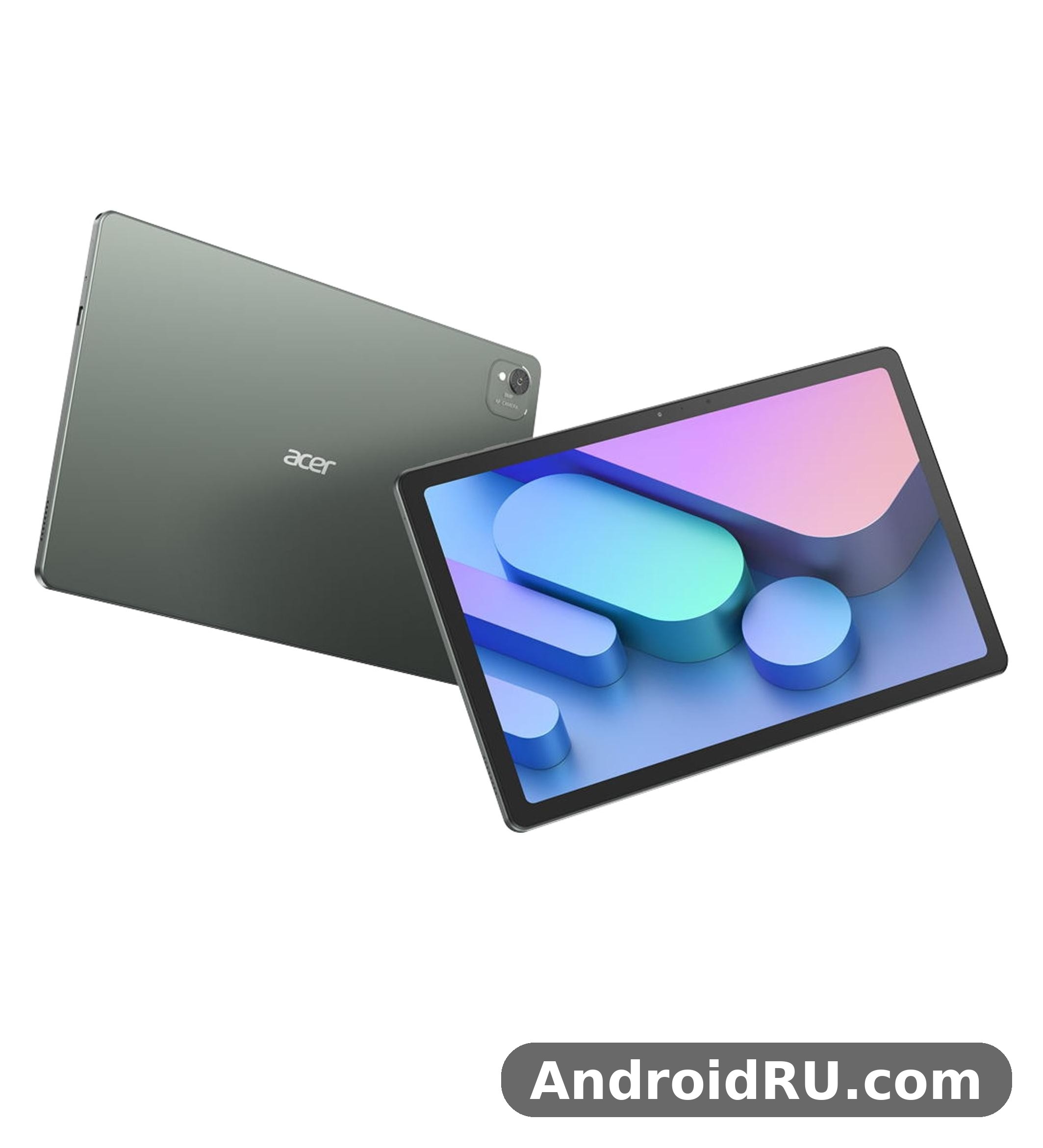
This Acer Iconia V12 review looks at the tablet the way a buyer would: what the screen is like, how fast the Helio G99 chip feels in everyday use, how long the battery lasts, what the cameras and speakers can and cannot do, and who should spend money on it. The Acer Iconia V12 full specifications are listed in full further down the page, so you can check every number against the claims made here. The tablet was announced on 16 May 2025 and released in July 2025, so this is a real product on sale in several regions, not a concept or a rumour.
If you want the short version, here it is. The V12 tablet is a good fit for video, reading, study notes and light work, thanks to its big bright screen, its kickstand and its generous storage. It is a weaker fit for anyone who needs mobile data, a top-tier gaming chip, or a pen-first drawing tablet. The rest of this article explains why, section by section.
Acer Iconia V12 First Impressions: A Big-Screen Tablet With a Practical Twist
The first thing you notice about this Acer tablet is its size. At 11.97 inches, the screen fills most of the front, and the tablet feels like a proper media device rather than an oversized phone. The second thing you notice is the kickstand built into the back. It is a small detail, but it changes how the tablet is used: instead of hunting for a case or leaning the tablet against a pile of books, you flip the stand out and the screen sits at a useful angle on a table or a tray.
Acer Iconia V12 first impressions are shaped by that practical approach. The frame is aluminium, the front is glass, and the whole device is 7.9 mm thick and weighs 595 grams. That is light enough to hold for a chapter of a book or an episode of a show, and thin enough to slip into a bag next to a laptop. The green colour finish gives it a bit of character, and the Acer Iconia V12 green colour finish is the only colour listed in the specification sheet, so buyers who want a choice of colours will not find one here.
Under the surface, the story is familiar in a good way. Android 15 runs on a MediaTek Helio G99 chip with 8GB of RAM and 256GB of storage, plus a dedicated microSD card slot. There is no mobile data and no SIM slot, so this is a Wi-Fi tablet through and through. That is a fair trade at this price, as long as you know it before you buy. The V12 specs sheet also lists stereo speakers, a 3.5mm headphone jack, Wi-Fi 6 and a 5MP front camera for calls, which rounds out a package aimed squarely at everyday use.
What stands out in the first minutes
Three things stand out straight away. The screen is the obvious one: a large 2K-class panel with a 90Hz refresh rate makes scrolling feel smoother than the 60Hz panels still common on budget tablets. The kickstand is the second, because it is built in rather than sold as an extra. The third is the sense that Acer has kept the essentials generous: 8GB of RAM, 256GB of storage and a big battery, instead of trimming them to hit a lower price.
There are limits, and they are visible early too. The panel is IPS LCD rather than OLED, so blacks will not be as deep as on a much more expensive tablet. The chip is a proven mid-range part rather than a new flagship silicon, so heavy 3D games will need lower settings. And the tablet is Wi-Fi only, which means no data connection on a train or in a park unless you share a connection from a phone. None of that is a surprise at about 290 EUR, but it is worth stating plainly.
Who this tablet is aimed at
The Acer Iconia V12 for students is an easy match: a big screen for lecture slides and PDFs, a kickstand for a desk, stylus support for handwritten notes, and enough battery for a day of classes. The Acer Iconia V12 for watching movies is just as natural, with the large display, the stereo speakers and the kickstand doing most of the work. It also suits families who want a shared screen for video and browsing, and readers who want a large page for comics, magazines and documents.
It suits those buyers better than it suits a buyer who wants a phone replacement, a cellular tablet for field work, or a high-end drawing slate. The V12 tablet is a general-purpose Android tablet, and its strengths sit in the middle of that job: media, reading, study, calls and light productivity. Keep that frame in mind and the rest of the review will make sense.
Acer Iconia V12 Design, Build and the Built-In Kickstand
The design of the Iconia V12 is plain in the best sense. A glass front, an aluminium frame and a single green finish keep the look tidy, and the 7.9 mm profile keeps it feeling modern rather than chunky. There is no camera bump drama on the back and no glossy gimmick fighting for attention. The tablet looks like a tool, and it is built like one too.
Acer Iconia V12 weight and thickness are two numbers that matter more than they sound. At 595 grams and 7.9 mm thick, the V12 is easy to hold in one hand for a short while and comfortable on a lap or a table for much longer. It is heavier than a small 8-inch tablet, of course, because the screen is far bigger, but it is light for a 12-inch class device. If you read in bed, you will still want the kickstand or a pillow to take the weight. If you carry it in a bag, the weight is easy to forget.
The sibling model is worth a mention here because buyers often compare the two side by side. The Acer Iconia V12 vs Acer Iconia V11 question comes down to size and price: the V11 is a smaller 10.92-inch tablet, while the V12 gives you the larger 11.97-inch screen and the same practical approach. Readers who want the full picture of the smaller model can read Acer Iconia V11: Design, Key Features and Full Specifications in Detail before deciding which size fits their bag and their budget.
Size, weight and the green finish
The front of the tablet is dominated by the display, with bezels that are slim enough to look current without making the tablet hard to hold. The aluminium frame gives the edges a solid feel, and the green finish on the back sets it apart from the usual grey and black tablets without looking loud. Fingerprints show less on a coloured metal back than on a glossy one, which is a small practical win for a device that gets handled every day.
One honest note: the specification listing gives the thickness and the weight, but it does not publish full length and width figures. That is unusual, and it means buyers who need exact measurements for a sleeve or a bag should check the official page before ordering. The thickness of 7.9 mm and the weight of 595 grams are confirmed, and those two numbers already tell you most of what you need to know about carrying it.
How the three-level kickstand works in practice
The built-in kickstand is the V12 kickstand feature that owners will use most. It folds out from the back and locks at three angles, so the tablet can sit upright for a video call, lean back a little for watching a film, or sit low for typing with an on-screen keyboard. Acer Iconia V12 kickstand angles cover those three everyday positions, which means most people will find one that fits their chair, their desk or their tray table.
A built-in stand also removes a purchase. Many tablet buyers end up spending extra on a case with a stand, and here the stand is already in the box, in the body. It is not a replacement for a full keyboard case if you type for hours, but for watching, reading and calls it does the job without any extra accessory. The hinge feels like a part of the tablet rather than an add-on, which is exactly what you want from a feature you will flip open several times a day.
Stylus support and what it means for notes
The specification listing confirms stylus support, and that matters for two groups: students who write notes by hand, and anyone who signs documents, sketches ideas or marks up PDFs. Acer Iconia V12 stylus support means the screen can take pen input, and the Iconia stylus experience pairs naturally with the big screen and the kickstand, turning the tablet into a flat writing surface or an upright reading board.
Two caveats belong here. First, the listing does not say whether a stylus is included in the box, so buyers should check what is in the box for their region before assuming one is there. Second, pen input on this tablet is a useful extra rather than the main event: this is not a pen-first drawing slate with a specialised digitiser story, and artists who draw for a living should compare it with tablets built for that job. For notes, annotations and the odd sketch, it is a genuine plus.
Acer Iconia V12 Display Quality: 11.97 Inches at 90Hz
The display is the reason to buy this tablet, and Acer has spent the budget where it shows. The V12 display is an 11.97-inch IPS LCD panel with a resolution of 1200 x 2000 pixels and a refresh rate of 90Hz. That combination gives you a large, sharp picture and motion that looks smoother than a standard 60Hz screen. Acer Iconia V12 display quality is not about one headline number; it is about the balance of size, sharpness and smoothness, and that balance is right for the price.
Acer Iconia V12 screen size is worth pausing on, because 11.97 inches is a genuinely large canvas. A web page shows more text at a readable size, a spreadsheet shows more columns, a comic page fills the screen, and a film fills your field of view in a way a 10-inch tablet does not. The 5:3 ratio is a little taller than the 16:10 ratio found on some rivals, which suits reading and browsing, while films will show slim black bars top and bottom. That is normal for this shape of screen and not a flaw.
Sharpness is respectable rather than extreme. At about 195 pixels per inch, text looks clean at normal reading distance, and you will not see individual pixels unless you hold the tablet very close to your face. The 90Hz display refresh rate is the more noticeable upgrade in daily use: scrolling through a long article, a feed or a photo album feels fluid, and the interface feels more responsive even though the chip has not changed. A 90Hz display on a tablet at this price is a real advantage, and it is one of the first things you notice after moving from a 60Hz screen.
Resolution, ratio and sharpness
The 1200 x 2000 resolution is a 2K-class figure, and it is enough for the jobs this tablet is built for. Films and shows look detailed, photos look crisp, and small text in documents stays readable. The IPS LCD panel gives wide viewing angles, so two people can watch together without the picture washing out from the side, and colours look natural rather than oversaturated. That natural colour is a good fit for reading and study, where accuracy matters more than punch.
The trade-off is the one every LCD tablet makes against OLED: black levels. In a dark room, the black bars around a film will look dark grey rather than truly black, and the panel will glow faintly where an OLED screen would switch pixels off. For most daytime use that difference barely matters, and the money saved goes into the battery, the storage and the kickstand instead. Buyers who watch films mostly in a dark room and care deeply about contrast should know the difference, but most buyers will be happy with this panel.
What the 90Hz panel changes day to day
High refresh rates are easy to dismiss as a specification bullet, but on a tablet you touch and scroll all day, the effect is constant. Pages glide instead of juddering, lists move smoothly under your finger, and animations feel calm rather than choppy. The panel can still show ordinary 60Hz content perfectly well; the extra headroom simply makes the interface feel newer.
There is a battery cost to running a screen at 90Hz, and it is small but real. Acer rates the tablet at up to 10 hours of use, and that figure assumes ordinary mixed use rather than the screen running at full brightness and full refresh rate all day. In practice, most owners will leave the higher refresh rate on and accept the small cost, because the smoother feel is worth it. If you ever need to stretch the battery on a long day, lowering the brightness will save far more power than worrying about the refresh rate.
Acer Iconia V12 Helio G99 Performance and Everyday Speed
Performance on the V12 comes from the MediaTek Helio G99, a 6nm octa-core chip with two Cortex-A76 performance cores at 2.2GHz and six Cortex-A55 efficiency cores at 2.0GHz, plus a Mali-G57 MC2 graphics processor. It is a well-known mid-range chip, and its reputation is deserved: quick for everyday apps, steady for video and browsing, and capable of casual games, while staying cool and efficient. Acer Iconia V12 Helio G99 performance is best understood as dependable rather than dramatic, and for a tablet at this price that is the right call.
The chip is backed by 8GB of RAM and 256GB of storage, which is a generous pairing. Eight gigabytes of memory keeps several apps alive at once, so switching between a browser, a notes app and a video player does not force constant reloading. The 256GB of internal storage holds a large library of apps, photos, documents and downloaded films, and the dedicated microSD card slot adds room when that fills up. Storage on this tablet uses eMMC rather than the faster UFS storage found on pricier devices, so installing very large apps and copying big files will be slower than on a flagship, but opening apps and loading pages feels fine.
Everyday speed is where this combination earns its keep. Browsing with many tabs open, streaming video, reading PDFs, joining video calls and editing documents all run without fuss. The V12 performance in those jobs is smooth, and the 90Hz screen helps the whole device feel quicker than the chip alone would suggest. The tablet is not built for heavy 3D rendering or for running the most demanding games at maximum settings, and it does not pretend to be. For the work most people actually do on a tablet, it is quick enough.
Gaming performance and lighter titles
Acer Iconia V12 gaming performance is good for the games most people play on a tablet. Puzzle games, card games, casual racers, platform games and popular online titles at sensible settings all run well on the Helio G99, and the large screen makes them more enjoyable than on a phone. The Mali-G57 MC2 graphics processor is a modest part, so the most demanding 3D titles will need medium or low graphics settings and may still drop frames in busy scenes. That is the honest limit of the hardware, and it is shared by every tablet in this price band.
Two things help gaming more than the raw chip numbers suggest. The big screen gives you a wider view and larger touch controls, which matters in every genre, and the stereo speakers give games sound with some body to it instead of a thin buzz from a single speaker. The battery is large enough for a long session, and the tablet stays comfortable to hold because the chip is efficient rather than hot. If gaming is your main hobby, a tablet with a flagship chip will serve you better; if games are one of several things you do on a tablet, the V12 handles them well.
Multitasking with split screen
Acer Iconia V12 multitasking with split screen is one of the best uses of the big display. Android 15 supports split-screen mode, so you can keep a video or a lecture on one side and your notes on the other, or a document beside a browser. Tablet multitasking like this is where 8GB of RAM pays off, because both apps stay alive while you work between them. The 11.97-inch screen is wide enough that each half still shows a useful amount of content, which is not true of smaller tablets.
There is a related idea worth knowing about if you like screens that do more than one thing at once. Acer also makes dual-screen devices, and readers curious about that approach can look at Acer Iconia Duo D12 Review and Full Specifications: Everything You Should Know to see how a two-screen tablet handles the same jobs. The V12 takes the simpler path: one big screen, split when you need it, full screen when you do not. For most people that simpler path is the right one.
Acer Iconia V12 Battery Life, Charging and Connectivity
The battery is the second reason to buy this tablet. The Iconia V12 battery is an 8,000mAh cell, and Acer rates the tablet at up to 10 hours of use. Acer Iconia V12 battery life at that level covers a working day of mixed use: video in the morning, reading and browsing through the day, and a film in the evening, without hunting for a charger in the middle. The tablet battery is large enough that the screen size does not become a weakness, and that balance is one of the best things about this device.
Real battery life depends on what you do with the screen. Streaming video at moderate brightness will get you close to the quoted figure, while gaming at full brightness with the volume up will drain the cell faster, and so will a long video call. Standby drain is low, so the tablet can sit for days and still have charge when you pick it up. That matters for a device that is used in bursts rather than all day, because a tablet that is flat when you reach for it is a tablet you stop trusting.
On charging, honesty is needed. The specification listing gives the battery capacity but does not publish a charging wattage, and the box contents vary by region, so Acer Iconia V12 charging speed is a detail to check on the official page or the retail listing before buying. Expect a full charge to take a few hours from empty rather than minutes, which is normal for an 8,000mAh cell charged over USB-C. The practical habit is simple: charge it overnight or during a long break, and the size of the battery means you will rarely need a top-up in the middle of the day.
How long the 8,000mAh battery lasts
Think of the 10-hour figure as a guide to a day, not a promise for every job. A day of reading, browsing, notes and a couple of episodes will fit comfortably inside it. A day of back-to-back video calls or heavy gaming will fall short of it. The screen is the biggest drain, so brightness is the lever that matters most: a small drop in brightness buys a noticeable amount of extra time, far more than closing background apps will.
The large cell also changes how you use the tablet. You can download films for a trip without worrying that the download itself will eat the battery, you can leave a lecture recording running without watching the percentage, and you can hand the tablet to a family member without a charger attached. A tablet battery this size turns the device into something you use freely instead of something you ration, and that freedom is worth more than a slightly thinner body would have been.
Wi-Fi 6, Bluetooth 5.2 and USB-C
Connectivity on the V12 is Wi-Fi first, and it is well equipped for that job. Acer Iconia V12 Wi-Fi 6 connectivity runs on 802.11 a/b/g/n/ac/6 with dual-band support, so the tablet can use both 2.4GHz and 5GHz networks and take advantage of a modern router. This is a Wi-Fi tablet with no cellular connection and no SIM slot, so it will not get online on its own away from a network. At home, at school, at work or on a phone hotspot, it connects quickly and holds the connection well.
Bluetooth 5.2 with A2DP and LE support covers wireless headphones, speakers, keyboards and mice, and the USB-C tablet port handles charging and data over a single modern connector. The USB port is USB Type-C 2.0, which is fine for charging and for moving files at ordinary speeds, though it is not the fastest USB standard. There is no NFC and no FM radio, and positioning is listed as unspecified in the specification sheet, so buyers who need built-in satellite navigation for offline maps should check the official page rather than assume it is there.
That Wi-Fi-only choice is worth comparing with the one tablet in the family that does offer mobile data. Readers who need a connection away from Wi-Fi can read Our Acer Iconia iM11-22M5G Review: Audio, Key Features and Detailed Specs, which covers a 5G model in the same range. The V12 makes the opposite trade: no mobile data, but a bigger screen and a bigger battery for the money. If you are almost always near Wi-Fi, that trade is an easy win.
Acer Iconia V12 Cameras, Speakers and Software
Tablet cameras are for calls and quick captures, not for photography, and the V12 is honest about that. The rear camera is a single 8MP unit with autofocus and an LED flash, recording video at 1080p at 30 frames per second. Acer Iconia V12 rear camera specs like these are enough for scanning a document, photographing a whiteboard or snapping a quick picture when no phone is at hand. They will not replace a phone camera, and nobody buying a tablet at this price should expect them to.
The front camera is a single 5MP unit, and it is the camera that matters more on a tablet. Acer Iconia V12 front camera quality is good enough for video calls, online classes and family chats: your face will be clear in decent light, and the wide screen means you can see everyone else properly too. In dim light the picture gets noisy, which is true of almost every tablet front camera. The kickstand helps here as well, holding the tablet steady at eye level instead of wobbling in your hand during a long call.
Sound is a stronger point. The V12 speakers are a stereo pair, and Acer Iconia V12 stereo speakers sound fuller than the single-speaker setup found on many budget tablets. Films gain some width, music gains some body, and voices in a call stay clear at normal volume. The tablet also keeps a 3.5mm headphone jack, and the Acer Iconia V12 headphone jack will please anyone with a favourite pair of wired earphones. Wired audio has no battery to charge and no pairing to manage, and on a tablet used for long films and study sessions that simplicity is welcome.
Front camera quality for video calls
The Acer Iconia V12 for video calls is a sensible setup: a 5MP front camera, a large screen that shows the other side clearly, stereo speakers that keep voices natural, and a kickstand that holds the frame steady. The tablet cameras on the front and back are modest, but the front one is placed where it needs to be for a call, and the whole package works without any extra accessory.
A few habits make calls better on any tablet. Sit facing a window or a lamp rather than sitting with a bright window behind you, keep the tablet at eye level with the kickstand, and use headphones or earphones if the room is noisy. The hardware does its part; the lighting and the angle do the rest. For online classes, remote work and family calls, this tablet is well set up.
Android 15 and software updates
The V12 software runs Android 15, which is the current Android version from the time of launch, and it brings the modern Android tablet interface: split-screen multitasking, a taskbar-style layout for switching apps, and the usual privacy and notification controls. The V12 software experience is close to plain Android, which keeps the tablet feeling fast and avoids heavy skins that slow budget devices down over time.
Acer Iconia V12 software updates are one area where buyers should check the official page. The specification listing confirms Android 15 at launch but does not publish a detailed update promise, so the length of future version and security updates is not confirmed in the public listing. That is common for tablets in this price band, and it is not a reason to avoid the device, but it is a reason to check the current support statement before buying if long-term updates matter to you. For a tablet used mainly for media, reading and study, the software as shipped is already complete and capable.
Full Specifications
The tablet specs below are the complete published specification list for the Acer Iconia V12, model V12-11M. The Acer Iconia V12 Android 15 tablet ships in a single memory configuration, with one colour and one screen size, which keeps the buying decision simple. Where the public listing leaves a detail unspecified, the table says so plainly instead of guessing.
| Feature | Acer Iconia V12 |
|---|---|
| Model | V12-11M |
| Announced | 16 May 2025 |
| Release date | July 2025, available in EMEA and Australia |
| Operating system | Android 15 |
| Display | 11.97-inch IPS LCD, 90Hz, 1200 x 2000 pixels, 5:3 ratio, about 195 ppi |
| Chipset | MediaTek Helio G99, 6 nm |
| CPU | Octa-core, 2×2.2GHz Cortex-A76 and 6×2.0GHz Cortex-A55 |
| GPU | Mali-G57 MC2 |
| RAM | 8GB |
| Storage | 256GB, eMMC, microSDXC dedicated slot |
| Rear camera | 8MP, autofocus, LED flash, 1080p video at 30fps |
| Front camera | 5MP |
| Battery | 8,000mAh, up to 10 hours of use rated by Acer |
| Sound | Stereo speakers, 3.5mm headphone jack |
| Connectivity | Wi-Fi 802.11 a/b/g/n/ac/6 dual-band, Bluetooth 5.2 with A2DP and LE, USB Type-C 2.0 |
| Cellular | None, no SIM slot |
| NFC and radio | No NFC, no FM radio |
| Positioning and sensors | Unspecified in the public listing |
| Body | Glass front, aluminium frame, 7.9 mm thick, 595 g |
| Extras | Stylus support, built-in three-level kickstand |
| Colour | Green |
| Price | About 290 EUR |
A few rows deserve a closer look. The V12 weight of 595 grams and the thickness of 7.9 mm make this a portable big tablet, not a desk-bound one, and the green tablet finish is the only colour Acer lists. Tablet storage of 256GB is generous for the price, and the Acer Iconia V12 microSD card slot takes a microSDXC card in its own dedicated slot, so expanding storage does not cost you a SIM tray or a shared slot. Acer Iconia V12 storage expansion options are therefore simple: buy the capacity you need on a card, slot it in, and keep your films, photos and documents there. As a microSD tablet, the V12 handles large offline libraries better than tablets that lock you to internal storage alone.
Connectivity is the other area where the table tells a clear story. This is a Wi-Fi-only device with no cellular bands at all, which keeps the price down and the battery focused on the screen rather than a modem. Readers who want to compare how Acer handles connectivity on a sibling tablet can read Acer Iconia Duo S12 Review: Connectivity Tested and the Complete Specs, which looks at a related model in the same family. The Acer V12 itself keeps things straightforward: fast Wi-Fi 6 at home, Bluetooth 5.2 for accessories, and USB-C for charging and files.
Acer Iconia V12 Price, Release Date and Who Should Buy It
Acer Iconia V12 price in Europe starts at about 290 EUR, with the tablet listed from 289 EUR in EMEA and from AUD 429 in Australia. The Iconia V12 price varies by country and by retailer, and some markets have not launched the tablet at all, so buyers should check local pricing before ordering. Acer Iconia V12 release date was July 2025, following the announcement on 16 May 2025, and the tablet has been on sale in EMEA and Australia since then. That timing matters: this is a current-generation Android 15 tablet, not an old model being cleared out, and its software and hardware match the 2025 market.
Acer makes more than tablets, and the V12 sits in a wide range that stretches from large-screen slates to phones. Readers who want a sense of that wider range can look at Everything About the Acer Acerone Liquid S262F5: Review, Design and Full Specifications, which covers a phone from the same brand. The comparison is useful because it shows where Acer spends its effort: practical hardware, fair prices, and features that solve everyday problems rather than chasing headlines.
The verdict depends on what you need. This tablet review has covered the screen, the chip, the battery, the cameras and the software in detail, and the picture is consistent: a well-balanced device for media, reading, study and light work, with clear limits around mobile data and heavy gaming. The big tablet experience here is about comfort and value, not about beating flagship tablets on raw power.
Pros and cons
The strengths are easy to list. First, the 90Hz IPS display is large, sharp and smooth, and it makes everything from films to lecture slides more pleasant. Second, the 8,000mAh battery lasts through a full day of mixed use, so the tablet is ready when you are. Third, the built-in three-level kickstand and stylus support add real everyday value without extra purchases. Fourth, 8GB of RAM and 256GB of storage with a microSD slot is a generous package at about 290 EUR. Fifth, the stereo speakers and the headphone jack cover both wireless and wired listening.
The weaknesses are just as clear. First, there is no cellular connection and no SIM slot, so the tablet needs Wi-Fi or a hotspot when you are out. Second, the Helio G99 is a mid-range chip, so demanding 3D games need lower settings. Third, the panel is IPS LCD rather than OLED, so blacks are grey in a dark room. Fourth, only one colour is offered, and the charging wattage is not published in the specification listing. Fifth, the update policy beyond Android 15 is not spelled out in the public listing, so buyers who want a long update promise should check the official page.
Is Acer Iconia V12 worth buying?
For most buyers looking at a large Android tablet near this price, the answer is yes. If you want a big screen for films, reading, study notes and video calls, with a battery that lasts the day and a stand built into the body, the V12 gives you all of that for about 290 EUR. If you need mobile data, a flagship gaming chip, or an OLED panel, you should spend more and buy a different device. The tablet earns its price by getting the everyday details right, and that is a fair reason to buy it.
Frequently Asked Questions About the Acer Iconia V12
When was the Acer Iconia V12 released?
The tablet was announced on 16 May 2025 and released in July 2025 in EMEA and Australia. It runs Android 15, so it launched with the current Android version of its year, and it has been on sale as a current model since that summer. Availability in other regions varies, and some markets have not launched it officially, so check local retailers for stock in your country.
Does the Acer Iconia V12 support a stylus?
Yes, the specification listing confirms stylus support. That makes the tablet useful for handwritten notes, document markup, sketches and signatures. The listing does not confirm whether a stylus is included in the box, so check the box contents for your region before assuming one is supplied with the tablet.
How much storage does the Acer Iconia V12 have?
The tablet has 256GB of internal storage with 8GB of RAM, and a dedicated microSDXC card slot for expansion. The internal storage uses eMMC, which is slower than UFS storage for very large file copies, but it is fine for opening apps, loading pages and playing downloaded media. A microSD card is the simplest way to add room for films and photos.
Does the Acer Iconia V12 have a headphone jack?
Yes, the tablet keeps a 3.5mm headphone jack alongside its stereo speakers and Bluetooth 5.2. Wired earphones work without pairing or charging, which suits long films, study sessions and calls. Wireless headphones and speakers also connect over Bluetooth 5.2 if you prefer them.
Acer Iconia V12 First Impressions, Review and Full Specs comes down to one idea: a large, practical tablet that spends its budget on the things you touch every day. The screen is big and smooth, the battery lasts, the kickstand is always there, and the storage is generous. Check the price in your region, confirm the box contents, and if the Wi-Fi-only design fits your life, this is a tablet that will earn its place on your desk and your sofa.

