

Acer Iconia Duo S14 Review and Specifications: Storage, Design and the Verdict
Acer came back to big Android tablets in 2026 with a clear idea: one slab that works as a media screen on the couch and a work surface at a desk. The Acer Iconia Duo S14 is the flagship of that return, a 14.2-inch tablet built around a 2.8K OLED display, a MediaTek Dimensity 8300 chip, Android 16, and a 10,000mAh battery. It was announced on 3 June 2026 and reached shops in August 2026, with North America following in September 2026 and EMEA availability in the third quarter of 2026. Acer did not publish a price at launch, so the Acer Iconia Duo S14 price and availability still depend on the region and the retailer, and buyers should check the current listing before deciding.
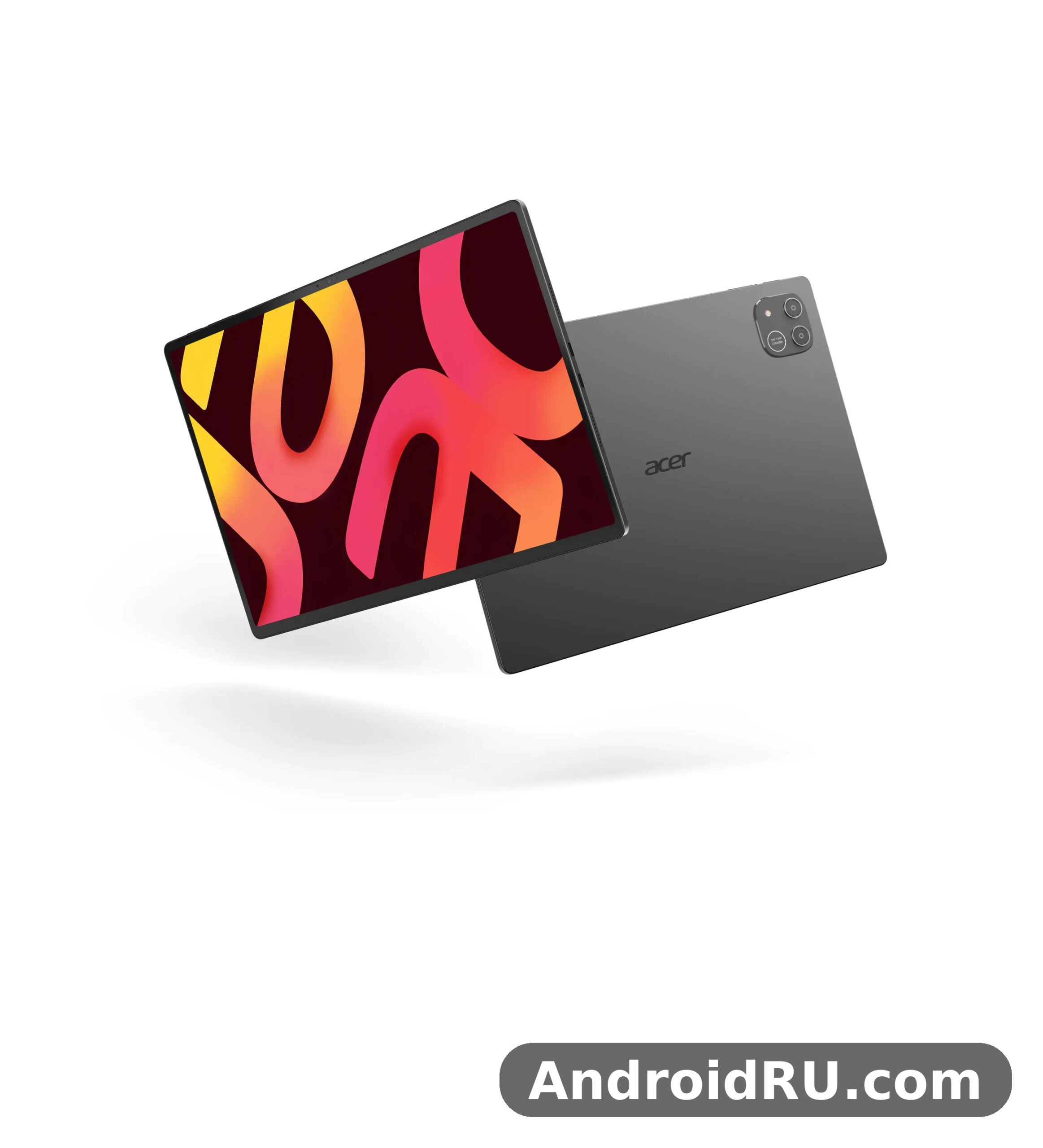
This review walks through the tablet the way a buyer would actually use it: how much room the storage leaves, whether the big OLED screen earns its size, how the Dimensity 8300 handles real multitasking, what the cameras and speakers do on calls, and how long the battery lasts away from a plug. Every number here comes from the published specification sheet and the launch material, not from a lab bench. Where a figure varies by region or was never published, this article says so instead of filling the gap with a guess. By the end, the question at the heart of this piece gets a straight answer: who should buy this tablet, and who should look elsewhere.
One thing shapes the whole review. The S14 is a Wi-Fi tablet with no cellular radio, no SIM slot, and no NFC. That single choice tells you who Acer had in mind: someone who works on Wi-Fi, at home, at the office, or on campus, and who wants a large, sharp screen with a pen and a keyboard rather than a pocket device that is always online. Keep that in mind while reading, because nearly every strength and every limit of this tablet follows from it.
Acer Iconia Duo S14 Storage Options: 256GB, microSD Expansion and What Fits
Storage is where the S14 makes its first good impression, and it is also where buyers need to read the fine print. The headline Acer Iconia Duo S14 storage options are simple: one configuration with 256GB of internal storage, paired with 8GB of LPDDR5 RAM. There is no 128GB base model to regret later and no 512GB tier to pay extra for. What you see is what you get, and for most buyers that single tier is the right call, because 256GB is enough for a serious app library, a stack of documents, and a healthy pile of offline video without constant housekeeping.
The Acer Iconia Duo S14 256GB storage uses UFS flash, which matters more than the raw capacity number. UFS storage loads large apps faster than the older eMMC storage still found in budget tablets, and it keeps the tablet feeling quick when you jump between a browser with a dozen tabs, a note-taking app, and a video editor. The Duo S14 storage is fixed at 256GB, so the only way to grow it is the card slot, and that is where the second half of the story lives.
Acer Iconia Duo S14 MicroSD Card Support up to 1TB
Acer Iconia Duo S14 microSD card support comes through a dedicated microSDXC slot, and microSD expansion up to 1TB is supported. A dedicated slot is a small detail with a real payoff: you do not have to choose between extra storage and a SIM card, because there is no SIM card here at all. Slot in a 512GB or 1TB card and the tablet turns into a genuine offline media machine, holding full seasons of shows, a music library, and a photo archive without touching the internal drive.
That split between fast internal storage and roomy card storage shapes how you should set the tablet up. Keep apps, the system, and anything that needs speed on the internal 256GB. Put video, music, photos, and large documents on the card. Android 16 lets you move supported media and files across easily, and many media apps let you pick the card as their download folder directly. The Duo S14 microSD slot is the feature that makes the single storage tier work, and buyers who plan to carry a lot of video should treat a good card as part of the purchase, not an afterthought.
What to Move to the microSD Card First
Start with video. A single season of a show in high quality can eat tens of gigabytes, and video is the one file type that never needs the speed of internal storage. Next, move your photo and video backups from the camera roll, then your music library. Leave apps and their data where they are. Games with large downloads also belong on internal storage when the game lets you choose, because load times are visibly better there. This order keeps the tablet fast where speed counts and roomy where space counts.
Acer Iconia Duo S14 256GB Storage in Daily Use
In daily use, 256GB goes further than the number suggests, because Android 16 and the preinstalled apps take a modest slice and leave the rest to you. A realistic load looks like this: a few dozen apps, a handful of large games, several gigabytes of documents and notes, and a rotating set of downloaded videos. That load fits with room to spare, and the card slot covers the rest. The Iconia Duo S14 review picture is consistent here: storage is not the bottleneck on this tablet, and it is not the reason anyone should skip it.
There is one honest catch. Storage is not user-upgradeable beyond the card slot, so the 256GB you buy is the 256GB you keep. If you edit 4K video on the tablet or keep a huge local photo library, lean on the card early and keep an eye on free space. Android 16 will warn you before the drive fills up, and a quick pass through downloaded files usually frees tens of gigabytes. For everyone else, the storage story is short and positive: a generous single tier, fast flash, and a card slot that removes the usual anxiety about running out of room.
Readers comparing the S14 with its smaller sibling should look at the Acer Iconia Duo S12 Review: Connectivity Tested and the Complete Specs before deciding, because the two tablets share the Duo idea but aim at different bag sizes and budgets. The S14 is the one to pick when the screen and the storage headroom matter more than pocketability, and the S12 is the one to pick when a smaller slab fits your carry better.
Acer Iconia Duo S14 Display Quality: 14.2-Inch OLED at 120Hz
The screen is the reason this tablet exists. The Acer Iconia Duo S14 14.2 inch OLED screen measures 14.2 inches diagonally and renders at 2,880 x 1,840 pixels, which Acer markets as 2.8K. That resolution on this size works out to about 241 pixels per inch, so text stays crisp at normal reading distance and fine lines in a drawing app hold their edge. The Acer Iconia Duo S14 display quality rests on three numbers that all point the same way: OLED for deep blacks and punchy contrast, 120Hz for smooth motion, and 100 percent DCI P3 colour coverage for work where colour has to be right.
Acer Iconia Duo S14 display quality is also shaped by the shape of the panel. The Acer Iconia Duo S14 3 to 2 aspect ratio gives you a taller, squarer canvas than the 16:10 screens on most tablets, and that ratio is the whole point of the Duo line. A 3:2 screen shows more of a document, more of a web page, and more of a spreadsheet without scrolling, and it leaves room for a toolbar beside the page you are editing. Watching a widescreen film leaves bars top and bottom, which is the trade-off, but for reading, writing, and drawing, the taller panel earns its keep every day. The Iconia Duo S14 display is the kind of screen you notice the first time you open a PDF on it and realise how little you need to zoom.
Brightness is rated at 400 nits. That is comfortable indoors and fine by a window, though direct sunlight will wash the picture out the way it does on most tablets at this brightness. The OLED panel helps here, because perfect blacks keep contrast high even when the room is bright, and the 100 percent DCI P3 gamut means photos and video look rich rather than flat. The Duo S14 specs sheet lists the screen-to-body ratio at about 87.4 percent, while Acer’s own launch material cites 91 percent; either way, the bezels are slim enough that the screen dominates the front of the device without making the tablet hard to hold.
Acer Iconia Duo S14 120Hz Refresh Rate and 400 Nits
The Acer Iconia Duo S14 120Hz refresh rate is the feature you feel before you can name it. Scrolling through a long article, swiping between home screens, and dragging a stylus across a canvas all look smoother at 120Hz than at 60Hz, because the picture updates twice as often. It is a small comfort that adds up across a whole day of use, and it pairs well with the stylus, where a faster refresh makes ink feel closer to the pen tip. The 400-nit brightness rating sits in the middle of the tablet market: bright enough for a classroom or an office, but not a sunlight specialist.
Refresh rate and battery life pull in opposite directions, so expect the tablet to manage the rate on its own in normal use, dropping down when nothing moves on screen. That kind of adaptive behaviour is standard on modern Android tablets, and it is part of how the S14 stretches its 10,000mAh cell across a working day. If you want the smoothest picture all the time, keep the high refresh rate on and accept a shorter day; if you want the longest day, the standard rate is the better trade.
Acer Iconia Duo S14 100 Percent DCI P3 Colour for Creative Work
Colour accuracy is where the S14 stops being a big media screen and starts being a work tool. The Acer Iconia Duo S14 100 percent DCI P3 figure means the panel can reproduce the full DCI-P3 colour space, the gamut used for digital cinema and for much of modern photo and video work. Photos look the way they were shot, video grades hold up, and illustrations keep the saturation the artist intended. For a creator who sketches, grades photos, or reviews video on the go, that coverage is a real working feature, not a marketing line.
It is worth keeping expectations honest here. A wide gamut does not turn the tablet into a calibrated reference monitor, and the 400-nit brightness caps how bright highlights can go. What it does give you is a screen you can trust for everyday creative judgement: colours that are vivid without drifting into cartoon territory, and skin tones that stay natural. Pair that with the 3:2 canvas and the stylus, and the display becomes the strongest single argument for choosing the S14 over a cheaper LCD tablet.
Buyers who care about the screen above all else should also glance at the Acer Iconia V12 First Impressions, Review and Full Specs, because Acer’s V-series tablets take a different route to a big screen, and seeing both approaches side by side makes the S14’s OLED and 3:2 choices easier to judge. The V12 comparison is useful even if you end up back at the S14, since it sharpens what you are actually paying for.
Acer Iconia Duo S14 Dimensity 8300 Performance and Android 16
Under the screen sits a MediaTek Dimensity 8300, a 4nm octa-core chip with one Cortex-A715 core at 3.35GHz, three more Cortex-A715 cores at 3.20GHz, and four Cortex-A510 efficiency cores at 2.20GHz, plus a Mali-G615 MC6 graphics processor. That is a firmly upper-mid-range to flagship-adjacent chip, and it is the same class of silicon that powers well-regarded phones a tier above the budget market. The Acer Iconia Duo S14 Dimensity 8300 performance is best described as confident rather than showy: it opens apps fast, keeps a split-screen pair running without stutter, and handles photo editing and casual gaming without breaking a sweat.
Published test reports put the chip’s AnTuTu V10 score at around 1.2 million, which lines up with the on-paper spec and tells you the tablet sits well clear of the budget chips that struggle with multitasking. The Duo S14 performance in practice should feel like this: a browser with many tabs stays responsive, a video call runs while you take notes beside it, and a drawing app with large canvases and many layers keeps up with the pen. Heavy 3D games will run, though the most demanding titles will need their graphics settings turned down a notch from maximum, which is normal for this class of chip.
The Duo S14 chipset is paired with 8GB of LPDDR5 RAM, and the Acer Iconia Duo S14 8GB RAM multitasking story is straightforward. Eight gigabytes is enough to hold several apps in memory at once, so switching back to a browser or a document does not force a reload every time. It is not the 12GB or 16GB you find on the most expensive tablets, so a very heavy load — a big spreadsheet, a video editor, and a dozen browser tabs all at once — will eventually push something out of memory. For the working pattern Acer is aiming at, two or three apps side by side, 8GB is the right size.
Acer Iconia Duo S14 8GB RAM Multitasking and Split Screen
Split screen is where the 14.2-inch panel and the 8GB of RAM meet. Two apps side by side on a 3:2 screen each get a usable window, not a cramped strip, so you can read a source document on one side and write notes on the other without constant switching. Android 16 handles the window management, and the Dimensity 8300 has the headroom to keep both apps live. The Acer Iconia Duo S14 for students angle starts here: a lecture video on one side and notes on the other, with a textbook in a floating window above, is a realistic daily setup rather than a demo trick.
Floating windows and the taskbar complete the picture. Android 16 on a screen this size behaves more like a small laptop than a large phone, and the S14 leans into that with its keyboard and stylus accessories. The tablet will not replace a laptop for everyone, but for reading, writing, annotating, and light editing, the multitasking setup is genuinely usable for hours at a time rather than a novelty you try once and abandon.
How Android 16 Changes the Daily Routine
Android 16 brings the current generation of privacy controls, notification handling, and large-screen app behaviour to the S14, and the Acer Iconia Duo S14 Android 16 features that matter most are the quiet ones. Apps scale properly to the big canvas instead of stretching a phone layout, the taskbar keeps your frequent apps one tap away, and the system manages background work so the battery is not drained by apps you forgot about. The Iconia Duo S14 Android experience is current rather than a generation behind, which matters for a tablet you expect to keep for years, since a 2026 launch on the latest Android gives it a longer useful life than a device that ships on an older release.
Acer Iconia Duo S14 for Drawing and Creative Work
The Acer Iconia Duo S14 for drawing case is built from four parts: the large OLED canvas, the 120Hz refresh, the stylus support, and the Dimensity 8300 keeping up with large brushes and layers. Stylus support is listed in the specification sheet, so a pen works with the tablet for sketching, handwriting, and annotation, though buyers should confirm which pen is bundled or sold separately in their region, because the pen is not the same thing as the slot that holds it. The 3:2 ratio gives a drawing canvas a natural shape, closer to a sheet of paper than a cinema screen, and the DCI-P3 colour keeps the palette honest.
Drawing is also where the tablet’s limits show up in a fair way. The screen is glass, so a pen glides more than it grips, and artists who want paper-like friction will want a matte screen protector. Palm rejection and pressure levels depend on the pen and the app as much as on the tablet, so check both before committing to the S14 as a primary drawing device. Even with those caveats, the creative case is strong: this is a tablet that was designed with a pen in mind, not a media tablet with a pen bolted on afterwards.
For a sense of how the S14 fits inside Acer’s wider tablet range, the Acer Iconia V11: Design, Key Features and Full Specifications in Detail is worth a look, since the V11 shows what Acer does at a different size and price point, and the contrast makes the S14’s flagship positioning easier to see. The V11 is a useful yardstick even for buyers who are already set on the larger tablet.
Acer Iconia Duo S14 Design: Weight, Thickness and Build
The S14 is a big tablet that tries hard not to feel like one. The Acer Iconia Duo S14 weight and thickness are 730 grams and 6.2mm, with a footprint of 311 x 217.1mm. Those numbers put it in the same league as other large tablets: light enough to hold in two hands for a reading session, heavy enough that you will want a stand or a keyboard case for a long work session. The Duo S14 dimensions make it a bag tablet rather than a coat-pocket tablet, and that is a fair trade for a 14.2-inch canvas.
The body is a slim slab in gray, with the front dominated by the OLED panel and the back kept plain. The Duo S14 design is restrained rather than flashy: no bright colours, no patterned back, nothing that shouts for attention in a meeting room. That restraint suits the audience Acer is chasing, professionals and students who want a tool that looks at home on a desk. The Iconia Duo S14 gray finish is the only colour listed, so buyers who want a brighter option will need a case to add personality.
At 6.2mm thick, the tablet is thin enough to slip into a laptop sleeve beside a notebook, and the 730-gram weight is distributed across a wide body, so it does not dig into the hand the way a smaller, denser device can. The Iconia Duo S14 weight is noticeable after an hour of holding it up, which is why the keyboard and stand accessories matter: they turn the tablet from something you hold into something you sit in front of. For reading in bed or on a train, a stand or a cushion is your friend, and that is true of every tablet this size.
Acer Iconia Duo S14 Fingerprint Sensor Location and Security
The Acer Iconia Duo S14 fingerprint sensor location is on the top edge of the tablet, a top-mounted sensor that reads your finger as you pick the device up or press the power key. A top-mounted sensor suits a tablet that spends most of its life in landscape orientation, because your index finger lands on it naturally when you lift the slab. It is a quick, reliable way to unlock, and it avoids the awkward reach of a rear sensor on a device this wide.
Security on the S14 is completed by the standard Android 16 options: PIN, pattern, password, and face unlock through the front camera where supported. The fingerprint sensor is the one to use day to day, since it is fast and it works with the tablet in its case. The Duo S14 design decision to put the sensor on top rather than under the display keeps the OLED panel free of a cut-out and keeps the unlock gesture simple, which is the right call on a device that is usually unlocked dozens of times a day.
The Duo line does not stop at the S14. The Acer Iconia Duo D12 Review and Full Specifications: Everything You Should Know covers the third member of the family, and it is the natural next read for anyone who likes the Duo idea but wants to compare the flagship against its smaller sibling before spending. The D12 shares the dual-use pitch of media plus productivity, so the choice between the two comes down to size, budget, and how much screen you actually need.
Acer Iconia Duo S14 Camera Quality: 13MP Rear and 8MP Front
Tablet cameras are usually an afterthought, and the S14 treats them honestly. The Acer Iconia Duo S14 camera quality story is a dual rear setup with a 13MP wide main camera and a 5MP macro camera, plus an LED flash, and video recording at 1080p at 30 frames per second. The front camera is a single 8MP unit, also recording at 1080p at 30 frames per second. Those are sensible numbers for a tablet: good enough for document scans, video calls, and the occasional photo, without pretending the tablet is a camera replacement.
The 13MP main camera handles the jobs a tablet camera actually gets: photographing a whiteboard, scanning a document, or capturing a quick reference shot. The Iconia Duo S14 macro lens is the more interesting half of the pair, because a 5MP macro camera lets you get close to a small object — a circuit board, a label, a plant — and capture detail the main camera would blur. The 5MP resolution is modest, so macro shots are best in good light and viewed on screen rather than printed large, but the option is there, and it is rare on tablets at any price.
Video is capped at 1080p at 30 frames per second on both cameras, which is the right ceiling for video calls and casual clips. You will not shoot cinematic 4K footage on this tablet, and you should not expect to. What you get instead is reliable, well-exposed video for meetings and messages, with dual microphones picking up your voice clearly. The front camera is the one that matters most here, because on a tablet this size the camera you use every day is the one facing you.
Acer Iconia Duo S14 Quad Speaker Sound and Video Calls
Sound is a genuine strength. The Acer Iconia Duo S14 quad speaker sound comes from four stereo speakers, and on a tablet this size four speakers can fill a room in a way two small drivers never manage. Films gain weight, music gains separation, and video calls gain clarity, because voices come through loud enough to hear across a desk without headphones. The Iconia Duo S14 speakers are one of the features that justify the large body: there is room for proper drivers, and Acer used it.
There is no confirmed 3.5mm headphone jack in the published specification sheet, so buyers who still use wired headphones should plan on USB-C audio or Bluetooth. The Duo S14 specs list Bluetooth 5.2 for wireless headphones, and the quad speakers cover the times you do not want headphones at all. For calls, the combination of the 8MP front camera, dual microphones, and four speakers makes the S14 a strong meeting device, which fits the productivity half of the Duo pitch exactly.
Acer Iconia Duo S14 Battery Life: 10,000mAh and 20W Charging
The battery is a 10,000mAh cell rated at 38Wh, and Acer claims up to 10 hours of use. The Acer Iconia Duo S14 battery life question is really two questions: how long it lasts, and how long it takes to fill again. On the first, the Acer Iconia Duo S14 10000 mAh battery capacity is generous for a tablet, and 10 hours is a believable claim for mixed use — browsing, notes, video, and calls at moderate brightness. Push the screen to full brightness with the 120Hz refresh on and a game running, and the day gets shorter, as it does on every tablet. The Duo S14 battery is sized for a working day rather than a weekend, and that is the honest way to read it.
Charging is where the S14 shows its budget-conscious side. The Acer Iconia Duo S14 20W charging speed is modest by 2026 standards: 20W over USB Power Delivery will fill a 10,000mAh cell, but it will take its time doing it, and an overnight or desk-bound charge is the realistic pattern. The Duo S14 charging story is simple to plan around: plug it in when you sit down to work, and it will be ready when you stand up. If you need a quick top-up between meetings, 20W will give you a useful slice, but it will not take you from empty to full in a lunch break.
The two USB-C ports help here, because the tablet supports two-way DisplayPort over USB-C, so one port can drive an external display while the other handles power or an accessory. The Acer Iconia Duo S14 two way DisplayPort support turns the tablet into a second screen or a small desktop when you plug it into a monitor via the Duo S14 DisplayPort output, and that is a feature that office workers will use far more often than they expect. A tablet that can sit on a desk, drive a monitor, and charge at the same time is a tablet that earns its place in a work setup.
Acer Iconia Duo S14 WiFi 6E Connectivity and the Missing Cellular Radio
Connectivity is a split decision. The Acer Iconia Duo S14 WiFi 6E connectivity covers fast dual-band Wi-Fi 6E, which is the current standard for a home or office network, and Bluetooth 5.2 handles headphones, keyboards, and mice. The Acer Iconia Duo S14 no cellular connectivity point is the other half: there is no SIM slot, no 4G, and no 5G, so the tablet is offline the moment it leaves Wi-Fi range. The Iconia Duo S14 review has to be blunt about this, because it is the single biggest limit on the device, and it is a deliberate choice rather than an oversight.
For most buyers, the trade is acceptable. A Wi-Fi tablet costs less than a cellular one, there is no monthly data bill, and a phone hotspot covers the rare moments when Wi-Fi is missing. For buyers who need a tablet that is always online — field workers, commuters, or anyone who works from a train — the missing cellular radio is a real problem, and a phone hotspot is a workaround rather than a solution. Readers in that position should look at the Our Acer Iconia iM11-22M5G Review: Audio, Key Features and Detailed Specs, because the iM11-22M5G is the Acer tablet in the same family that does offer mobile data, and it is the honest alternative for anyone who cannot live on Wi-Fi alone.
Getting the Most From a Charge
A few habits stretch the battery noticeably. Keep the brightness at the level the room actually needs instead of maximum, let the refresh rate drop when the screen is still, and turn off Wi-Fi and Bluetooth when you are working offline with downloaded files. The 20W charger rewards patience: a full charge from empty is an overnight job, so charge while you sleep and start the day full. The battery will also age better if you avoid leaving it at 100 percent on a hot charger for days at a time, though modern battery management already does most of that work for you.
Full Specifications
The Acer Iconia Duo S14 full specifications are listed below, taken from the published specification sheet for model S14-11M, also listed as A26004. This Duo S14 tablet runs Android 16 on the Dimensity 8300, and as an Acer tablet 2026 model it carries the current generation of features. The Acer Iconia Duo S14 release date record is simple: announced on 3 June 2026, released in August 2026, with North America availability in September 2026 and EMEA availability in the third quarter of 2026. Acer did not announce pricing at launch, so check the current listing in your region for the price.
| Feature | Acer Iconia Duo S14 |
|---|---|
| Model | S14-11M, A26004 |
| Announced | 3 June 2026 |
| Release | Available, released August 2026 |
| Display | 14.2-inch OLED, 2,880 x 1,840 pixels, 3:2, 120Hz, 400 nits, 100% DCI-P3, about 241 ppi |
| Operating system | Android 16 |
| Chipset | MediaTek Dimensity 8300, 4nm |
| CPU | Octa-core: 1x 3.35GHz Cortex-A715, 3x 3.20GHz Cortex-A715, 4x 2.20GHz Cortex-A510 |
| GPU | Mali-G615 MC6 |
| RAM | 8GB LPDDR5 |
| Storage | 256GB UFS, microSDXC dedicated slot up to 1TB |
| Rear camera | Dual 13MP wide + 5MP macro, LED flash, 1080p at 30fps |
| Front camera | 8MP, 1080p at 30fps |
| Sound | Stereo speakers, four speakers, dual microphones |
| Connectivity | Wi-Fi 6E dual-band, Bluetooth 5.2, 2x USB-C with two-way DisplayPort, no cellular, no NFC, no radio |
| Sensors | Fingerprint top-mounted, accelerometer, proximity for accessories only |
| Battery | 10,000mAh, 38Wh, 20W wired charging with USB Power Delivery, up to 10 hours claimed |
| Dimensions | 311 x 217.1 x 6.2mm |
| Weight | 730g |
| Extras | Stylus support, gray colour |
Acer Iconia Duo S14 vs S12 is the comparison most buyers will make, and the honest summary is short: the S14 is the flagship with the larger 14.2-inch OLED screen and the stronger Dimensity 8300 chip, while the S12 is the smaller, less powerful sibling that reached North America first in August. The Acer Iconia tablet range is built so the two do not compete directly: pick the S14 when the screen size, the chip, and the storage headroom matter most, and pick the S12 when a smaller slab and a lower price matter more. The Duo S14 stylus support and the two-way DisplayPort are shared ideas across the Duo family, so the choice is about scale rather than about a different philosophy.
The Iconia S14 sits at the top of Acer’s current Android tablet range, and the Acer OLED tablet positioning is clear: this is the screen-first tablet in the line-up, with the biggest OLED panel Acer puts in a tablet and the widest colour coverage. The Duo S14 WiFi setup is the only connectivity option, so the tablet is a Wi-Fi device through and through. The Iconia Duo S14 RAM is fixed at 8GB with no higher tier, which keeps the buying decision simple but means heavy multitaskers should be realistic about how many large apps they keep open at once.
Acer Iconia Duo S14 stylus support explained in one line: the tablet accepts a stylus for drawing, handwriting, and annotation, the screen refreshes at 120Hz so ink tracks the pen closely, and the pen itself is a separate item to confirm with the retailer, since bundle contents vary by region. That is the whole stylus story, and it is enough for most buyers to plan around. If drawing is your main job, confirm the exact pen model and its pressure levels before you buy, because the pen matters as much as the panel.
Frequently Asked Questions
Is Acer Iconia Duo S14 worth buying?
For the right buyer, yes. If you want a large OLED tablet for reading, writing, drawing, and video on Wi-Fi, with 256GB of storage, a card slot, and a chip that handles real multitasking, the S14 is a strong pick. The screen and the battery are the reasons to buy it, and the price, once it is listed in your region, is the number that decides whether it beats the competition. If you need cellular data, a faster charger, or a smaller tablet, look elsewhere, because those are the three things this tablet does not offer.
Does the Acer Iconia Duo S14 have a microSD card slot?
Yes. The tablet has a dedicated microSDXC slot that supports cards up to 1TB, and the slot is separate from anything else, so adding storage never costs you another feature. Use the internal 256GB for apps and the card for video, music, and documents, and the single storage tier will cover most buyers comfortably.
What is the Acer Iconia Duo S14 battery life in real use?
Acer claims up to 10 hours from the 10,000mAh cell, and that figure fits mixed use at moderate brightness: browsing, notes, video, and calls across a working day. Brightness, refresh rate, and gaming all pull the number down, so a heavy day will end sooner and a light day will stretch further. Charging runs at 20W over USB Power Delivery, so plan on charging overnight or at your desk rather than expecting a fast top-up.
Can the Acer Iconia Duo S14 replace a laptop?
For reading, writing, annotating, and light editing, it comes close, especially with a keyboard case and a stylus. Android 16 handles split screen and floating windows well on the 14.2-inch display, and the two-way DisplayPort lets the tablet drive an external monitor. For heavy desktop software, large spreadsheets, or professional video editing, a real laptop is still the better tool. Treat the S14 as a strong companion to a laptop rather than a full replacement, and you will not be disappointed.
Does the Acer Iconia Duo S14 support a stylus and keyboard?
Yes, stylus support is listed in the specification sheet, and the tablet is designed to work with a pen and a keyboard case as part of the Duo productivity pitch. Confirm which pen and keyboard are bundled or sold separately in your region before buying, because bundle contents vary, and the exact pen model decides pressure sensitivity and palm rejection in drawing apps.
The Verdict: Is Acer Iconia Duo S14 Worth Buying?
The Duo S14 verdict is that this is a focused tablet done well, not a tablet that tries to do everything. It bets everything on the screen, the chip, and the battery, and it wins those bets: a 14.2-inch 2.8K OLED panel with 120Hz and full DCI-P3 colour, a Dimensity 8300 that handles real work, and a 10,000mAh cell that lasts a working day. The storage is generous, the card slot removes the usual anxiety, and the four speakers make it a pleasure to watch and listen to. For a student, a professional, or a creator who lives on Wi-Fi, that is a compelling package.
Who Should Buy the Acer Iconia Duo S14
Buy it if you read and annotate documents all day, if you draw or edit photos and care about colour, if you watch a lot of video and want a big OLED screen with proper speakers, or if you want a single tablet that covers both media and productivity without carrying a laptop everywhere. The 3:2 screen is a genuine advantage for documents, the stylus support turns the tablet into a notebook, and the 256GB plus microSD combination means you will not be deleting files to make room. This is the buyer Acer designed the tablet for, and that buyer will be happy with it.
Who Should Skip It
Skip it if you need mobile data, because there is no cellular radio and no SIM slot, and a hotspot is only a workaround. Skip it if you need fast charging, because 20W on a 10,000mAh cell is slow by current standards. Skip it if you want a small, light tablet to hold one-handed, because 14.2 inches and 730 grams is a two-handed device. And skip it if your work depends on desktop software that Android cannot run. For everyone else, the honest answer to the question behind this review is yes: the S14 earns its place, provided you buy it for what it is — a large, sharp, Wi-Fi tablet for work and media — rather than for what it never claimed to be.
Your next step is simple. Check the current price and bundle in your region, confirm whether the stylus and keyboard case are included, and try the tablet in hand if a shop near you carries it, because the size is the one thing no specification sheet can convey. If the screen feels right and the Wi-Fi-only limit does not bother you, the S14 is ready to be the tablet you reach for every day.

