

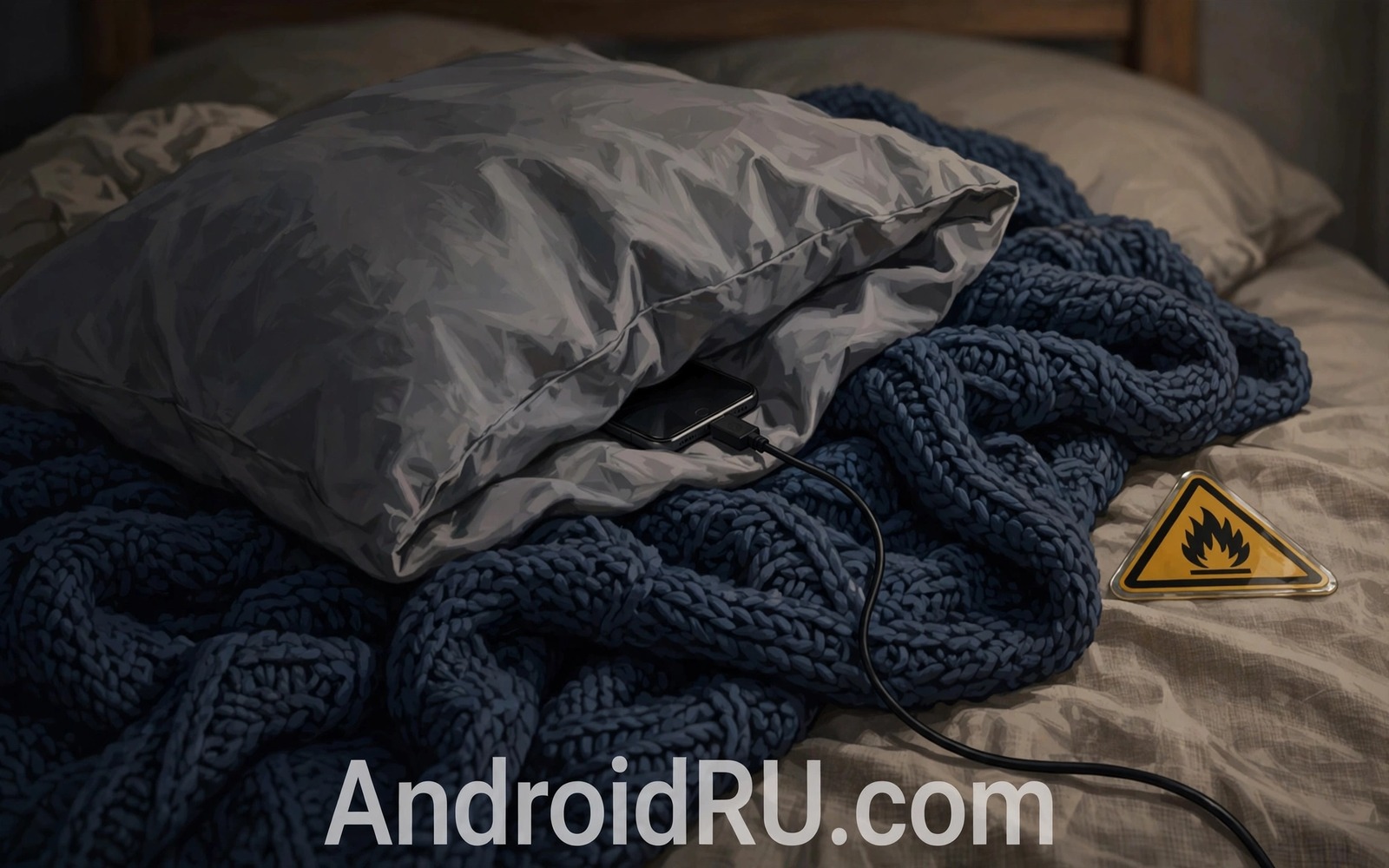
Charging under a pillow feels cosy and convenient. The phone stays close and the cable stays tidy and the screen light stays hidden. That comfort hides a serious hazard because a pillow traps heat around the charging phone. Trapped heat can damage the battery and in rare cases start a fire.
Charging always generates some heat from battery chemistry. Open air lets that heat escape from the phone surface. A pillow or a heavy blanket blocks airflow and insulates the phone like an oven. Temperatures climb steadily through the night while you sleep unaware.
Most nights end without incident yet the risk is real and documented in fire reports. A damaged battery or a faulty cable raises the risk sharply under covers. Safe charging habits cost nothing and they remove the hazard entirely. This guide shows those habits.
Why covered charging overheats a phone
A phone cools itself mainly through its outer surfaces. Metal and glass backs radiate heat into surrounding air. A pillow covers those surfaces with insulating fabric. Heat that would escape into a room instead builds inside the bedding layers.
Fast charging adds more heat than standard charging. A phone under covers during a fast charge faces the worst combination. The charger pushes energy fast and the covers prevent cooling. The battery temperature can pass safe limits before any warning appears.
Bedding also hides warning signs. A hot phone under a pillow cannot be felt until heat spreads widely. A swelling battery cannot be seen under covers. A burning smell may be masked by bedding for precious minutes. Open charging keeps every warning visible and touchable.
What can go wrong in the worst case
Sustained heat degrades battery chemistry and shortens battery life first. That damage is invisible yet cumulative across many covered nights. A battery weakened by heat swells more easily later. Swelling presses on internal parts and creates a new hazard.
A damaged cell can enter thermal runaway where heat feeds more heat in a chain reaction. Smoke and flames can follow within minutes. Bedding near the phone provides fuel for a small fire to grow. A fire that starts under a pillow while you sleep is especially dangerous.
Faulty cables increase the odds of a bad outcome. A frayed cable can arc or overheat at a damaged point. Under covers that hot spot stays hidden and insulated. A genuine cable in open air is far safer than a cheap cable under a blanket.
Charge safely on a hard open surface
Charge the phone on a hard surface such as a bedside table or a desk. Keep the phone uncovered and away from bedding and curtains. Leave space around the phone for air to move. A small gap between phone and wall helps heat escape.
Use the original charger or a certified charger matched to your phone. Check the cable for fraying and exposed wires before each use. Replace a damaged cable at once rather than taping it for another month. A sound cable is a basic fire safety item.
Remove thick cases during overnight charging when the room is warm. A case traps a smaller amount of heat than a pillow yet it still slows cooling. An open phone on a table cools best. Case removal is a simple habit for hot nights.
Safer overnight charging routine
Charge the phone before bed to a comfortable level and unplug when you sleep when possible. A phone charged to eighty percent lasts most nights on standby. Unplugging removes charging heat entirely during sleep. That routine also extends battery lifespan.
When overnight charging is necessary use standard charging rather than fast charging. Standard charging generates less heat across the night. Set a charge limit to eighty percent when your phone offers that feature. A limited charge reduces heat and chemical stress together.
Keep a smoke alarm working in the bedroom regardless of charging habits. Test the alarm monthly and replace its battery on schedule. An alarm gives early warning for any electrical fire. Safe charging plus a working alarm covers the remaining risk.
What to do if a phone feels hot under covers
Remove the covers at once and unplug the charger without touching a damaged cable. Move the phone to a hard non flammable surface away from bedding. Let it cool in open air and do not use it until it feels normal. Watch for swelling or smell during cooling.
Do not charge the phone again until you know why it overheated. Check the cable and the charger and the case for damage. Test with a different certified cable on an open surface. A phone that heats again on open air needs professional inspection.
When smoke or flames appear leave the room and call emergency services. Do not pour water on a lithium battery fire unless trained guidance says so. Your safety matters more than the phone or the bedding. Evacuate first and let professionals handle the fire.
A bedroom charging checklist
A short checklist before sleep makes safe charging automatic. Run it each night until the habit sticks. The checklist takes seconds and it prevents the most dangerous charging setup.
Night check: phone on hard open surface
Night check: no pillow or blanket over phone
Night check: certified cable undamaged
Night check: smoke alarm working
The checklist sample above was written for this guide and it follows standard device charging safety practice. Each line removes one element of the covered charging hazard. A bedroom that passes all four lines is a safe charging room.
Share the checklist with family members who charge phones in bed. Teenagers often charge under pillows for convenience. A shared rule protects everyone in the house from the same hidden risk.
Protect other devices that charge overnight
Phones are not the only devices that charge under covers. Tablets and earbud cases and smartwatches face the same trapped heat risk. A tablet under a blanket heats like a phone under a pillow. Apply the open surface rule to every rechargeable device in the bedroom.
Earbud cases are small yet they still generate heat during charging. A case buried in bedding cannot shed that heat. Place the case on a hard surface beside the bed. Small devices deserve the same care as large ones.
Laptops charging on beds pose a larger version of the same hazard. A laptop fan blocked by bedding overheats far faster than a phone. Never charge a laptop on a bed or a sofa for long periods. A hard table with airflow protects the laptop and the bedding alike.
Power strips under bedding also trap heat from adapters. Keep power strips uncovered and away from fabric. A strip with several warm adapters needs open air. Covered strips hide heat and hide damage to cables.
Design a safe charging station for the whole family
A family charging station on a hard table solves covered charging for everyone. Place a power strip on the table with space between devices. Add a small tray for phones and a rule that no device charges in bed. A shared station makes safe habits visible and easy.
Label each charger with the device it belongs to so family members use certified cables. A labelled station prevents borrowing a cheap cable in a hurry. Inspect the station cables monthly for fraying and replace damaged ones at once. A maintained station stays safe across years of nightly use.
Check bedroom temperature on hot nights
A hot bedroom raises charging temperatures even on an open surface. Ventilate the room on warm nights and keep the phone away from radiators. A cooler room gives the phone a larger safety margin during charging. Room temperature is part of charging safety and not just comfort. Small ventilation changes protect batteries across a whole summer.
Inspect the charging area each morning
A morning glance at the charging area catches problems early. Look for a hot charger or a warped cable or a phone that stayed warm overnight. A warm phone in the morning suggests poor ventilation or a faulty cable. Fix the setup that morning rather than repeating it another night. Daily glances turn a hidden hazard into a visible routine that the whole household can follow.
Common mistakes
The worst mistake is charging under a pillow because it worked fine for years. Past safety does not guarantee future safety. Battery age and cable wear change the risk over time. A habit that was merely risky becomes dangerous as parts age.
Another mistake is using a phone as a bed warmer or hand warmer while charging. Some users enjoy the warmth on cold nights. That warmth signals heat that should escape. Never use a charging phone for body warmth under covers.
Users also hide charging phones under pillows to silence notifications. A do not disturb mode silences notifications without any fire risk. Use software silence rather than physical covering. Settings solve the noise problem safely.
Finally do not charge multiple devices in a pile under bedding. A stack of phones and tablets traps heat between devices. Each device adds heat to its neighbours. Charge devices spaced apart on an open surface instead.
Frequently asked questions
Is wireless charging under a pillow safer
No. Wireless charging generates its own heat and covers trap it the same way. A wireless pad under bedding is just as risky as a cable under bedding. Keep wireless pads on open surfaces too.
Can a phone really catch fire from charging
Yes though it is rare with genuine parts and open charging. Damaged batteries and faulty cables raise the odds sharply. Covered charging turns a rare event into a more likely one by trapping heat.
Should I charge my phone in another room
Charging in another room is a good habit when the bedroom stays hot. A cool room with a hard surface is ideal. Keep the phone reachable for alarms by using a separate alarm clock when needed.
Conclusion
Covered charging traps heat that a phone needs to shed. Pillows and blankets hide warning signs and feed fire risk. Open surface charging with a certified cable removes the hazard at no cost. Safe nights start with a visible phone on a hard table.
Your concrete next step is to move your charger to a bedside table tonight and keep the phone uncovered while it charges. Test your smoke alarm this week as well. Readers who want related safety guides can explore a guide to why bedside charging needs care and a guide to hidden dangers of cheap charging cables plus a guide to what to do when a phone overheats while idle for safer nights.

