

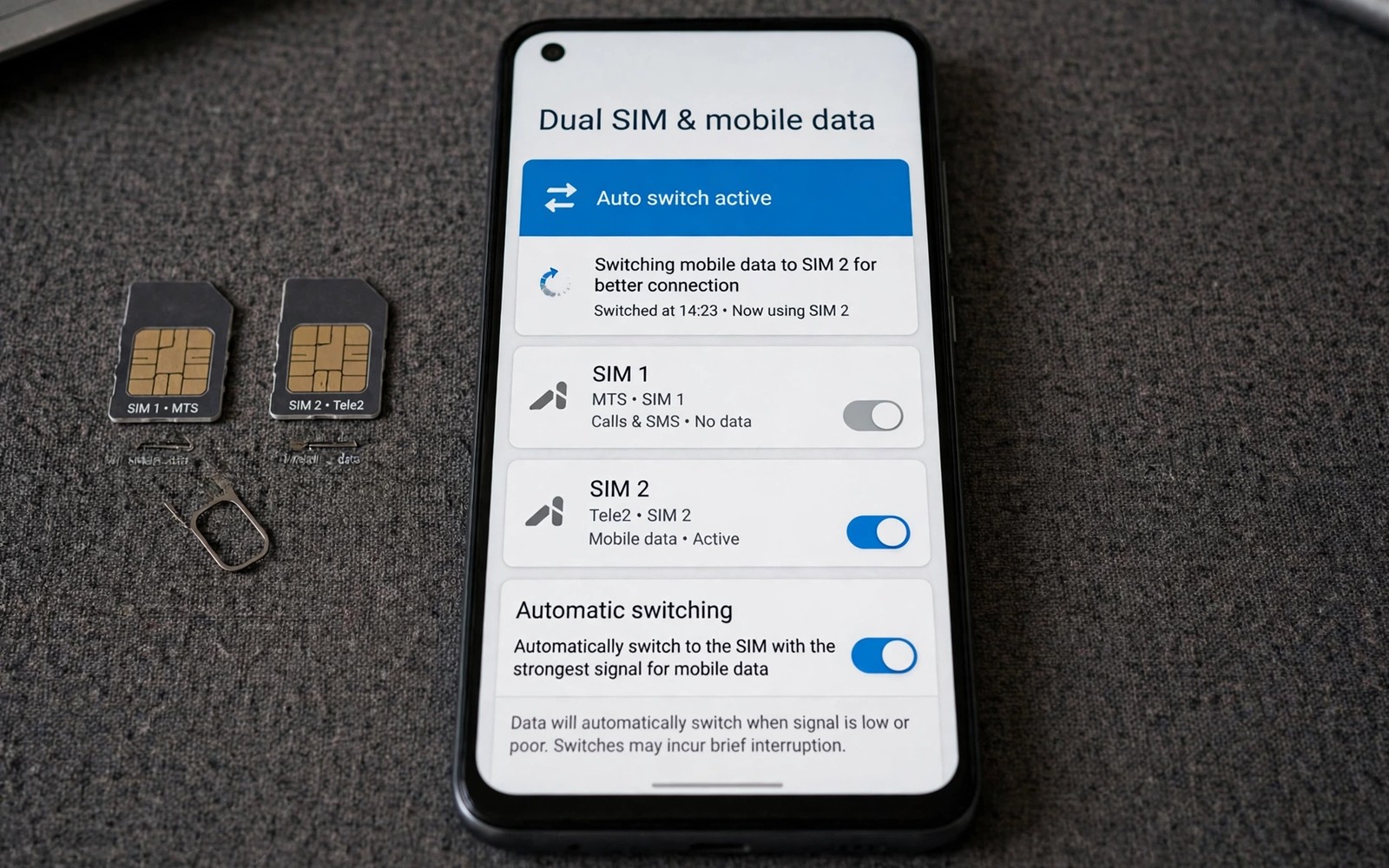
Two SIM cards give you choice and complexity at once. One SIM may offer cheaper data at home. Another SIM may offer better coverage while travelling. A work SIM may carry calls while a personal SIM carries data. Switching manually between them wastes time and invites mistakes. Automation can choose the right SIM for data based on time or location or signal. This guide shows how to auto switch the preferred SIM for data usage. It keeps calls stable while it optimises data cost and coverage.
Preferred SIM for data is a system setting that decides which SIM handles mobile internet. Calls can use a different SIM from data on many phones. Messages can use yet another SIM in some setups. Data SIM choice matters most when one plan offers a larger data allowance. A data SIM with a generous allowance should handle browsing and streaming. A call SIM with cheap voice rates should handle calls. Separating roles by SIM gives you the best of both plans. Automation makes that separation effortless.
Check your phone dual SIM behaviour before building any routine. Some phones support two active SIMs at once. Others support one active data SIM plus a standby second SIM. Some phones disable one SIM when the other uses 5G. Read the dual SIM section in your phone manual or settings. A routine built for a dual active phone may fail on a dual standby phone. Hardware behaviour sets the limits for automation. Know those limits before you design a routine.
Choose Switching Rules That Match Real Life
Time based switching suits a work and personal split. A work SIM can handle data during office hours. A personal SIM can handle data in the evening. A time rule needs only a start hour and an end hour. A time rule is easy to test because the trigger time is known. A time rule also stays predictable for family members who share the phone. Predictability matters for a setting that affects connectivity.
Location based switching suits a home and travel split. A home SIM with a cheap local plan can handle data at home. A travel SIM with roaming coverage can handle data abroad. A location rule needs a reliable trigger such as Wi-Fi network or GPS area. Wi-Fi triggers work well for home switching. GPS triggers work better for travel switching. Choose the trigger type that matches the location size. A home needs a Wi-Fi trigger while a country needs a GPS trigger.
Signal based switching suits a coverage split between two carriers. A SIM with a weak signal in a basement should yield to a SIM with a strong signal. A signal rule needs a threshold such as below two bars for five minutes. A threshold with a time delay prevents rapid switching during brief dips. Rapid switching between SIMs disrupts ongoing downloads. A delay of five minutes filters temporary dips. Stability matters more than instant optimisation for data switching.
Build The Auto Switch Routine
Use a system setting or an automation tool that can change the data SIM. Some phones offer a native smart switch feature in SIM settings. A native feature is the most reliable method when available. Search SIM settings for smart data switch or automatic SIM selection. Enable it and set your preferred conditions if the phone offers them. A native feature survives updates better than a third party workaround. Native first is a sound rule for system settings.
Build an automation routine when no native smart switch exists. Create a trigger for time or Wi-Fi or battery as discussed above. Add an action that sets the preferred data SIM to the desired SIM. Add a notification action that confirms the switch. Test the routine by changing the trigger temporarily. A temporary trigger lets you verify the switch without waiting for the real time. Restore the real trigger after the test passes. A tested routine earns trust for daily use.
Handle the transition period after a switch carefully. An ongoing download may pause during a SIM change. A video call may drop if it uses mobile data during the switch. Schedule switches for moments when data use is low. A switch at a known break time causes less disruption. A switch during a live call causes a visible problem. Timing a switch for a quiet moment is part of good design. A quiet moment switch feels invisible.
Routine: Work Hours Data
Trigger: Time 09:00 weekdays
Action: Set data SIM to SIM 1
Action: Notify Data SIM switched to work
Routine: Evening Data
Trigger: Time 18:00 weekdays
Action: Set data SIM to SIM 2
Action: Notify Data SIM switched to personal
The routines above follow standard dual SIM automation practice for personal Android devices and they are presented here as practical templates for data SIM switching rather than as a claim about any single phone model. Each routine uses one trigger and a data SIM action. Keep the notification action during the first month so you learn the switch pattern. Remove the notification later if the pattern becomes familiar. A visible switch during learning builds confidence in the system.
Protect Calls And Messages During Switches
Keep the call SIM setting separate from the data SIM setting during automation. A routine that changes data SIM should not change call SIM unless you intend it. Check the routine actions carefully for any call SIM change. An unintended call SIM change can route work calls through a personal number. A caller ID change confuses contacts and clients. Separation of call and data roles prevents that confusion. Verify each action before saving the routine.
Test calls after a data switch to confirm call behaviour stays stable. Make a test call from the phone after a switch. Ask the recipient which number appears on their screen. A stable caller ID confirms the call SIM did not change. An unexpected caller ID reveals a routine error. Test messages similarly if message SIM matters to you. A five minute test after setup prevents weeks of confusion.
Plan for a SIM that runs out of data mid month. A data allowance can exhaust before the month ends. A routine that always chooses the exhausted SIM will fail. Add a manual override to switch to the other SIM when an allowance ends. A manual override for an exceptional month beats a rigid routine. Flexibility for exceptional months keeps automation useful. Rigid automation fails when real life deviates from the plan.
Common Mistakes
One common mistake is switching SIMs too frequently. A switch every hour disrupts downloads and confuses apps. A switch twice a day at clear boundaries works better. Morning and evening boundaries suit most work splits. Frequent switching creates instability without benefit. Boundaries create a calm rhythm for data use.
Another mistake is ignoring signal strength when choosing a data SIM. A cheap plan with no signal in your office is not a bargain. A data SIM must work where you actually use data. Test both SIMs at home and at work and on your commute. A SIM that works everywhere deserves the data role. A SIM that works only in one place suits a location rule. Real coverage data beats plan marketing.
A third mistake is forgetting to test caller ID after a switch. A data routine that accidentally changes call SIM creates a professional problem. Test caller ID after every routine change. A short test call protects your professional identity. A routine that changes the wrong setting is worse than no routine. Verification after change is essential.
Frequently Asked Questions
Can data and calls use different SIMs at the same time?
Many dual SIM phones allow data on one SIM and calls on another SIM simultaneously. Check SIM settings for separate data and call preferences. A phone with dual standby may limit simultaneous use in some modes. Test your specific model with a call while browsing. A simultaneous test confirms the separation works on your hardware. Model behaviour varies so a personal test matters.
Will auto switching interrupt an ongoing download?
A SIM switch can pause or restart a download that uses mobile data. Schedule switches for quiet moments to minimise disruption. A download over Wi-Fi stays unaffected by a mobile data switch. Pause large downloads before a scheduled switch if possible. A quiet moment switch keeps downloads safe. Timing protects ongoing work.
Does auto switching work while roaming abroad?
Roaming rules add cost and carrier restrictions to SIM switching. A travel SIM may need manual activation for roaming. Check roaming settings for both SIMs before travelling. A routine that switches to a SIM without roaming enabled will lose data abroad. Manual verification before a trip prevents a data outage. Travel demands extra care for SIM routines.
Review SIM Costs At Month End
A month end review reveals whether auto switching actually saved money. Compare data use on each SIM with the plan allowances for that month. A switch that moved data to a cheaper SIM should show lower overage charges. A switch that moved data to an expensive SIM reveals a rule error. Numbers at month end beat assumptions from setup day. A review turns automation into a financial tool rather than a technical curiosity.
Adjust the switch rules based on the month end numbers. A work SIM that consistently exhausts its allowance needs an earlier evening switch. A personal SIM that stays underused needs a larger daytime share. Rules should follow real usage rather than initial guesses. Monthly adjustment keeps the system aligned with changing habits. A static rule slowly drifts away from real life.
Keep a simple record of each SIM plan renewal date. A plan change can alter allowances and prices overnight. A routine built for an old plan may misbehave under a new plan. Update the routine on renewal day rather than discovering a problem weeks later. Renewal awareness protects both cost and connectivity. A calendar reminder for renewal day completes the system.
Keep A Record Of SIM Switches
A simple log of switch dates helps diagnose a data problem later. A log entry with date and chosen SIM takes seconds to write. A log reveals a pattern such as a switch that always fails on weekends. A pattern in a log guides a rule fix. A log also helps when disputing a bill with a carrier. A dated record supports a billing question better than memory. A small log protects both connectivity and cost.
Conclusion
Set one time based data SIM rule today for work hours and personal evenings. Test the switch and confirm caller ID stays stable after it. Add a location rule only after the time rule works for a week. Readers who manage connectivity may also like automatic Bluetooth disable when disconnected for another connection routine, and easier automation apps for daily routines for building routines faster, plus a master approach to Android power automation for a full system. Your next step is one time rule and one caller ID test.

