

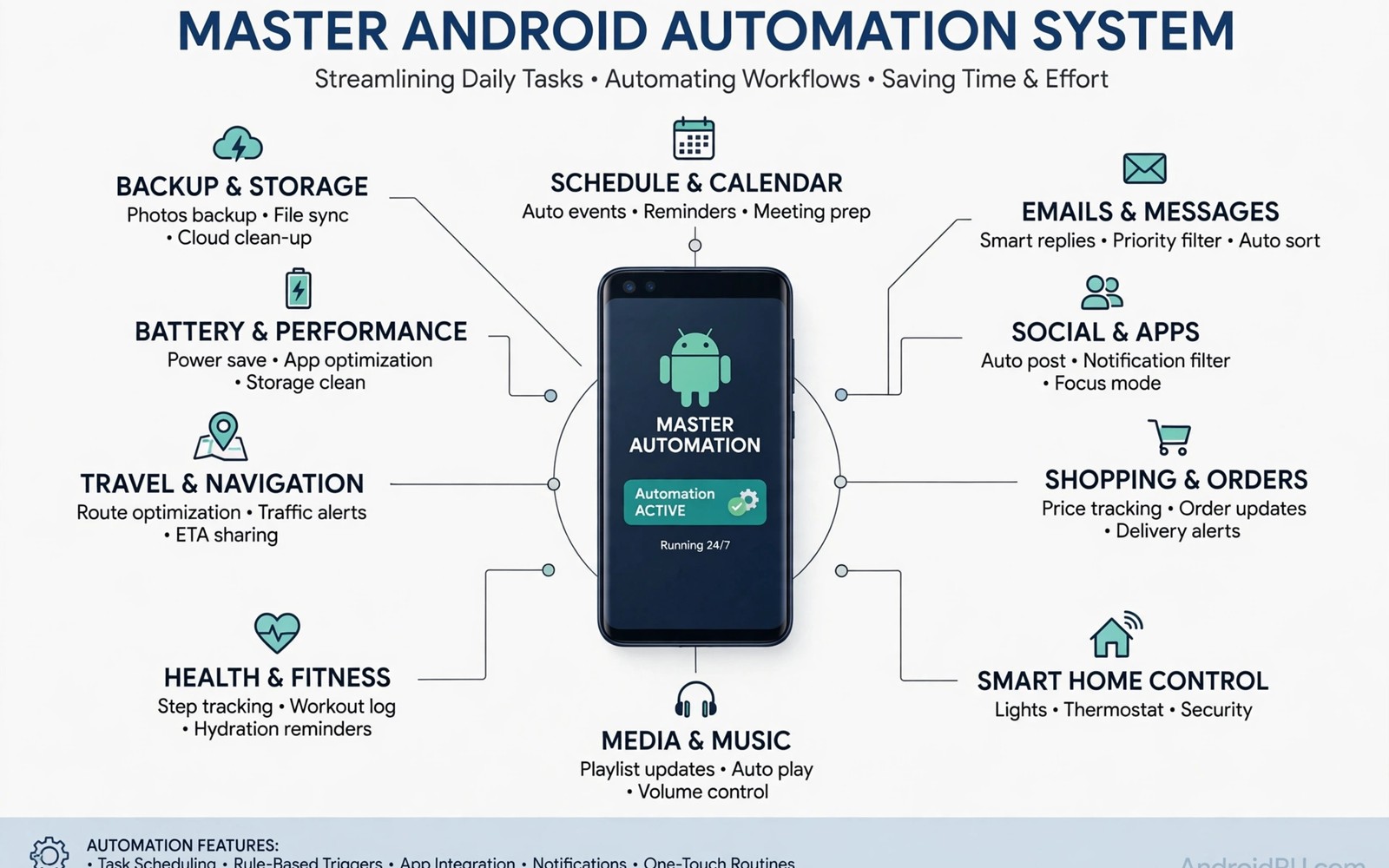
Automation promises a phone that handles routine work by itself. Reality often delivers a collection of scattered routines that fight each other. A bedtime routine silences a phone that a work routine just woke. A location routine opens an app that a driving routine just closed. A master approach brings order to that collection. It treats automation as a system with principles rather than as a pile of tricks. This guide presents that master approach. It shows how to design and maintain a calm automated phone.
A master system starts with a clear inventory of what already runs. List every routine on the phone with its trigger and its action. A list reveals duplicates and conflicts that memory hides. A list also reveals routines that no longer serve a purpose. An inventory is the foundation of any system design. Without an inventory you manage guesses rather than routines. A one page inventory changes automation from chaos to order.
A master system also starts with a small set of guiding principles. A routine should have one clear purpose. A routine should fail gracefully when its trigger misfires. A routine should notify only when its action matters. A routine should be easy to disable in one tap. Principles guide new routines before they are built. A new routine that violates a principle should be redesigned. Principles prevent a system from decaying into a tangle.
Audit Every Routine You Already Own
Open each automation tool on the phone and write down every active routine. Note the trigger and the action and the last time it fired. A routine that never fired in a month is a candidate for removal. A routine that fired daily is a core routine worth protecting. A routine that fired unexpectedly needs investigation. An audit with firing history separates useful routines from forgotten ones. History data beats setup enthusiasm.
Group routines by life area such as work and home and travel and health. A grouped inventory shows which area carries too many routines. A work area with twenty routines may need consolidation. A travel area with two routines may need expansion. Grouping reveals imbalance that a flat list hides. Balance across life areas creates a system that serves the whole day. An unbalanced system serves one area while it neglects others.
Test each core routine after the audit to confirm it still works. A system update may have broken a routine silently. A permission change may have disabled a trigger. A routine that looks active but never fires is a false comfort. A test with a temporary trigger proves current function. A tested inventory is a trustworthy inventory. An untested inventory is only a list of hopes.
Design New Routines With A System Mindset
Design a new routine around a single trigger and a single outcome. A routine that tries to handle every case becomes fragile. A routine with one trigger is easy to understand. A routine with one outcome is easy to verify. A complex need can split into two simple routines. Two simple routines are easier to maintain than one complex routine. Simplicity at design time pays off at maintenance time.
Give every routine a clear name that states its trigger and action. A name such as bedtime silence tells you the whole routine. A name such as routine one tells you nothing. A clear name helps future you understand past decisions. A clear name also helps a family member understand the system. Naming is documentation that costs nothing. Good names prevent confusion months later.
Add a manual override to every routine that changes a system state. An override lets you pause a routine for a special day. A routine without an override forces you to delete it for an exception. Deletion for an exception destroys a good routine. An override preserves the routine while it respects the exception. A system with overrides adapts to real life. A system without overrides breaks under exceptions.
Prevent Conflicts With Time Windows And Priorities
Use time windows to separate routines that touch the same setting. A work routine can own daytime hours. A bedtime routine can own night hours. A window prevents overlap even when triggers coincide. A window is a simple priority mechanism without complex settings. A routine outside its window simply waits. Waiting is better than fighting for a setting. Windows create peaceful coexistence.
Use location windows similarly for place based routines. A home routine can own the home area. A work routine can own the office area. A location window prevents a home routine from firing at work. A location routine that fires in the wrong place creates confusion. A windowed location routine fires only where it belongs. Place windows protect context as time windows protect schedule.
Document priority decisions in the inventory note. A note that says bedtime outranks home at night prevents future confusion. A note that says driving outranks work on the road prevents a similar confusion. Priority notes guide future routine design. A future routine built without priority knowledge can recreate a conflict. Documentation of priorities is system memory. System memory prevents repeated mistakes.
System: Android Power Automation
Principle: One trigger one outcome
Principle: Every routine has an override
Principle: Time windows separate conflicts
Review: First Sunday each month
Action: Disable routines unused for 30 days
The system definition above follows standard automation design practice for personal Android devices and it is presented here as a practical template for a master automation system rather than as a claim about any single automation app. Each line names one principle or one review habit. Keep the review date fixed so it becomes a habit. A monthly review on a fixed day prevents decay. A system without a review date decays silently. A fixed review keeps the system alive.
Maintain The System With A Monthly Review
Review the inventory on the first Sunday of each month. Disable routines unused for thirty days. Test core routines with temporary triggers. Update routine names that no longer describe their actions. A monthly review takes twenty minutes for most systems. Twenty minutes a month prevents hours of troubleshooting later. Maintenance is cheaper than repair for automation systems. A maintained system stays calm.
Update the system after major life changes such as a new job or a move. A new job changes work hours and work locations. A move changes home location and commute routines. A life change without a system update leaves routines firing in wrong contexts. A system update after a life change realigns automation with reality. Realignment keeps automation helpful rather than harmful. A system should follow life rather than lead it astray.
Celebrate the time saved by automation without adding more routines to fill it. A system that saves an hour a day should give you an hour of free time. A system that saves an hour and then fills it with new routines gives you nothing. Use saved time for rest or for work that matters. Automation serves life rather than becoming life. A master system knows when to stop adding routines.
Common Mistakes
One common mistake is automating everything at once. A bulk automation project creates many routines without testing. A bulk project also creates conflicts that are hard to untangle. Build routines one at a time with testing between each. A slow build creates a stable system. A fast build creates a fragile system. Patience is a system design skill.
Another mistake is never reviewing routines after setup. A routine built for a past job keeps firing after a job change. A routine built for a past home keeps firing after a move. A routine without review becomes a ghost in the system. A monthly review exorcises ghosts before they cause problems. Review is not optional for a master system. Review is the system.
A third mistake is creating routines without overrides. A routine without an override traps you on exceptional days. A holiday or a sick day or a guest visit breaks a rigid routine. An override lets the system bend without breaking. A flexible system survives exceptions. A rigid system shatters under them. Flexibility is strength for automation.
Frequently Asked Questions
How many routines should a master system contain?
Most users thrive with ten to twenty routines across all life areas. A system below ten routines may miss useful automation. A system above twenty routines becomes hard to maintain. Let real needs decide the count rather than a target number. A routine that proves its value earns its place. A routine that never fires loses its place. Value decides membership.
Should I use one automation app or several?
One app for most routines simplifies inventory and maintenance. A second app for a special need is acceptable when the main app cannot do it. Several apps for overlapping routines create confusion. Keep the app count as low as possible. A low app count keeps the inventory in one place. A single inventory is easier to review monthly. Simplicity in tooling supports simplicity in design.
What if two routines conflict despite time windows?
A conflict despite windows points to a trigger that ignores the window. Check whether the trigger includes a time condition or only a location condition. Add the missing condition to enforce the window. Test the conflict scenario with temporary triggers after the fix. A window enforced by a condition works reliably. A window written only in a note does not enforce itself. Conditions enforce windows.
Start Small When The System Feels Overwhelming
A full system audit can feel overwhelming when routines number in the dozens. Start with the three routines that fire most often. Audit those three and disable one unused routine. A small win creates momentum for a larger audit. Momentum matters more than completeness on the first day. A system improved by one routine is still an improved system. Small steps compound into a calm system over months.
Keep the inventory note visible on the phone during the first month. A visible note reminds you of the system during daily use. A hidden note gets forgotten after the audit day. Visibility turns a one time audit into a living document. A living document guides new routine decisions. A document that lives in sight shapes behaviour better than a document in a drawer.
Conclusion
Audit your routines today and write a one page inventory with triggers and actions. Disable one routine unused for thirty days. Schedule a monthly review for the first Sunday of next month. Readers who want to start small may also like easier automation apps for daily routines for tool choice, and automatic battery saver below twenty five percent for a core routine, plus custom quick tiles for advanced functions for one tap controls. Your next step is one inventory page and one disabled routine.

