

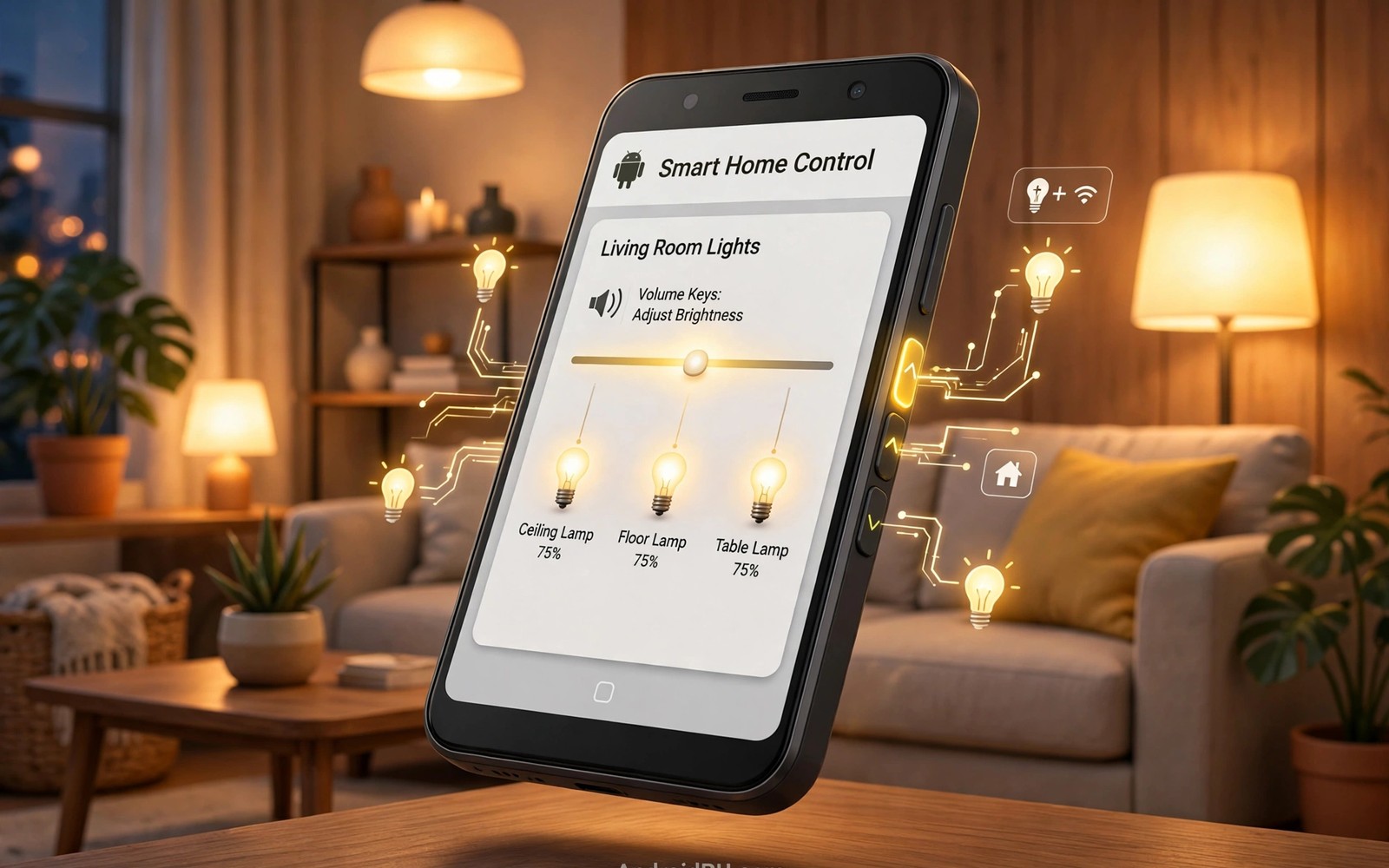
Smart lights usually live behind an app or a voice command. An app takes time to open when your hands are full. A voice command fails in a noisy room or late at night. Volume keys sit under your thumb in every situation. Mapping those keys to light control turns a familiar button into a home control. This guide shows a practical way to use volume keys for lights without breaking normal volume control. It keeps volume working for calls and media while it adds a light function for deliberate presses.
The key insight is pattern rather than single press. A single volume press should always change volume. A deliberate pattern such as a long press or a double press can mean something else. Patterns separate everyday volume use from home control use. A long press on volume up could brighten lights. A long press on volume down could dim lights. A double press could toggle lights on or off. Patterns feel intentional because they require a conscious action. Intentional patterns prevent accidental light changes during music listening.
Choose a smart home platform that already controls your lights reliably. A platform with a stable app and a clear automation interface works best. Avoid a platform that drops connections daily. Light control through a flaky platform frustrates everyone in the house. Test the platform from its own app first. If the app itself struggles then a volume key shortcut will not fix it. Fix the base control before adding a shortcut layer.
Map Volume Patterns Without Breaking Volume
Reserve long presses for light actions and keep short presses for volume. A short press changes volume by one step as usual. A long press held for a second triggers the light action instead. Test the timing threshold until it feels natural. A threshold that is too short triggers lights during normal volume changes. A threshold that is too long feels slow when you want light quickly. A one second threshold suits most users as a starting point.
Assign brighten to volume up and dim to volume down for intuitive control. A user who guesses the mapping should guess correctly. Intuitive mapping matters for family members who did not set up the system. A reversed mapping confuses guests and children. Keep the mental model simple and consistent across rooms. A simple model survives use by many hands.
Limit volume light control to the room you occupy most often. A phone cannot know which room you stand in without extra sensors. A living room default suits evening use. A bedroom default suits night use. Choose one default room and change it in the smart home app for other rooms. A single room default avoids lights changing in a room you cannot see. Visibility matters for a control you trigger by feel.
Build The Automation With A Safety Net
Use an automation tool that can intercept button patterns and call the smart home platform. Grant only the accessibility or button permissions that the pattern needs. Read each permission carefully and match it to the light action. A tool that requests unrelated permissions for a light task deserves suspicion. Choose a focused tool with a clear update history. A focused tool is easier to audit than a broad tool.
Add a confirmation vibration for every light action. A short vibration tells you the pattern registered without looking at the screen. A long vibration can signal an error such as a lost connection. Feedback matters because volume keys give no visual confirmation on their own. A phone in a pocket needs haptic feedback to confirm a light change. Test the vibration pattern in a quiet room first. A clear feedback signal builds trust in the shortcut.
Add a fallback that restores normal volume behaviour when the smart home platform is offline. A pattern that does nothing during an outage confuses the user. A pattern that falls back to volume change at least does something predictable. Design the fallback during setup rather than discovering it during an outage. A graceful fallback keeps the phone useful when the home system fails. Reliability includes failure behaviour.
Pattern: Volume Up long press
Action: Brighten living room lights by 20 percent
Pattern: Volume Down long press
Action: Dim living room lights by 20 percent
Pattern: Volume Up double press
Action: Toggle living room lights
The mapping above follows standard smart home automation practice for personal Android devices and it is presented here as a practical template for volume key control rather than as a claim about any single smart home platform. Each entry pairs one deliberate pattern with one light action. Keep the percentage step modest so a single press does not swing brightness wildly. A twenty percent step gives fine control across five presses. Adjust the step size to match your own lights and room size.
Test Light Control In Daily Situations
Test the mapping while carrying groceries or holding a child. A control that works only with two free hands fails in real life. Test it in a dark hallway where you cannot see the buttons. Test it during a phone call when volume keys normally control call volume. A call context may need a different rule that preserves call volume. Decide whether light control should pause during calls. A call friendly rule protects an important conversation from accidental light changes.
Test the mapping with family members who will use the phone. Watch whether they discover the pattern without instruction. Watch whether they trigger it by accident during music. Family testing reveals problems that solo testing misses. A system used by a household must work for the household. Adjust thresholds based on family feedback rather than on solo preference. A household system needs household testing.
Monitor battery use for a week after enabling button monitoring. A tool that constantly watches buttons can add idle drain. A tool that uses system events adds far less drain. Check battery statistics after three days of normal use. If the tool ranks high then reconsider the trigger method. A light shortcut should not cost noticeable battery life. Efficiency matters for an always on listener.
Common Mistakes
One common mistake is mapping a single volume press to lights. A single press mapping breaks normal volume control immediately. Music and calls become frustrating within hours. Reserve single presses for volume always. Use patterns for lights only. That separation preserves the primary function of the buttons.
Another mistake is controlling every room from one phone pattern. A pattern that changes lights in an unseen room creates confusion. A guest may wonder why a bedroom light changed during dinner. Limit the default to one visible room. Change rooms deliberately in the smart home app when needed. Visibility keeps light control intuitive.
A third mistake is skipping the offline fallback. A smart home platform will go offline eventually. A pattern without a fallback leaves the user pressing a dead button. Design the fallback at setup time. A predictable fallback turns an outage into a minor annoyance. An unpredictable dead button turns an outage into frustration.
Frequently Asked Questions
Can volume keys still control media volume after this setup?
Short presses keep controlling volume as before. Long presses and double presses carry the light actions. The separation preserves everyday volume use. Test short presses during music after setup to confirm. A threshold that is too short can blur the separation. Adjust the threshold until short and long presses feel distinct.
Does this work when the phone screen is locked?
Button monitoring on a locked phone depends on the automation tool and on battery optimisation. Exempt the tool from aggressive optimisation if locked control matters. Test the pattern with the screen locked and with the screen on. A pattern that works only unlocked still helps at home but it fails in a pocket. Locked testing decides whether the setup meets your goal.
What if guests trigger the lights by accident?
Guests rarely hold a volume key for a full second during normal use. A one second threshold filters most accidental presses. A double press pattern also filters casual handling. Teach the pattern only to household members who want it. A threshold plus a pattern keeps accidental triggers rare. Monitor the first week for any surprise triggers.
Teach The Household Without A Manual
A household system needs a simple explanation that anyone can remember in one sentence. Say that holding volume up brightens lights and holding volume down dims lights. That sentence covers the whole system for most people. Avoid explaining thresholds and fallbacks during the first introduction. A simple sentence gets used. A technical explanation gets forgotten. Depth can come later for curious family members.
Place a tiny reminder near the light switch for the first week. A small note with the two patterns helps guests learn without asking. Remove the note after a week when the household knows the patterns. A temporary reminder beats a permanent label on a wall. Temporary help respects the home appearance while it teaches a new habit. A week of reminders usually suffices for a simple pattern pair.
Watch for a family member who struggles with the long press timing. Some hands press quickly by habit and never reach the threshold. Lower the threshold slightly for that person if the tool allows per user settings. If per user settings are unavailable then choose a threshold that suits the slowest hand in the house. A system tuned to the fastest hand excludes others. Inclusion matters for a shared home control.
Review Light Control After A Month
A month of use reveals whether volume light control truly fits your home. Count how often you use the patterns versus the smart home app. A pattern used daily has earned its place. A pattern used once a month may not justify its complexity. Honest usage data beats setup enthusiasm. Keep patterns that prove themselves and remove patterns that do not. A lean control system ages better than an ambitious one.
Conclusion
Map one long press pattern today for the living room lights and test it in a dark hallway tonight. Brighten and dim with five presses each and note whether the step size feels right. Adjust the threshold once based on that test. Readers who like button shortcuts may also enjoy double press flashlight control for another physical button habit, and gesture launching for faster app access for screen shortcuts, plus a master approach to Android power automation for wider routines. Your next step is one pattern and one hallway test.

