

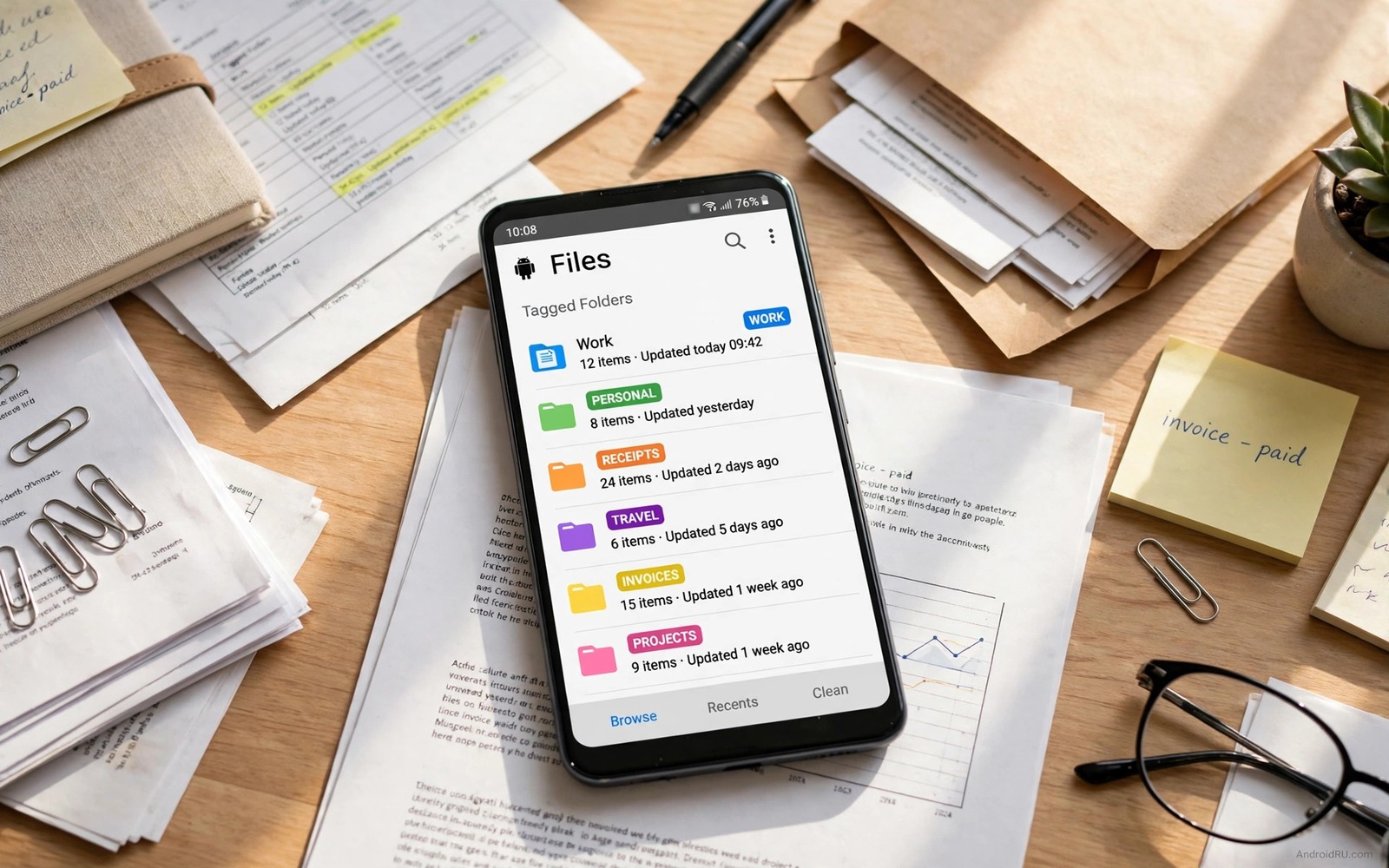
Searching for a file feels slow because a folder name tells you where a file lives but it tells you nothing about what the file means. A tag fixes that gap because one file can carry several tags at once. A receipt can carry a tax tag and a home tag and a year tag without moving to three folders. That single change turns a long search into a quick filter and it keeps your storage layout simple. This guide shows a tagging habit that works on Android and it shows how to keep the system useful after months of use.
Start by thinking in jobs rather than in folders. A job is a task that you will need to repeat such as filing a tax document or finding a school form or sharing a work photo. A tag should match a job and it should use a word that you will remember in six months. A clever tag that you forget is worse than no tag at all. Keep the first tag list short and add a new tag only when a real search fails without it.
Tagging works best when it joins a wider file habit rather than standing alone. A clear naming rule and a regular clean up keep tags honest over time. batch rename that gives hundreds of files clear names pairs well with tagging because a good file name plus a good tag gives you two ways to find the same file. Use both and you will rarely need to open folder after folder to find one document.
Build A Small Tag System That Lasts
Choose no more than twelve tags for your first month. Good starter tags cover work and home and money and school and travel and health. Add a year tag when a document belongs to a clear period and add a person tag only for files that you share often. Write the list in a note on your phone so you use the same spelling every time. A tag spelled two ways splits your files into two groups and it breaks the filter that you wanted to build.
Apply tags at the moment that you save a file. A file that waits for tagging usually stays untagged because the moment passes and the context fades. Spend ten seconds on tags when you save a receipt or a form or a photo set. That small habit beats a long weekend sorting session and it keeps the backlog near zero. If a file already sits untagged then tag it the next time that you open it rather than planning a huge catch up day.
Use Android Tools To Tag Without Extra Apps
Android file managers vary but most offer a way to mark files with stars or labels or collections. A star works as a simple tag for urgent files. A collection works as a tag group for a project. A file name prefix works as a tag when no label tool exists because a search for the prefix finds every matching file. Pick the tool that your phone already offers and use it in the same way every time. Consistency matters more than a fancy feature list.
Cloud storage apps add another layer because they can search file content and file names across devices. A tag in a file name travels with the file when you move it to a computer or share it with a friend. A label that lives only inside one app may not travel at all. For files that must move between devices prefer a name prefix or a clear folder name plus a tag. For files that stay on one phone an app label can work fine.
A Script That Adds Name Tags In Bulk
The script below shows how a simple shell loop can add a prefix to a set of files in one folder. It is a learning example for a developer or a power user who works in a terminal environment. It does not change file content and it skips files that already carry the prefix. Test it on copies first and never run a bulk rename on original files without a backup.
for f in *.pdf; do
  case "$f" in tax-*) ;;
    *) mv "$f" "tax-$f" ;;
  esac
done
Attribution: the code above is an original example written for this guide. It follows the standard command interface shipped with the Android platform tools and it uses only public commands that work on a normal developer setup.
After a bulk pass you should check the result folder by folder. Open a few renamed files and confirm that they still open and that the new names make sense. A bulk tool saves time but it can also spread a spelling error across hundreds of files in seconds. A quick check after the run catches that error while a backup still exists. Keep the backup until you have used the renamed files in a real task.
Tag Photos Receipts And Work Files Differently
Photos need tags for events and people and places because a photo search usually starts with a memory. A photo from a trip needs a place tag and a year tag so you can find it without remembering the exact folder. Receipts need tags for money and tax and warranty because a receipt search usually starts with a need. A receipt for a fridge needs a warranty tag and a home tag so you can find it when the fridge breaks. Work files need tags for clients and projects because a work search usually starts with a deadline.
Use the same tag style inside each group but let the groups differ in focus. A photo group can use place names and a receipt group can use money words and a work group can use project codes. The difference is fine because each group serves a different search. The danger comes only when one group uses two spellings for the same idea. Keep a short note for each group and check it when you add a new tag to that group.
Review And Prune Tags Every Month
A monthly review keeps tags honest. Open your tag list and delete tags that you used only once in the past month. A tag that serves one file is not a filter and it is just a label on a single item. Merge two tags that always appear together because one tag can do the job of both. Rename a tag that you keep misspelling because a tag that you cannot spell will split your files. This review takes ten minutes and it prevents a slow drift into chaos. The same regular habit helps other storage jobs and auto sync that keeps specific folders matched across devices shows how a steady rule can keep files consistent everywhere.
During the review also check for files that carry no tag at all. Tag a few of those files if they matter and delete files that no longer matter. A review is not a sorting marathon and it should not eat a whole evening. Set a timer for ten minutes and stop when it rings. A short regular review beats a rare long review every time.
Combine Tags With Search And Folders
Tags work best as one part of a trio. Folders give a broad home for a file and tags give a precise job for a file and search gives a fast route to both. A tax receipt can live in a finance folder and carry a tax tag and a year tag. A search for the year tag then finds it even if you forget the folder. A search for the file name finds it even if you forget the tag. Three routes to one file means a forgotten detail never blocks a real task.
Use folders for broad groups only and avoid deep folder trees. A folder tree with five levels feels organised but it hides files behind many taps. Two levels cover most personal storage well. A top level for work and home and money and a second level for projects inside each group is enough. Tags then handle the detail that folders cannot handle without deep nesting. That balance keeps both systems simple.
Search also needs good file names to work well. A file named scan001 tells search nothing useful. A file named tax receipt fridge 2026 tells search a lot even before tags enter the picture. Rename important files at save time and add tags in the same moment. That combined habit takes twenty seconds and it saves many minutes later when a deadline arrives.
Common Mistakes
One common mistake is to create too many tags at the start. Fifty tags feel organised on day one and they feel impossible on day thirty because you cannot remember which tag fits a new file. Start small and let the list grow from real searches. Another mistake is to tag only by topic and never by action. A tag for a file that needs action such as to file or to share can save a missed deadline. A third mistake is to mix tag styles such as a year as a number in one place and as a word in another place. Pick one style and write it in your tag note. The same discipline helps with larger file jobs and auto cleanup that clears a downloads folder safely shows how a rule can keep a messy folder under control.
A further mistake is to rely on tags and ignore file names. A tag can vanish when you move a file to a new app but a clear name usually survives the move. Use both signals for important files. A name that states the content and a tag that states the job gives you a safety net when one signal fails.
Frequently Asked Questions
Do tags work across different Android file apps?
It depends on the tag type. A name prefix works in almost every app because it is part of the file name. An app label may stay inside that app only. For portable files use a name prefix and keep app labels as an extra helper.
How many tags should one file carry?
Two or three tags cover most files well. One tag for the topic and one tag for the job or year is enough. More tags add noise and they slow down the moment that you save a file.
What should I do with old untagged files?
Tag them when you open them for a real task. Do not plan a huge sorting weekend that you will avoid. A slow steady habit clears the backlog without stress and it keeps new files tagged from day one.
Conclusion
Write your twelve tag starter list today and tag the next five files that you save. Use the same spelling every time and add a name prefix for files that must travel to another device. That small test will show you whether your tags match your real searches. Adjust the list once after a week and then keep it stable so filtering stays fast.
After that first week try a timed search for a receipt and a photo and a work file. Time each search and note where you hesitated. A hesitation points to a tag that needs a clearer name or a file that needs a better name. Fix those two spots and your system will feel faster the next time that you need it.
Keep the habit alive by tagging each new file on the day that you save it. A day old file still carries fresh context in your mind and a month old file does not. That timing rule alone can keep a tagging system useful for years without a large clean up effort.

