

Smartphone Gimbals: 3-Axis Physical Stabilization vs Electronic Stabilization
Shaky video distracts viewers faster than almost any other flaw. A phone in a moving hand bounces with every step, every breath, and every turn, and stabilization exists to remove that bounce before it reaches the viewer. Two very different methods do this job, and they behave differently in real shoots. A 3-axis gimbal steadies the phone with motors on three pivots, and sensors detect tilt, roll, and pan while the motors counter each movement in real time. Electronic stabilization instead shifts and crops the recorded frame to cancel motion after the sensor captures it. Neither method wins in every situation, and the right choice depends on what you shoot, where you shoot it, and how much gear you are willing to carry.
Gimbals give smoother walking shots and better low light results, because they move the phone itself instead of throwing away pixels. Electronic stabilization costs nothing extra, works instantly with no setup, and is always in your pocket. This guide compares both methods across the situations that matter most to mobile shooters: walking, running, stairs, low light, setup time, battery life, and creative camera moves.
How 3-Axis Physical Stabilization Works on a Gimbal
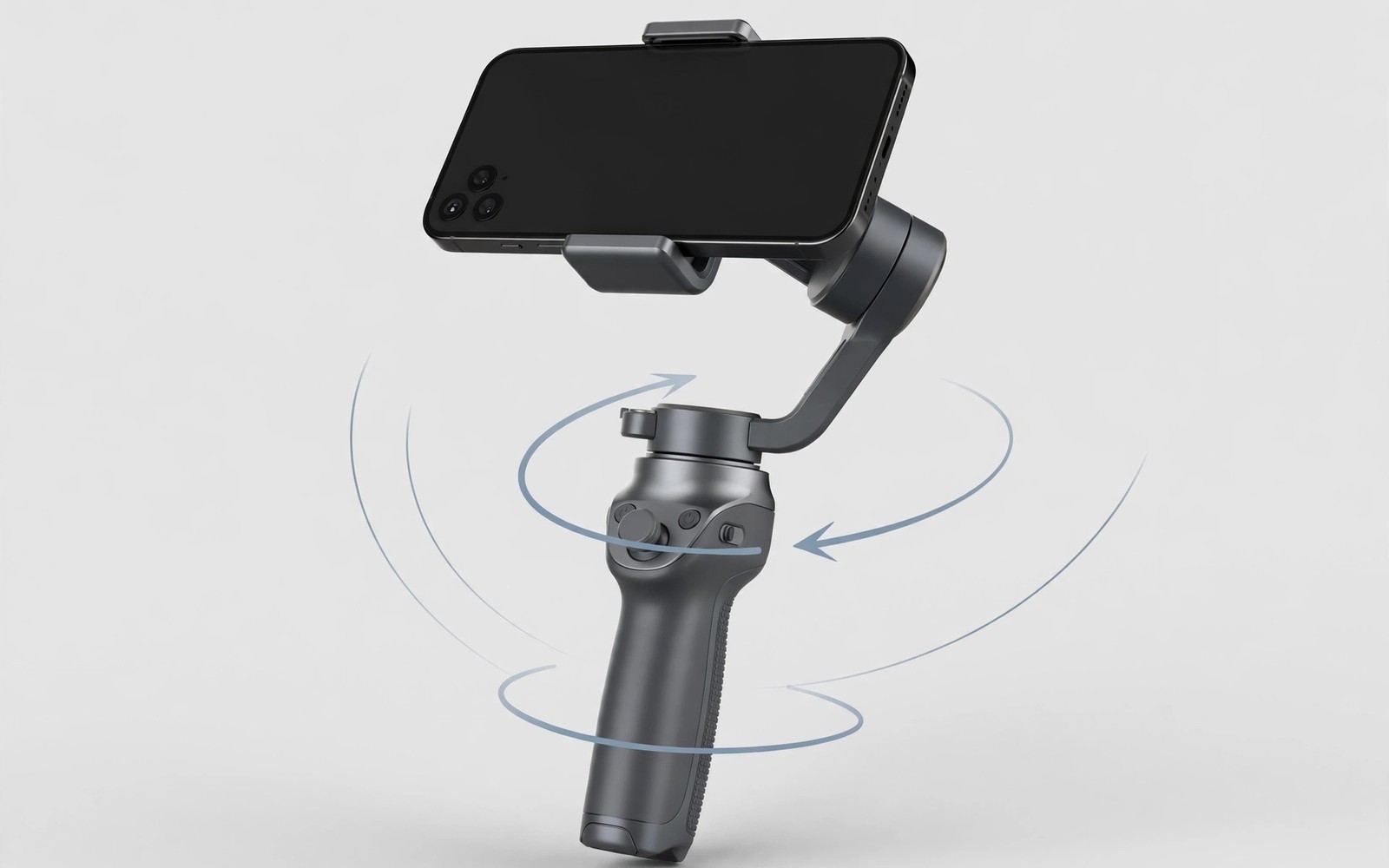
A gimbal holds the phone in a motorised cradle with three axes of movement. The pan axis turns the phone left and right. The tilt axis nods it up and down. The roll axis keeps the horizon level when your hand twists. Motors on each axis push against unwanted motion many times per second, sensors inside the gimbal measure movement, and the control loop reacts faster than a human hand can. Small steps and breathing motion disappear almost entirely from the footage, while larger movements like running still show some bounce but far less than a bare hand produces.
A gimbal also enables deliberate camera moves. A slow pan or a smooth orbit around a subject becomes easy because the motors hold the path steady, and timelapse moves and tracking shots gain a professional feel with little practice. Physical stabilization preserves the full sensor frame, because no crop is needed when the phone itself stays steady. That matters in low light, where every pixel counts, and in wide scenes, where a crop would cut useful edges. Full frame capture is the quiet advantage of a gimbal, and it grows in dim rooms where cropped footage falls apart.
Balancing a Gimbal for the First Time
Balancing means adjusting the phone position until it stays level without motor power. Slide the phone in the cradle until it neither tilts forward nor rolls sideways. A balanced phone lets the motors work gently instead of fighting gravity all day, so battery life improves and stabilisation feels smoother. Balance changes whenever you change the phone case or add a filter or a lens, so recheck balance after every accessory change, even when the change looks small. A few grams at the edge of the cradle shift the centre of mass noticeably.
Start Balancing With the Roll Axis
Level the roll axis first, then check tilt and pan in turn, so adjustments do not interact. Power on the gimbal only after all axes sit level by hand. The motors should hum quietly rather than strain or buzz loudly, and a loud buzz is a sign the balance is off.
How Electronic Stabilization Works Inside the Phone
Electronic stabilization uses software and sensor data to steady the image. The system reads motion sensors during recording and shifts each frame to cancel the shake. It needs spare pixels around the frame to shift into, and that spare border comes from cropping the recorded image. The crop typically costs ten to twenty percent of the field of view depending on the phone and the mode. A wide scene becomes slightly narrower, and fine detail can soften because fewer sensor pixels cover the final frame. In bright daylight the loss is hard to notice. In low light the loss adds to noise that is already present.
Modern phones combine optical stabilization in the lens with electronic correction. The lens element shifts to cancel small shakes before light hits the sensor, and software then handles larger motion with a crop. This hybrid approach works well for static handheld shots and short clips. Electronic stabilization needs no extra gear, no charging, and no balancing. Open the camera app and shoot, and the phone handles the rest. That convenience wins for spontaneous moments where a gimbal would still be in a bag, and speed of capture is a real creative advantage.
The Crop Penalty in Low Light
Electronic stabilization in low light faces a double penalty. The crop discards pixels, and the phone raises sensitivity to hold exposure, so noise grows and detail softens at the same time. Bright city scenes still look acceptable, but dim rooms degrade fast. A phone with strong optical stabilization plus a gimbal gives the best low light video a phone can produce, because the lens cancels small shakes without a crop and the gimbal handles the larger motion.
Gimbal vs Electronic Stabilization Comparison Table
| Shooting Situation | 3-Axis Gimbal | Electronic Stabilization |
|---|---|---|
| Walking shots | Smooth glide, horizon stays level | Better than raw, subtle bounce remains |
| Running shots | Usable and energetic, bounce reduced | Wobbly, suits casual sharing only |
| Stairs and uneven ground | Frame stays level on every step | Often lags, frame tilts briefly per step |
| Low light video | Full sensor frame, cleaner image | Crop plus noise, detail softens |
| Setup time | Minutes to balance, seconds after | Zero, always ready in the phone |
| Battery on long days | Own battery, some models charge the phone | Draws on phone battery through processing |
| Creative moves | Slow pans, orbits, timelapse paths | Static shots and short clips only |
The table makes the split clear. A gimbal wins wherever motion is planned and smoothness matters most. Electronic stabilization wins wherever speed and spontaneity matter most. Hybrid use works well when a gimbal handles motion and the phone adds gentle software correction on top.
Walking, Running, and Stairs: Where the Two Methods Separate
Walking is where the two methods separate most clearly. A gimbal absorbs the up and down bob of each step and keeps the horizon steady, so footage looks like a slow glide rather than a walk. Viewers notice the difference within seconds. Electronic stabilization reduces walking bounce but cannot remove it fully, because the crop and shift approach struggles with the vertical bob of steps and the correction range is limited. Fast walking exposes the limit quickly, and running defeats both methods to some degree. A gimbal smooths a run into a usable but still energetic shot, while electronic stabilization alone turns a run into a wobbly clip that suits only casual sharing.
Stairs and uneven ground test stabilization hard. A gimbal keeps the frame level while your body rises and falls. Electronic systems often lag on stairs, and the frame tilts briefly at each step. Plan stair shots with a gimbal when the result must look professional, and if you shoot handheld for hours, remember that a gimbal also fights arm fatigue: it lets you hold a steady frame for minutes without the slow drift of a tired arm, while software cannot fix that drift at all.
Low Light and Image Quality With Gimbals and Software
Low light rewards the gimbal because it avoids the crop. The full sensor gathers light, and the phone can use longer exposures without motion blur from hand shake. Night streets and indoor events look cleaner with a gimbal than with cropped electronic correction. Optical stabilization in the lens helps both methods in low light, because it cancels small shakes without a crop and pairs well with a gimbal too. Check your phone specs before assuming this pairing exists, because not every phone has strong optical stabilization.
Long takes in low light also drain patience as well as battery. A gimbal lets you hold a steady frame for minutes without arm strain from micro corrections. Electronic stabilization cannot fix the slow drift of a tired arm, and physical support matters for endurance as much as for smoothness. If hand fatigue is a real problem on your shoots, look at handheld video grips that improve ergonomics for mobile cameras and pair a grip with your stabilizer for long sessions.
Setup Time, Bulk, and Daily Use
A gimbal needs balancing before first use with a given phone and case. The phone must sit level in the cradle or the motors work harder and the battery drains faster. Balancing takes a few minutes the first time and seconds afterwards, and skipping it shortens motor life and weakens stabilization. Carrying a gimbal adds bulk to a pocket-sized kit. Foldable models pack smaller but still need a bag or a large pocket, and spontaneous shooting suffers when the tool is not already in hand. Many shooters carry a gimbal only for planned video days.
Electronic stabilization is always ready because it lives in the phone. No charging, no balancing, and no extra weight enter the equation. That readiness makes it the default for daily life and travel snapshots. The best stabilization is often the one you actually have with you. Battery life splits the two methods as well: a gimbal runs its own battery for many hours and some models charge the phone during use, while electronic stabilization draws on the phone battery through heavier processing. Long shoot days favour the gimbal despite the extra device to charge.
Gimbal Modes for Creative Moves
Pan follow mode lets the gimbal follow your turns while keeping tilt and roll locked, and it suits walking shots where the view should turn with the operator. Lock mode freezes all axes so the frame stays fixed on one direction, and it suits interviews and static scenes with a moving operator. Follow mode with all axes active suits sports and active subjects that move unpredictably. Timelapse mode moves the gimbal slowly along a set path while the phone records frames, and a slow arc over a landscape gains cinematic scale through this mode. Set the path endpoints before starting and test the sweep once, because a planned path beats a random drift every time.
Point Mode and Vortex Spins
Point mode or vortex mode spins the camera for dramatic transitions. Use spin modes sparingly, because they distract when overused. One spin in a three-minute video is a highlight. Five spins is a gimmick.
Choosing the Right Tool for Your Shoot
Choose a gimbal when video is the main purpose of the outing. Vlogs, travel films, and event coverage all benefit from glide-like motion, and the setup time pays back across hours of footage. A gimbal also helps creators who publish often and need consistent quality. Stay with electronic stabilization when photos matter more than video or when shooting is spontaneous. Street photography and family moments rarely allow gimbal setup time, and modern phone stabilization already handles those clips well enough for sharing.
Consider a compact foldable gimbal as a middle path. It packs into a jacket pocket and deploys in under a minute with practice. The compromise keeps most of the smoothness while cutting most of the bulk. Test the fold and unfold routine at home before relying on it in the field. Budget also shapes the choice: a good gimbal costs as much as a useful accessory set and needs care and storage, while electronic stabilization costs nothing beyond the phone you own. Spend on a gimbal only when your footage regularly shows shake that software cannot fix. For a lighter carry option on travel days, see portable phone tripods for travel and vlog recording when a full gimbal is more than the shoot needs.
Decision Checklist for Gimbal or Software
Main output is video for publishing: gimbal. Main output is casual clips: phone software. Walking shots planned: gimbal. Spontaneous moments only: phone software. Low light video planned: gimbal. Pocket-only kit required: phone software. Long shoot day planned: gimbal plus a spare battery. If you use tracking features, read how gimbal tracking features compare between native apps and companion software before you pick a gimbal app, because tracking behaviour differs between the native camera app and the companion software.
Maintenance and Travel Care for Your Gimbal
Gimbal motors dislike dust, sand, and moisture. Wipe the gimbal after beach or trail shoots and store it in its case. Keep the gimbal folded and locked during transport so joints cannot swing freely, because a loose gimbal in a bag suffers knocks that bend arms over time. Charge the gimbal battery before a shoot day and check the charge indicator on arrival. Cold weather shortens battery life, so keep the gimbal warm in a bag between takes, and carry a power bank that can top up the gimbal during long days. A dead gimbal mid-shoot forces a switch to handheld footage.
Update gimbal firmware only before a shoot day, never on the morning of an event. Firmware updates can reset settings and change button behaviour, so test all modes after an update with a short practice clip. Familiar controls matter more than new features on a paid shoot. Test every mode after a firmware update, because an update can silently change the button you rely on most.
Frequently Asked Questions About Gimbals and Electronic Stabilization
Do I still need a gimbal if my phone has good electronic stabilization?
For casual clips, no. Modern phone stabilization handles static shots and short clips well. For walking shots, stairs, running, and low light video, a gimbal still produces visibly smoother footage, because it steadies the phone itself instead of cropping the frame.
Does a gimbal help with photos too?
A gimbal helps long exposure photos and low light stills by holding the phone steady, but for normal daylight photos it adds little. If photos matter more than video, spend the money on a tripod or better lighting first.
Can I use electronic stabilization together with a gimbal?
Yes, and this hybrid pairing often gives the best result. The gimbal handles large motion, and the phone adds gentle software correction for small residual shake. Keep the software correction gentle, because a strong crop on top of a gimbal defeats the purpose of the full frame capture.
How long does a gimbal battery last on a shoot day?
Most modern gimbals run 8 to 12 hours on a charge, and some models charge the phone while you shoot. Carry a power bank for very long days, and check the charge indicator when you arrive on location, not when the battery warning appears mid-take.
A gimbal wins for walking, running, stairs, and low light, while electronic stabilization wins for instant capture with no setup and no extra gear. Your concrete next step is to shoot the same walking clip twice this week: once handheld with electronic stabilization, and once with a borrowed or rented gimbal. Watch both clips on a large screen, and the difference will tell you whether a gimbal earns a place in your kit.

