

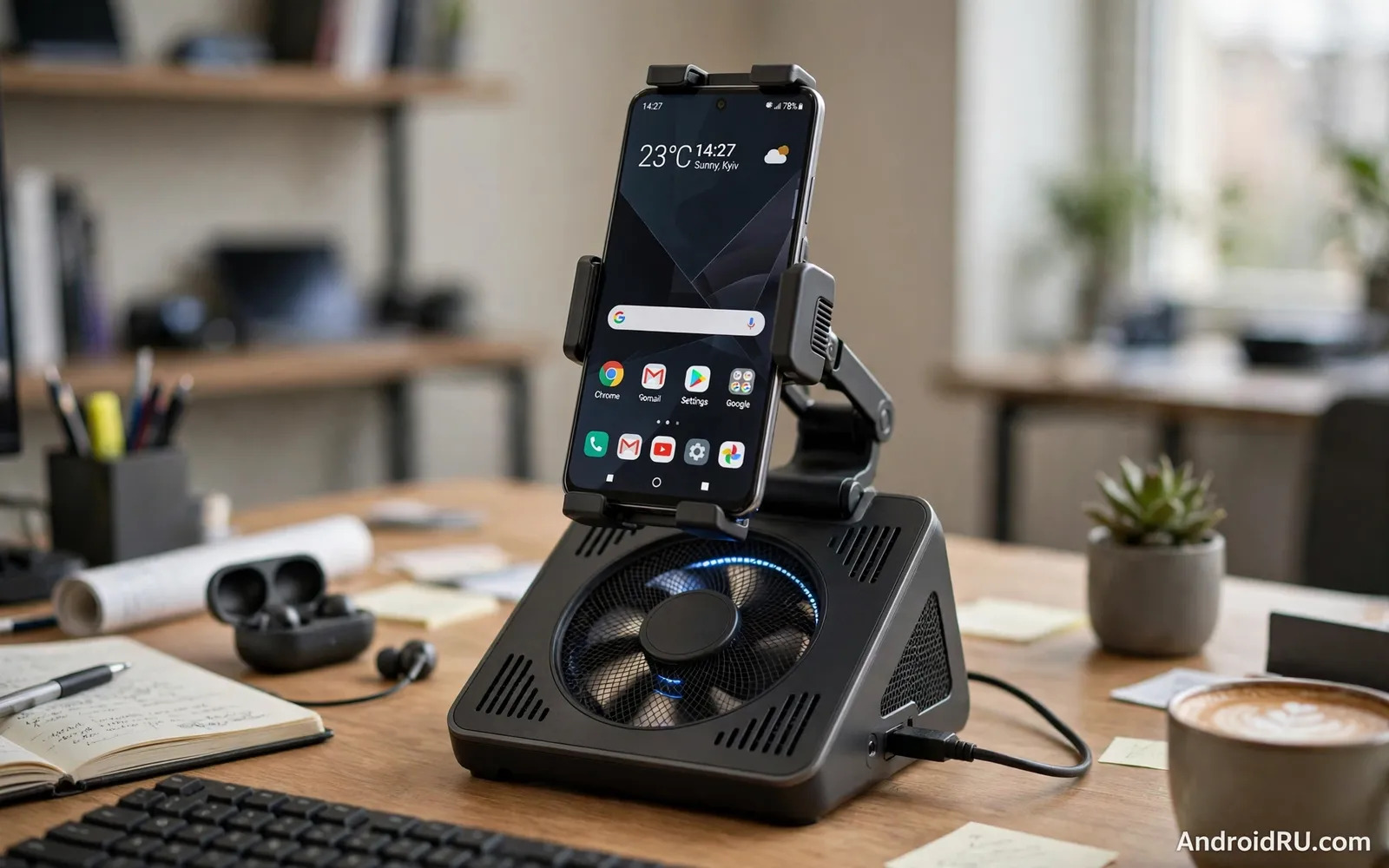
Why A Phone On A Desk Still Overheats
A phone used as a desk device works harder than a phone resting in a pocket. Desktop mode drives a large screen while gaming drives processor and graphics continuously while video calls drive camera and network together. Heat builds up in the phone body and performance management software reduces speed to protect components. That slowdown appears as stuttering games and lagging windows and dimming screens. A desk stand with a cooling fan addresses the heat directly by moving air across the phone back and by holding the phone in a position where heat can escape rather than trapping it against a desk surface.
Passive stands help by lifting the phone and exposing its back to air but they cannot remove heat actively. A fan stand adds forced airflow that carries heat away faster. The difference matters most during sustained heavy use rather than during short tasks. A phone that checks messages on a stand gains little from a fan. A phone that games for an hour or runs a desktop session all afternoon gains noticeably. Readers dealing with general heat problems can explore fixing Android overheating problems during normal use for software steps that complement a cooling stand.
How Fan Stands And Docks Differ
A simple fan stand holds the phone at a viewing angle and blows air across its back. It suits desk viewing and calls and light desktop work. A fan dock adds charging and video output and extra ports so the phone becomes a desk computer while it cools. A gaming fan dock often adds stronger fans and a lower viewing angle optimised for landscape play. Some designs use a semiconductor cooling plate that chills actively while others rely on airflow alone. Semiconductor cooling can lower temperature more aggressively but it can also create condensation in humid conditions if used carelessly. Airflow designs are simpler and safer for everyday desk use.
Fan noise and vibration shape daily comfort more than specifications suggest. A loud fan distracts during calls and a vibrating stand transmits buzz to a desk. Look for adjustable fan speeds so quiet work uses low speed and gaming uses high speed. Check whether the fan runs from USB power and whether it needs a separate power supply. A fan that draws power from the phone itself can defeat its purpose by draining the battery it should protect. A separately powered fan keeps phone power for the phone itself. Readers comparing dedicated cooling hardware can review cooling fans and radiators for heavy Android gaming for stronger cooling options.
Airflow Placement And Phone Compatibility
Airflow works only when it reaches the hot areas of the phone. A stand that blows air at a case edge while the processor area stays covered helps little. Check where your phone concentrates heat during heavy use and choose a stand whose fan aligns with that area. A case can block airflow completely so some users remove the case for heavy desk sessions or choose a stand designed to cool through a thin case. Vent alignment matters more than fan size alone because a large fan blowing in the wrong place wastes energy and noise.
Compatibility covers size and weight and port position. A stand built for small phones may wobble under a large heavy phone. A dock with a fixed connector may not align with a phone whose port sits off centre or whose case adds thickness. Adjustable holders and cable based docks suit more phones than fixed connector docks. Check charging support because a dock that holds a phone beautifully but charges slowly frustrates long sessions. Readers using desktop mode at a desk can explore Android desktop mode and whether it can replace a laptop to pair software setup with cooling hardware.
- Fan aligned with the hottest area of the phone back
- Adjustable speed for quiet work and strong gaming cooling
- Separate power for the fan so phone battery stays protected
- Adjustable holder fitting large phones with cases
- Charging and video support for full desk sessions
Setting Up A Cool And Comfortable Desk
Place the stand where airflow stays unobstructed and away from heating vents and direct sun. A stand pushed against a wall traps warm air behind the phone. A stand on an open desk with room behind it lets warm air escape. Angle the phone for comfortable viewing so neck strain does not replace heat as the main problem. Position the fan power cable neatly so it does not pull the stand when the phone is removed. Test fan speeds during a real heavy session rather than judging noise in a quiet moment alone because fan behaviour under load decides daily satisfaction.
Combine the stand with sensible software habits for best results. Close unused heavy apps during gaming and reduce screen brightness slightly when full brightness is unnecessary. Keep the phone software updated because thermal management often improves with updates. Monitor performance over the first heavy sessions and note whether stuttering reduces with the fan running. A stand that shows no improvement may suffer from poor vent alignment or a case blocking airflow rather than from a faulty fan.
Limits And When Cooling Is Not Enough
A fan stand cannot fix a phone with a failing battery or a damaged thermal system or a software fault that drives constant maximum load. If a phone overheats during light use even on a cooling stand then professional diagnosis is wiser than a stronger fan. A fan stand also cannot overcome a very hot room because it moves room air across the phone and room air at high temperature cools poorly. In extreme heat move the session to a cooler room or shorten heavy sessions. Cooling accessories support healthy hardware but they do not repair faulty hardware.
Condensation deserves care with semiconductor cooling plates. A very cold plate in humid air can collect moisture that reaches the phone. Follow maker guidance on humidity and duration and wipe the plate dry between sessions. Airflow stands avoid this risk entirely and suit humid climates better. Choose the cooling method that matches your climate and your usage rather than chasing the lowest temperature number in marketing material.
Choosing A Stand And A Final Checklist
Choose by main use first. A desk worker needs a stable viewing angle and charging and quiet airflow. A gamer needs strong cooling and a landscape angle and low vibration. A desktop mode user needs a dock with video and ports plus cooling. Read experiences from users with the same phone model because heat patterns and port positions vary by model. A stand praised for one phone may align poorly with another.
Test during the return window with your heaviest real workload. Measure comfort and noise and performance over a full session rather than a five minute trial. A cooling stand that passes a real session earns a permanent desk place. A stand that only looks impressive in photographs should return before it becomes desk clutter.
- Match stand or dock type to work or gaming or desktop use
- Align fan airflow with your phone heat concentration area
- Power the fan separately when possible for battery health
- Test noise and performance over a full heavy session
Desk Setup Health And Productivity Balance
A cooling desk stand supports productivity but posture and breaks support health more fundamentally. A phone at eye level reduces neck strain while a keyboard at elbow height reduces wrist strain. A chair with lumbar support and feet flat on the floor completes a healthy desk posture. Even a perfect stand cannot compensate for hours without movement. Stand and stretch regularly and walk briefly between tasks. Productivity grows when comfort and movement receive attention alongside cooling and display quality.
Work boundaries matter for a phone desk setup because the same device handles work and personal life. A desk dock can blur those boundaries when work notifications follow the phone into evenings. Set notification schedules that respect rest time and keep work apps in a separate profile or folder when the phone supports that separation. A cooling stand that stays on a desk overnight should not become a reason to keep working overnight. Healthy habits turn a powerful desk setup into a sustainable tool rather than a source of constant availability.
Cable management supports both safety and focus on a desk with a cooling stand. Route power and video cables away from walkways and secure them so a pulled cable does not drag the phone from its stand. Label cables when several devices share a desk because troubleshooting becomes faster when each cable has a clear purpose. A tidy desk reduces stress and accidents and makes the cooling stand easier to use daily. Small organisation efforts pay off every time the desk is used.
- Place phone at eye level and keyboard at elbow height
- Stand and stretch regularly during long desk sessions
- Set notification schedules that protect rest time
- Route and label cables so a pull never drags the phone down
- Keep work apps separated from personal apps on a shared phone
Cooling Stand Placement In Shared Workspaces
Shared workspaces add noise considerations to cooling stand choice because a loud fan disturbs colleagues nearby. Choose a quiet low speed setting for open offices and reserve high speed cooling for private rooms or gaming at home. Position the stand so fan airflow does not blow directly onto a neighbour desk. A stand that cools well while respecting shared space earns acceptance in offices while a noisy stand creates complaints even when it performs well technically.
Desk sharing also affects stand setup because hot-desking users need quick setup and teardown. A stand with a simple holder and a single cable suits shared desks better than a complex dock with many connections. Label personal stands clearly when they remain on shared desks overnight. Keep the stand clean because dust on a shared stand affects every user. A cooling stand designed for shared use balances performance with courtesy and simplicity.
- Use quiet low speed cooling in open shared offices
- Aim fan airflow away from neighbouring desks
- Prefer simple single-cable stands for hot-desking
- Keep shared stands clean for every user

